Building a GenU (Generative AI Use Cases JP) v5.4 environment compatible with Claude Opus 4.6

This page has been translated by machine translation. View original
I am Ishikawa from the Cloud Business Headquarters Consulting Department. On Thursday, January 22, I gave a presentation titled Agentic AI System with GenU × AgentCore (MCP) at an event co-hosted with AWS Japan.
During the session, I mainly demonstrated customizations for the Japan region, along with live demos of AgentCore, MCP, S3 Vectors, and more. Since there wasn't enough time to explain all the detailed settings during the event, today I'll explain the setup procedure for that demo environment. Specifically, I'll focus on the configuration methods and procedures for using Claude Opus 4.6 with the latest GenU 5.4.
Why GenU v5.4, why Claude Opus 4.6?
Many of you might be interested in using generative AI for business but face challenges like "how to get started" or "is it secure enough." GenU is a generative AI application developed primarily by volunteers from AWS Japan.
The latest GenU v5.4 is the ideal platform for experiencing the latest in generative AI, featuring migration from MCP to AgentCore, enhanced support for closed networks, and no-code agent creation with Agent Builder.
Additionally, Claude Opus 4.6, released on February 5, 2026, is Anthropic's latest flagship model with doubled coding capabilities, long-text comprehension, and output capacity.
I'd like to introduce this to everyone who wants to leverage Claude Opus 4.6 with the latest GenU 5.4 in the Tokyo region.
Prerequisites
- Deploy GenU in the Tokyo region (ap-northeast-1) to achieve low latency
- Data residency not required
- Use global inference profile ID
1. Getting the source code
Clone the repository with the source code.
git clone https://github.com/aws-samples/generative-ai-use-cases.git
After cloning, run the ci command to install packages.
npm ci
2. Configuration changes
Editing model.ts (common)
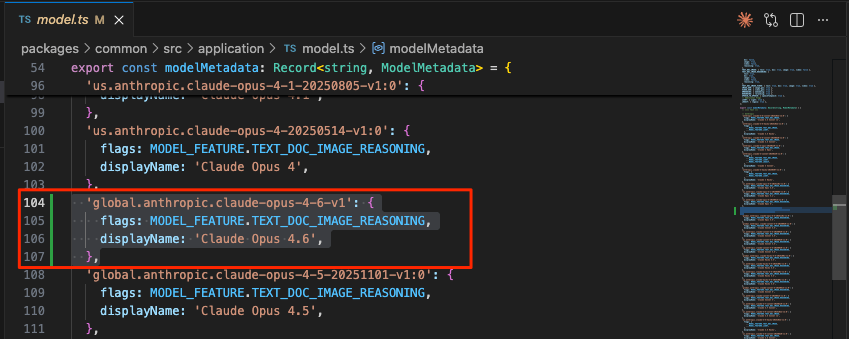
Add to generative-ai-use-cases/packages/common/src/application/model.ts. This will make Claude Opus 4.6 selectable.
  'global.anthropic.claude-opus-4-6-v1': {
    flags: MODEL_FEATURE.TEXT_DOC_IMAGE_REASONING,
    displayName: 'Claude Opus 4.6',
  },
Editing model.ts (chat)
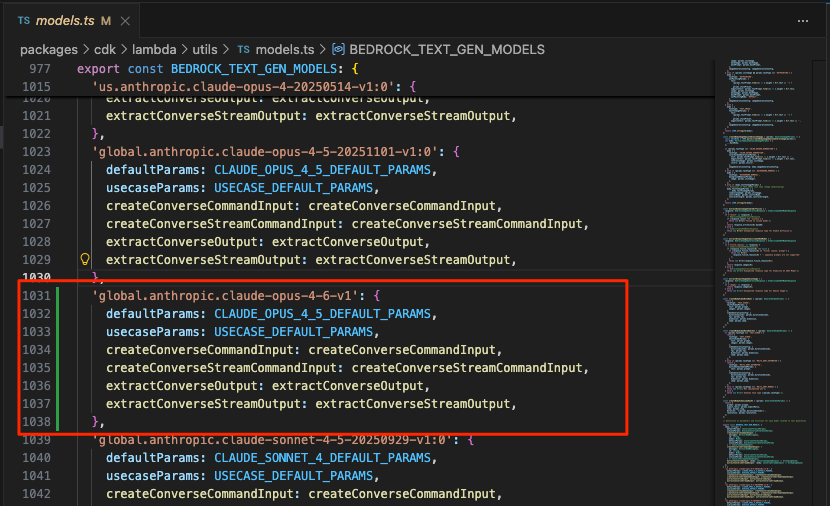
Add to generative-ai-use-cases/packages/cdk/lambda/utils/models.ts. This will make Claude Opus 4.6 selectable. Note that defaultParams uses the Claude Opus 4.5 definition.
  'global.anthropic.claude-opus-4-6-v1': {
    defaultParams: CLAUDE_OPUS_4_5_DEFAULT_PARAMS,
    usecaseParams: USECASE_DEFAULT_PARAMS,
    createConverseCommandInput: createConverseCommandInput,
    createConverseStreamCommandInput: createConverseStreamCommandInput,
    extractConverseOutput: extractConverseOutput,
    extractConverseStreamOutput: extractConverseStreamOutput,
  },
Editing parameter.ts
In generative-ai-use-cases/packages/cdk/parameter.ts, you can override modelRegion and modelIds in envs. Replace with the following settings to use the global inference profile ID.
  '': {
    modelRegion: 'ap-northeast-1',
    modelIds: [
      'global.anthropic.claude-opus-4-6-v1',
      'global.anthropic.claude-sonnet-4-5-20250929-v1:0',
      'global.anthropic.claude-haiku-4-5-20251001-v1:0',
      'global.anthropic.claude-opus-4-5-20251101-v1:0',
      'global.amazon.nova-2-lite-v1:0',
    ],
  },
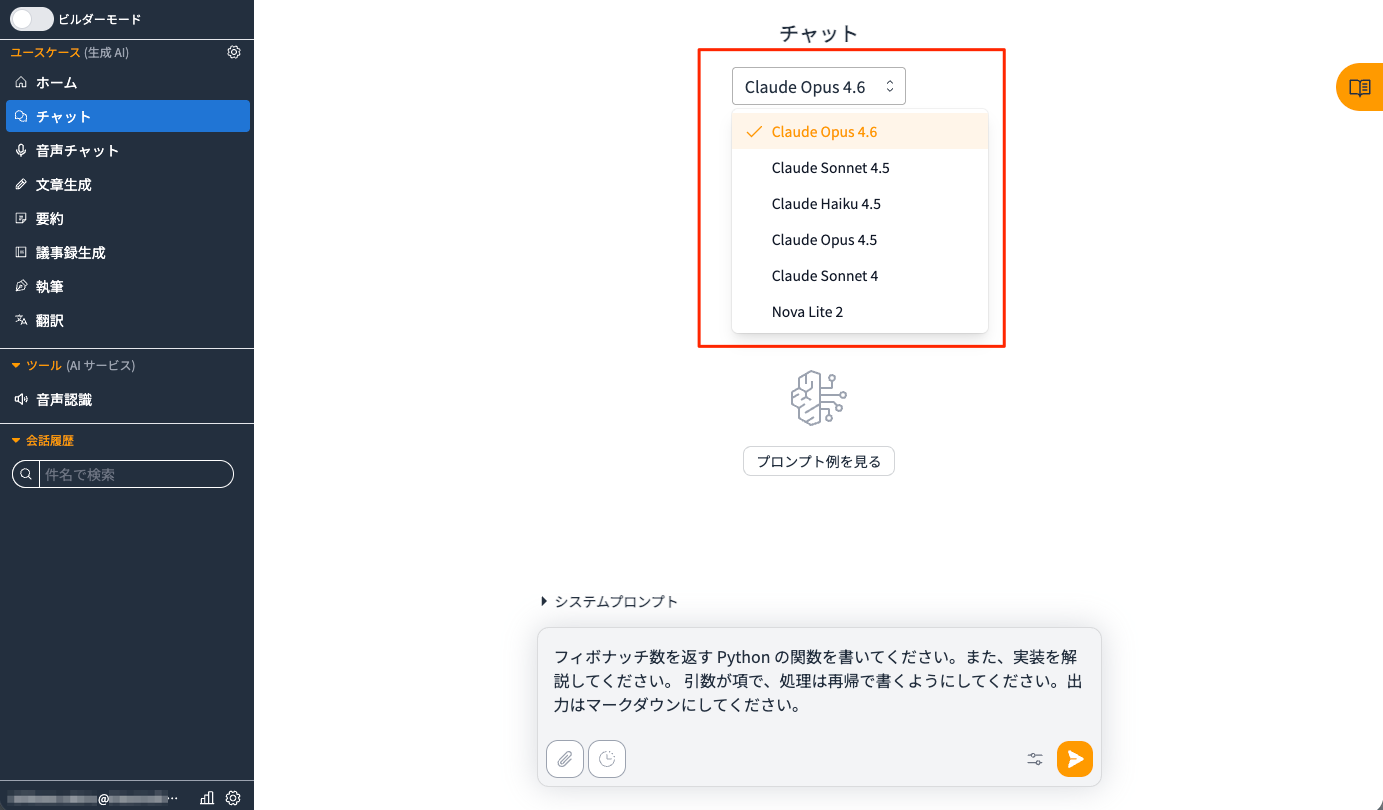
With region settings region: ap-northeast-1 and modelRegion: ap-northeast-1 (both Tokyo region), all stacks except WAF will be deployed to the Tokyo region, allowing low-latency access to the application. You'll be able to use a total of 6 text generation models with the global.* / apac.* prefix including Claude Opus 4.6, plus 3 media models.
3. Deployment
Run the bootstrap command
If you've never used CDK in your AWS account or region before, you'll need to run the bootstrap command first (it's fine to run this as a precaution).
npx -w packages/cdk cdk bootstrap
Deploy to Tokyo region
Since we've already specified the Tokyo region (ap-northeast-1) for both region and modelRegion, deploy without specifying the region.
npm run cdk:deploy
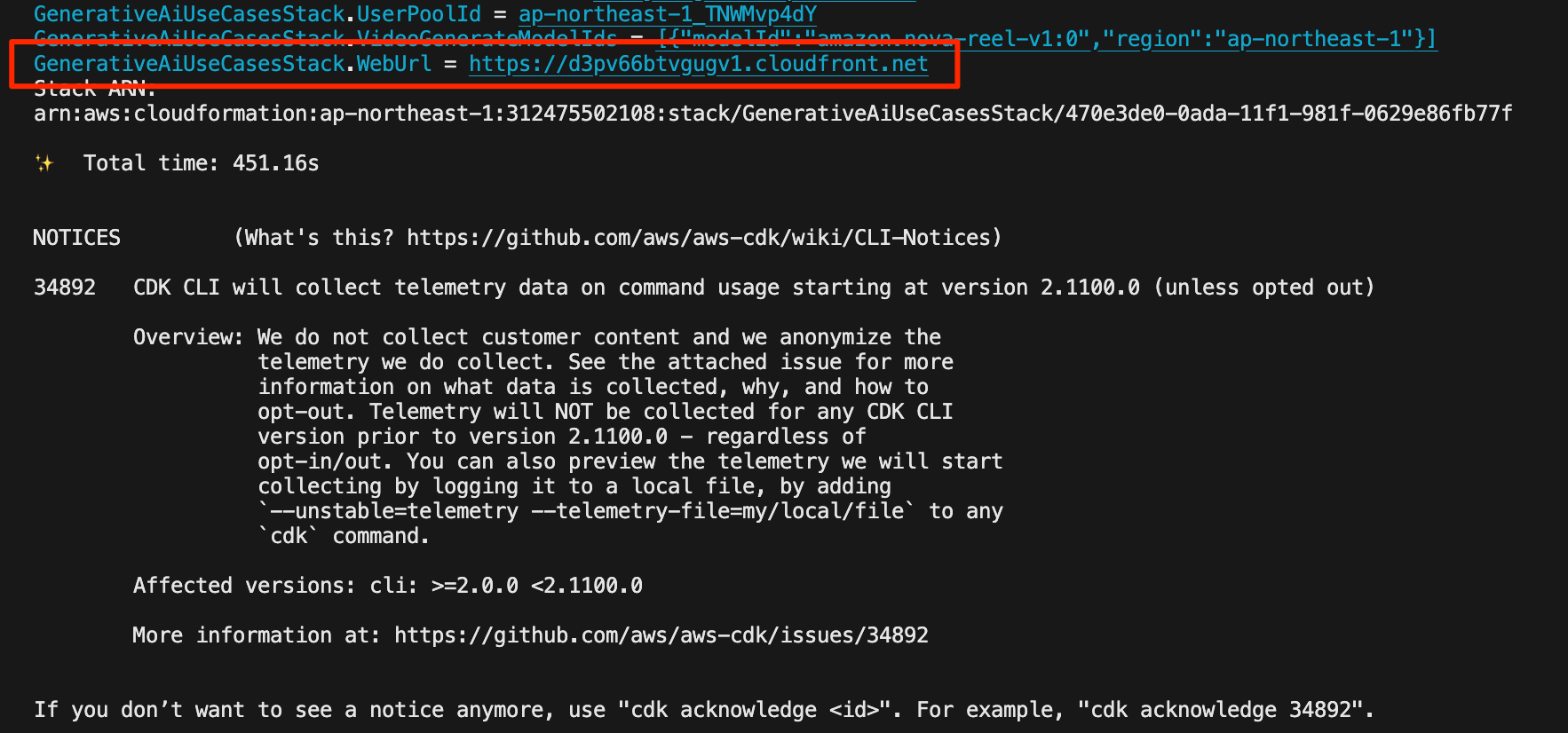
Check the Web URL
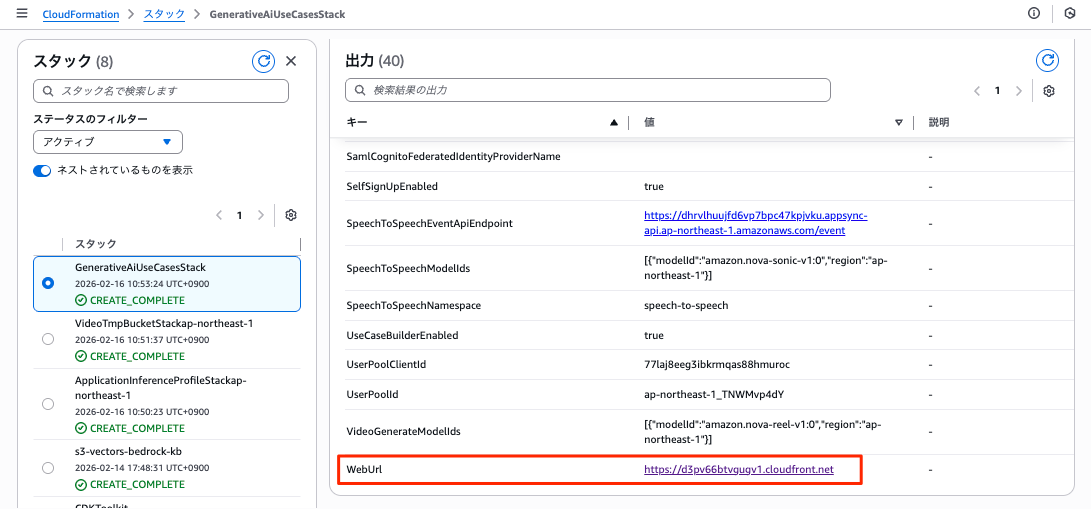
When deployment finishes, the Web URL (the part like https://d3pv66btvgugv1.cloudfront.net) will be displayed.
If you missed it, you can also check it from the CloudFormation outputs.
4. Login
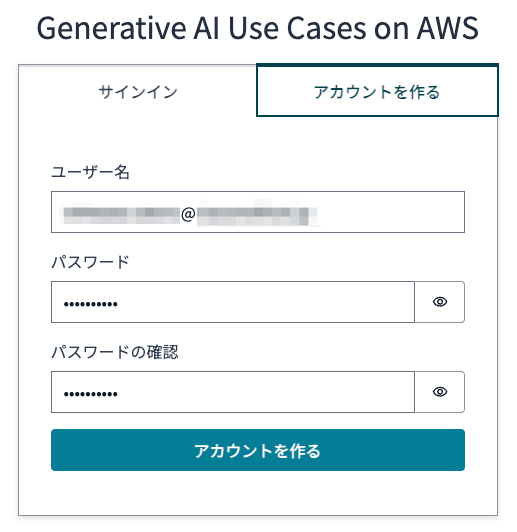
Click the Web URL (the part like https://d3pv66btvgugv1.cloudfront.net) to display the login screen. Enter your email address and password.
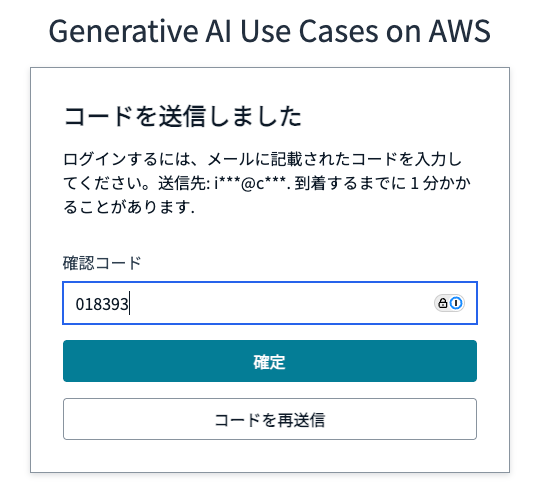
A "code" will be sent to the email address you specified. Enter it and click [Confirm] to complete your registration.
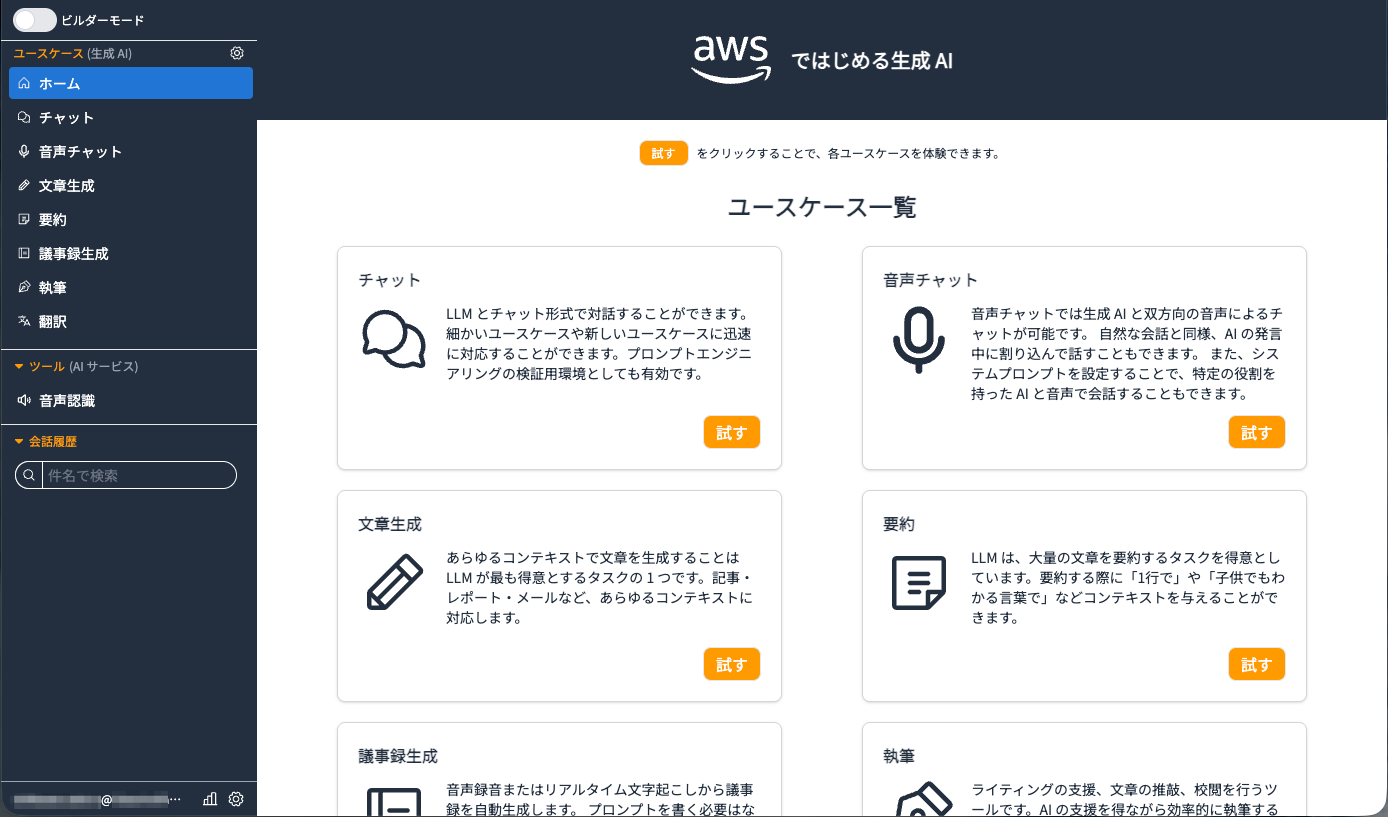
After logging in, you'll be able to see the top page below.
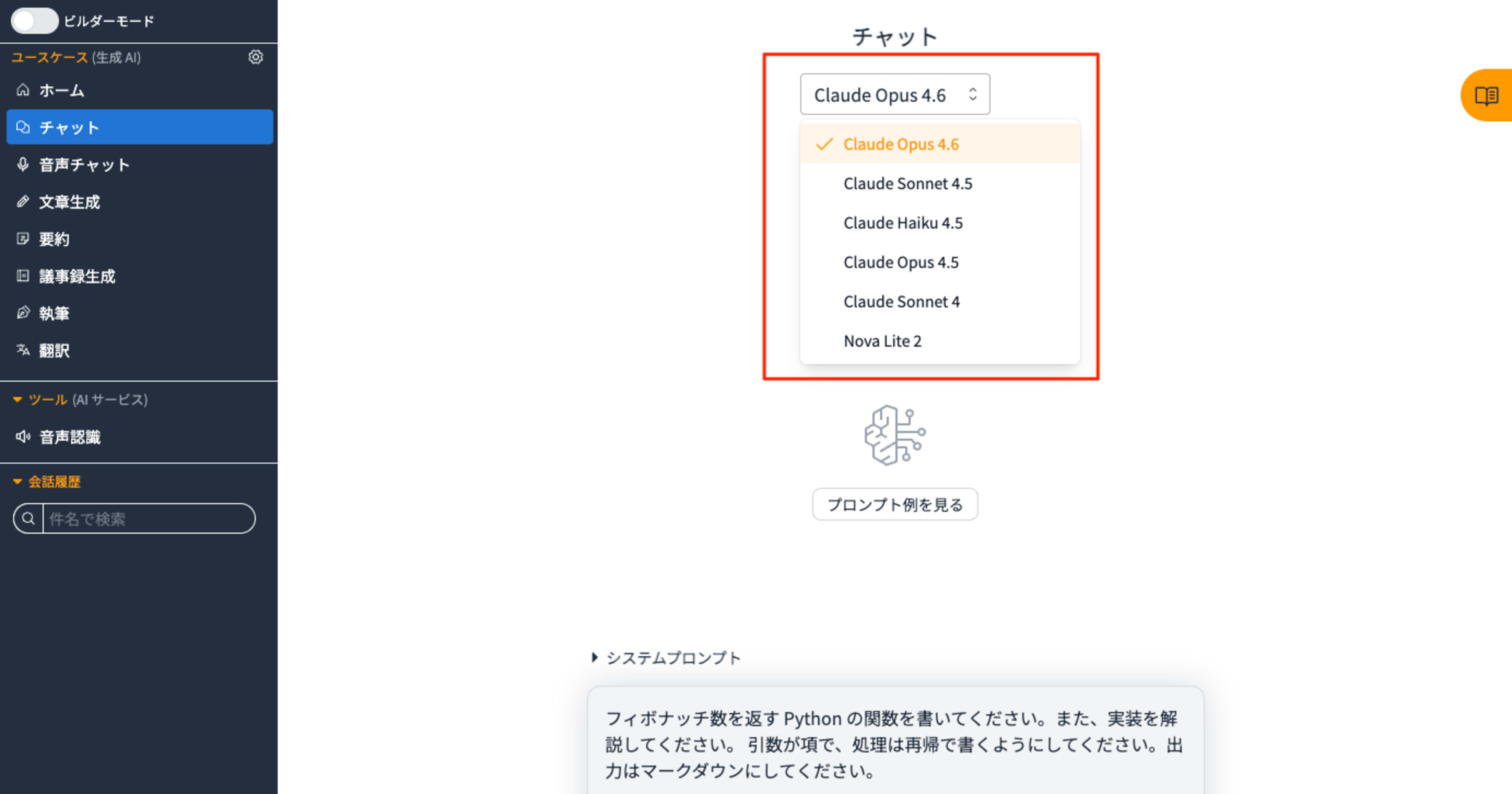
New Claude models like Claude Opus 4.6 are now available.
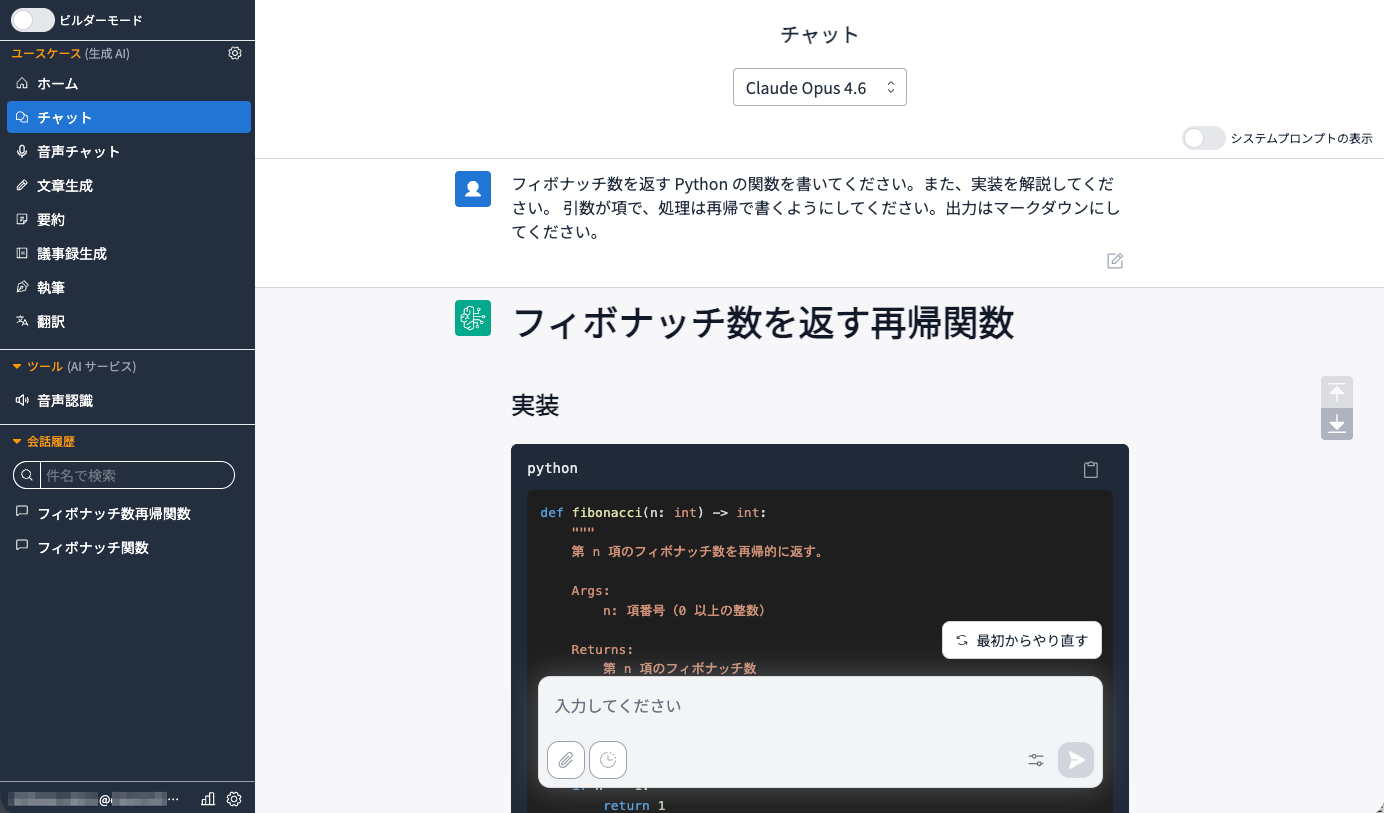
The execution result is as follows.
5. Disabling Self-Signup (Required)
The UI that allows anyone to create an account should be disabled immediately.
Editing parameter.ts
You can disable this by overriding selfSignUpEnabled in envs in generative-ai-use-cases/packages/cdk/parameter.ts.
  '': {
    selfSignUpEnabled: false,
    modelRegion: 'ap-northeast-1',
    modelIds: [
      'global.anthropic.claude-opus-4-6-v1',
      'global.anthropic.claude-sonnet-4-5-20250929-v1:0',
      'global.anthropic.claude-haiku-4-5-20251001-v1:0',
      'global.anthropic.claude-opus-4-5-20251101-v1:0',
      'global.amazon.nova-2-lite-v1:0',
    ],
  },
After configuring, deploy again.
npm run cdk:deploy
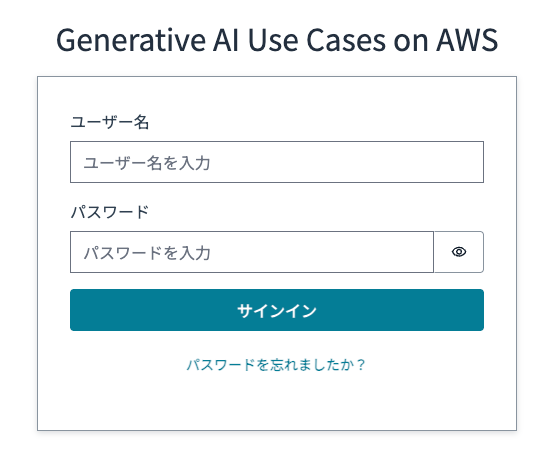
Success is indicated by the "Create Account" tab disappearing.
Additional note: Recommended security settings
In "5. Disabling Self-Signup (Required)," we only set selfSignUpEnabled, but you can apply recommended security settings using the same procedure. I strongly recommend strengthening security with multiple layers of defense.
| Item | Setting Value | Description |
|---|---|---|
allowedCountryCodes |
[jp] |
All requests from IP addresses determined to be from countries other than Japan (JP) will be blocked. |
allowedSignUpEmailDomains |
["example.co.jp"] |
Only allows signup with email addresses from specified domains. |
allowedIpV4AddressRanges |
["xxx.xxx.xxx.xxx/32"] |
Used to further restrict connections to specific office IPs, etc. |
Additional note: If you have data residency requirements
Data residency requirements are rules defining "in which country or region an organization's data should be physically stored and processed." If data cannot be taken outside Japan, configure Japan domestic cross-region inference. However, newer Opus models like Claude 4.5 or 4.6 may not be available in many cases.
If you have data residency requirements but want to select relatively new models, the modelIds in generative-ai-use-cases/packages/cdk/parameter.ts would be set as follows:
    modelIds: [
      'jp.anthropic.claude-sonnet-4-5-20250929-v1:0',
      'jp.anthropic.claude-haiku-4-5-20251001-v1:0',
      'jp.amazon.nova-2-lite-v1:0',
    ],
Conclusion
I've introduced the procedure for adding Claude Opus 4.6 to GenU v5.4 and deploying it in the Tokyo region. Just by adding model definitions to model.ts and changing cdk.json settings, you can quickly build an environment to test multiple models, including the latest Claude Opus 4.6. After deployment, don't forget to apply security settings like disabling self-signup and IP address restrictions. GenU is being actively developed, and future versions may include standard support for Claude Opus 4.6. Until then, I hope the procedures in this article will help with your testing and business applications.