
I tried the On-demand evaluation of Amazon Bedrock AgentCore Evaluations with the Starter Toolkit

This page has been translated by machine translation. View original
Introduction
Hello, I'm Kanno from the Consulting Department who loves supermarkets!
Recently, Amazon Bedrock AgentCore Evaluations was released in preview!!
This Evaluations feature allows assessment at two different timings:
- Online evaluation
- Enables real-time continuous evaluation (with some lag)
- Results can be viewed in the Gen AI Observability dashboard
- Can be configured from the console
- On-demand evaluation
- Allows targeted evaluation by specifying particular session IDs or trace IDs
- Can be executed via AWS CLI or Starter Toolkit
I wanted to try this On-demand evaluation, but since it can't be done from the console and seemed possible via Starter Toolkit, I decided to give it a try!
What is On-demand evaluation?
On-demand evaluation is a feature that evaluates specific conversations. While Online evaluation continuously monitors agents in operation, On-demand evaluation allows you to evaluate selected conversations at any time.
The main use cases include:
- Checking a specific customer's session
- Verifying fixes for reported issues
The key characteristic is the ability to specify the evaluation target using session IDs or trace IDs.
On-demand evaluation is a flexible method offered by Amazon Bedrock AgentCore to assess specific agent interactions by analyzing chosen sets of spans.
List of available Built-in Evaluators
There are built-in evaluation metrics available.
Before trying On-demand evaluation, let's check the available Built-in Evaluators. The evaluation level (Session/Trace/Tool) determines the granularity of the assessment.
Session-level Evaluators (evaluates entire sessions)
Evaluates based on all interactions in a session. All exchanges with the same session ID are included in the evaluation.
| Evaluator ID | Evaluation content |
|---|---|
Builtin.GoalSuccessRate |
Whether user goals were met |
Trace-level Evaluators (evaluates each turn)
A turn can be understood as one chat interaction.
| Evaluator ID | Evaluation content |
|---|---|
Builtin.Helpfulness |
Whether the answer is helpful to the user |
Builtin.Coherence |
Whether there's logical consistency |
Builtin.Conciseness |
Whether the answer is concise |
Builtin.ContextRelevance |
Whether the context is relevant to the question |
Builtin.Correctness |
Whether the answer is accurate |
Builtin.Faithfulness |
Whether it's consistent with conversation history |
Builtin.Harmfulness |
Whether it contains harmful content |
Builtin.InstructionFollowing |
Whether it follows instructions |
Builtin.Refusal |
Whether it avoids inappropriate refusals |
Builtin.ResponseRelevance |
Whether the answer is relevant to the question |
Builtin.Stereotyping |
Whether it avoids stereotypes |
Tool-level Evaluators (evaluates tool calls)
Evaluated for each tool call.
| Evaluator ID | Evaluation content |
|---|---|
Builtin.ToolSelectionAccuracy |
Whether appropriate tools were selected |
Builtin.ToolParameterAccuracy |
Whether tool parameters are accurate |
When using Built-in Evaluators, specify them in the format Builtin.EvaluatorName (e.g., Builtin.Helpfulness).
Prerequisites
The following environment was used to execute the procedures in this article:
| Item | Version/Configuration |
|---|---|
| Python | 3.13.6 |
| uv | Installed (Installation method) |
| AWS account | Appropriate IAM permissions for AgentCore Runtime and Bedrock models |
| Region | us-west-2 (Oregon) |
| Model used | Claude Haiku 4.5 (us.anthropic.claude-haiku-4-5-20251001-v1:0) |
Also, CloudWatch transaction search must be enabled.
AgentCore Evaluations retrieves trace data from CloudWatch.
Let's try it
Let's now try On-demand evaluation!
Project setup
First, let's create a project using uv and install the necessary packages.
# Create and initialize the project
uv init strands-eval-on-demand
cd strands-eval-on-demand

# Install necessary packages
uv add bedrock-agentcore strands-agents bedrock-agentcore-starter-toolkit aws-opentelemetry-distro
Creating a sample agent
Let's create a simple agent for evaluation. This agent will have three tools: weather retrieval, calculation, and knowledge search.
Create a file named sample_eval_test.py with the following content:
from bedrock_agentcore import BedrockAgentCoreApp
from strands import Agent, tool

app = BedrockAgentCoreApp()

# Tool definitions
@tool
def calculator(operation: str, a: float, b: float) -> str:
    """
    A calculator tool for basic calculations

    Args:
        operation: Operation to perform (add, subtract, multiply, divide)
        a: First number
        b: Second number

    Returns:
        Calculation result
    """
    operations = {
        "add": lambda x, y: x + y,
        "subtract": lambda x, y: x - y,
        "multiply": lambda x, y: x * y,
        "divide": lambda x, y: x / y if y != 0 else "Error: Division by zero",
    }

    if operation not in operations:
        return f"Error: Unknown operation '{operation}'. Use: add, subtract, multiply, divide"

    result = operations[operation](a, b)
    return f"{a} {operation} {b} = {result}"

@tool
def get_weather(city: str) -> str:
    """
    Get weather information for a specified city (mock data for demo)

    Args:
        city: City name

    Returns:
        Weather information
    """
    weather_data = {
        "tokyo": {"temp": 15, "condition": "Sunny", "humidity": 45},
        "osaka": {"temp": 17, "condition": "Cloudy", "humidity": 60},
        "new york": {"temp": 8, "condition": "Rainy", "humidity": 80},
        "london": {"temp": 10, "condition": "Cloudy", "humidity": 75},
    }

    city_lower = city.lower()
    if city_lower in weather_data:
        data = weather_data[city_lower]
        return f"Weather in {city}: {data['condition']}, Temperature: {data['temp']}C, Humidity: {data['humidity']}%"
    else:
        return f"Weather information for {city} is not available"

@tool
def search_knowledge(query: str) -> str:
    """
    Search the knowledge base (mock data for demo)

    Args:
        query: Search query

    Returns:
        Search results
    """
    knowledge_base = {
        "python": "Python is a versatile high-level programming language known for readability and simplicity.",
        "aws": "Amazon Web Services (AWS) is a cloud computing platform.",
        "ai": "Artificial Intelligence (AI) enables machines to perform human-like intelligent tasks.",
        "bedrock": "Amazon Bedrock is a fully managed service for building generative AI applications.",
    }

    query_lower = query.lower()
    results = []
    for key, value in knowledge_base.items():
        if key in query_lower or query_lower in key:
            results.append(value)

    if results:
        return "\n".join(results)
    else:
        return f"No information found for '{query}'"

# Creating the agent
agent = Agent(
    system_prompt="""You are a helpful AI assistant.
Use the available tools to provide accurate and useful responses.

Available tools:
- calculator: Perform mathematical calculations
- get_weather: Get weather information for a city
- search_knowledge: Search the knowledge base for information

Respond clearly and concisely.""",
    tools=[calculator, get_weather, search_knowledge],
)

@app.entrypoint
def invoke(payload):
    """AgentCore Runtime entrypoint"""
    user_message = payload.get("prompt", "Hello! How can I help you?")
    result = agent(user_message)
    return {"result": result.message}

if __name__ == "__main__":
    app.run()
Now that we've implemented it, let's proceed with deployment!
Deploying to AgentCore Runtime
Next, we'll deploy to AgentCore Runtime.
For deployment, we'll use the Amazon Bedrock AgentCore Starter Toolkit that we installed during setup.
Configuration
First, let's configure the deployment:
uv run agentcore configure -e sample_eval_test.py
When you run this command, you'll need to answer several questions interactively.
The default values should be fine. Configuration information is saved in .bedrock_agentcore.yaml.
Deployment
Next, let's execute the deployment:
uv run agentcore launch
Once deployment is complete, let's try it out!
Testing (recording session ID)
For On-demand evaluation, we need to specify the session ID of the session we want to evaluate.
Therefore, we'll create a UUID and use it as the session ID for our requests.
# Create a UUID (note this for later evaluation)
SESSION_ID=$(uuidgen)
echo "Session ID: $SESSION_ID"
Using this session ID, let's send multiple requests:
# Request 1: Ask about Tokyo weather
uv run agentcore invoke '{"prompt": "Tokyoの天気をおしえて"}' --session-id $SESSION_ID
Response:
{"result": {"role": "assistant", "content": [{"text": "東京の天気情報をお知らせします:\n\n- **天候**:晴れ\n- **気温**:15℃\n- **湿度**:45%\n\n今日は晴天で、気温も15℃と過ごしやすい陽気ですね。湿度も45%と適度な水準です。"}]}}
# Request 2: Ask about Yodoyabashi (Osaka) weather
uv run agentcore invoke '{"prompt": "淀屋橋の天気をおしえて"}' --session-id $SESSION_ID
Response:
{"result": {"role": "assistant", "content": [{"text": "淀屋橋がある大阪の天気情報をお知らせします:\n\n- **天候**:曇り\n- **気温**:17℃\n- **湿度**:60%\n\n淀屋橋周辺(大阪市内)は曇り空で、気温は17℃、湿度は60%となっています。東京より少し暖かく、湿度もやや高めですね。"}]}}
# Request 3: Ask about Fukuoka weather (city not in mock data)
uv run agentcore invoke '{"prompt": "福岡の天気をおしえて"}' --session-id $SESSION_ID
Response:
{"result": {"role": "assistant", "content": [{"text": "申し訳ございませんが、福岡の天気情報は現在取得できませんでした。このデモ用の天気システムでは、福岡のデータが登録されていないようです。\n\n実際のシステムであれば、主要都市の天気情報が広くカバーされていると思いますが、このデモ環境では限定的なデータのみが利用可能のようです。"}]}}
Now we've conducted a series of conversations using a randomly created session ID.
Out of three questions, the Fukuoka weather doesn't exist in our mock data, so the agent appropriately handled the error.
Running On-demand evaluation
Now, let's run On-demand evaluation using this session ID!
The Starter Toolkit provides the eval command for evaluation. Run it as follows:
uv run agentcore eval run --session-id $SESSION_ID \
  --evaluator "Builtin.Helpfulness" \
  --evaluator "Builtin.GoalSuccessRate" \
  --evaluator "Builtin.Coherence" \
  --evaluator "Builtin.Faithfulness" \
  --evaluator "Builtin.ToolSelectionAccuracy"
The --evaluator option specifies which evaluation metrics to use. Here, we've specified five Built-in Evaluators.
Evaluation results
When you run the evaluation, you'll see results like the following. I'll present some excerpts:
GoalSuccessRate (session level)
╭───────────────────────────────────────────────────────────────────────────────────────────────────────────────────────────────────────────╮
│  Evaluator: Builtin.GoalSuccessRate                                                                                                       │
│                                                                                                                                           │
│  Score: 1.00                                                                                                                              │
│  Label: Yes                                                                                                                               │
│                                                                                                                                           │
│  Explanation:                                                                                                                             │
│  The conversation contains three user requests:                                                                                           │
│                                                                                                                                           │
│  1. **Tokyo weather request**: User asked for Tokyo's weather in Japanese. The assistant correctly used the get_weather tool with         │
│  'Tokyo' as parameter, received weather data (Sunny, 15C, 45% humidity), and provided an accurate, well-formatted response in Japanese.  │
│  Goal achieved.                                                                                                                           │
│                                                                                                                                           │
│  2. **Yodoyabashi weather request**: User asked for Yodoyabashi's weather. The assistant attempted to get weather for '淀屋橋' (failed),  │
│  then '大阪' (failed), then 'Osaka' (succeeded). It received weather data (Cloudy, 17C, 60% humidity) and provided a response stating    │
│  this was Osaka's weather where Yodoyabashi is located. The assistant provided weather information and explained the context             │
│  appropriately. Goal achieved.                                                                                                            │
│                                                                                                                                           │
│  3. **Fukuoka weather request**: User asked for Fukuoka's weather. The assistant tried both '福岡' and 'Fukuoka' parameters, but both    │
│  returned 'Weather information not available'. The assistant correctly informed the user that the weather information could not be       │
│  retrieved and explained it was a limitation of the demo system. While the user didn't get the weather data, the assistant properly      │
│  communicated the unavailability. Goal achieved - the assistant did what was possible given the tool limitations.                        │
╰───────────────────────────────────────────────────────────────────────────────────────────────────────────────────────────────────────────╯
GoalSuccessRate evaluates whether goals were achieved throughout the session. The score is 1.00, indicating that all three questions were appropriately addressed. Even in the case where Fukuoka's weather couldn't be retrieved, it was judged as "Goal achieved" because the system limitations were properly explained. Personally, I thought it might not be a perfect score, so there was a bit of a gap in my expectations.
Helpfulness (trace level)
Helpfulness is evaluated at the trace (each turn) level. Since there were three questions, three evaluation results are output.
Tokyo weather (Score: 0.83 - Very Helpful)
╭───────────────────────────────────────────────────────────────────────────────────────────────────────────────────────────────────────────╮
│  Evaluator: Builtin.Helpfulness                                                                                                           │
│                                                                                                                                           │
│  Score: 0.83                                                                                                                              │
│  Label: Very Helpful                                                                                                                      │
│                                                                                                                                           │
│  Explanation:                                                                                                                             │
│  The user's goal is clear: they want to know the weather in Tokyo. The assistant successfully retrieved weather data through a tool      │
│  call and received: Sunny, 15°C, 45% humidity.                                                                                            │
│                                                                                                                                           │
│  The assistant's response directly addresses the user's request by:                                                                       │
│  1. Presenting the weather information in Japanese (matching the user's language preference)                                              │
│  2. Clearly formatting the data with bullet points for easy reading                                                                       │
│  3. Translating all key information accurately                                                                                            │
│  4. Adding a brief contextual comment about the pleasant weather conditions                                                               │
╰───────────────────────────────────────────────────────────────────────────────────────────────────────────────────────────────────────────╯
Fukuoka weather (Score: 0.33 - Somewhat Unhelpful)
╭───────────────────────────────────────────────────────────────────────────────────────────────────────────────────────────────────────────╮
│  Evaluator: Builtin.Helpfulness                                                                                                           │
│                                                                                                                                           │
│  Score: 0.33                                                                                                                              │
│  Label: Somewhat Unhelpful                                                                                                                │
│                                                                                                                                           │
│  Explanation:                                                                                                                             │
│  The user's goal is clear: they want to know the weather in Fukuoka. The assistant attempted to retrieve this information by calling     │
│  the weather tool twice (with both Japanese '福岡' and English 'Fukuoka' parameters), but both attempts returned that the information    │
│  is not available.                                                                                                                        │
│                                                                                                                                           │
│  From the user's perspective, this response does NOT achieve their goal of getting Fukuoka's weather. However, it does provide a         │
│  clear, honest explanation of why the information cannot be provided.                                                                     │
╰───────────────────────────────────────────────────────────────────────────────────────────────────────────────────────────────────────────╯
The Fukuoka weather response is displayed with a low value of 0.33 since it couldn't provide an answer. The evaluation correctly reflects that it failed to achieve the user's goal.
Coherence (trace level)
╭───────────────────────────────────────────────────────────────────────────────────────────────────────────────────────────────────────────╮
│  Evaluator: Builtin.Coherence                                                                                                             │
│                                                                                                                                           │
│  Score: 1.00                                                                                                                              │
│  Label: Completely Yes                                                                                                                    │
│                                                                                                                                           │
│  Explanation:                                                                                                                             │
│  The assistant's response demonstrates sound logical reasoning throughout. When asked about the weather in 淀屋橋 (Yodoyabashi), the     │
│  system attempted multiple tool calls: first trying '淀屋橋' directly, then '大阪' (Osaka in Japanese), and finally 'Osaka' in English.  │
│  The first two attempts returned no data, but the third succeeded.                                                                        │
│                                                                                                                                           │
│  The assistant correctly reasoned that:                                                                                                   │
│  1. Yodoyabashi is a location within Osaka city                                                                                           │
│  2. Since specific weather data for Yodoyabashi wasn't available, using Osaka's weather data is appropriate                               │
│  3. The response explicitly states '淀屋橋がある大阪' (Osaka where Yodoyabashi is located), clearly establishing the logical connection  │
╰───────────────────────────────────────────────────────────────────────────────────────────────────────────────────────────────────────────╯
Coherence evaluates logical consistency. The reasoning from Yodoyabashi to Osaka is appropriately evaluated.
It's really interesting to see how AI conducts these evaluations.
How to evaluate using trace IDs
While the Starter Toolkit CLI currently focuses on session ID-based evaluation,
you can also evaluate specific trace IDs or span IDs using the AWS SDK.
Getting trace IDs
You can check the traceId included in the spanContext of the evaluation results. You can also view trace IDs from the CloudWatch GenAI Observability dashboard.
Specifying Trace ID for Evaluation with AWS SDK
When you want to evaluate only specific traces, specify traceIds in the evaluationTarget parameter.
import boto3

# Initialize the client
client = boto3.client('agentcore-evaluation-dataplane', region_name='us-west-2')

# Evaluate specific traces (for Trace-level Evaluator)
response = client.evaluate(
    evaluatorId="Builtin.Helpfulness",
    evaluationInput={"sessionSpans": session_span_logs},
    evaluationTarget={"traceIds": ["trace-id-1", "trace-id-2"]}
)

print(response["evaluationResults"])
Specifying Span ID for Evaluation (Tool-level Evaluator)
When you want to evaluate only specific tool calls in tool-level evaluation, specify spanIds.
# Evaluate specific spans (for Tool-level Evaluator)
response = client.evaluate(
    evaluatorId="Builtin.ToolSelectionAccuracy",
    evaluationInput={"sessionSpans": session_span_logs},
    evaluationTarget={"spanIds": ["span-id-1", "span-id-2"]}
)

print(response["evaluationResults"])
Rules for Specifying Evaluation Targets
The method for specifying evaluation targets differs based on the Evaluator level.
| Evaluator Level | Parameter | Description |
|---|---|---|
| Session-level | Not required | The entire session is evaluated (supports only 1 session) |
| Trace-level | traceIds |
Evaluates only specific traces (turns) |
| Tool-level | spanIds |
Evaluates only specific tool calls |
To evaluate the entire session, simply omit the evaluationTarget parameter.
About Evaluation Results
- Custom Evaluators can be used in combination (you can mix
Builtin.xxxwith your custom ones)- To use a Custom Evaluator, simply specify its Evaluator ID
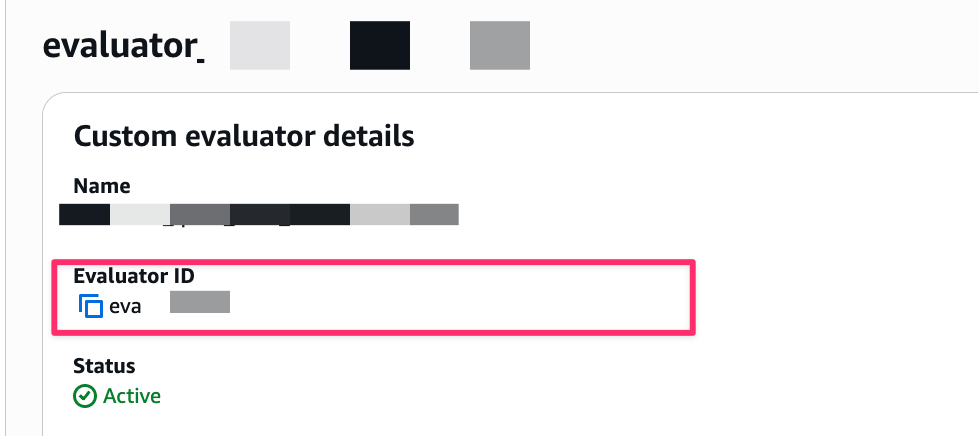
- To use a Custom Evaluator, simply specify its Evaluator ID
- Session-level evaluation produces one result for the entire session, while Trace-level evaluation outputs results for each turn
Conclusion
In this article, we tried Amazon Bedrock AgentCore Evaluations' On-demand evaluation using the Starter Toolkit!
It seems that Online evaluation is suitable for continuous quality monitoring of agents in production, while On-demand evaluation is useful for detailed analysis of specific interactions or for testing.
It appears beneficial to ask specific questions during development and then check the evaluations. Also, I found it important not only to look at the evaluation scores but to visually confirm the criteria used for the evaluations and review whether the AI's assessment is appropriate.
I hope this article was helpful. Thank you very much for reading!
Additional Information
For more details about On-demand evaluation and Built-in Evaluators, please refer to the following official documentation:
- Evaluate agent performance with Amazon Bedrock AgentCore Evaluations - Overview of AgentCore Evaluations
- On-demand evaluation - Details on On-demand evaluation
- Getting started with on-demand evaluation - Tutorial for On-demand evaluation
- Built-in evaluators - Overview of Built-in Evaluators
- Prompt templates - Details on prompt templates for each Evaluator