![[Small topic] I tried the new authentication-free option added to Amazon Bedrock AgentCore Gateway](https://images.ctfassets.net/ct0aopd36mqt/7qr9SuOUauNHt4mdfTe2zu/8f7d8575eed91c386015d09e022e604a/AgentCore.png?w=3840&fm=webp)
[Small topic] I tried the new authentication-free option added to Amazon Bedrock AgentCore Gateway

This page has been translated by machine translation. View original
Hello, I'm Jinno from the consulting department, and I love supermarkets.
Recently, when looking at the Amazon Bedrock AgentCore Gateway console, I noticed that a "No authorization" option had quietly appeared.
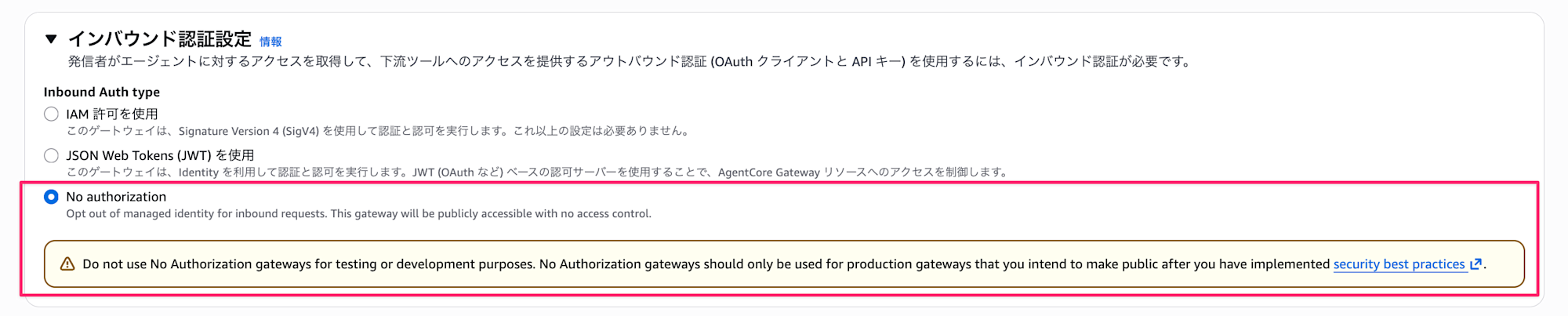
Until now, for both Runtime and Gateway, authentication was mandatory when hosting an MCP Server, requiring either IAM or JWT, and "no authentication" wasn't an option.
Therefore, it wasn't possible to host a public MCP Server, but with this update, Gateway now supports no authentication, which is great news.
With this update, if you want to make your own MCP Server publicly available without authentication, using AgentCore Gateway becomes a viable option. Let's try it out.
Preparation
First, let's create a Lambda function to be used as an MCP Server.
We'll implement a simple function for addition and multiplication.
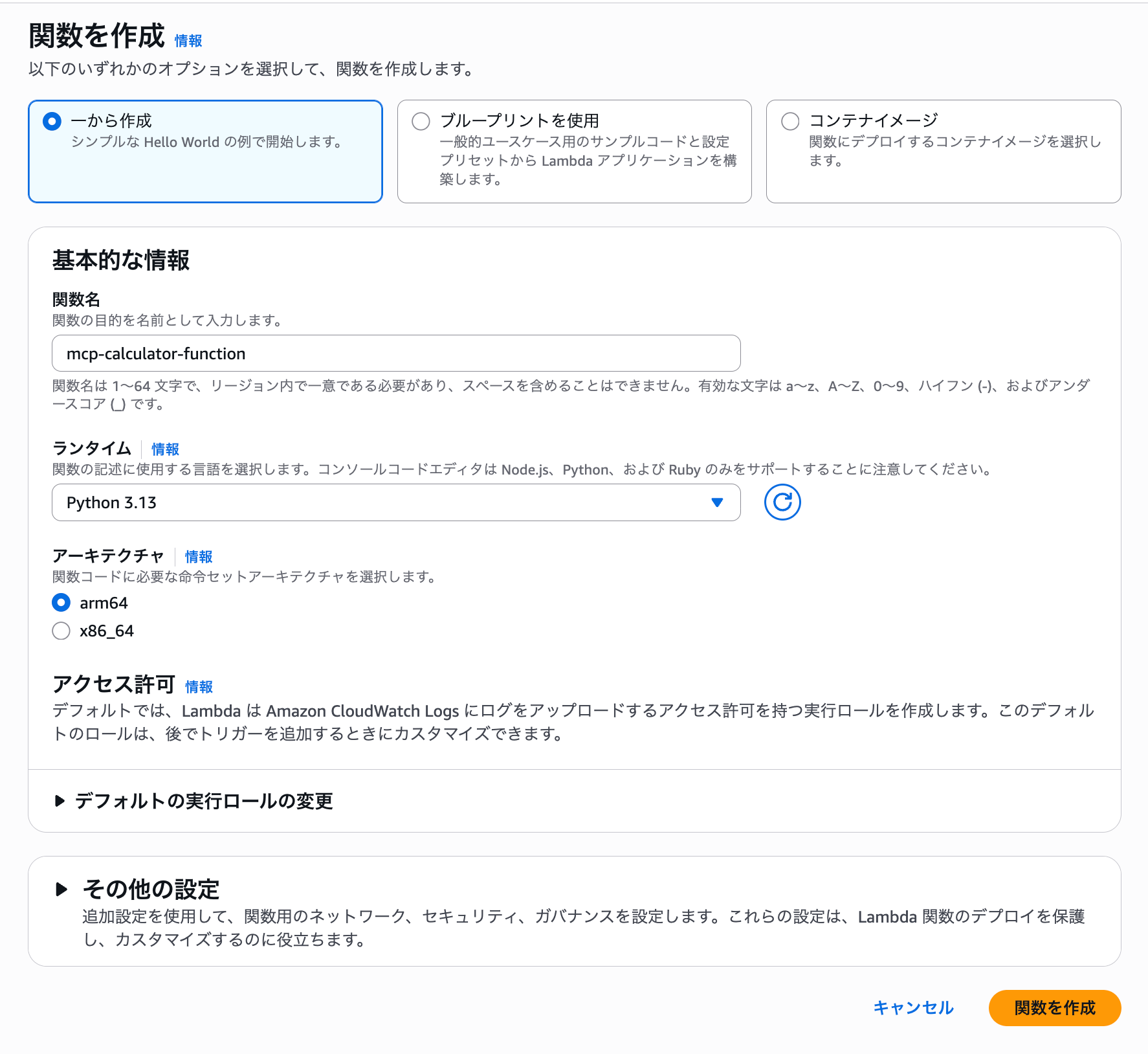
When creating a function in the console, select the following:
- Choose the
Create from scratchoption - Function name: mcp-calculator-function
- Runtime: Python 3.13
- Architecture: arm64
Then, copy the following code and click the Deploy button.
import json

def lambda_handler(event, context):
    """
    AgentCore Gateway から呼び出される計算ツール Lambda 関数
    """

    # ツール名を取得(ターゲット名のプレフィックスを除去)
    delimiter = "___"
    original_tool_name = context.client_context.custom.get('bedrockAgentCoreToolName', '')

    if delimiter in original_tool_name:
        tool_name = original_tool_name.split(delimiter)[1]
    else:
        tool_name = original_tool_name

    # event には inputSchema で定義したプロパティがそのまま渡される
    a = event.get('a', 0)
    b = event.get('b', 0)

    if tool_name == 'add':
        result = a + b
        return {
            'result': result,
            'message': f'{a} + {b} = {result}'
        }
    elif tool_name == 'multiply':
        result = a * b
        return {
            'result': result,
            'message': f'{a} × {b} = {result}'
        }
    else:
        return {
            'error': f'Unknown tool: {tool_name}'
        }
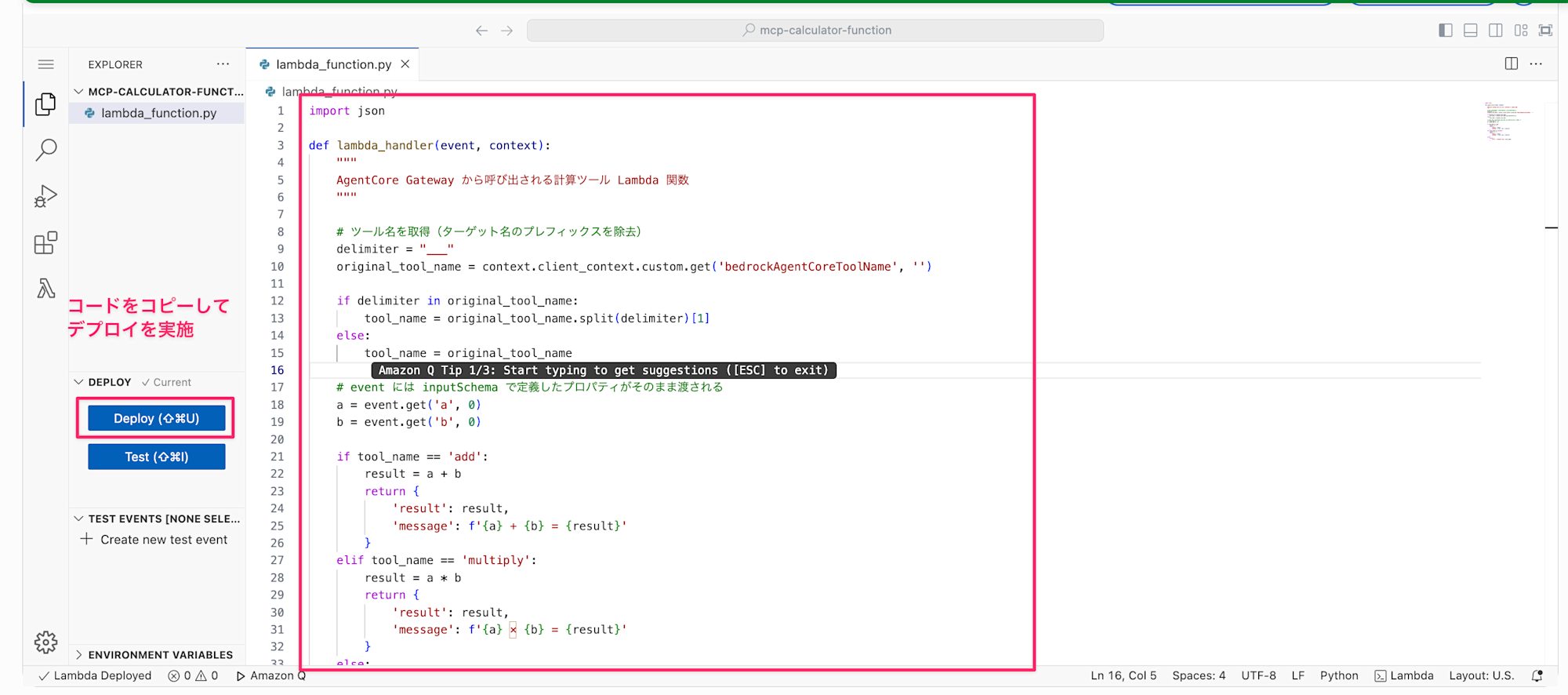
The processing itself is a simple tool for addition and multiplication.
Make a note of the created Lambda function's ARN.
Now that we're prepared, let's create a Gateway from the console.
Creating a Gateway
Open the Gateway creation screen in the console.
Create a Gateway
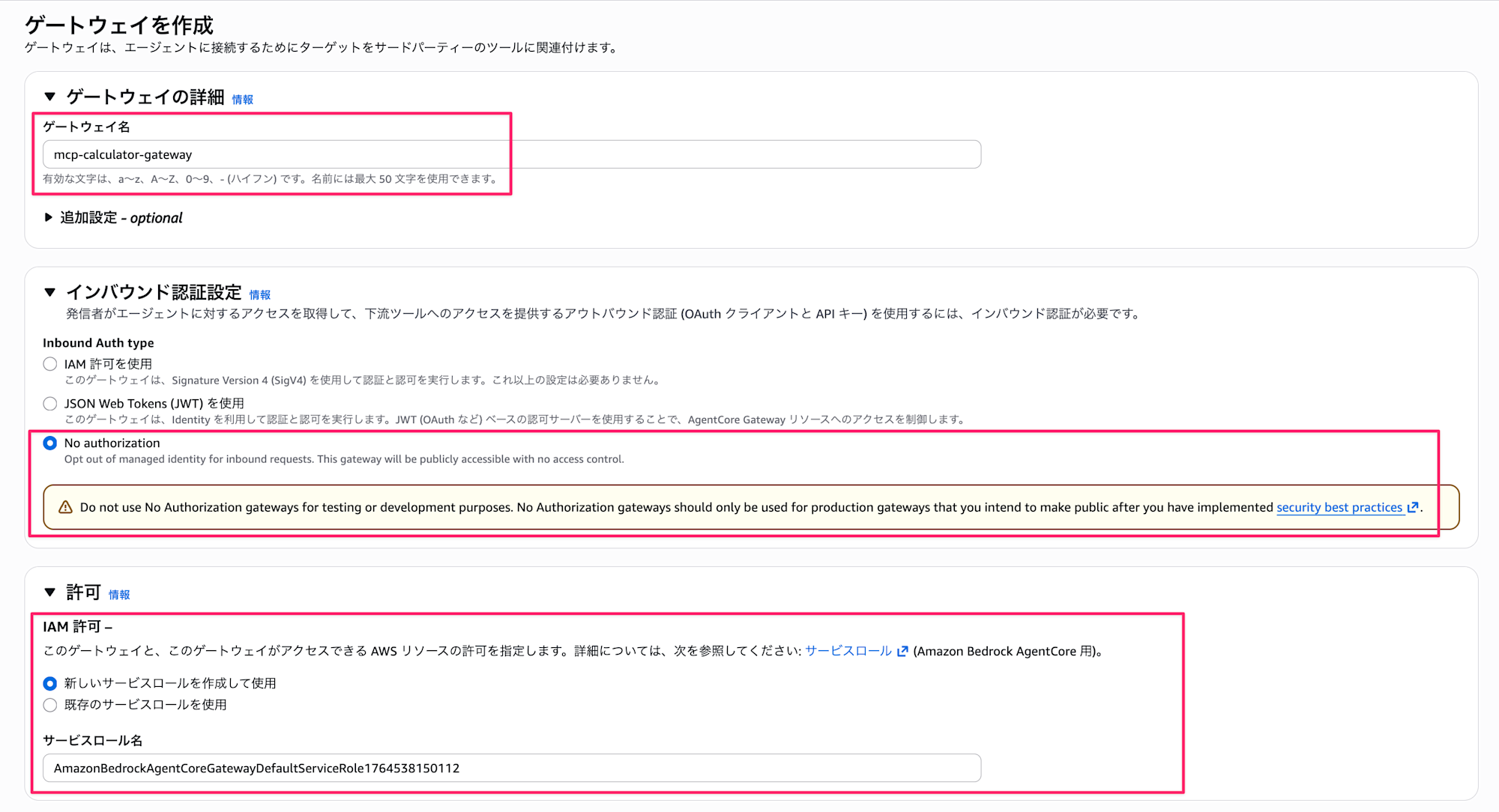
Use the following settings. Since we want to see the behavior without authentication, select No Authorization.
- Gateway name: mcp-calculator-gateway
- Inbound Auth type: No Authorization
- IAM permissions: Create and use a new service role
Next, specify the target where actions will be executed.
Target
You can name the target whatever you want, but let's use lambda-target-sample.
For the target type, select Lambda ARN and specify the Lambda ARN we created earlier.
For the target schema, select Define inline schema and paste the following schema definition.
This defines tools for addition and multiplication.
 [
  {
    "name": "add",
    "description": "2つの数値を足し算します",
    "inputSchema": {
      "type": "object",
      "properties": {
        "a": {
          "type": "number",
          "description": "1つ目の数値"
        },
        "b": {
          "type": "number",
          "description": "2つ目の数値"
        }
      },
      "required": ["a", "b"]
    }
  },
  {
    "name": "multiply",
    "description": "2つの数値を掛け算します",
    "inputSchema": {
      "type": "object",
      "properties": {
        "a": {
          "type": "number",
          "description": "1つ目の数値"
        },
        "b": {
          "type": "number",
          "description": "2つ目の数値"
        }
      },
      "required": ["a", "b"]
    }
  }
]
Configure the outbound authentication settings with an IAM role, then select the Create gateway button.
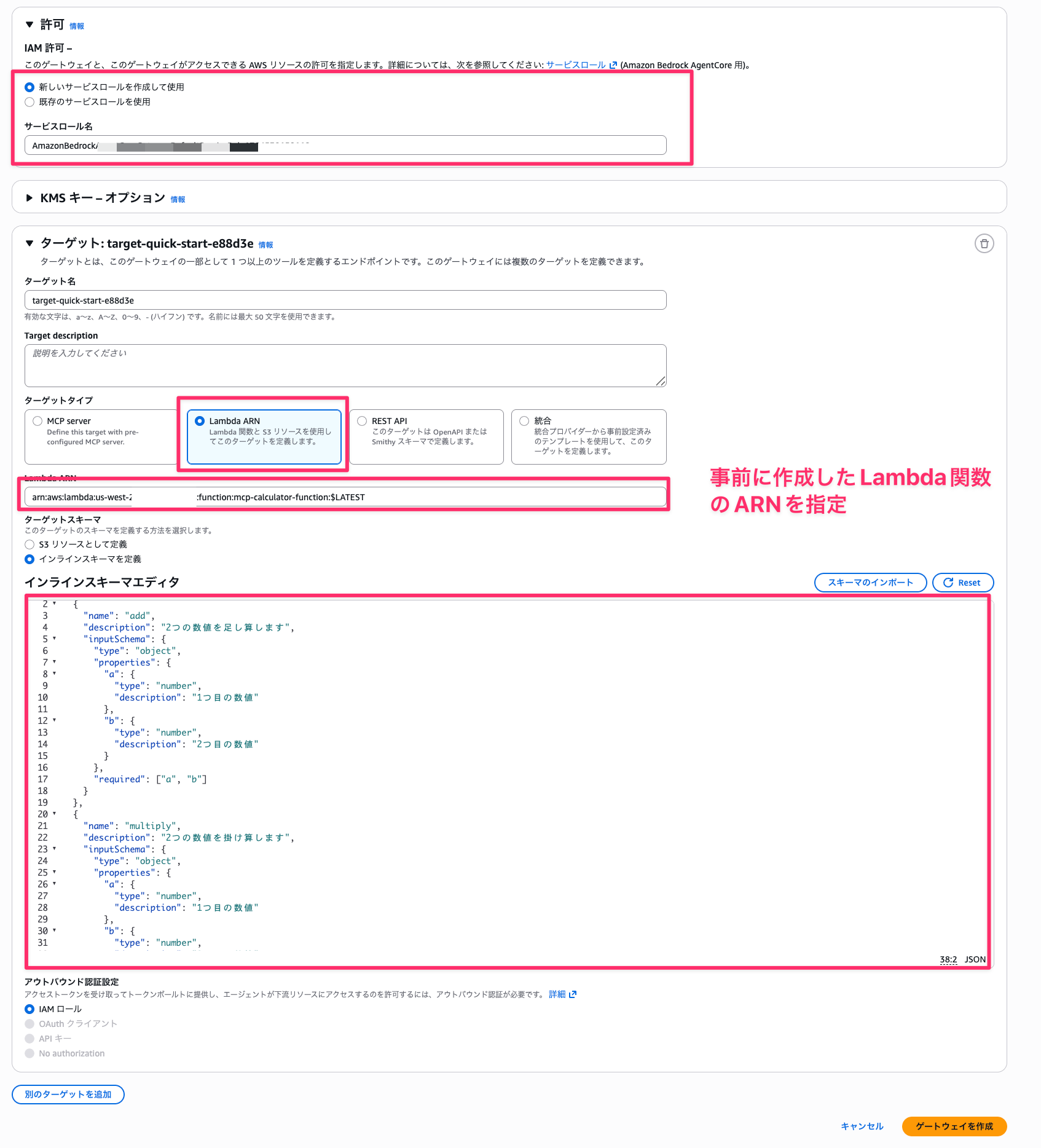
Once created, you'll transition to the following screen and completion!
Copy the gateway resource URL to use with Claude Code.
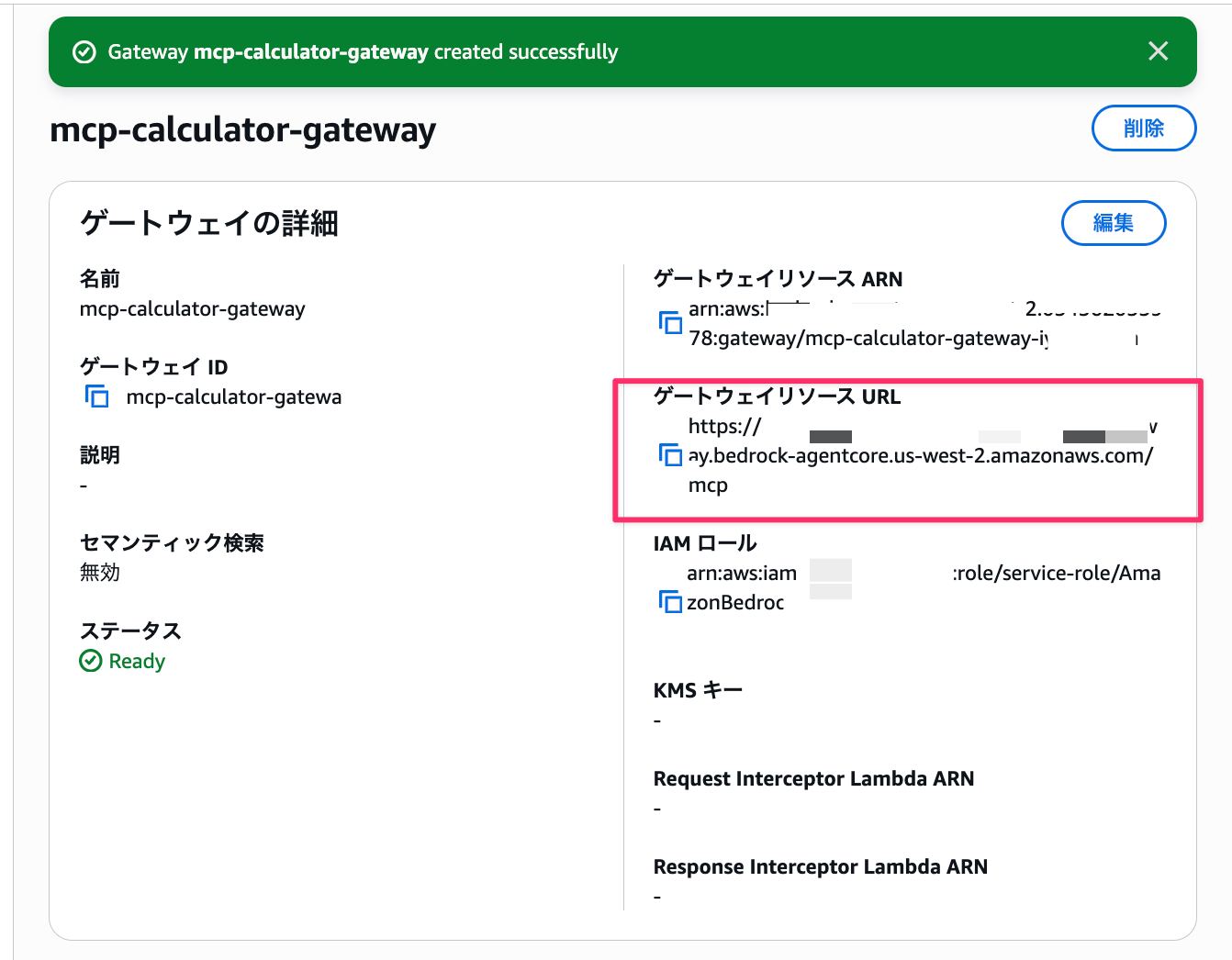
Connect and Test
Add the MCP Server we're using to Claude Code. When adding it, specify the URL of the Gateway we created.
claude mcp add --transport http calculator https://xxx.us-west-2.amazonaws.com/mcp
After setting it up, launch claude and ask a question with the following prompt.
Calculate 1213 * 12331 using the calculator MCP
The execution result looks like this:
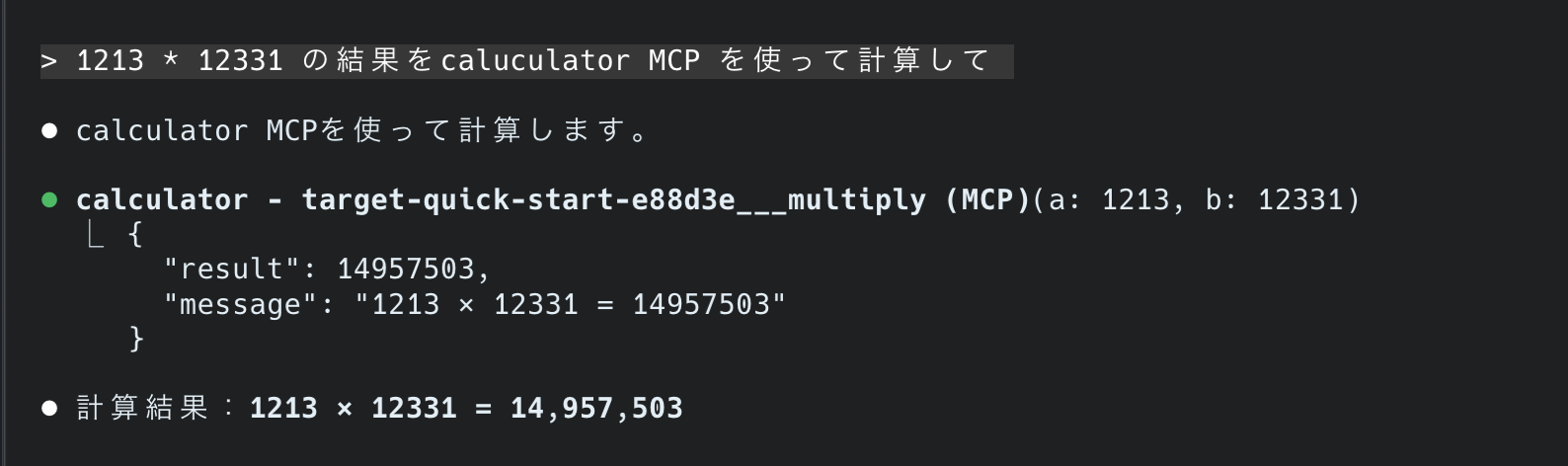
The execution result from the specified target Lambda function was returned!
Also, when I asked what it can do, it returned the following, so it's properly retrieving the tool information linked to the Gateway.
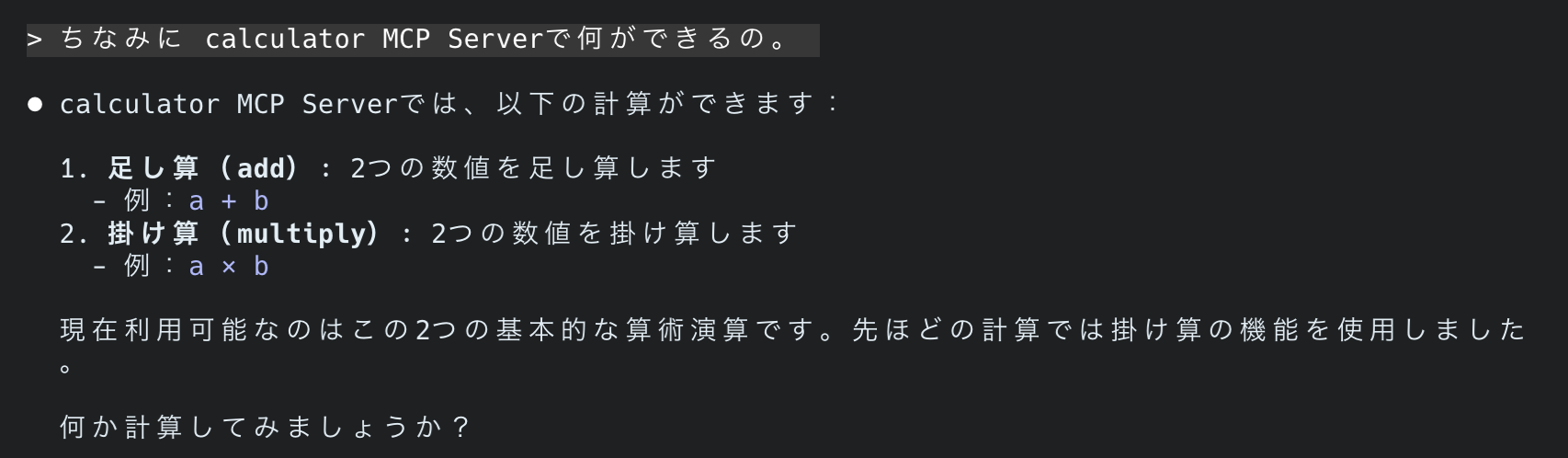
Without any complicated procedures, we were able to make the Lambda function public while targeting it.
Notes and Supplements
Caution
As noted in the console, be careful to implement security measures before hosting in a public place and do not use it for development or testing purposes.
Do not use No Authorization gateways for testing or development purposes. No Authorization gateways should only be used for production gateways that you intend to make public after you have implemented security best practices .
By the way, the best practices state that the following should be satisfied.
I'm translating them here:
-
Use the
bedrock-agentcore:GatewayAuthorizerTypecondition key to selectively allow/deny creation of gateways withauthorizerType=NONEwithin your organization. -
Do not use authentication-free gateways for testing convenience. Use authentication-free gateways for gateways you plan to make public, and implement your own custom throttling rules and checks to ensure that public gateways can handle unauthenticated users.
-
Do not use authentication-free gateways for targets that may return responses containing sensitive information. Targets have their own authentication settings configured, but it's best to add another layer of security to the gateway.
Reading this, my interpretation is as follows:
- IAM permissions for creating gateways without authentication should be restricted, allowing only a limited number of people to create them.
- Don't create gateways for testing purposes; even without authentication, you should implement your own custom throttling rules and checks to handle unauthenticated users.
- Don't use authentication-free gateways when handling sensitive information. Although you can control permissions to the target itself with IAM, it's better to configure authentication for the gateway itself.
Conclusion
I quickly tested the new No Authorization option for Amazon Bedrock AgentCore Gateway!
If you want to make a remote MCP Server hosted on Runtime or an existing Lambda function publicly available as an MCP Server, it seems good to use Gateway as a hub.
Also, when making something public, don't leave security wide open for development and testing; instead, implement best practices for production.
I hope this article was helpful! Thank you for reading to the end!!