![[Speaking Report] I gave a presentation titled "The Path to Production Implementation of Amazon Bedrock AgentCore: Practical Architecture Design" at AI Builders Day Online (pre-event)!](https://devio2024-media.developers.io/image/upload/f_auto,q_auto,w_3840/v1764423110/user-gen-eyecatch/mukxbugqn4kvugo8fwow.png)
[Speaking Report] I gave a presentation titled "The Path to Production Implementation of Amazon Bedrock AgentCore: Practical Architecture Design" at AI Builders Day Online (pre-event)!

This page has been translated by machine translation. View original
Introduction
Hello, I'm Jinno from the Consulting Department, a big fan of supermarket (La-mu).
I had the opportunity to speak at the AI Builders Day Online (pre-event) held on November 27, 2025 (Thursday)!
Actually, this was my first time speaking at such a large external community event, so I was quite nervous...! The other speakers covered very practical topics, and it was interesting to hear from people who are actually creating AI agents. It was a really great event! Thank you again to all the organizers!
Presentation Materials
This presentation aimed to discuss practical applications of AgentCore, and assumes that the audience has at least some experience with AgentCore...!
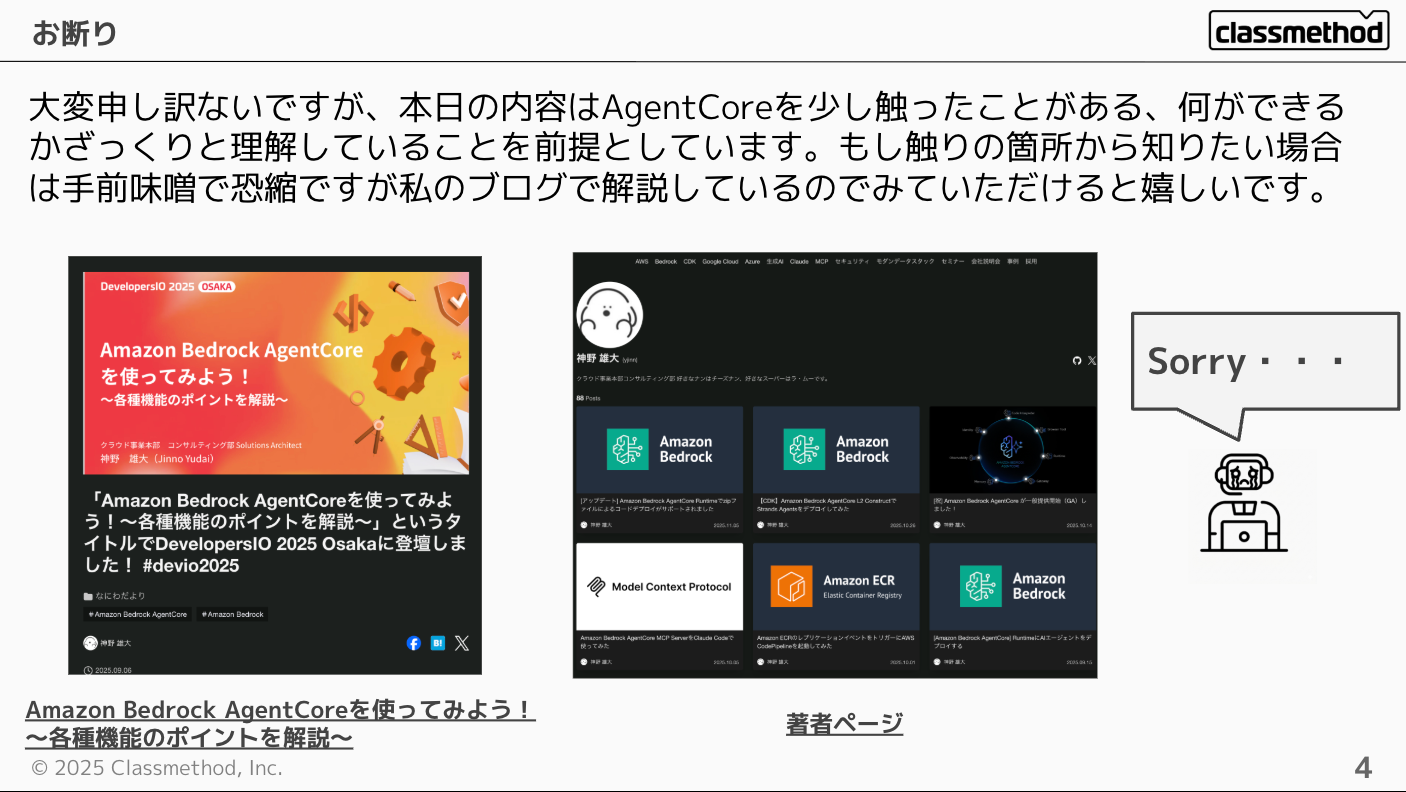
If you'd like to learn about the basics of AgentCore, please refer to the following blog post!
Explanation of the Materials
How to Use Runtime Endpoints
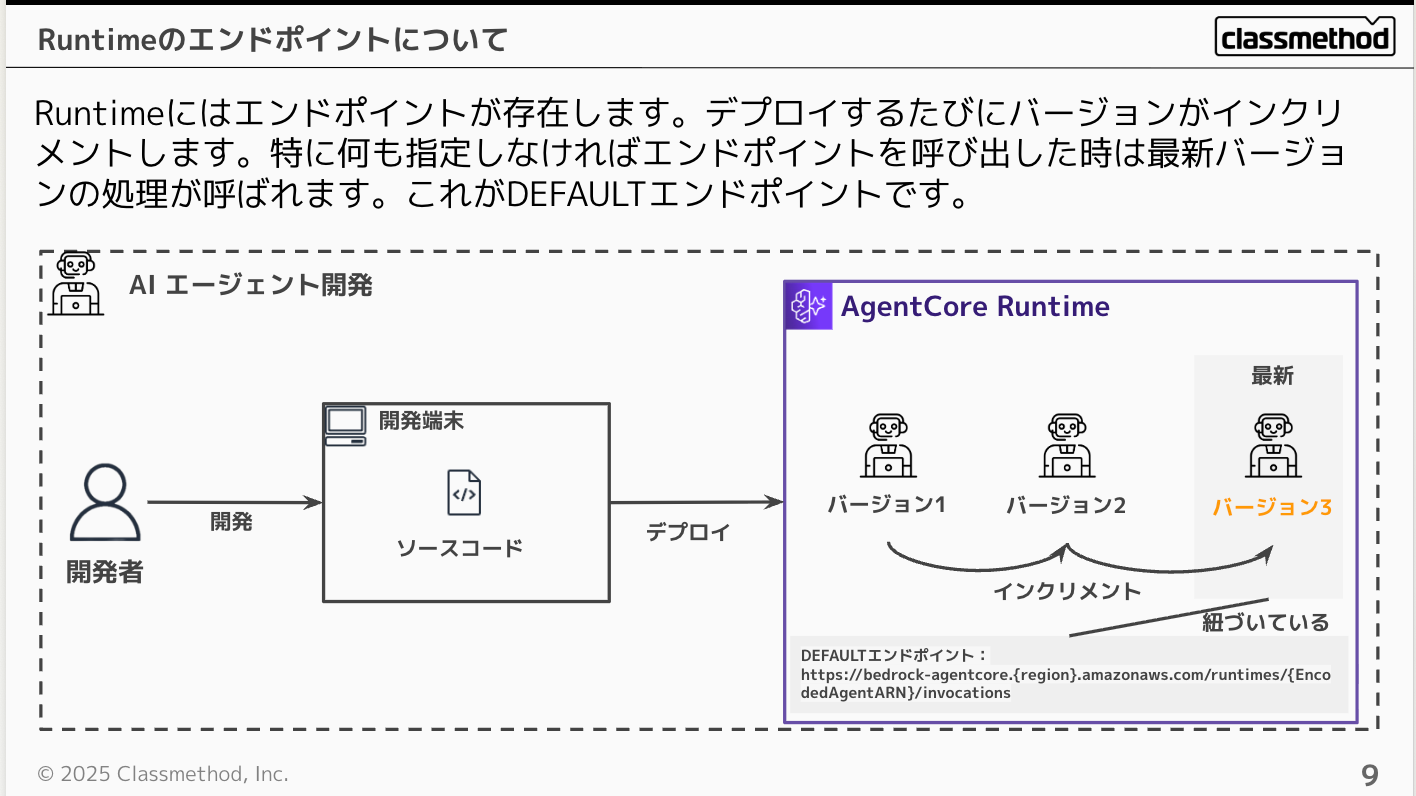
Runtime has endpoints, and each time you deploy, it keeps a version that increments, with the DEFAULT endpoint always linked to the latest version. So when you call an endpoint, the latest version is executed.
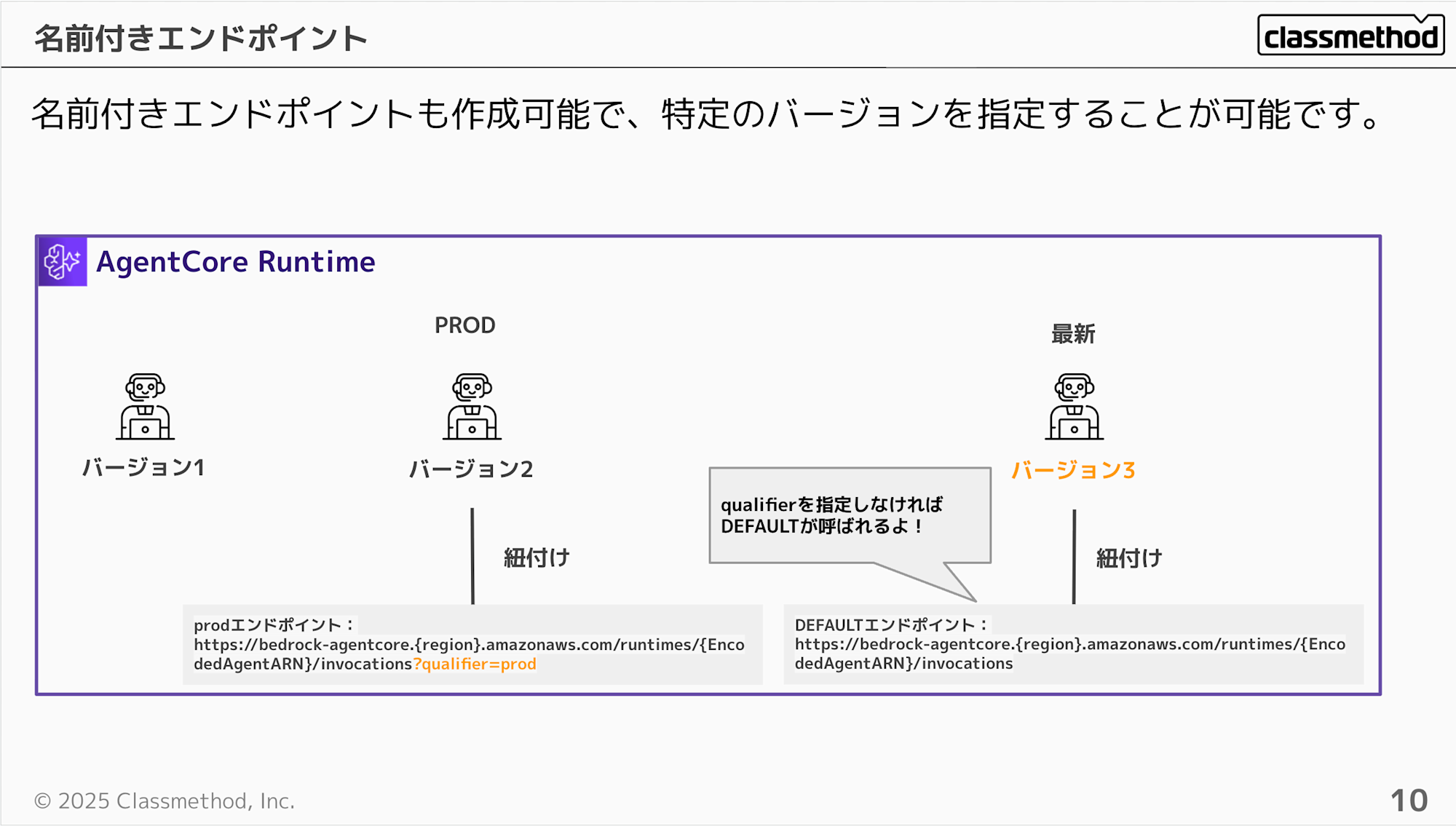
You can also specify named endpoints other than DEFAULT.
For example, you can name a production endpoint as "prod", and named endpoints can be called by specifying the endpoint name with the qualifier parameter as shown below.
Conversely, if you don't specify a qualifier, the DEFAULT endpoint will be executed.
https://bedrock-agentcore.{region}.amazonaws.com/runtimes/{EncodedAgentARN}/invocations?qualifier=prod
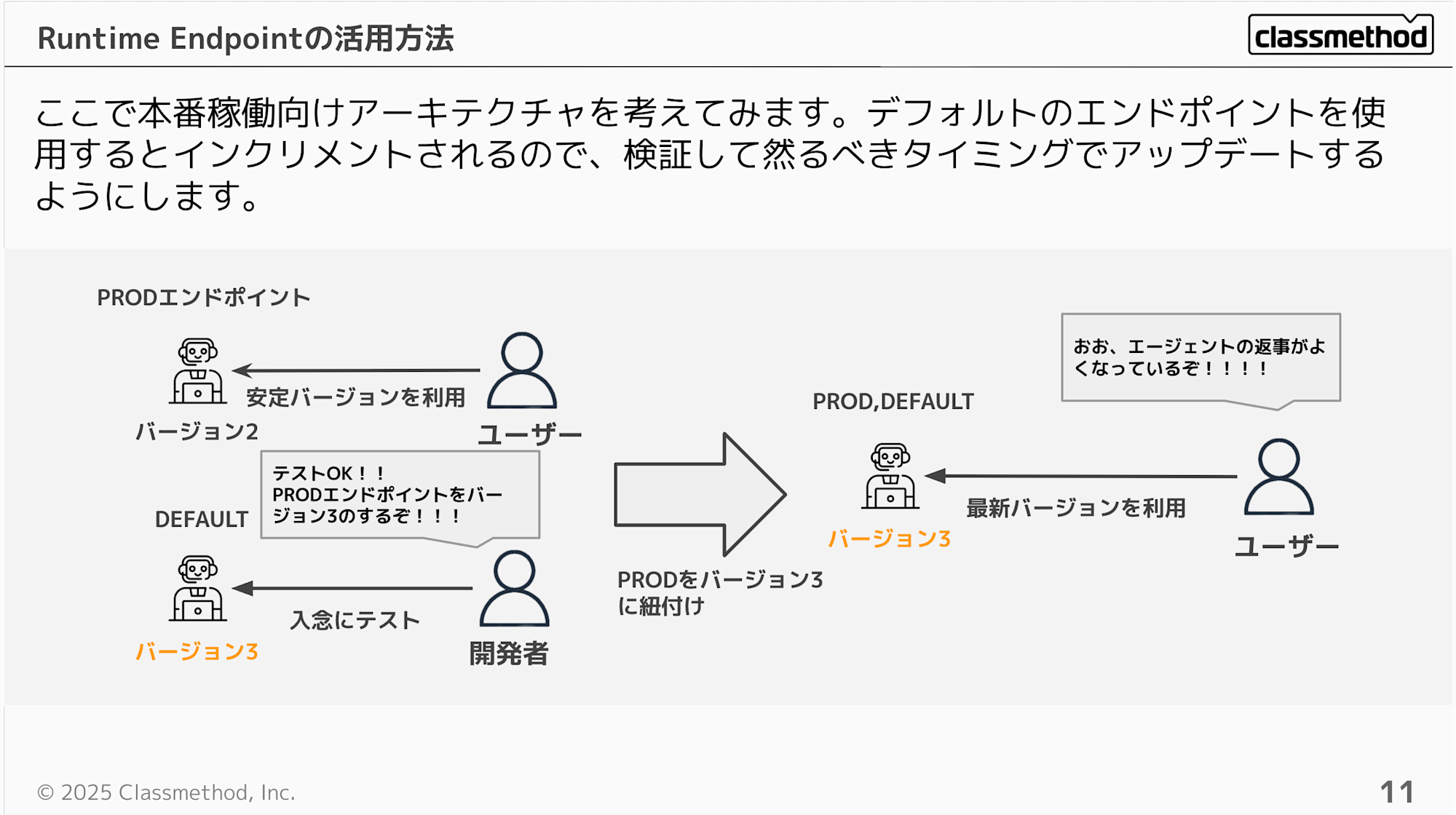
When considering an application hosted on Runtime for production use, you would thoroughly test the latest version and, if there are no issues, update the version linked to the production endpoint.
CloudFront / Lambda Proxy Pattern
The URL format for using an endpoint after deploying Runtime looks like this:
https://bedrock-agentcore.ap-northeast-1.amazonaws.com/runtimes/arn%3Aaws%3Abedrock-agentcore%3Aap-northeast-1%3A123456789012%3Aagent-runtime%2Fabcd1234/invocations
Hmm... having to include the account ID and encode the ARN feels a bit uncomfortable, doesn't it? You might also want to use a custom domain in some cases.
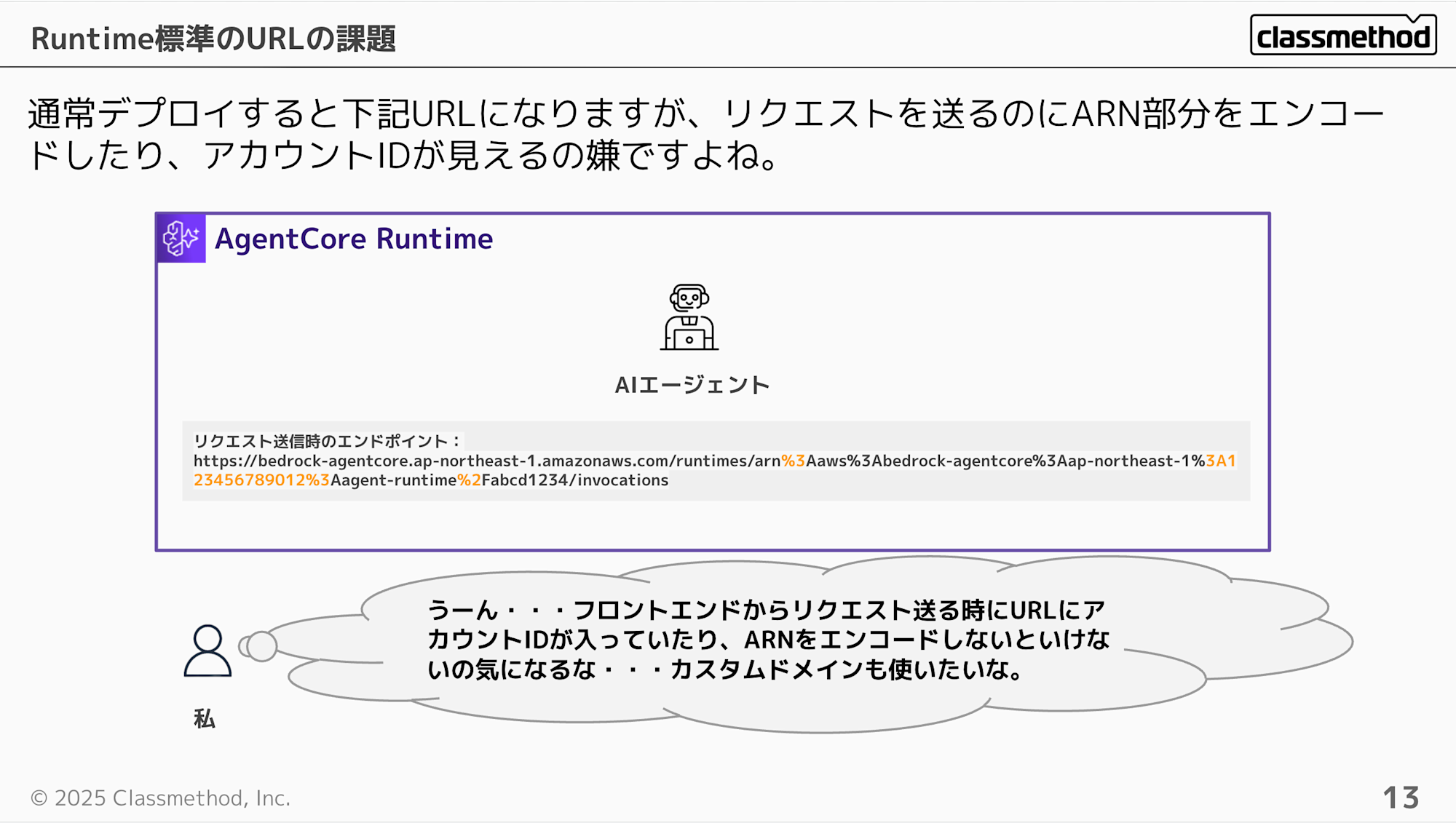
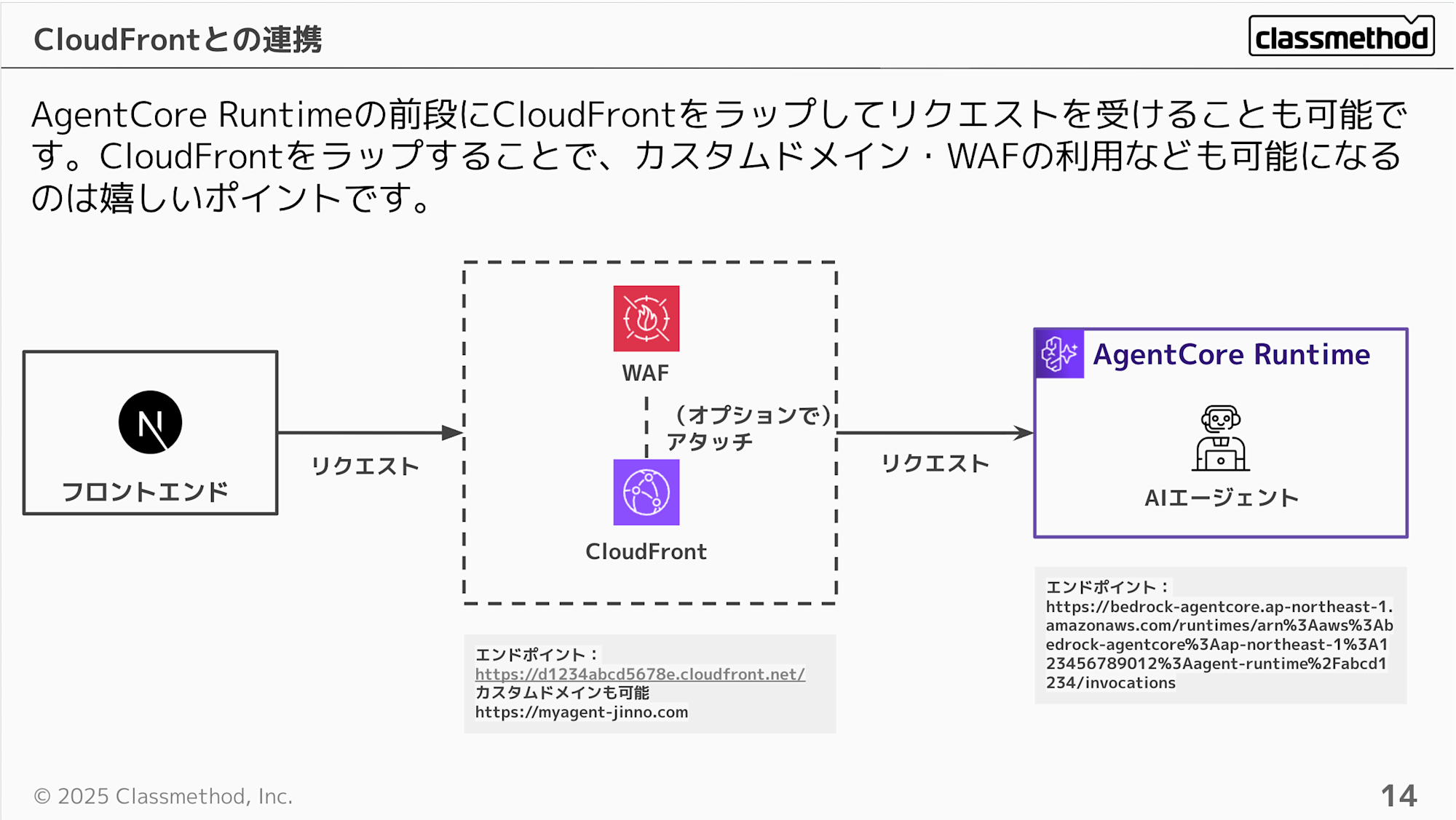
Let's consider using CloudFront in front of the AgentCore Runtime to address these issues. It's nice to be able to use a custom domain and potentially WAF as well. This eliminates the need to encode ARNs or worry about exposing your account ID.
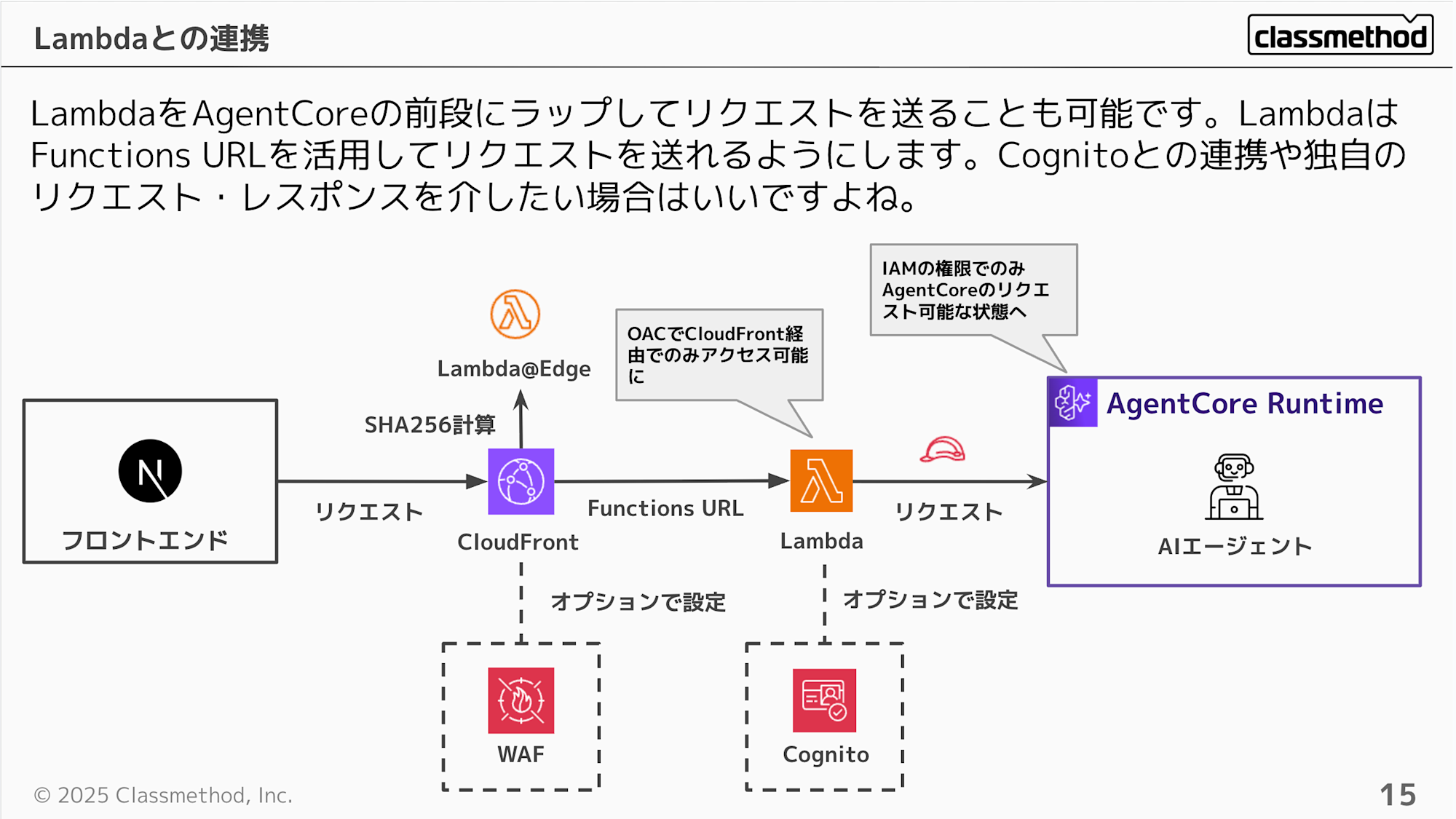
Next, let's consider placing Lambda + CloudFront at the front.
This approach allows you to intercept processing with Lambda in addition to the previous configuration, and potentially validate custom tokens in conjunction with Cognito.
For access control, making AgentCore use IAM authentication creates a setup where it can only be accessed through Lambda. With just CloudFront, it was possible to execute directly with the original URL if you had the token, but with this configuration, the original URL cannot be called without IAM permissions.
However, since AgentCore currently doesn't have resource-based policies, it can still be called directly if someone has IAM permissions. If you want to strictly ensure "Lambda-only access," you need to carefully design the scope of IAM permission grants.
Resource-based policies are now supported! If you want to strictly ensure "Lambda-only access," use resource-based policies!
With a recent API Gateway update, stream responses are now possible. This update makes it possible to place API Gateway + Lambda at the front. The basics are similar to the previous setup, but having API Gateway at the front makes it easier to use API Keys and configure authentication.
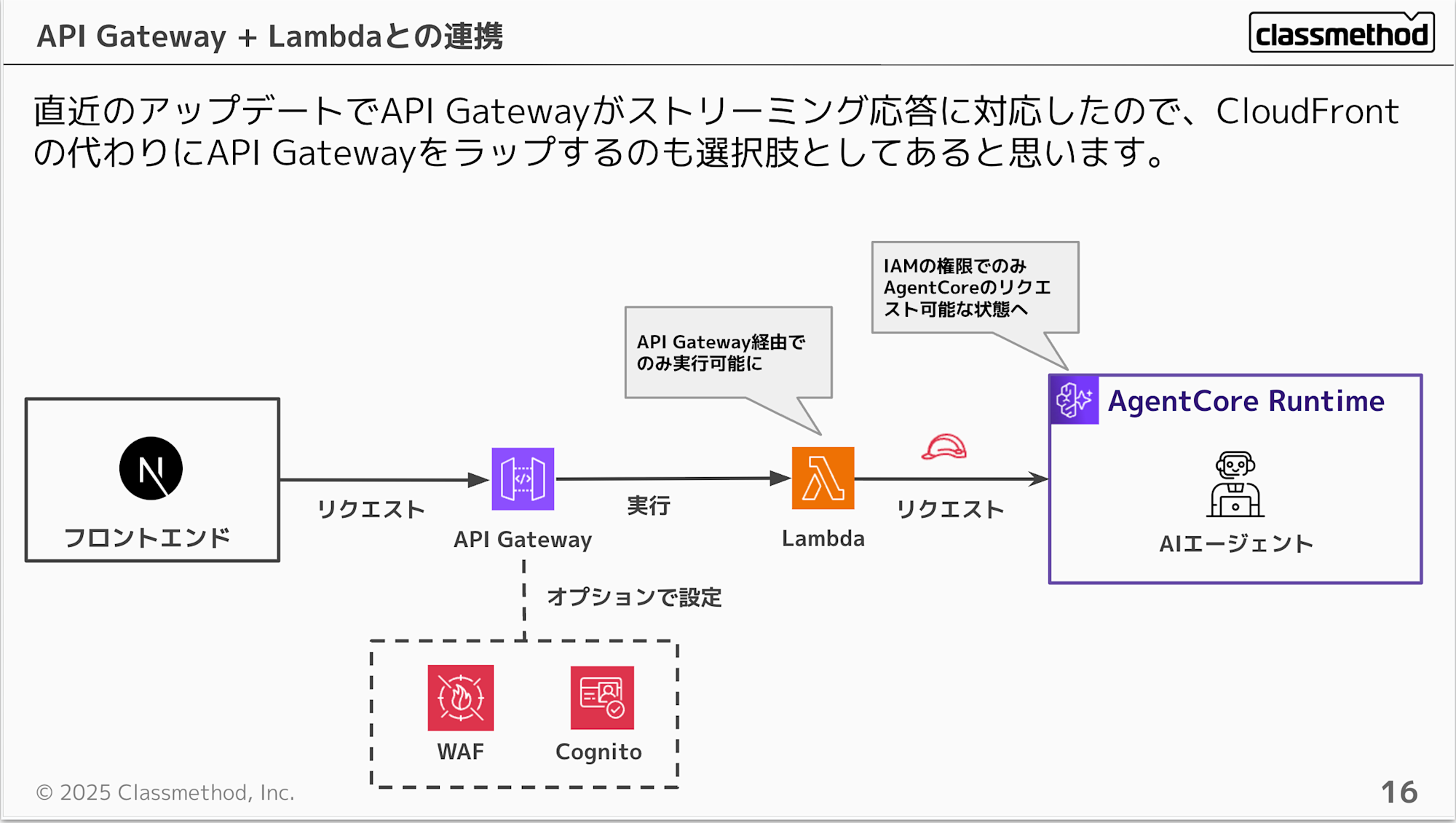
I've introduced several options, but there's no single correct solution. You need to consider the optimal architecture based on your requirements. I hope that remembering these configurations will be helpful when making your decisions.
Integration with Frontend
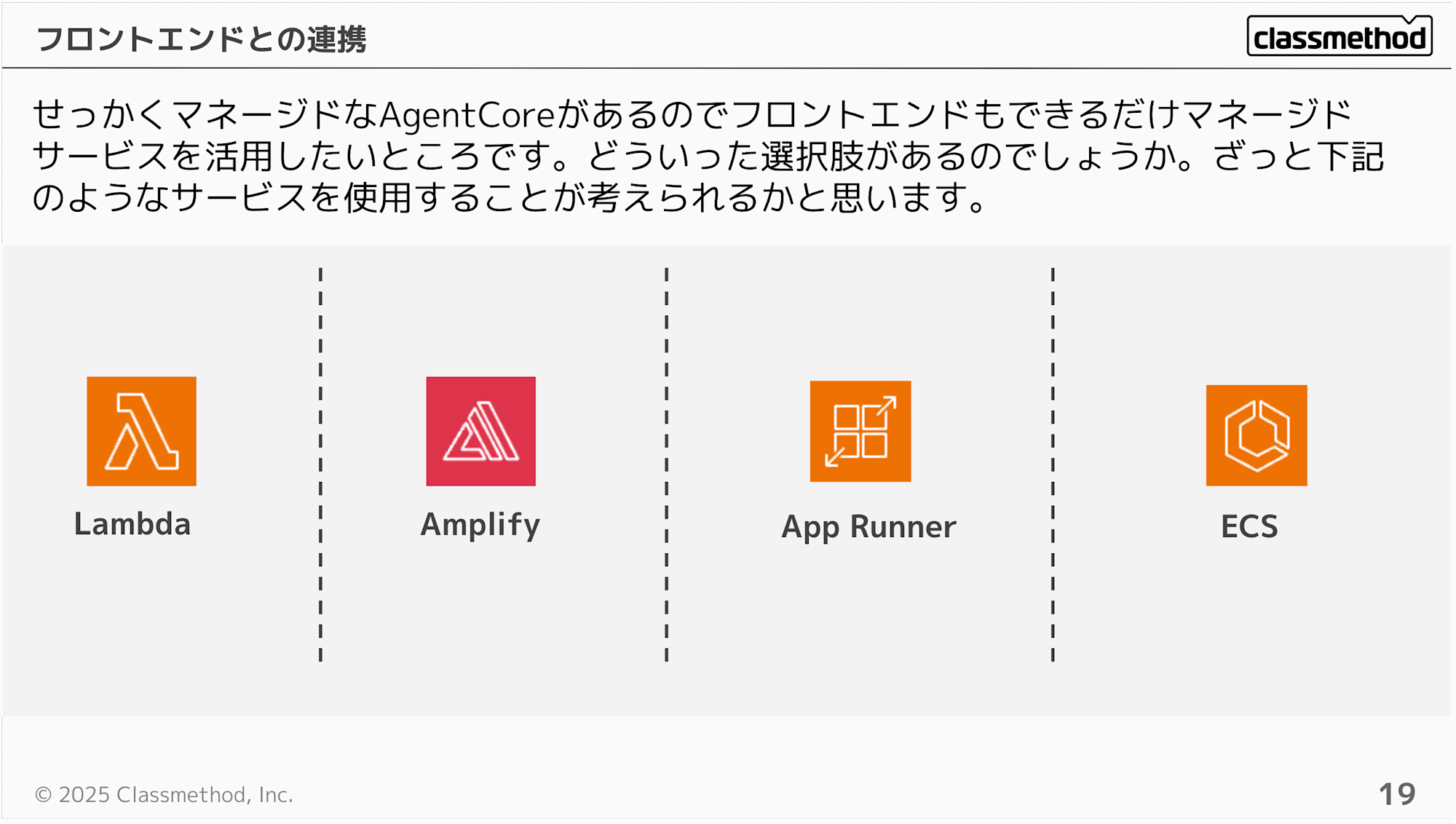
Since AgentCore is a convenient managed service for hosting AI agents, we naturally want to combine it with other convenient managed services when integrating with the frontend. Here are some options:
-
Lambda
-
Amplify
-
App Runner
-
ECS
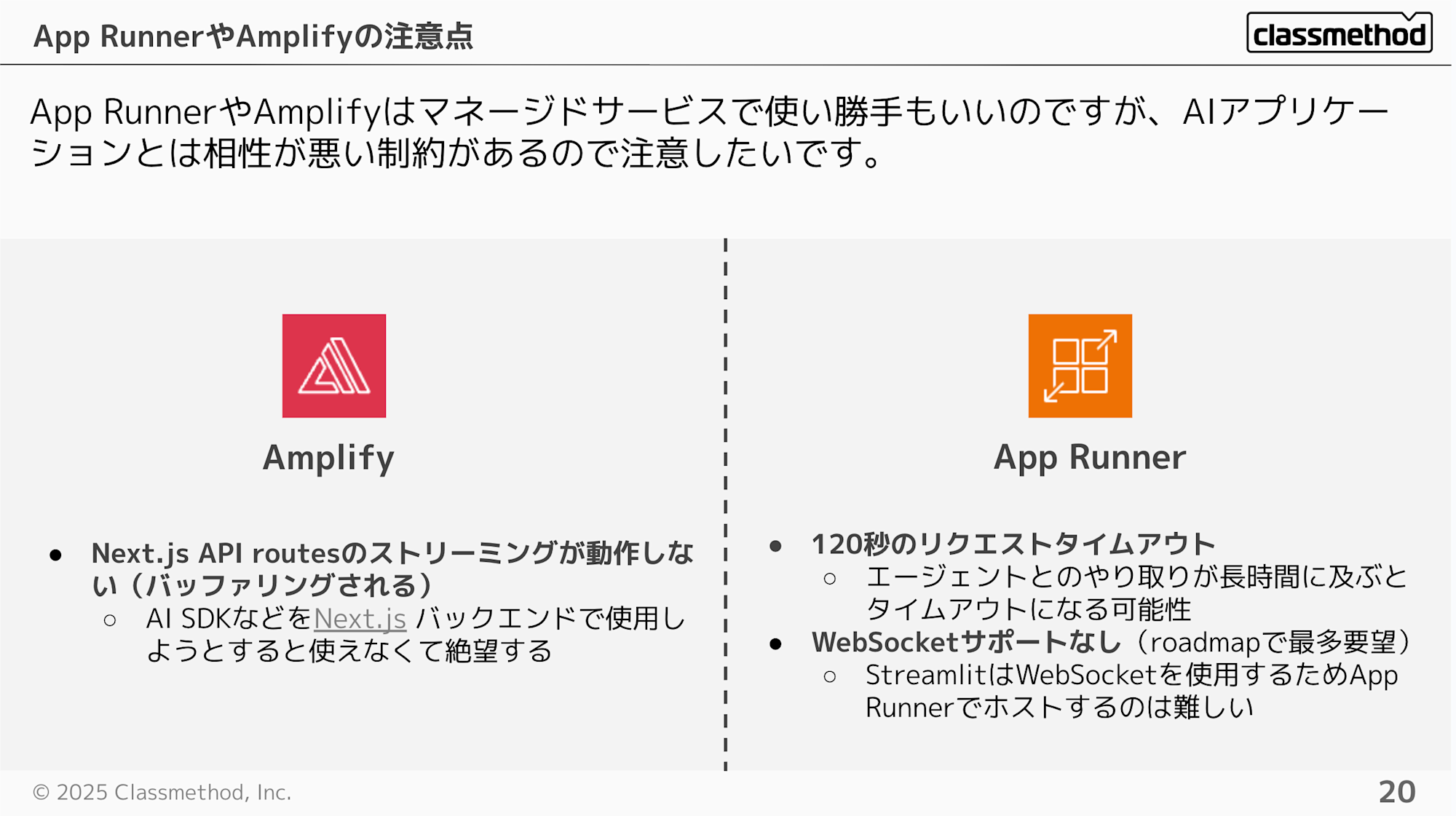
While Amplify and App Runner are convenient for quickly creating apps and I use them often, they have constraints that make them less compatible with AI applications. It's unfortunate.
-
Amplify
- Next.js API routes streaming doesn't work properly (gets buffered). It's disappointing when you try to use AI SDK in Next.js backend
-
AppRunner
-
120-second request timeout
- Could time out during lengthy interactions with an agent
-
No WebSocket support (highest requested feature on the roadmap)
- Difficult to host Streamlit since it uses WebSockets
-
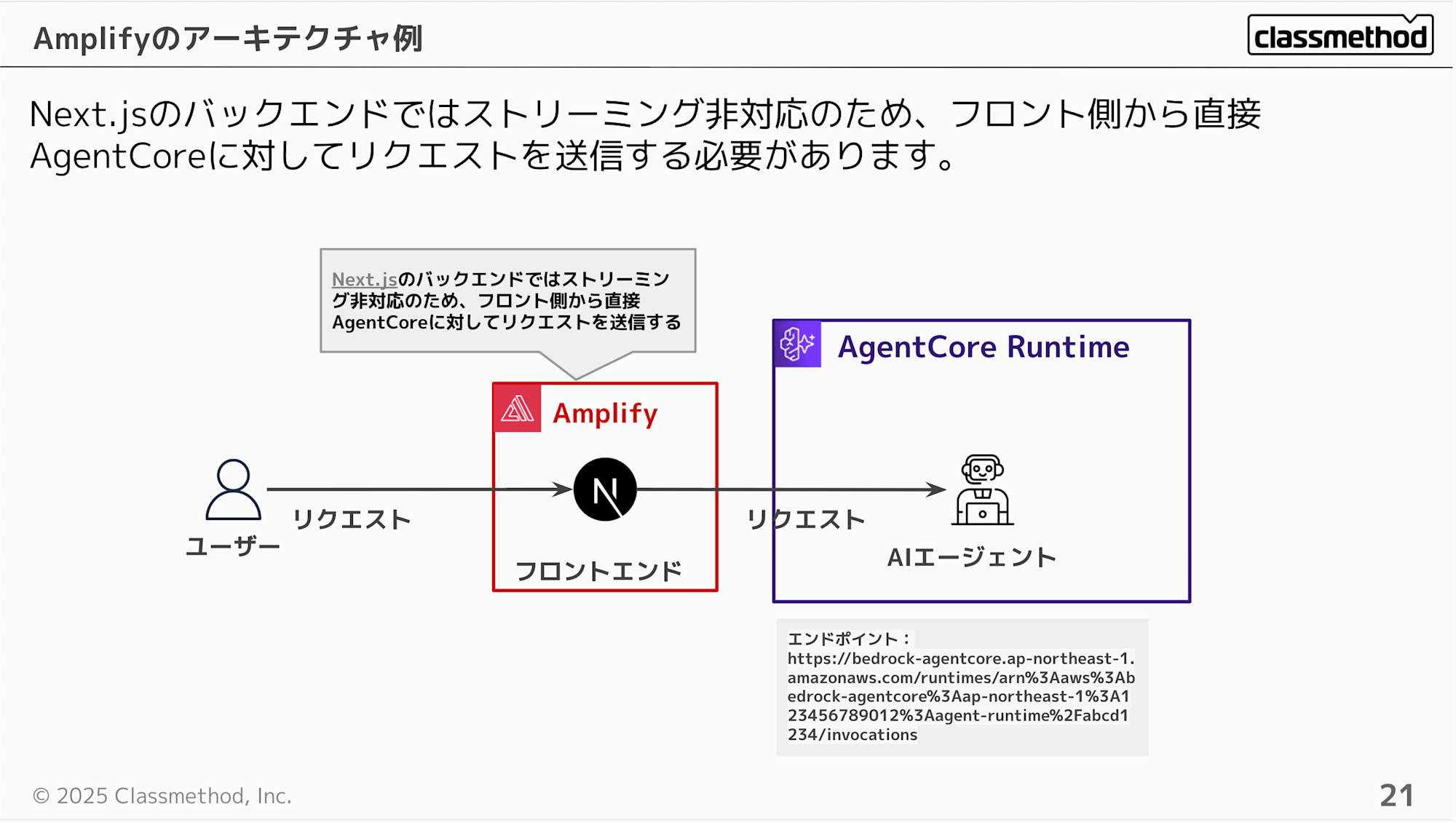
When hosting with Amplify, requests are sent directly from the client.
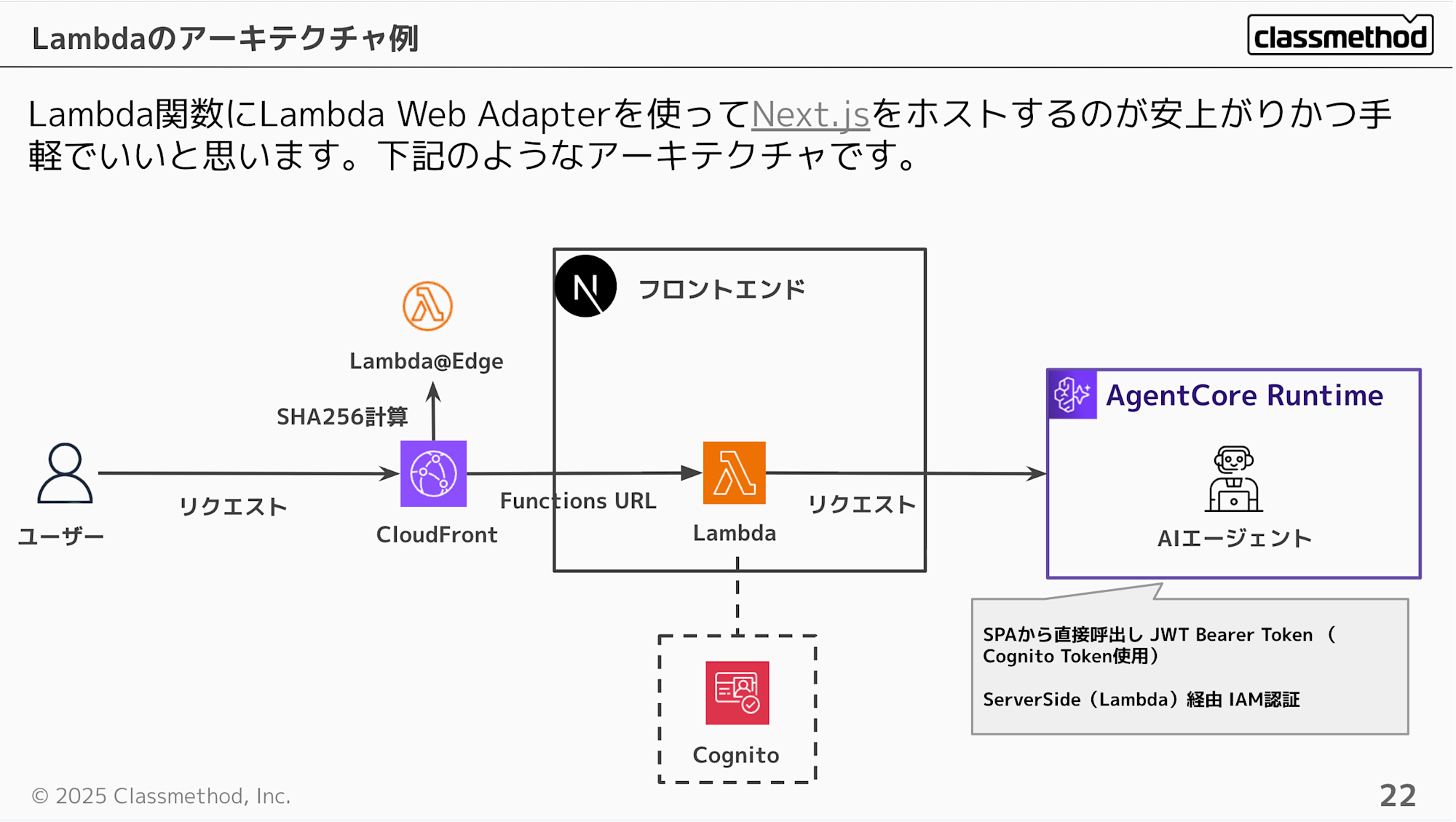
Using Lambda Web Adapter to host Next.js in a Lambda function is probably the most cost-effective and convenient approach.
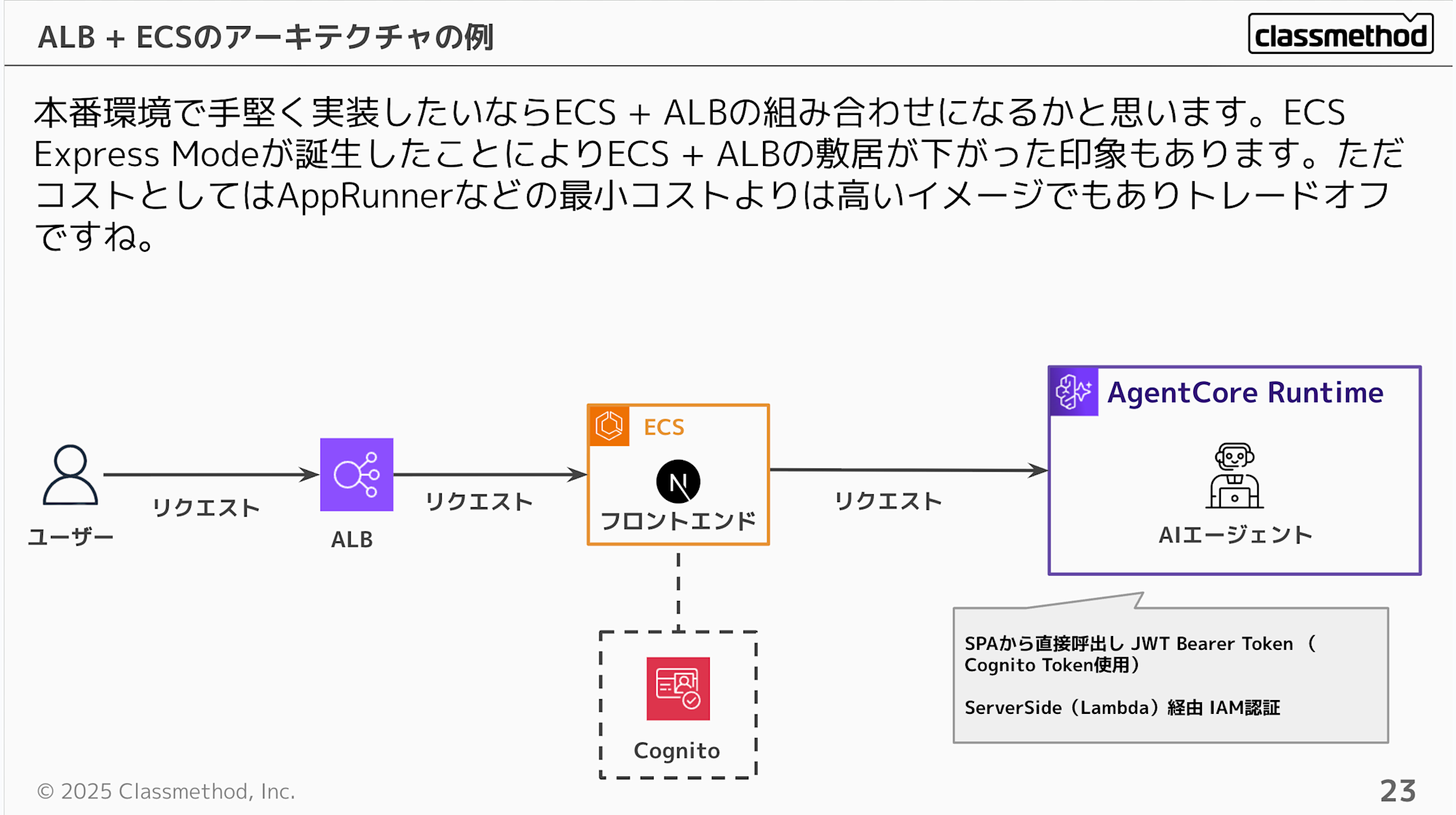
For a robust production environment implementation, the ECS + ALB combination would be the choice. The recent update introducing ECS Express Mode has lowered the barrier to entry. However, note that the minimum cost for ECS will be higher than for managed services like App Runner.
You can also easily integrate AgentCore using GenU (Generative AI Use Cases JP). This could be a good option if you don't have the motivation to create a frontend. However, keep in mind that it's currently an experimental feature.
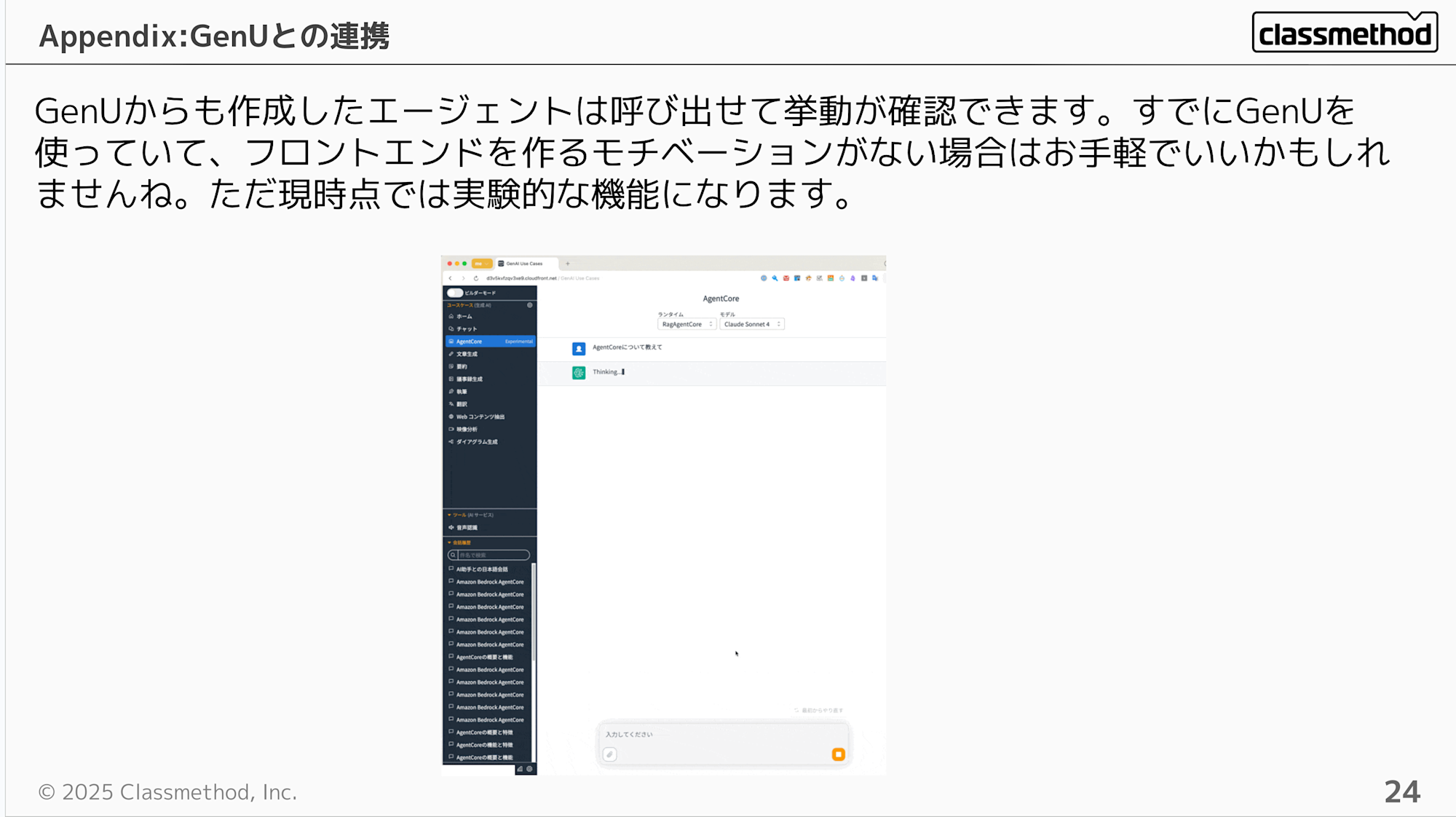
There's also a blog post about trying GenU integration that you can refer to if needed.
Tips: Runtime lifecycle settings
Runtime has idleRuntimeSessionTimeout (idle timeout) and maxLifetime (maximum runtime) parameters that control when a session automatically ends.
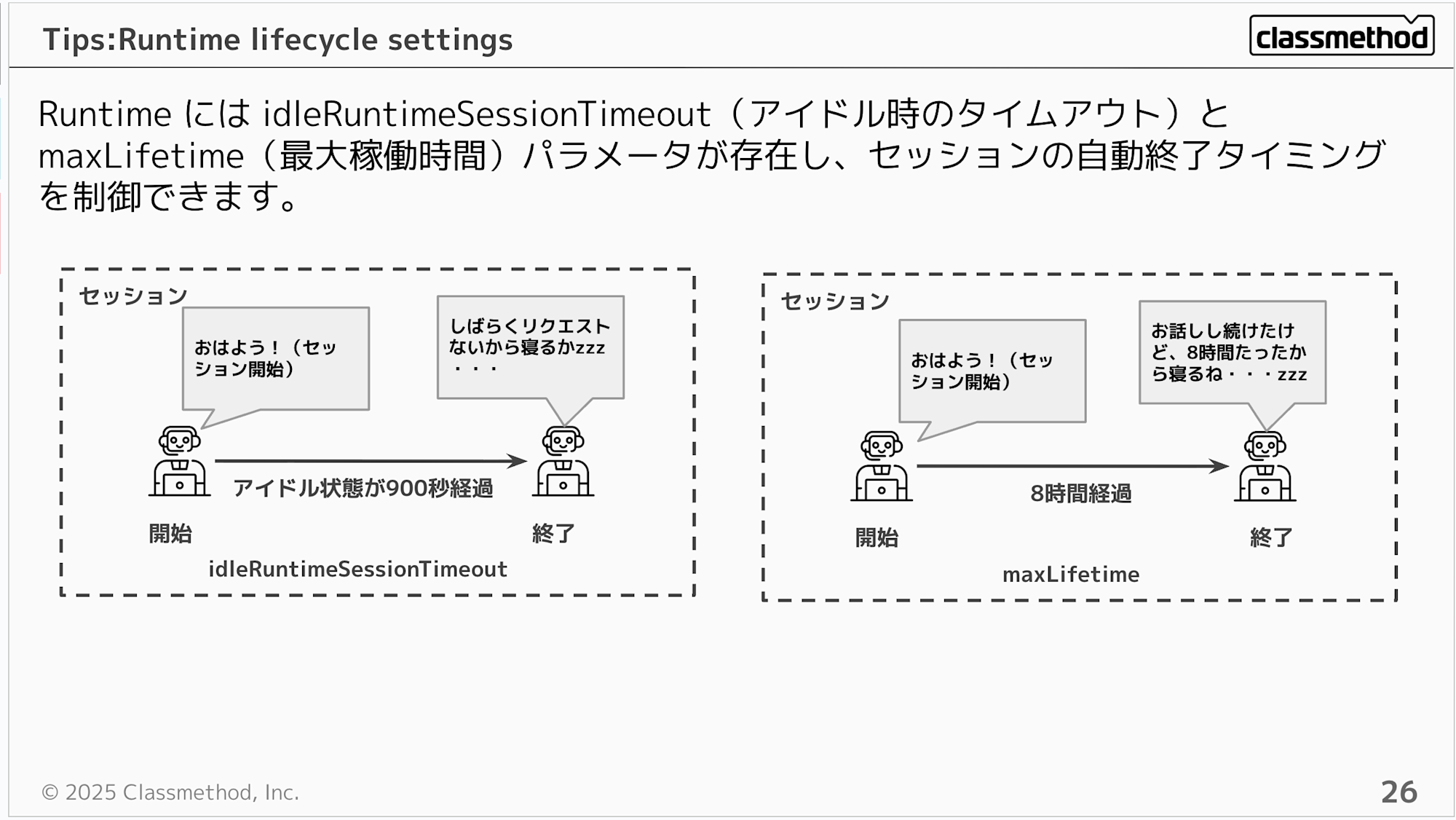
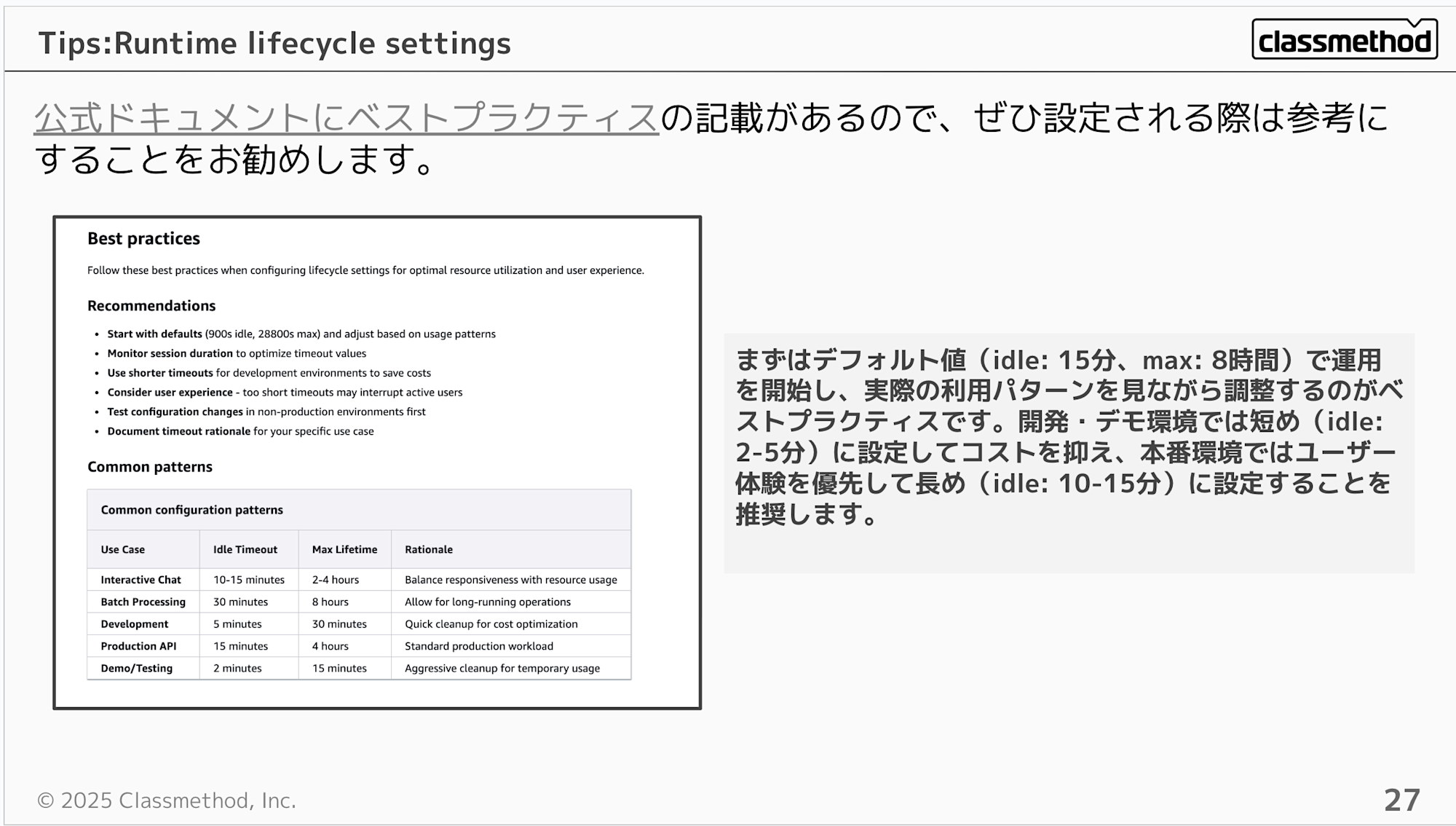
You might wonder what values to set... but the official documentation includes best practices for configuration values, so I think the approach is to start with default values and adjust them according to your use case.
Best practice is to start with the default values (idle: 15 minutes, max: 8 hours) and adjust based on actual usage patterns. For development/demo environments, shorter settings (idle: 2-5 minutes) are recommended to control costs, while production environments should prioritize user experience with longer settings (idle: 10-15 minutes).
How to Use Gateway / Leveraging Semantic Search
This is the point I was most passionate about in my presentation.
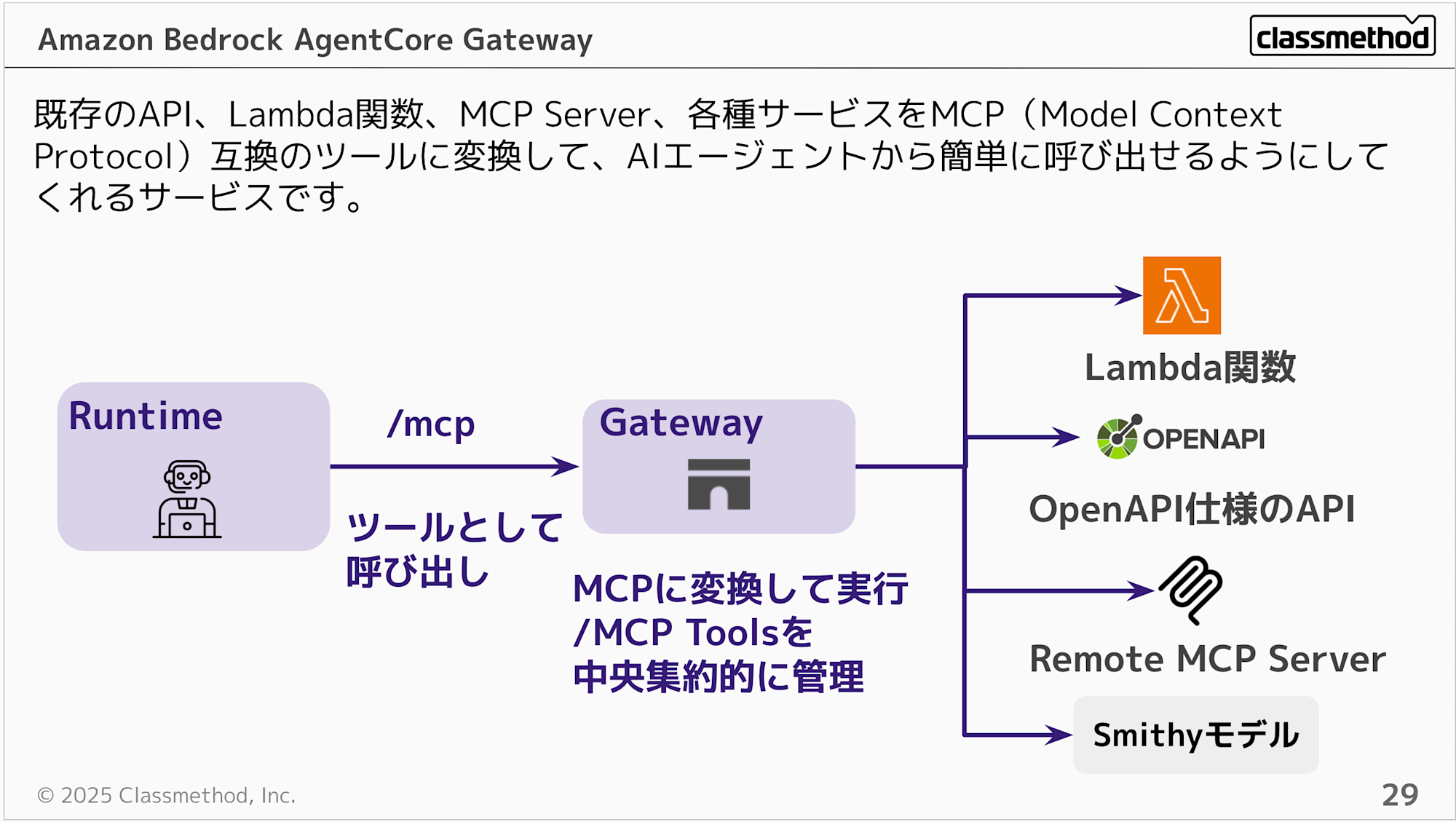
Gateway is a service that converts existing APIs, Lambda functions, and various services into MCP (Model Context Protocol) compatible tools, making them easy to call from AI agents. It also serves as a hub for existing MCP Servers, enabling centralized management.
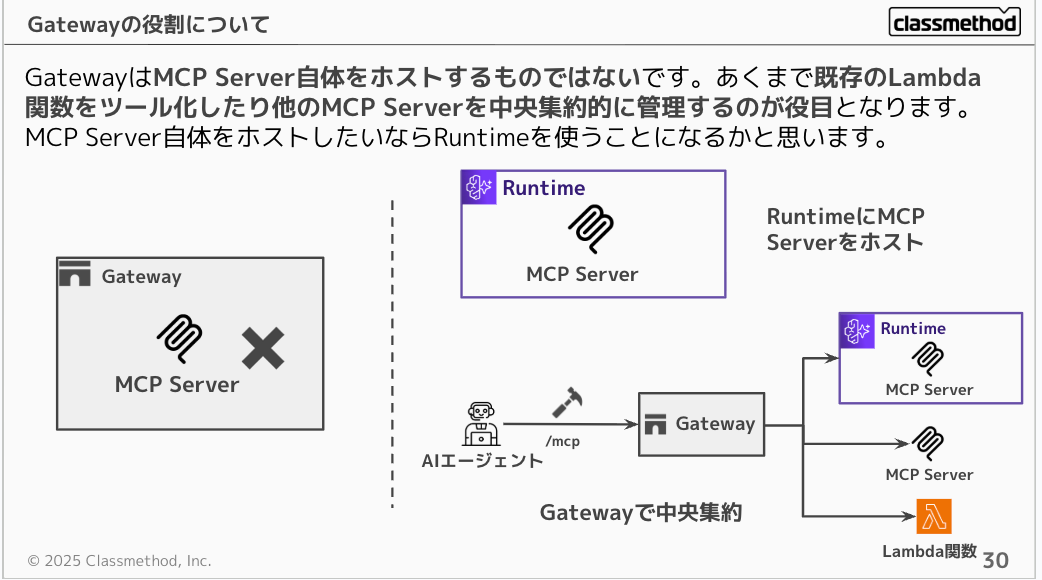
It's often misunderstood, but Gateway doesn't host MCP Servers itself. Its role is to turn existing Lambda functions into tools or centrally manage other MCP Servers. If you want to host an MCP Server itself, you would use Runtime.
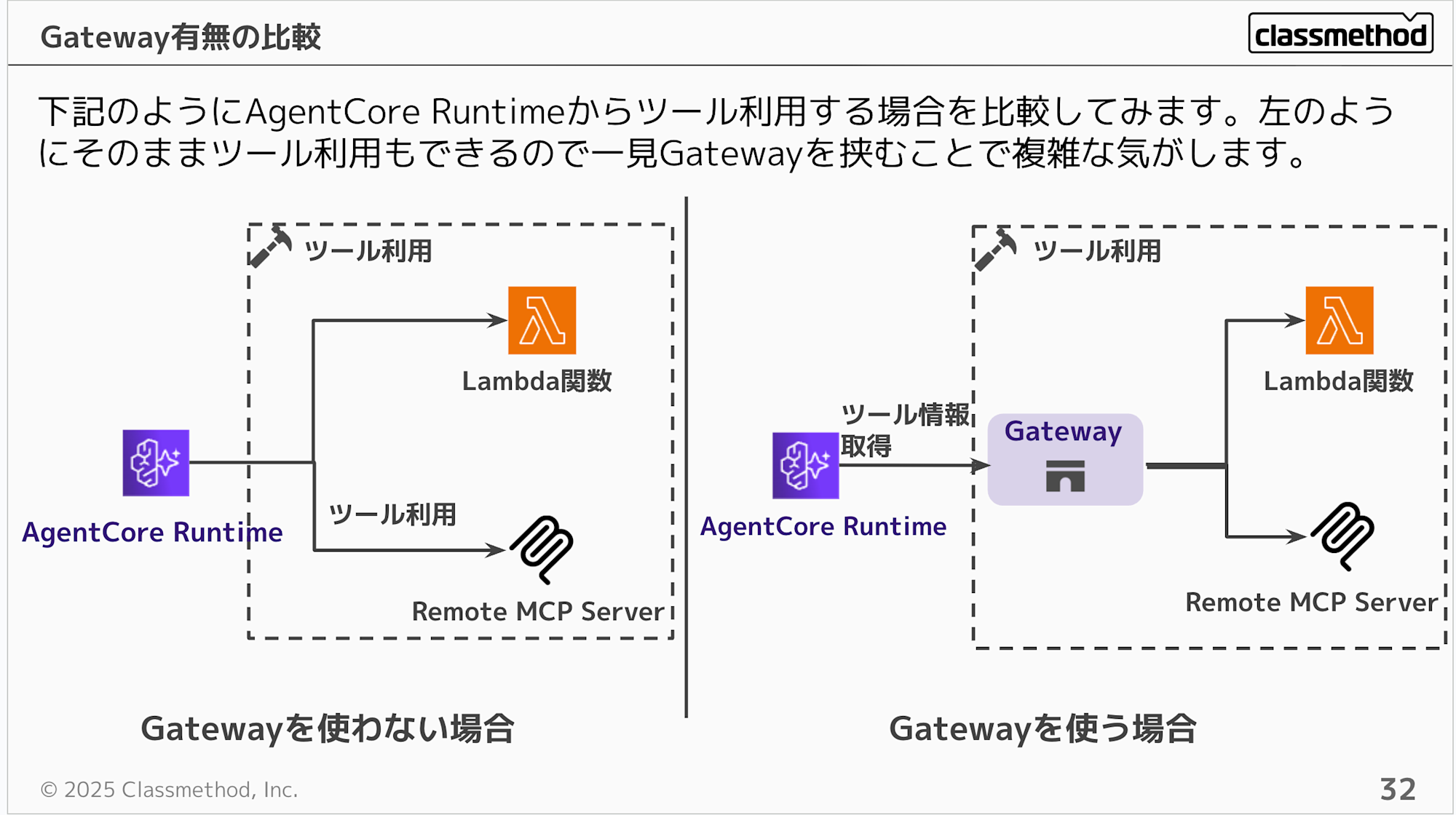
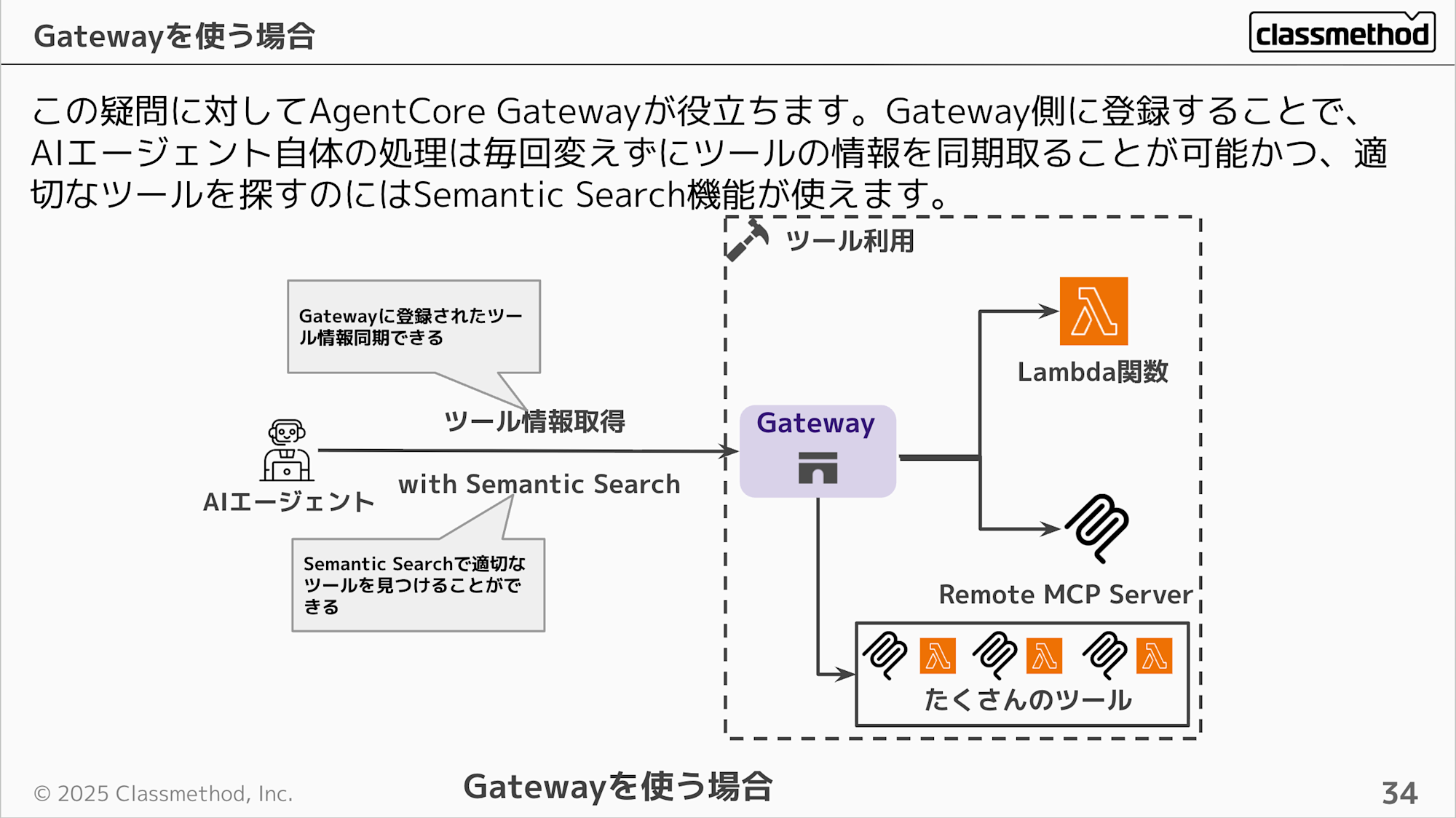
We understand Gateway is a hub, but its benefits might not be clear. Without Gateway, Runtime could directly call Lambda or MCP Servers, so adding Gateway seems to make things more complex at first glance.
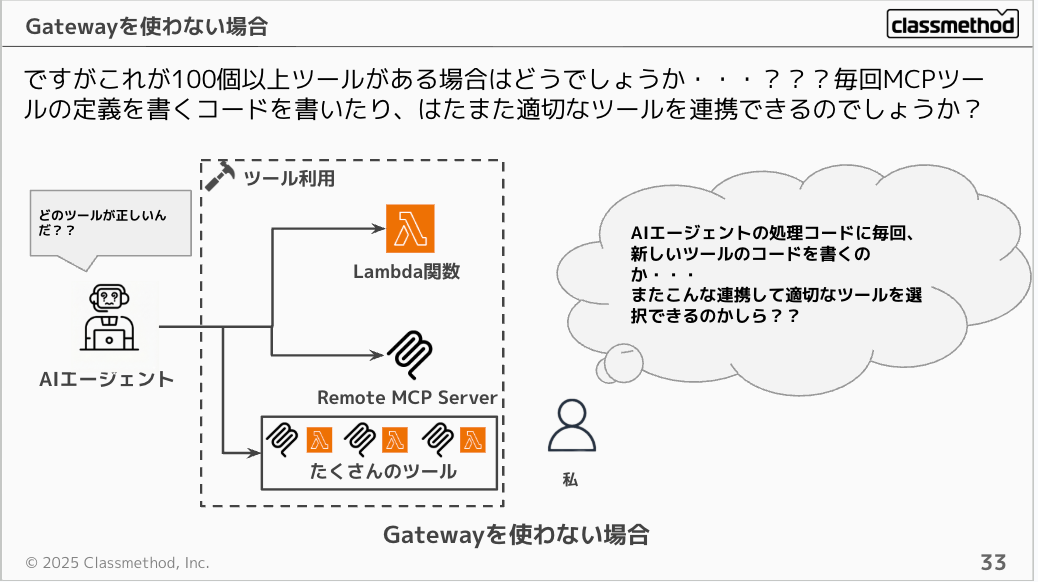
Consider a scenario with over 100 tools. Would you want to write MCP tool definition code every time, and would the AI agent be able to appropriately find the right tool among 100 options?
Gateway helps address this concern. By registering and aggregating tools on the Gateway side, you can synchronize tool information through Gateway without changing the AI agent's processing every time tools are added or changed, and use the Semantic Search feature to find the appropriate tool as required.
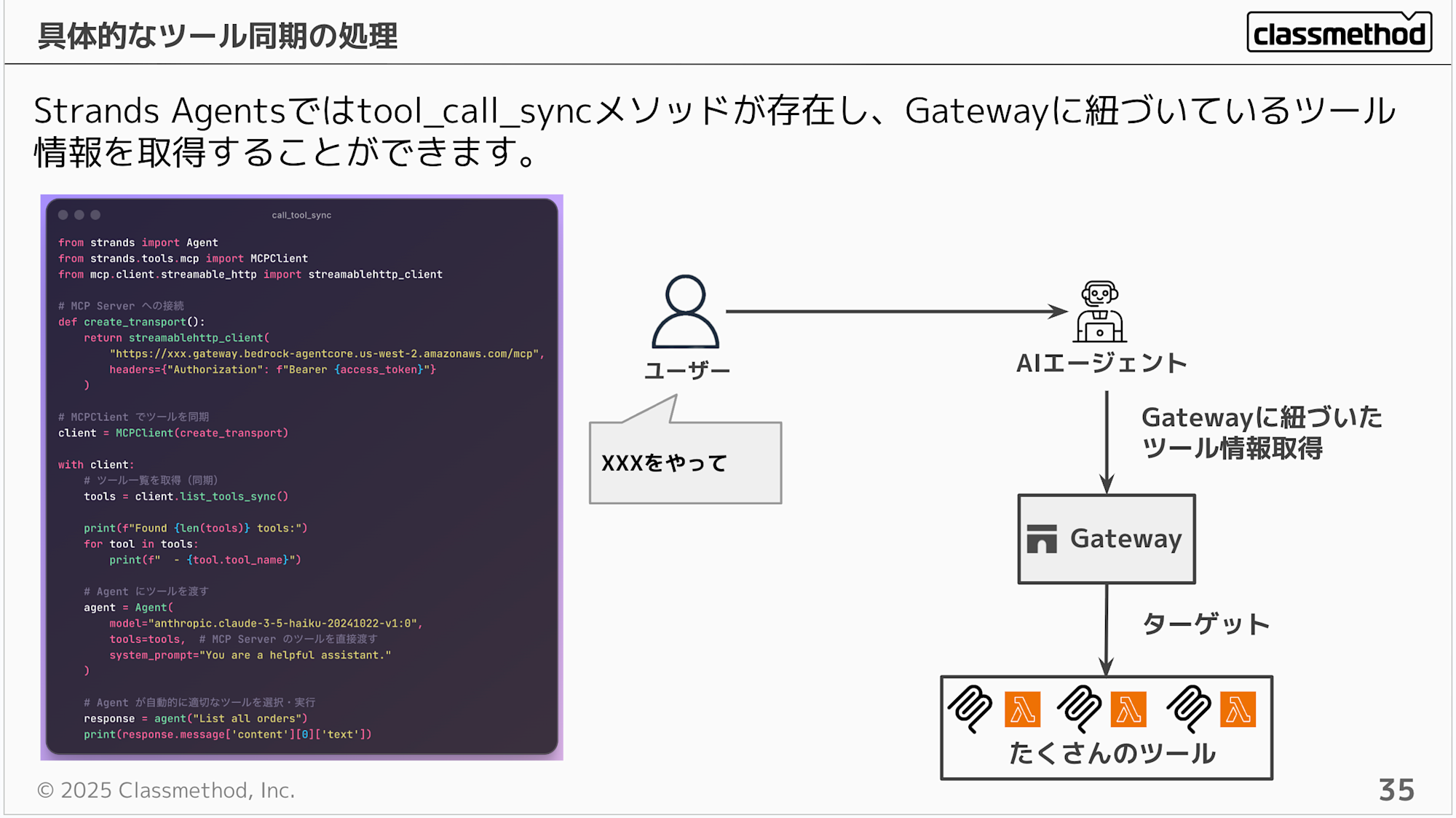
If you're using Strands Agents, there's a tool_call_sync method that allows you to retrieve tool information linked to Gateway.
from strands import Agent
from strands.tools.mcp import MCPClient
from mcp.client.streamable_http import streamablehttp_client

# Connect to MCP Server

def create_transport():
    return streamablehttp_client(
        "https://xxx.gateway.bedrock-agentcore.us-west-2.amazonaws.com/mcp",
        headers={"Authorization": f"Bearer {access_token}"}
    )

# Synchronize tools with MCPClient

client = MCPClient(create_transport)

with client:
    # Get list of tools (sync)
    tools = client.list_tools_sync()

    print(f"Found {len(tools)} tools:")
    for tool in tools:
        print(f"  - {tool.tool_name}")

    # Pass tools to Agent
    agent = Agent(
        model="anthropic.claude-3-5-haiku-20241022-v1:0",
        tools=tools,  # Directly pass MCP Server tools
        system_prompt="You are a helpful assistant."
    )

    # Agent automatically selects and executes appropriate tools
    response = agent("List all orders")
    print(response.message['content'][0]['text'])
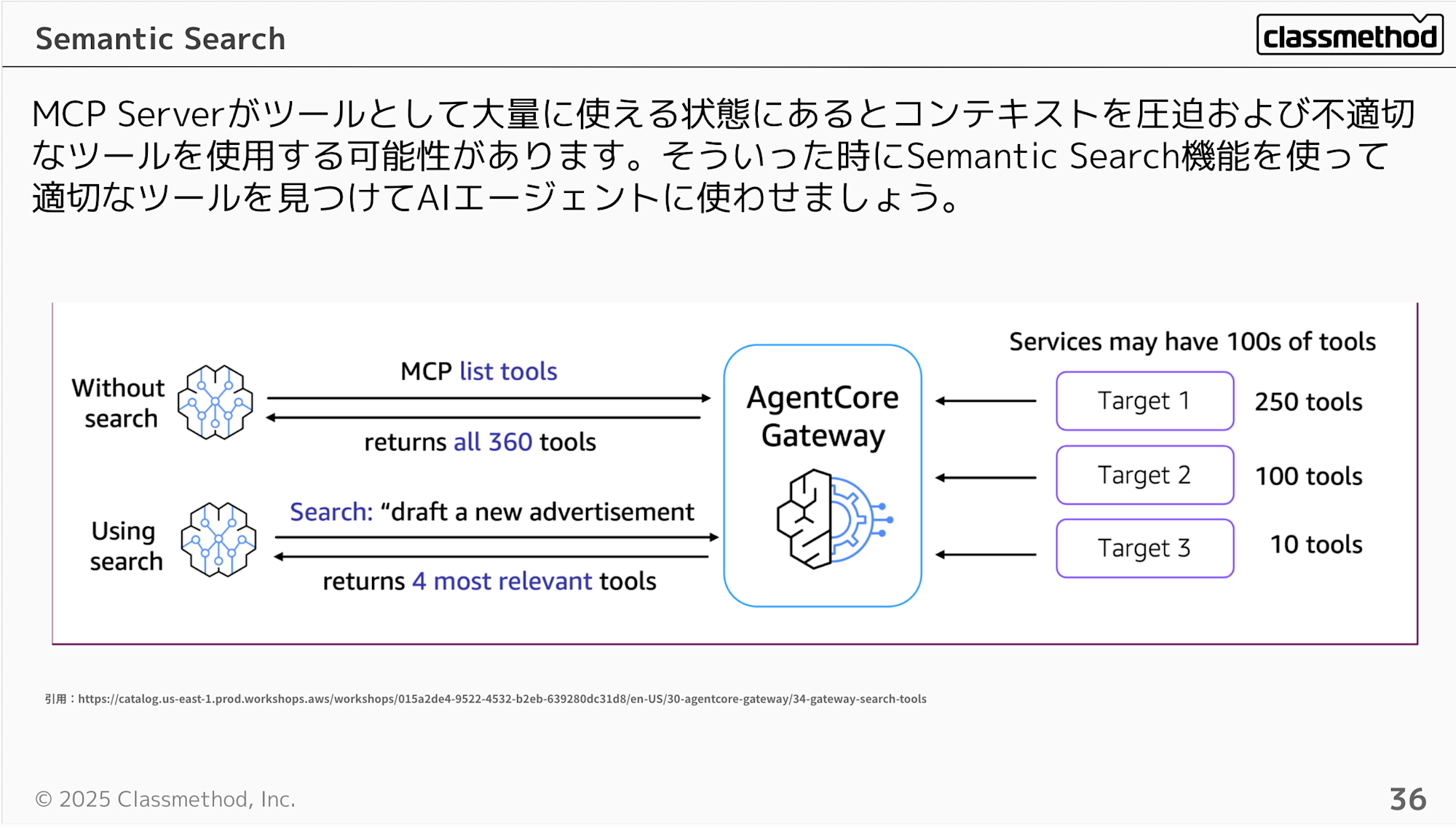
You can also use the Semantic Search feature when synchronizing tools. When many tools are available through an MCP Server, they can consume context and potentially lead to the use of inappropriate tools. In such cases, use the Semantic Search feature to find appropriate tools for the AI agent.
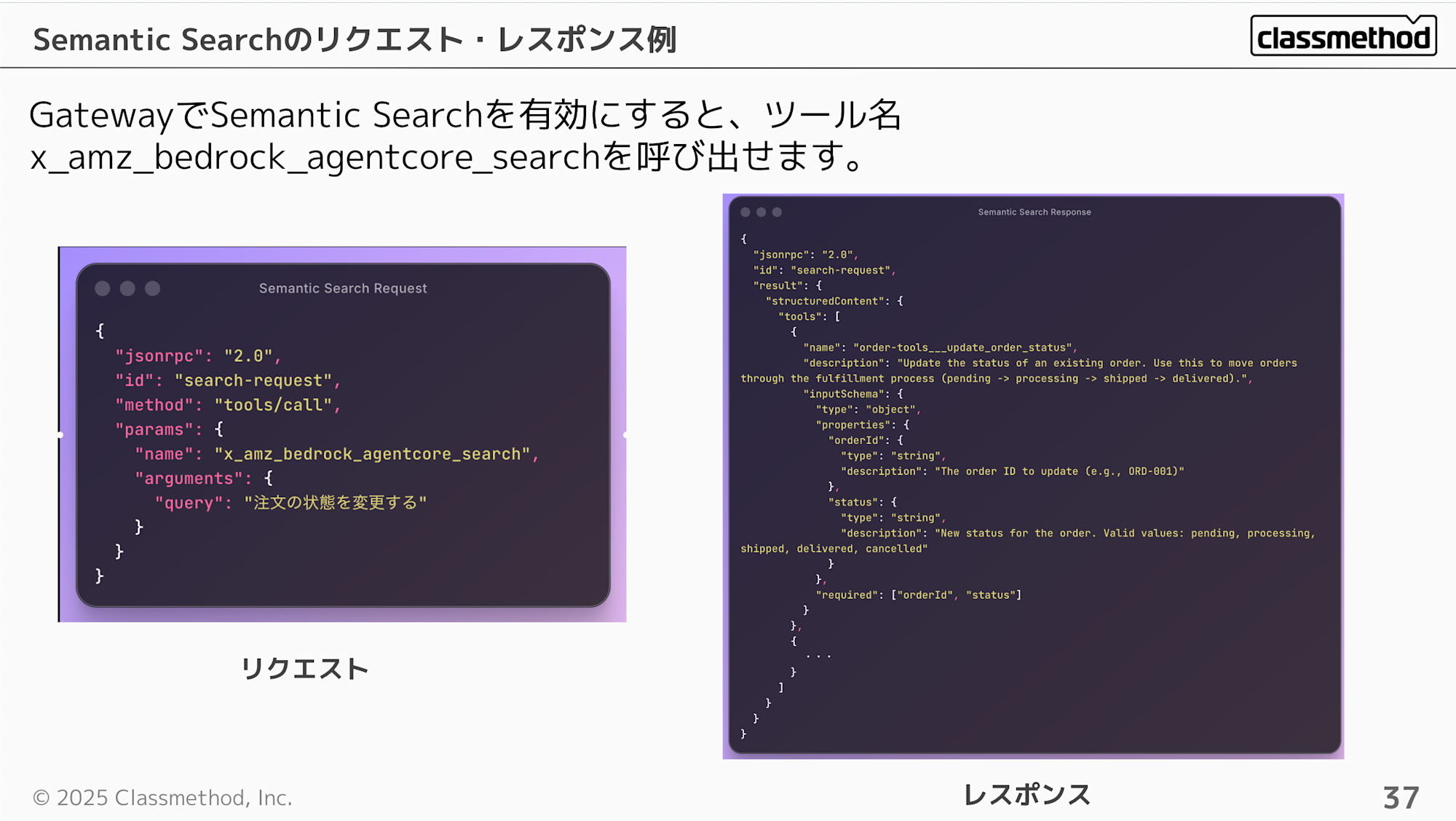
When you enable Semantic Search in Gateway, you can call the search with the tool name x_amz_bedrock_agentcore_search. From what I've observed, the response returns tools in order of relevance.
Request Example
{
  "jsonrpc": "2.0",
  "id": "search-request",
  "method": "tools/call",
  "params": {
    "name": "x_amz_bedrock_agentcore_search",
    "arguments": {
      "query": "注文の状態を変更する"
    }
  }
}
Response Example
{
  "jsonrpc": "2.0",
  "id": "search-request",
  "result": {
    "structuredContent": {
      "tools": [
        {
          "name": "order-tools___update_order_status",
          "description": "Update the status of an existing order. Use this to move orders through the fulfillment process (pending -> processing -> shipped -> delivered).",
          "inputSchema": {
            "type": "object",
            "properties": {
              "orderId": {
                "type": "string",
                "description": "The order ID to update (e.g., ORD-001)"
              },
              "status": {
                "type": "string",
                "description": "New status for the order. Valid values: pending, processing, shipped, delivered, cancelled"
              }
            },
            "required": ["orderId", "status"]
          }
        },
        {
          ・・・
        }
      ]
    }
  }
}
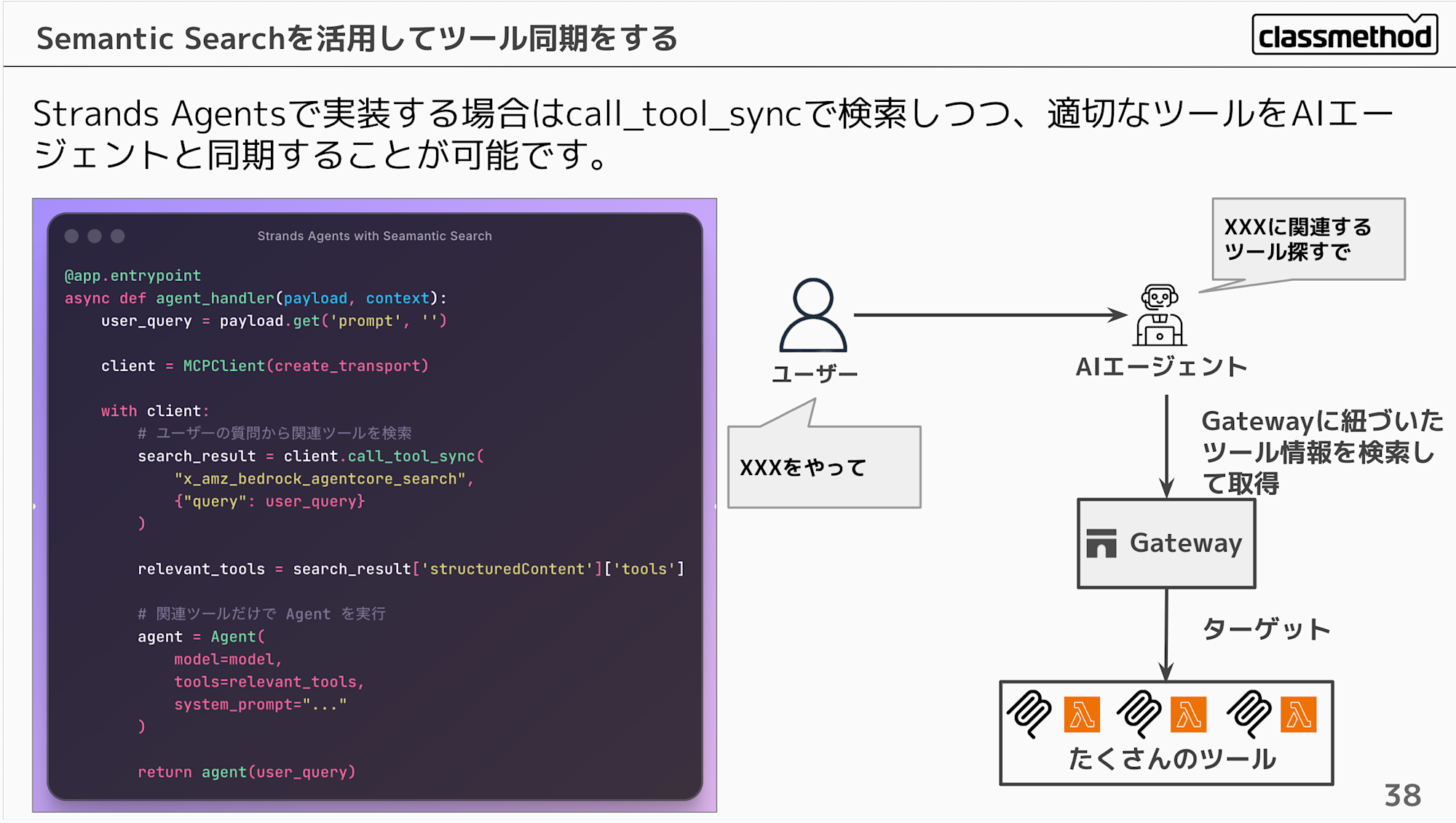
When implementing with Strands Agents, you can search using call_tool_sync and synchronize appropriate tools with the AI agent.
@app.entrypoint
async def agent_handler(payload, context):
    user_query = payload.get('prompt', '')

    client = MCPClient(create_transport)

    with client:
        # Search for relevant tools based on user query
        search_result = client.call_tool_sync(
            "x_amz_bedrock_agentcore_search",
            {"query": user_query}
        )

        relevant_tools = search_result['structuredContent']['tools']

        # Execute Agent with only relevant tools
        agent = Agent(
            model=model,
            tools=relevant_tools,
            system_prompt="..."
        )

        return agent(user_query)
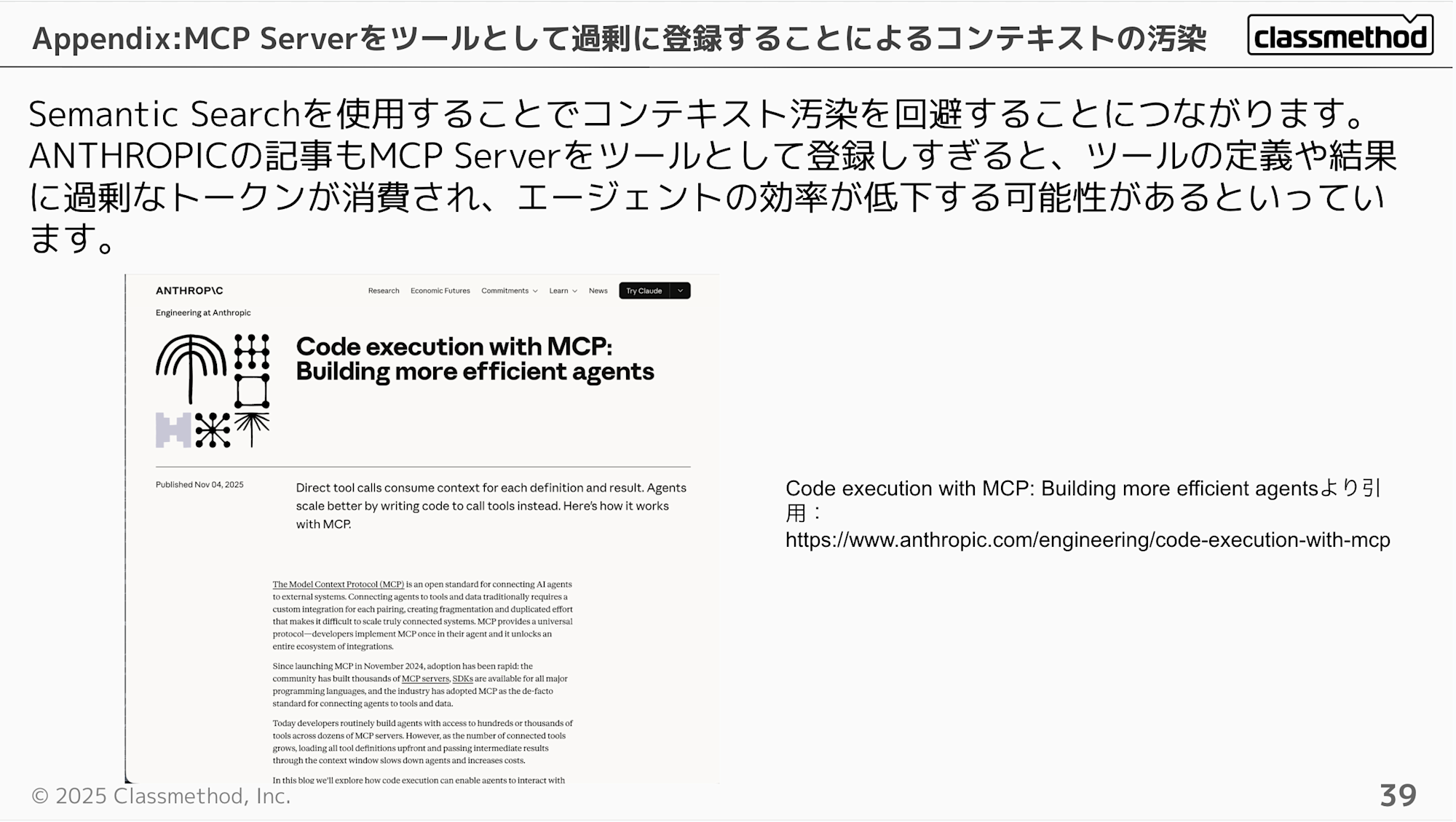
Using Semantic Search helps avoid context pollution. ANTHROPIC's article also mentions that registering too many MCP Servers as tools can consume excessive tokens for tool definitions and results, potentially reducing agent efficiency.
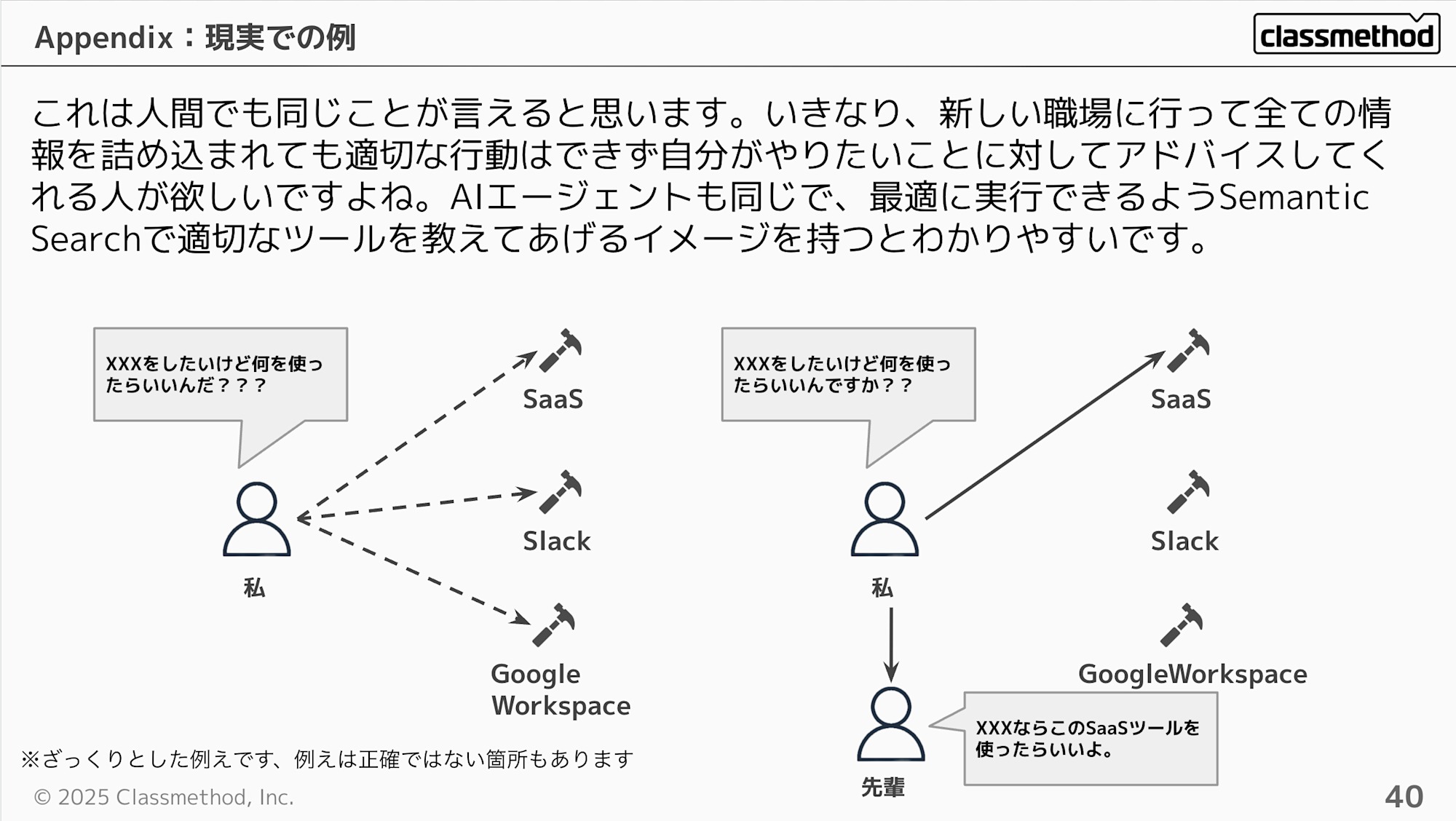
I think this applies to humans as well. If you suddenly go to a new workplace and are bombarded with all the information, you can't act appropriately and would want someone to advise you on what you want to do. AI agents are the same - it's easier to understand if you think of it as teaching them appropriate tools through Semantic Search so they can execute optimally.
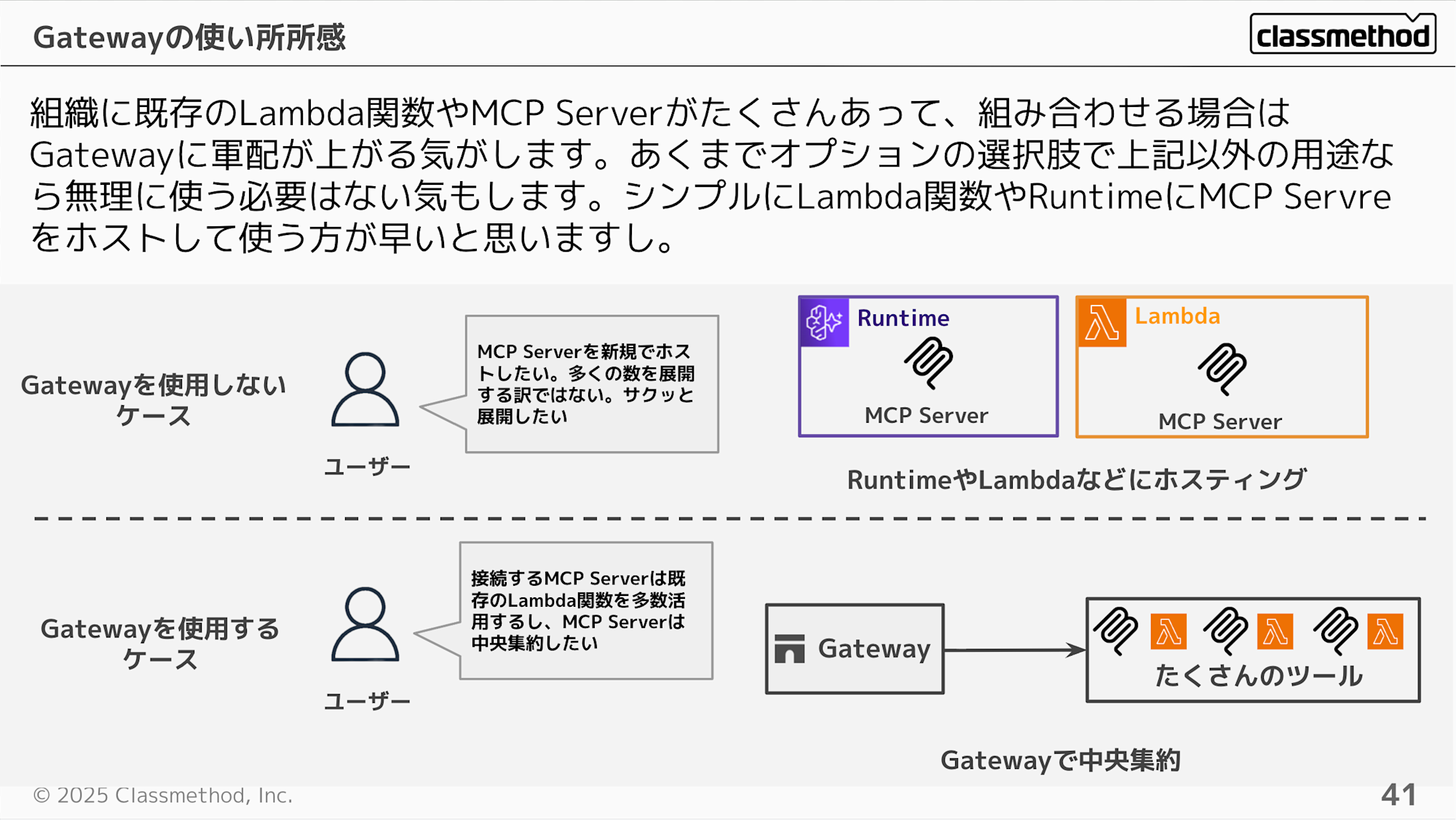
To summarize, Gateway seems most beneficial when an organization has many existing Lambda functions or MCP Servers that need to be combined. It's just an optional choice - for other use cases, it might be simpler to host MCP Servers directly in Lambda functions or Runtime.
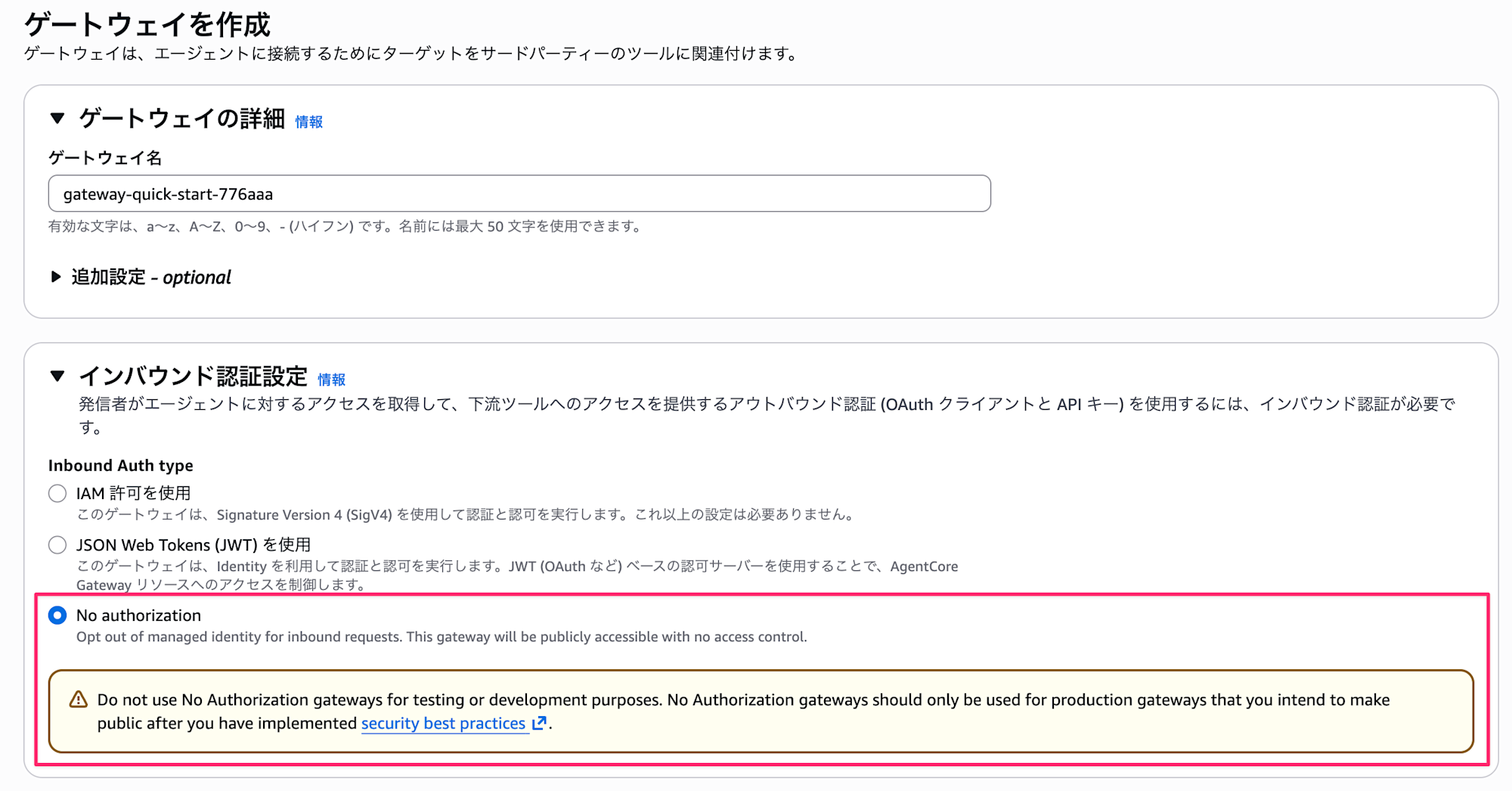
As a side note, Gateway recently added the ability to configure a no-authentication mode. Currently, when hosting an MCP Server on Runtime, IAM or JWT authentication is required, so using Gateway as a hub could be considered when wanting to host an MCP Server in a public environment.
Related to this, even when configuring authentication to host an MCP Server through Runtime and Gateway, editors like VSCode and Cursor make dynamic token authentication (like DCR) difficult, forcing you to obtain a Bearer Token. I hope MCP extensions will allow for authentication in the future.
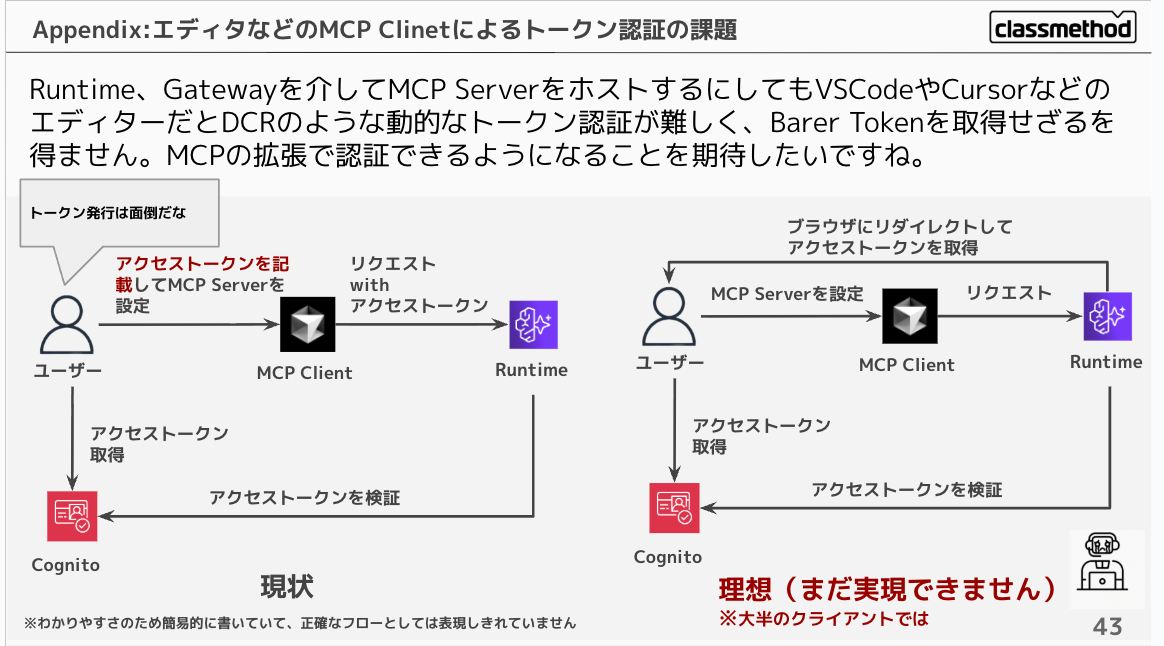
However, by configuring Runtime authentication with IAM authentication and utilizing mcp-proxy-for-aws, you could consider accessing your own MCP Server from an MCP client using IAM permissions. I'd like to verify if this works with Claude Code or Cursor.
Memory Control
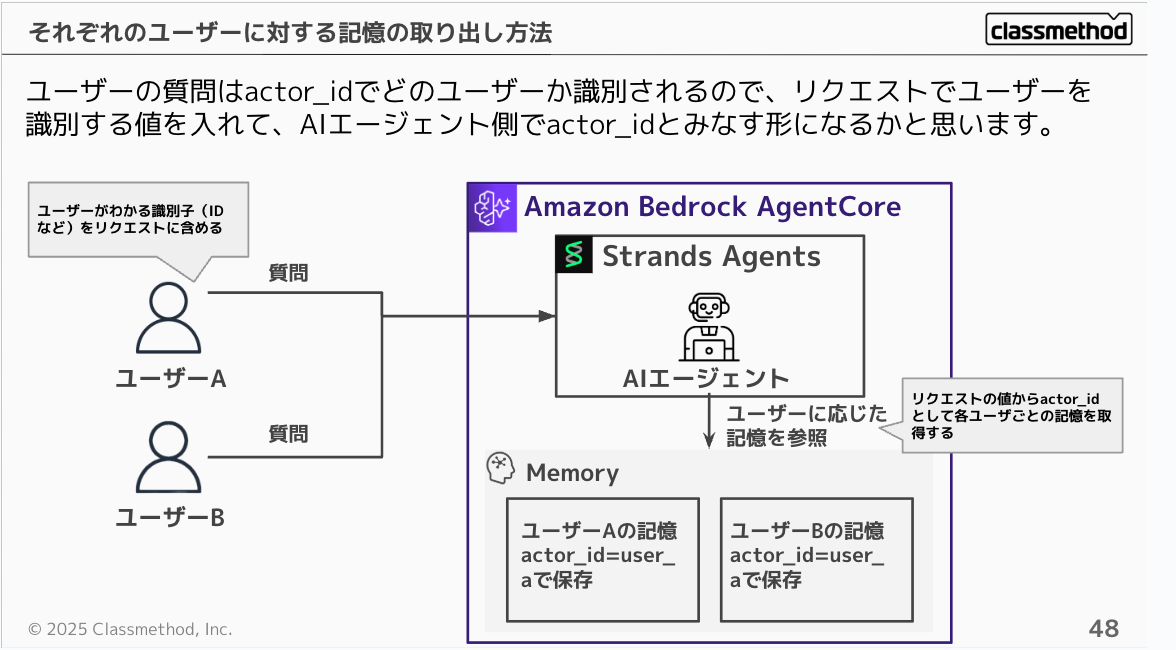
First, let's understand the data structure of Memory. There are built-in attributes: actor_id for each user and session_id for each session, making it easy to maintain conversation history per user.
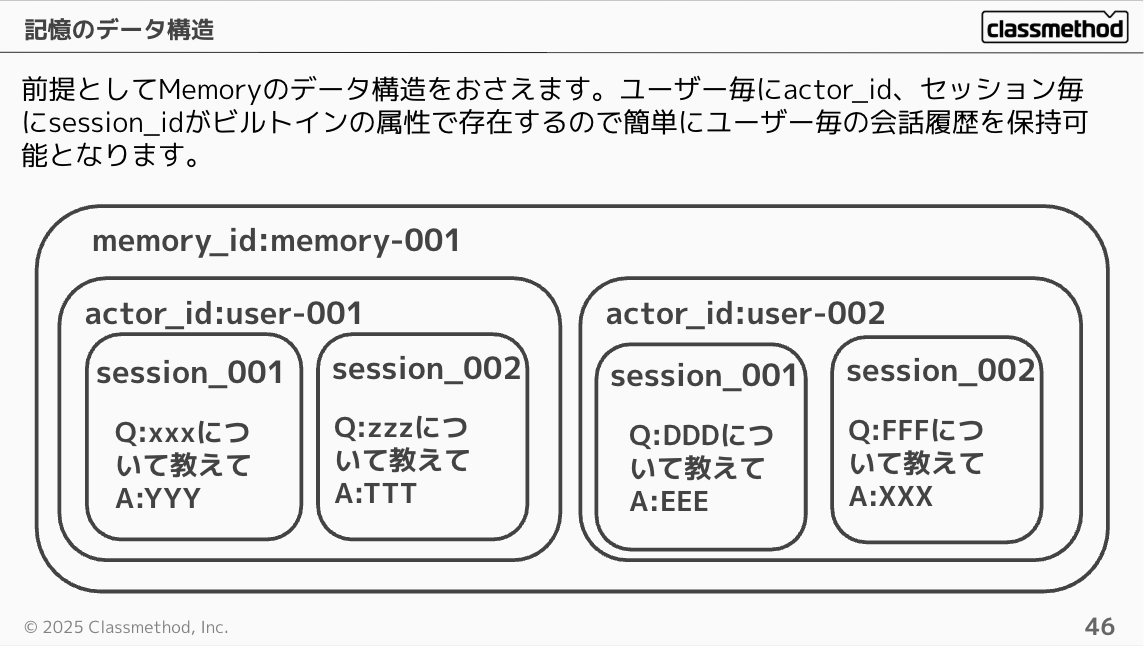
The short-term memory unit can be imagined as the conversation history tabs in ChatGPT or Claude.
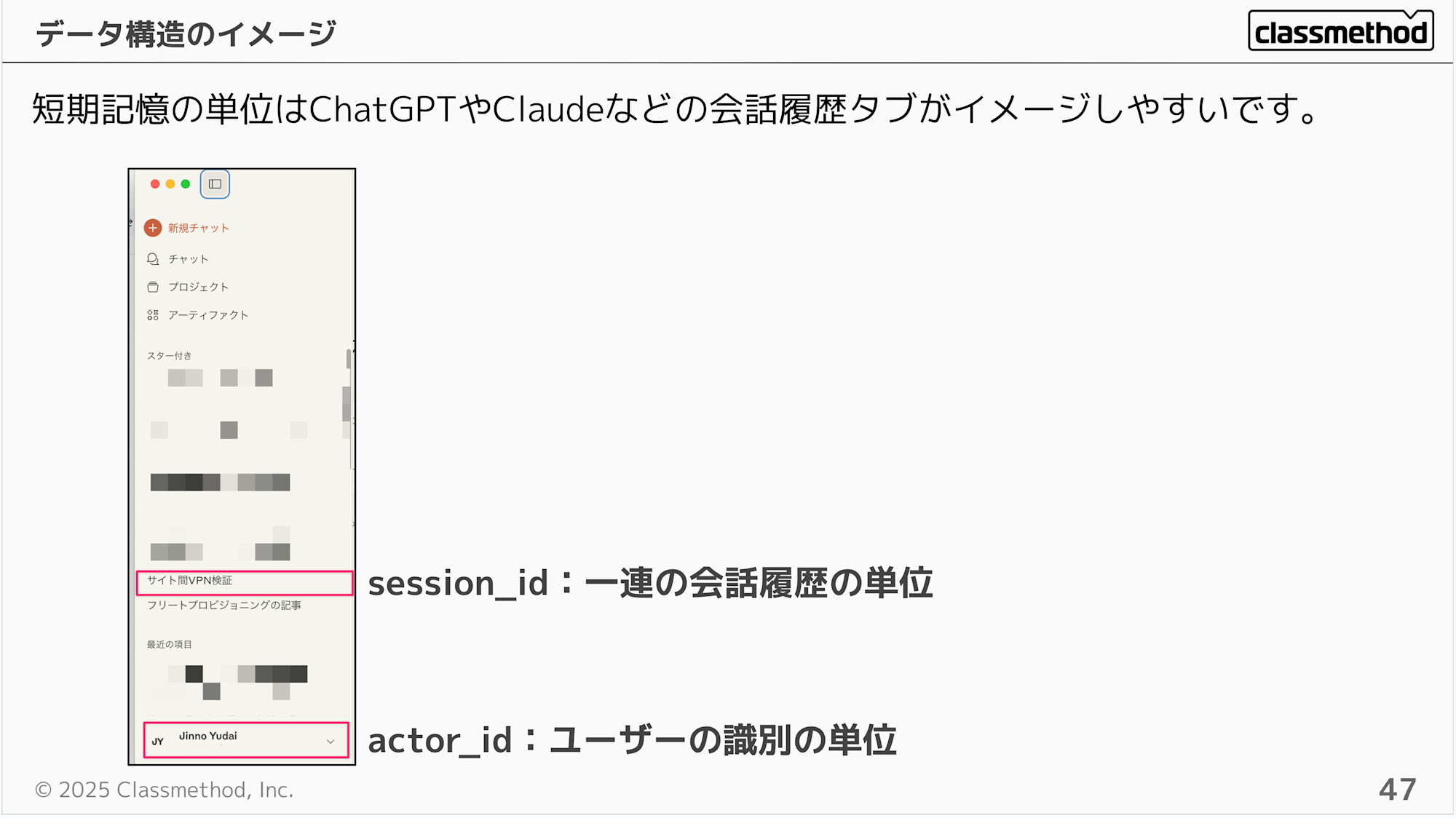
User questions are identified by actor_id, so you would include a user identification value in the request that the AI agent treats as the actor_id.
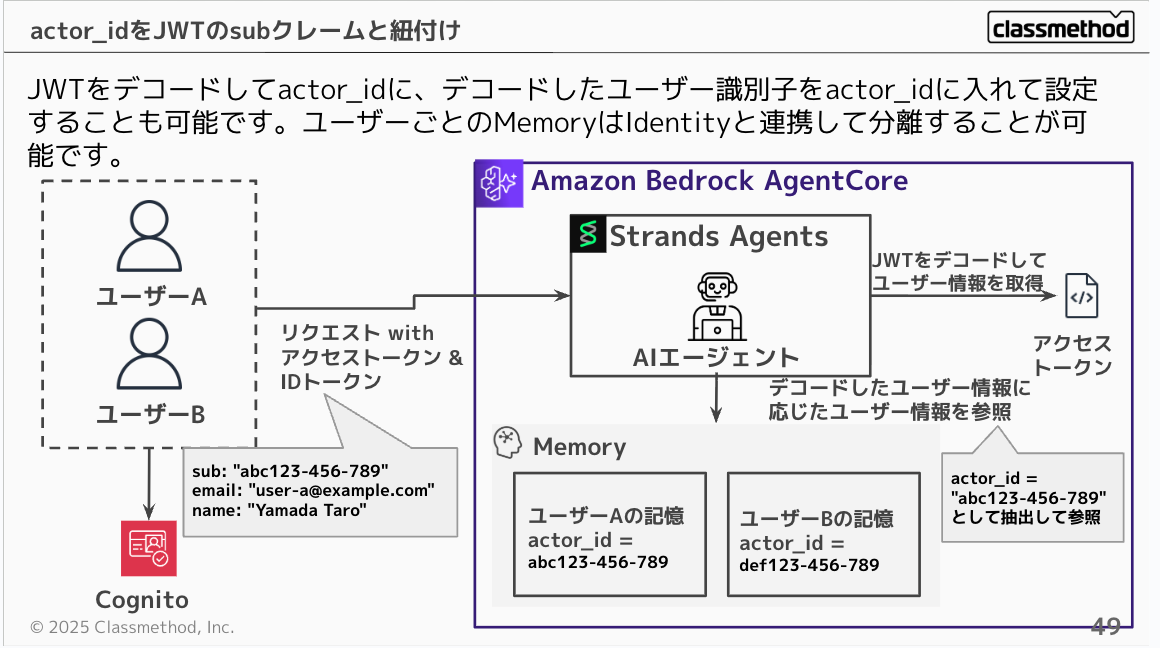
If you're using JWT authentication for AgentCore, you can decode the JWT and set the decoded user identifier as the actor_id. This allows you to easily separate questions by user in connection with Identity and Memory.
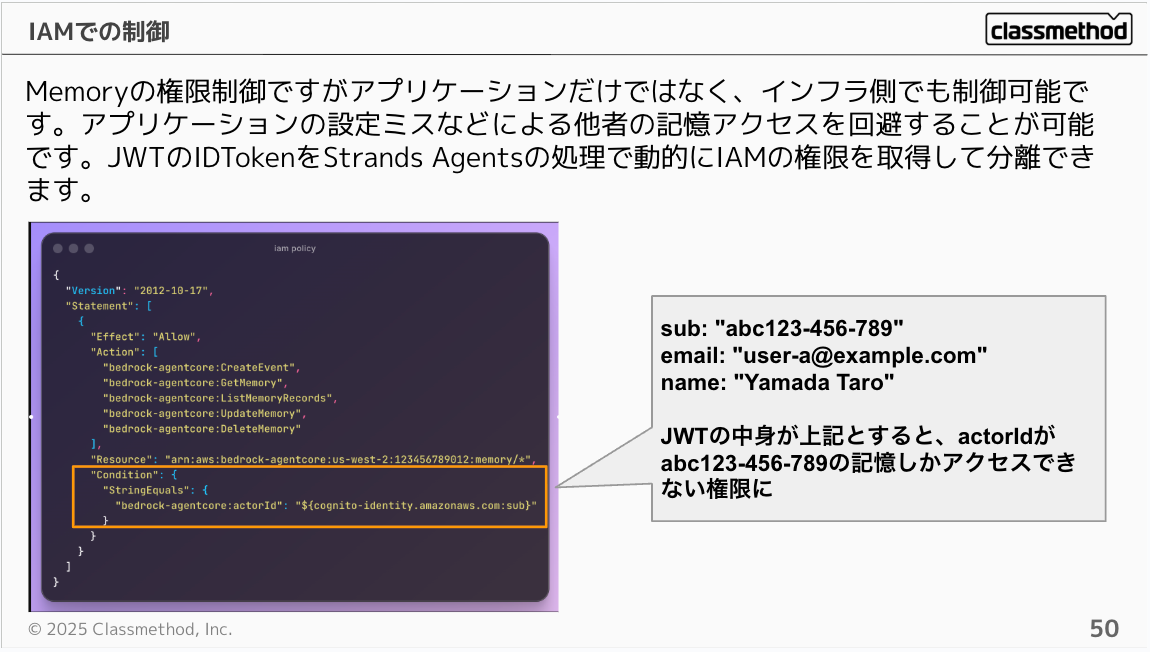
Memory access control can be managed both at the application and infrastructure levels. This helps prevent access to others' memories due to application configuration mistakes. By using JWT ID Tokens, you can dynamically obtain IAM permissions in Strands Agents processing to achieve permission isolation.
For example, you can configure it as follows:
{
  "Version": "2012-10-17",
  "Statement": [
    {
      "Effect": "Allow",
      "Action": [
        "bedrock-agentcore:CreateEvent",
        "bedrock-agentcore:GetMemory",
        "bedrock-agentcore:ListMemoryRecords",
        "bedrock-agentcore:UpdateMemory",
        "bedrock-agentcore:DeleteMemory"
      ],
      "Resource": "arn:aws:bedrock-agentcore:us-west-2:123456789012:memory/*",
      "Condition": {
        "StringEquals": {
          "bedrock-agentcore:actorId": "${cognito-identity.amazonaws.com:sub}"
        }
      }
    }
  ]
}
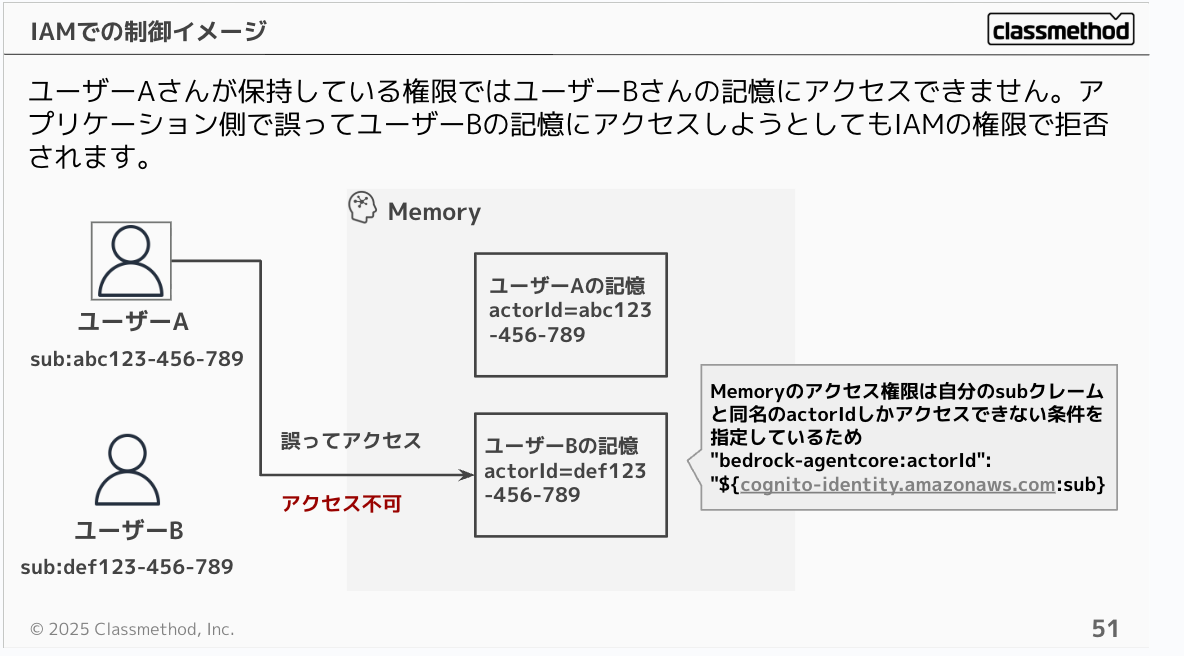
With this configuration, User A's permissions cannot access User B's memories. Even if the application mistakenly tries to access User B's memories, it will be denied by IAM permissions.
Deployment Methods
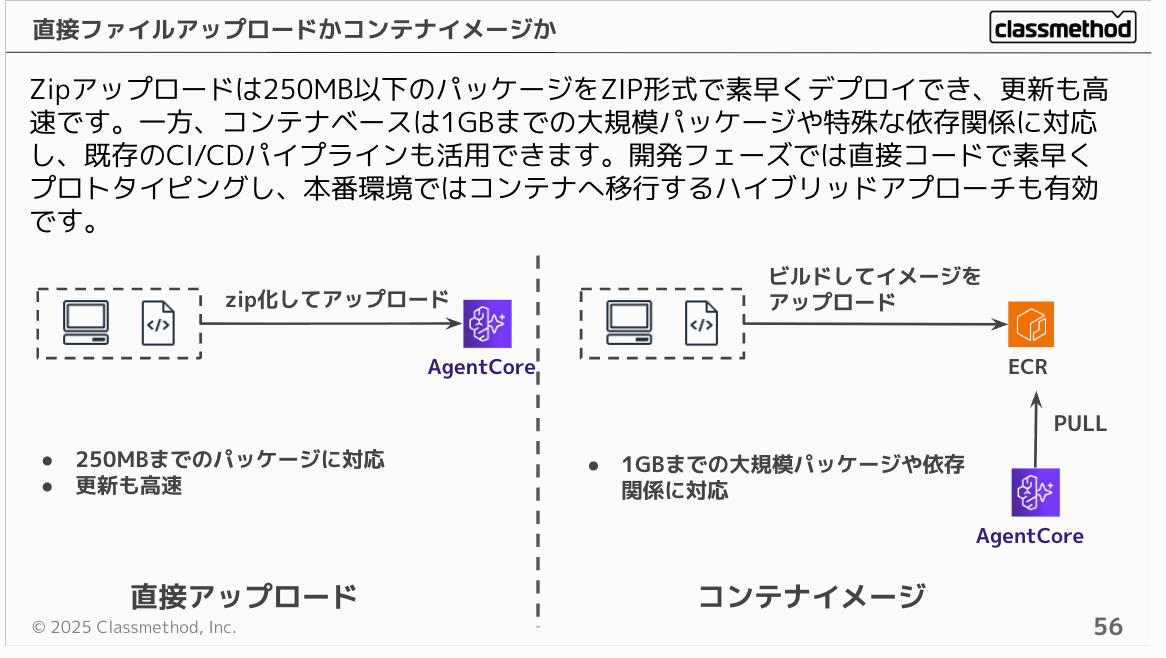
You can choose between direct upload or container image upload. Zip upload allows quick deployment of packages under 250MB in ZIP format, with fast updates. Container-based deployment, on the other hand, supports larger packages up to 1GB or special dependencies, and can leverage existing CI/CD pipelines. A hybrid approach is also effective: use direct code for rapid prototyping during development, then migrate to containers for production.
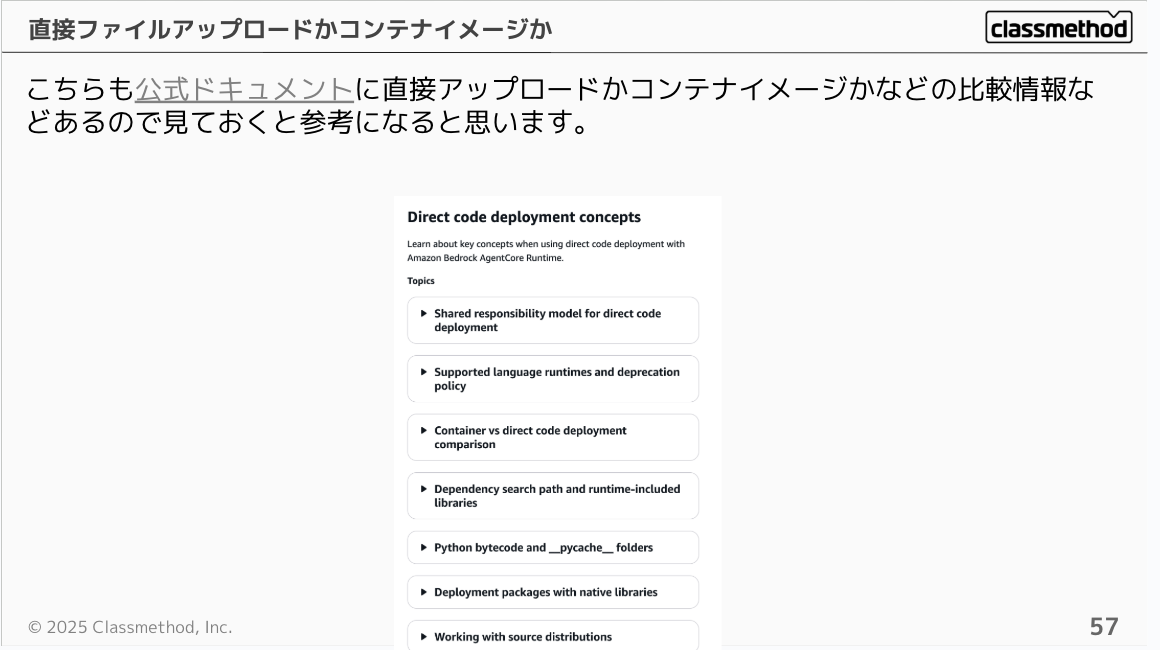
The official documentation also includes comparison information to help you decide between direct upload and container image deployment.
Conclusion
In this presentation, I introduced several points to consider when using AgentCore in production. I hope that at least one of these insights was new to you and sparked interest in "using AgentCore more effectively!" or "learning more about AgentCore!" Next time, I'd like to provide an in-depth explanation of Identity!
I hope this article was helpful! Thank you very much for reading to the end!