
I tried the enhanced filtering function in Automated Security Response on AWS (ASR) v3

This page has been translated by machine translation. View original
Introduction
Are you using Automated Security Response on AWS (ASR)?
ASR is an AWS solution that automatically remedies Security Hub findings.
It's convenient for automating security responses in a multi-account environment. However, fine-grained control was challenging like "wanting to automatically remediate only specific accounts" or "excluding production environments."
Filtering capabilities have been significantly enhanced in v3.0.0, so I'll summarize what changes have been made. Please refer to the following for v3 upgrade procedures.
What's great about it
Expansion of filtering targets
While v2 only allowed filtering by account ID, v3.0.0 now allows filtering by 3 types:
| Filter Type | Usage |
|---|---|
| Account ID | Include/exclude specific AWS accounts |
| Organizational Unit (OU) ID | Include/exclude accounts under specific OUs |
| Resource Tags | Include/exclude resources with specific tags |
Operations such as "enabling automatic remediation only for development environment OUs" or "excluding resources tagged with Environment: Production" are now possible.
Centralization of configuration
Previously, settings were managed in CloudFormation stack parameters. In v3.0.0, they're centralized under the /ASR/Filters/ path in SSM Parameter Store.
It's great that dynamic configuration changes can now be made without redeploying stacks.
Architecture efficiency
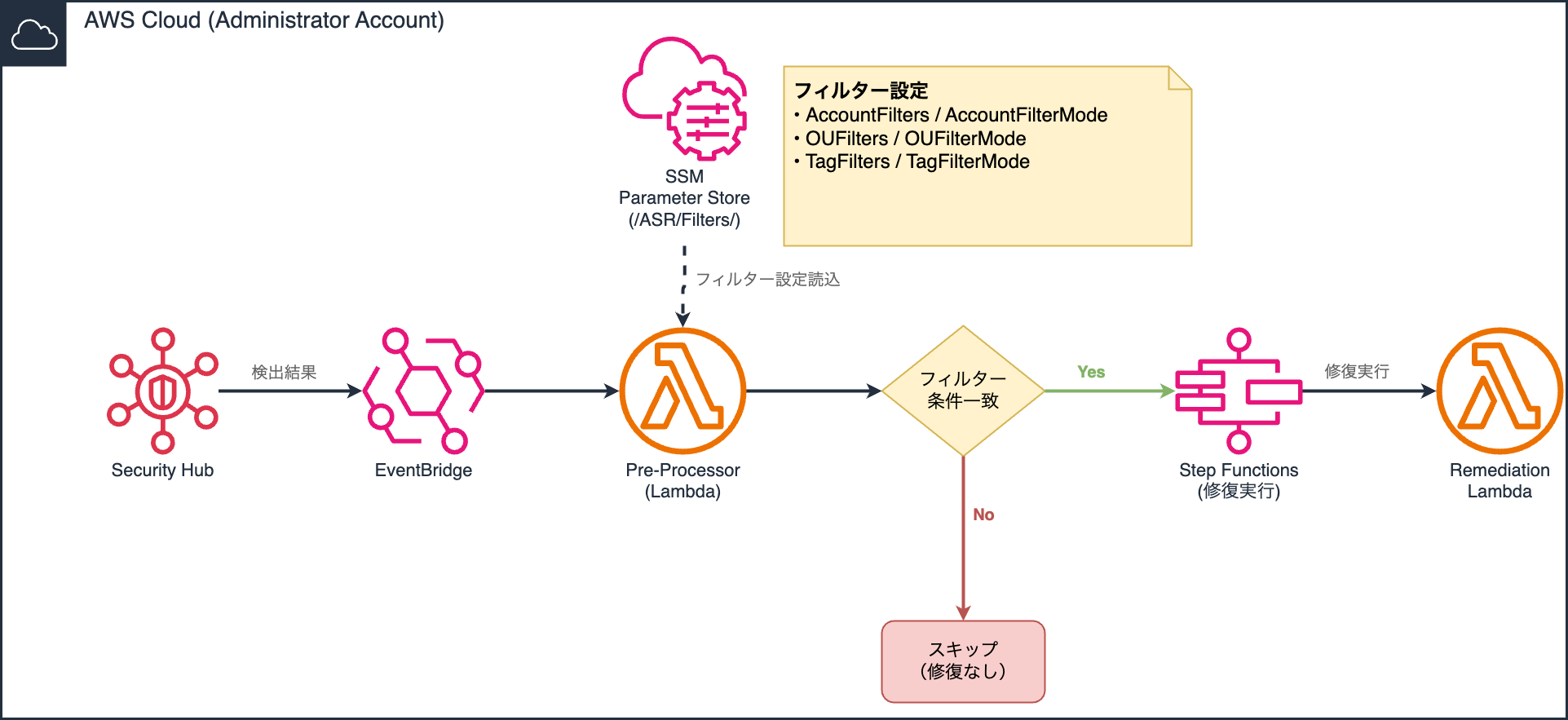
Previously, EventBridge rules existed for each control ID. In v3.0.0, the mechanism has changed to a "Pre-Processor" Lambda function that processes events in batches.
The complexity of rule management is reduced since filtering is performed based on SSM parameter settings.
Here's the general filtering flow:
Configuration steps
Filter settings are configured from the SSM Parameter Store in the administrator account where the Admin stack is deployed.
Checking the SSM Parameter Store
Open "Parameter Store" in Systems Manager from the administrator account console. The following parameters have been created under the /ASR/Filters/ path:
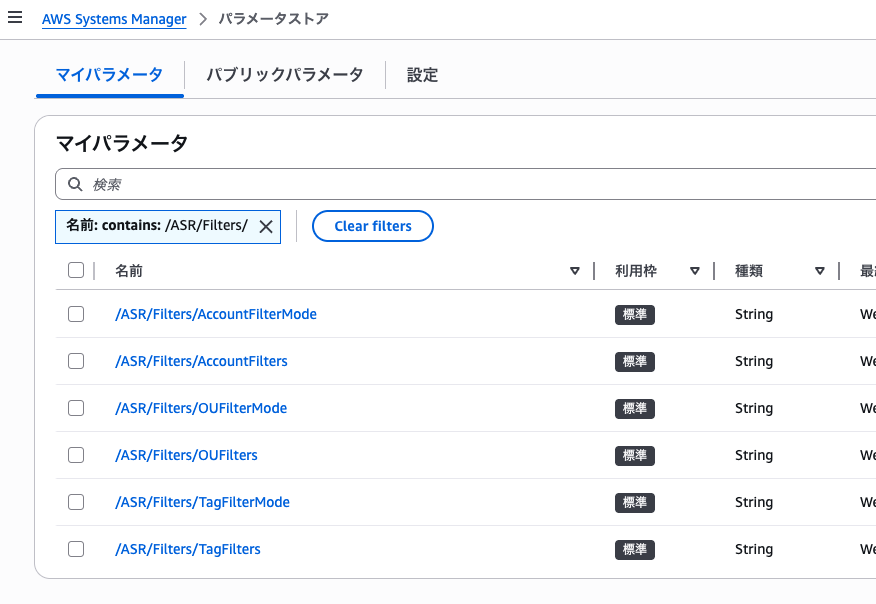
| Parameter Name | Purpose |
|---|---|
AccountFilters |
List of target account IDs |
AccountFilterMode |
Account filter mode |
OUFilters |
List of target OU IDs |
OUFilterMode |
OU filter mode |
TagFilters |
List of target tags |
TagFilterMode |
Tag filter mode |
Setting filter values
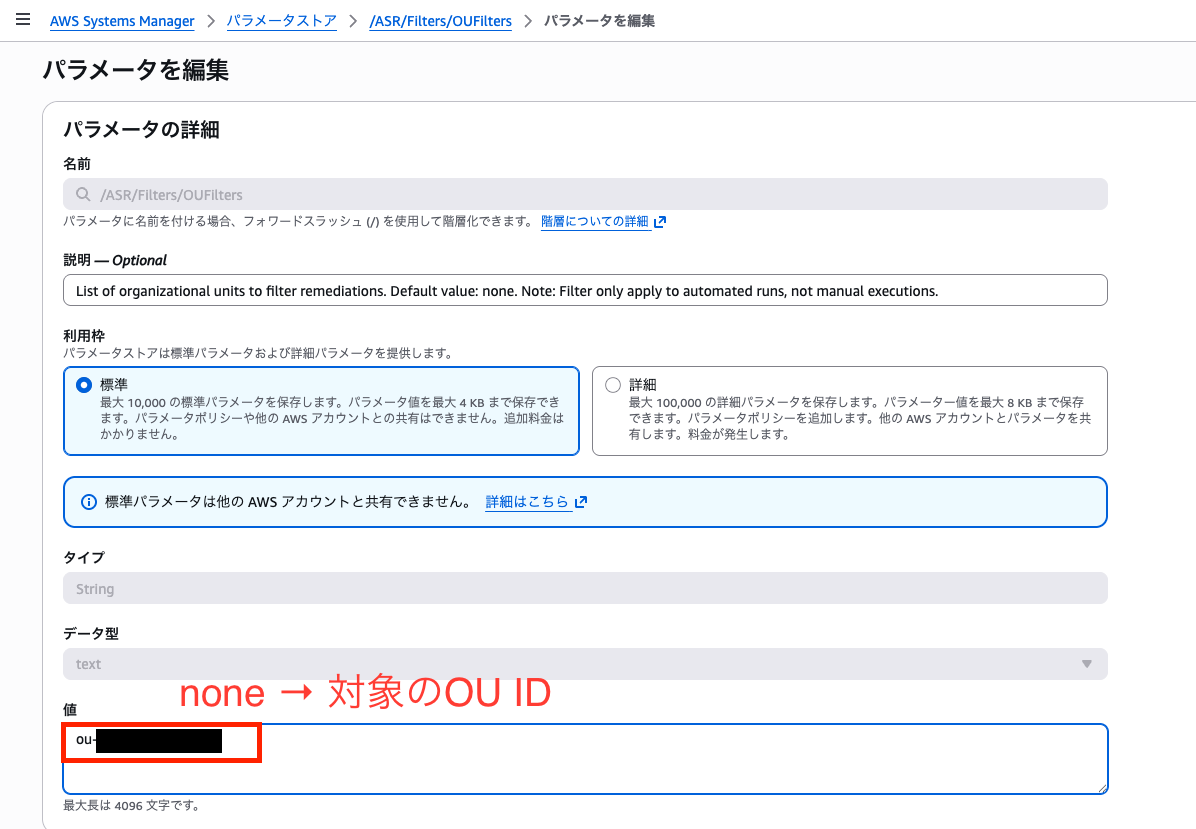
Enter IDs or tags separated by commas in each Filters parameter.
If you want to target specific OUs using OUFilters, change /ASR/Filters/OUFilters to specific OU IDs (ou-xxx-xxxxx).
Setting filter modes
Set one of the following values for each FilterMode parameter:
| Mode | Behavior |
|---|---|
Include |
Only remediate specified targets (whitelist) |
Exclude |
Exclude specified targets (blacklist) |
Disabled |
Disable filtering (default) |
For example, if you want to enable automatic remediation only for the OU configured in /ASR/Filters/OUFilters earlier, configure as follows:
Change /ASR/Filters/OUFilterMode to Include.
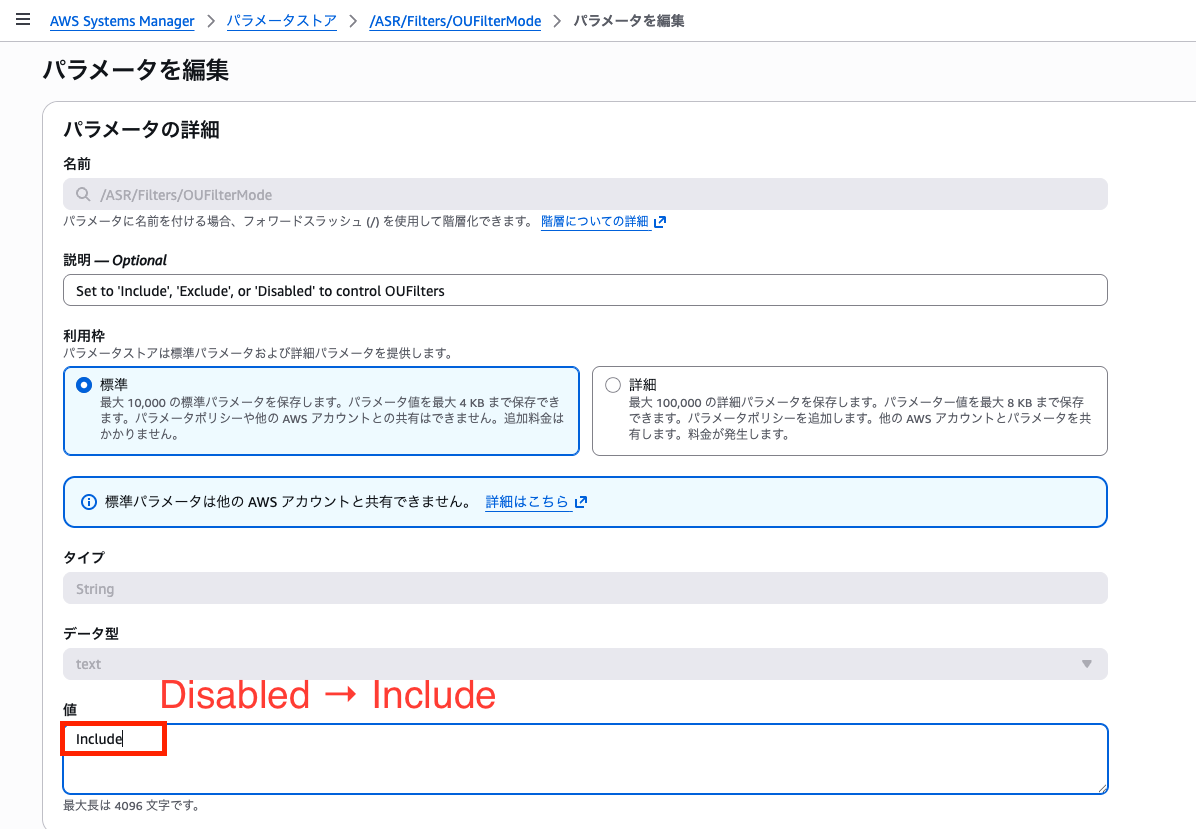
Conversely, set Exclude if you want to exclude the specified OU.
Verification
Verify that resources created outside the previously configured OU are not remediated, and that they are remediated when moved to the target OU.
Control EC2.2 is set as an automatic remediation target.
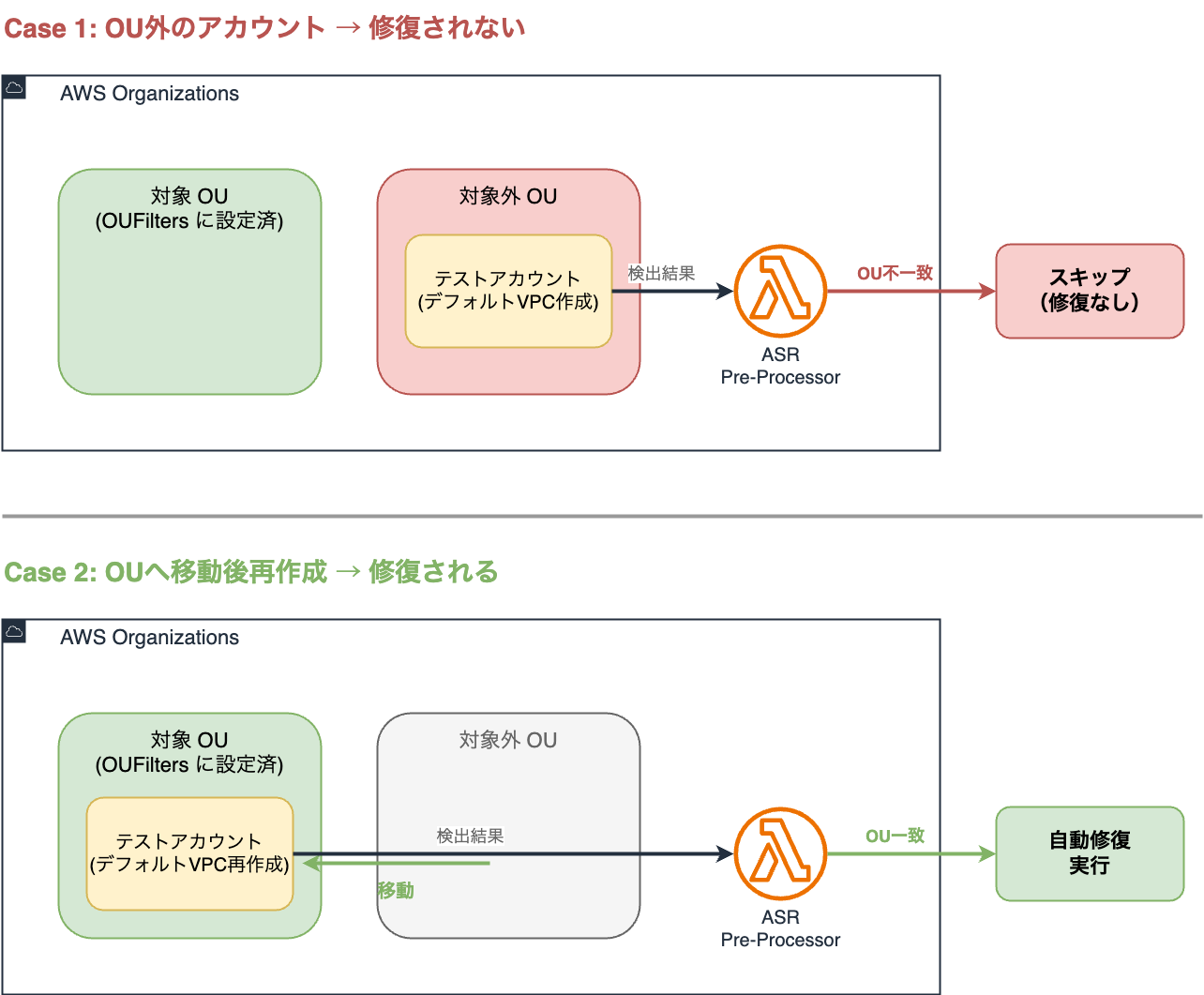
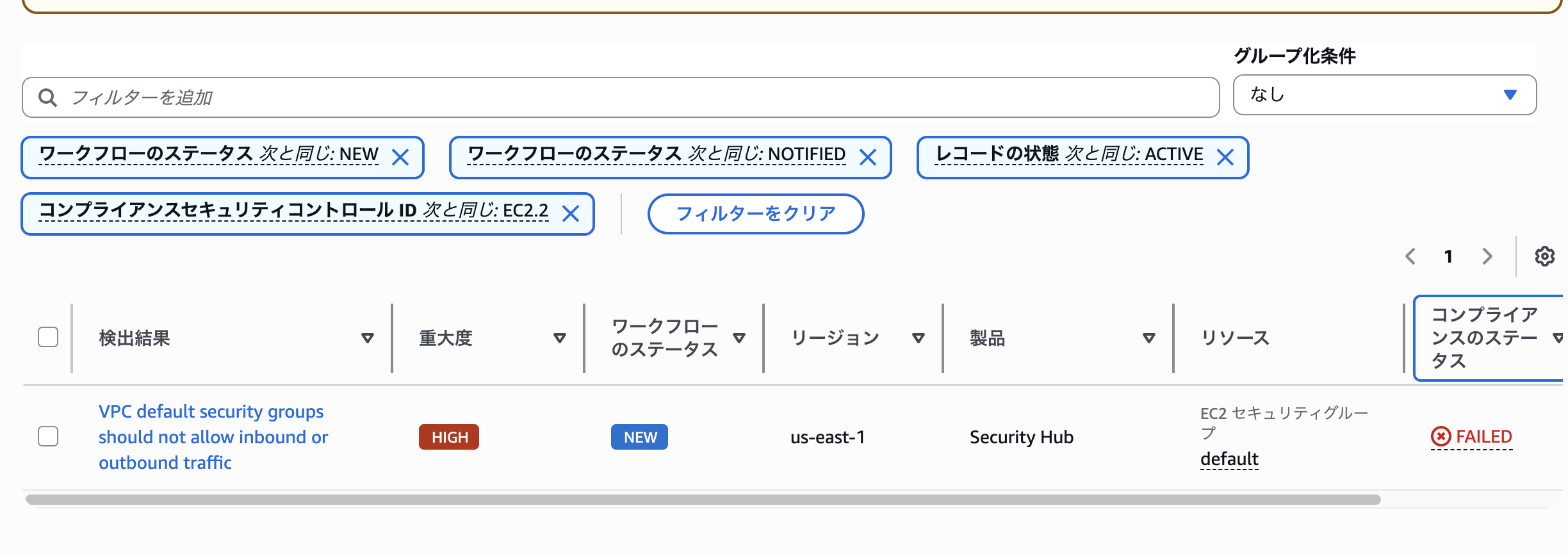
First, create a default VPC outside the specified OU and confirm it's not remediated.
After creating the VPC, it's detected by Security Hub CSPM, but no automatic remediation was performed.
Delete the default VPC, move the OU, and recreate the default VPC in the OU targeted by /ASR/Filters/OUFilters.
(Recreating is done to generate new Findings for verification)
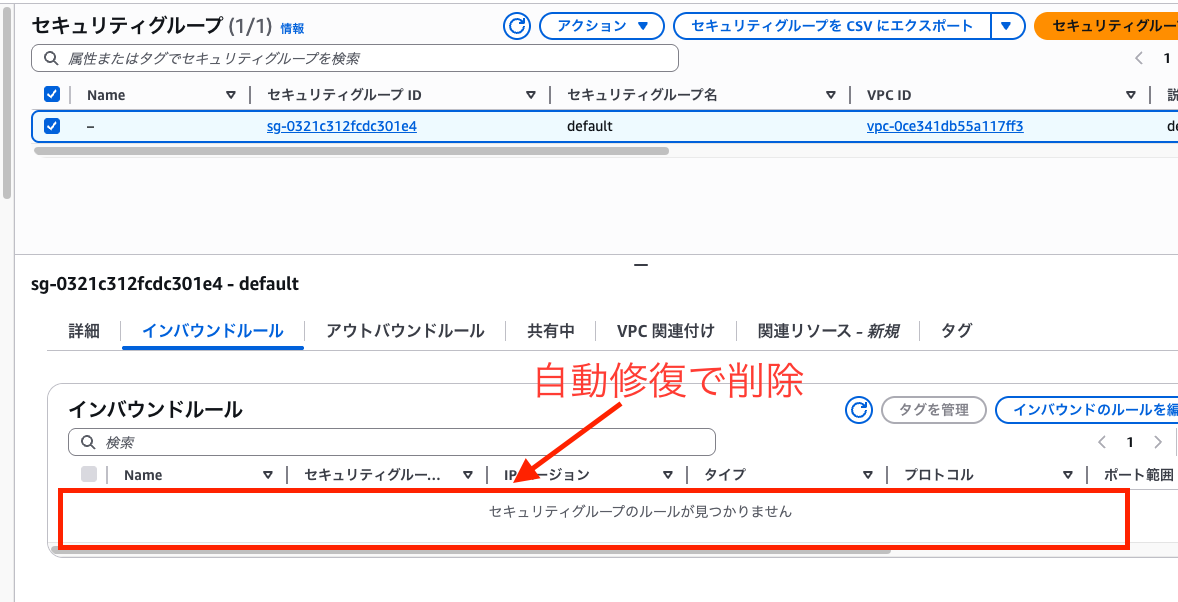
We confirmed that automatic remediation was successfully executed.
Important considerations
Only applies to fully automatic remediation
These filter settings apply only to "fully automatic remediation". They are not applied to manual remediation executed from Security Hub CSPM "custom actions" or the Web UI.
Manual remediation can still be performed on all resources, so be careful not to remediate unintended resources.
Pre-configuration verification
Before enabling automatic remediation, confirm that filtering covers your intended scope. Configuration errors could cause unintended resources to be automatically remediated or excluded from remediation.
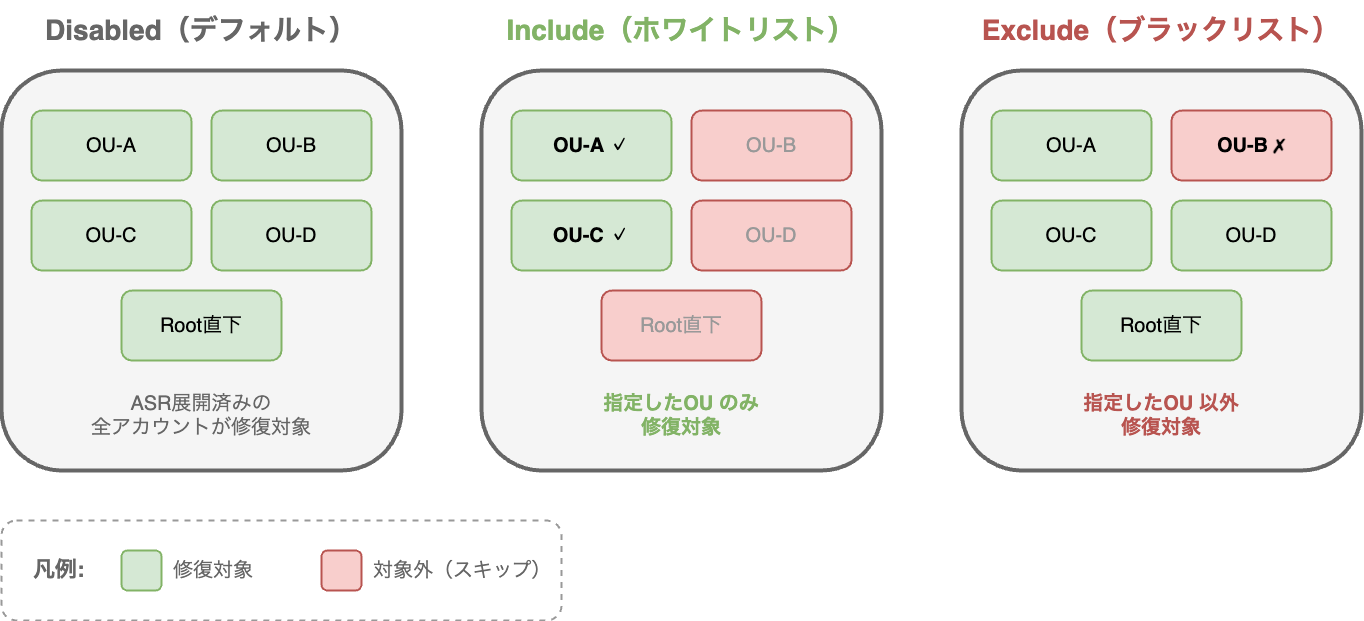
For example, if you set OU filters to Include: findings generated from accounts not in the specified OU will all be skipped by the Pre-Processor.
In the default state (Disabled), all accounts where ASR is deployed are targeted, but once changed to Include, it becomes a whitelist operation. Remember to update parameters when adding new OUs.
Summary
With ASR v3.0.0's enhanced filtering capabilities, you can now filter by three types: account ID, OU, and resource tags.
Configuration is consolidated in SSM Parameter Store, allowing dynamic changes without stack redeployment. If you're operating ASR in a multi-account environment, please give these features a try.
References