
Let's enable automatic remediation settings again after upgrading to AWS Automated Security Response on AWS v3

This page has been translated by machine translation. View original
Introduction
Are you all using AWS Automated Security Response on AWS (ASR)?
Recently, I upgraded from v2 to v3.1.1 as described in the article below, but immediately after the update, automatic remediation stopped working.
After investigating, I found that automatic remediation settings are not carried over when upgrading from v2 to v3.
In v3, the configuration storage location has been changed from CloudFormation parameters to a DynamoDB table, so old settings are not migrated.
In this article, I'll check the configuration status from the DynamoDB console and summarize the steps to enable controls and get automatic remediation working again.
Let's try it
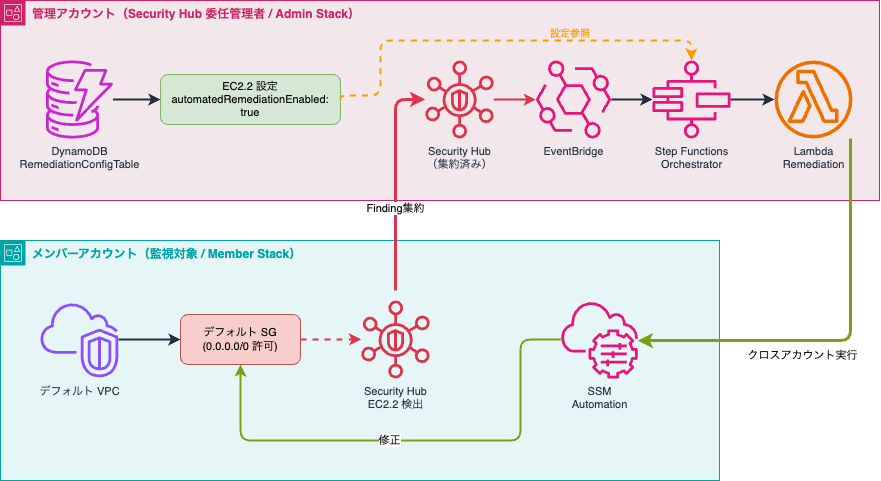
Here's the overview. We'll turn ON the automatic remediation setting and confirm that remediation for the target control EC2.2 is performed.
Checking the DynamoDB table
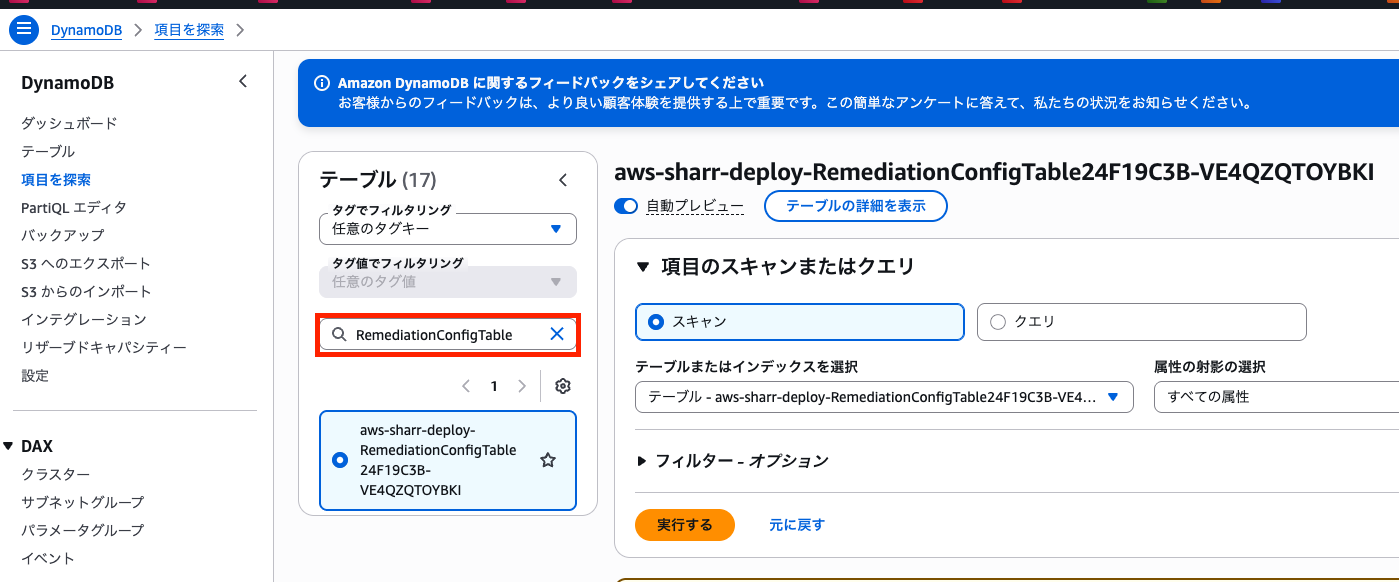
Let's check the account where the Admin stack is deployed.
If deployed across multiple accounts, it will be in the management account or the Security Hub CSPM delegation target.
Since the DynamoDB table follows the naming convention {AdminStackName}-RemediationConfigTablexxxxx, we'll search for tables with RemediationConfigTable.
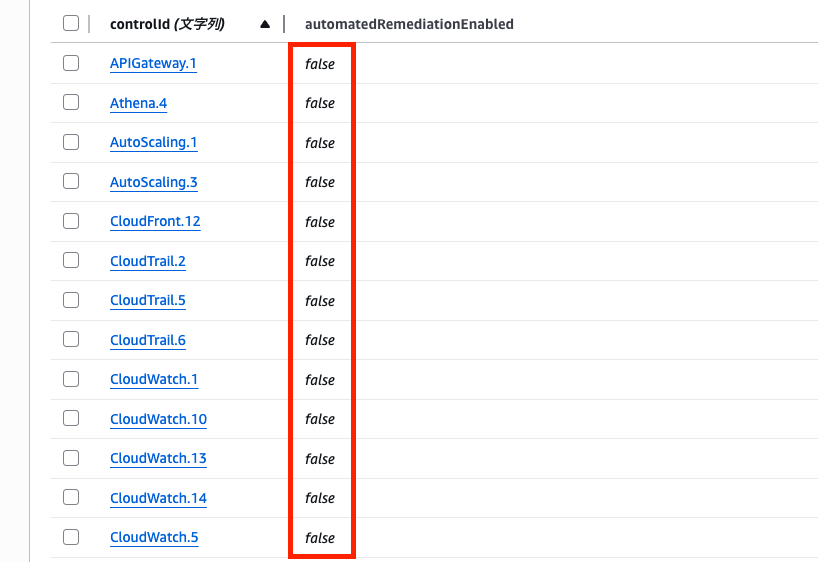
Looking at the table, we can see that automatedRemediationEnabled is set to false for all entries. This is the default state after upgrading.
Enabling automatic remediation
If you want to enable automatic remediation by ASR, change automatedRemediationEnabled to true.
Let's try enabling automatic remediation for the EC2.2 control.
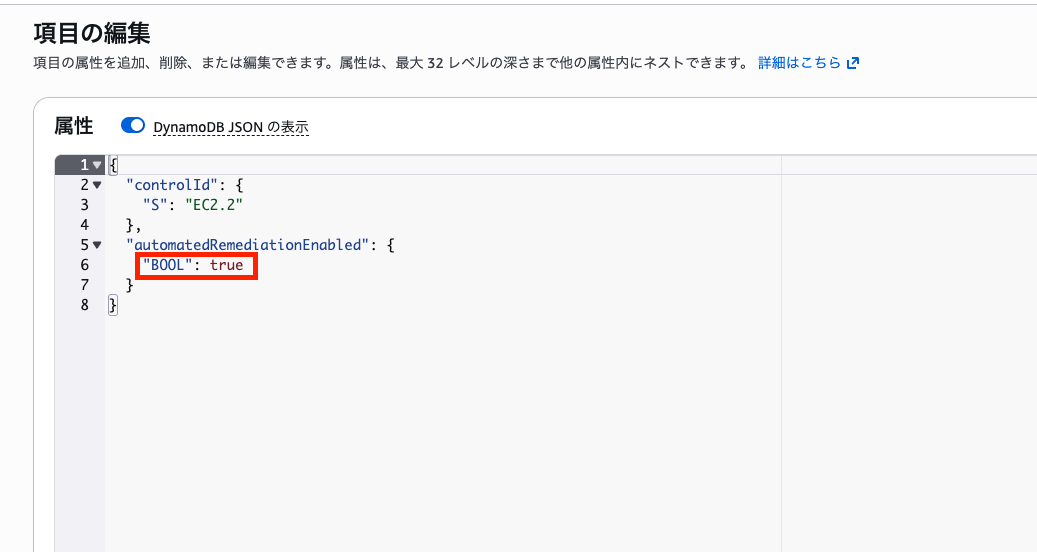
EC2.2 is triggered when inbound and outbound traffic is allowed in the default VPC.
Verifying automatic remediation
Let's verify that automatic remediation actually works.
In an account where ASR is deployed as a member, create a default VPC.
When a default VPC is created, security groups with inbound and outbound permissions are automatically created, so we can check if they get remediated.
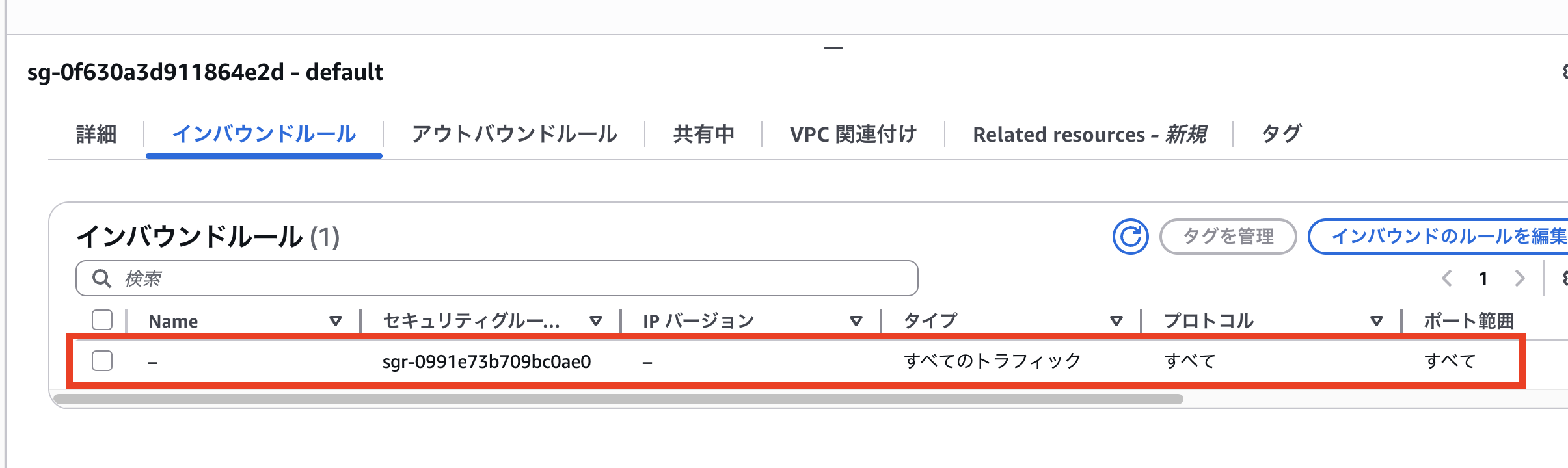
Let's confirm that the following inbound rules will be removed.
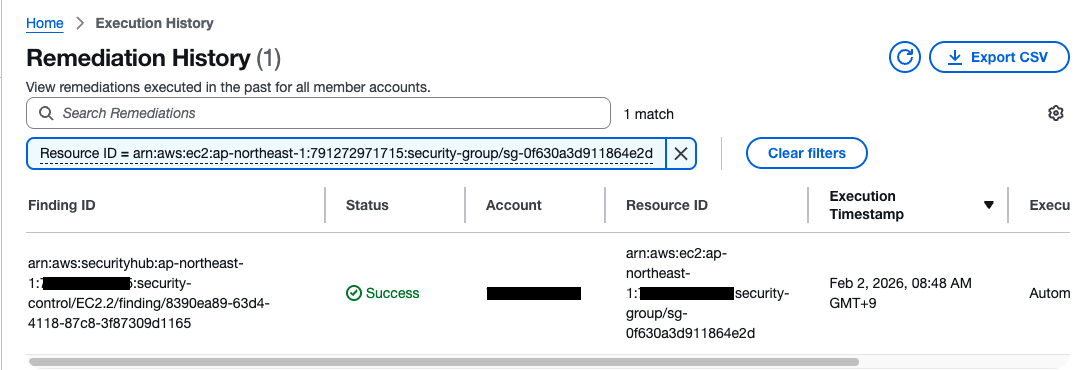
Looking at the Web UI that was added in the update, we can immediately confirm that automatic remediation took place.
The inbound rules have also been removed.
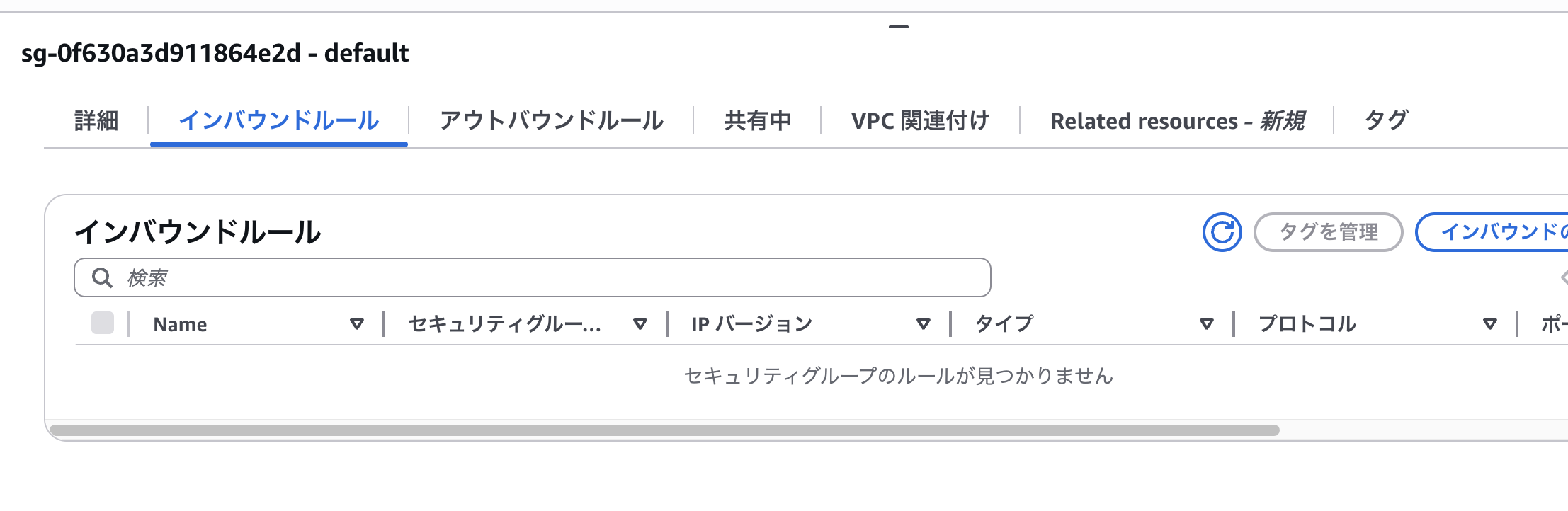
We've successfully enabled automatic remediation.
Summary
When upgrading from ASR v2 to v3, automatic remediation settings are reset, so you need to reconfigure them in the DynamoDB table.
In v3, settings can be changed dynamically without updating CloudFormation stacks, which is convenient for operations. If automatic remediation isn't working after an upgrade, first check the settings in the DynamoDB table.