I tried ReBAC (Relationship-Based Access Control) with Auth0 FGA

This page has been translated by machine translation. View original
Tried ReBAC (Relationship-Based Access Control) with Auth0 FGA
Introduction
In IT systems, authentication and authorization are embedded everywhere.
While RBAC (Role-Based Access Control) and ABAC (Attribute-Based Access Control) are common authorization approaches, ReBAC (Relationship-Based Access Control) comes into play when more complex access control is needed.
A famous use case is Google Drive. It implements fine-grained access control based on relationships between users, groups, folders, and files.
With Auth0 FGA (Fine-Grained Authorization), you can build such relation-based authorization systems. In this article, I'll actually try Auth0 FGA and check how ReBAC works at a basic level.
What we're going to do
To understand the ReBAC mechanism with a simple case, we'll confirm the following three points:
- A user is a member of a group (group#member)
- Members of that group (group#member) can read a specific document (doc)
- Users who don't belong to the group cannot read that document (doc)
Auth0 FGA Account Registration
First, let's create an Auth0 FGA account. You can try it for free, so please sign up from the URL below.
Note that Auth0 FGA is a separate product from regular Auth0 tenants. You'll need a separate account registration.
About the Auth0 FGA Dashboard
In the Auth0 FGA dashboard, you'll configure and verify authorizations in three main steps:
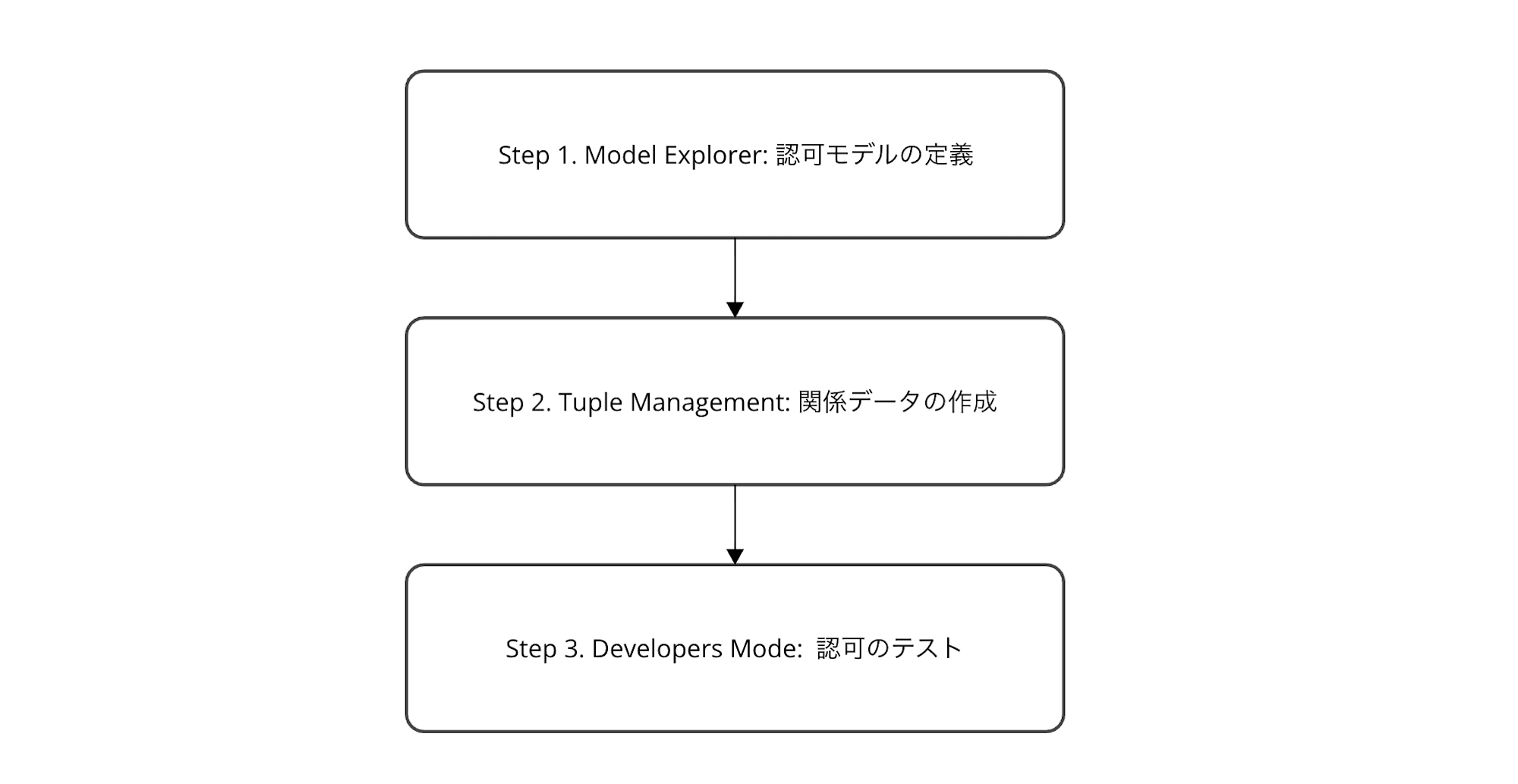
- Model Explorer: Define the authorization model (design types and relationship structures)
- Tuple Management: Create relationship data (register actual "who has what relationship to what")
- Developer Mode: Test authorization (verify if permission determinations are correct using Assertions)
We'll proceed following this flow.
Check the Default Model
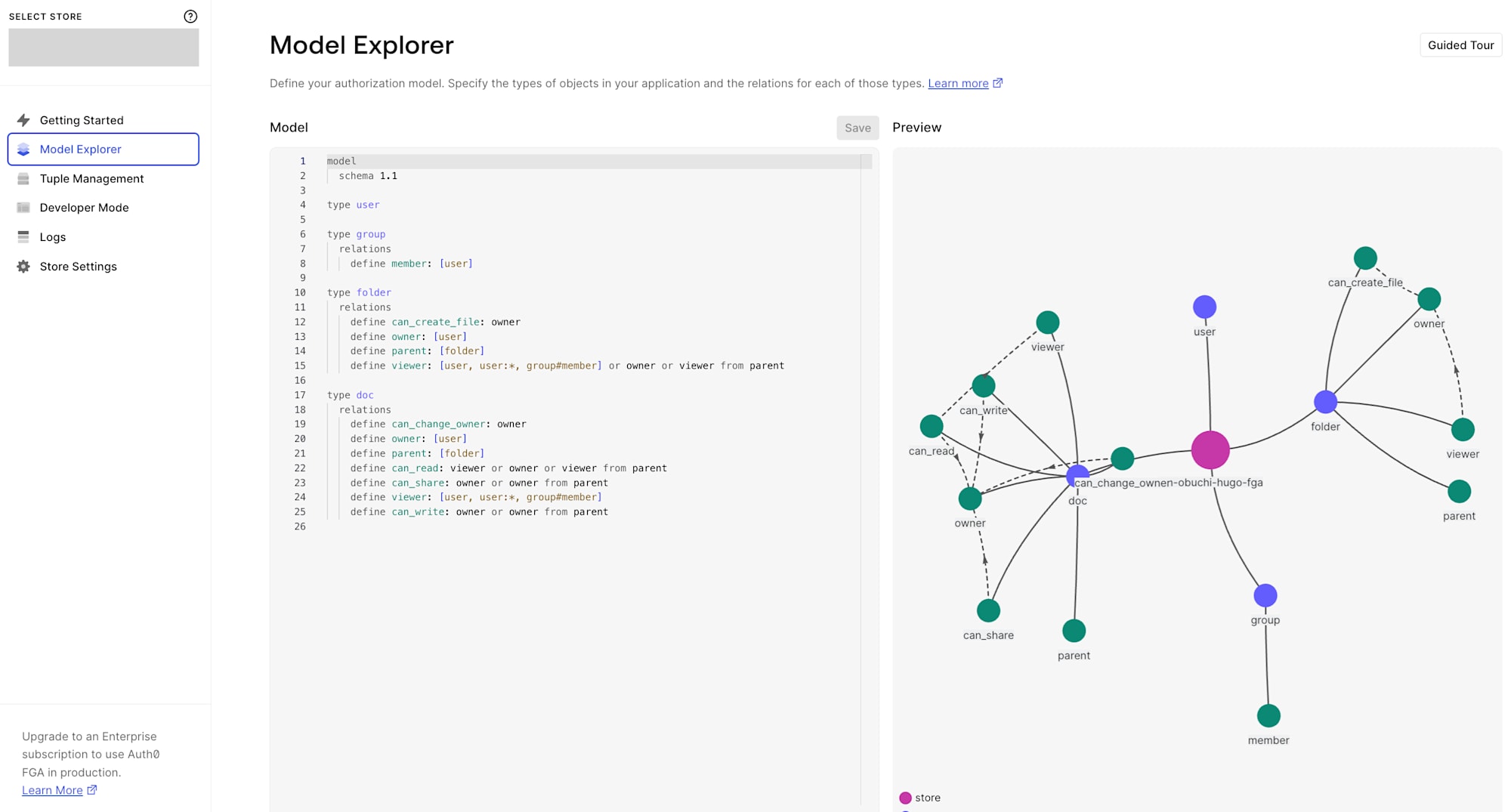
After creating an account, when you open the Model Explorer in the dashboard, a default authorization model is provided. On the right side, a relationship graph is previewed, showing the visual relationships between types.
model
  schema 1.1

type user

type group
  relations
    define member: [user]

type folder
  relations
    define can_create_file: owner
    define owner: [user]
    define parent: [folder]
    define viewer: [user, user:*, group#member] or owner or viewer from parent

type doc
  relations
    define can_change_owner: owner
    define owner: [user]
    define parent: [folder]
    define can_read: viewer or owner or viewer from parent
    define can_share: owner or owner from parent
    define viewer: [user, user:*, group#member]
    define can_write: owner or owner from parent
This model defines four types. Let's explain each:
user
The subject performing operations. No relations are defined.
group
Groups. Has a member relation that allows adding user as members.
folder
Folders. Has the following relations:
owner: Folder owner (can specifyuser)parent: Parent folder (can specifyfolder). Can express nested folder structurescan_create_file: Permission to create files. Onlyownerviewer: Users who can view the folder. Any of the following qualifies as a viewer:userdirectly specified as vieweruser:*(all users = public access)group#member(members of a specific group)owner(folder owner)viewer from parent(viewers of parent folder. Permissions are hierarchically inherited)
doc
Documents. Has the following relations:
owner: Document ownerparent: Folder to which the document belongsviewer: Directly specified users, all users (user:*), or group memberscan_read:viewerorownerorviewer from parent(inherited from parent folder viewers)can_write:ownerorowner from parentcan_share:ownerorowner from parentcan_change_owner:owneronly. No inheritance from parent folders. Changing ownership is a sensitive operation, so it's limited to direct owners only
Key Points of this Model
This authorization model has three main points:
- Hierarchical permission inheritance (
viewer from parent): Parent folder permissions are inherited by child folders and documents. Same concept as Google Drive folder sharing - Group-based access (
group#member): Access rights can be granted to groups rather than individual users. Useful for team or role-based permission management - Derived permissions: Permissions like
can_readare not directly granted but automatically calculated from other relations likeviewerorowner
For this article, we'll focus on minimal relationships to understand ReBAC. Specifically, we'll just create the simple relationship where group members can read a document.
Creating Relationship Tuples
After reviewing the model, let's create actual data (Relationship Tuples).
Tuples define who has what relationship to what object, forming the basis for authorization decisions. Let's add them from the Tuple Management page in the sidebar.
Tuple 1: game_center members are viewers of ff7_game_guide_book
First, let's make it so members of the game_center group can view a document called ff7_game_guide_book.
| Field | Value |
|---|---|
| User | group:game_center#member |
| Object | doc:ff7_game_guide_book |
| Relation | viewer |
We specify group:game_center#member as User. This is a userset notation meaning "all users who have the member relation to the game_center group."
In Auth0 FGA, usersets are referenced in the format type:id#relation. Note the use of # rather than : here (: is reserved as a separator between type and id, so using a third : would cause an error).
Tuple 2: alice is a member of game_center
Next, let's register user alice as a member of the game_center group.
| Field | Value |
|---|---|
| User | user:alice |
| Object | group:game_center |
| Relation | member |
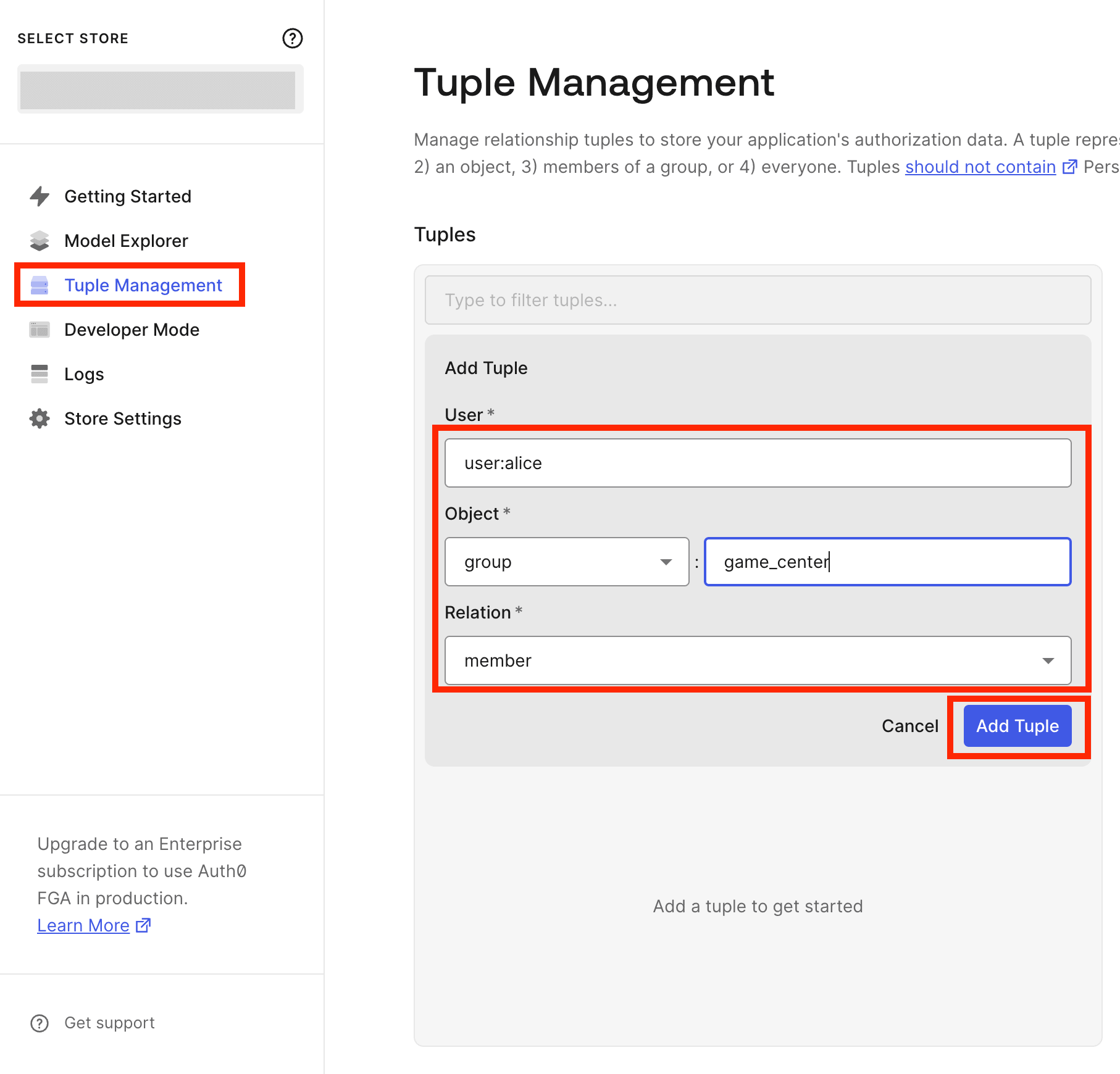
After creating these two tuples, it looks like this:
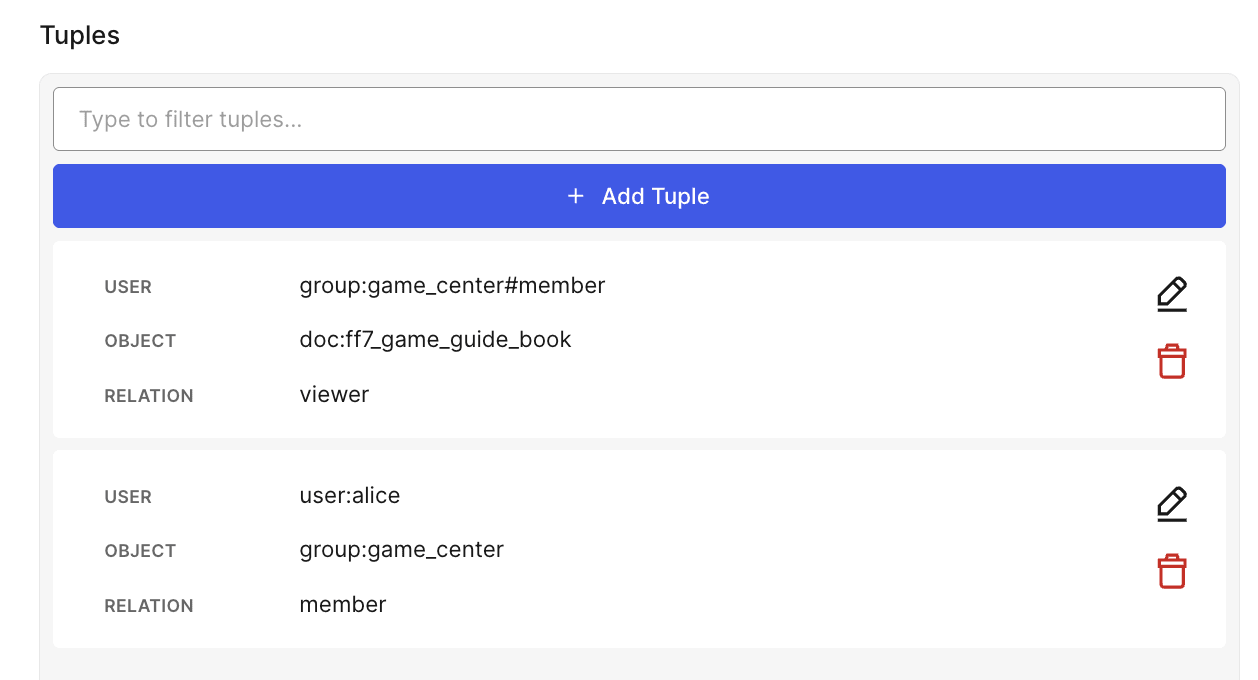
Now we have completed the relation chain: alice → member of game_center → viewer of ff7_game_guide_book.
Testing in Developer Mode
Let's test if authorization works correctly based on the tuples we created.
Opening Developer Mode from the sidebar allows you to check and manipulate Model, Tuples, and Assertions in one screen.
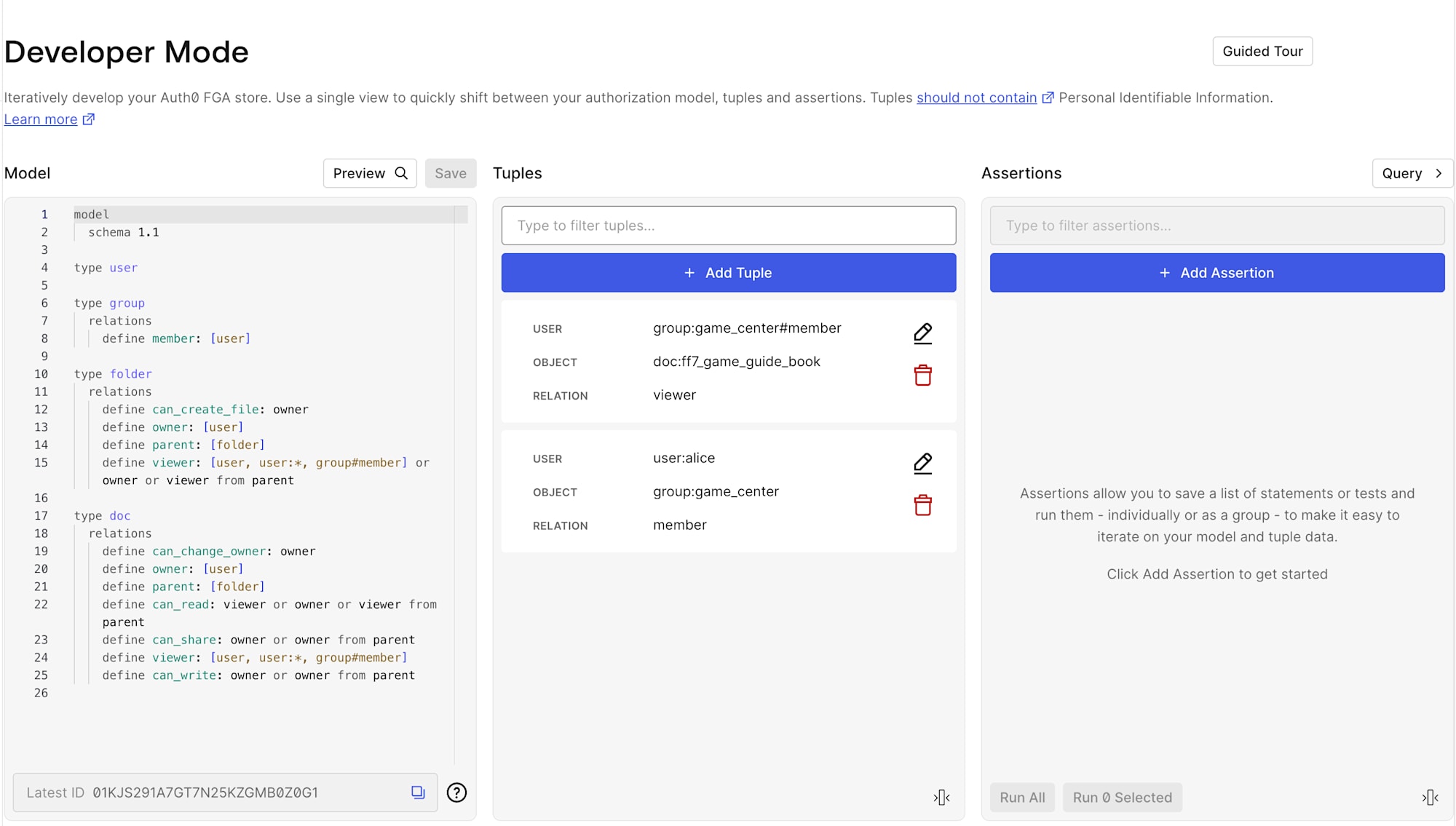
Assertions work like test cases, verifying "Can this user perform this operation on this resource?"
Test 1: Can alice read ff7_game_guide_book?
Since alice is a member of game_center, the can_read result should be TRUE.
| Field | Value |
|---|---|
| User | user:alice |
| Object | doc:ff7_game_guide_book |
| Relation | can_read |
| Expectation | TRUE |
Test 2: Can bob read ff7_game_guide_book?
Since bob doesn't belong to any group, the can_read result should be FALSE.
Here, we deliberately set Expectation to TRUE to confirm that bob has no access rights when the Assertion FAILs.
| Field | Value |
|---|---|
| User | user:bob |
| Object | doc:ff7_game_guide_book |
| Relation | can_read |
| Expectation | TRUE |
Test Results
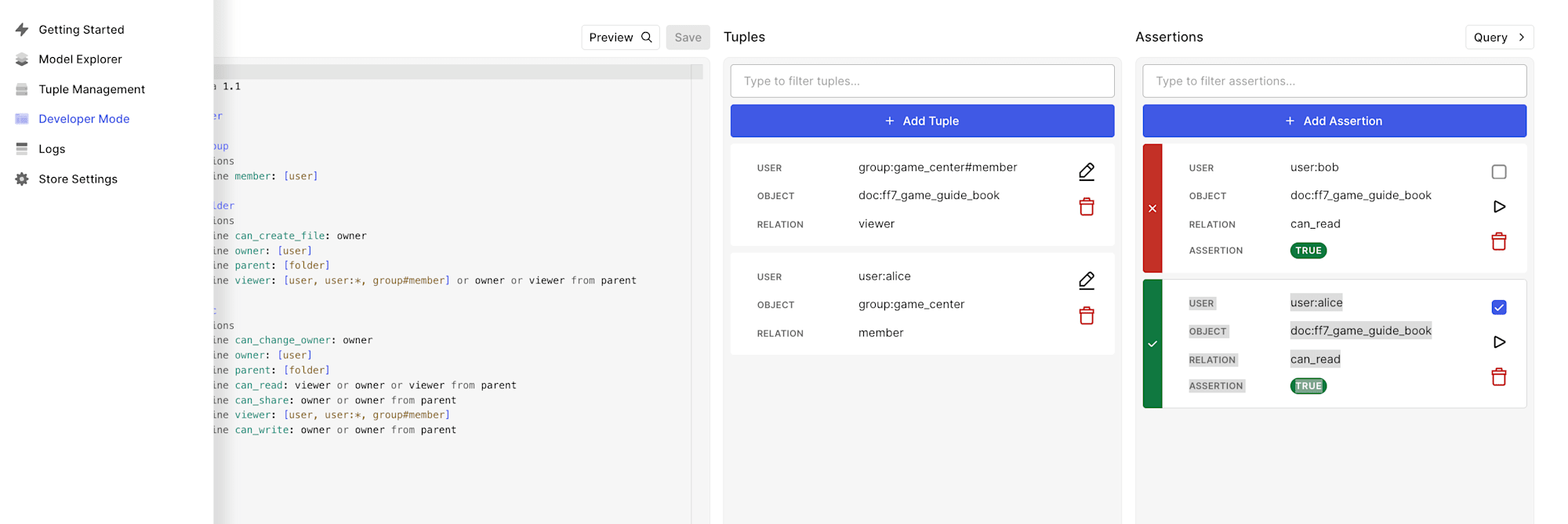
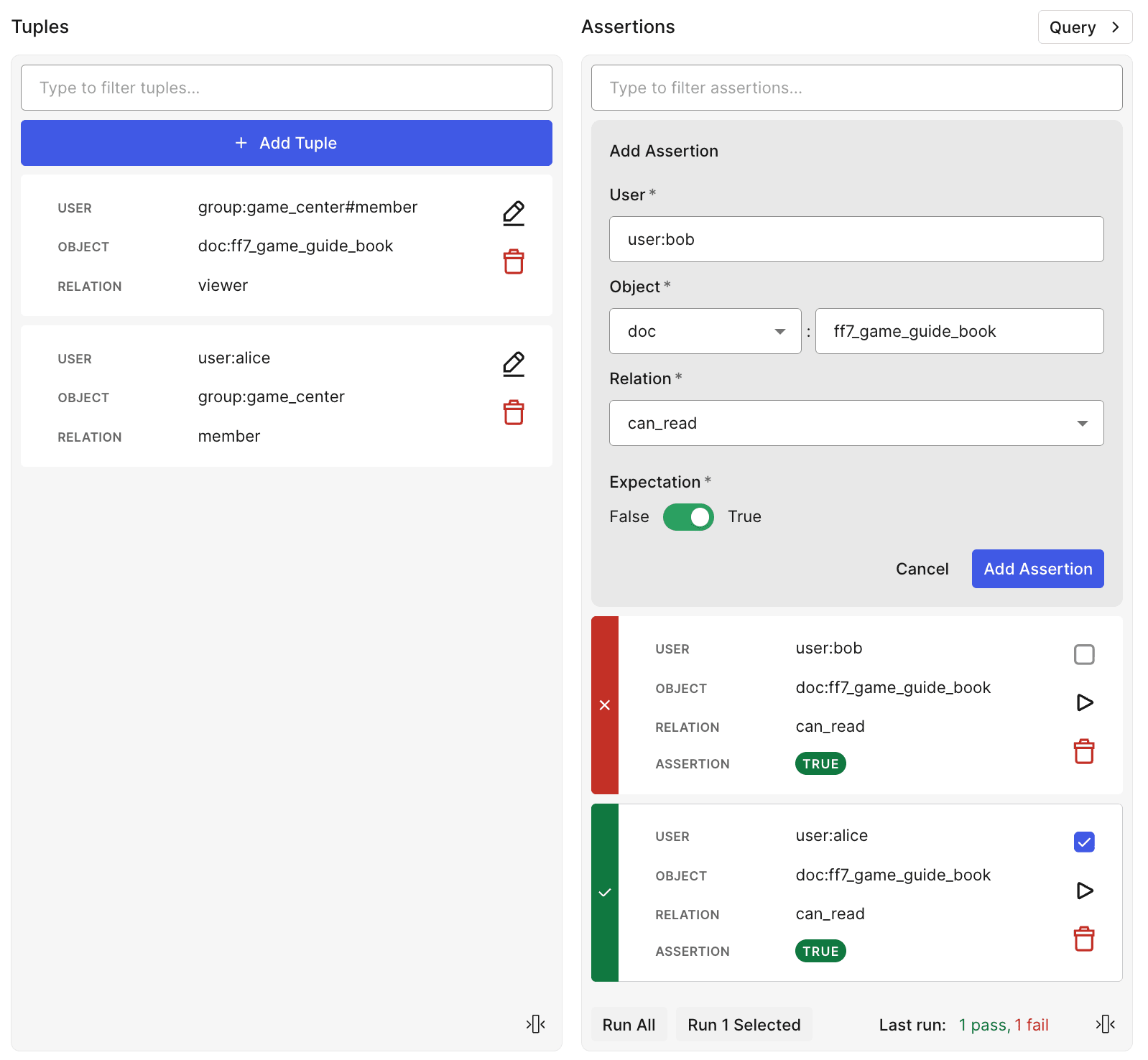
The results are as expected:
aliceAssertion → PASS (alicecan readff7_game_guide_bookbecause she is a member ofgame_center)bobAssertion → FAIL (bobcannot readff7_game_guide_bookbecause he is not a member ofgame_center. Since we set Expectation to TRUE, the Assertion FAILs)
We've confirmed that Auth0 FGA's ReBAC model correctly implements access control based on group membership.
Conclusion
That's an introduction to basic usage of ReBAC with Auth0 FGA.
In this article, we only tried simple group membership and document viewing permissions, but Auth0 FGA's model includes mechanisms for more advanced access control, such as folder hierarchy inheritance and owner permission management.
If you're interested in fine-grained authorization systems, I encourage you to try it out.