![[Update] AWS Agent Registry has been released in preview!](https://images.ctfassets.net/ct0aopd36mqt/7M0d5bjsd0K4Et30cVFvB6/5b2095750cc8bf73f04f63ed0d4b3546/AgentCore2.png?w=3840&fm=webp)
[Update] AWS Agent Registry has been released in preview!

This page has been translated by machine translation. View original
Introduction
Hello, I'm Kanno from the consulting department, and I love supermarkets.
As the use of AI agents and MCP Servers increases, are you finding it difficult to keep track of "who created which agent" or "which MCP Servers are available" within your organization? The issue of "rogue agents" and "rogue MCP Servers" seems to be emerging.
To address this challenge, AWS Agent Registry has been released in preview.
It's a feature of Amazon Bedrock AgentCore that allows you to centrally register, search, and manage agents, MCP Servers, and skills in a registry service.
It's slightly odd that the service name is "AWS Agent Registry" despite being under "Amazon Bedrock AgentCore"...
I've actually tried it out through both the console and SDK, so I'll describe the workflow here.
Prerequisites
- Region: us-east-1
- Python: 3.13
- boto3: 1.42.87 or higher
AWS Agent Registry
Simply put, it's a catalog service where you can register and search for AI agents, MCP servers, and skills within your organization.
Quoting from the official blog:
With AWS Agent Registry, you can create a centralized registry to discover and manage agents, MCP servers, tools, and skills across your organization.
The registry has a built-in record approval flow to ensure proper governance over what gets registered. Registered records can be searched via the search API or MCP Server, allowing individuals to check and reuse existing skills and agents, or enabling agents to dynamically find necessary skills and tools at runtime. I'd like to test the latter approach.
Creating a Registry
Open "Registries" from the Amazon Bedrock AgentCore console.
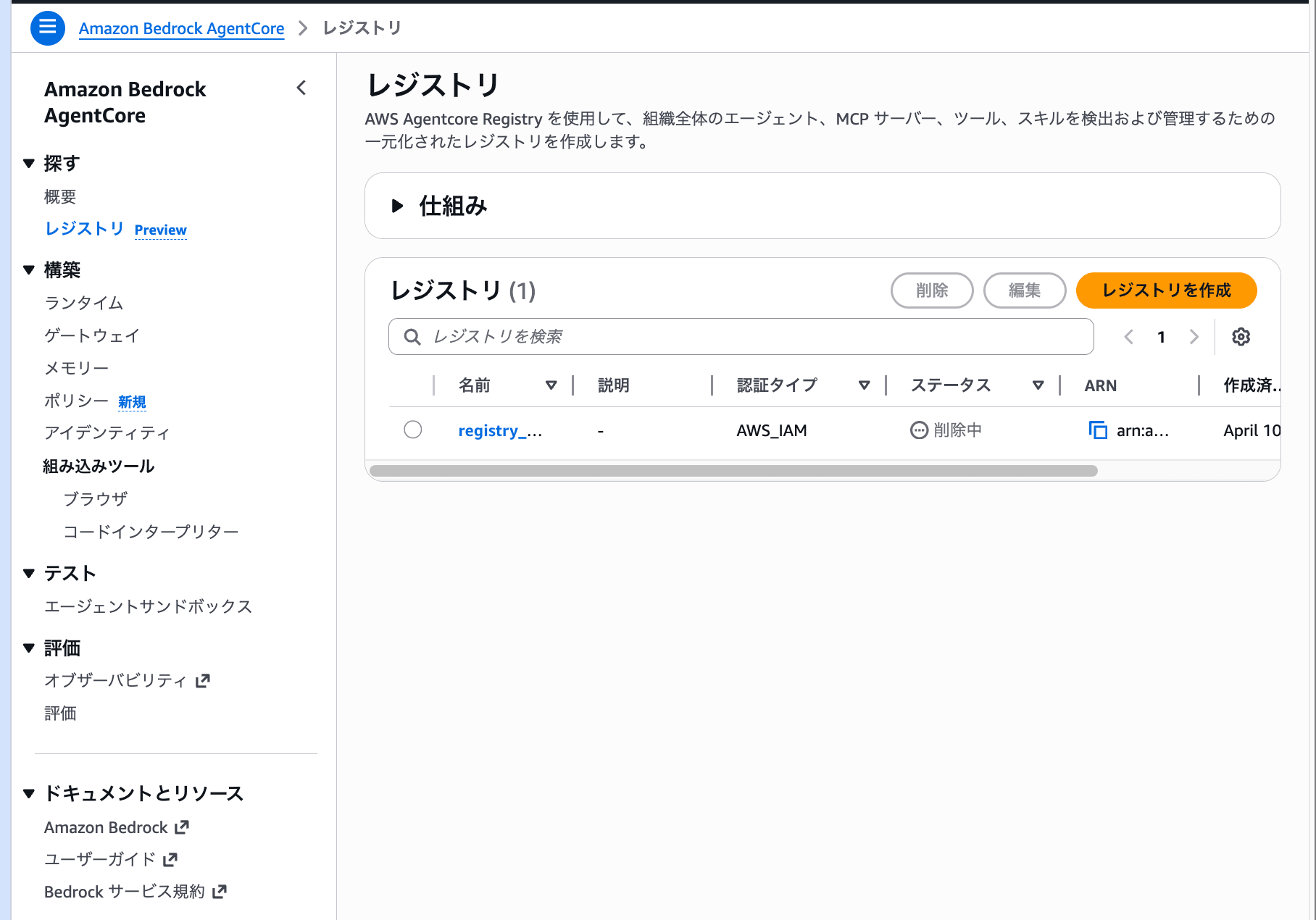
Looking at the left navigation, the registry is placed under the "Discover" category. It's separate from Build, Test, and Evaluate, positioning it as a service purely for "search and discovery."
Click the "Create registry" button to display the creation form.
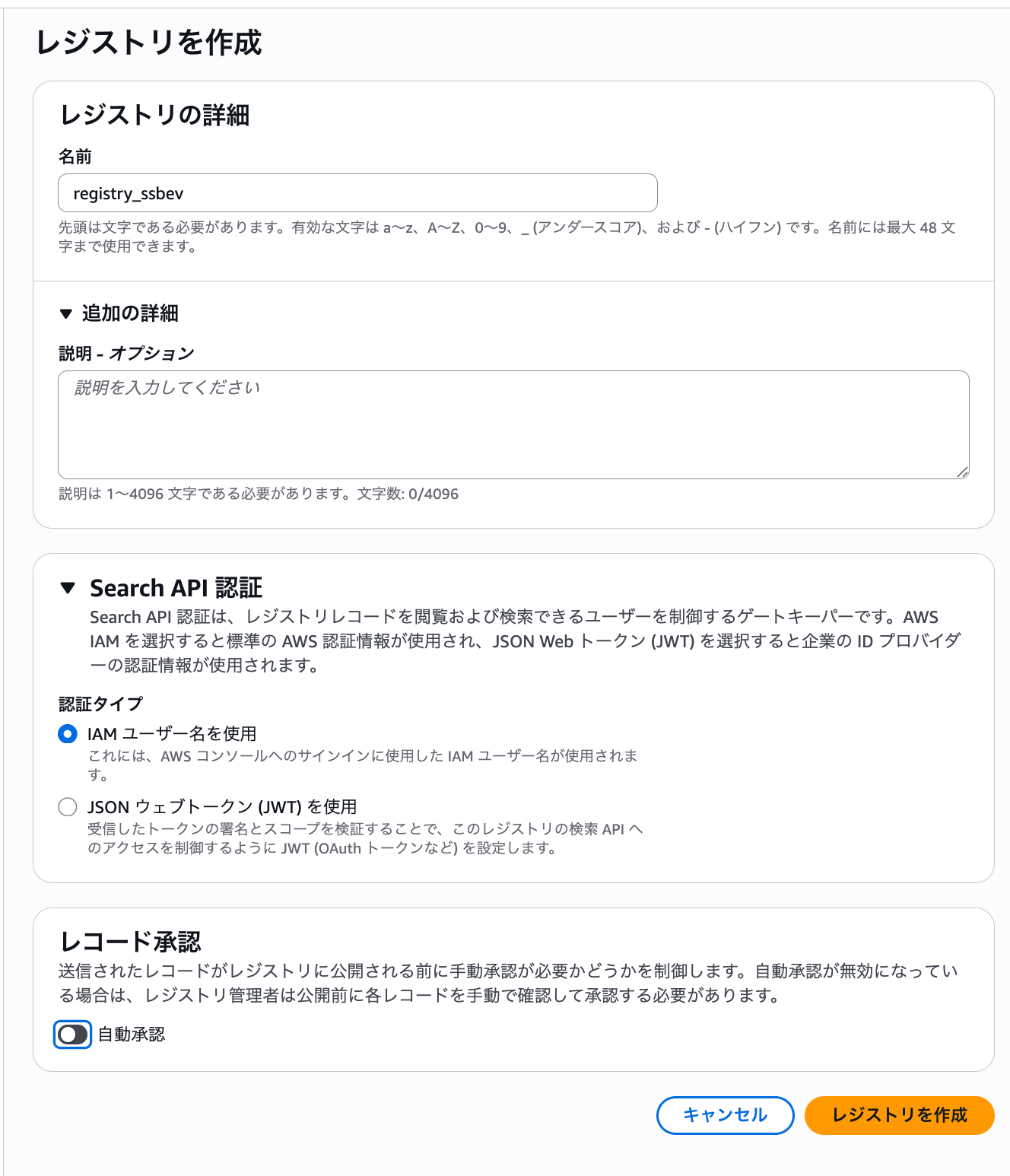
Let's look at the configuration options.
| Configuration Item | Description |
|---|---|
| Name | Identifying name for the registry |
| Search API authentication | Authentication type for the search API. Choose between IAM user or JWT web token |
| Record approval | Whether approval is required when registering to the registry. Auto-approval on/off |
The option to choose JWT for authentication type likely allows searches from systems outside of AWS.
For this exercise, I'll proceed with IAM authentication and auto-approval turned off to see how the approval flow works.
Creating a Record
Now that the registry is created, let's register some records. The registry detail screen looks like this:
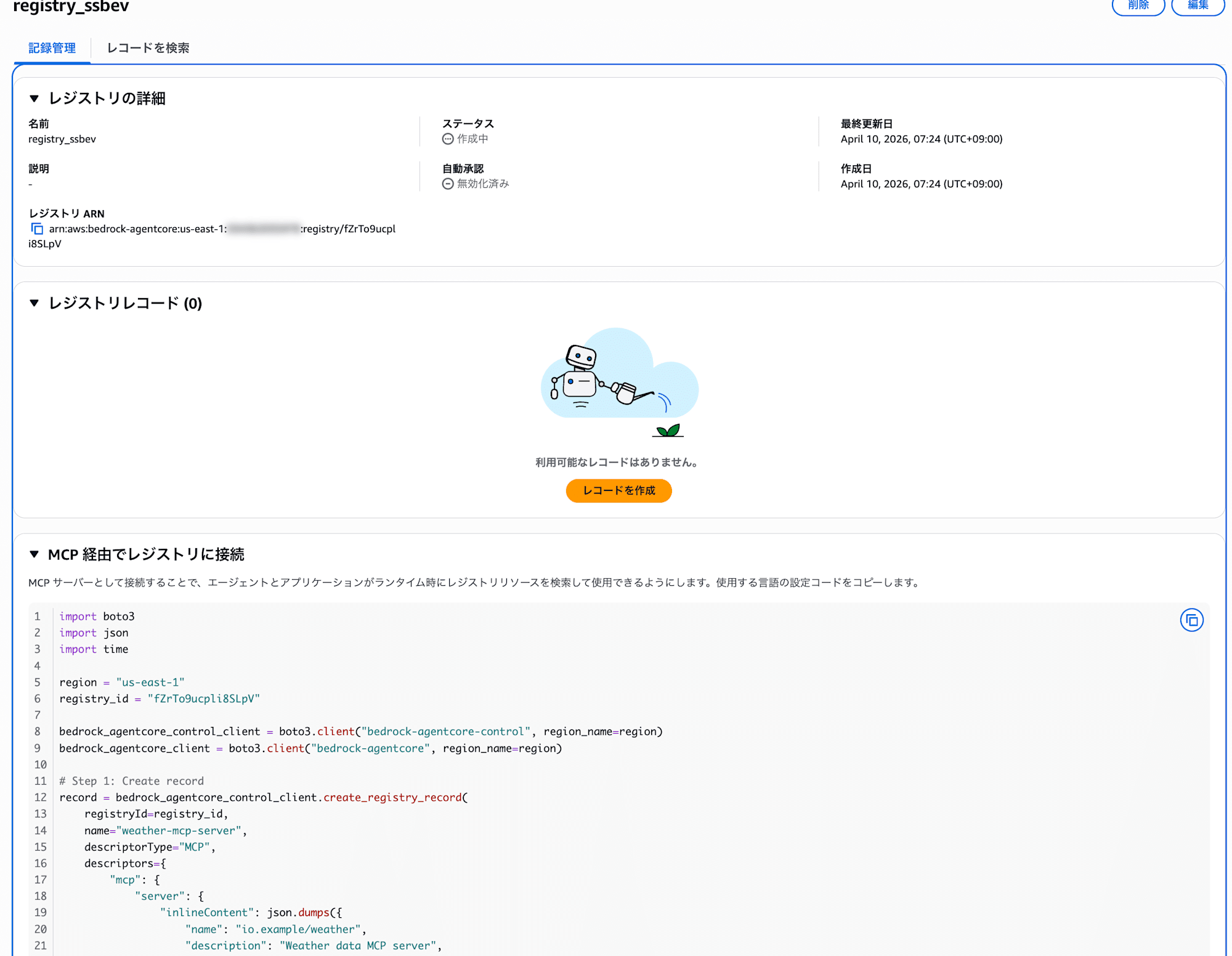
There's a section called "Connect to registry via MCP". While the console example shows boto3 code, the Registry itself actually has an MCP endpoint and can be connected to as an MCP Server. I'll try this out later.
I'll press the "Create record" button.
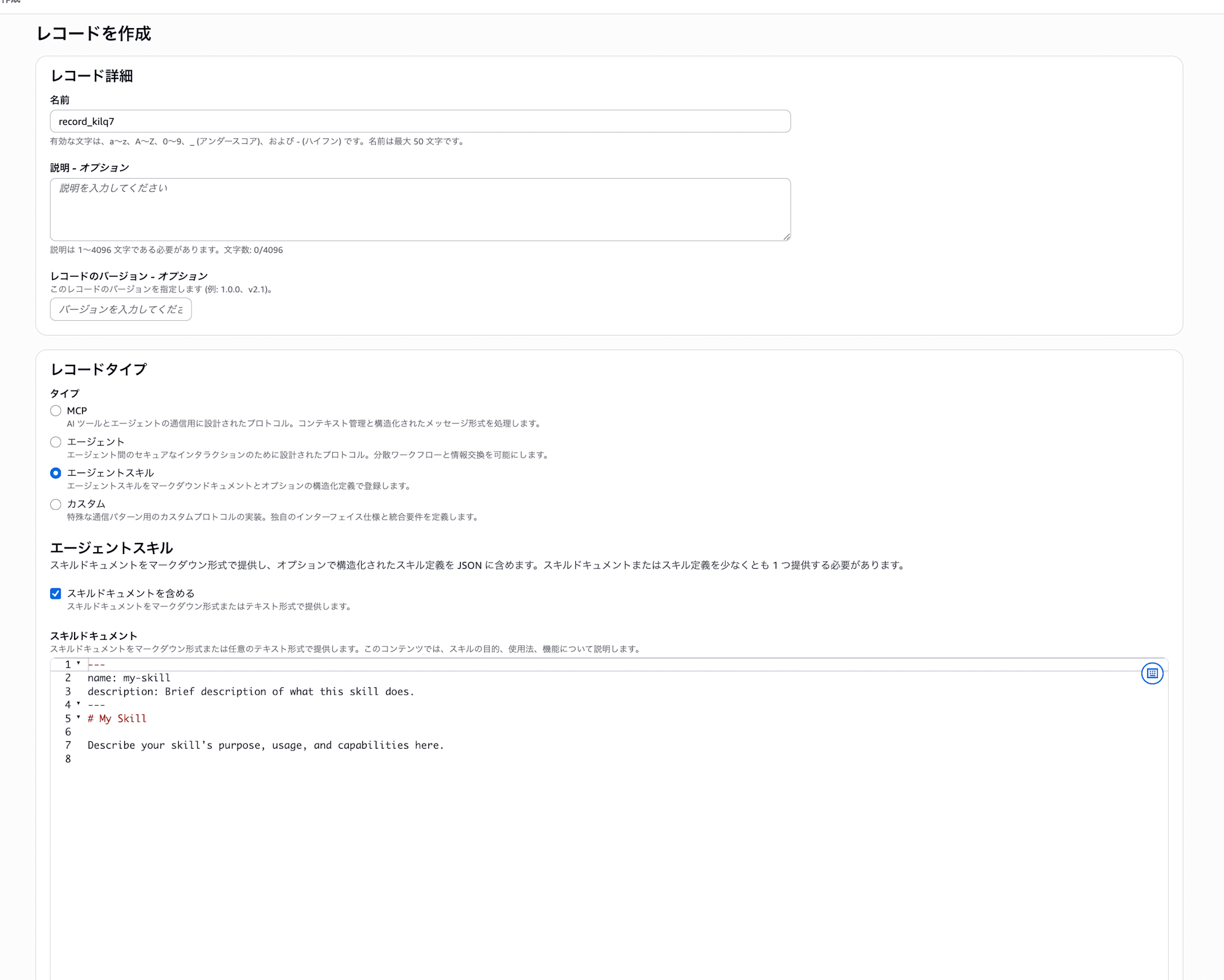
You can choose from four record types:
| Type | Description |
|---|---|
| MCP | Register an MCP Server |
| Agent | Register an agent (A2A protocol) |
| Agent skill | Register a skill (markdown + JSON definition) |
| Custom | Register with custom protocols or formats |
It's a bit disappointing that agent registration is limited to A2A protocol only. It would be nice if other protocols like HTTPS endpoints could also be registered, but hopefully this will come in future updates.
I selected "Agent skill" for this example. This format involves writing skill documentation in markdown and the skill definition in JSON.
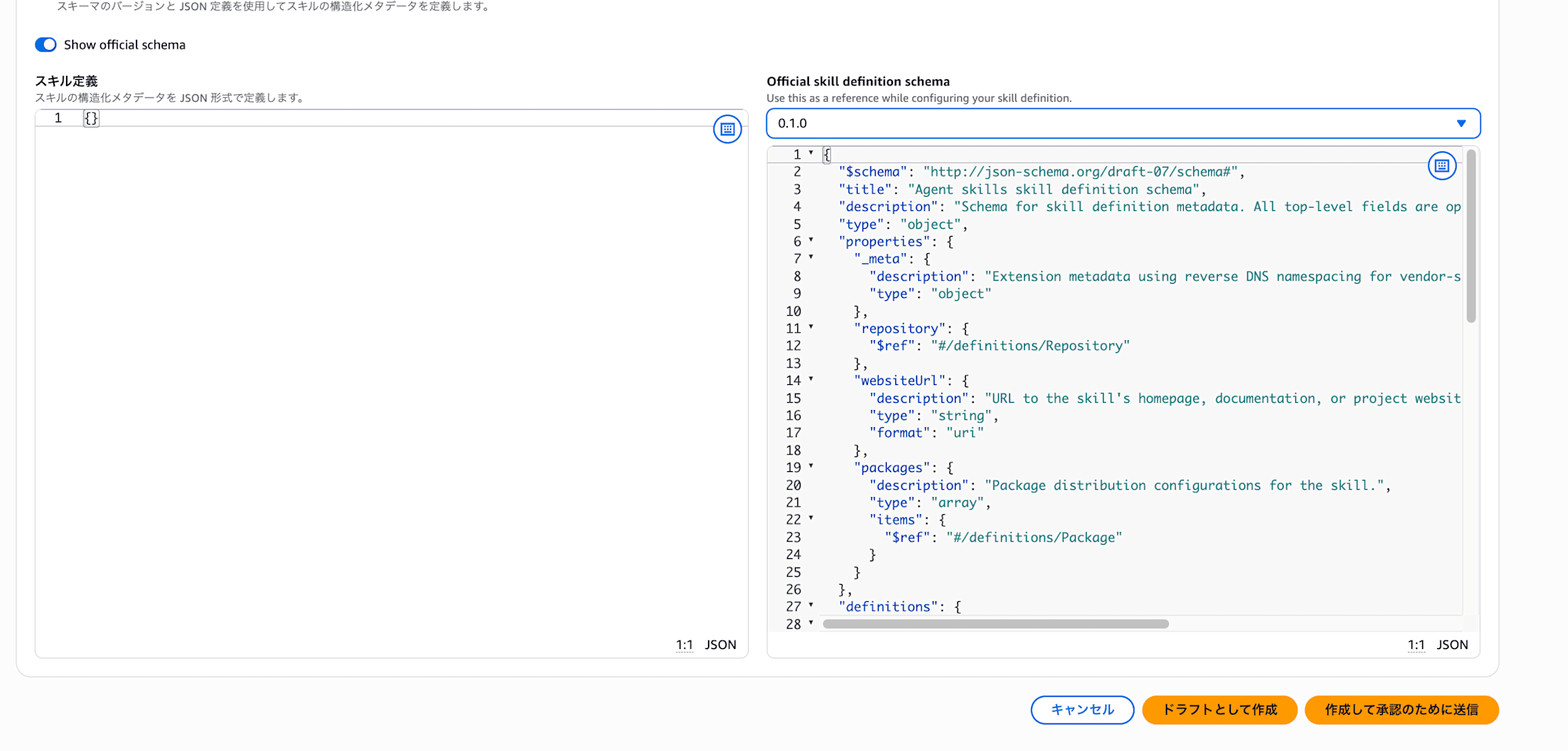
An official schema is provided for the skill definition, which you can view by clicking "Show official schema".
Note that there are two buttons at creation time: "Create as draft" and "Create and submit for approval". I'll create this as a draft.
Testing the Approval Flow
Here's the details screen for the record created as a draft:
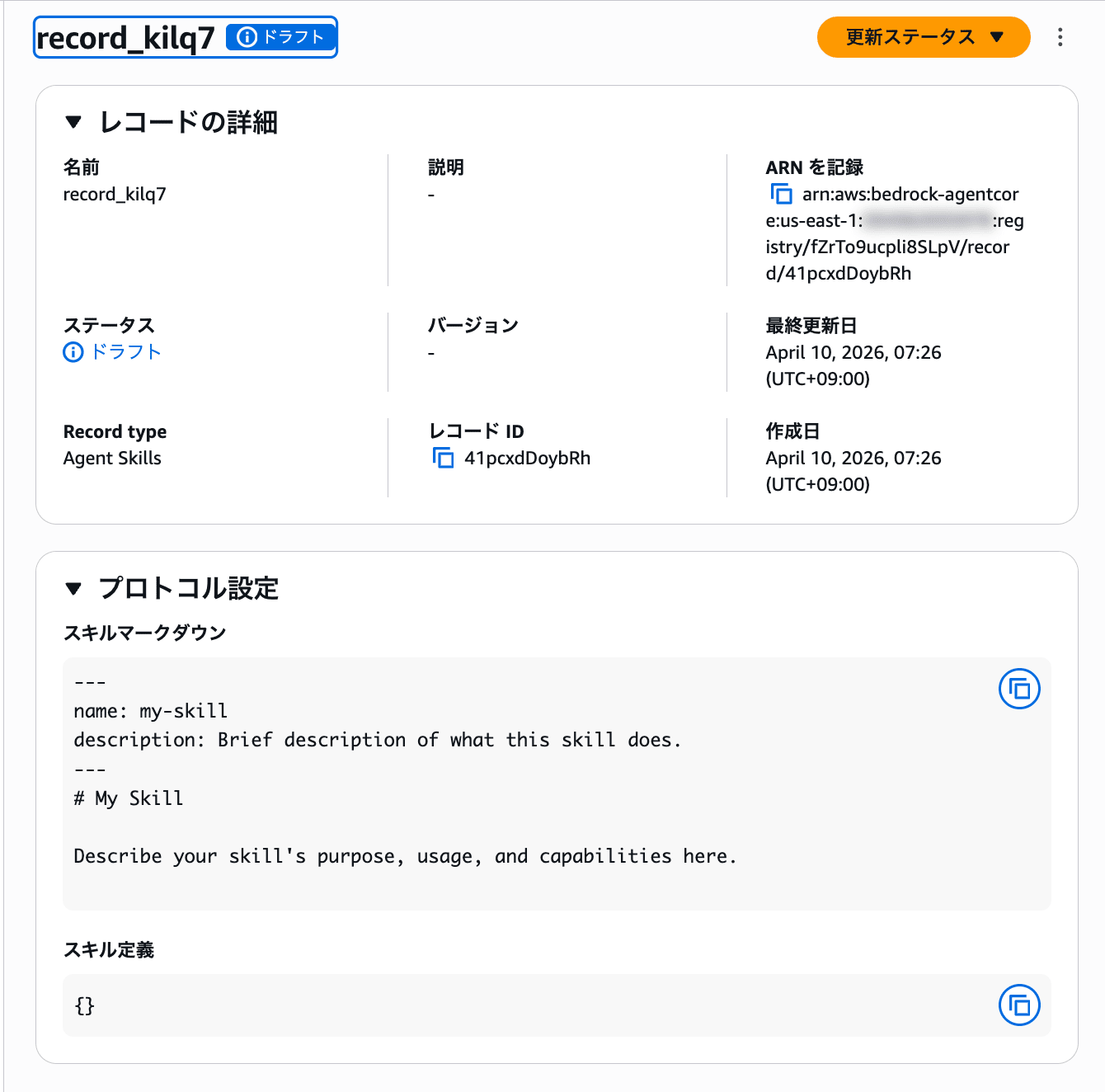
The status is set to "Draft". You can submit it to the approval flow from the "Update status" button in the top right.
After submitting for approval, the status changes to "Pending approval" on the record list screen.
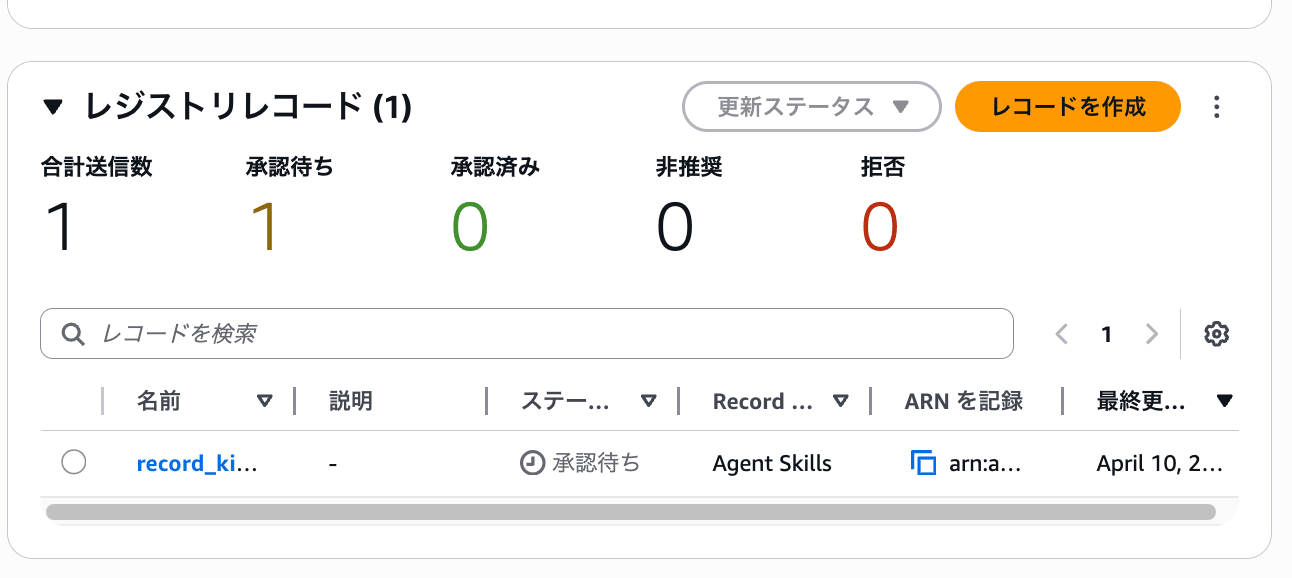
A summary of total submissions, pending approvals, approved, deprecated, and rejected is displayed at the top of the list, making it easy to see the overall status of the registry at a glance.
Selecting a record with pending approval and clicking "Update status" gives you three options: approve, reject, or deprecate.
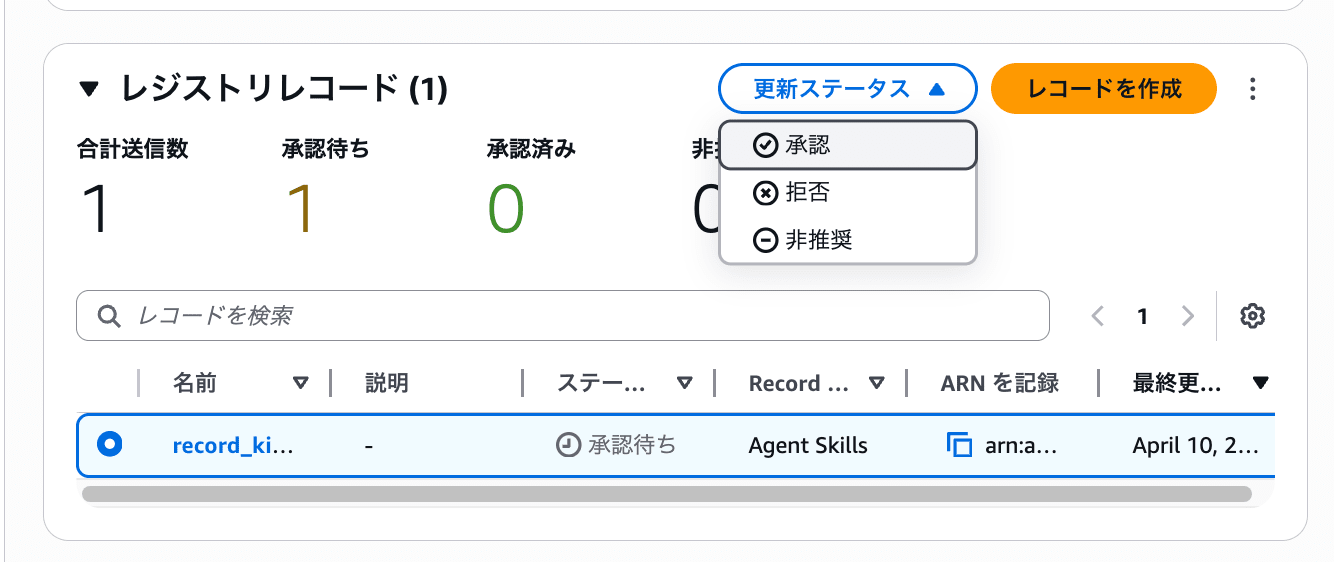
When you select approve, a modal appears for entering a reason.
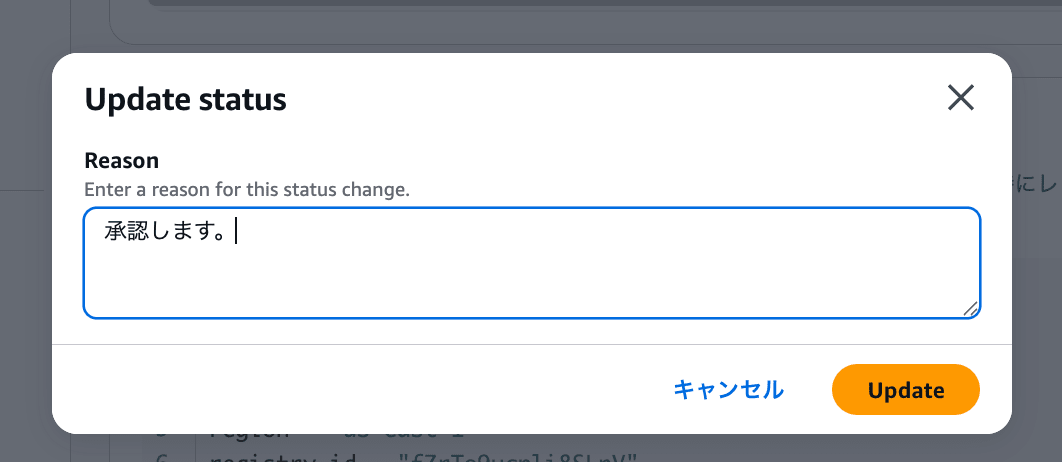
This completes the approval. Records are managed through a lifecycle of Draft → Pending approval → Approved.
However, one concern I had is that the approve button appears normally in the console, suggesting anyone could approve records. In a production environment, you'd want to separate the permissions between creators and approvers. I investigated whether this could be controlled through IAM.
Investigating IAM Permission Controls
I checked the IAM actions for bedrock-agentcore in the AWS Service Authorization Reference and found that registry-related actions are properly separated.
The main actions are as follows:
| IAM Action | Type | Description |
|---|---|---|
bedrock-agentcore:CreateRegistryRecord |
Write | Create records |
bedrock-agentcore:SubmitRegistryRecordForApproval |
Write | Submit records for approval |
bedrock-agentcore:UpdateRegistryRecordStatus |
Write | Update record status (approve/reject) |
bedrock-agentcore:GetRegistryRecord |
Read | Get records |
bedrock-agentcore:ListRegistryRecords |
List | List records |
bedrock-agentcore:SearchRegistryRecords |
Read | Search records |
Since CreateRegistryRecord and UpdateRegistryRecordStatus are separate actions, you can separate creator and approver roles using IAM policies.
For example, you could give developers only creation and submission permissions, while restricting approval to team leaders.
{
  "Effect": "Allow",
  "Action": [
    "bedrock-agentcore:CreateRegistryRecord",
    "bedrock-agentcore:SubmitRegistryRecordForApproval",
    "bedrock-agentcore:GetRegistryRecord",
    "bedrock-agentcore:ListRegistryRecords"
  ],
  "Resource": "*"
}
{
  "Effect": "Allow",
  "Action": [
    "bedrock-agentcore:UpdateRegistryRecordStatus",
    "bedrock-agentcore:GetRegistryRecord",
    "bedrock-agentcore:ListRegistryRecords"
  ],
  "Resource": "*"
}
It seems permission separation at the IAM level is possible for governance purposes.
Searching with the SDK
Let's try operating the registry using boto3. I'll highlight the key parts.
To list records, use list_registry_records:
control_client = boto3.client("bedrock-agentcore-control", region_name="us-east-1")

results = control_client.list_registry_records(registryId=REGISTRY_ID)
records = results.get("registryRecords") or []
For searching, use search_registry_records. This uses the data plane client:
agentcore_client = boto3.client("bedrock-agentcore", region_name="us-east-1")

results = agentcore_client.search_registry_records(
    registryIds=[REGISTRY_ID],
    searchQuery="my-skill",
    maxResults=10,
)
records = results.get("registryRecords") or []
Full code (sample.py)
"""Bedrock AgentCore registry listing and searching."""

from __future__ import annotations

import argparse
import json
import os
import sys

import boto3

REGISTRY_ID = "fZrTo9ucpli8SLpV"
DEFAULT_SEARCH_MAX_RESULTS = 10

def _client_kwargs() -> dict[str, str]:
    region = os.environ.get("AWS_REGION") or os.environ.get("AWS_DEFAULT_REGION")
    if region:
        return {"region_name": region}
    return {}

def run_list(control_client) -> list:
    all_records: list = []
    next_token: str | None = None
    while True:
        req: dict = {"registryId": REGISTRY_ID}
        if next_token:
            req["nextToken"] = next_token
        results = control_client.list_registry_records(**req)
        all_records.extend(results.get("registryRecords") or [])
        next_token = results.get("nextToken")
        if not next_token:
            break
    return all_records

def run_search(agentcore_client, search_query: str, max_results: int) -> list:
    results = agentcore_client.search_registry_records(
        registryIds=[REGISTRY_ID],
        searchQuery=search_query,
        maxResults=max_results,
    )
    return results.get("registryRecords") or []

def main() -> None:
    parser = argparse.ArgumentParser(
        description="List all registry records or search by query.",
    )
    parser.add_argument(
        "query",
        nargs="?",
        default=None,
        help="Search string. If specified, use search_registry_records. Otherwise, list all records.",
    )
    parser.add_argument(
        "--max-results",
        type=int,
        default=DEFAULT_SEARCH_MAX_RESULTS,
        metavar="N",
        help=f"Maximum search results (1-20, default {DEFAULT_SEARCH_MAX_RESULTS}).",
    )
    args = parser.parse_args()

    kwargs = _client_kwargs()
    control_client = boto3.client("bedrock-agentcore-control", **kwargs)

    if args.query is not None:
        q = args.query.strip()
        if not q:
            print("Search query is empty.", file=sys.stderr)
            sys.exit(1)
        mr = max(1, min(20, args.max_results))
        agentcore_client = boto3.client("bedrock-agentcore", **kwargs)
        records = run_search(agentcore_client, q, mr)
        print("Search results:")
    else:
        records = run_list(control_client)
        print("Registry records:")

    print(json.dumps(records, indent=2, default=str))

if __name__ == "__main__":
    main()
Running without arguments lists all records, while providing an argument performs a search.
uv run sample.py
Registry records:
[
  {
    "registryArn": "arn:aws:bedrock-agentcore:us-east-1:xxx:registry/fZrTo9ucpli8SLpV",
    "recordArn": "arn:aws:bedrock-agentcore:us-east-1:xxx:registry/fZrTo9ucpli8SLpV/record/41pcxdDoybRh",
    "recordId": "41pcxdDoybRh",
    "name": "record_kilq7",
    "descriptorType": "AGENT_SKILLS",
    "status": "APPROVED",
    "createdAt": "2026-04-09 22:26:41.028679+00:00",
    "updatedAt": "2026-04-09 22:28:11.002680+00:00"
  }
]
The record we approved earlier is returned with the APPROVED status.
Let's try searching:
uv run sample.py "my-skill"
Search results:
[
  {
    "registryArn": "arn:aws:bedrock-agentcore:us-east-1:xxx:registry/fZrTo9ucpli8SLpV",
    "recordArn": "arn:aws:bedrock-agentcore:us-east-1:xxx:registry/fZrTo9ucpli8SLpV/record/41pcxdDoybRh",
    "recordId": "41pcxdDoybRh",
    "name": "record_kilq7",
    "descriptorType": "AGENT_SKILLS",
    "descriptors": {
      "agentSkills": {
        "skillMd": {
          "inlineContent": "---\nname: my-skill\ndescription: Brief description of what this skill does.\n---\n# My Skill\n\nDescribe your skill's purpose, usage, and capabilities here.\n"
        },
        "skillDefinition": {
          "schemaVersion": "0.1.0",
          "inlineContent": "{}"
        }
      }
    },
    "status": "APPROVED",
    "createdAt": "2026-04-09 22:26:41.028679+00:00",
    "updatedAt": "2026-04-09 22:28:11.002680+00:00"
  }
]
For search results, the descriptors field includes the skill document and skill definition contents. This allows for a thorough review of registered skills.
I'm curious about whether we could dynamically load skill definitions from the Registry into something like Strands Agents, so I'd like to test that in the future.
Connecting as an MCP Server
As mentioned earlier in the console, regarding "Connect to registry via MCP", I checked the documentation and found that Registry exposes an MCP endpoint.
The endpoint URL follows this format:
https://bedrock-agentcore.<region>.amazonaws.com/registry/<registryId>/mcp
It provides a tool called search_registry_records that allows you to search for records within the registry using natural language.
There are two authentication methods: IAM authentication and OAuth (JWT). I'll try IAM authentication, which requires connecting through mcp-proxy-for-aws.
Add the following configuration to your project's .mcp.json:
{
  "mcpServers": {
    "agent-registry": {
      "type": "stdio",
      "command": "uvx",
      "args": [
        "mcp-proxy-for-aws@latest",
        "https://bedrock-agentcore.us-east-1.amazonaws.com/registry/<registryId>/mcp",
        "--service",
        "bedrock-agentcore",
        "--region",
        "us-east-1"
      ]
    }
  }
}
After restarting Claude Code, agent-registry will be recognized as an MCP Server.
I tried it and it connected successfully:

I asked a question:
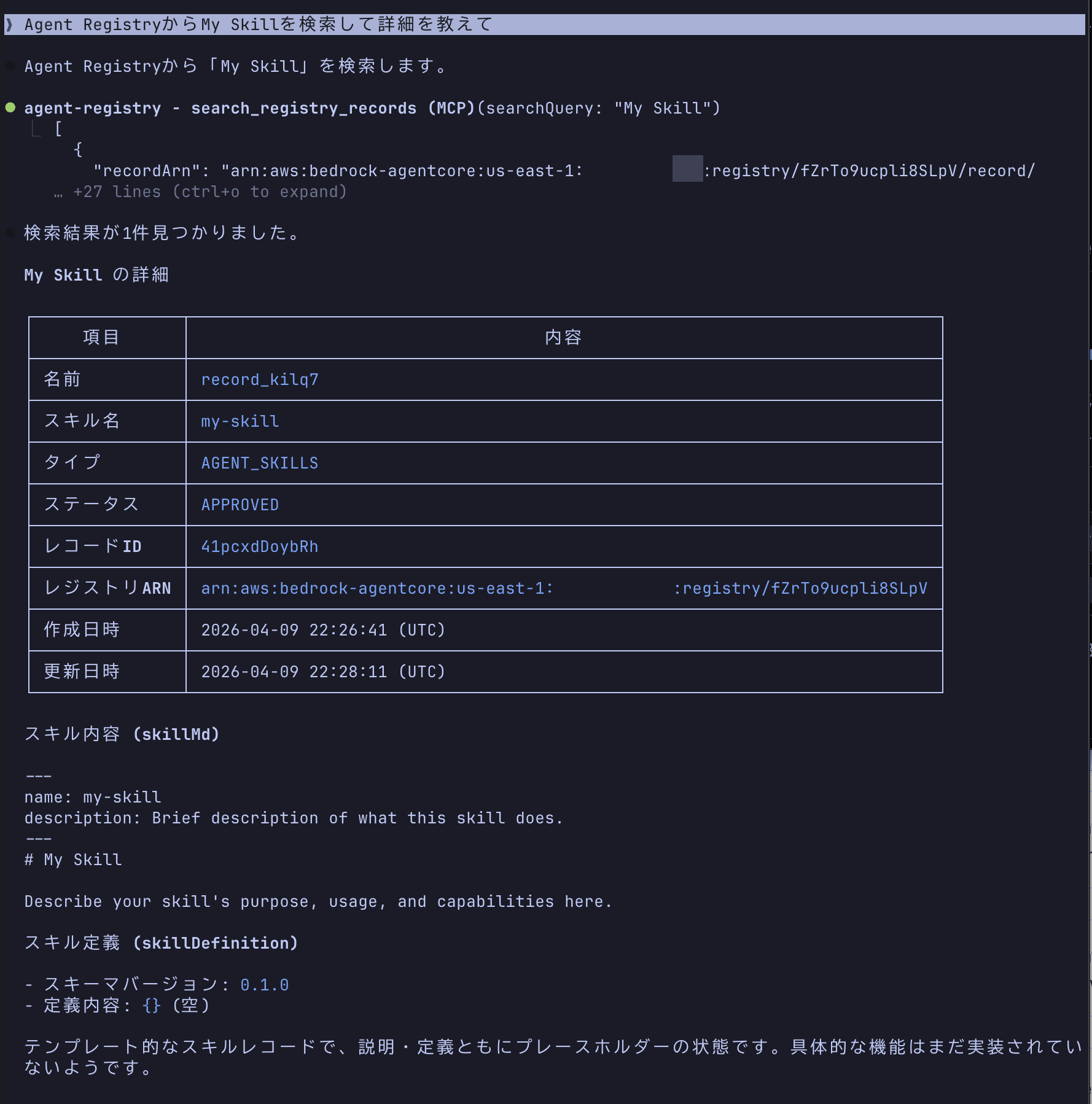
It nicely shows the registered information. This seems useful for checking what AI agents and MCP servers are registered within an organization.
EventBridge Integration
The Registry also integrates with Amazon EventBridge.
When a record becomes pending approval, a Registry Record State changed to Pending Approval event is sent to the default event bus. This could be used to automate workflows, such as sending a Slack notification when a record is pending approval.
| Event | Trigger Timing |
|---|---|
Registry Record State changed to Pending Approval |
When SubmitRegistryRecordForApproval API is called |
Registry State transitions from Creating to Ready |
When Registry creation is complete |
The combination of approval flow and EventBridge seems well-designed for production use.
Conclusion
The console operations were straightforward. The process of creating a registry → registering records → approval flow was intuitive and easy to navigate.
I appreciated that the approval flow is built-in and that permissions can be separated through IAM.
On the other hand, it would be nice if agent registration supported protocols beyond A2A, such as HTTPS agents.
Nevertheless, this service definitely addresses the need for catalog management and governance in organizations where rogue agents and MCP Servers are proliferating. I look forward to its general availability and expanded protocol support. There are likely many more features I haven't explored yet, so I'm eager to dive deeper!
I hope this article was helpful.
Thank you for reading!