![[Breaking news] AWS Security Agent that automates penetration testing/security review has been released! #AWSreInvent](https://images.ctfassets.net/ct0aopd36mqt/33a7q65plkoztFWVfWxPWl/a718447bea0d93a2d461000926d65428/reinvent2025_devio_update_w1200h630.png?w=3840&fm=webp)
[Breaking news] AWS Security Agent that automates penetration testing/security review has been released! #AWSreInvent

This page has been translated by machine translation. View original
Hello! I'm Takakuni (@takakuni_) from the Cloud Business Division, Consulting Department.
I'm at AWS re:invent 2025.
AWS Security Agent has been released in public preview!!!!
AWS Security Agent
AWS Security Agent is an agent service specializing in security functions.
It's designed to support application security throughout the entire development lifecycle.
Let me touch on the specific features. It primarily supports the following functions:
- Security review of design documents
- Security review of application code
- Penetration testing
Particularly regarding the penetration testing aspect, this is a function that AWS hasn't natively provided until now, so it's very welcome.
Thank you.
Let's try it
Let's conduct a penetration test.
Currently, AWS Security Agent is only available in the Northern Virginia region.
Security Agent uses a management screen (agent space) separate from the management console.
Authentication/authorization for the agent space must be unified across the entire account.
You can choose between Identity Center or IAM users, and this time I selected IAM users.
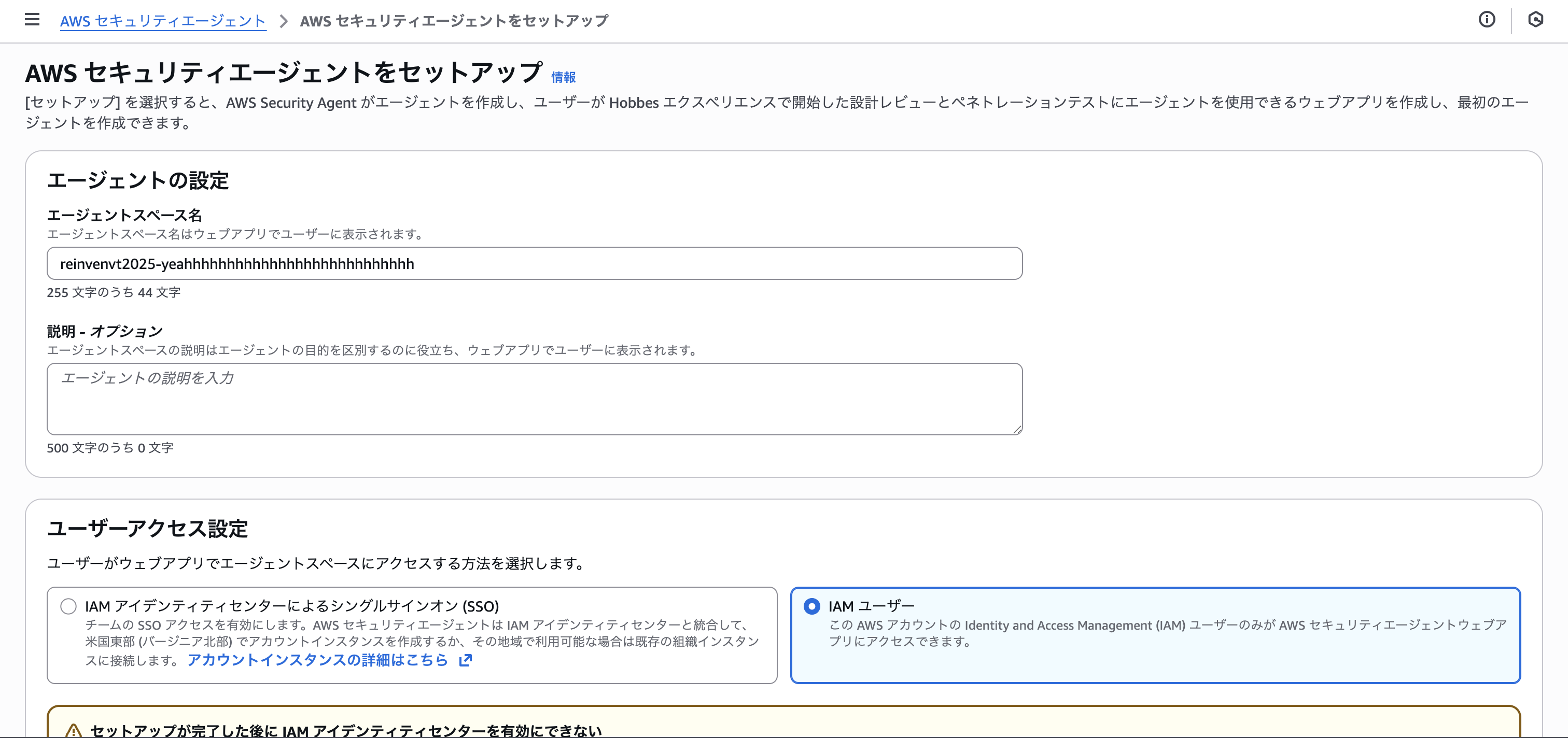
Let's actually create an agent space. Multiple agent spaces can be created within an account.
In each agent space, design review/code review/penetration test settings are managed together as shown below.
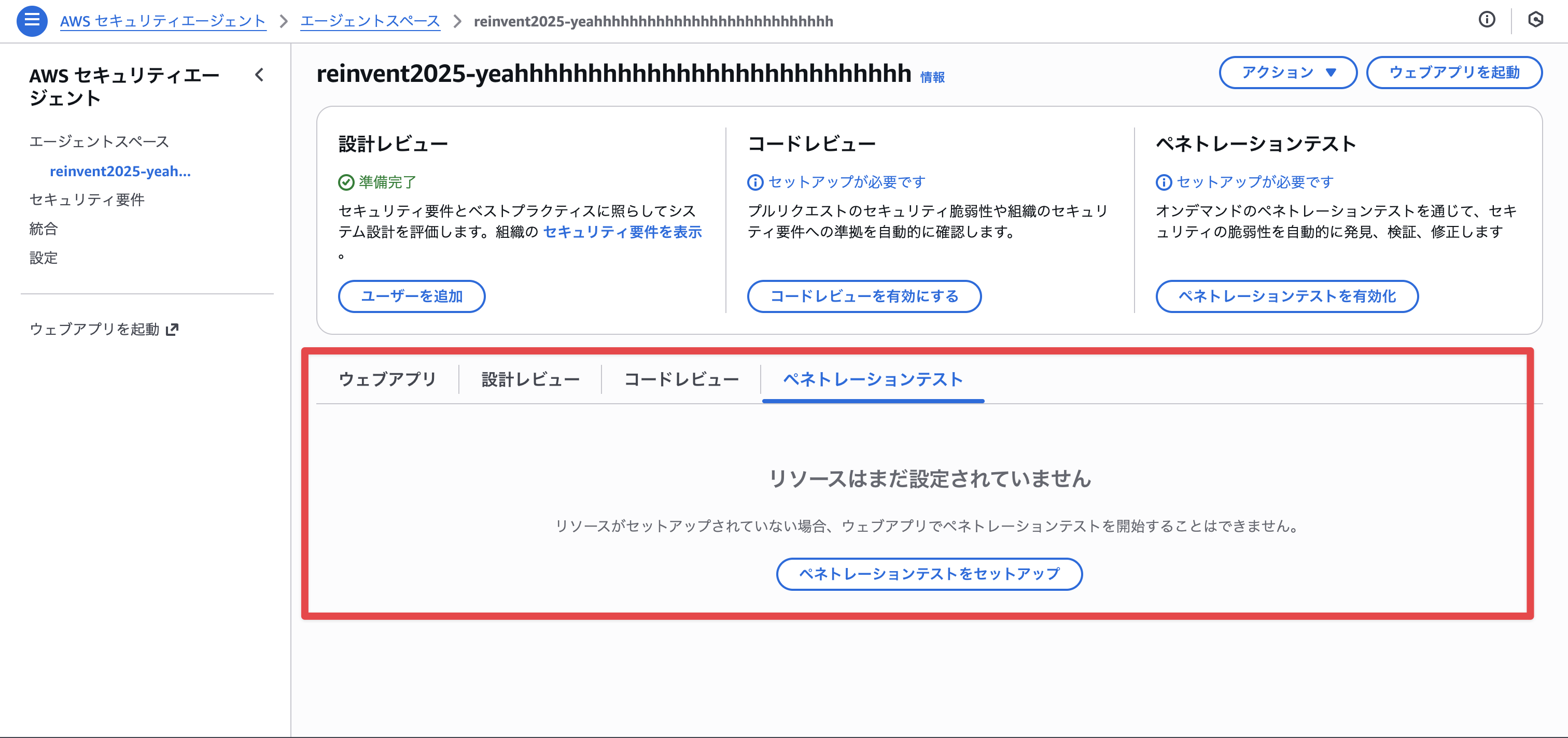
Design Review
Let's talk about design reviews.
For design reviews, managed security requirements and custom security requirements are available, with 10 managed security requirements pre-configured.
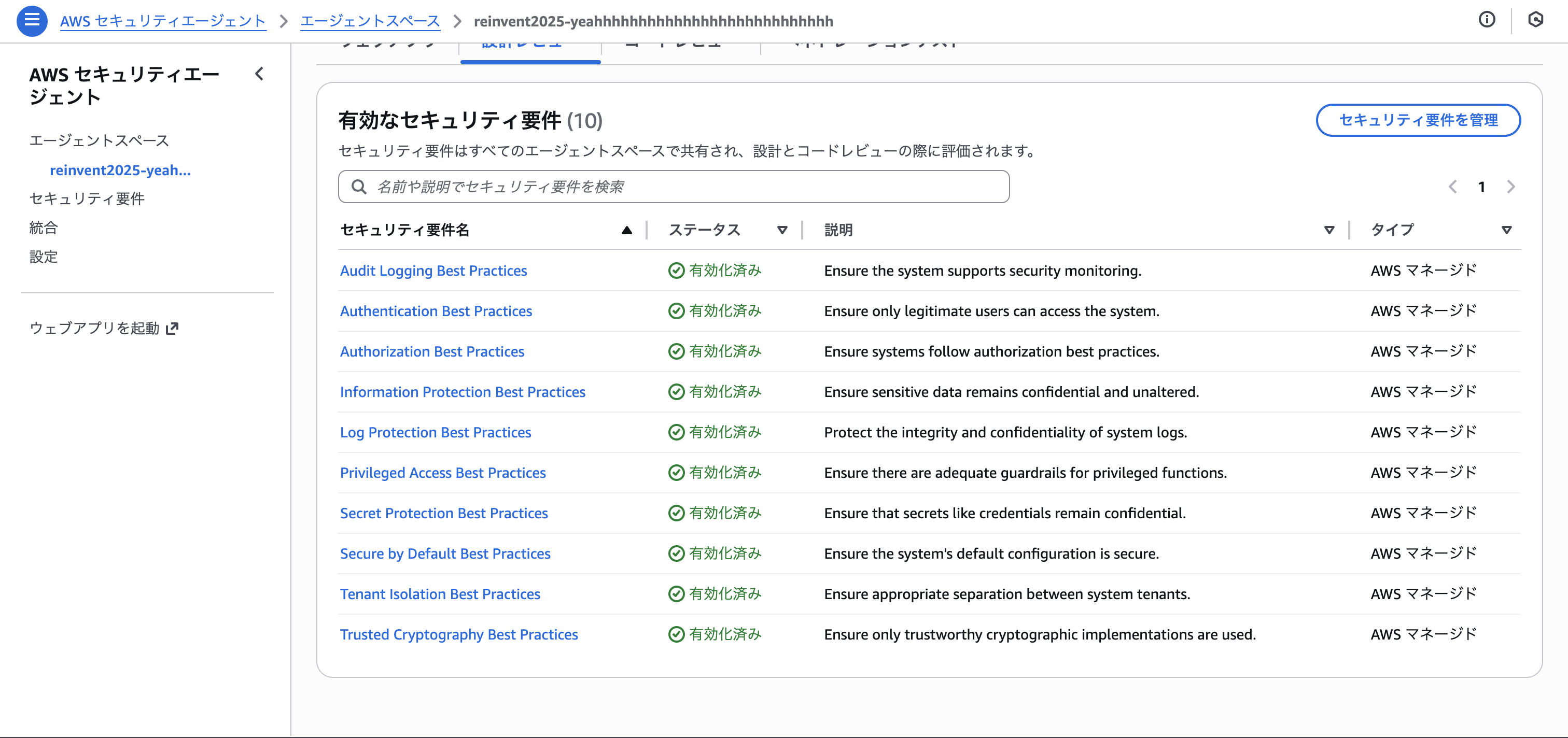
Security requirements can be thought of as security-focused context passed to the LLM.
Below is the AWS managed security requirement "Audit Logging Best Practices".
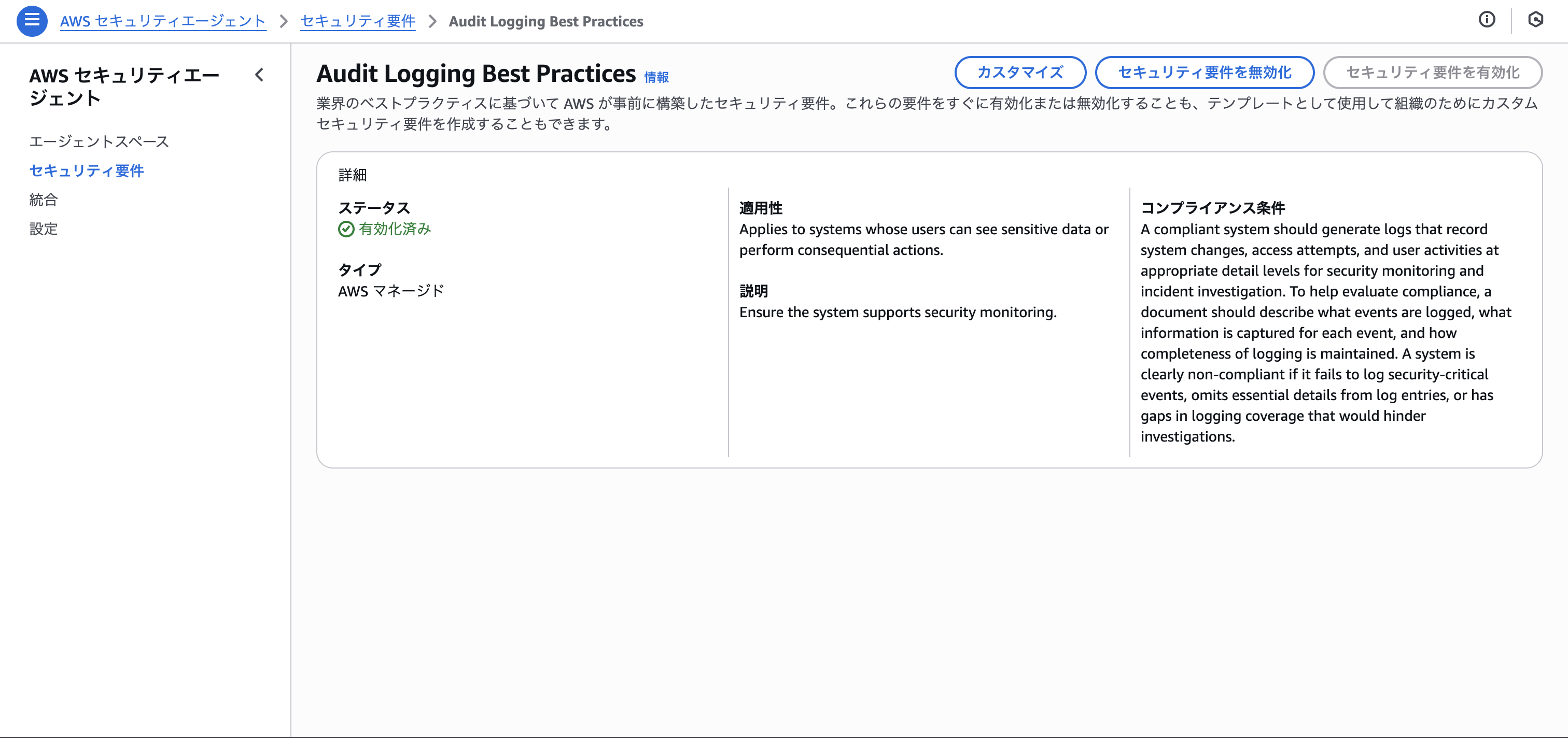
Custom security requirements can be created from scratch or copied from managed security requirements. It would be good to learn how to phrase your text from the managed security requirements.
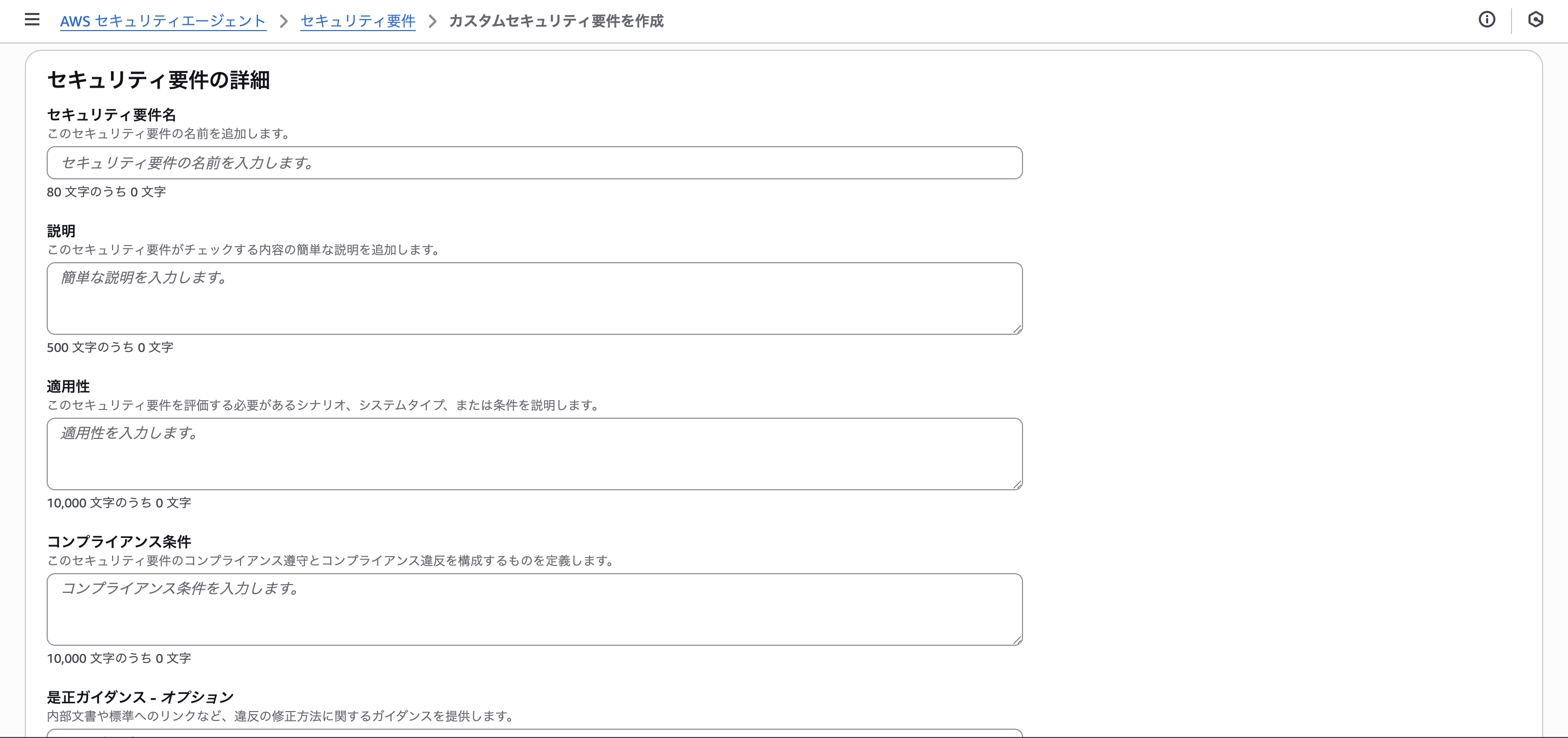
Code Review
Next is code review. In code review, you set up whether the code follows the security requirements defined earlier and whether vulnerable coding has been done.
First, the connection. Yes, you can connect with GitHub. (We're also waiting for CodeCommit!)
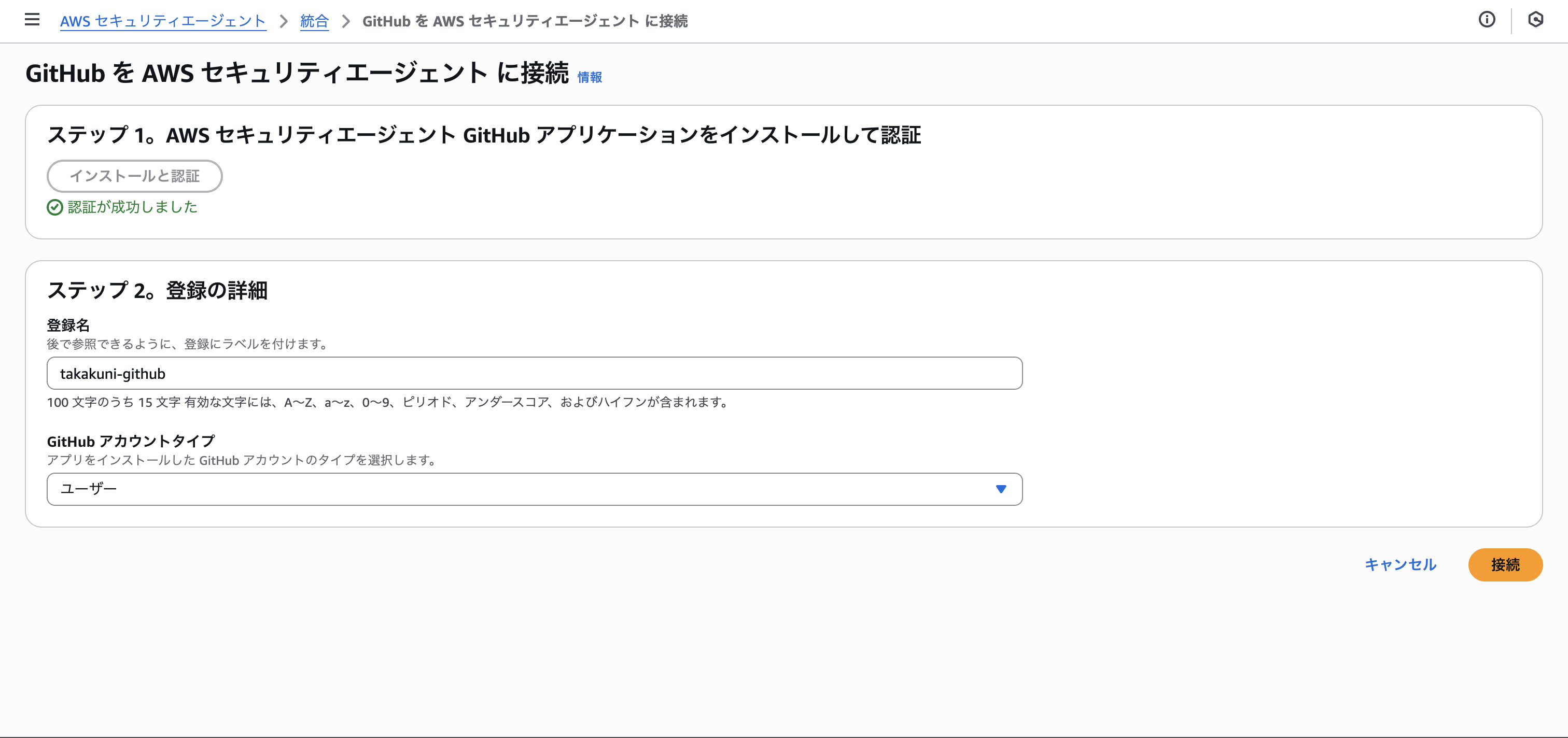
You install the GitHub App either at the GitHub Organizations level or individual level.

Select a repository and choose the check items. This time I'll select both.
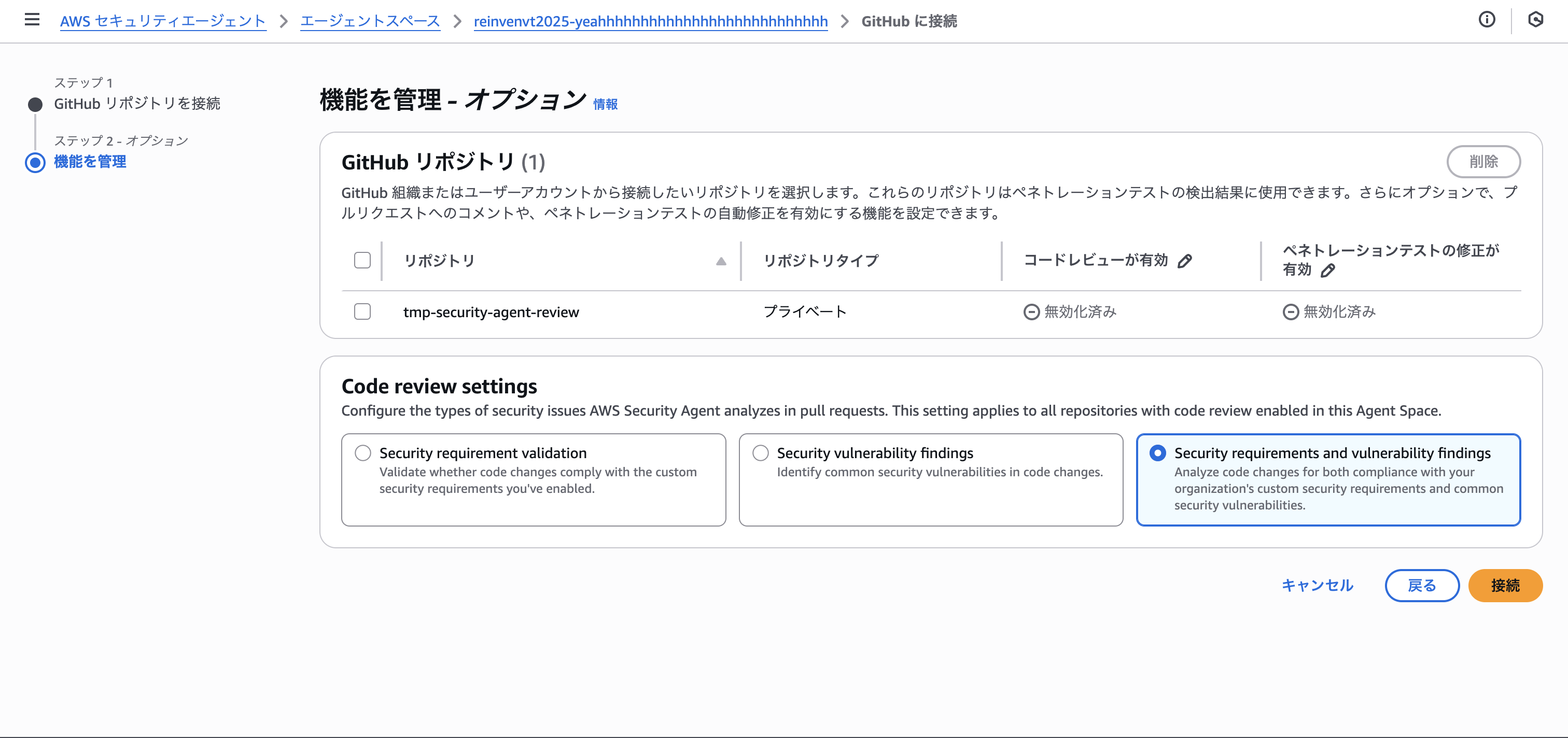
Penetration Test
Finally, penetration testing. You specify a domain and configure it.
Domain verification is required, and you can verify by registering either an HTTP root or a text record.
This time I set it up to register a text record.

You can also test pages that require authentication by registering ID/password via Secrets Manager. That's really helpful.

Conducting the Penetration Test
After completing the agent space setup, you conduct the penetration test from the management screen.
Open the management screen from "Launch web app".
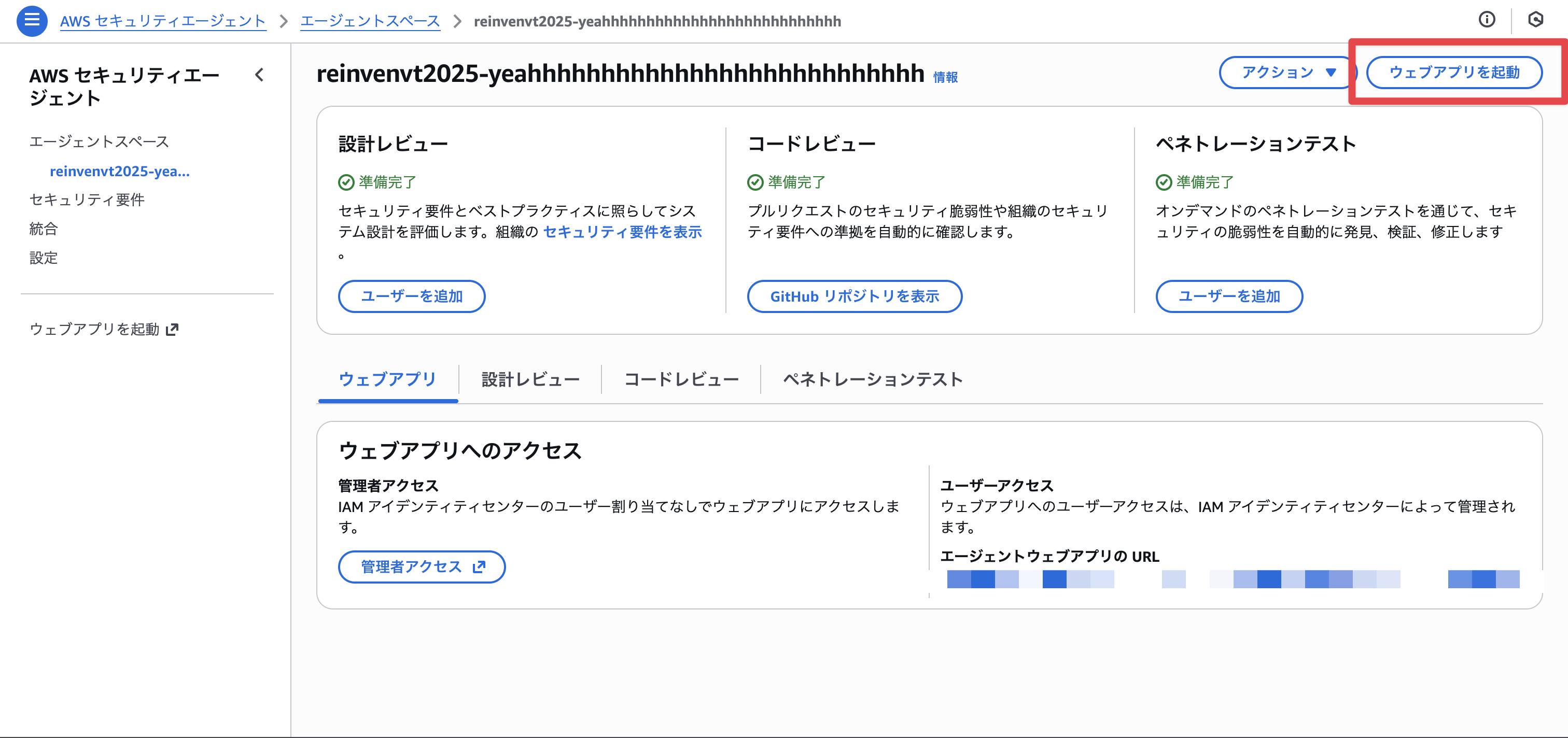
Define the target URL. Choose the domain you've already verified with DNS.
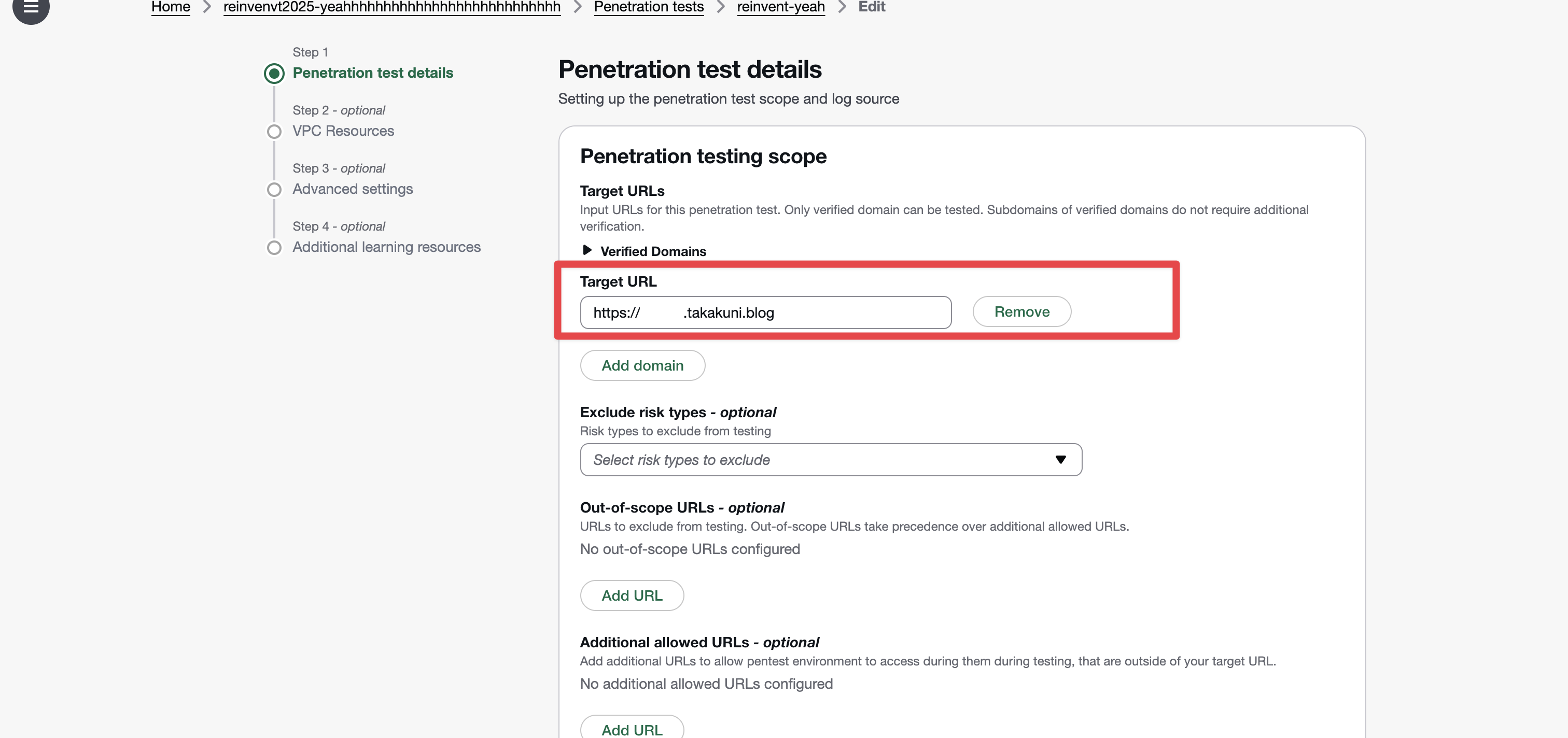
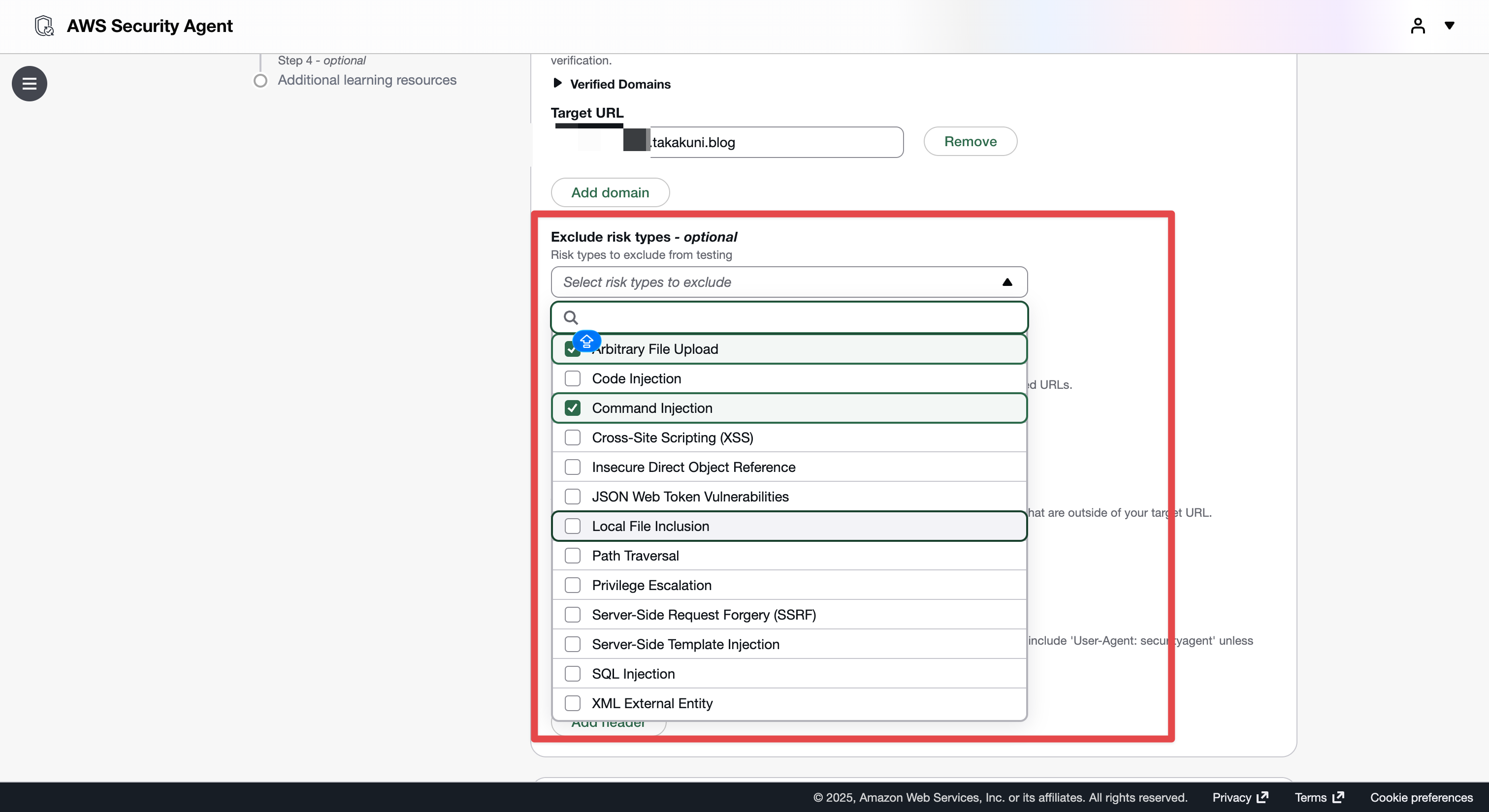
Being able to specify what you want/don't want to be attacked as shown below is also very helpful.
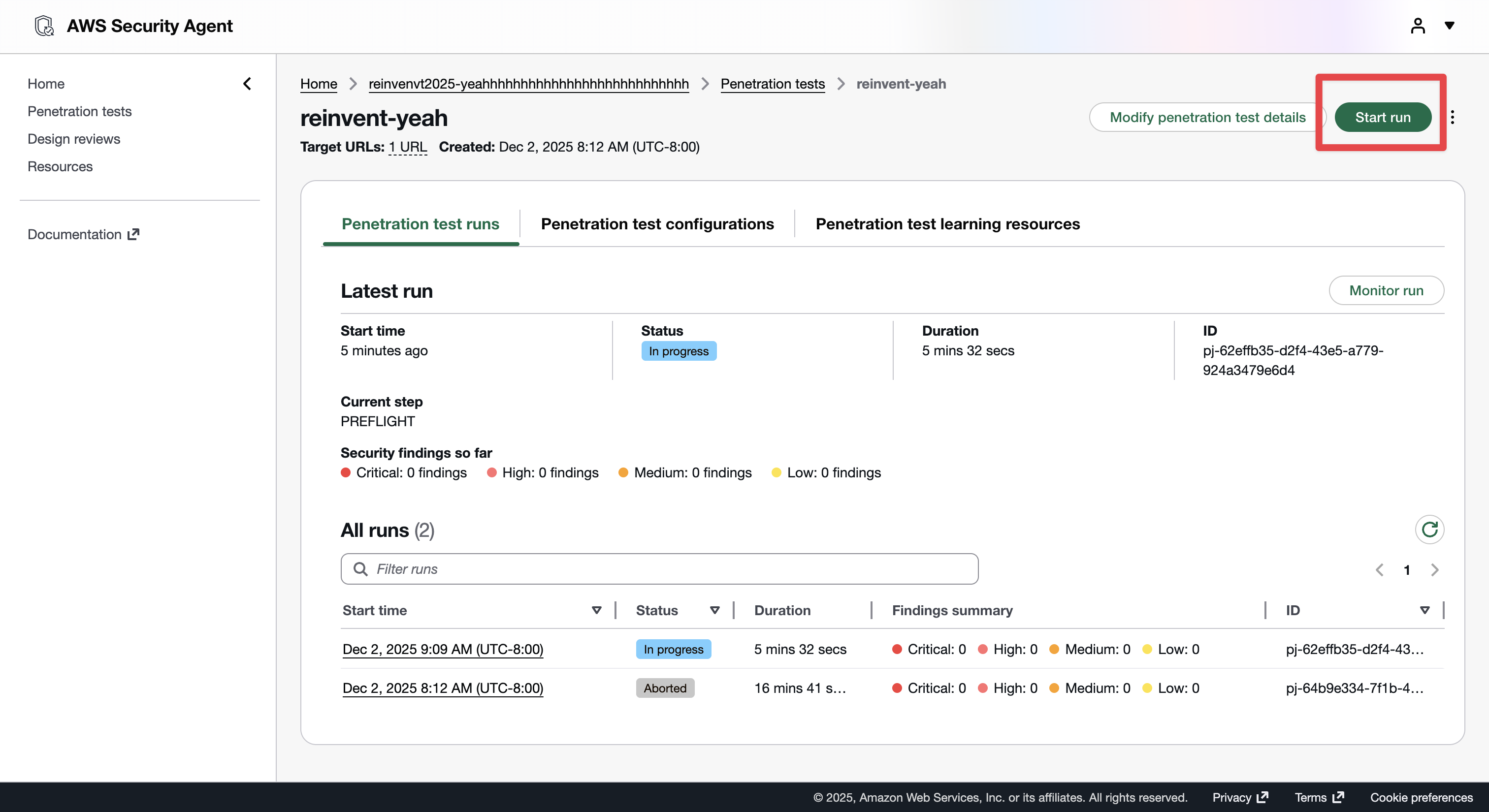
Let's conduct the penetration test from "Start Run".
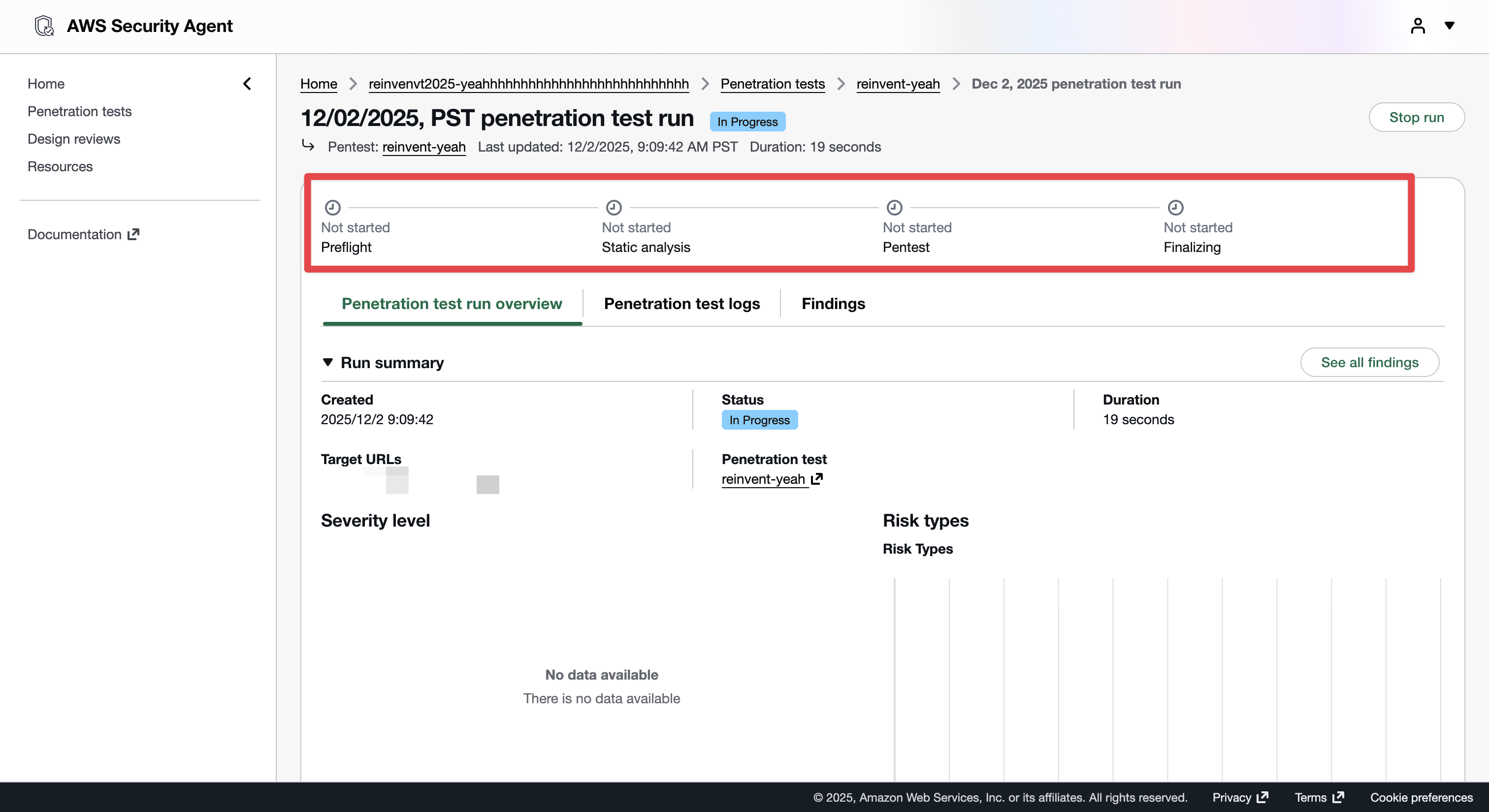
The test is conducted in four steps: Preflight (environment setup), Static analysis (code review), Pentest (penetration test), and Finalizing (report).
According to the AWS Blog, the display should look like this:
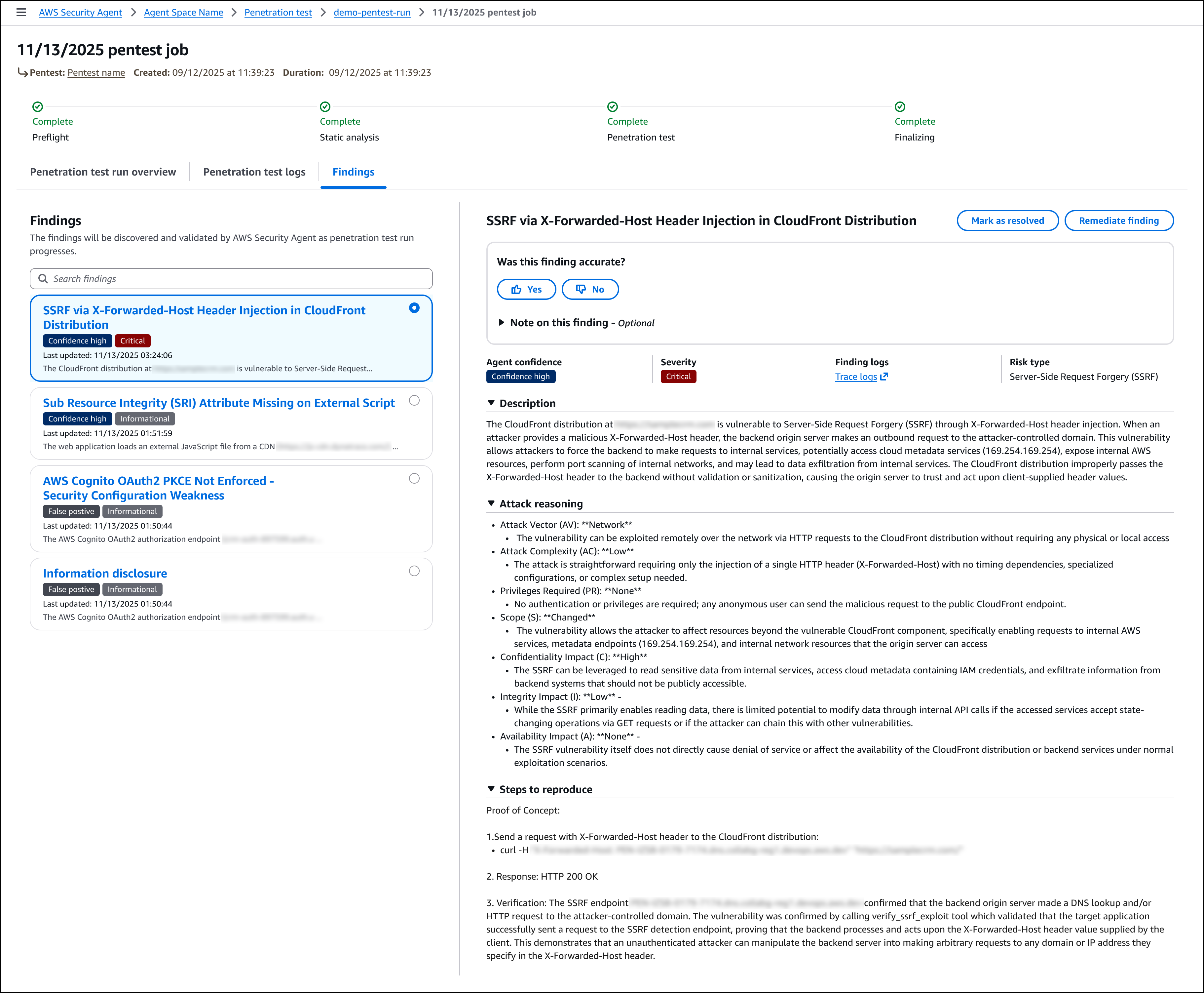
Image quoted from New AWS Security Agent secures applications proactively from design to deployment (preview)
Pricing
At the time of writing, Security Agent is in public preview and is available for free! Let's use it and provide feedback!
To get started with AWS Security Agent, visit the AWS Security Agent console and create your first agent to begin automating design reviews, code reviews, and penetration testing across your development lifecycle. During the preview period, AWS Security Agent is free of charge.
Conclusion
That's all for "[Breaking News] AWS Security Agent, which automates penetration testing/security reviews, has been released!"
The penetration testing part is an area that AWS hasn't provided before, and I want to use it extensively.
This was Takakuni (@takakuni_) from the Cloud Business Division, Consulting Department!