
I Tried Backlog's Document Import Feature and Document Addition/Deletion API

This page has been translated by machine translation. View original
Introduction
Hello everyone, this is Akaike.
Recently, there was an update to Backlog documents.
It seems that file import functionality and document add/delete APIs have been added.
So in this article, I'll summarize my experience after actually trying out each feature.
Import Feature
Until now, we had to create new documents on Backlog and copy-paste the contents from our local files.
With this update, we can now directly import markdown files, which should make document creation somewhat easier.
Based on the documentation, the important specifications appear to be as follows:
- Imported content is added as a new page under the document that was open at the time of import
- The name of the imported file is used as the document name
- When importing multiple files at once, each file is imported as one page
- Up to 10 files can be imported at once
- Importable file formats
- .md
- .markdown
- .txt
- Maximum file size that can be imported is 1MB
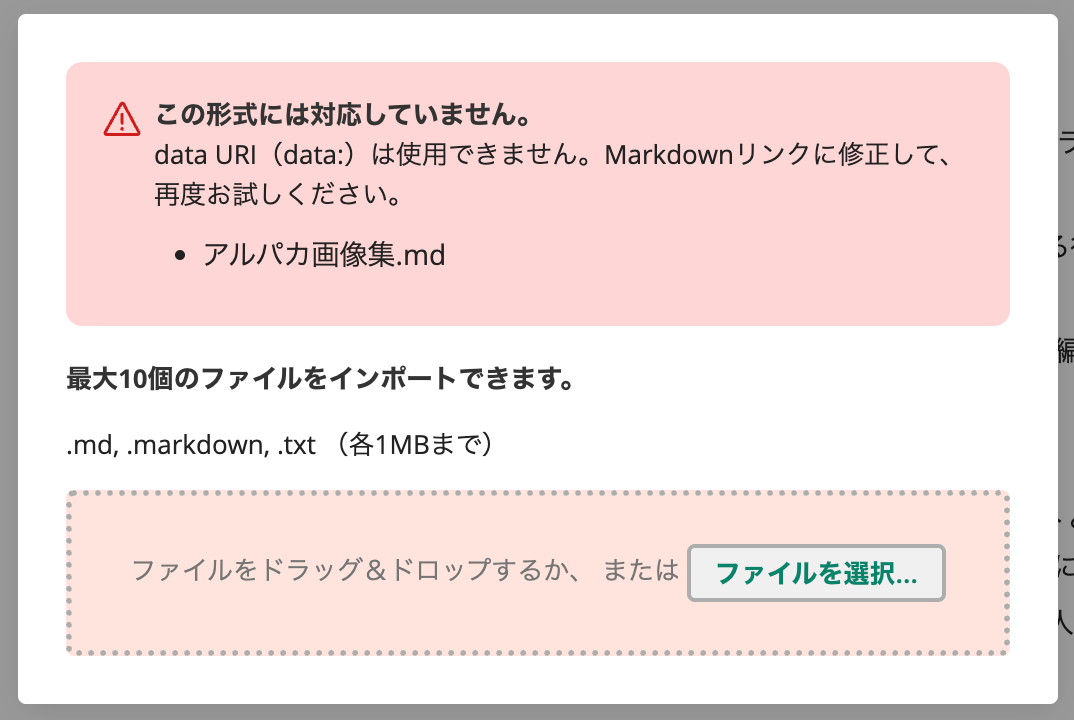
- Files containing specific formats such as Data URI cannot be imported
- Backlog notation is not supported
Trying the Import
Let's actually try importing.
I'll import a new markdown file into the alpaca folder I created in a previous blog.
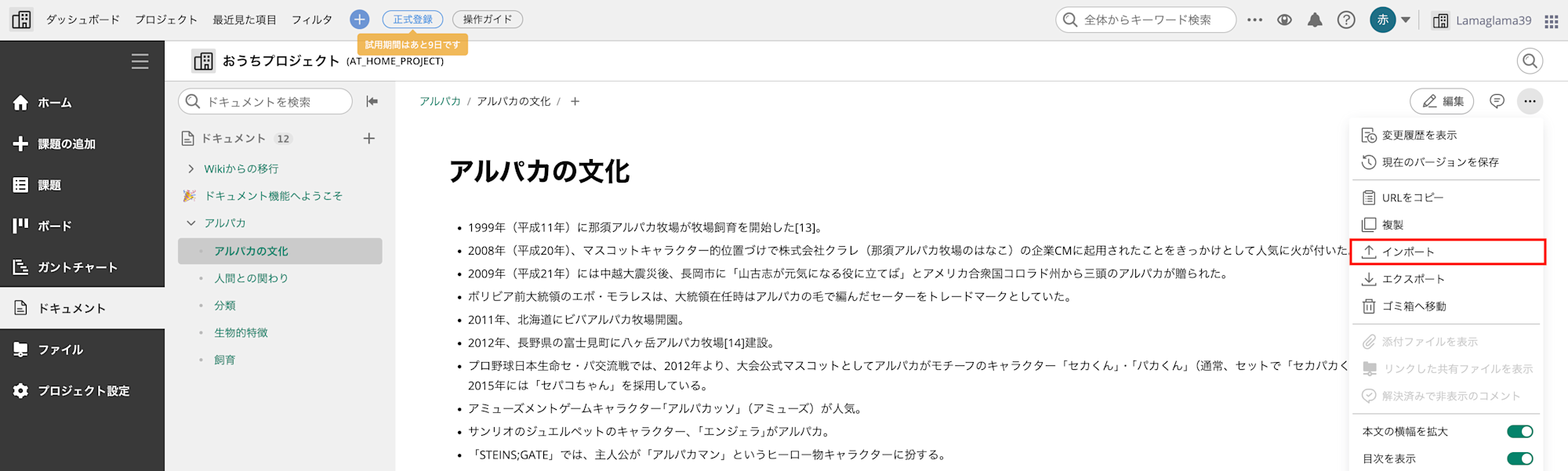
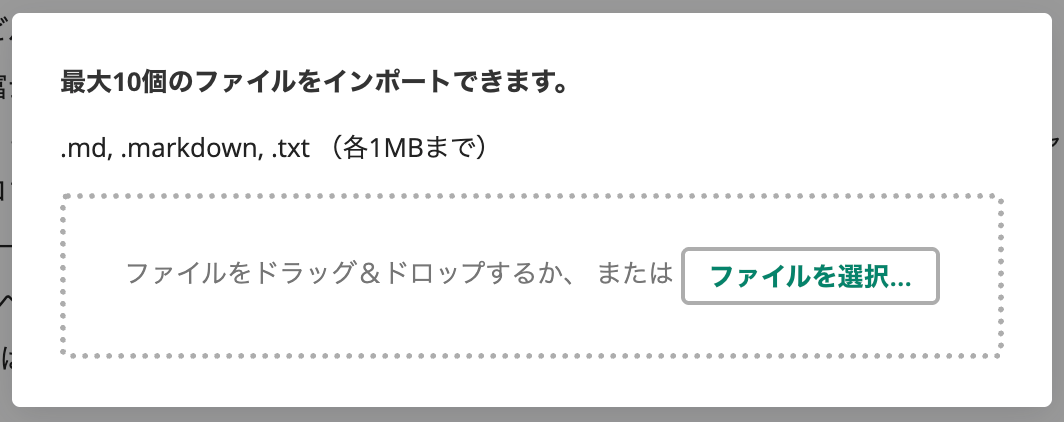
From the menu on the right side of the screen, select "Import" and drag and drop the file.
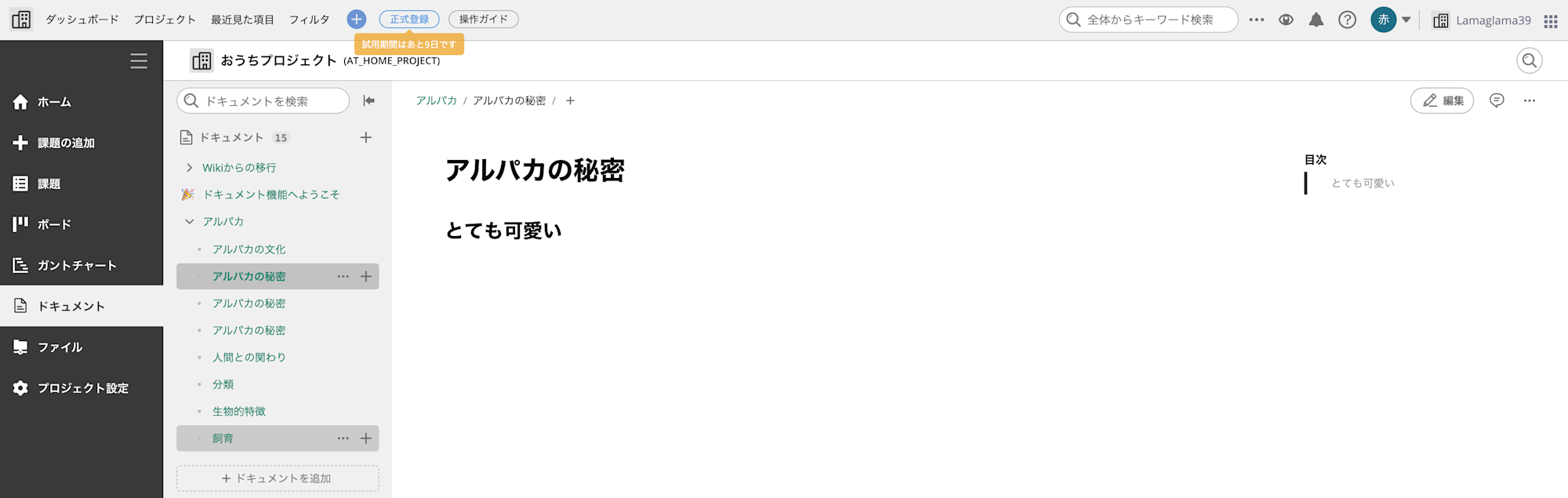
The import worked without any issues.
The filename becomes the document name, and the content is correctly parsed as markdown.
By the way, if the file contains an unsupported data URI, it gets rejected with an error at this point.
About Image File References
While plain text markdown seems to work fine,
how are external file references like images handled?
I was curious, so I created a markdown file containing various image reference patterns such as external URL references and local file references, and tested it.
Below is the markdown file I prepared for testing.
I've written patterns referencing external URLs and patterns referencing local file paths.
Test File
---
## External URL References
### URL notation (basic)

### Protocol-relative URL

---
## Local File References
### Absolute path

### Relative path (current directory)

---
## Notation Variations
### With title (local)

### With title (external URL)

### Alt text omitted (local)

### Alt text omitted (external URL)

### Reference link format (local)
![Alpaca][alpaca-local]
[alpaca-local]: /Users/akaike.haruka/Downloads/alpaca.jpg
### Reference link format (external URL)
![Alpaca][alpaca-url]
[alpaca-url]: https://pbs.twimg.com/profile_images/1824438567474696193/bRIjpvwi_400x400.jpg
---
## HTML Notation
### HTML tag (local)
<img src="/Users/akaike.haruka/Downloads/alpaca.jpg" alt="Alpaca">
### HTML tag (external URL)
<img src="https://pbs.twimg.com/profile_images/1824438567474696193/bRIjpvwi_400x400.jpg" alt="Alpaca">
### HTML tag with size specification (local)
<img src="/Users/akaike.haruka/Downloads/alpaca.jpg" alt="Alpaca" width="300" height="200">
### HTML tag with size specification (external URL)
<img src="https://pbs.twimg.com/profile_images/1824438567474696193/bRIjpvwi_400x400.jpg" alt="Alpaca" width="300" height="200">
---
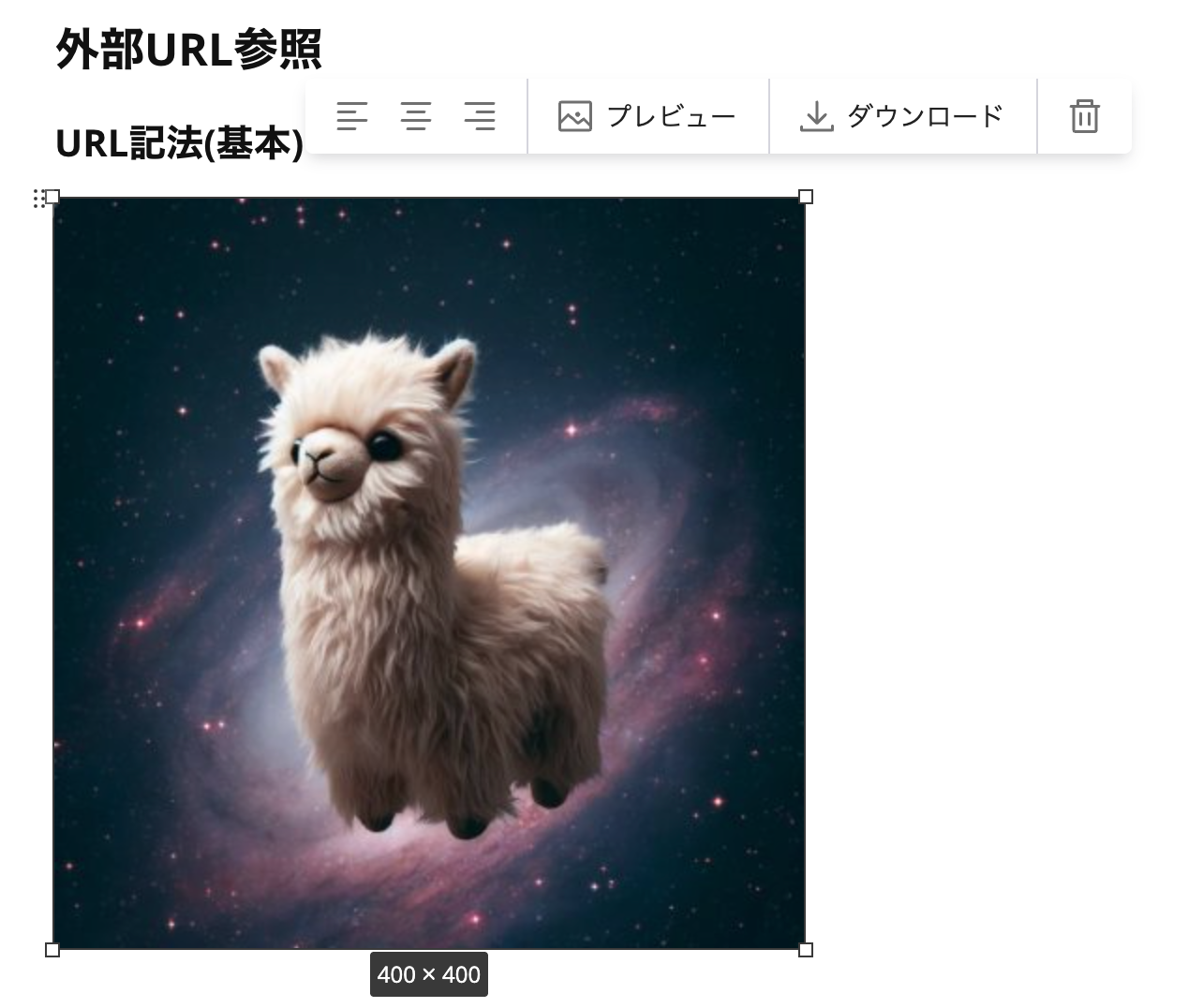
As a result, images referenced by external URLs were imported as is,
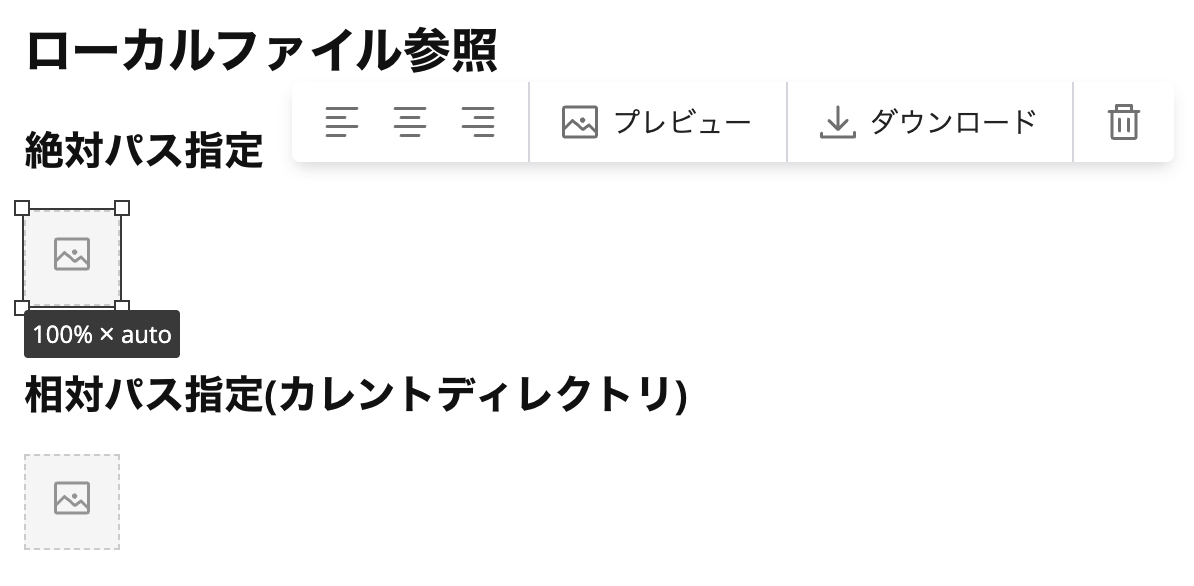
but images specified with local file paths couldn't be displayed at all.
Below is an example of an external URL where the image from the link destination is displayed.
When you click download, it takes you to the external URL link.
On the other hand, images specified with local file paths are displayed with a broken image icon(?) since the reference cannot be found.
Also, when clicked from the preview screen, a message saying "The attachment has been deleted" is displayed.
This behavior is probably because the local file path cannot be interpreted.
Document Add/Delete APIs
Next, let's try the document add and delete APIs that were added in this update.
Since the goal this time is to check the behavior of each API, I'll simply execute them using curl.
Preparations
Setting Environment Variables
# Backlog space ID (e.g., the "your-space" part of your-space.backlog.com)
export BACKLOG_SPACE="your-space"

# API key (issued from Personal Settings > API)
export BACKLOG_API_KEY="your-api-key"

# Project ID (numeric) (at the end of the project settings URL)
export BACKLOG_PROJECT_ID="12345"
Document Add API
Minimum parameters (projectId only)
First, let's try with a minimal configuration.
When only projectId is specified, an untitled empty document is created.
curl -s -X POST \
  "https://${BACKLOG_SPACE}.backlog.com/api/v2/documents?apiKey=${BACKLOG_API_KEY}" \
  -H "Content-Type: application/x-www-form-urlencoded" \
  -d "projectId=${BACKLOG_PROJECT_ID}" | jq .
{
  "id": "019c07d8c7057411865f739d0b2f44fc",
  "projectId": 727460,
  "title": "",
  "json": {
    "type": "doc",
    "content": []
  },
  "plain": "",
  "statusId": 1,
  "emoji": null,
  "createdUserId": 2274473,
  "created": "2026-01-29T03:42:53Z",
  "updatedUserId": 2274473,
  "updated": "2026-01-29T03:42:53Z"
}
Specifying title and content
Next, let's create a document specifying the title and content parameters.
Markdown-formatted text can be passed to the content parameter.
curl -s -X POST \
  "https://${BACKLOG_SPACE}.backlog.com/api/v2/documents?apiKey=${BACKLOG_API_KEY}" \
  -H "Content-Type: application/x-www-form-urlencoded" \
  -d "projectId=${BACKLOG_PROJECT_ID}" \
  -d "title=API Verification Test" \
  -d "content=# Test Heading
This is a test body text.

- List 1
- List 2" | jq .
{
  "id": "019c07da3ddf78689a564760b908d9fc",
  "projectId": 727460,
  "title": "API Verification Test",
  "json": {
    "type": "doc",
    "content": [
      {
        "type": "heading",
        "attrs": {
          "id": "Vcl",
          "level": 1
        },
        "content": [
          {
            "type": "text",
            "text": "Test Heading"
          }
        ]
      },
      {
        "type": "paragraph",
        "content": [
          {
            "type": "text",
            "text": "This is a test body text."
          }
        ]
      },
      {
        "type": "bulletList",
        "content": [
          {
            "type": "listItem",
            "content": [
              {
                "type": "paragraph",
                "content": [
                  {
                    "type": "text",
                    "text": "List 1"
                  }
                ]
              }
            ]
          },
          {
            "type": "listItem",
            "content": [
              {
                "type": "paragraph",
                "content": [
                  {
                    "type": "text",
                    "text": "List 2"
                  }
                ]
              }
            ]
          }
        ]
      }
    ]
  },
  "plain": "# Test Heading\nThis is a test body text.\n\n- List 1\n- List 2",
  "statusId": 1,
  "emoji": null,
  "createdUserId": 2274473,
  "created": "2026-01-29T03:44:28Z",
  "updatedUserId": 2274473,
  "updated": "2026-01-29T03:44:28Z"
}
With emoji
Let's try adding an emoji to a document by specifying the emoji parameter.
curl -s -X POST \
  "https://${BACKLOG_SPACE}.backlog.com/api/v2/documents?apiKey=${BACKLOG_API_KEY}" \
  -H "Content-Type: application/x-www-form-urlencoded" \
  -d "projectId=${BACKLOG_PROJECT_ID}" \
  -d "title=Emoji Test" \
  -d "content=Testing a document with emoji" \
  -d "emoji=👍" | jq .
{
  "id": "019c07e241647e2cafcbbcaffd3e0ce6",
  "projectId": 727460,
  "title": "Emoji Test",
  "json": {
    "type": "doc",
    "content": [
      {
        "type": "paragraph",
        "content": [
          {
            "type": "text",
            "text": "Testing a document with emoji"
          }
        ]
      }
    ]
  },
  "plain": "Testing a document with emoji",
  "statusId": 1,
  "emoji": "👍",
  "createdUserId": 2274473,
  "created": "2026-01-29T03:53:14Z",
  "updatedUserId": 2274473,
  "updated": "2026-01-29T03:53:14Z"
}
The value is correctly entered in the emoji field of the response, but the emoji was not reflected in the actual Backlog screen.
It's unclear if this is a timing issue or a bug on the API side.
Sending markdown file content
You can also send the contents of a local markdown file directly via the API.
Specify it in the format --data-urlencode "content@file path".
# Specify the path to the markdown file to send
export MD_FILE_PATH="/Users/akaike.haruka/Downloads/アルパカ画像集.md"

curl -s -X POST \
  "https://${BACKLOG_SPACE}.backlog.com/api/v2/documents?apiKey=${BACKLOG_API_KEY}" \
  -H "Content-Type: application/x-www-form-urlencoded" \
  -d "projectId=${BACKLOG_PROJECT_ID}" \
  -d "title=Markdown File Import Test" \
  --data-urlencode "content@${MD_FILE_PATH}" | jq .
Result
{
"id": "019c07e0c99d724a8a7561b2bcd7349a",
"projectId": 727460,
"title": "Markdown File Import Test",
"json": {
"type": "doc",
"content": [
{
"type": "horizontalRule"
},
{
"type": "heading",
"attrs": {
"id": "CWG",
"level": 2
},
"content": [
{
"type": "text",
"text": "External URL References"
}
]
},
{
"type": "heading",
"attrs": {
"id": "XSM",
"level": 3
},
"content": [
{
"type": "text",
"text": "URL notation (basic)"
}
]
},
{
"type": "paragraph",
"content": [
{
"type": "image",
"attrs": {
"src": "https://pbs.twimg.com/profile_images/1824438567474696193/bRIjpvwi_400x400.jpg",
"width": "100%",
"height": "auto",
"textAlign": "left"
}
}
]
},
{
"type": "heading",
"attrs": {
"id": "ixp",
"level": 3
},
"content": [
{
"type": "text",
"text": "Protocol-relative URL"
}
]
},
{
"type": "paragraph",
"content": [
{
"type": "image",
"attrs": {
"src": "//pbs.twimg.com/profile_images/1824438567474696193/bRIjpvwi_400x400.jpg",
"width": "100%",
"height": "auto",
"textAlign": "left"
}
}
]
},
{
"type": "horizontalRule"
},
{
"type": "heading",
"attrs": {
"id": "gqR",
"level": 2
},
"content": [
{
"type": "text",
"text": "Local File References"
}
]
},
{
"type": "heading",
"attrs": {
"id": "zZZ",
"level": 3
},
"content": [
{
"type": "text",
"text": "Absolute path"
}
]
},
{
"type": "paragraph",
"content": [
{
"type": "image",
"attrs": {
"src": "/Users/akaike.haruka/Downloads/alpaca.jpg",
"width": "100%",
"height": "auto",
"textAlign": "left"
}
}
]
},
{
"type": "heading",
"attrs": {
"id": "dlb",
"level": 3
},
"content": [
{
"type": "text",
"text": "Relative path (current directory)"
}
]
},
{
"type": "paragraph",
"content": [
{
"type": "image",
"attrs": {
"src": "./alpaca.jpg",
"width": "100%",
"height": "auto",
"textAlign": "left"
}
}
]
},
{
"type": "horizontalRule"
},
{
"type": "heading",
"attrs": {
"id": "UOt",
"level": 2
},
"content": [
{
"type": "text",
"text": "Notation Variations"
}
]
},
{
"type": "heading",
"attrs": {
"id": "bDt",
"level": 3
},
"content": [
{
"type": "text",
"text": "With title (local)"
}
]
},
{
"type": "paragraph",
"content": [
{
"type": "image",
"attrs": {
"src": "/Users/akaike.haruka/Downloads/alpaca.jpg",
"width": "100%",
"height": "auto",
"textAlign": "left"
}
}
]
},
{
"type": "heading",
"attrs": {
"id": "DZW",
"level": 3
},
"content": [
{
"type": "text",
"text": "With title (external URL)"
}
]
},
{
"type": "paragraph",
"content": [
{
"type": "image",
"attrs": {
"src": "https://pbs.twimg.com/profile_images/1824438567474696193/bRIjpvwi_400x400.jpg",
"width": "100%",
"height": "auto",
"textAlign": "left"
}
}
]
},
{
"type": "heading",
"attrs": {
"id": "AKX",
"level": 3
},
"content": [
{
"type": "text",
"text": "Alt text omitted (local)"
}
]
},
{
"type": "paragraph",
"content": [
{
"type": "image",
"attrs": {
"src": "/Users/akaike.haruka/Downloads/alpaca.jpg",
"width": "100%",
"height": "auto",
"textAlign": "left"
}
}
]
},
{
"type": "heading",
"attrs": {
"id": "Mtb",
"level": 3
},
"content": [
{
"type": "text",
"text": "Alt text omitted (external URL)"
}
]
},
{
"type": "paragraph",
"content": [
{
"type": "image",
"attrs": {
"src": "https://pbs.twimg.com/profile_images/1824438567474696193/bRIjpvwi_400x400.jpg",
"width": "100%",
"height": "auto",
"textAlign": "left"
}
}
]
},
{
"type": "heading",
"attrs": {
"id": "pho",
"level": 3
},
"content": [
{
"type": "text",
"text": "Reference link format (local)"
}
]
},
{
"type": "paragraph",
"content": [
{
"type": "text",
"text": "![アルパカ][alpaca-local]"
}
]
},
{
"type": "heading",
"attrs": {
"id": "MCJ",
"level": 3
},
"content": [
{
"type": "text",
"text": "Reference link format (external URL)"
}
]
},
{
"type": "paragraph",
"content": [
{
"type": "text",
"text": "![アルパカ][alpaca-url]"
}
]
},
{
"type": "horizontalRule"
},
{
"type": "heading",
"attrs": {
"id": "xWi",
"level": 2
},
"content": [
{
"type": "text",
"text": "HTML Notation"
}
]
},
{
"type": "heading",
"attrs": {
"id": "Uxn",
"level": 3
},
"content": [
{
"type": "text",
"text": "HTML tag (local)"
}
]
},
{
"type": "paragraph",
"content": [
{
"type": "text",
"text": ""
}
]
},
{
"type": "heading",
"attrs": {
"id": "dHq",
"level": 3
},
"content": [
{
"type": "text",
"text": "HTML tag (external URL)"
}
]
},
{
"type": "paragraph",
"content": [
{
"type": "text",
"text": ""
}
]
},
{
"type": "heading",
"attrs": {
"id": "Rwa",
"level": 3
},
"content": [
{
"type": "text",
"text": "HTML tag with size specification (local)"
}
]
},
{
"type": "paragraph",
"content": [
{
"type": "text",
"text": ""
}
]
},
{
"type": "heading",
"attrs": {
"id": "LlH",
"level": 3
},
"content": [
{
"type": "text",
"text": "HTML tag with size specification (external URL)"
}
]
},
{
"type": "paragraph",
"content": [
{
"type": "text",
"text": ""
}
]
},
{
"type": "horizontalRule"
}
]
},
"plain": "\n---\n\n## External URL References\n\n### URL notation (basic)\n\n\n### Protocol-relative URL\n\n\n---\n\n## Local File References\n\n### Absolute path\n\n\n### Relative path (current directory)\n\n\n---\n\n## Notation Variations\n\n### With title (local)\n\n\n### With title (external URL)\n\n\n### Alt text omitted (local)\n\n\n### Alt text omitted (external URL)\n\n\n### Reference link format (local)\n![アルパカ][alpaca-local]\n\n[alpaca-local]: /Users/akaike.haruka/Downloads/alpaca.jpg\n\n### Reference link format (external URL)\n![アルパカ][alpaca-url]\n\n[alpaca-url]: https://pbs.twimg.com/profile_images/1824438567474696193/bRIjpvwi_400x400.jpg\n\n---\n\n## HTML Notation\n\n### HTML tag (local)\n<img src=\"/Users/akaike.haruka/Downloads/alpaca.jpg\" alt=\"アルパカ\">\n\n### HTML tag (external URL)\n<img src=\"https://pbs.twimg.com/profile_images/1824438567474696193/bRIjpvwi_400x400.jpg\" alt=\"アルパカ\">\n\n### HTML tag with size specification (local)\n<img src=\"/Users/akaike.haruka/Downloads/alpaca.jpg\" alt=\"アルパカ\" width=\"300\" height=\"200\">\n\n### HTML tag with size specification (external URL)\n<img src=\"https://pbs.twimg.com/profile_images/1824438567474696193/bRIjpvwi_400x400.jpg\" alt=\"アルパカ\" width=\"300\" height=\"200\">\n\n---\n",
"statusId": 1,
"emoji": null,
"createdUserId": 2274473,
"created": "2026-01-29T03:51:38Z",
"updatedUserId": 2274473,
"updated": "2026-01-29T03:51:38Z"
}
Adding under a parent document
By specifying the parentId parameter, you can add a document as a child of an existing document.
By default, it is added to the beginning of the parent document's child elements.
# Specify the ID of a document created earlier for PARENT_DOCUMENT_ID
export PARENT_DOCUMENT_ID="Retrieved document ID"

curl -s -X POST \
  "https://${BACKLOG_SPACE}.backlog.com/api/v2/documents?apiKey=${BACKLOG_API_KEY}" \
  -H "Content-Type: application/x-www-form-urlencoded" \
  -d "projectId=${BACKLOG_PROJECT_ID}" \
  -d "title=Child Document" \
  -d "content=Document added under parent" \
  -d "parentId=${PARENT_DOCUMENT_ID}" | jq .
{
  "id": "019c09771562770980532c729200d7e2",
  "projectId": 727460,
  "title": "Child Document",
  "json": {
    "type": "doc",
    "content": [
      {
        "type": "paragraph",
        "content": [
          {
            "type": "text",
            "text": "Document added under parent"
          }
        ]
      }
    ]
  },
  "plain": "Document added under parent",
  "statusId": 1,
  "emoji": null,
  "createdUserId": 2274473,
  "created": "2026-01-29T11:15:25Z",
  "updatedUserId": 2274473,
  "updated": "2026-01-29T11:15:25Z"
}
The response looks fine, but on the actual Backlog screen, it wasn't placed under the parent document.
It's unclear whether this is a timing issue or a bug on the API side.
Document Delete API
Document Deletion
You can delete a document by specifying the document ID with the DELETE method.
# Specify the document ID to be deleted
export DELETE_DOCUMENT_ID="Document ID to be deleted"

curl -s -X DELETE \
  "https://${BACKLOG_SPACE}.backlog.com/api/v2/documents/${DELETE_DOCUMENT_ID}?apiKey=${BACKLOG_API_KEY}" | jq .
{
  "id": "019c07da3ddf78689a564760b908d9fc",
  "projectId": 727460,
  "title": "API verification test",
  "json": null,
  "plain": null,
  "statusId": 1,
  "emoji": null,
  "createdUserId": 2274473,
  "created": "2026-01-29T03:44:28Z",
  "updatedUserId": 2274473,
  "updated": "2026-01-29T03:46:06Z"
}
The deletion was successful. The response returns information about the deleted document. Note that json and plain are null.
Conclusion
Above, we tried the Backlog document import function and the document add/delete APIs.
Regarding the import function, it's quite convenient as it can directly import markdown files.
However, note that images referenced by local file paths cannot be imported, so for documents containing images, you need to either reference them with external URLs or manually attach images after import.
For the API, we confirmed that it can be operated simply with curl.
Although some parts weren't available in my environment, it's possible to perform a full range of operations from document creation to parent-child relationship specification and deletion, so it seems useful for integration with various tools and automation.
Since Backlog Document is a recently GA'd feature, it's exciting to see more useful functions like these being added continuously.
I hope this blog serves as a reference for Backlog users across the country.