![[Small Talk] I tried the Amazon Bedrock AgentCore Memory that now supports resource-based policies](https://images.ctfassets.net/ct0aopd36mqt/7M0d5bjsd0K4Et30cVFvB6/5b2095750cc8bf73f04f63ed0d4b3546/AgentCore2.png?w=3840&fm=webp)
[Small Talk] I tried the Amazon Bedrock AgentCore Memory that now supports resource-based policies

This page has been translated by machine translation. View original
Introduction
Hello, I'm Jinno from the consulting department, a big fan of supermarkets.
While looking at the Amazon Bedrock AgentCore Memory console, I noticed that resource-based policies had been added. When did this happen...
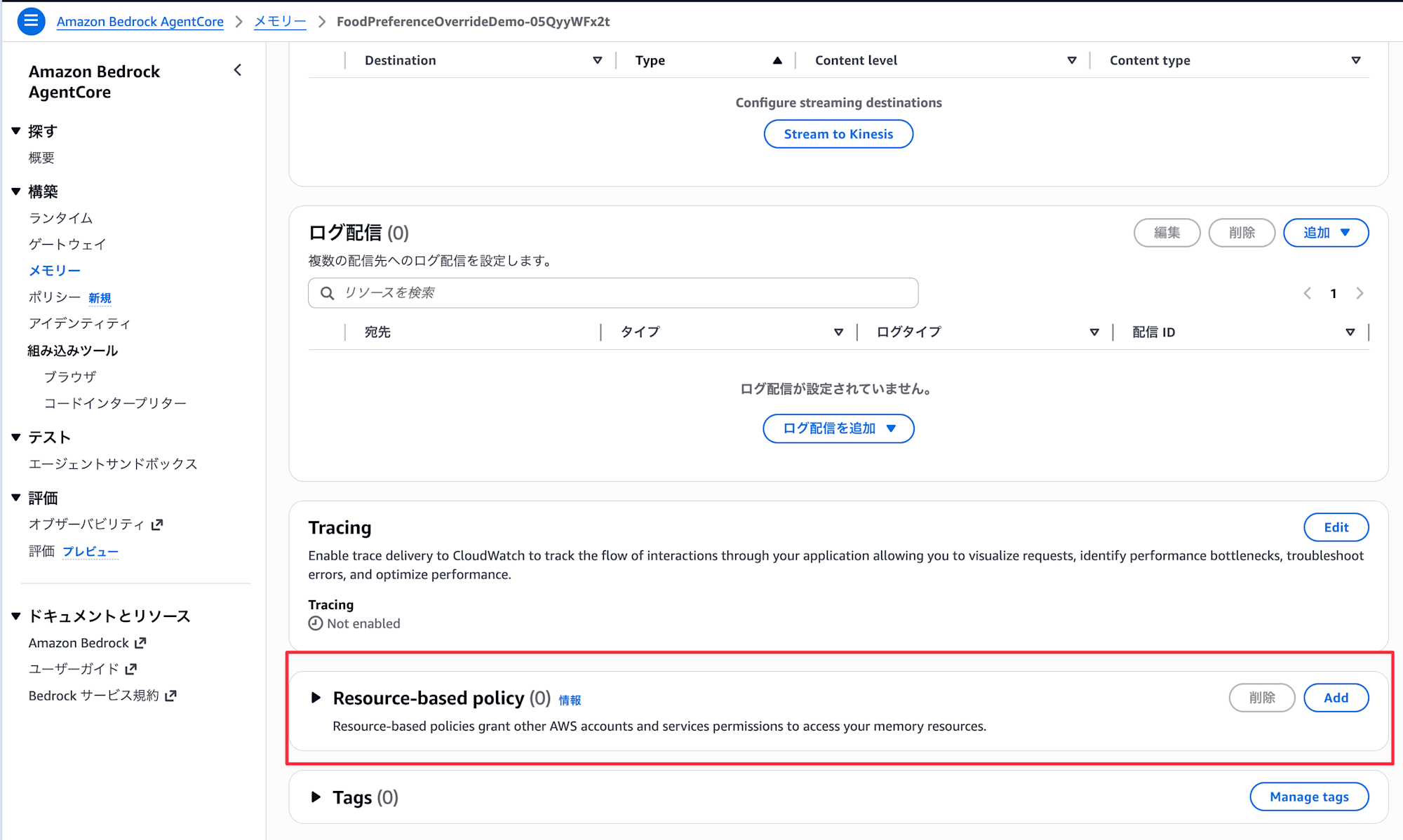
I thought only Agent Runtime and Gateway had this feature before, but it seems Memory has also become eligible at some point. The official documentation has also been updated.
- Memory - Control access to memory operations
In this article, I'll actually set up a resource-based policy on Memory and verify whether access from roles other than the Runtime service role gets denied!
Prerequisites
Environment
- Python 3.12
- bedrock-agentcore 1.4.7
- bedrock-agentcore-starter-toolkit 0.3.3
- strands-agents 1.33.0
- strands-agents-tools 0.2.23
- Region: us-east-1
Preparation
Install the Starter Toolkit and dependent packages.
uv init
uv add bedrock-agentcore-starter-toolkit strands-agents strands-agents-tools bedrock-agentcore
Goal
I want to create a configuration where only agents running on AgentCore Runtime can access Memory, while developers cannot access it directly via API.
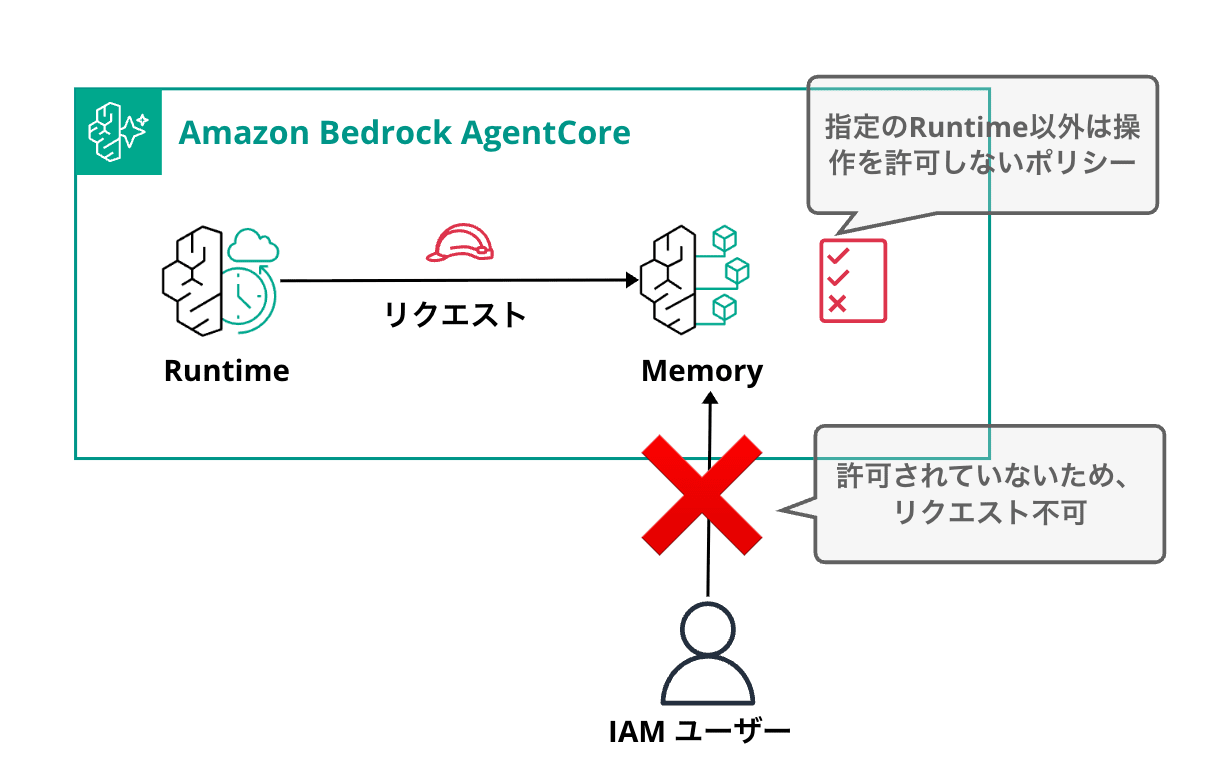
Deploying the Agent
I'll create an AI agent using Strands Agents with simple memory capabilities.
Using Starter Toolkit, I'll deploy an agent with Memory enabled to the Runtime. Here's just the code for the AgentCoreMemorySessionManager that makes AgentCore Memory easy to use (details in the article linked below).
When Memory is configured via Starter Toolkit, the Memory ID is set in the environment variable BEDROCK_AGENTCORE_MEMORY_ID, which we'll use.
import os
from bedrock_agentcore.runtime import BedrockAgentCoreApp
from bedrock_agentcore.memory.integrations.strands.config import AgentCoreMemoryConfig
from bedrock_agentcore.memory.integrations.strands.session_manager import AgentCoreMemorySessionManager
from strands import Agent
from strands.models.bedrock import BedrockModel

app = BedrockAgentCoreApp()

MEMORY_ID = os.environ.get("BEDROCK_AGENTCORE_MEMORY_ID")

@app.entrypoint
def invoke(payload, context):
    config = AgentCoreMemoryConfig(
        memory_id=MEMORY_ID,
        session_id=context.session_id or "default",
        actor_id=payload.get("actorId", "user"),
    )
    session_manager = AgentCoreMemorySessionManager(
        agentcore_memory_config=config, region_name="us-east-1"
    )
    agent = Agent(
        model=BedrockModel(model_id="us.anthropic.claude-sonnet-4-5-20250929-v1:0", region_name="us-east-1"),
        system_prompt="You are a helpful assistant.",
        session_manager=session_manager,
    )
    response = agent(payload.get("prompt", "Hello"))
    return {"response": str(response)}

if __name__ == "__main__":
    app.run()
Run agentcore configure with default settings enabling Memory, then deploy with agentcore deploy.
uv run agentcore configure --entrypoint agent.py
# Proceed with default settings
# Just make sure to enable Memory
Memory Configuration
Tip: Use --disable-memory flag to skip memory entirely

Existing memory resources found:
  1. xxx
     ID: xxx

Options:
  • Enter a number to use existing memory
  • Press Enter to create new memory
  • Type 's' to skip memory setup
Your choice:
✓ Short-term memory will be enabled (default)
  • Stores conversations within sessions
  • Provides immediate context recall

# Once configuration is complete, deploy
uv run agentcore deploy
After deployment, check the console to find and note the service role ARN of your agent.
You can check this in the latest version details.
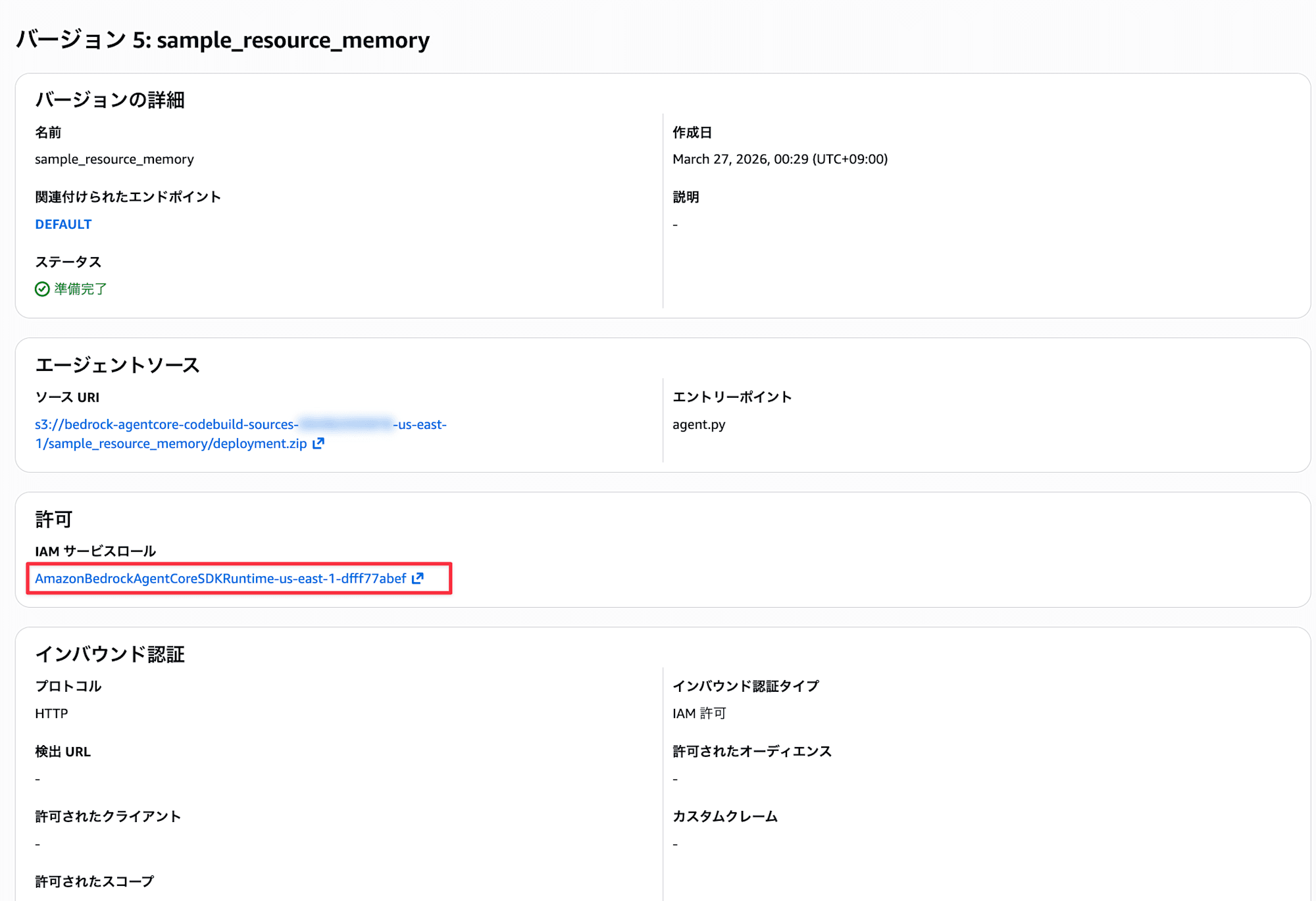
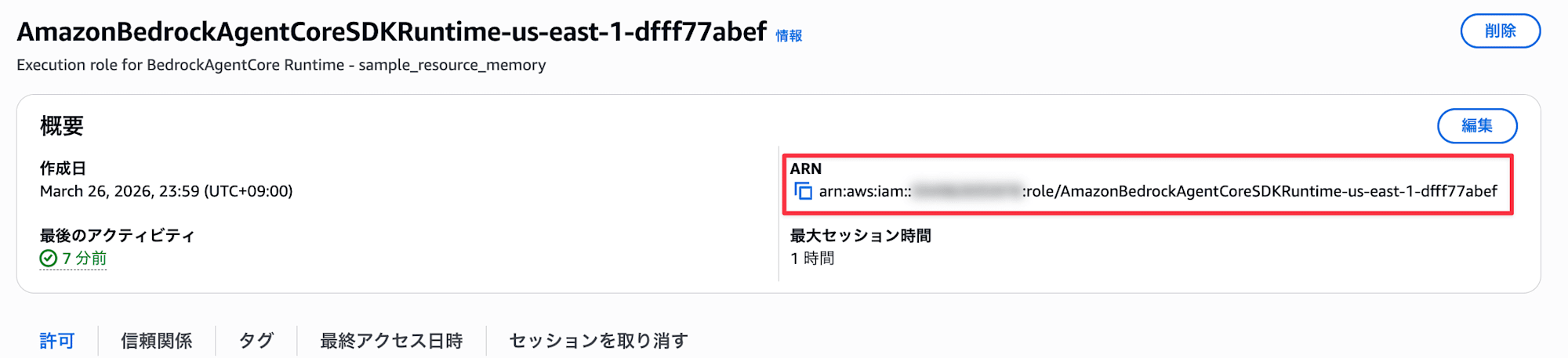
The auto-generated role name is quite long.
Setting up the Resource-Based Policy
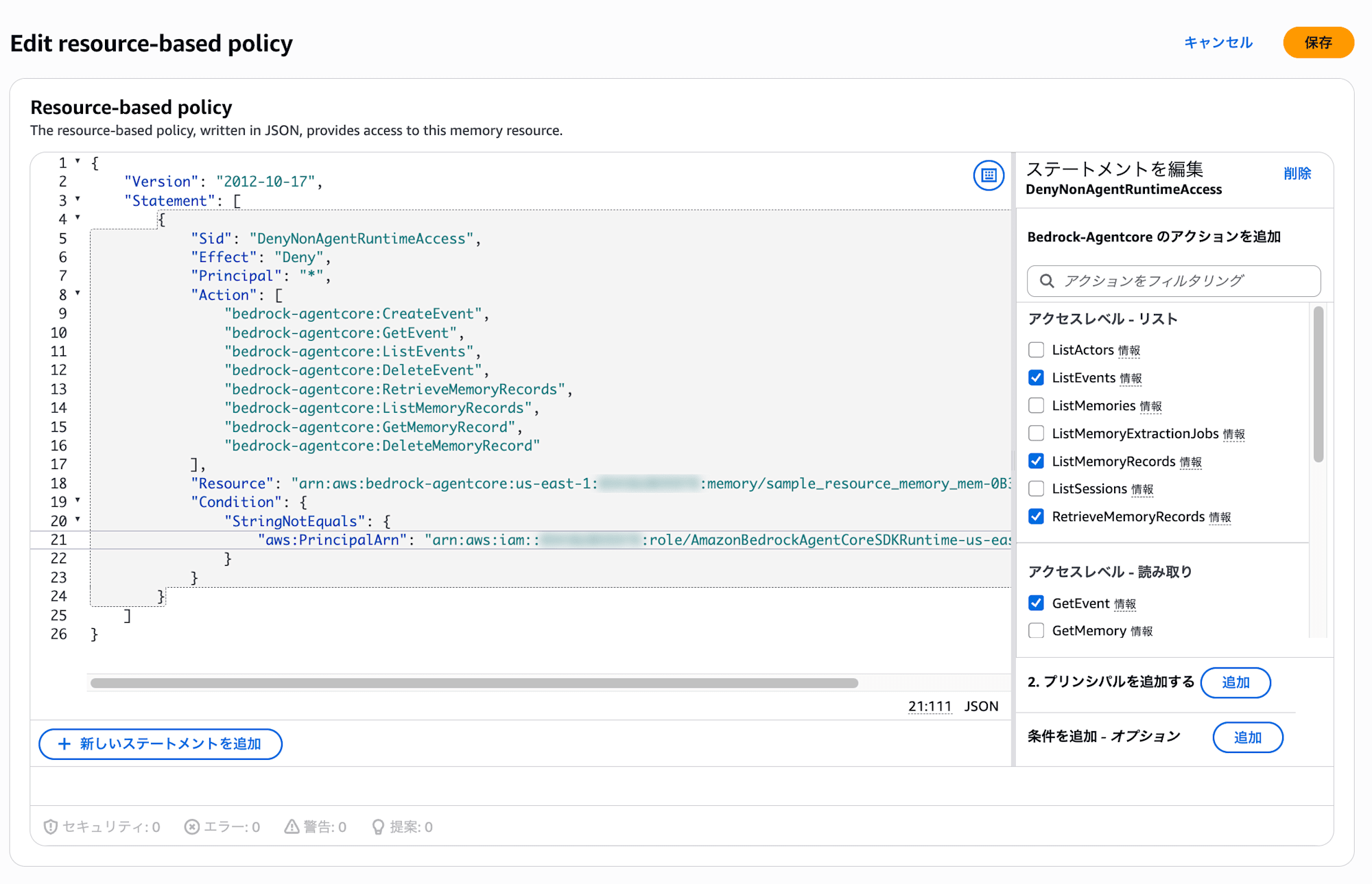
Now, let's set up a resource-based policy for Memory. The following policy denies certain Memory operations (like retrieving and writing memories) from any principal other than the service role.
{
  "Version": "2012-10-17",
  "Statement": [
    {
      "Sid": "DenyNonAgentRuntimeAccess",
      "Effect": "Deny",
      "Principal": "*",
      "Action": [
        "bedrock-agentcore:CreateEvent",
        "bedrock-agentcore:GetEvent",
        "bedrock-agentcore:ListEvents",
        "bedrock-agentcore:DeleteEvent",
        "bedrock-agentcore:RetrieveMemoryRecords",
        "bedrock-agentcore:ListMemoryRecords",
        "bedrock-agentcore:GetMemoryRecord",
        "bedrock-agentcore:DeleteMemoryRecord"
      ],
      "Resource": "arn:aws:bedrock-agentcore:us-east-1:<AccountID>:memory/<MemoryID>",
      "Condition": {
        "StringNotEquals": {
          "aws:PrincipalArn": "arn:aws:iam::<AccountID>:role/<ServiceRoleName>"
        }
      }
    }
  ]
}
The combination of Effect: Deny and Condition: StringNotEquals denies access from any principal that doesn't match the specified role ARN.
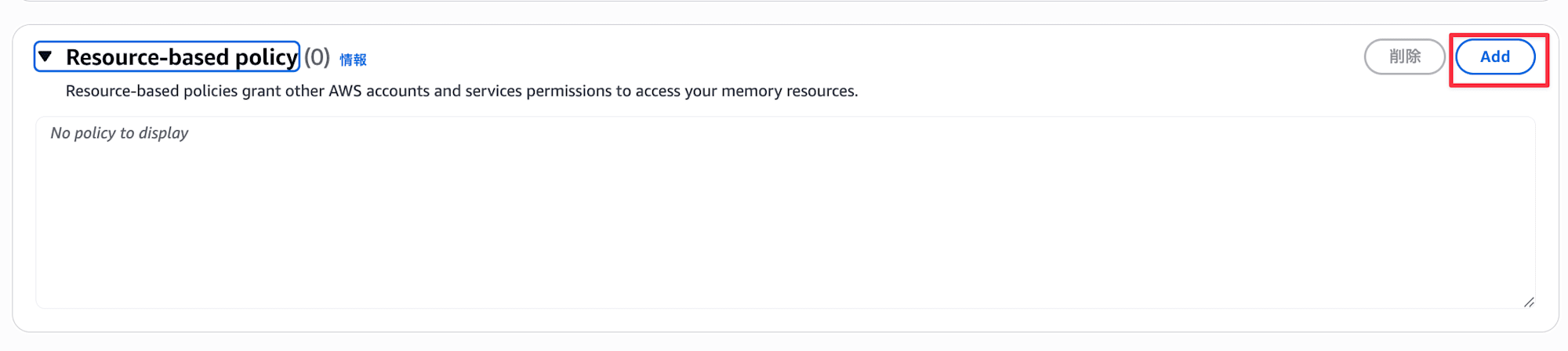
Now let's apply this policy to the Memory auto-generated by Starter Toolkit. Open the Memory in the console and click the Add button in the Resource-based policy section.
Enter the policy we created and save.
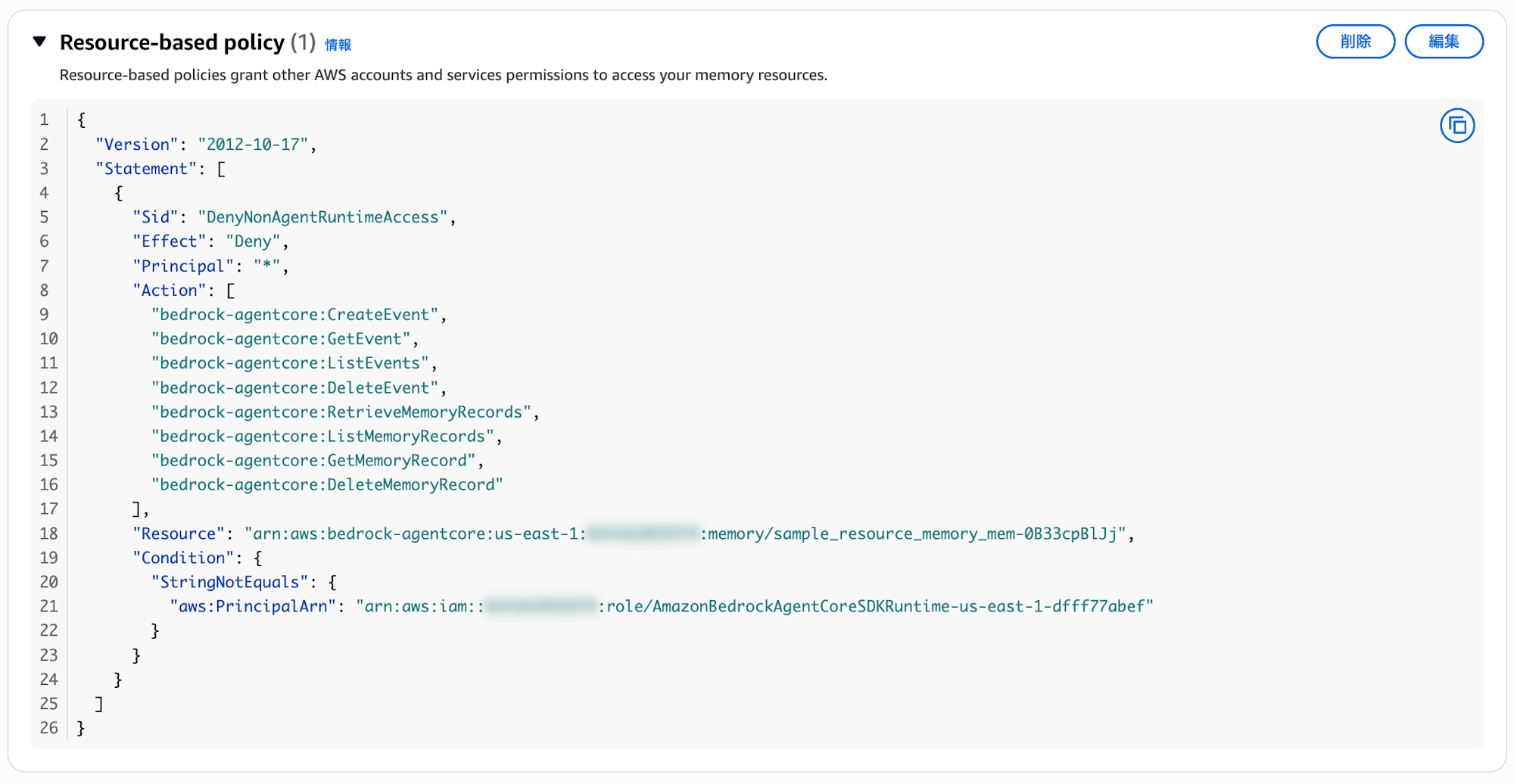
It should be added as shown below!
Verification
Direct API Access
First, let's try accessing Memory directly using my IAM credentials.
Replace the Memory ID with the value from your console.
import boto3

REGION = "us-east-1"
MEMORY_ID = "<MemoryID>"

client = boto3.client("bedrock-agentcore", region_name=REGION)

try:
    response = client.list_events(
        memoryId=MEMORY_ID,
        actorId="test-actor",
        sessionId="test-session",
    )
    events = response.get("events", [])
    print(f"Access successful: Retrieved {len(events)} events")
except client.exceptions.AccessDeniedException:
    print("Access denied")
except Exception as e:
    print(f"Error: {type(e).__name__}: {e}")
Let's run it!

uv run test_access.py
Access denied
Access was denied as intended! The Deny in our resource-based policy is working. My current IAM user is not the service role, so it matches the StringNotEquals condition and the Deny is applied.
Access via Runtime
Next, let's call the agent we deployed with Starter Toolkit via Runtime. The agent operates with the service role specified at deployment, so it shouldn't be affected by the Deny condition in our resource-based policy.
uv run agentcore invoke '{"prompt": "Hello, can you tell me about traveling to Kyoto?"}' --session-id testsess-ion0-0000-0000-000000000006
Response:
Hello! I'd be happy to help you with information about traveling to Kyoto.

Kyoto is one of Japan's premier tourist destinations with many attractions.
What specific information are you looking for?

Main tourist spots:
- Historic temples such as Kiyomizu-dera, Kinkaku-ji (Golden Pavilion), and Ginkaku-ji (Silver Pavilion)
- Fushimi Inari Shrine with its thousands of torii gates
- Arashiyama's bamboo grove and Togetsukyo Bridge
- The old streets of Gion

Seasonal recommendations:
- Spring: Cherry blossom spots (Philosopher's Path, Maruyama Park, etc.)
- Autumn: Fall foliage (Eikando Temple, Tofuku-ji Temple, etc.)
- Summer: Gion Festival (July)
- Winter: Snow-covered Golden Pavilion

Other highlights:
- Kyoto cuisine and matcha sweets
- Kimono rental experiences
- Accommodations (ryokans, hotels)

When are you planning to visit? Do you have any specific interests?
I'd be happy to provide more detailed advice!
We got a response with no issues! Memory access through the Runtime service role is working normally. (If there were permission issues, we would have seen an error at this point.)
Let's continue with the same session ID to verify conversation continuity.
uv run agentcore invoke '{"prompt": "What were we talking about earlier?"}' --session-id testsess-ion0-0000-0000-000000000006
Response:
We were talking about traveling to Kyoto!

I provided information about the main tourist attractions in Kyoto
(like Kiyomizu-dera, Kinkaku-ji, Fushimi Inari Shrine, and Arashiyama),
seasonal recommendations, Kyoto cuisine, and kimono rental experiences.

And I asked you about when you're planning to visit and if you have
any specific interests.

Is there anything specific you'd like to know more about?
We've confirmed that while direct API access by developers is denied, the agent can use Memory normally through Runtime, proving that our resource-based policy is functioning as intended!
Conclusion
Memory now supports resource-based policies. Since user memories handled by agents may contain sensitive information, this access control mechanism could be very useful.
I hope this article was helpful. Thank you for reading!
Additional Information: From Official Documentation
List of Actions that can be Restricted for Memory
The official documentation lists 18 actions that can be controlled with resource-based policies for Memory. In our verification, we only denied a subset of operations, but many more actions can be controlled.
| Action | Description |
|---|---|
| GetMemory | Get Memory resource |
| UpdateMemory | Update Memory resource |
| DeleteMemory | Delete Memory resource |
| CreateEvent | Create event (write conversation) |
| GetEvent | Get event |
| DeleteEvent | Delete event |
| ListEvents | List events |
| ListActors | List actors |
| ListSessions | List sessions |
| GetMemoryRecord | Get memory record (memory record = long-term memory) |
| ListMemoryRecords | List memory records |
| RetrieveMemoryRecords | Search memory records |
| DeleteMemoryRecord | Delete memory record |
| BatchCreateMemoryRecords | Batch create memory records |
| BatchUpdateMemoryRecords | Batch update memory records |
| BatchDeleteMemoryRecords | Batch delete memory records |
| StartMemoryExtractionJob | Start extraction job |
| ListMemoryExtractionJobs | List extraction jobs |