Points I've summarized about BigQuery Sharing (formerly Analytics Hub) permissions

This page has been translated by machine translation. View original
Introduction
Hello, this is Kodaka from the Data Business Division.
I tried to see if BigQuery Sharing (formerly Analytics Hub) could be used for data integration between projects within the same Google Cloud organization, so I've compiled some points of interest.
For the basic usage of BigQuery Sharing, please refer to the following blog which explains it in detail.
In this article, based on the content of the above blog, I will summarize the permission control mechanism of BigQuery Sharing and the behavior specific to linked datasets.
Overview of BigQuery Sharing
BigQuery Sharing is a service that allows you to share BigQuery datasets within and outside your organization.
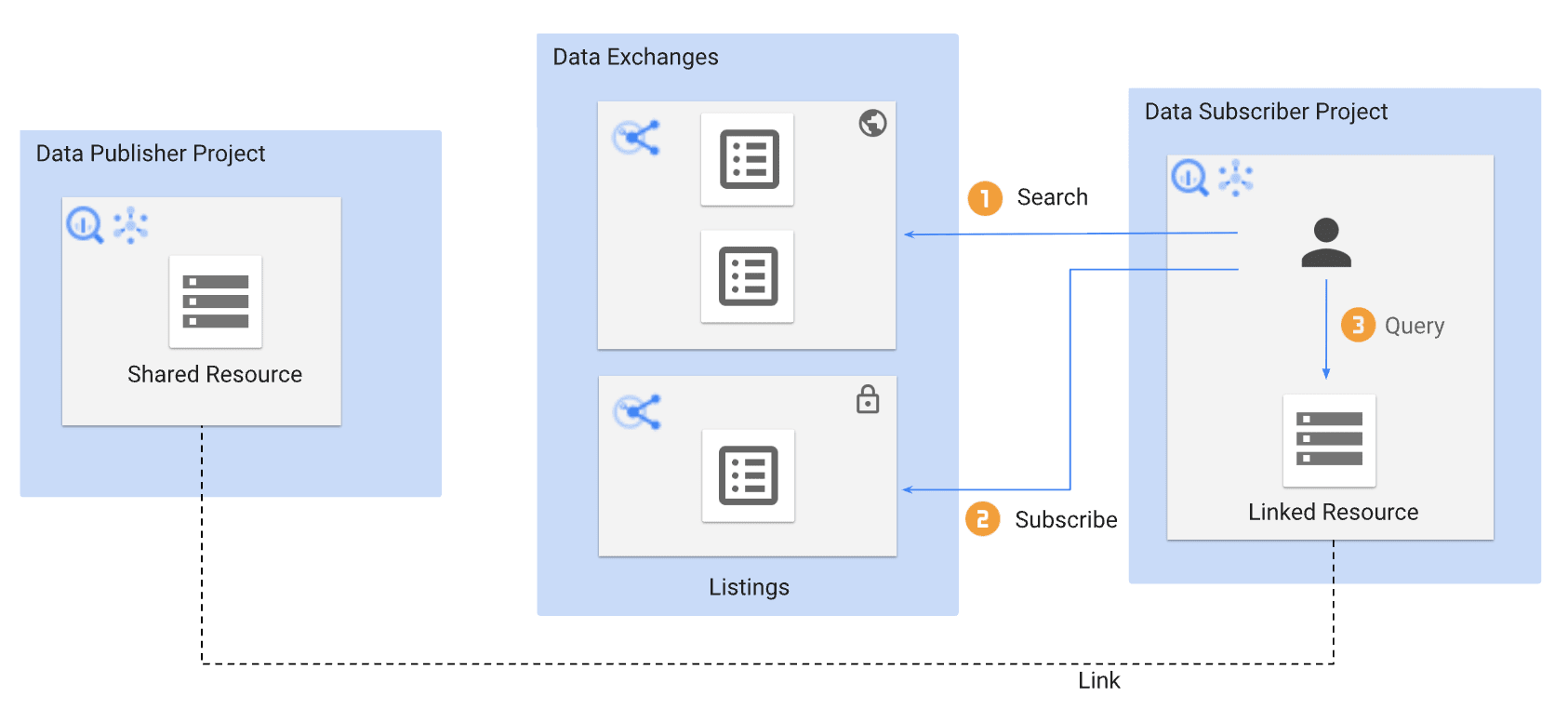
Source: Introduction to BigQuery sharing | Google Cloud
Here's a quick overview of the key terms.
| Term | Description |
|---|---|
| Exchange | A logical group that contains Listings. Can be set as private or public |
| Listing | A sharing unit that corresponds one-to-one with the dataset being shared |
| Linked Dataset | A read-only dataset created in the Subscriber's project when they subscribe |
| Publisher | The party providing the data |
| Subscriber | The party receiving the data |
For more details, please refer to the official documentation or the blog mentioned above.
What I Learned from Using It
1. Access control can be managed for each principal at both Exchange and Listing levels
In BigQuery Sharing, access control is possible by granting the subscriber role at both the Exchange and Listing levels.
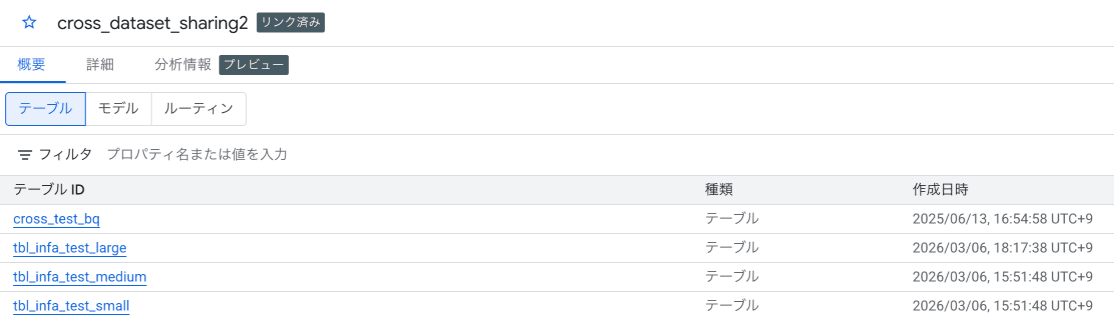
When the subscriber role is granted
- Granting the
subscriberrole to the Subscriber user on the Exchange
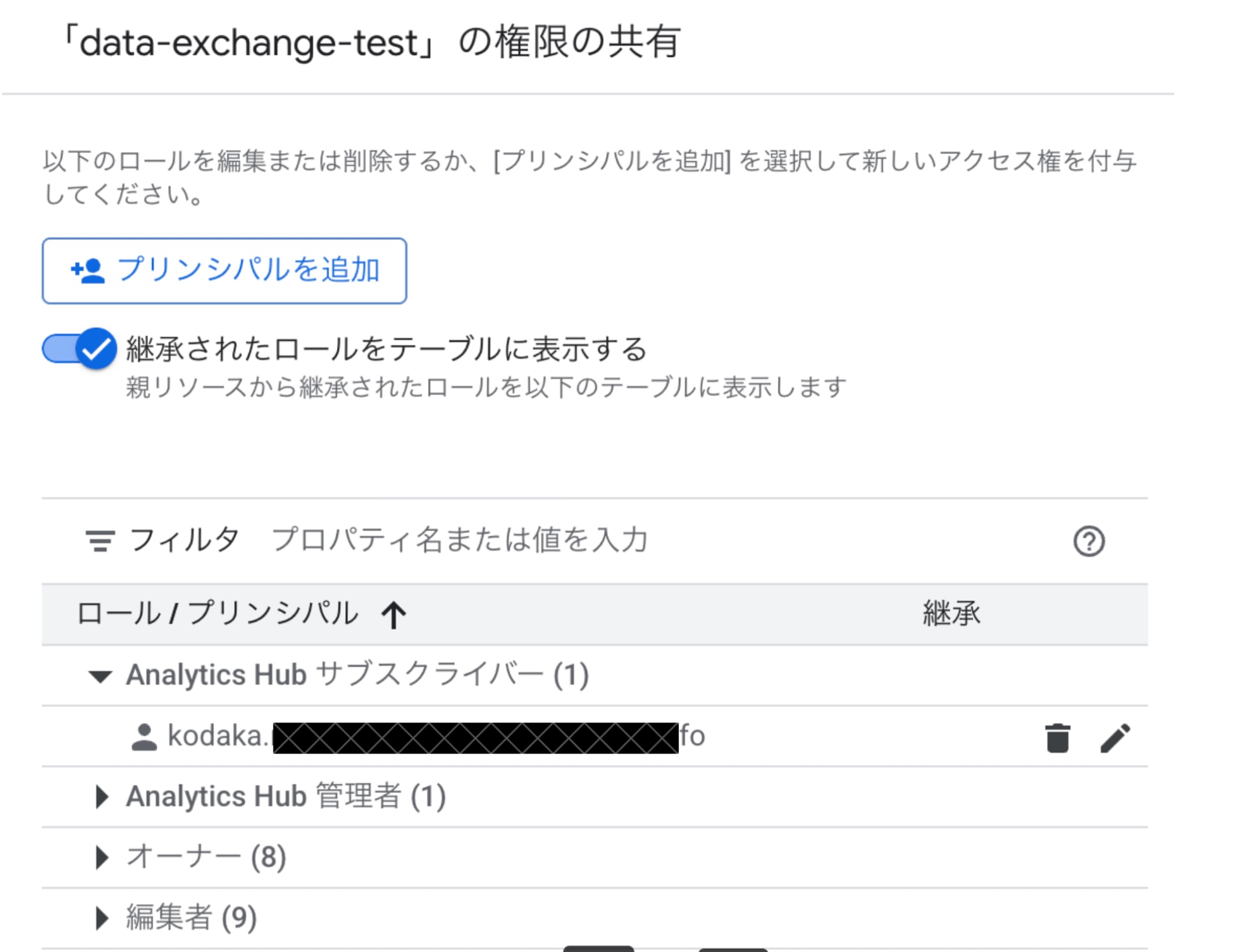
- Permissions are inherited by the Listing
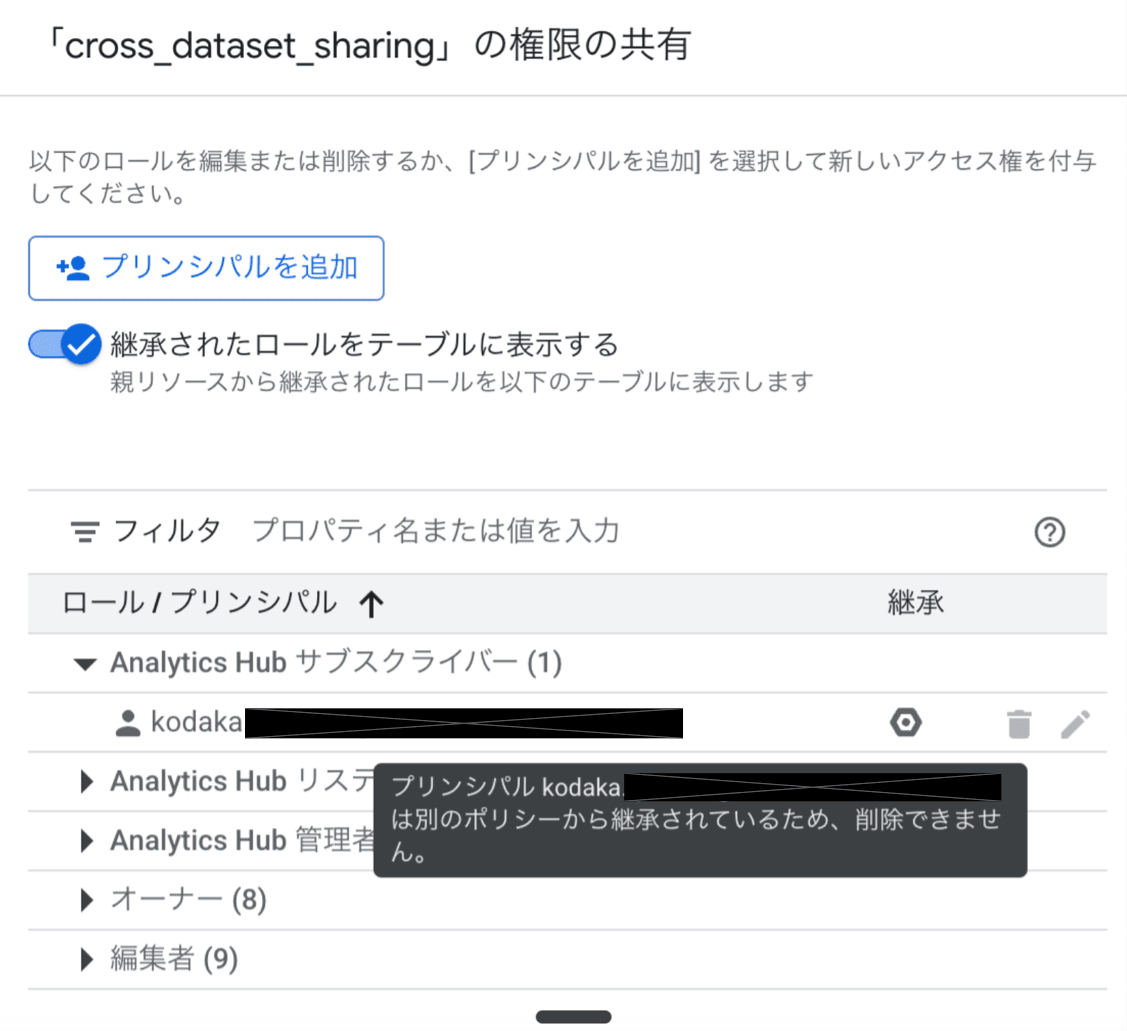
- Subscription succeeds without issues

When the subscriber role is removed
- Removing the
subscriberrole from the Exchange
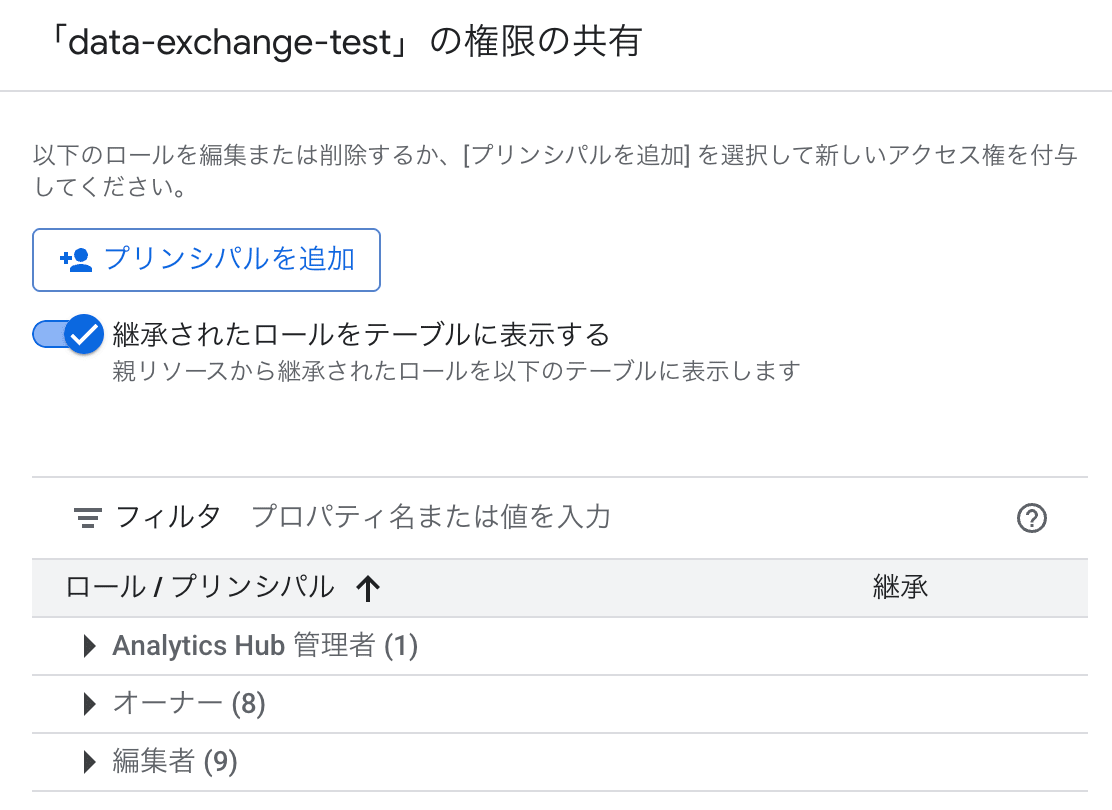
- The Listing is not displayed in the list and cannot even be selected
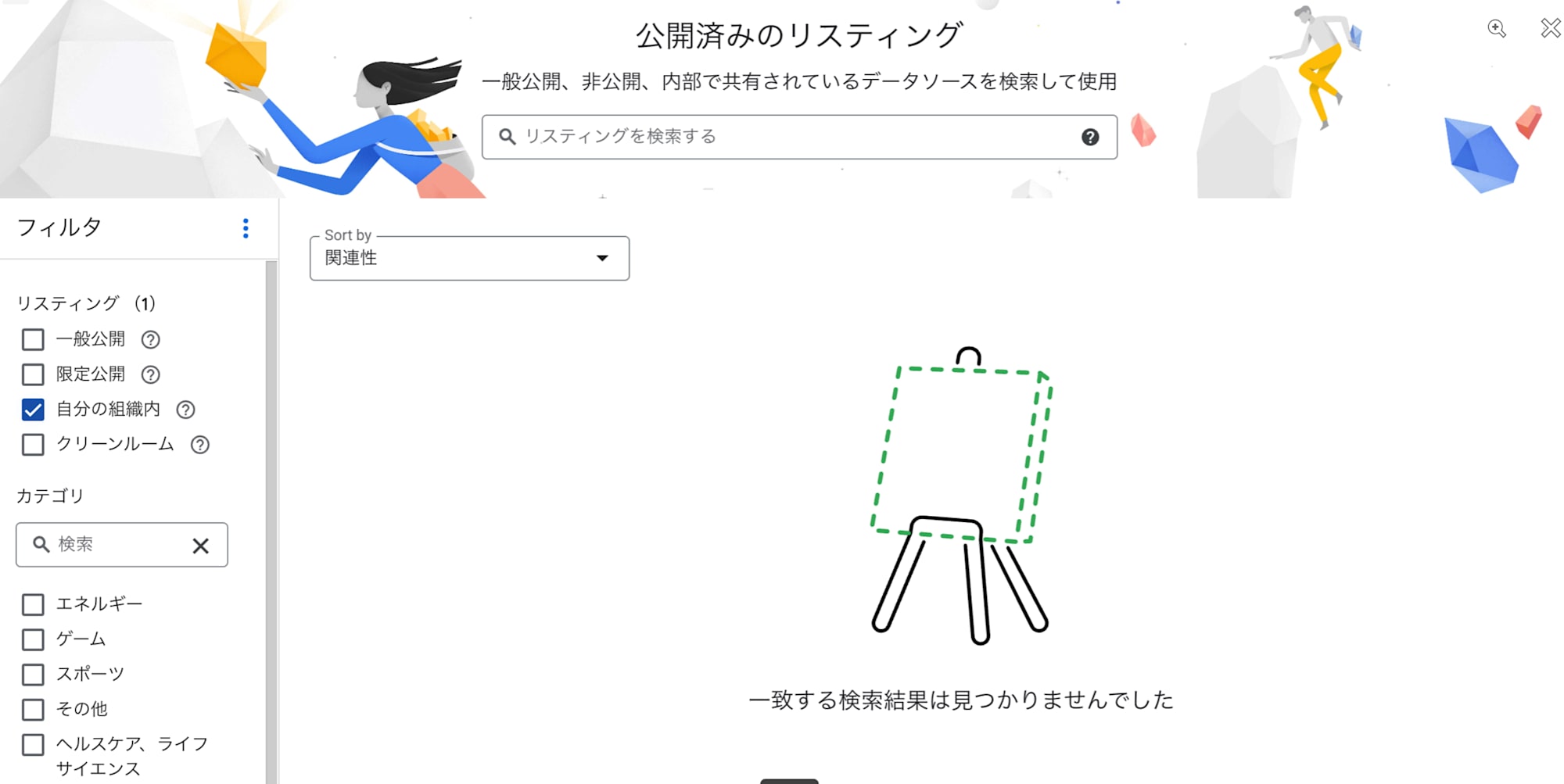
Similar results were observed at the Listing level as well.
The key point is that when the subscriber role is revoked, the Listing doesn't even appear in search results. It's not a matter of "visible but unusable" but rather "not visible at all."
In this case, I specified a user as the principal, but by specifying groups, flexible permission control such as "only Department A group for this Exchange" or "only Team B for this Listing" is possible.
2. BigQuery Data Viewer permission is not required for querying linked datasets
This is where linked datasets differ from normal datasets.
To run a query against a normal table in BigQuery, you need both the query execution permission BigQuery User (bigquery.user) and the data viewing permission BigQuery Data Viewer. However, for tables in linked datasets, I found that queries could be executed with just the BigQuery User role.
I confirmed this with only the BigQuery User role granted to the Subscriber user.
For details on roles, please refer to BigQuery Access Control | Google Cloud.
- Only the
BigQuery User(bigquery.user) role was granted to the Subscriber user

- Successfully executed a query against the linked dataset
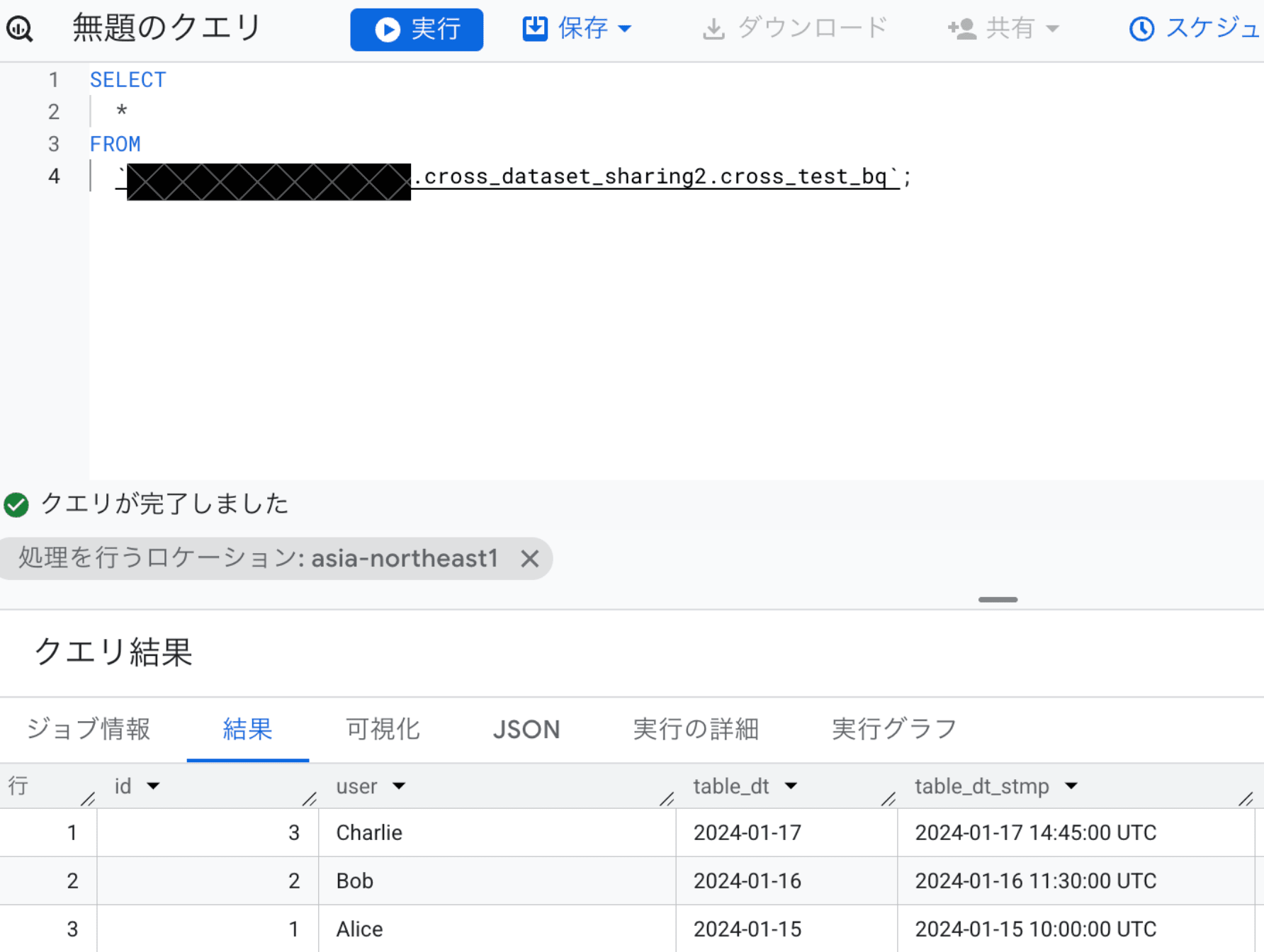
It seems that data access to the linked dataset is implicitly permitted at the time of subscription. In other words, the subscription itself serves as an access permission.
Therefore, there's no need to grant BigQuery-related IAM roles (like BigQuery Data Viewer) for the Publisher's project to the Subscriber user.
Note that linked datasets are read-only, so attempting to execute INSERT/UPDATE/DELETE operations will result in an error.
Limitations of BigQuery Sharing
Here are some limitations of BigQuery Sharing picked up from the official documentation.
| Consideration | Details |
|---|---|
| Maximum number of subscriptions | Up to 1,000 linked datasets (subscriptions) per Listing |
| Publisher-side permissions required for viewing Views | To reference Views in linked datasets, viewing permissions for the Publisher's dataset are required. However, Authorized Views can be viewed |
| IAM roles cannot be set for individual tables within linked datasets | Permission control at the table level is not possible |
| IAM tags cannot be set for tables in linked datasets | Fine-grained control using tags is also not possible |
Special attention should be paid to the handling of Views. Since access rights to the source tables referenced by Views in linked datasets are required, you need to either use Authorized Views or grant viewing permissions for the View's source dataset to the Subscriber.
Reference: Introduction to BigQuery sharing#limitations | Google Cloud
Summary
In this article, I summarized the permission control mechanism of BigQuery Sharing and the behavior of linked datasets.
The key points are:
- Permission control at Exchange/Listing level: Subscription access can be flexibly controlled by granting the
subscriberrole to each principal - Linked datasets can be queried with just the
BigQuery Userpermission: Unlike normal datasets,BigQuery Data Vieweris not required. The subscription itself functions as access permission - No need to grant IAM to the Publisher side: Data can be shared without granting BigQuery IAM on the Publisher side to the Subscriber user
I hope this is helpful for those considering BigQuery Sharing.