
Building the custom gain plugin "MyGain" with VST3 SDK 3.8 and running it in a DAW

This page has been translated by machine translation. View original
Introduction
In this article, I will roughly organize what VST3 plugins are, and then introduce the procedure to build a simple VST3 plugin called MyGain based on the official sample. The environment assumes Windows + Visual Studio 2022, and the goal is to "make a self-made plugin loadable from a DAW."
Target Audience
- DAW users who want to try audio plugins with C++
- Plugin development beginners who want to roughly understand the differences between VST2 / VST3
- Those who are thinking "Maybe I'll try it now" with the MIT licensing of the VST3 SDK
Goals of this Article
- Make a VST3 plugin called
MyGainbased on the official sample loadable in your own DAW - Through this process, grasp the rough structure of VST3 plugins and get a sense of the differences from VST2
References
- VST 3 SDK – Steinberg Official
- VST 3 Developer Portal – Licensing FAQ
- Explanation of MIT License (MIT)
About VST3 Plugins
What is a "VST Plugin"?
VST (Virtual Studio Technology) is a common interface connecting DAWs and audio plugins. It establishes an agreement where the host (DAW) passes audio and events to the plugin, and the plugin processes them and returns the results.
A typical VST plugin has the following three functions:
- Audio I/O
Receives input samples, performs effect/synth processing, and outputs them - Parameters
Values like gain and cutoff frequency that can be automated from the host - GUI (Editor)
A screen that draws knobs and meters and reflects user operations to parameters
In the VST2 era, these were mostly consolidated into a single class, and a configuration where "audio processing and UI are handled by the same object" was common.
Major Changes from VST2 to VST3
VST3 is a new standard that reorganizes the long-used VST2. There are various detailed feature additions, but understanding these three points will make things easier:
- Component Separation
The "processor" that performs audio processing and the "controller" that handles parameters and GUI are defined as separate components. This makes it easier to separate processing and UI into different threads or processes. - Flexibility of Inputs and Outputs (Buses)
Unlike VST2's fixed "stereo in/stereo out", I/O can be added or disabled in units called buses. This allows for more straightforward implementation of side-chain inputs and multi-channel support. - Sample-Accurate Automation
Parameter changes are passed at the sample level, enabling smooth changes with less stepping even with rapid modulation.
Roughly imagining this as a "VST with a cleaner structure" will help you better understand the sample code when reading it.
In reality, it's divided into more detailed interfaces, but for now, it's enough to grasp the general framework that "VST3 separates components and reorganizes the points of contact with the host."
About VST3 SDK's MIT Licensing
In October 2025, Steinberg released the VST 3.8 SDK and simultaneously changed the license to MIT license (reference). Previously, a Steinberg proprietary license (and in some cases individual contracts) was required, but now it can be freely used, including incorporation into commercial products, by following the MIT license. The main conditions are to retain the copyright notice and license text. Please check the license text for details.
On the other hand, handling of the VST logo and "VST" trademark is separate, and if you want to display these, you need to follow the VST Usage Guidelines included in the SDK. It's good to keep in mind that "the code license has become quite free, but there are rules for brand display."
Building MyGain Based on Official Sample
From here, I will summarize the procedure for building a VST3 plugin called MyGain based on the official sample AGain. The environment is Windows + Visual Studio 2022.
Obtaining and Building the SDK
First, clone the VST3 SDK and get it to a state where samples can be built.
git clone --recursive https://github.com/steinbergmedia/vst3sdk.git
cd vst3sdk
mkdir build
cd build

cmake -G "Visual Studio 17 2022" -A x64 .. -DSMTG_CREATE_PLUGIN_LINK=OFF
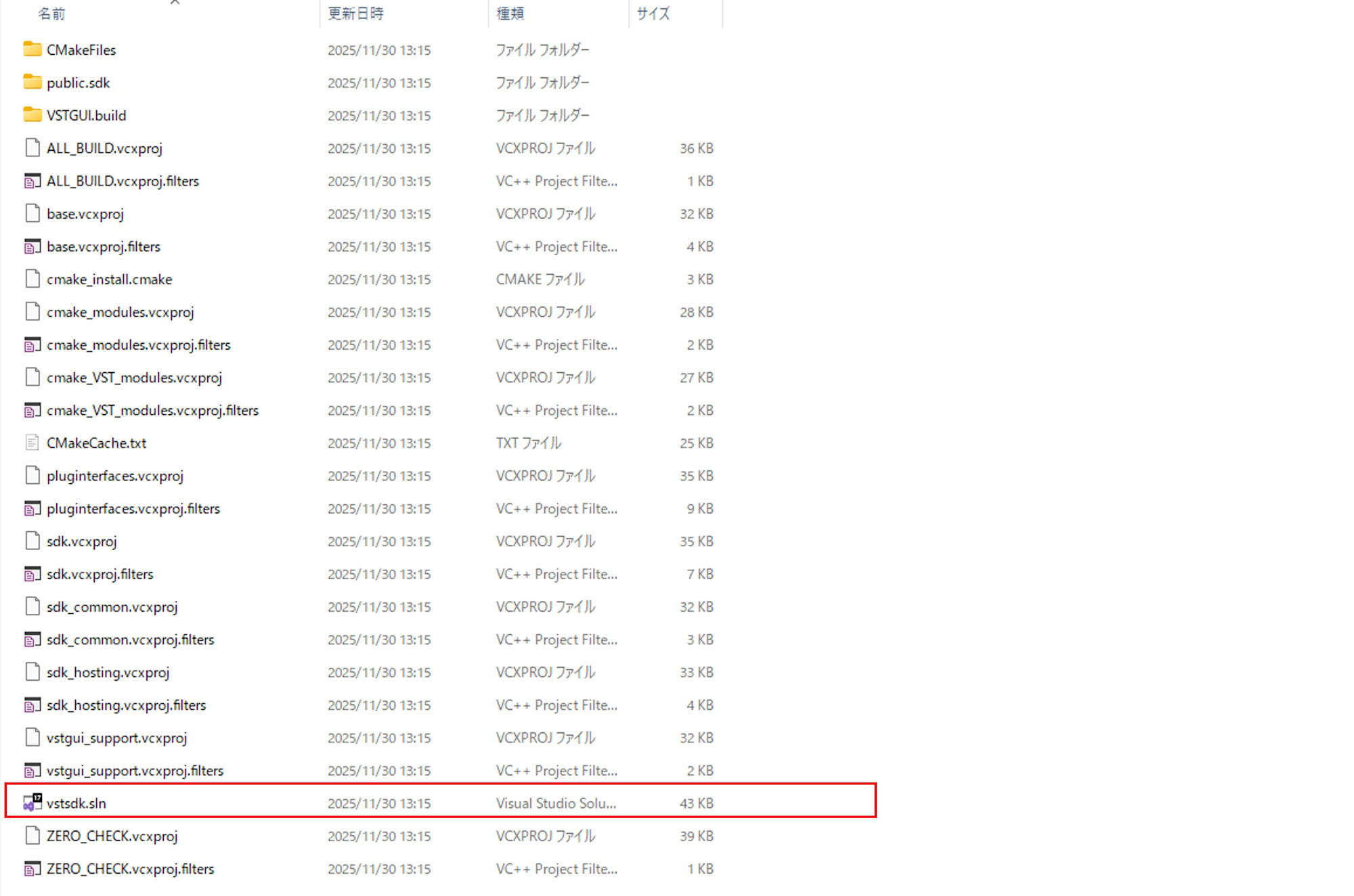
A Visual Studio Solution file called vstsdk.sln will be generated under the build directory, so open this.
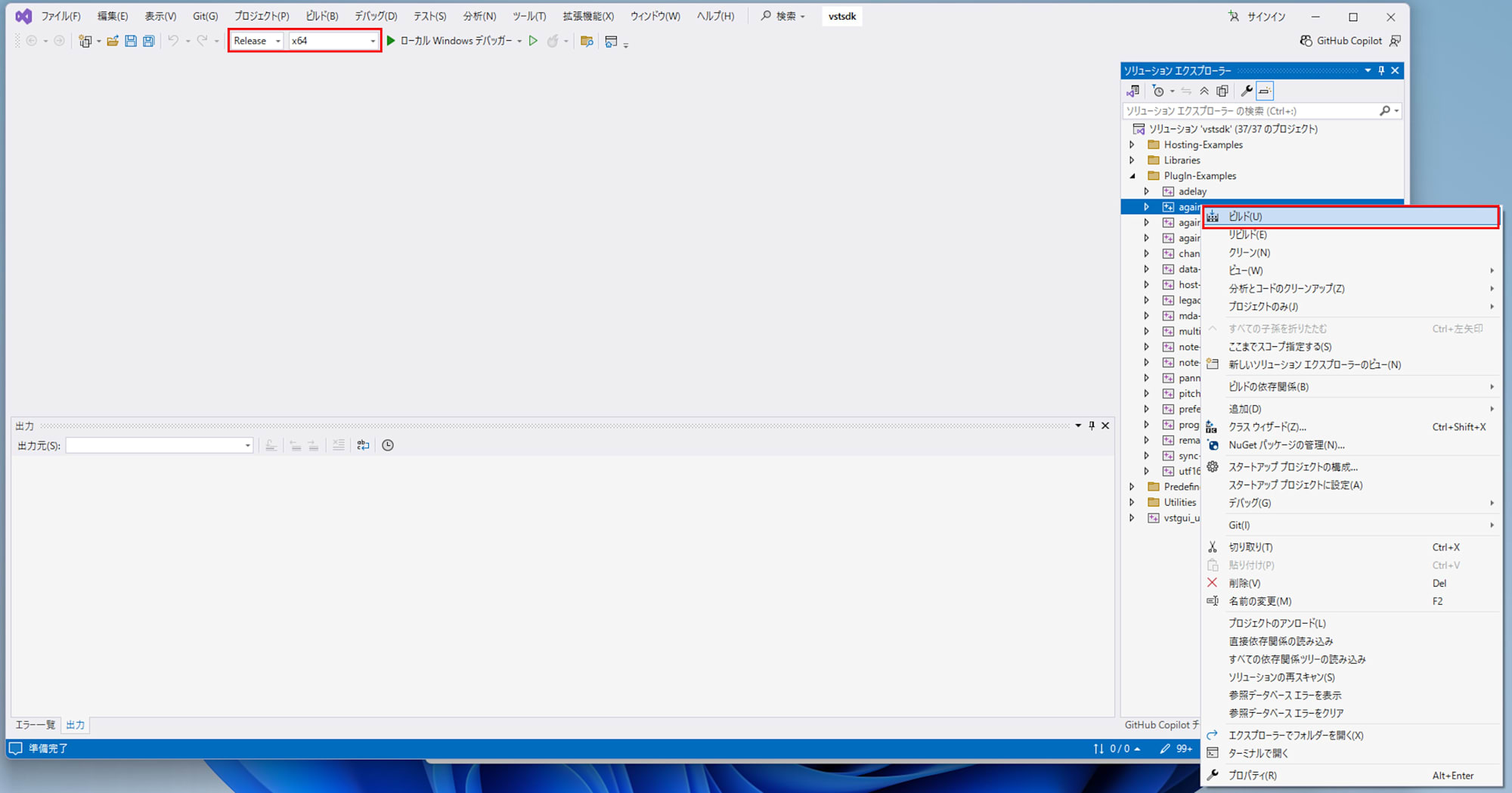
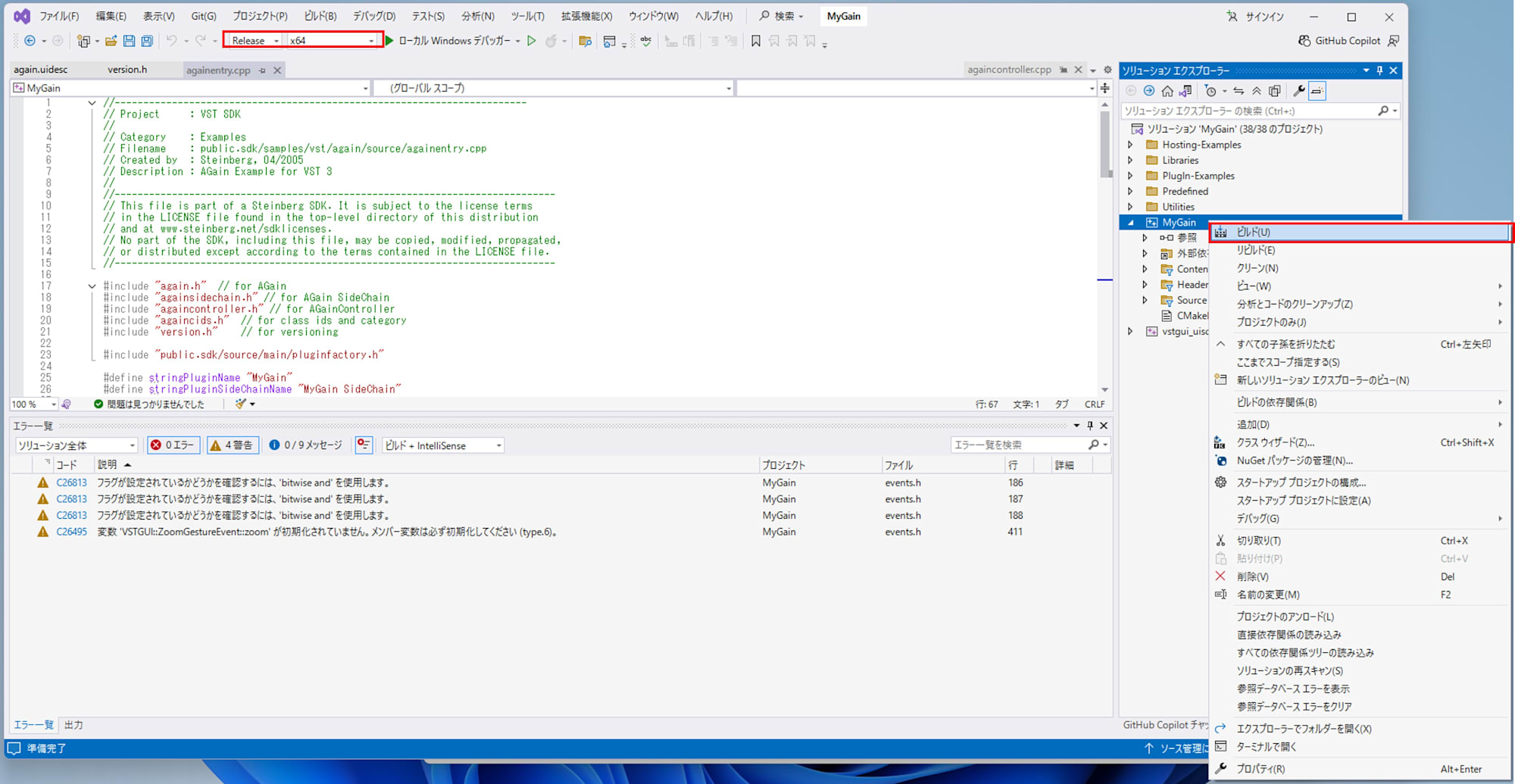
Select Release x64 build, and build by right-clicking on Plugin-Examples > again in the Solution Explorer.
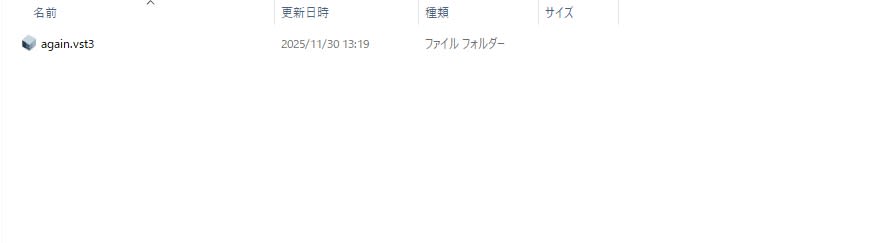
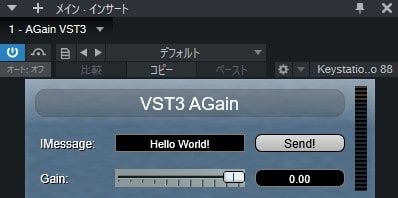
When the build passes, a sample plugin called again.vst3 is generated in build/VST3/Release.
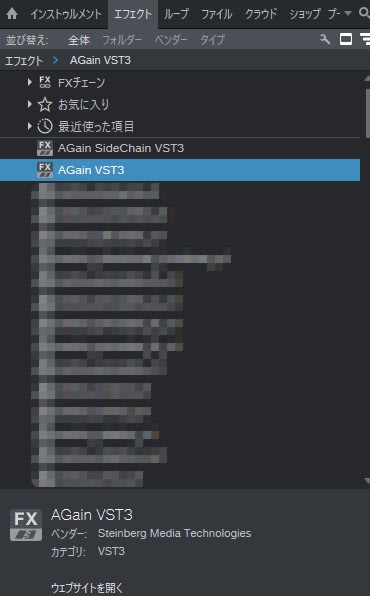
Copy this to the VST3 folder referenced by your DAW, such as C:\Program Files\Common Files\VST3, and AGain will appear in the effects list.
Creating the MyGain Project
Next, create a project folder for yourself separate from the SDK itself. This time, I used the following structure:
vst3sdk/        # The SDK we just cloned
MyGain/
  CMakeLists.txt
  source/       # Copy AGain source
  resource/     # Copy AGain resources
For source and resource, the quickest approach is to copy all the files under public.sdk/samples/vst/again/. In the initial stage, the goal is to have "AGain buildable as is," and then we'll gradually replace just the names with MyGain.
Minimal CMakeLists.txt Configuration
In MyGain/CMakeLists.txt, first load the SDK as a subdirectory, then define your custom plugin target. The idea is as follows:
cmake_minimum_required(VERSION 3.25.0)

project(MyGain
    VERSION 1.0.0
    DESCRIPTION "My simple gain plug-in"
)

# VST3 SDK location (assuming it's one level up from MyGain)
set(vst3sdk_SOURCE_DIR "${CMAKE_CURRENT_LIST_DIR}/../vst3sdk")

# Add SDK as a subdirectory
add_subdirectory(${vst3sdk_SOURCE_DIR} ${PROJECT_BINARY_DIR}/vst3sdk)

# Enable SDK's CMake functionality
smtg_enable_vst3_sdk()

if(NOT SMTG_ENABLE_VSTGUI_SUPPORT)
    return()
endif()

# MyGain plugin sources (AGain filenames are OK)
set(mygain_sources
    source/again.cpp
    source/again.h
    source/againcids.h
    source/againcontroller.cpp
    source/againcontroller.h
    source/againentry.cpp
    source/againparamids.h
    source/againprocess.h
    source/againsidechain.cpp
    source/againsidechain.h
    source/againuimessagecontroller.h
    source/version.h
    resource/again.uidesc
)

# Change only the target name to "MyGain" (to avoid conflict with SDK's AGain)
set(target MyGain)

smtg_add_vst3plugin(${target} ${mygain_sources})
smtg_target_configure_version_file(${target})

target_compile_features(${target} PUBLIC cxx_std_17)

target_link_libraries(${target}
    PRIVATE
        sdk
        vstgui_support
)

smtg_target_add_plugin_resources(${target}
    RESOURCES
        resource/again.uidesc
        resource/background.png
        resource/slider_background.png
        resource/slider_handle.png
        resource/slider_handle_2.0x.png
        resource/vu_on.png
        resource/vu_off.png
)
The key point is that only the target name is changed to MyGain. This way, the target name doesn't conflict with the SDK's AGain (sample project).
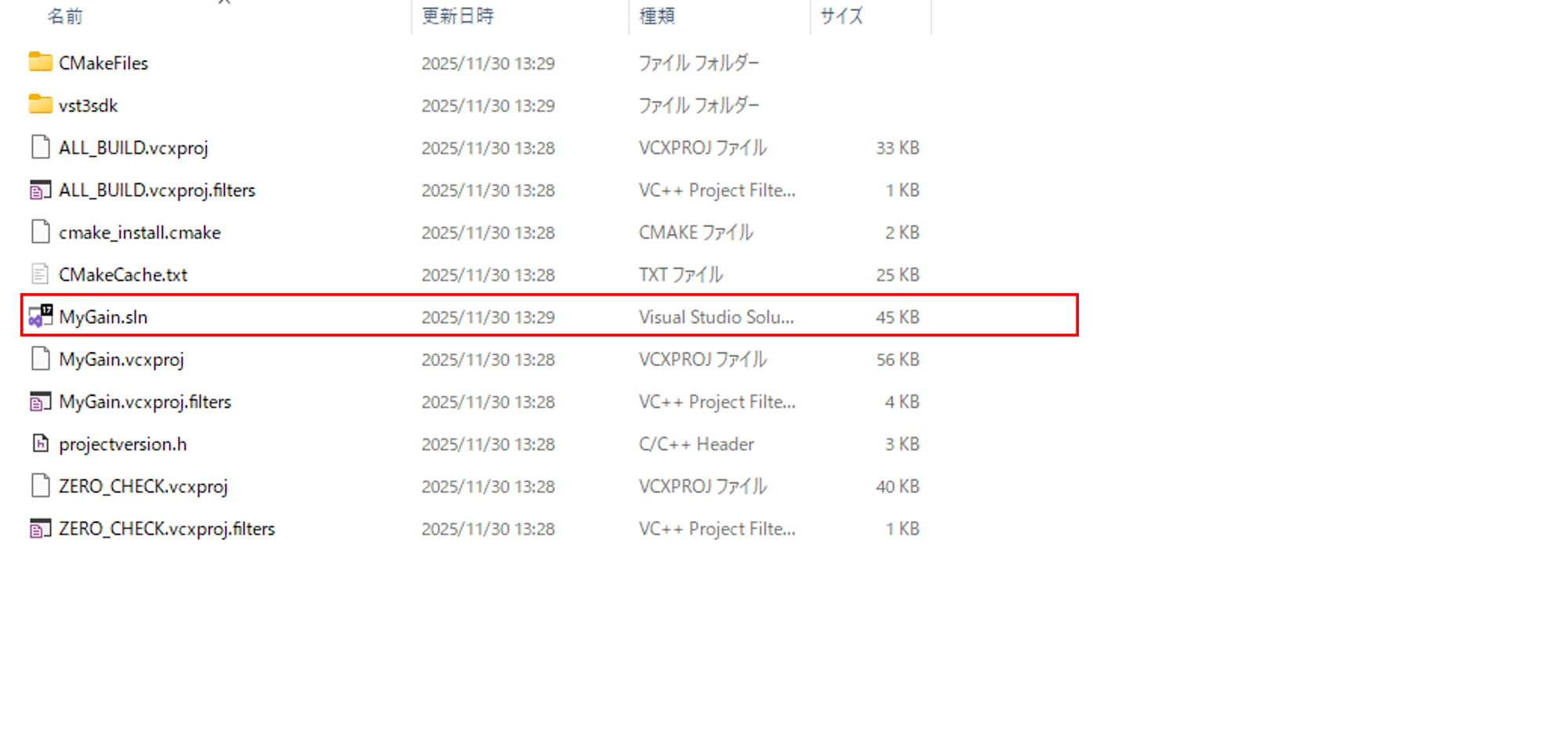
In this state, run the following in MyGain/build to create a Visual Studio Solution file:
cmake -G "Visual Studio 17 2022" -A x64 .. -DSMTG_CREATE_PLUGIN_LINK=OFF
Customizing Plugin Name and Vendor Name for MyGain
The plugin name and UI title are still AGain, so I changed the following three places:
-
againentry.cpp- #define stringPluginName "AGain VST3" + #define stringPluginName "MyGain"Additionally, if you comment out the side-chain version (
AGain SideChain), only MyGain will appear in the effects list.//---Second plug-in (AGain with sidechain (only component, use the same controller) included in this factory------- //DEF_CLASS2 (INLINE_UID_FROM_FUID(AGainWithSideChainProcessorUID), // PClassInfo::kManyInstances, // cardinality // kVstAudioEffectClass, // the component category (do not change this) // stringPluginSideChainName, // here the plug-in name (to be changed) // Vst::kDistributable, // means that component and controller could be distributed on different computers // AGainVST3Category, // Subcategory for this plug-in (to be changed) // FULL_VERSION_STR, // Plug-in version (to be changed) // kVstVersionString, // the VST 3 SDK version (do not change this, always use this define) // Steinberg::Vst::AGainWithSideChain::createInstance) // function pointer called when this component should be instantiated -
version.h- #define stringOriginalFilename "again.vst3" - #define stringFileDescription "AGain VST3-SDK (64Bit)" - #define stringCompanyName "Steinberg Media Technologies" + #define stringOriginalFilename "MyGain.vst3" + #define stringFileDescription "MyGain example VST3 plug-in (64-bit)" + #define stringCompanyName "Example Audio Labs" -
resource/again.uidesc
At the top, there's a title label withtitle="VST3 AGain", so replace this withtitle="MyGain". This will also change the title bar of the plugin window to MyGain.- <view back-color="Title Background" background-offset="0, 0" class="CTextLabel" default-value="0.5" font="~ NormalFontVeryBig" font-antialias="true" font-color="~ WhiteCColor" frame-color="Title Background" frame-width="1" max-value="1" min-value="0" mouse-enabled="true" opacity="1" origin="10, 10" round-rect-radius="10" shadow-color="~ RedCColor" size="310, 28" style-3D-in="false" style-3D-out="false" style-no-draw="false" style-no-frame="false" style-no-text="false" style-round-rect="true" style-shadow-text="false" text-alignment="center" text-inset="0, 0" text-rotation="0" title="VST3 AGain" transparent="false" value-precision="2" wheel-inc-value="0.1"/> + <view back-color="Title Background" background-offset="0, 0" class="CTextLabel" default-value="0.5" font="~ NormalFontVeryBig" font-antialias="true" font-color="~ WhiteCColor" frame-color="Title Background" frame-width="1" max-value="1" min-value="0" mouse-enabled="true" opacity="1" origin="10, 10" round-rect-radius="10" shadow-color="~ RedCColor" size="310, 28" style-3D-in="false" style-3D-out="false" style-no-draw="false" style-no-frame="false" style-no-text="false" style-round-rect="true" style-shadow-text="false" text-alignment="center" text-inset="0, 0" text-rotation="0" title="MyGain" transparent="false" value-precision="2" wheel-inc-value="0.1"/>
Building and Verifying MyGain
When built with Release x64, MyGain.vst3 is generated in build/VST3/Release.
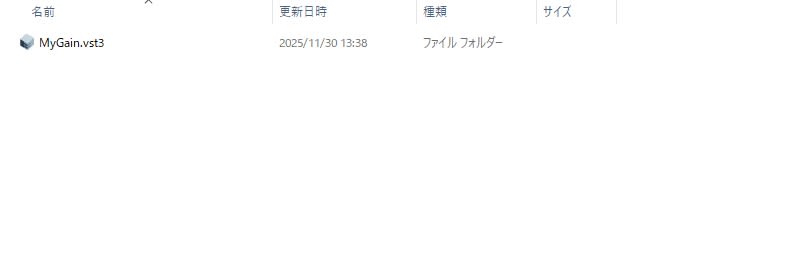
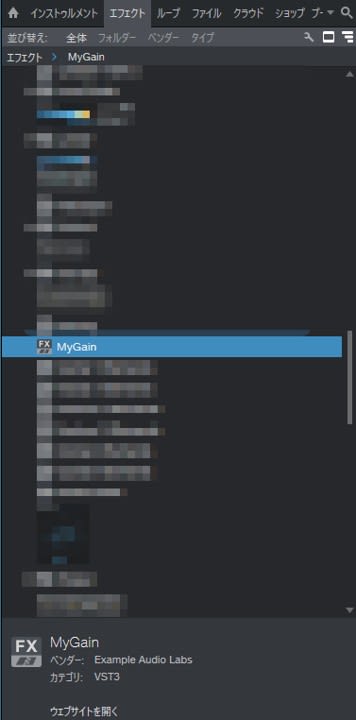
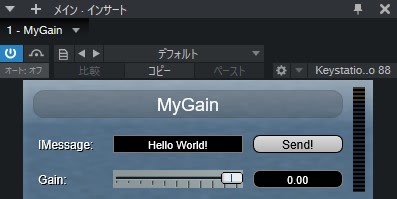
Copy MyGain.vst3 to the VST3 folder, restart your DAW, and you'll achieve the following state:
- "MyGain" appears in the effects list
- The vendor name is
Example Audio Labs(the string specified in version.h) - The GUI title is also
MyGain
The DSP inside is still the same gain processing as the sample, but once you reach the point where "a VST3 plugin with your own name loads into the DAW," it becomes easier to move on to the next step (replacing the DSP, adding parameters, etc.).
Conclusion
In this article, I organized the rough structure of VST3 plugins and the main differences from VST2, while introducing the procedure to build a VST3 plugin called MyGain based on the official sample AGain. With the MIT licensing of the VST3 SDK, it has become a very accessible open development platform at the code level, significantly lowering the barrier to entry for both hobbyists and commercial developers. Why not take your first step into VST3 development by starting with running a sample as-is and gradually changing the name and parameters as we did today?