
I tried retrieving schedule items with Google Calendar connector in Claude Code

This page has been translated by machine translation. View original
Introduction
I'm kasama from the Data Business Division.
With Claude Code v2.1.46 (released February 17, 2026), connectors added in Claude.ai can now be used in Claude Code as well. This means connectors like Google Calendar can be used in Claude Code. Today, I'd like to try retrieving calendar events using this Google Calendar connector.
Prerequisites
What is the Google Calendar Connector?
The Google Calendar connector allows Claude to retrieve, create, update, and delete events in Google Calendar. It is developed by Google.
To use it in Claude Code, you need to be logged in with a paid Claude plan account (Pro/Max/Team, etc.). The official documentation states:
If you've logged into Claude Code with a Claude.ai account, MCP servers you've added in Claude.ai are automatically available in Claude Code
How It Works
Connectors use MCP to connect Claude Code with external services. According to the Connectors Directory FAQ, in the case of Claude Code, your PC connects directly to the MCP server. OAuth is used for authentication with MCP servers that require it.
Setup
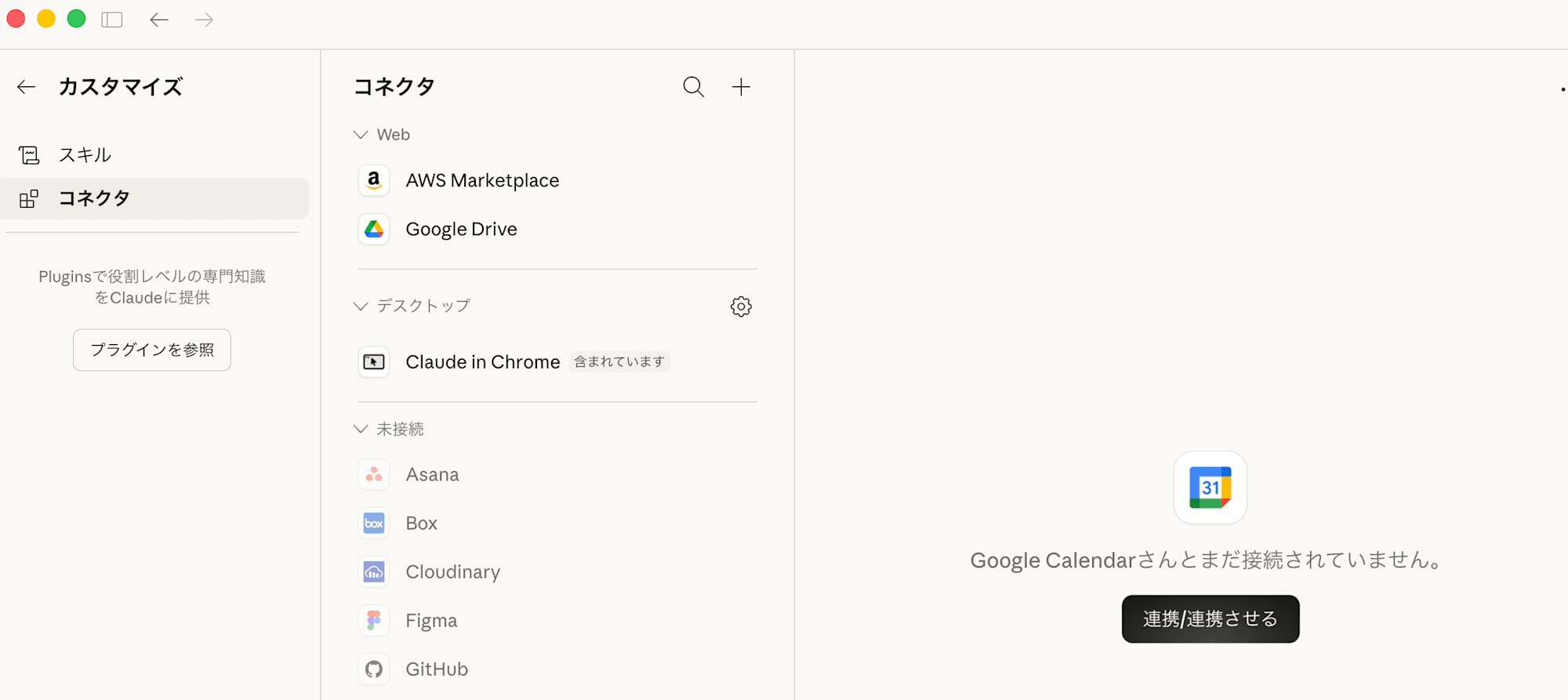
First, add Google Calendar in the settings screen (settings/connectors) of Claude Web or Claude Desktop.
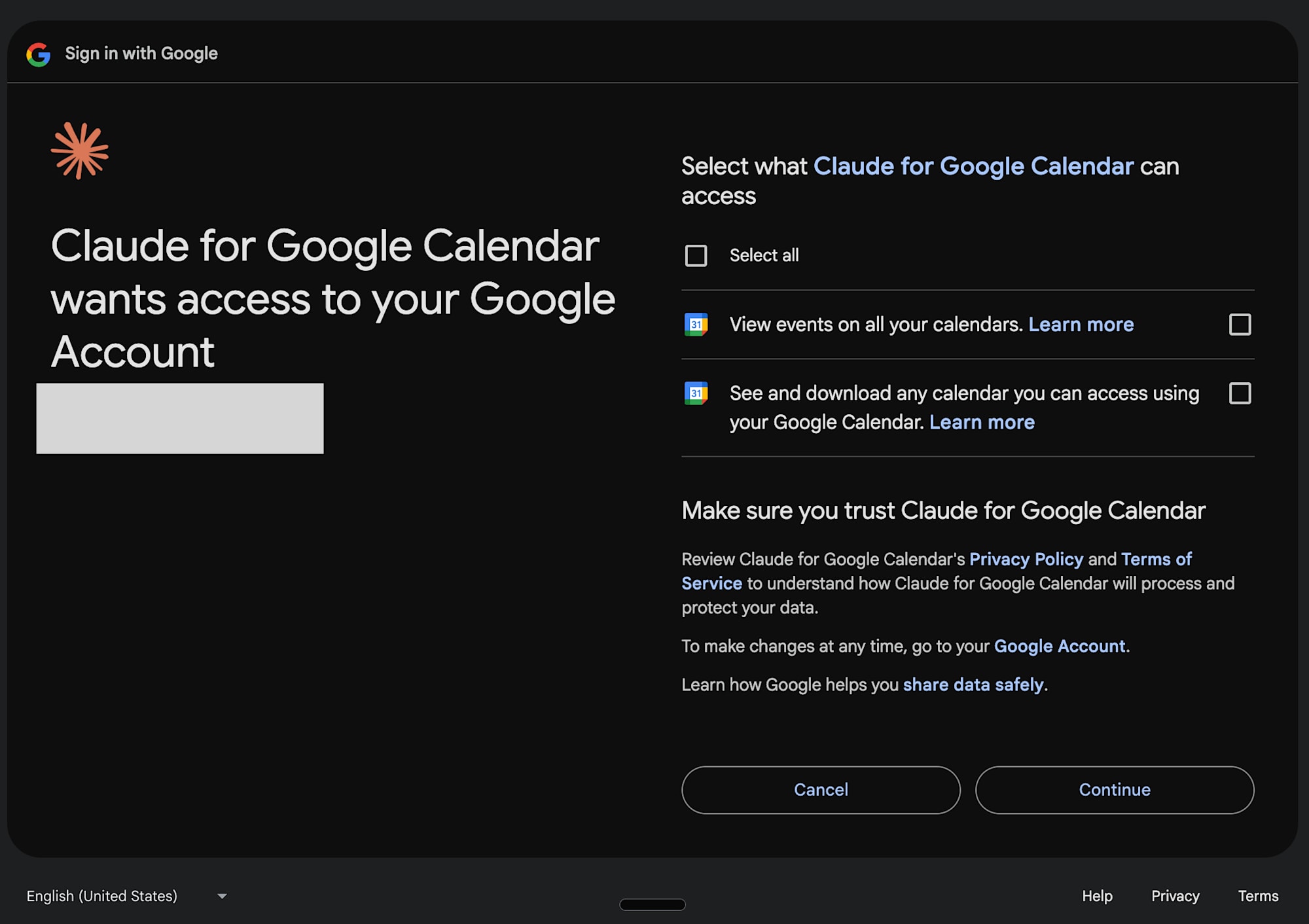
The browser will automatically redirect, and you'll need to authorize your Google account.
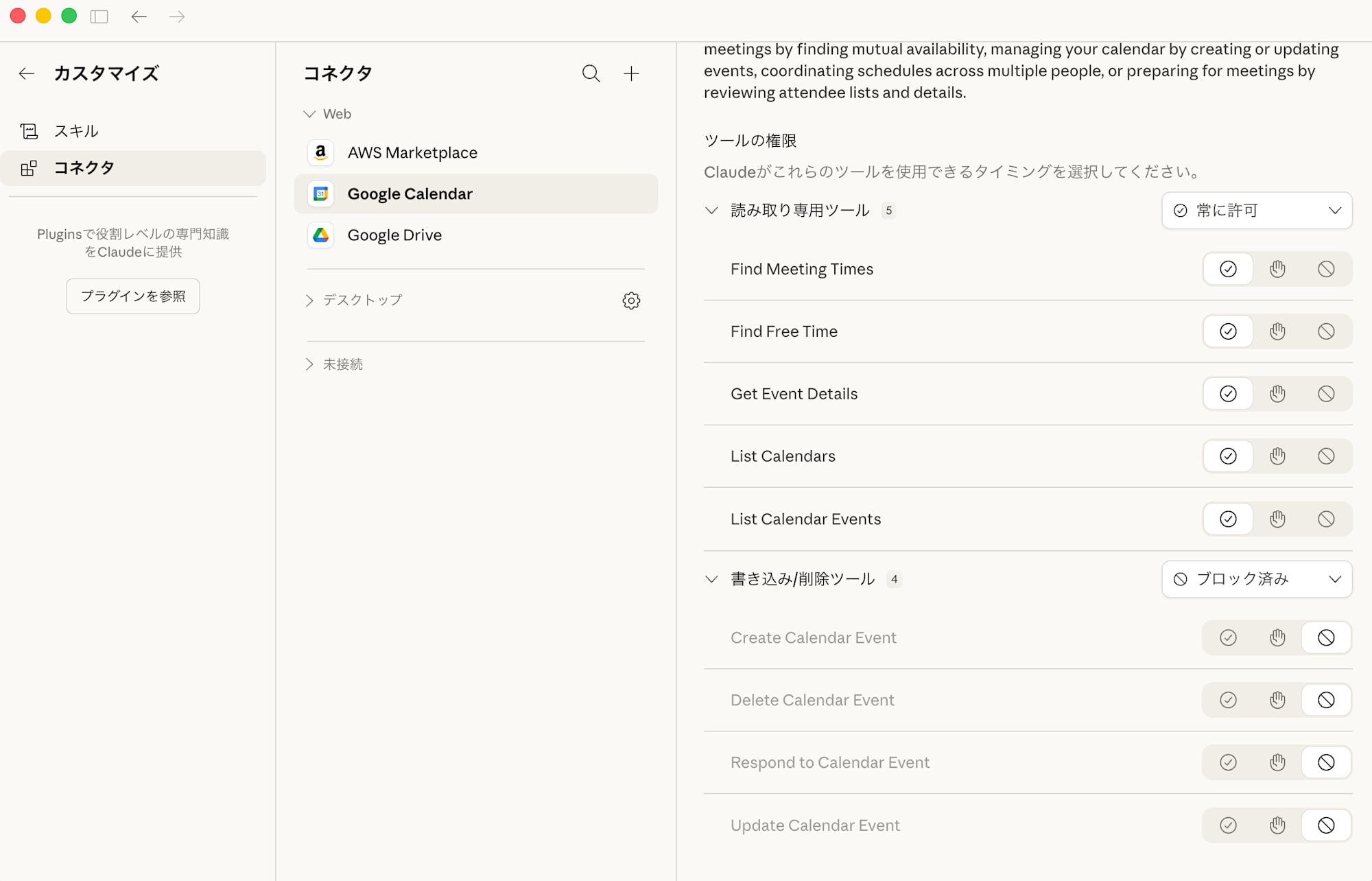
After authorization, you can configure the tool's permissions. Since I don't need write access, I blocked everything.
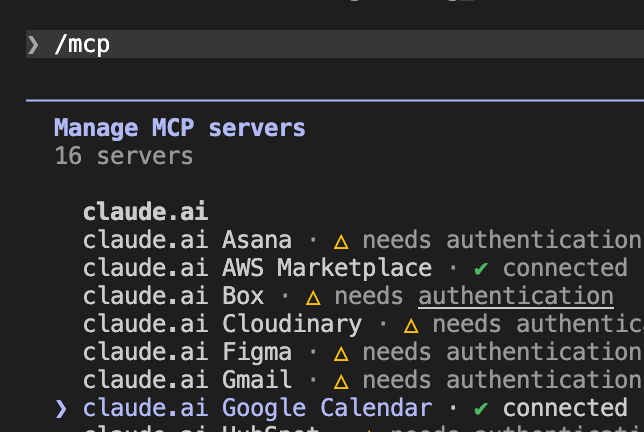
I launched Claude Code, executed the /mcp command, and confirmed that the Google Calendar connector was showing as connected.
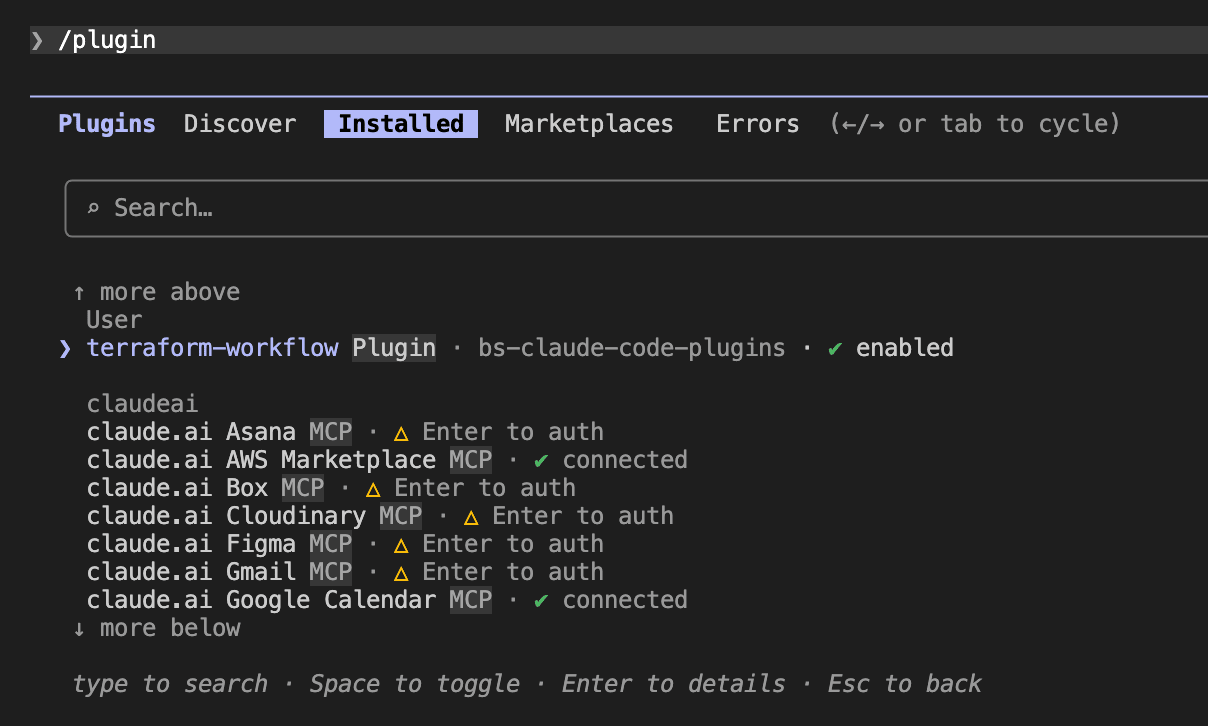
MCP servers added in Claude.ai appear as claudeai in Claude Code's /plugin screen.
Testing It Out
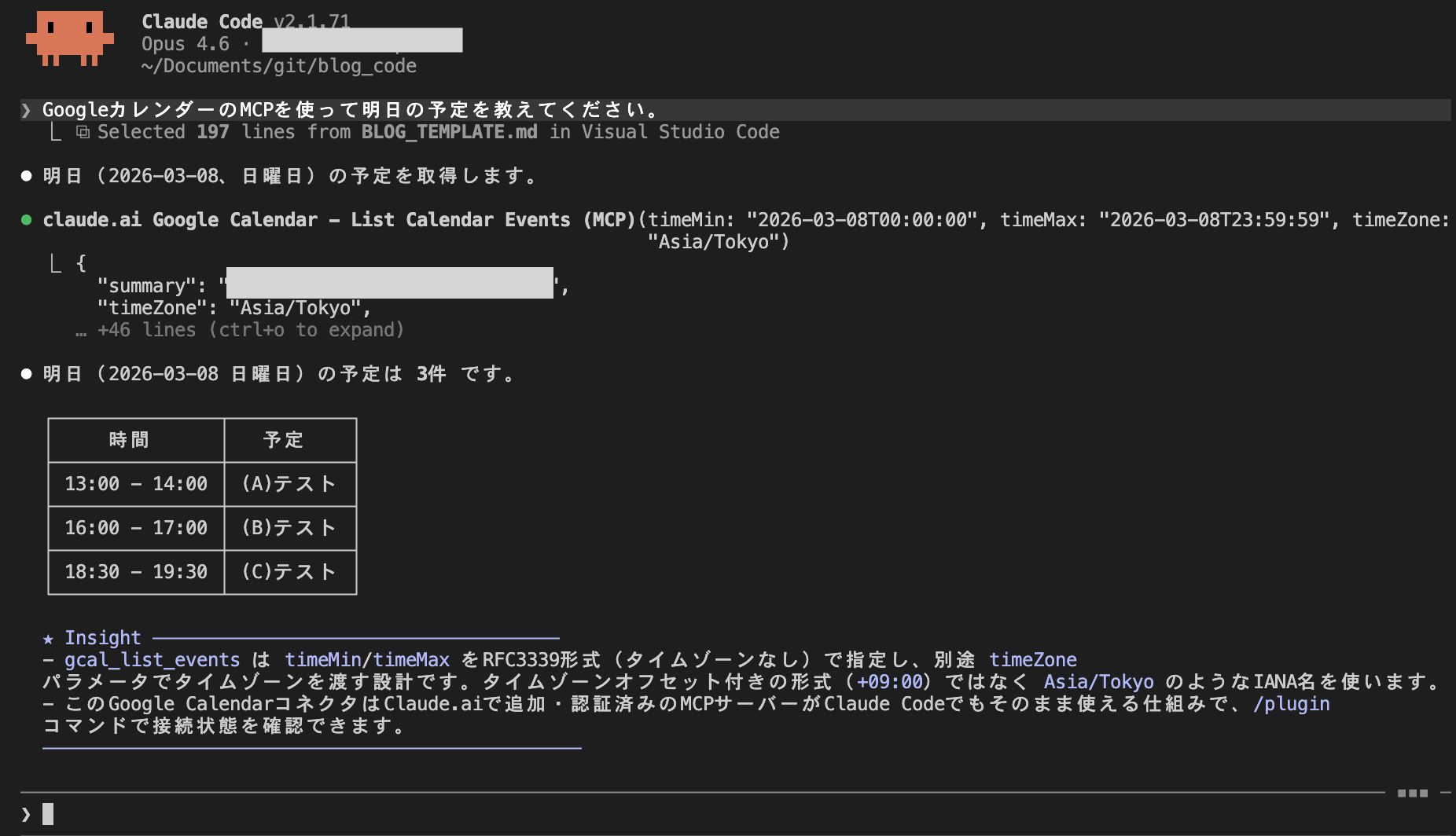
I asked Claude Code to "show me tomorrow's schedule."
The calendar events came back without any issues!
Security Considerations
Calendar data retrieved through connectors may include content you didn't create yourself, such as invitation events from external sources.
If malicious instructions are embedded in an event's description, Claude might read them and attempt to execute commands using Bash tools, etc. (indirect prompt injection).
In Claude Code, a confirmation prompt is displayed by default before executing tools, allowing you to reject suspicious operations.
Countermeasures
- Don't disable confirmation prompts: Using options like
--dangerously-skip-permissionsfor automatic approval could allow malicious commands to execute - Be cautious of suspicious calendar invitations: Event descriptions from external invitations could contain prompt injections
- Don't use connectors in environments with strict security requirements: Depending on your risk tolerance, disabling connectors entirely may be an option
Security company LayerX has reported similar vulnerabilities for Claude Desktop Extensions (DXT).
Conclusion
I tried retrieving calendar events using Claude Code's Google Calendar MCP connector.
Traditionally, using the Google Calendar API required creating a Google Cloud project and setting up OAuth client IDs, but with connectors, these developer-side setups are no longer necessary—you can start using it just by authorizing your Google account. On the other hand, since the structure allows LLMs to read external data, be aware of indirect prompt injection risks and keep the above countermeasures in mind. I hope this information is helpful.