
Internal Claude Code Plugin: Referencing and distributing plugins from separate repositories in the marketplace

This page has been translated by machine translation. View original
Using the Claude Code Plugin Marketplace, you can distribute skills and MCP servers collectively within your team.
However, when all plugins coexist and are consolidated in a single marketplace repository, management tends to become complicated. Plugins with different domains and categories get mixed together, and the scope of maintainer responsibilities becomes ambiguous.
Upon investigation, I found that external repositories can be referenced through the source field in marketplace.json. This allows distributing plugins through a single marketplace while keeping repositories separate.
In this article, I'll introduce how to distribute skills from separate repositories through an internal marketplace.
Claude Code Plugins and Marketplace
Claude Code plugins are a mechanism for packaging and distributing skills, MCP servers, hooks, agents, commands, etc. as a bundle.
The basic structure of a plugin is as follows:
my-plugin/
├── .claude-plugin/
│   └── plugin.json       # Plugin definition (name, description, version)
├── skills/               # Skills
├── agents/               # Agents
├── commands/             # Commands
├── hooks/                # Hooks
└── .mcp.json             # MCP server configuration
The marketplace is a mechanism for listing, managing, and distributing multiple plugins as a catalog. The marketplace itself doesn't contain the contents of plugins; it only points to "where each plugin is located." Plugin listings are defined in .claude-plugin/marketplace.json. Users can register a marketplace with /plugin marketplace add and install individual plugins with /plugin install.
Referencing Plugins from Different Repositories
In the plugins array of marketplace.json, you specify the location of the source for each plugin in the source field. Multiple source types are supported, not just relative paths within the same repository ("./") but also external repositories.
The following source types are supported (official documentation):
| Source | Type | Description |
|---|---|---|
| Relative path | string |
Directory within the marketplace repository ("./") |
github |
object |
GitHub repository (owner/repo format) |
url |
object |
Git repository URL (ending with .git) |
git-subdir |
object |
Subdirectory within a Git repository |
npm |
object |
npm package |
pip |
object |
pip package |
For example, using a url source allows you to reference external repositories via HTTPS. Here's an example with GitHub:
{
  "name": "my-external-plugin",
  "description": "External plugin from another repository",
  "source": {
    "source": "url",
    "url": "https://github.com/{owner}/{repo}.git"
  }
}
You can also pin to specific branches, tags, or commits using the ref or sha fields. (Default is the repository's default branch)
Testing It Out
I'll distribute skills from a separate repository via the marketplace using these two repositories:
| Repository | Role |
|---|---|
sample-cc-marketplace |
Main marketplace. Users only need to register this |
sample-cc-plugin |
External plugin (containing one sample skill) |
Plugin Repository Configuration
First, I add a plugin structure to the external plugin repository sample-cc-plugin.
sample-cc-plugin/
├── .claude-plugin/
│   └── plugin.json
└── skills/
    └── joke/
        └── SKILL.md
Define the plugin name and description in plugin.json:
{
  "name": "sample-tools-from-other-repo",
  "description": "Sample Claude Code skill plugin",
  "version": "1.0.0"
}
Write the skill content in SKILL.md. I created a simple joke-telling skill:
---
description: Tell the user a funny joke
---

Tell the user a light-hearted, funny joke to brighten their day.
Marketplace Configuration
Next, in the marketplace repository sample-cc-marketplace, I add a reference to the external repository in marketplace.json.
Add a source: url entry in the plugins array, specifying the HTTPS Git URL:
{
  "name": "sample-marketplace",
  "owner": { "name": "{owner-name}" },
  "plugins": [
    {
      "name": "sample-tools-from-other-repo",
      "description": "Sample plugin from external repository (sample-cc-plugin)",
      "source": {
        "source": "url",
        "url": "https://github.com/{owner}/sample-cc-plugin.git"
      }
    }
  ]
}
Installing and Using
Launch Claude Code, run /plugin, then select [Marketplaces > + Add Marketplace].
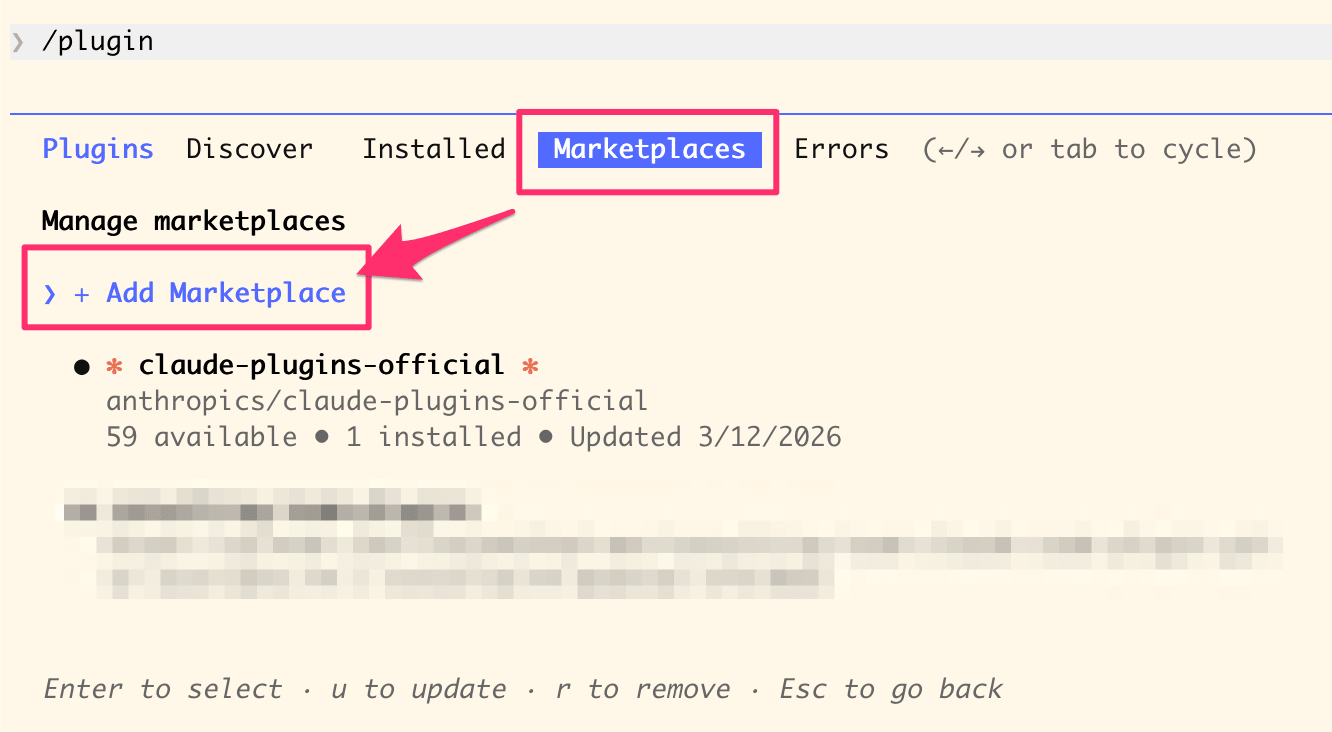
Select "+ Add Marketplace" from the Marketplaces tab
Enter the marketplace URL (https://github.com/{owner}/{repo}) and press Enter.
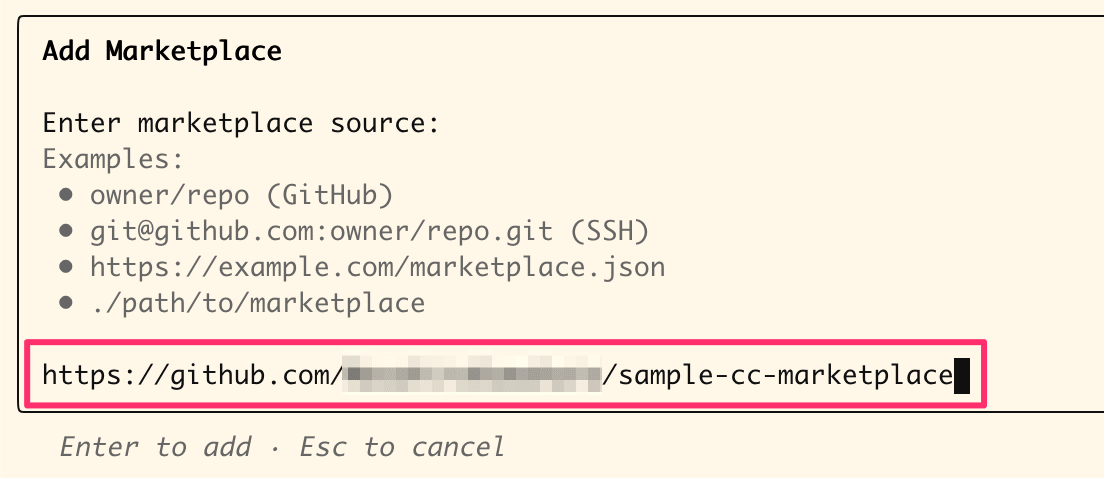
Enter the marketplace repository URL
The marketplace is now registered. Let's browse (Browse plugins). I can see the tool (sample-tools-from-other-repo) from the plugin repository.
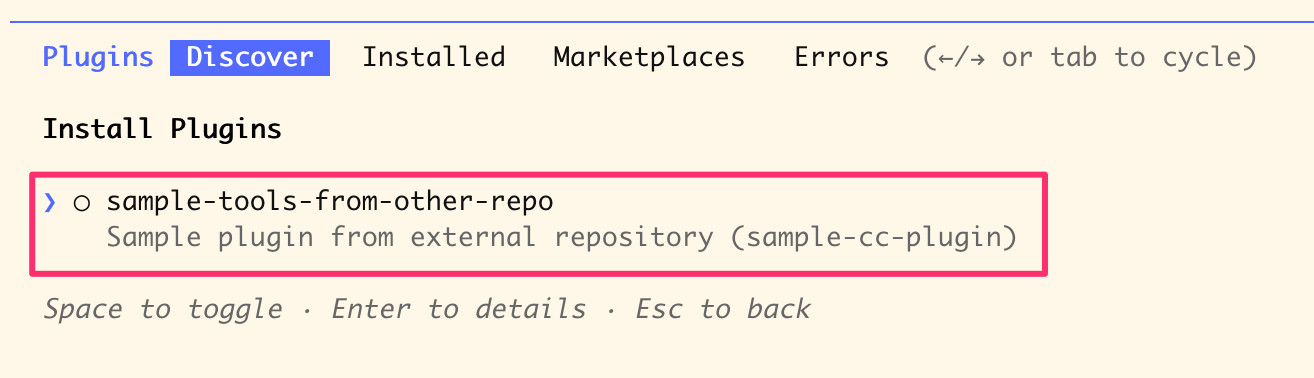
External repository plugin displayed in the Discover tab
After installation, I confirmed the skill execution works.
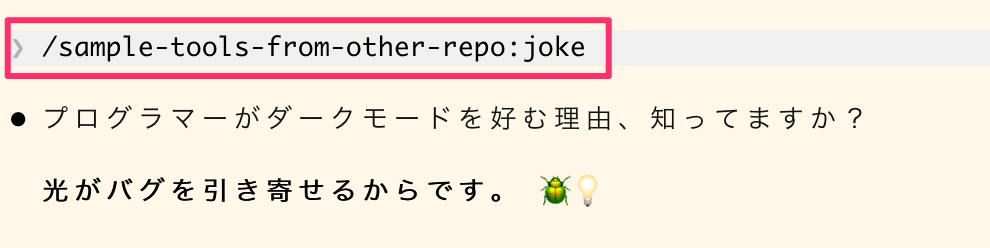
Result of executing the joke skill from the external plugin
Conclusion
I demonstrated setting up a marketplace and plugins across multiple repositories. I used the url source in this example, but external repositories can also be referenced using github or git-subdir sources.
For small teams, a single repository setup might work fine, but as the scale increases, it makes sense to separate repositories and manage plugins by domain or category. Assigning maintainers to each repository clarifies areas of responsibility.
| Repository Example | Role | Maintainer |
|---|---|---|
| Main marketplace | Catalog management in marketplace.json |
Marketplace admin team |
| Preset/proposal support plugin | Develop skills and commands useful for presets/proposals | Team strong with presets |
| Terraform support plugin | Develop skills and commands useful for Terraform coding | Team strong with Terraform |
| Writing support plugin | Develop skills and commands useful for writing | Team that writes frequently |
| ... | ... | ... |
I hope this has been helpful.