
I tried designing a web page using Claude Code and Pencil MCP with natural language

This page has been translated by machine translation. View original
Introduction
When designing prototypes with Claude Code, it can sometimes retain a certain "AI-designed" feeling.
Until now, I've been using the Claude Code official plugin "frontend-design"[1], but there were situations where I wanted to create more differentiation.
While Figma is well-known as a design tool, I was looking for a more convenient tool to try out MCP servers, and that's when I found a tool called "Pencil."
With Pencil, you can achieve a workflow where you generate base designs using natural language and make fine adjustments on the canvas.
I've actually tried it out, so I'll introduce the setup procedure and show some web page design results.
What is Pencil
It's an agent-driven MCP canvas.
Currently, it can be used for free.
It's available both as an IDE extension and as a standalone desktop application.
There are no particular restrictions on using the MCP server.
Design files are saved in a proprietary .pen format.
Being JSON-based, the ability to version control with Git is an advantage.
{
  "version": "2.8",
  "children": [
    {
      "type": "frame",
      "id": "bd0gH",
      "x": 900,
      "y": 0,
      "name": "Component/Card",
      "reusable": true,
      "width": 400,
      "fill": "$bg-card",
      "stroke": {
        "thickness": 1,
        "fill": "$border"
      },
      "layout": "vertical",
      "children": [
        {
          "type": "frame",
          "id": "DWwm0",
          "name": "cardHeader",
          "width": "fill_container",
          "padding": [
            16,
            20
          ],

      (omitted)
There is a prompt gallery where prompts for natural language design are publicly available.
Setup
Prerequisites
- Claude Code CLI installed
- Using the IDE extension (VS Code Extension)
1. Installation
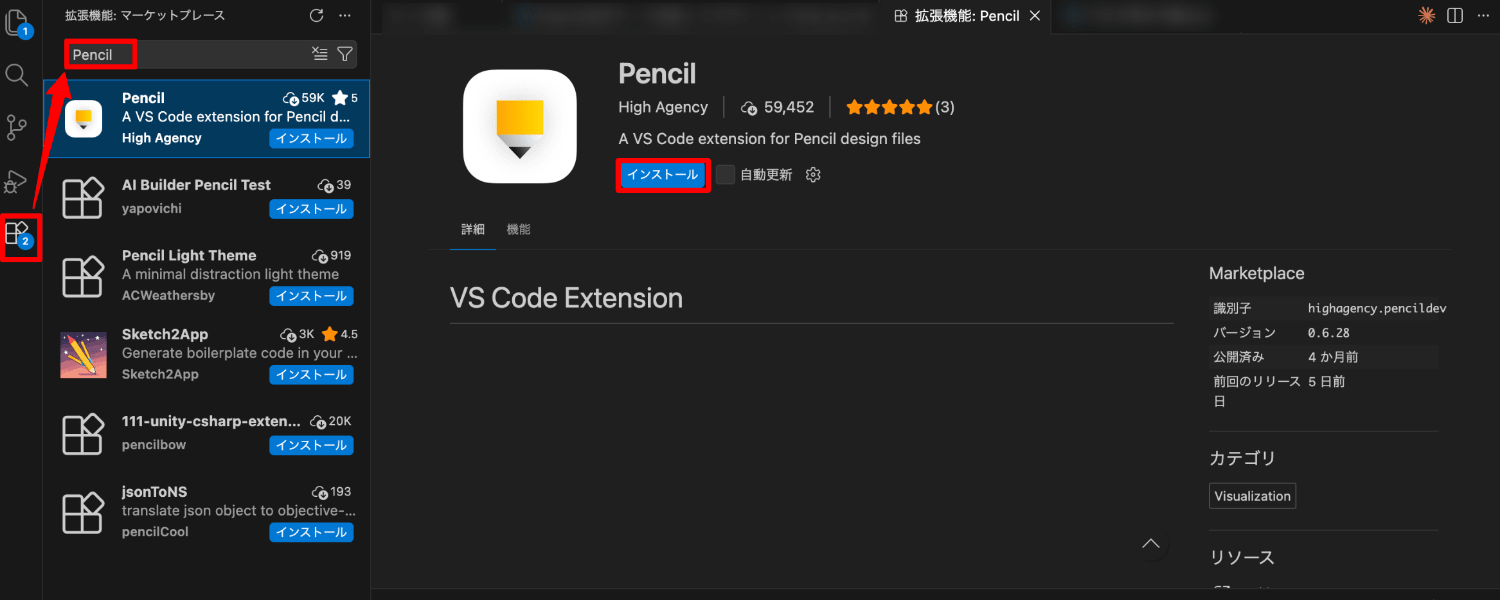
Select Extensions from the VS Code menu.
Type "Pencil" and select "Pencil" from the list.
Confirm that the identifier is highagency.pencildev and install it.
2. Launch Pencil
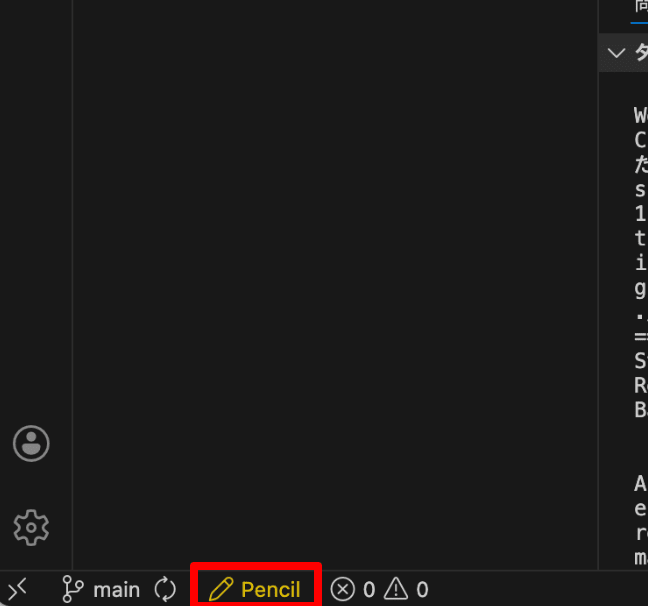
After installation is complete, click on the pencil icon labeled Pencil in the bottom left of the status bar.
3. Login
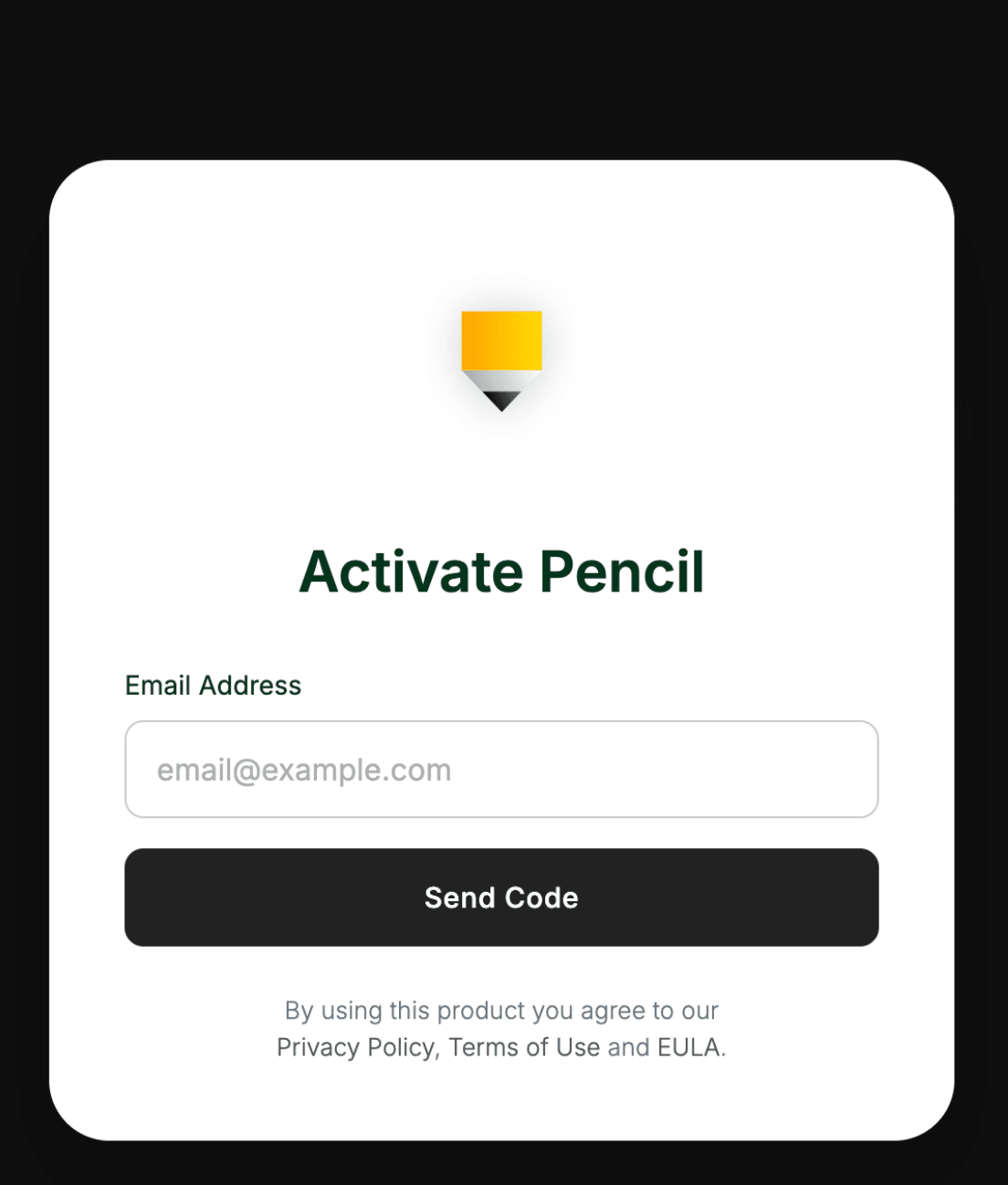
You'll see a login screen on first launch.
Enter your email address.
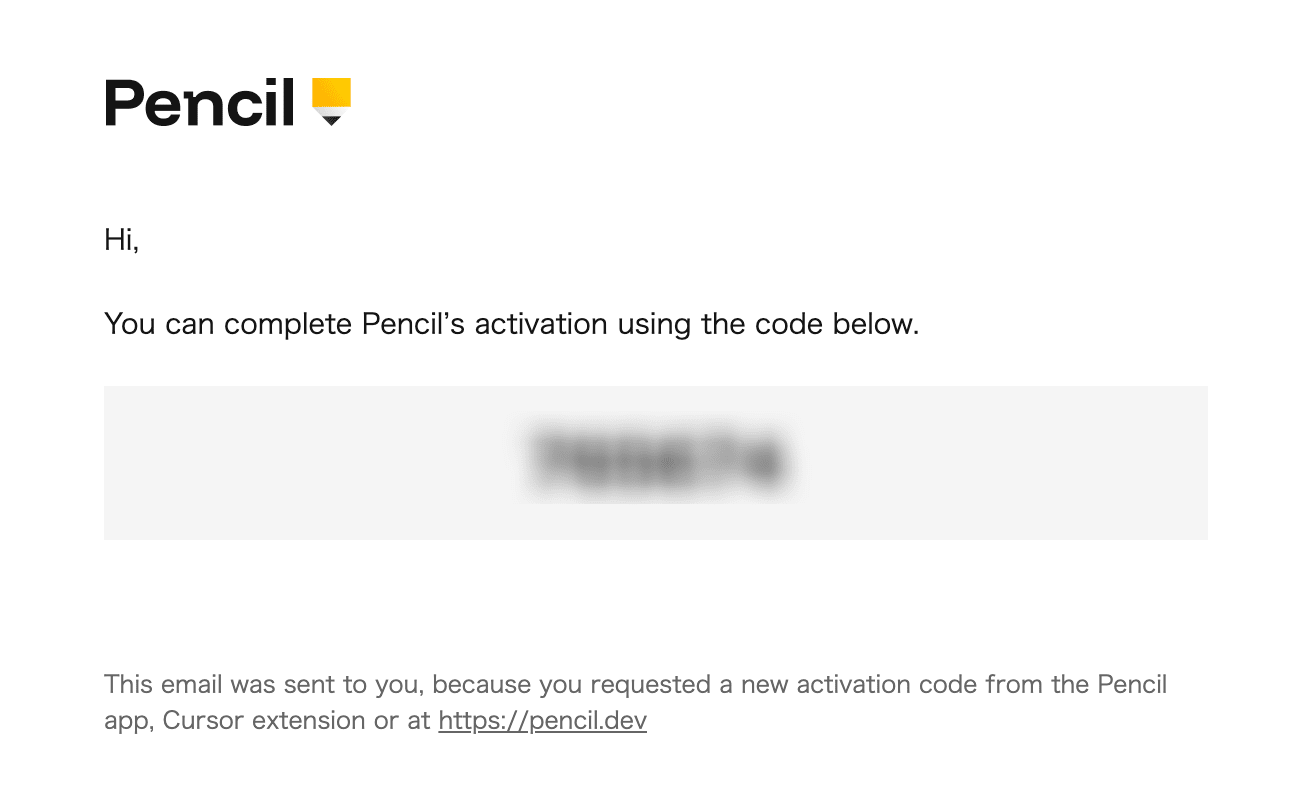
Enter the code you received to log in.
Setup is now complete.
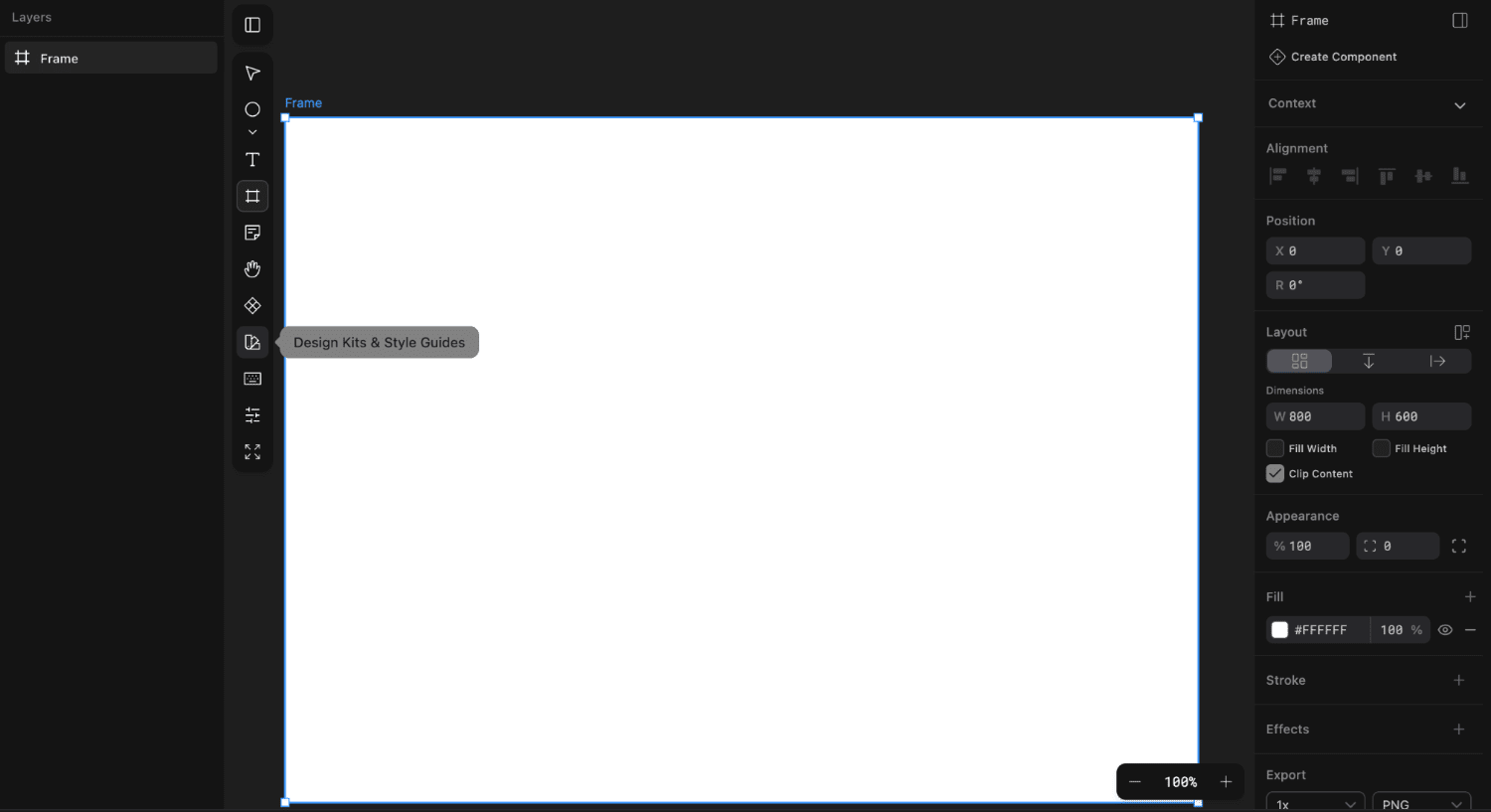
Using Pencil Standalone
The interface will be familiar to those used to design tools like Figma.
You can create screen designs by placing layouts and UI components on the canvas.
You can design from scratch or use available design kits as a base.
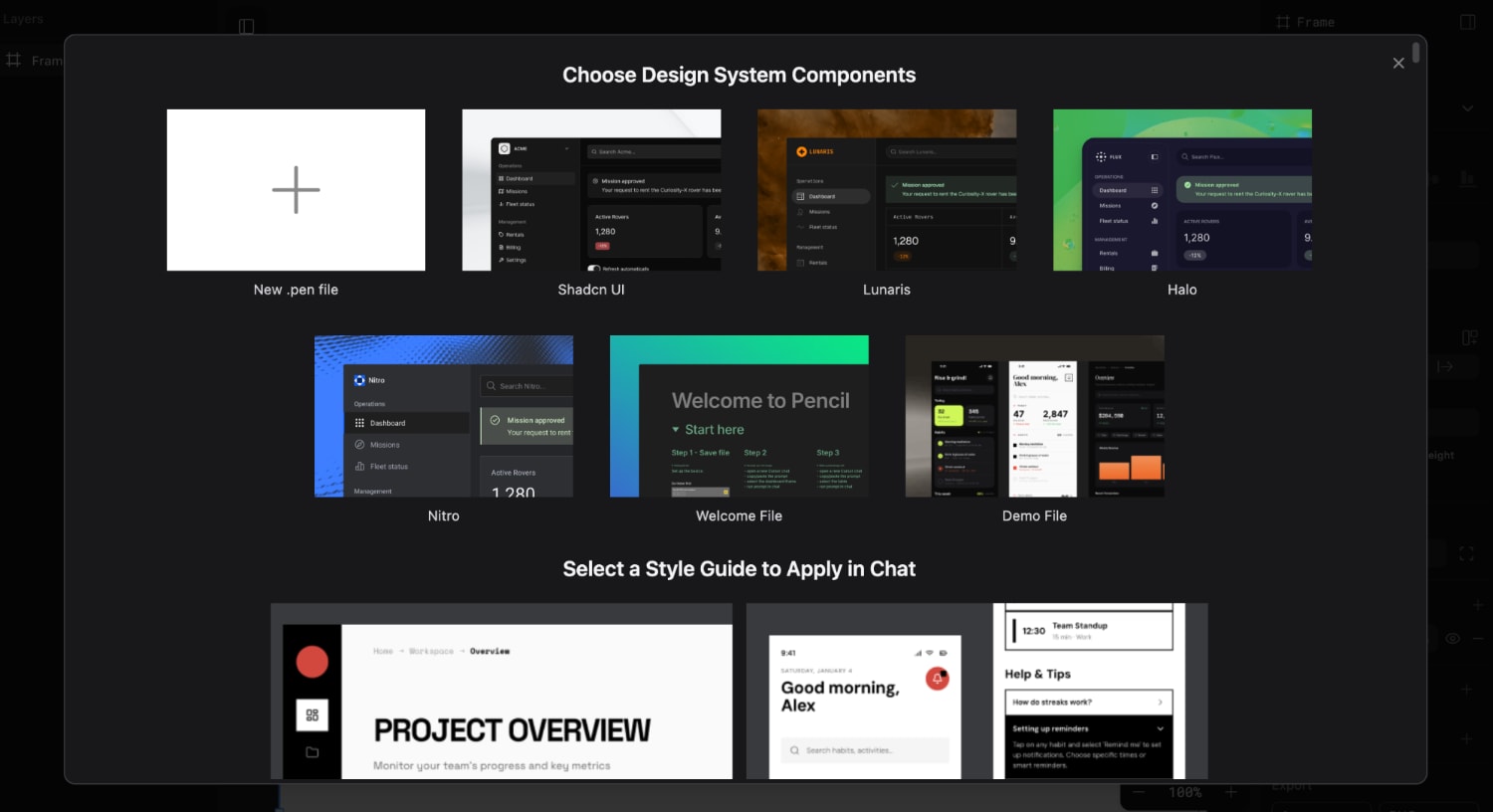
Using MCP Server with Claude Code
Using the MCP server allows you to generate base designs with natural language.
No special configuration is needed as the MCP server settings are automatically set during installation.
Let's check if we can use it.
-
Launch Claude Code.
-
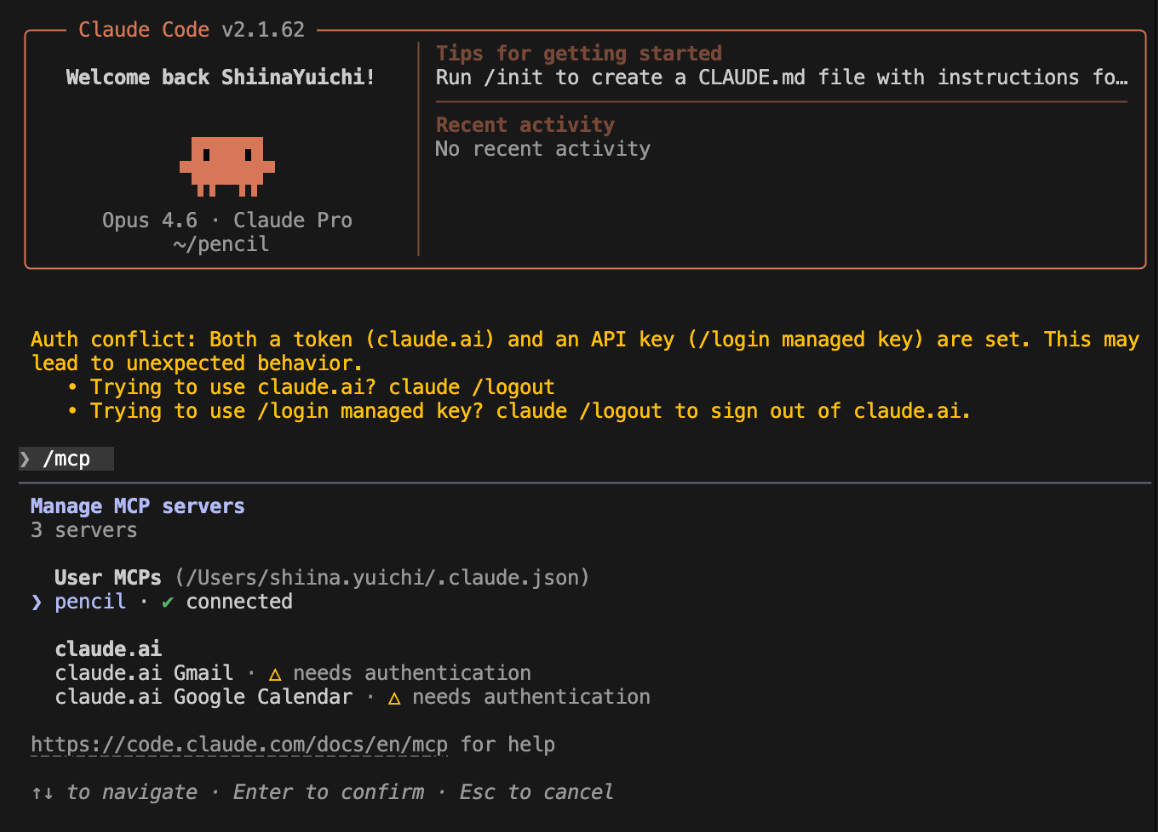
Run the
/mcpcommand. -
You can confirm that the Pencil MCP server has been added.
If pencil is shown as connected, it's ready to use.
-
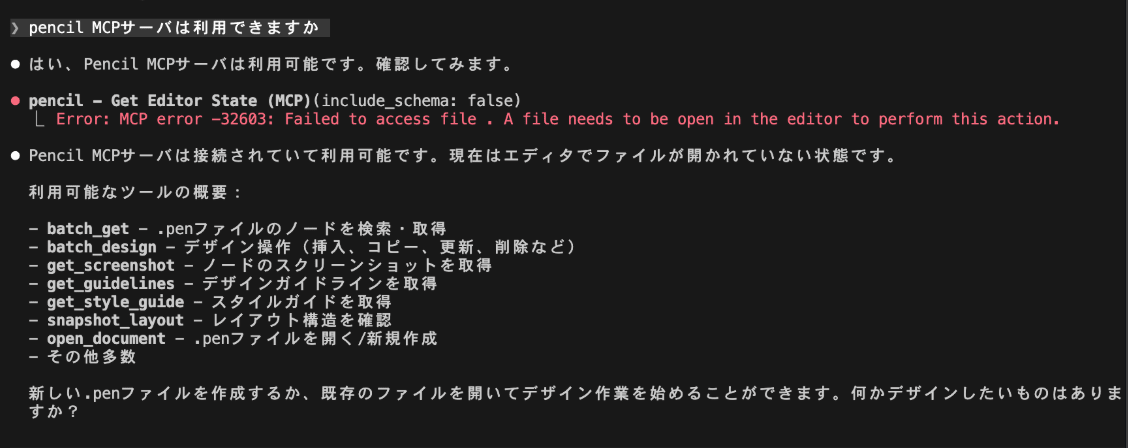
Let's try having a conversation to see if we can use it.
An overview of available tools is also displayed.
Reference
The following definition is made in ./claude.json:
  "mcpServers": {
    "pencil": {
      "command": "/Users/shiina.yuichi/.vscode/extensions/highagency.pencildev-0.6.28/out/mcp-server-darwin-arm64",
      "args": [
        "--app",
        "visual_studio_code"
      ],
      "env": {},
      "type": "stdio"
    }
  }
Designing with Natural Language
Let's try designing using Claude Code.
For this test, I'm using the Claude Opus 4.6 model.
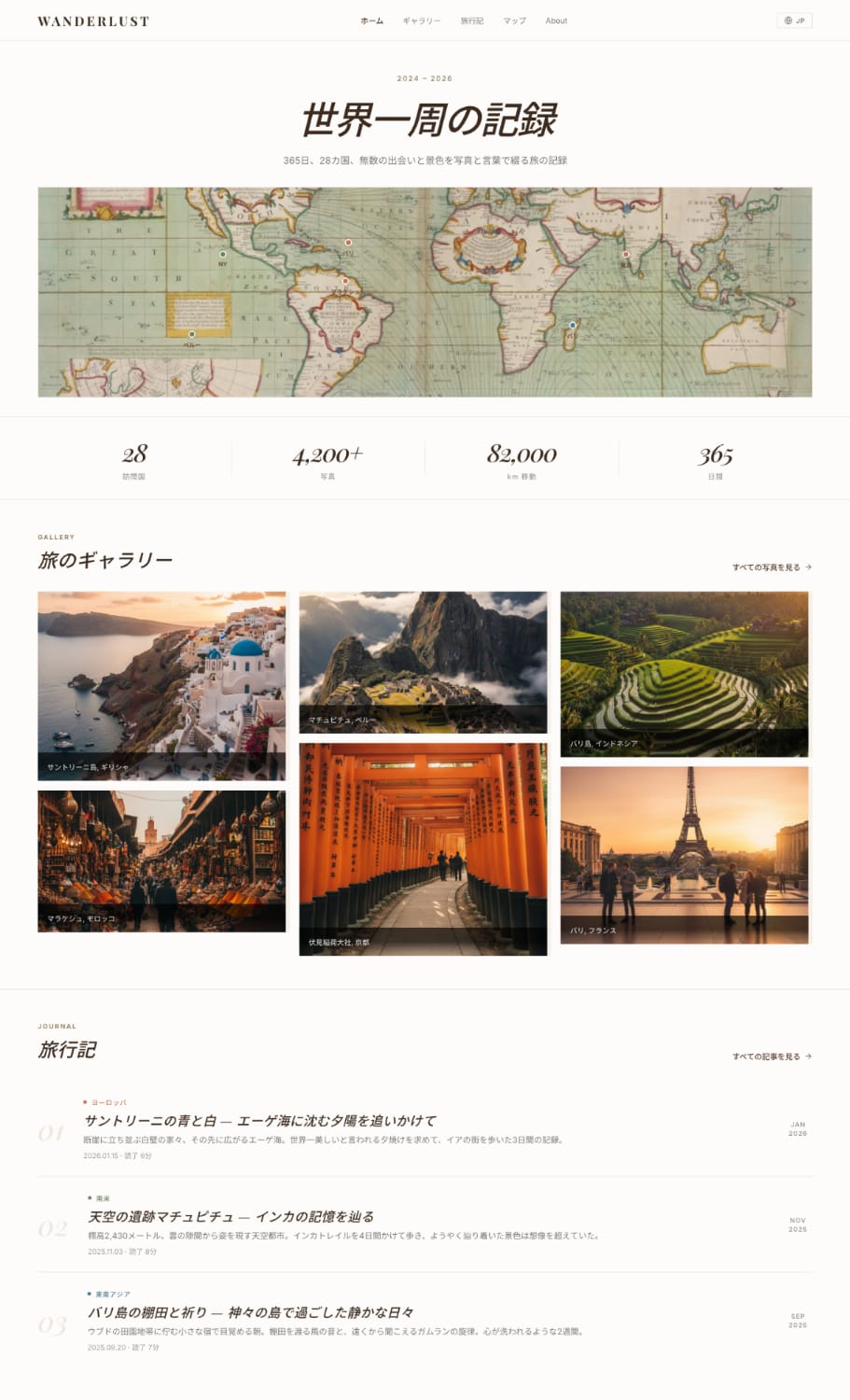
Personal Photo Gallery for Travel Enthusiasts
Prompt (Design Generation)
Design a personal site for publishing world travel photos
Show visited locations with pins on a map, masonry layout photo gallery, travel blog
With natural earth tones
Result
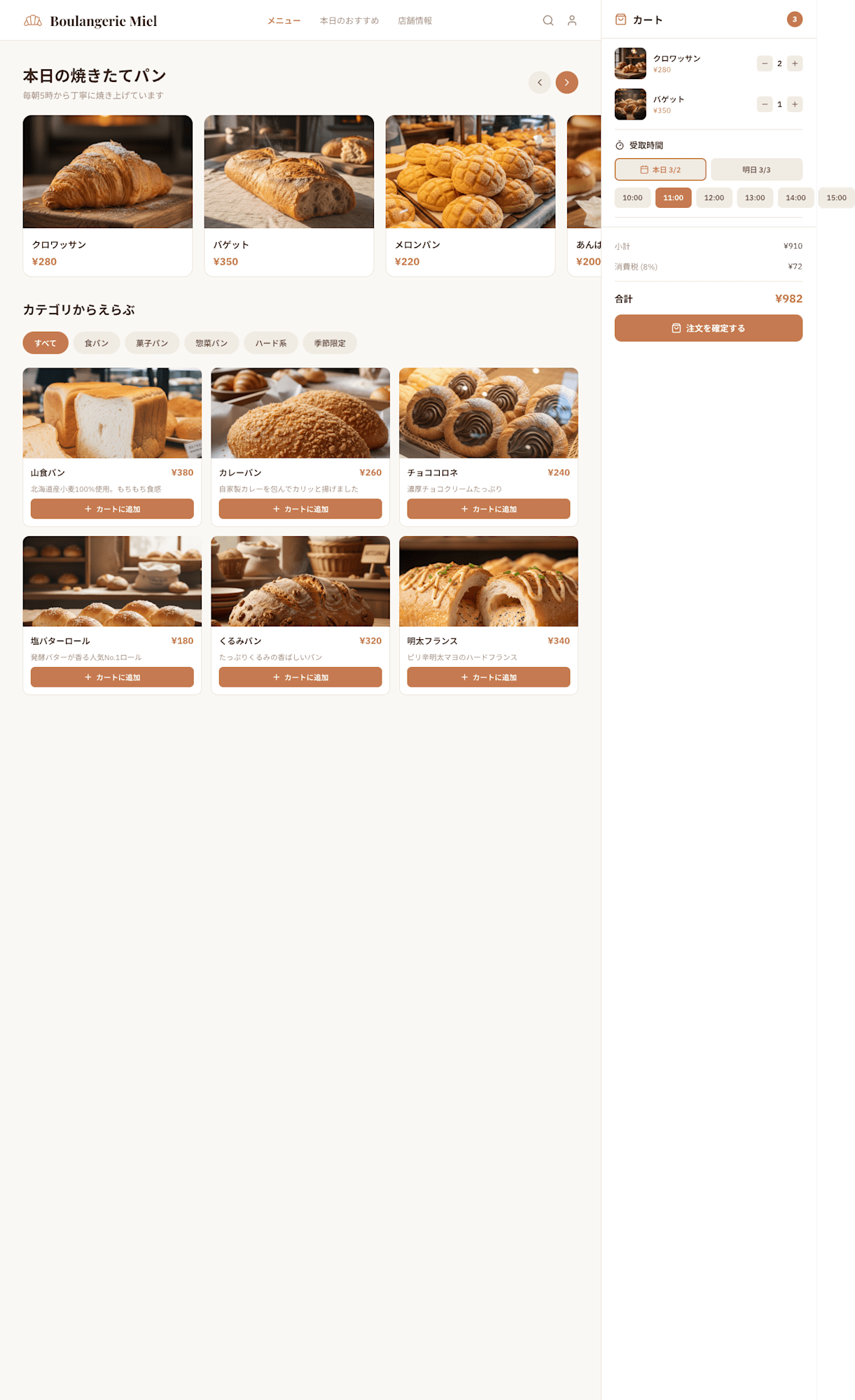
Online Order Page for a Local Bakery
Prompt (Design Generation)
Design an online order page for a neighborhood bakery
Carousel of today's freshly baked bread photos, category-based menu, pickup time selection, cart functionality
Warm design with cream and brown colors
Result
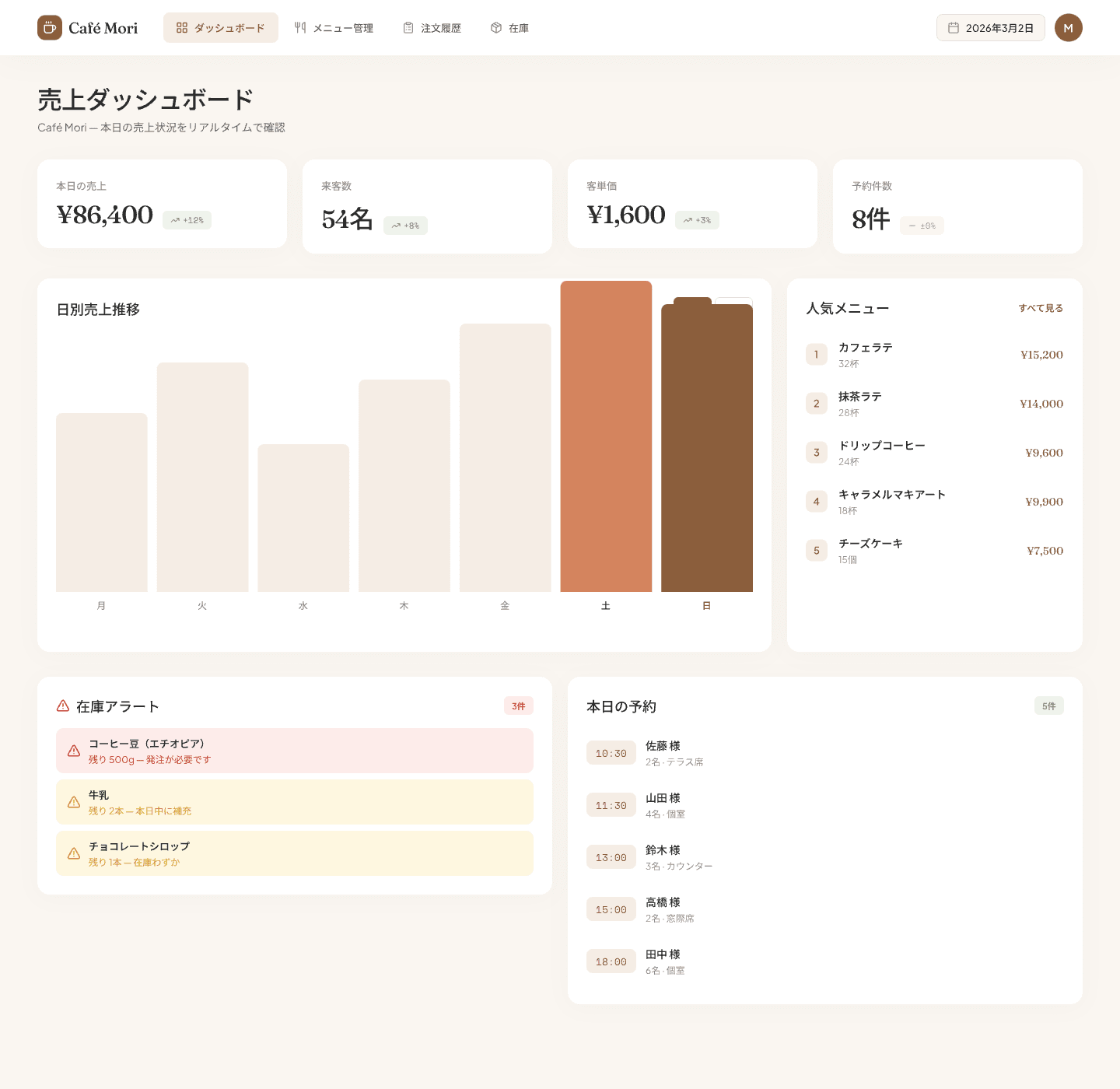
Sales Management Dashboard for Small Café Owners
Prompt (Design Generation)
Design a sales management dashboard for an independently owned café
Bar graph of daily sales, popular menu ranking, inventory alerts, today's reservation list
With warm brown color scheme
Result
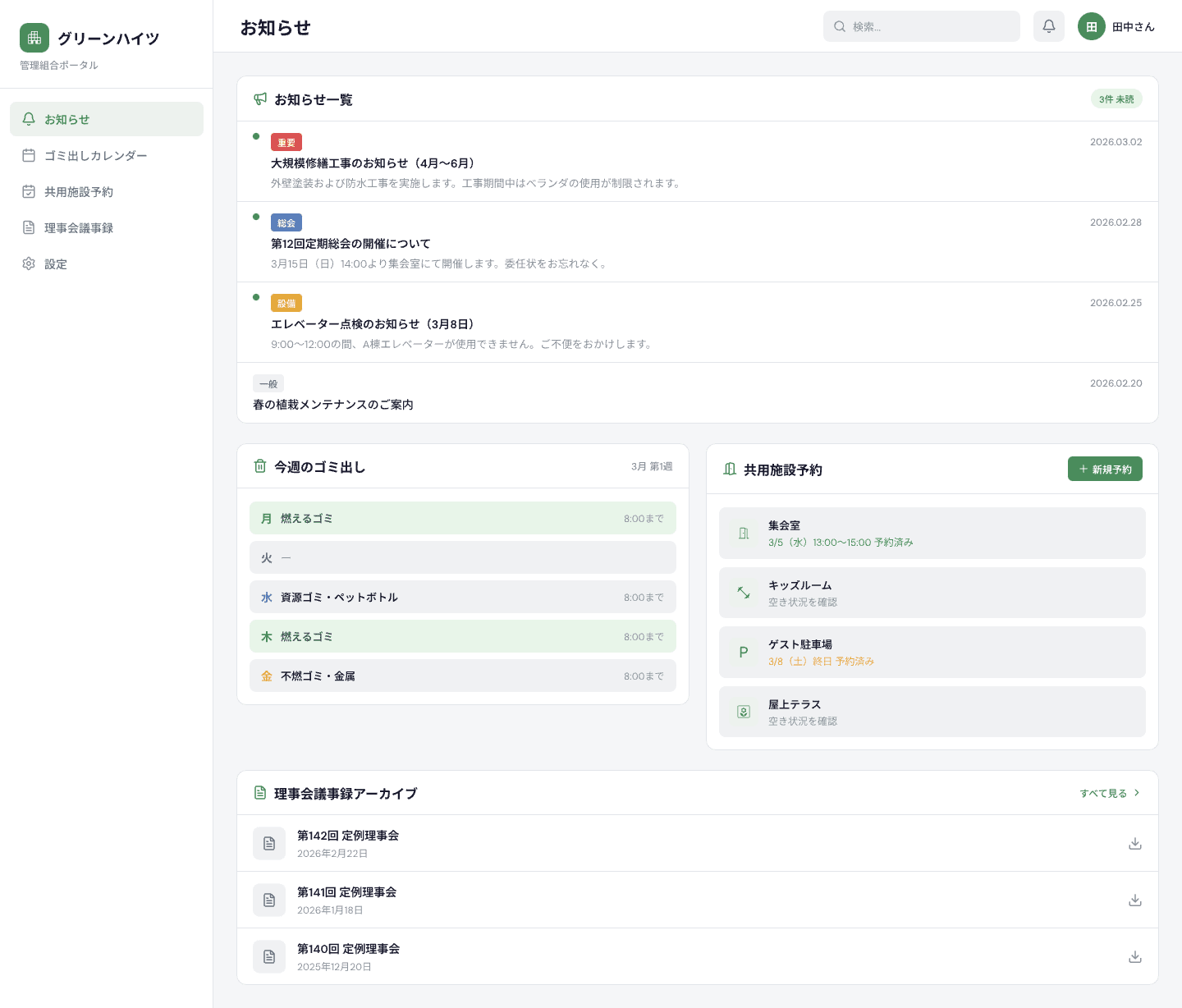
Bulletin Board Site for Community/Building Management Associations
Prompt (Design Generation)
Design a bulletin board site for apartment building residents
Announcement list, garbage disposal calendar, shared facility reservation, board meeting minutes archive
Simple design with subdued gray and green that's easy for everyone to use
Result
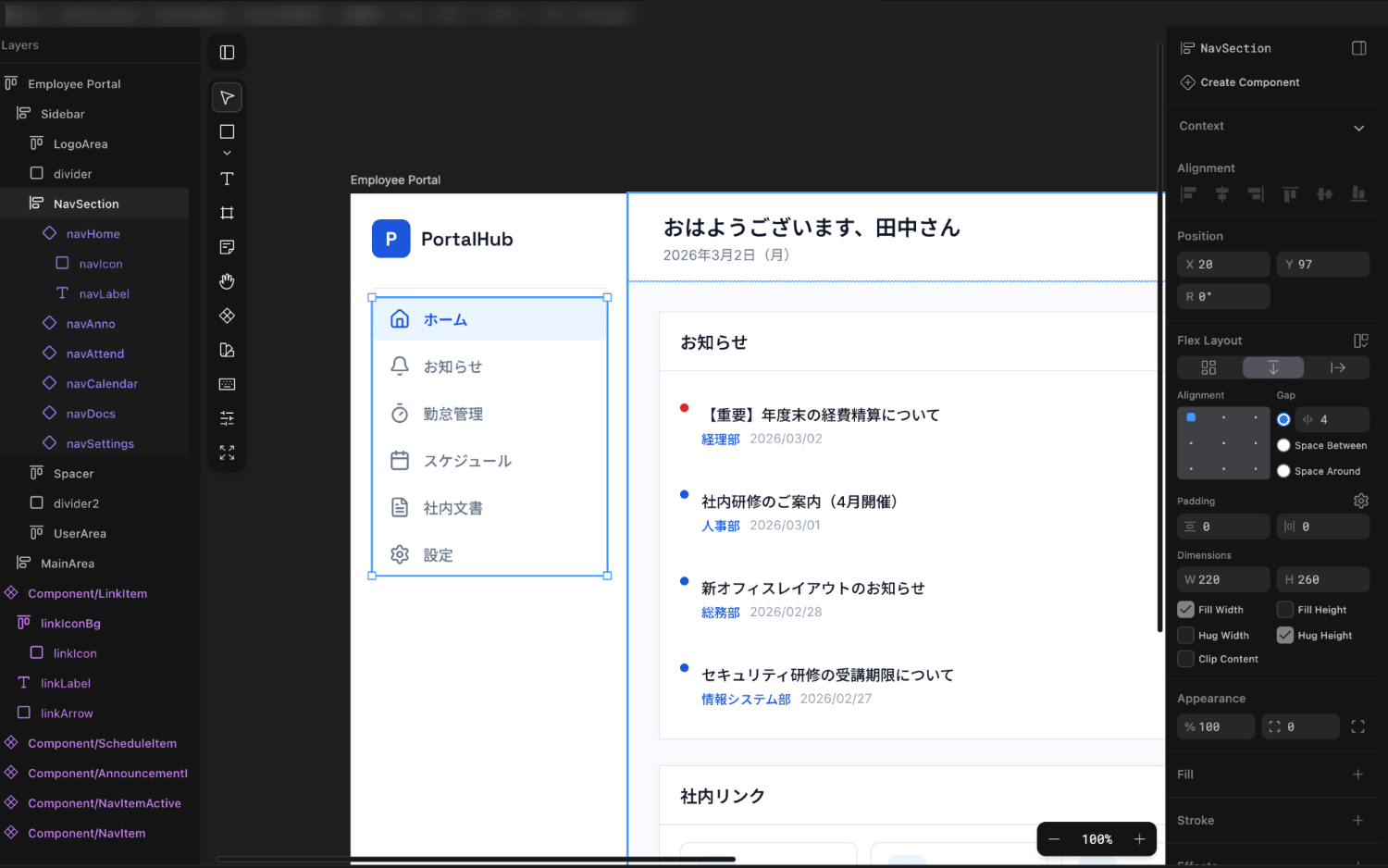
Corporate Employee Portal
Prompt (Design Generation)
Design an employee portal site
Announcement list, time clock buttons, internal link collection, today's schedule widget
Clean design based on corporate blue
Result

All of them have beautiful results that could be used directly as prototypes.
Since they're saved as .pen files, you can make adjustments on the canvas based on the AI-generated base design.
Applying Designs to Existing Web Pages
You can also use this for design changes to existing projects.
The workflow is to first generate a .pen file with Pencil MCP, then apply that design to your code's CSS.
Prompt (Design Generation)
Please design the "Settings" page of the current project using the Pencil MCP server.
[Main Content]
The settings page should not display summary cards, graphs, or tables at all.
A clean form page with settings items only.

■ Section: AI Analysis Settings
Form inside a white card.
- Model to use: Radio buttons (Claude Sonnet / Claude Opus)
- Small gray text explaining features under each model
Prompt (Code Application)
Please apply this design
Result

Summary
I tried using Pencil's MCP server from Claude Code to create web page designs with natural language.
With just a few lines of prompts, designs of sufficient quality for prototypes were generated, and the MCP server operated stably.
The generated designs are saved as .pen files, so you can make fine adjustments on the Pencil canvas or manage them with Git.
While it doesn't have as many features as Figma, I found it to be just the right tool for situations where you want to align design images.
I encourage those who are interested to give it a try.
I hope this article has been helpful.
References