I tried drift repair using CloudFormation's new feature "Drift-Aware Change Sets"

This page has been translated by machine translation. View original
With the AWS CloudFormation update on November 18, 2025, "Drift-aware change sets" are now supported for repairing drift states.
Traditionally, to fix a drift state in CloudFormation, you needed to make a dummy change and then revert it.
In this article, I'll demonstrate how to intentionally "drift" an S3 bucket's versioning configuration and then restore it using the new "Drift-aware change sets" feature.
What are Drift-aware change sets?
When creating a change set, you can now specify a new parameter --deployment-mode REVERT_DRIFT to create a drift-aware change set.
Standard change sets (traditional) only compare the new template with the existing template,
but drift-aware change sets also examine the actual deployed resources to create a change set that can resolve drift and restore the intended state.
Test Scenario
I'll test this with the following steps:
- Initial setup: Create an S3 bucket with versioning "Enabled."
- Create drift: Use AWS CLI to directly change it to "Suspended."
- Normal deployment (for comparison): Create a standard change set and see what happens.
- New feature deployment: Create a change set using
REVERT_DRIFTmode and check if it automatically fixes the issue.
Test Template
I prepared an S3 bucket with versioning enabled.
AWSTemplateFormatVersion: '2010-09-09'
Resources:
  TestBucket:
    Type: AWS::S3::Bucket
    Properties:
      VersioningConfiguration:
        Status: Enabled
Test Implementation
1. Creating Drift
First, I created a stack and then changed the configuration using the CLI to create a drift state.
# 1. Create stack (Enabled)
aws cloudformation deploy --template-file drift-aware-test.yaml ...

# 2. Manually change setting (Enabled -> Suspended)
aws s3api put-bucket-versioning --bucket $BUCKET_NAME --versioning-configuration Status=Suspended
Current state:
- Template: Enabled
- Actual resource: Suspended
2. Creating a Standard Change Set
First, I created a change set using the traditional method. I didn't modify the template file.
aws cloudformation create-change-set \
  --stack-name drift-aware-test-stack \
  --change-set-name standard-changeset \
  --template-body file://drift-aware-test.yaml
Result:
"Changes": []
As expected, it was determined as "No changes". If we execute this change set, nothing would happen, and the drift would remain.
3. Creating with the New "Drift-aware" Feature
Next, I ran it with the new feature parameter --deployment-mode REVERT_DRIFT.
aws cloudformation create-change-set \
  --stack-name drift-aware-test-stack \
  --change-set-name drift-aware-changeset \
  --template-body file://drift-aware-test.yaml \
  --deployment-mode REVERT_DRIFT
Result:
"Changes": [
    {
        "Type": "Resource",
        "ResourceChange": {
            "Action": "Modify",
            "LogicalResourceId": "TestBucket",
            "ResourceDriftStatus": "MODIFIED",
            "Details": [
                {
                    "Target": {
                        "Name": "VersioningConfiguration",
                        "BeforeValue": "Suspended",
                        "AfterValue": "Enabled"
                    },
                    "Drift": {
                        "ActualValue": "Suspended",
                        "PreviousValue": "Enabled"
                    }
                }
            ]
        }
    }
]
Although I didn't change the template, it generated a change set saying "The actual configuration is Suspended, so I'll change it back to Enabled."
You can see it's recognized with ResourceDriftStatus: MODIFIED.
4. Execution and Verification
After executing this change set (execute-change-set), I checked the S3 bucket's state.
aws s3api get-bucket-versioning --bucket $BUCKET_NAME
# Result:
{
    "Status": "Enabled"
}
Successfully confirmed that the versioning setting was restored to Enabled, returning to its proper state.
Management Console
I also tried creating a change set in the web console.
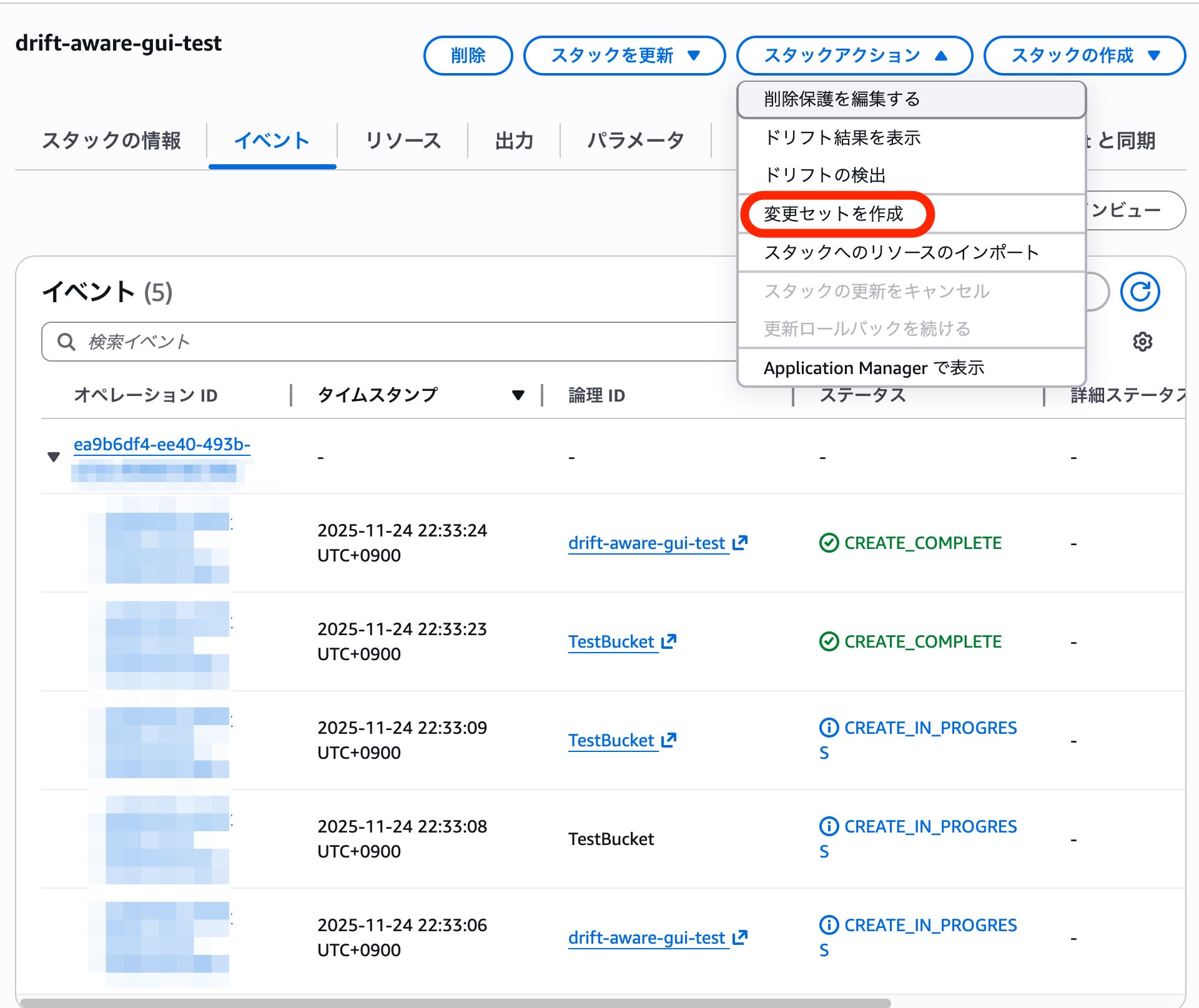
Specifying a drift-aware change set
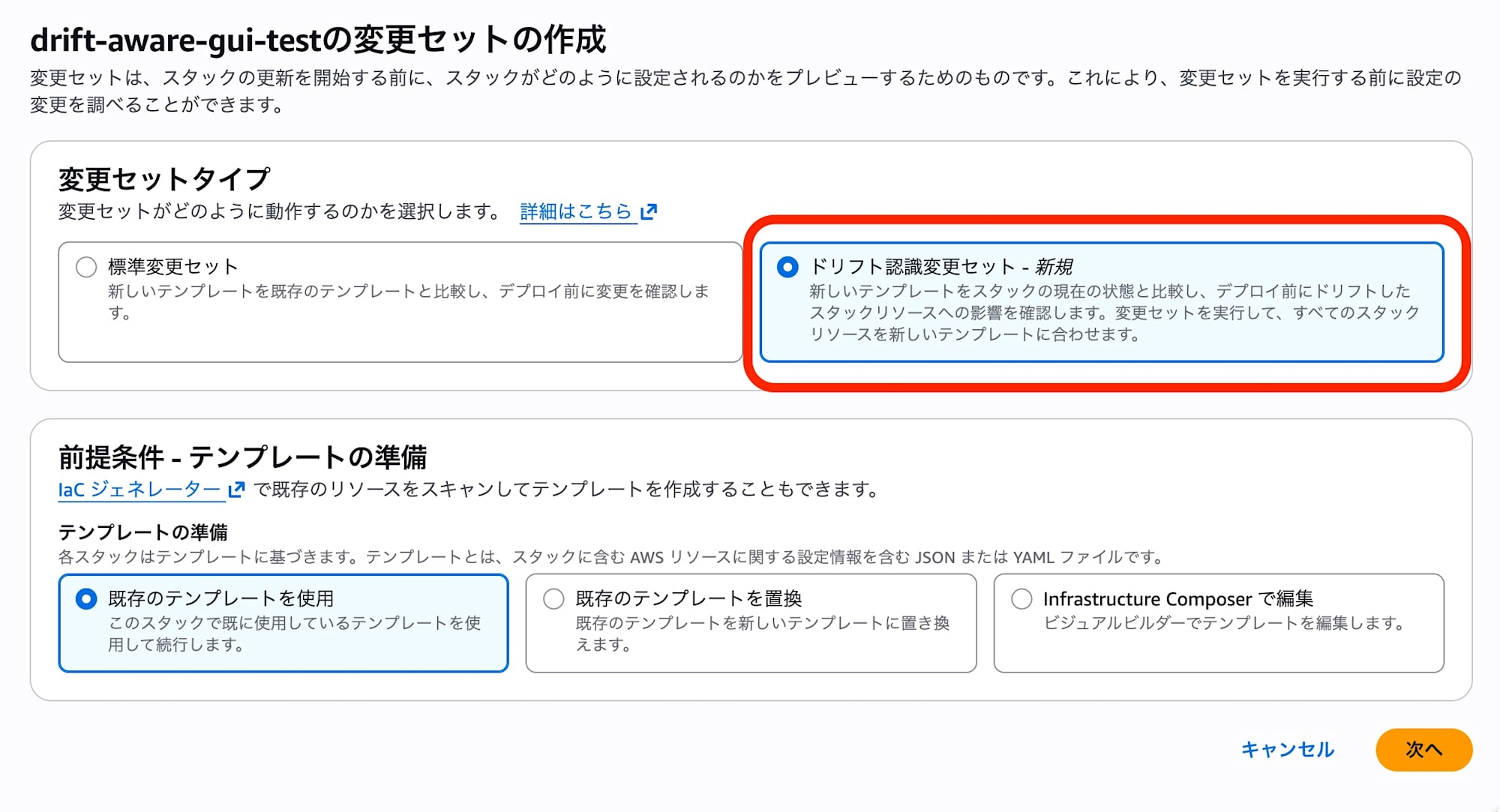
Review the screen to confirm it's a drift-aware change set, then create the change set
Confirming that repair targets can be identified in the created drift-aware change set
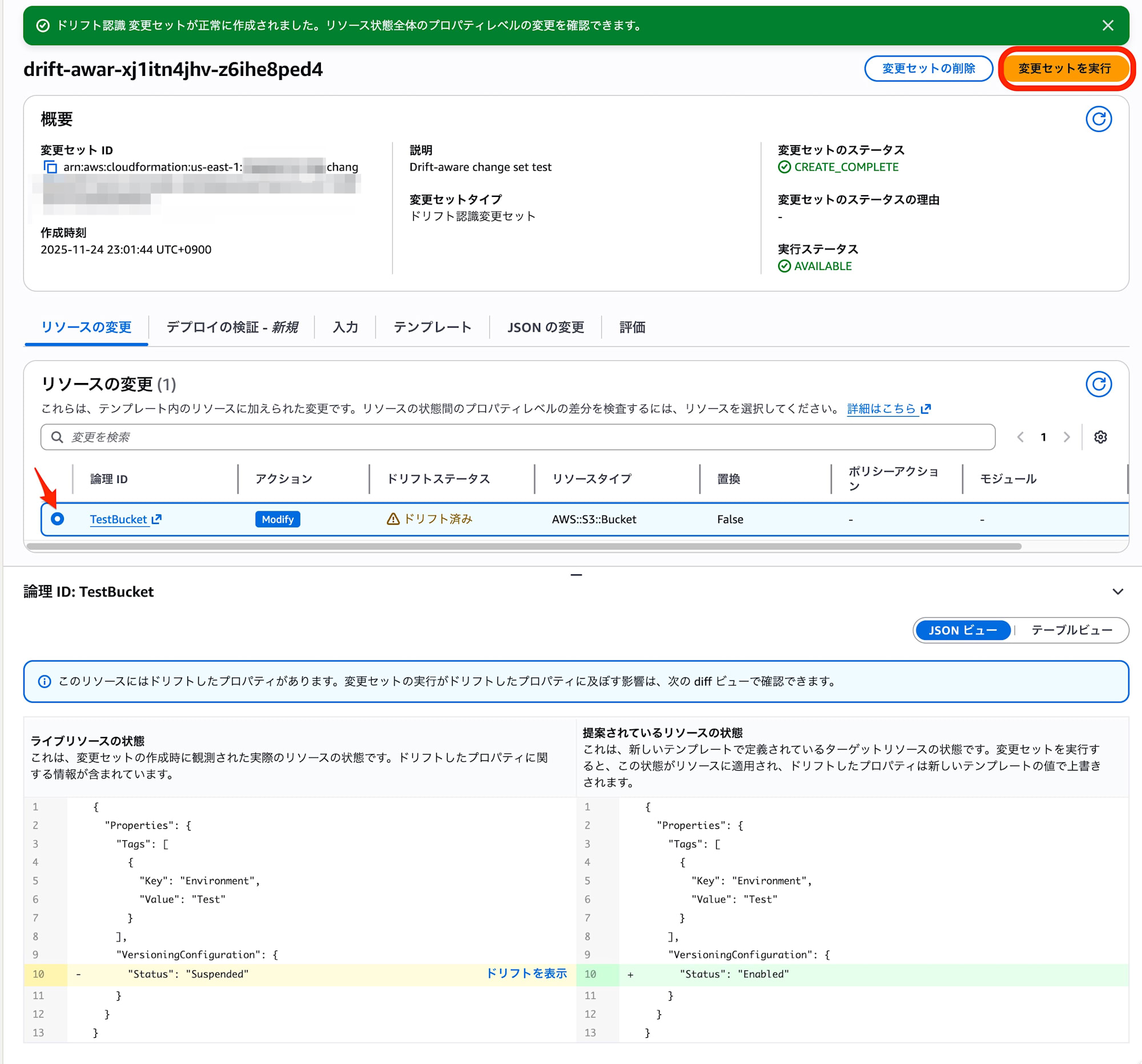
I confirmed that executing the change set successfully repaired the drift.

Summary
With this update, drift-aware change sets dramatically simplify handling changes made outside of IaC management (drift).
Using this option in "scheduled jobs" of CI/CD pipelines could easily build a mechanism to "always maintain the correct configuration (Configuration Healing)."
While implementing automatic remediation with AWS Config Rules requires preparing Lambda or SSM documents separately, this feature allows immediate recovery with "existing templates." Please try it as a cost-effective means of drift countermeasures.