Checked the UI differences during Qt 6 migration and Python plugin porting differences in Krita 5.3.0 / 6.0.0

This page has been translated by machine translation. View original
Introduction
Krita 5.3.0 and Krita 6.0.0 have been announced for simultaneous release. However, our interest here is not in Krita's new features. From a Qt user's perspective, Krita 5.3.0 and Krita 6.0.0 provide an excellent comparison to observe the impact of Qt 5 vs Qt 6 differences on applications. The Krita team explains that Krita 5.3.0 and Krita 6.0.0 are generated from almost identical source code. This means that comparing the two allows us to observe changes due to the migration from Qt 5 to Qt 6 rather than Krita-specific feature differences.
I compared Krita 5.3.0 and Krita 6.0.0 on Windows 11, focusing on two aspects: UI differences from a user's perspective and Python plugin migration differences from a developer's perspective. To summarize my findings:
- On Windows 11, the visual differences between Krita 5.3.0 and Krita 6.0.0 are minimal, with almost no noticeable differences at startup, in file dialogs, or during simple drawing operations
- The more significant migration costs come from PyQt5 to PyQt6 transitions, module relocations, and API changes
What is Krita?
Krita is an open-source painting application used for creating illustrations and animations. It features Python script extensions that work with both PyQt and Krita's own APIs.
What is Qt?
Qt is a cross-platform framework for building applications and UIs for desktop, embedded, and mobile platforms. Migration from Qt 5 to Qt 6 involves not only visual changes but also API and module structure differences.
Test Environment
- OS: Windows 11
- Comparison targets: Krita 5.3.0, Krita 6.0.0
- Distribution format: Portable zip versions for both
For screenshots, I used an initial 256 x 256 px blank white image, with zoom set to 100%.
Target Audience
- Those wanting to understand the impact of migrating from Qt 5 to Qt 6
- Those maintaining PyQt5-based helper tools or plugins
- Those wanting to know both the visual impact on users and migration costs for developers of existing Qt Widgets applications
References
No Major Differences in Normal Operation
First, I compared the UI at startup. The images below show the screen with the palette displayed by right-clicking. Comparing menus, toolbars, dockers, and status bars, I found almost no noticeable differences between Krita 5.3.0 and Krita 6.0.0.
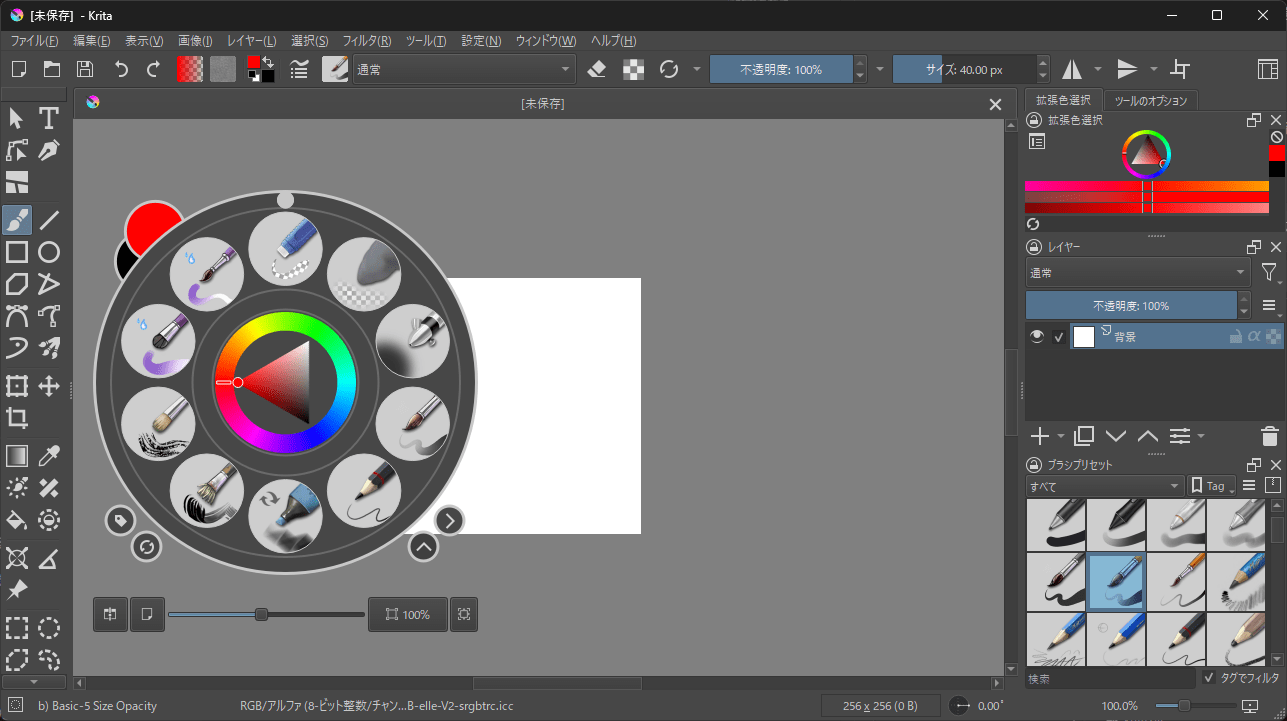
Palette launched with right-click (Krita 5.3.0)
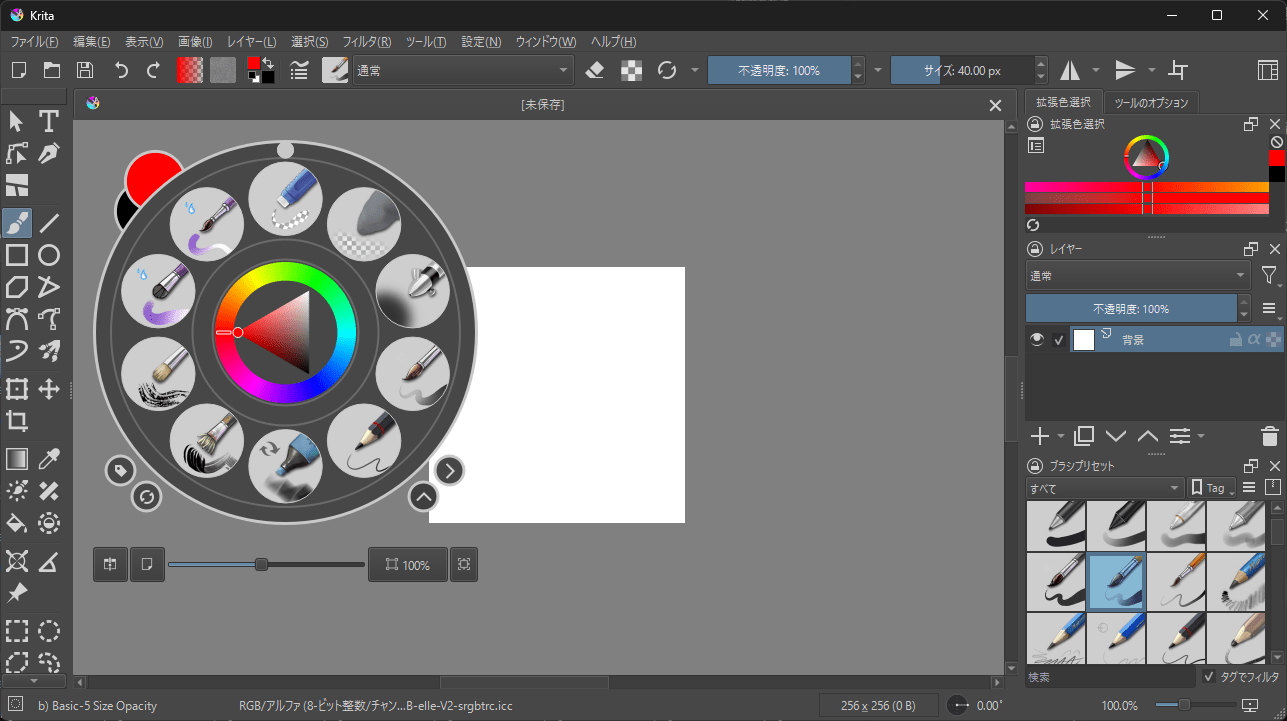
Palette launched with right-click (Krita 6.0.0)
The file dialogs also showed no visual differences.
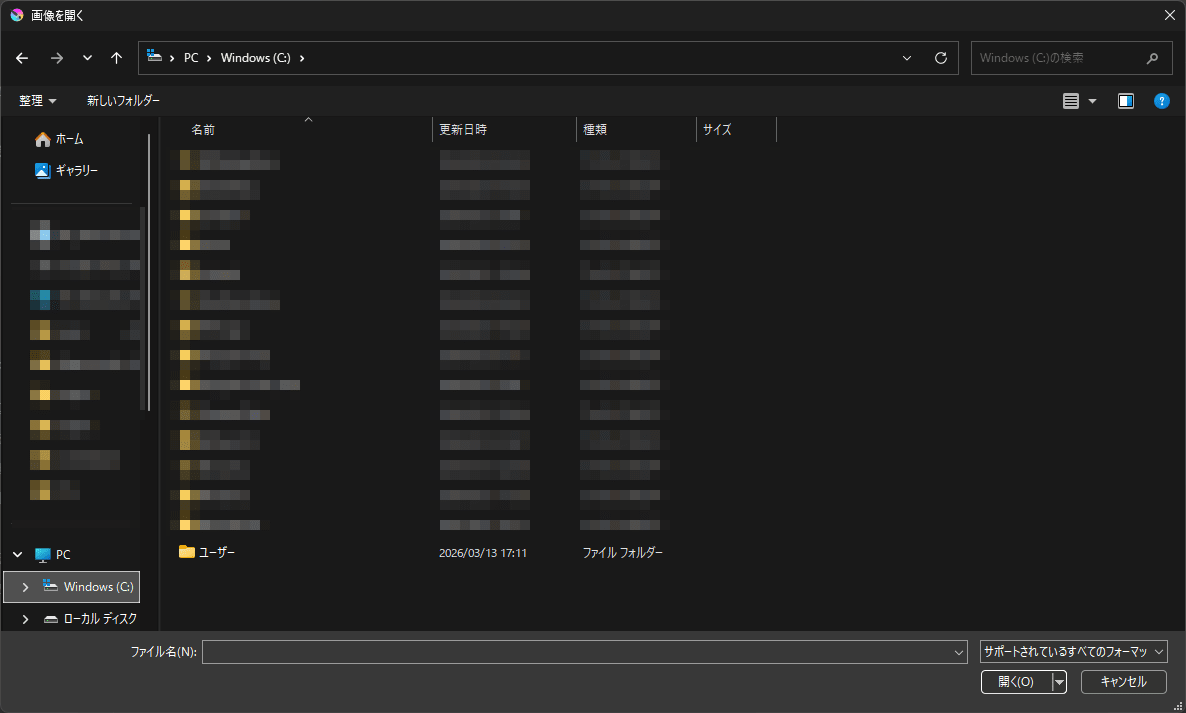
File dialog (Krita 5.3.0)
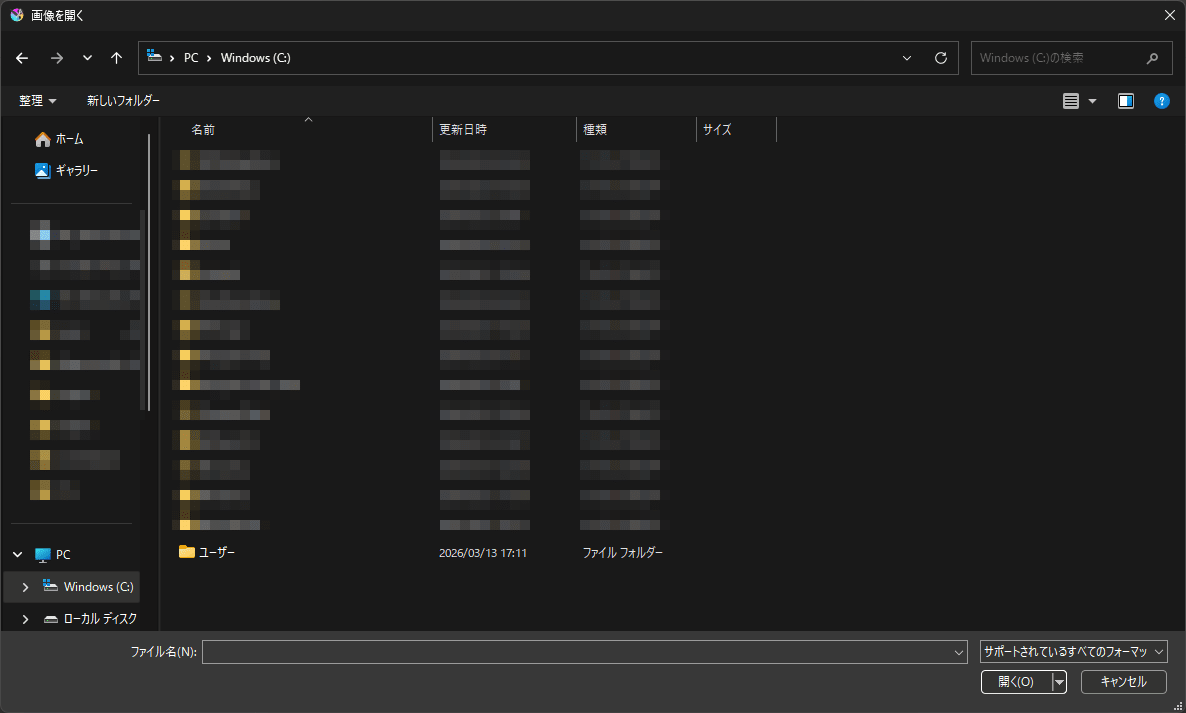
File dialog (Krita 6.0.0)
I also tried some basic drawing operations. Brush drawing, zooming in and out showed no differences in feel, zoom experience, or brush cursor appearance. At least within the scope of this observation, migrating to Qt 6 doesn't dramatically change the appearance of a Qt Widgets application on Windows 11.
Slight Differences at 175% Display Scale
Next, I switched the Windows display scale to 175% for comparison. Even at 175%, there were hardly any visible differences.
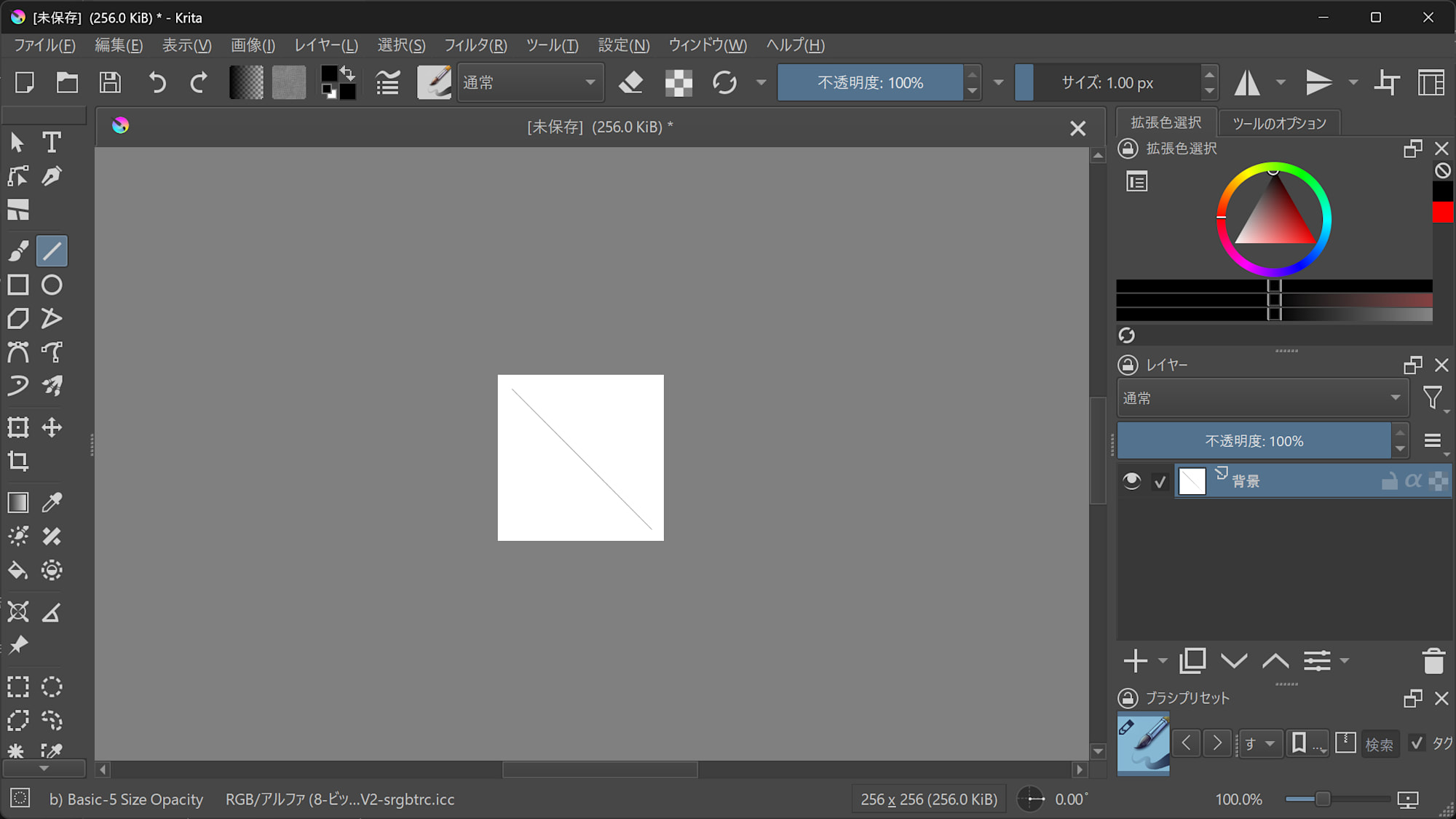
Canvas UI at 175% scale (Krita 5.3.0)
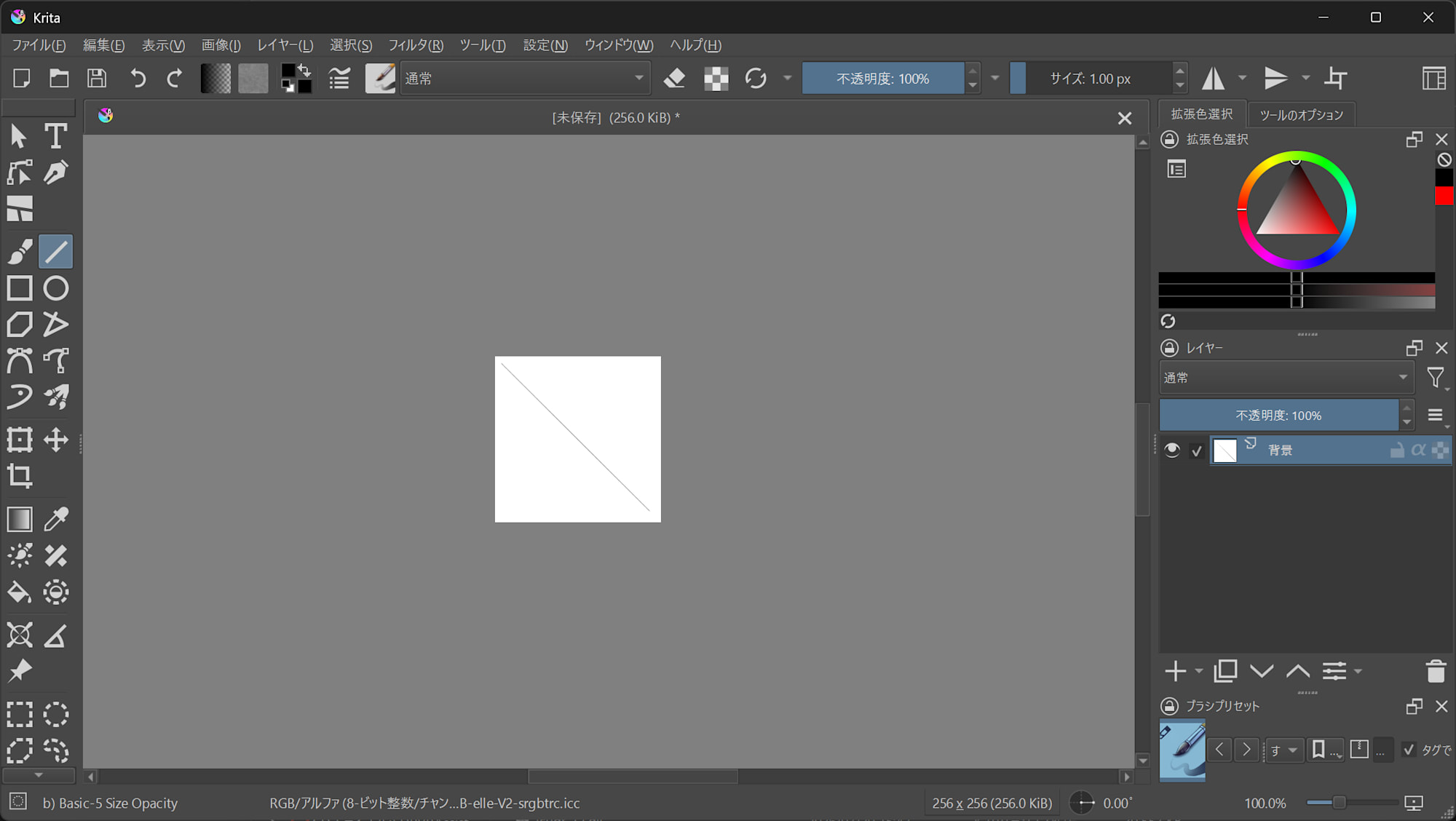
Canvas UI at 175% scale (Krita 6.0.0)
However, they weren't completely identical. In Krita 6.0.0, I noticed:
- UI font size is slightly smaller
- Tool icons are larger
These differences may be related to changes in Qt 6's High DPI default behavior. The Qt official High DPI documentation explains that High DPI support is always enabled in Qt 6, and the default rounding method for scale factors differs from Qt 5.
Another minor difference was in the window title. Krita 5.3.0 displayed [Unsaved] (256.0 KiB) * - Krita while Krita 6.0.0 simply showed Krita.
Settings Screen Shows Slightly Different Margins
I also compared the settings screens. Scrollbars and checkboxes looked the same, but there were slight differences in the left category selection UI and margins.
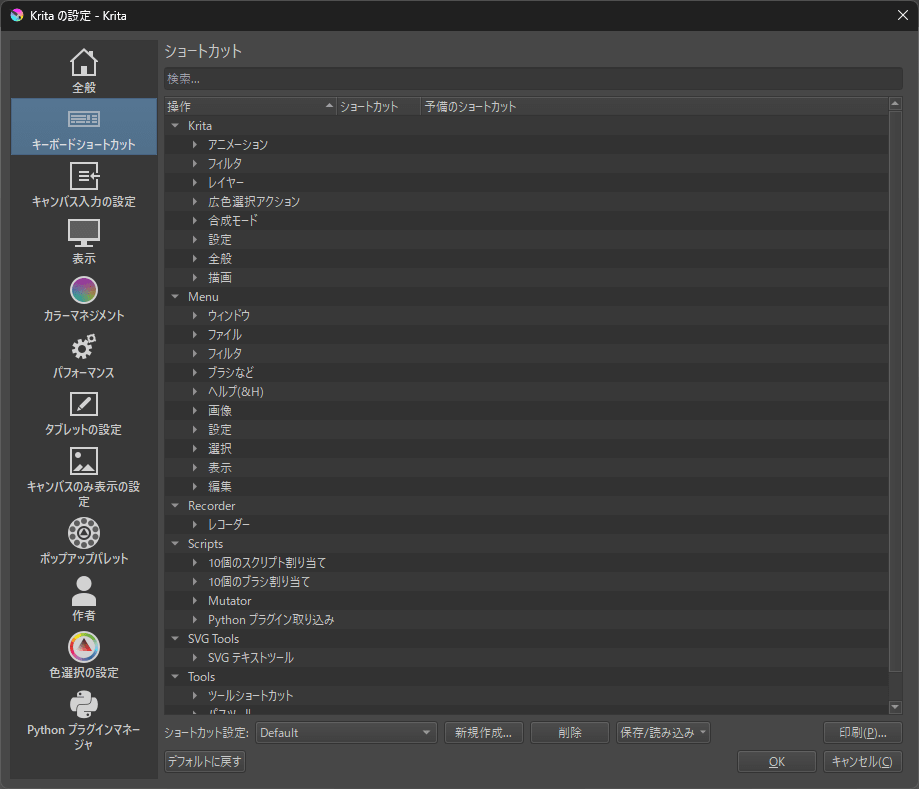
Settings screen (Krita 5.3.0)
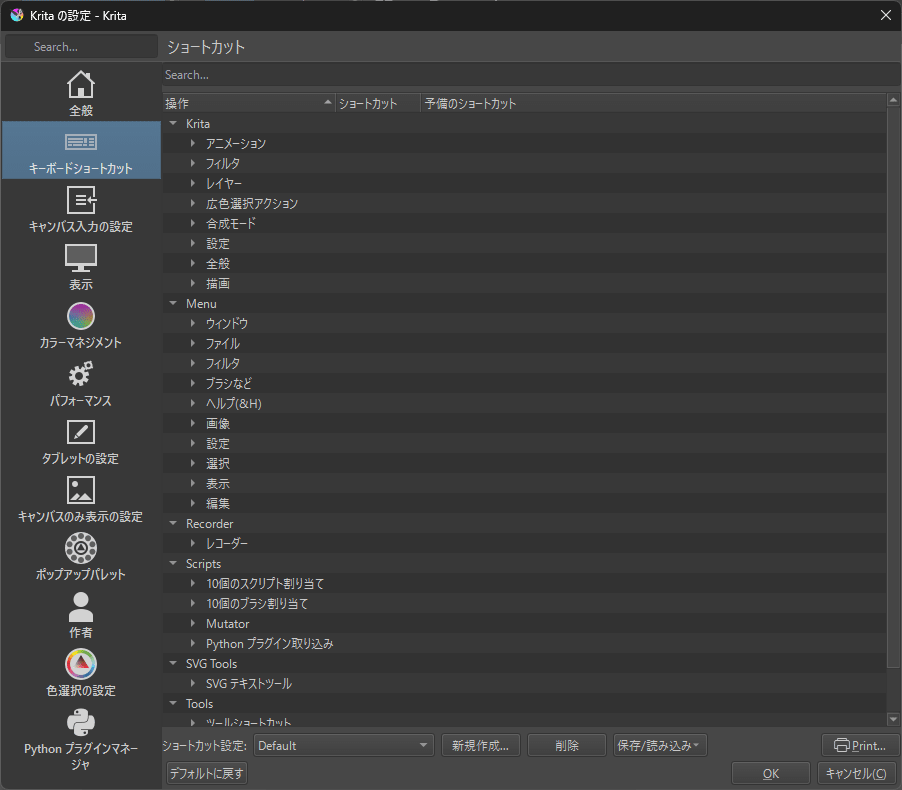
Settings screen (Krita 6.0.0)
In Krita 6.0.0, the category selection UI has no border. The light gray margins on all sides are also smaller. Krita 5.3.0 looks more orderly. While not a major difference, this shows that migrating to Qt 6 can cause subtle changes in UI margins and component appearances.
Python Plugin Migration Differences Matter Most for Qt Users
Here's the main focus of this article. Krita 5.3.0 comes with PyQt5 while Krita 6.0.0 includes PyQt6. To check their behavior, I prepared two minimal Krita Python plugins: one designed for PyQt5 and another for PyQt6.
pyqt5_probe.py
from pathlib import Path

from krita import Extension

RESULT_PATH = Path(__file__).resolve().parent / 'result.txt'

def append_result(label, ok, detail):
    with RESULT_PATH.open('a', encoding='utf-8') as f:
        status = 'OK' if ok else 'NG'
        f.write(f'[{status}] {label}: {detail}\n')

# Module import / attribute phase
for label, code in [
    ('PyQt5.QtWidgets.QAction', 'from PyQt5.QtWidgets import QAction'),
    ('PyQt5.QtWidgets.QOpenGLWidget', 'from PyQt5.QtWidgets import QOpenGLWidget'),
    ('PyQt5.QtCore.Qt.AlignLeft', 'from PyQt5.QtCore import Qt\n_ = Qt.AlignLeft'),
    ('PyQt5.QApplication.exec_', 'from PyQt5.QtWidgets import QApplication\n_ = QApplication.exec_'),
    ('PyQt5.QApplication.exec', 'from PyQt5.QtWidgets import QApplication\n_ = QApplication.exec'),
    ('PyQt5.QtWinExtras.QWinTaskbarButton', 'from PyQt5.QtWinExtras import QWinTaskbarButton'),
]:
    try:
        exec(code, {})
        append_result(label, True, 'import or attribute lookup succeeded')
    except Exception as e:
        append_result(label, False, repr(e))

class PyQt5ProbeExtension(Extension):
    def __init__(self, parent):
        super().__init__(parent)

    def setup(self):
        append_result('setup', True, 'extension setup called')

    def createActions(self, window):
        action = window.createAction('pyqt5_probe_action', 'PyQt5 Probe', 'tools/scripts')
        action.triggered.connect(self.action_triggered)
        append_result('createActions', True, 'action created')

    def action_triggered(self):
        append_result('action_triggered', True, 'action triggered')
pyqt6_probe.py
from pathlib import Path

from krita import Extension

RESULT_PATH = Path(__file__).resolve().parent / 'result.txt'

def append_result(label, ok, detail):
    with RESULT_PATH.open('a', encoding='utf-8') as f:
        status = 'OK' if ok else 'NG'
        f.write(f'[{status}] {label}: {detail}\n')

# Module import / attribute phase
for label, code in [
    ('PyQt6.QtGui.QAction', 'from PyQt6.QtGui import QAction'),
    ('PyQt6.QtOpenGLWidgets.QOpenGLWidget', 'from PyQt6.QtOpenGLWidgets import QOpenGLWidget'),
    ('PyQt6.QtCore.Qt.AlignmentFlag.AlignLeft', 'from PyQt6.QtCore import Qt\n_ = Qt.AlignmentFlag.AlignLeft'),
    ('PyQt6.QApplication.exec_', 'from PyQt6.QtWidgets import QApplication\n_ = QApplication.exec_'),
    ('PyQt6.QApplication.exec', 'from PyQt6.QtWidgets import QApplication\n_ = QApplication.exec'),
    ('PyQt6.QtWinExtras.QWinTaskbarButton', 'from PyQt6.QtWinExtras import QWinTaskbarButton'),
]:
    try:
        exec(code, {})
        append_result(label, True, 'import or attribute lookup succeeded')
    except Exception as e:
        append_result(label, False, repr(e))

class PyQt6ProbeExtension(Extension):
    def __init__(self, parent):
        super().__init__(parent)

    def setup(self):
        append_result('setup', True, 'extension setup called')

    def createActions(self, window):
        action = window.createAction('pyqt6_probe_action', 'PyQt6 Probe', 'tools/scripts')
        action.triggered.connect(self.action_triggered)
        append_result('createActions', True, 'action created')

    def action_triggered(self):
        append_result('action_triggered', True, 'action triggered')
I placed these in each version of Krita, activated them via the Python Plugin Manager, and had the plugins output import results to a result.txt file.
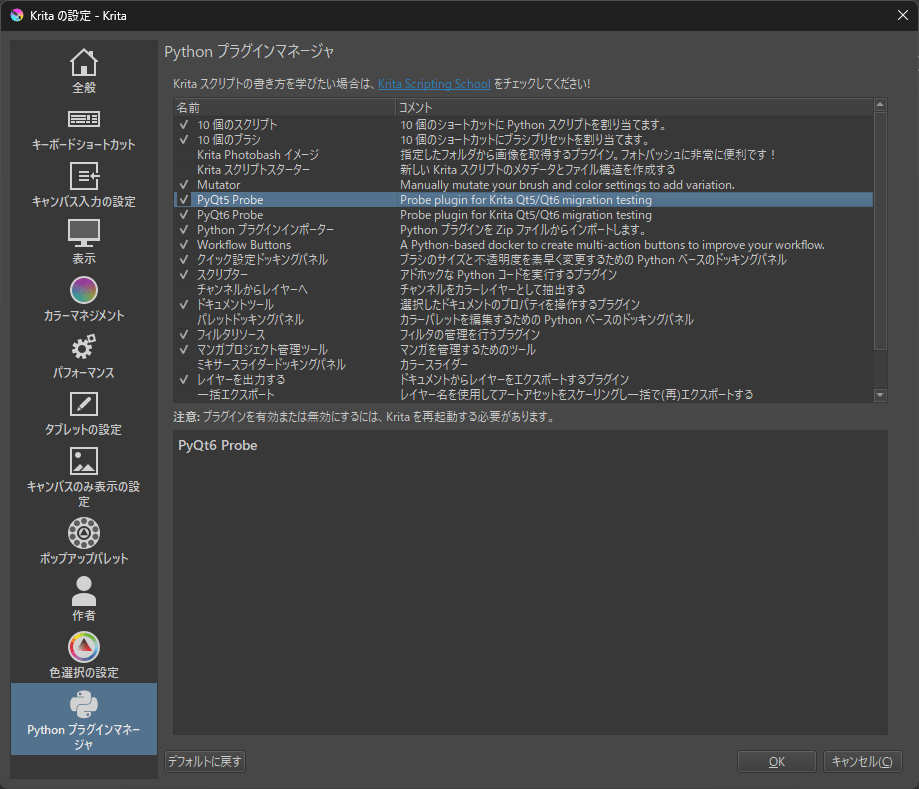
The results showed that in Krita 5.3.0, the PyQt5-based probe worked, while in Krita 6.0.0, the PyQt6-based probe worked. Conversely, the reverse probes failed with ModuleNotFoundError. This verification confirmed that migration impacts go beyond simple import name differences, as directly observed in Krita.
# Working style in Qt 5
from PyQt5.QtCore import Qt
from PyQt5.QtWidgets import QAction, QApplication, QOpenGLWidget
print(Qt.AlignLeft)
_ = QApplication.exec_

# Working style in Qt 6
from PyQt6.QtCore import Qt
from PyQt6.QtGui import QAction
from PyQt6.QtWidgets import QApplication
from PyQt6.QtOpenGLWidgets import QOpenGLWidget
print(Qt.AlignmentFlag.AlignLeft)
_ = QApplication.exec
QAction belongs to different modules
In Qt 5, this import succeeds:
from PyQt5.QtWidgets import QAction
While in Qt 6, this import fails. Instead, this works:
from PyQt6.QtGui import QAction
QOpenGLWidget belongs to different modules
In Qt 5, this import succeeds:
from PyQt5.QtWidgets import QOpenGLWidget
However, in Qt 6, this import fails. In Qt 6, you need to import from QtOpenGLWidgets:
from PyQt6.QtOpenGLWidgets import QOpenGLWidget
Enum references differ
Qt 5 uses Qt.AlignLeft, but in Qt 6 this name doesn't exist. In Qt 6, you need to use Qt.AlignmentFlag.AlignLeft.
QApplication.exec_() is handled differently
In Krita 5.3.0, both QApplication.exec_ and QApplication.exec could be referenced. In Krita 6.0.0, QApplication.exec works but QApplication.exec_ raises an AttributeError. Code dependent on exec_() in Qt 5 will need revision when migrating to Qt 6.
This difference is more important for PyQt auxiliary code or standalone tools rather than Krita plugins themselves.
Code Migration Differences Outweigh Visual Differences
This investigation revealed that while user-facing visual differences are minimal, developer-facing code differences are significant. Krita 5.3.0 and Krita 6.0.0 appear almost identical in terms of canvas, file dialogs, and drawing behavior. There are slight differences at 175% display and in settings screens, but these don't significantly change the overall application impression.
However, Python plugins and auxiliary tools are a different story. Code written for PyQt5 will encounter issues with import statements, module relocations, enum references, and exec_() handling when brought directly into a PyQt6 environment.
Conclusion
After comparing Krita 5.3.0 and Krita 6.0.0 on Windows 11, I found that from a user's perspective, the differences are quite minimal. Migrating to Qt 6 doesn't drastically change the visual appearance, at least within the scope examined. However, from a Qt user's perspective, the story is different. The migration differences between PyQt5 and PyQt6, module relocations, and API changes represent the real migration costs.
Krita provided an interesting case study showing that Qt 6 migration has less impact on the user interface but greater impact on developer code. When moving a Qt 5 application to Qt 6, one might initially worry about UI breakage. However, in practice, focusing on plugin and auxiliary code migration planning seems more important.