
I tried the official Datadog CLI tool "Pup CLI"

This page has been translated by machine translation. View original
Hello. I'm Shiina from the Operations department.
Introduction
Have you ever wanted to operate Datadog from the command line?
The official CLI tool "Pup CLI" has been released in preview version.
It supports OAuth2 authentication, allowing you to safely operate Datadog without managing keys.
I tried everything from installing on macOS to OAuth2 login and executing various commands.
What is Pup CLI
It's a Go-based command line tool that enables simple interaction with the Datadog API.
A major feature is its support for OAuth2 authentication.
While Datadog API and APP keys were previously required for Datadog API requests, you can now safely operate Datadog through browser-based authentication. (*Traditional API key authentication remains available)
The commands themselves are simple, allowing for intuitive operation.
The output formats support JSON, Table, and YAML.
Available Commands
Since it's a preview version, the supported features are still limited, but reference commands for major domains such as metrics, logs, and APM are already available.
You can check the command reference here:
Trying it out
I'll install Pup CLI on macOS and try operating it with commands.
Prerequisites
- Access to a Datadog account
Installation
Let's install using brew.
brew tap datadog/pack
brew install datadog/pack/pup
==> Fetching downloads for: pup
✔︎ Bottle Manifest go (1.25.7_1)                      Downloaded    7.5KB/  7.5KB
✔︎ Formula pup (0.7.0)                                Verified    184.5KB/184.5KB
✔︎ Bottle go (1.25.7_1)                               Downloaded   57.5MB/ 57.5MB
==> Installing pup from datadog/pack
Error: Your Command Line Tools are too outdated.
Update them from Software Update in System Settings.

If that doesn't show you any updates, run:
  sudo rm -rf /Library/Developer/CommandLineTools
  sudo xcode-select --install

Alternatively, manually download them from:
  https://developer.apple.com/download/all/.
You should download the Command Line Tools for Xcode 26.0.
I got an error.
It seems the Command Line Tools for Xcode version is outdated.
I'll check for macOS software updates and update the Xcode Command Line Tools before trying again.
brew install datadog/pack/pup
Output
==> Auto-updating Homebrew...
Adjust how often this is run with `$HOMEBREW_AUTO_UPDATE_SECS` or disable with
`$HOMEBREW_NO_AUTO_UPDATE=1`. Hide these hints with `$HOMEBREW_NO_ENV_HINTS=1` (see `man brew`).
==> Fetching downloads for: pup
✔︎ Bottle Manifest go (1.25.7_1)                                                                                                                  Downloaded    7.5KB/  7.5KB
✔︎ Bottle go (1.25.7_1)                                                                                                                           Downloaded   57.5MB/ 57.5MB
✔︎ Formula pup (0.7.0)                                                                                                                            Verified    184.5KB/184.5KB
==> Installing pup from datadog/pack
==> Installing datadog/pack/pup dependency: go
==> Pouring go--1.25.7_1.arm64_tahoe.bottle.tar.gz
🍺  /opt/homebrew/Cellar/go/1.25.7_1: 14,442 files, 203.3MB
==> go build -ldflags=-s -w
🍺  /opt/homebrew/Cellar/pup/0.7.0: 9 files, 21.6MB, built in 35 seconds
==> Running `brew cleanup pup`...
Disable this behaviour by setting `HOMEBREW_NO_INSTALL_CLEANUP=1`.
Hide these hints with `HOMEBREW_NO_ENV_HINTS=1` (see `man brew`).
==> `brew cleanup` has not been run in the last 30 days, running now...
Disable this behaviour by setting `HOMEBREW_NO_INSTALL_CLEANUP=1`.
Hide these hints with `HOMEBREW_NO_ENV_HINTS=1` (see `man brew`).
Removing: /Users/shiina.yuichi/Library/Caches/Homebrew/aom_bottle_manifest--3.13.1... (32.2KB)
Removing: /Users/shiina.yuichi/Library/Caches/Homebrew/aom--3.13.1... (4.2MB)
Removing: /Users/shiina.yuichi/Library/Caches/Homebrew/aribb24_bottle_manifest--1.0.4... (14.7KB)
Removing: /Users/shiina.yuichi/Library/Caches/Homebrew/aribb24--1.0.4... (73.9KB)
Removing: /Users/shiina.yuichi/Library/Caches/Homebrew/ca-certificates_bottle_manifest--2025-09-09... (2KB)
Removing: /Users/shiina.yuichi/Library/Caches/Homebrew/ca-certificates--2025-09-09... (133KB)
Removing: /Users/shiina.yuichi/Library/Caches/Homebrew/cairo_bottle_manifest--1.18.4-1... (37KB)
Removing: /Users/shiina.yuichi/Library/Caches/Homebrew/cairo--1.18.4... (1.6MB)
Removing: /Users/shiina.yuichi/Library/Caches/Homebrew/cjson_bottle_manifest--1.7.19... (11.2KB)
Removing: /Users/shiina.yuichi/Library/Caches/Homebrew/cjson--1.7.19... (58.7KB)
Removing: /Users/shiina.yuichi/Library/Caches/Homebrew/dav1d_bottle_manifest--1.5.1... (9.8KB)
Removing: /Users/shiina.yuichi/Library/Caches/Homebrew/dav1d--1.5.1... (361KB)
Removing: /Users/shiina.yuichi/Library/Caches/Homebrew/ffmpeg_bottle_manifest--8.0_1... (131.1KB)
Removing: /Users/shiina.yuichi/Library/Caches/Homebrew/ffmpeg--8.0_1... (21.6MB)
Removing: /Users/shiina.yuichi/Library/Caches/Homebrew/flac_bottle_manifest--1.5.0... (12.5KB)
Removing: /Users/shiina.yuichi/Library/Caches/Homebrew/flac--1.5.0... (555.3KB)
Removing: /Users/shiina.yuichi/Library/Caches/Homebrew/fontconfig_bottle_manifest--2.17.1-1... (17.3KB)
Removing: /Users/shiina.yuichi/Library/Caches/Homebrew/fontconfig--2.17.1... (400.6KB)
Removing: /Users/shiina.yuichi/Library/Caches/Homebrew/freetype_bottle_manifest--2.14.1_1... (9.2KB)
Removing: /Users/shiina.yuichi/Library/Caches/Homebrew/freetype--2.14.1_1... (991KB)
Removing: /Users/shiina.yuichi/Library/Caches/Homebrew/frei0r_bottle_manifest--2.4.0... (9.5KB)
Removing: /Users/shiina.yuichi/Library/Caches/Homebrew/frei0r--2.4.0... (688.6KB)
Removing: /Users/shiina.yuichi/Library/Caches/Homebrew/fribidi_bottle_manifest--1.0.16... (10KB)
Removing: /Users/shiina.yuichi/Library/Caches/Homebrew/fribidi--1.0.16... (98.4KB)
Removing: /Users/shiina.yuichi/Library/Caches/Homebrew/gettext_bottle_manifest--0.26... (17.9KB)
Removing: /Users/shiina.yuichi/Library/Caches/Homebrew/gettext--0.26... (9.6MB)
Removing: /Users/shiina.yuichi/Library/Caches/Homebrew/giflib_bottle_manifest--5.2.2... (10.8KB)
Removing: /Users/shiina.yuichi/Library/Caches/Homebrew/giflib--5.2.2... (152.9KB)
Removing: /Users/shiina.yuichi/Library/Caches/Homebrew/glib_bottle_manifest--2.86.0... (24.4KB)
Removing: /Users/shiina.yuichi/Library/Caches/Homebrew/glib--2.86.0... (9.2MB)
Removing: /Users/shiina.yuichi/Library/Caches/Homebrew/gmp_bottle_manifest--6.3.0... (13.3KB)
Removing: /Users/shiina.yuichi/Library/Caches/Homebrew/gmp--6.3.0... (1MB)
Removing: /Users/shiina.yuichi/Library/Caches/Homebrew/gnutls_bottle_manifest--3.8.10... (25.4KB)
Removing: /Users/shiina.yuichi/Library/Caches/Homebrew/gnutls--3.8.10... (3.2MB)
Removing: /Users/shiina.yuichi/Library/Caches/Homebrew/graphite2_bottle_manifest--1.3.14... (14.8KB)
Removing: /Users/shiina.yuichi/Library/Caches/Homebrew/graphite2--1.3.14... (91.6KB)
Removing: /Users/shiina.yuichi/Library/Caches/Homebrew/harfbuzz_bottle_manifest--12.1.0... (29.3KB)
Removing: /Users/shiina.yuichi/Library/Caches/Homebrew/harfbuzz--12.1.0... (3.3MB)
Removing: /Users/shiina.yuichi/Library/Caches/Homebrew/highway_bottle_manifest--1.3.0... (9.7KB)
Removing: /Users/shiina.yuichi/Library/Caches/Homebrew/highway--1.3.0... (897.3KB)
Removing: /Users/shiina.yuichi/Library/Caches/Homebrew/imath_bottle_manifest--3.2.1... (9.5KB)
Removing: /Users/shiina.yuichi/Library/Caches/Homebrew/imath--3.2.1... (194.2KB)
Removing: /Users/shiina.yuichi/Library/Caches/Homebrew/jpeg-turbo_bottle_manifest--3.1.2... (10.7KB)
Removing: /Users/shiina.yuichi/Library/Caches/Homebrew/jpeg-turbo--3.1.2... (1MB)
Removing: /Users/shiina.yuichi/Library/Caches/Homebrew/jpeg-xl_bottle_manifest--0.11.1_3... (33.7KB)
Removing: /Users/shiina.yuichi/Library/Caches/Homebrew/jpeg-xl--0.11.1_3... (13.9MB)
Removing: /Users/shiina.yuichi/Library/Caches/Homebrew/lame_bottle_manifest--3.100... (16KB)
Removing: /Users/shiina.yuichi/Library/Caches/Homebrew/lame--3.100... (794.7KB)
Removing: /Users/shiina.yuichi/Library/Caches/Homebrew/leptonica_bottle_manifest--1.86.0... (17.3KB)
Removing: /Users/shiina.yuichi/Library/Caches/Homebrew/leptonica--1.86.0... (2.7MB)
Removing: /Users/shiina.yuichi/Library/Caches/Homebrew/libarchive_bottle_manifest--3.8.1... (15.3KB)
Removing: /Users/shiina.yuichi/Library/Caches/Homebrew/libarchive--3.8.1... (1.6MB)
Removing: /Users/shiina.yuichi/Library/Caches/Homebrew/libass_bottle_manifest--0.17.4... (38.7KB)
Removing: /Users/shiina.yuichi/Library/Caches/Homebrew/libass--0.17.4... (232.3KB)
Removing: /Users/shiina.yuichi/Library/Caches/Homebrew/libb2_bottle_manifest--0.98.1... (15.3KB)
Removing: /Users/shiina.yuichi/Library/Caches/Homebrew/libb2--0.98.1... (36KB)
Removing: /Users/shiina.yuichi/Library/Caches/Homebrew/libbluray_bottle_manifest--1.4.0... (17.8KB)
Removing: /Users/shiina.yuichi/Library/Caches/Homebrew/libbluray--1.4.0... (370.1KB)
Removing: /Users/shiina.yuichi/Library/Caches/Homebrew/libdeflate_bottle_manifest--1.24... (10.4KB)
Removing: /Users/shiina.yuichi/Library/Caches/Homebrew/libdeflate--1.24... (113.3KB)
Removing: /Users/shiina.yuichi/Library/Caches/Homebrew/libevent_bottle_manifest--2.1.12_1... (17KB)
Removing: /Users/shiina.yuichi/Library/Caches/Homebrew/libevent--2.1.12_1... (715KB)
Removing: /Users/shiina.yuichi/Library/Caches/Homebrew/libidn2_bottle_manifest--2.3.8... (12.8KB)
Removing: /Users/shiina.yuichi/Library/Caches/Homebrew/libidn2--2.3.8... (311.6KB)
Removing: /Users/shiina.yuichi/Library/Caches/Homebrew/libmicrohttpd_bottle_manifest--1.0.2... (24.9KB)
Removing: /Users/shiina.yuichi/Library/Caches/Homebrew/libmicrohttpd--1.0.2... (482.8KB)
Removing: /Users/shiina.yuichi/Library/Caches/Homebrew/libnghttp2_bottle_manifest--1.67.1... (7.3KB)
Removing: /Users/shiina.yuichi/Library/Caches/Homebrew/libnghttp2--1.67.1... (214.2KB)
Removing: /Users/shiina.yuichi/Library/Caches/Homebrew/libogg_bottle_manifest--1.3.6... (9.3KB)
Removing: /Users/shiina.yuichi/Library/Caches/Homebrew/libogg--1.3.6... (234.7KB)
Removing: /Users/shiina.yuichi/Library/Caches/Homebrew/libpng_bottle_manifest--1.6.50... (10.9KB)
Removing: /Users/shiina.yuichi/Library/Caches/Homebrew/libpng--1.6.50... (457.3KB)
Removing: /Users/shiina.yuichi/Library/Caches/Homebrew/librist_bottle_manifest--0.2.11... (26.5KB)
Removing: /Users/shiina.yuichi/Library/Caches/Homebrew/librist--0.2.11... (213.4KB)
Removing: /Users/shiina.yuichi/Library/Caches/Homebrew/libsamplerate_bottle_manifest--0.2.2-1... (9.5KB)
Removing: /Users/shiina.yuichi/Library/Caches/Homebrew/libsamplerate--0.2.2... (2.7MB)
Removing: /Users/shiina.yuichi/Library/Caches/Homebrew/libsndfile_bottle_manifest--1.2.2_1... (17.4KB)
Removing: /Users/shiina.yuichi/Library/Caches/Homebrew/libsndfile--1.2.2_1... (616.5KB)
Removing: /Users/shiina.yuichi/Library/Caches/Homebrew/libsodium_bottle_manifest--1.0.20... (10.8KB)
Removing: /Users/shiina.yuichi/Library/Caches/Homebrew/libsodium--1.0.20... (307.8KB)
Removing: /Users/shiina.yuichi/Library/Caches/Homebrew/libsoxr_bottle_manifest--0.1.3-1... (15.3KB)
Removing: /Users/shiina.yuichi/Library/Caches/Homebrew/libsoxr--0.1.3... (79.3KB)
Removing: /Users/shiina.yuichi/Library/Caches/Homebrew/libssh_bottle_manifest--0.11.3... (12.1KB)
Removing: /Users/shiina.yuichi/Library/Caches/Homebrew/libssh--0.11.3... (539.2KB)
Removing: /Users/shiina.yuichi/Library/Caches/Homebrew/libtasn1_bottle_manifest--4.20.0... (10.1KB)
Removing: /Users/shiina.yuichi/Library/Caches/Homebrew/libtasn1--4.20.0... (167.9KB)
Removing: /Users/shiina.yuichi/Library/Caches/Homebrew/libtiff_bottle_manifest--4.7.1... (12.5KB)
Removing: /Users/shiina.yuichi/Library/Caches/Homebrew/libtiff--4.7.1... (1.9MB)
Removing: /Users/shiina.yuichi/Library/Caches/Homebrew/libudfread_bottle_manifest--1.2.0... (9.4KB)
Removing: /Users/shiina.yuichi/Library/Caches/Homebrew/libudfread--1.2.0... (43.4KB)
Removing: /Users/shiina.yuichi/Library/Caches/Homebrew/libunibreak_bottle_manifest--6.1... (10.8KB)
Removing: /Users/shiina.yuichi/Library/Caches/Homebrew/libunibreak--6.1... (65.4KB)
Removing: /Users/shiina.yuichi/Library/Caches/Homebrew/libunistring_bottle_manifest--1.4... (7.3KB)
Removing: /Users/shiina.yuichi/Library/Caches/Homebrew/libunistring--1.4... (1.9MB)
Removing: /Users/shiina.yuichi/Library/Caches/Homebrew/libvidstab_bottle_manifest--1.1.1... (12.5KB)
Removing: /Users/shiina.yuichi/Library/Caches/Homebrew/libvidstab--1.1.1... (47.2KB)
Removing: /Users/shiina.yuichi/Library/Caches/Homebrew/libvmaf_bottle_manifest--3.0.0-1... (11.8KB)
Removing: /Users/shiina.yuichi/Library/Caches/Homebrew/libvmaf--3.0.0... (1.1MB)
Removing: /Users/shiina.yuichi/Library/Caches/Homebrew/libvorbis_bottle_manifest--1.3.7-1... (14.2KB)
Removing: /Users/shiina.yuichi/Library/Caches/Homebrew/libvorbis--1.3.7... (590.2KB)
Removing: /Users/shiina.yuichi/Library/Caches/Homebrew/libvpx_bottle_manifest--1.15.2... (9.4KB)
Removing: /Users/shiina.yuichi/Library/Caches/Homebrew/libvpx--1.15.2... (1.9MB)
Removing: /Users/shiina.yuichi/Library/Caches/Homebrew/libx11_bottle_manifest--1.8.12... (18.3KB)
Removing: /Users/shiina.yuichi/Library/Caches/Homebrew/libx11--1.8.12... (2.3MB)
Removing: /Users/shiina.yuichi/Library/Caches/Homebrew/libxau_bottle_manifest--1.0.12... (10.3KB)
Removing: /Users/shiina.yuichi/Library/Caches/Homebrew/libxau--1.0.12... (33.4KB)
Removing: /Users/shiina.yuichi/Library/Caches/Homebrew/libxcb_bottle_manifest--1.17.0-1... (19.2KB)
Removing: /Users/shiina.yuichi/Library/Caches/Homebrew/libxcb--1.17.0... (1MB)
Removing: /Users/shiina.yuichi/Library/Caches/Homebrew/libxdmcp_bottle_manifest--1.1.5... (12.0KB)
Removing: /Users/shiina.yuichi/Library/Caches/Homebrew/libxdmcp--1.1.5... (37.2KB)
Removing: /Users/shiina.yuichi/Library/Caches/Homebrew/libxext_bottle_manifest--1.3.6... (16.8KB)
Removing: /Users/shiina.yuichi/Library/Caches/Homebrew/libxext--1.3.6... (108.8KB)
Removing: /Users/shiina.yuichi/Library/Caches/Homebrew/libxrender_bottle_manifest--0.9.12... (14.2KB)
Removing: /Users/shiina.yuichi/Library/Caches/Homebrew/libxrender--0.9.12... (54.6KB)
Removing: /Users/shiina.yuichi/Library/Caches/Homebrew/little-cms2_bottle_manifest--2.17... (15KB)
Removing: /Users/shiina.yuichi/Library/Caches/Homebrew/little-cms2--2.17... (433.1KB)
Removing: /Users/shiina.yuichi/Library/Caches/Homebrew/lzo_bottle_manifest--2.10... (16.7KB)
Removing: /Users/shiina.yuichi/Library/Caches/Homebrew/lzo--2.10... (148.3KB)
Removing: /Users/shiina.yuichi/Library/Caches/Homebrew/mbedtls_bottle_manifest--3.6.4... (17.9KB)
Removing: /Users/shiina.yuichi/Library/Caches/Homebrew/mbedtls--3.6.4... (3.6MB)
Removing: /Users/shiina.yuichi/Library/Caches/Homebrew/mpg123_bottle_manifest--1.33.2... (10.7KB)
Removing: /Users/shiina.yuichi/Library/Caches/Homebrew/mpg123--1.33.2... (649KB)
Removing: /Users/shiina.yuichi/Library/Caches/Homebrew/nettle_bottle_manifest--3.10.2... (11.9KB)
Removing: /Users/shiina.yuichi/Library/Caches/Homebrew/nettle--3.10.2... (988.5KB)
Removing: /Users/shiina.yuichi/Library/Caches/Homebrew/opencore-amr_bottle_manifest--0.1.6... (13.9KB)
Removing: /Users/shiina.yuichi/Library/Caches/Homebrew/opencore-amr--0.1.6... (306.4KB)
Removing: /Users/shiina.yuichi/Library/Caches/Homebrew/openexr_bottle_manifest--3.4.0_2... (15.5KB)
Removing: /Users/shiina.yuichi/Library/Caches/Homebrew/openexr--3.4.0_2... (1.2MB)
Removing: /Users/shiina.yuichi/Library/Caches/Homebrew/openjpeg_bottle_manifest--2.5.4... (14.0KB)
Removing: /Users/shiina.yuichi/Library/Caches/Homebrew/openjpeg--2.5.4... (2.2MB)
Removing: /Users/shiina.yuichi/Library/Caches/Homebrew/openjph_bottle_manifest--0.24.1... (12.2KB)
Removing: /Users/shiina.yuichi/Library/Caches/Homebrew/openjph--0.24.1... (157.4KB)
Removing: /Users/shiina.yuichi/Library/Caches/Homebrew/openssl@3_bottle_manifest--3.5.4... (11.8KB)
Removing: /Users/shiina.yuichi/Library/Caches/Homebrew/openssl@3--3.5.4... (10.7MB)
Removing: /Users/shiina.yuichi/Library/Caches/Homebrew/opus_bottle_manifest--1.5.2... (10.7KB)
Removing: /Users/shiina.yuichi/Library/Caches/Homebrew/opus--1.5.2... (482.8KB)
Removing: /Users/shiina.yuichi/Library/Caches/Homebrew/p11-kit_bottle_manifest--0.25.10... (9.9KB)
Removing: /Users/shiina.yuichi/Library/Caches/Homebrew/p11-kit--0.25.10... (939.9KB)
Removing: /Users/shiina.yuichi/Library/Caches/Homebrew/pango_bottle_manifest--1.57.0... (39.3KB)
Removing: /Users/shiina.yuichi/Library/Caches/Homebrew/pango--1.57.0... (886.5KB)
Removing: /Users/shiina.yuichi/Library/Caches/Homebrew/pcre2_bottle_manifest--10.46... (12.9KB)
Removing: /Users/shiina.yuichi/Library/Caches/Homebrew/pcre2--10.46... (2.4MB)
Removing: /Users/shiina.yuichi/Library/Caches/Homebrew/pixman_bottle_manifest--0.46.4-1... (9.3KB)
Removing: /Users/shiina.yuichi/Library/Caches/Homebrew/pixman--0.46.4... (416.3KB)
Removing: /Users/shiina.yuichi/Library/Caches/Homebrew/rav1e_bottle_manifest--0.8.1... (9.8KB)
Removing: /Users/shiina.yuichi/Library/Caches/Homebrew/rav1e--0.8.1... (13.2MB)
Removing: /Users/shiina.yuichi/Library/Caches/Homebrew/rubberband_bottle_manifest--4.0.0... (23.4KB)
Removing: /Users/shiina.yuichi/Library/Caches/Homebrew/rubberband--4.0.0... (637.8KB)
Removing: /Users/shiina.yuichi/Library/Caches/Homebrew/sdl2_bottle_manifest--2.32.10... (23.0KB)
Removing: /Users/shiina.yuichi/Library/Caches/Homebrew/sdl2--2.32.10... (1.8MB)
Removing: /Users/shiina.yuichi/Library/Caches/Homebrew/snappy_bottle_manifest--1.2.2... (9.2KB)
Removing: /Users/shiina.yuichi/Library/Caches/Homebrew/snappy--1.2.2... (46.9KB)
Removing: /Users/shiina.yuichi/Library/Caches/Homebrew/speex_bottle_manifest--1.2.1... (14.6KB)
Removing: /Users/shiina.yuichi/Library/Caches/Homebrew/speex--1.2.1... (549.8KB)
Removing: /Users/shiina.yuichi/Library/Caches/Homebrew/srt_bottle_manifest--1.5.4... (12.5KB)
Removing: /Users/shiina.yuichi/Library/Caches/Homebrew/srt--1.5.4... (1.8MB)
Removing: /Users/shiina.yuichi/Library/Caches/Homebrew/svt-av1_bottle_manifest--3.1.2... (9.8KB)
Removing: /Users/shiina.yuichi/Library/Caches/Homebrew/svt-av1--3.1.2... (1.4MB)
Removing: /Users/shiina.yuichi/Library/Caches/Homebrew/tesseract_bottle_manifest--5.5.1... (54.7KB)
Removing: /Users/shiina.yuichi/Library/Caches/Homebrew/tesseract--5.5.1... (13.2MB)
Removing: /Users/shiina.yuichi/Library/Caches/Homebrew/theora_bottle_manifest--1.2.0... (12KB)
Removing: /Users/shiina.yuichi/Library/Caches/Homebrew/theora--1.2.0... (752.7KB)
Removing: /Users/shiina.yuichi/Library/Caches/Homebrew/unbound_bottle_manifest--1.24.0... (14KB)
Removing: /Users/shiina.yuichi/Library/Caches/Homebrew/unbound--1.24.0... (3.0MB)
Removing: /Users/shiina.yuichi/Library/Caches/Homebrew/webp_bottle_manifest--1.6.0... (19.5KB)
Removing: /Users/shiina.yuichi/Library/Caches/Homebrew/webp--1.6.0... (903.0KB)
Removing: /Users/shiina.yuichi/Library/Caches/Homebrew/x264_bottle_manifest--r3222... (9.8KB)
Removing: /Users/shiina.yuichi/Library/Caches/Homebrew/x264--r3222... (2MB)
Removing: /Users/shiina.yuichi/Library/Caches/Homebrew/x265_bottle_manifest--4.1-1... (9.8KB)
Removing: /Users/shiina.yuichi/Library/Caches/Homebrew/x265--4.1... (4.0MB)
Removing: /Users/shiina.yuichi/Library/Caches/Homebrew/xorgproto_bottle_manifest--2024.1... (20.6KB)
Removing: /Users/shiina.yuichi/Library/Caches/Homebrew/xorgproto--2024.1... (717.1KB)
Removing: /Users/shiina.yuichi/Library/Caches/Homebrew/xvid_bottle_manifest--1.3.7... (14.1KB)
Removing: /Users/shiina.yuichi/Library/Caches/Homebrew/xvid--1.3.7... (439.7KB)
Removing: /Users/shiina.yuichi/Library/Caches/Homebrew/zeromq_bottle_manifest--4.3.5_2... (11KB)
Removing: /Users/shiina.yuichi/Library/Caches/Homebrew/zeromq--4.3.5_2... (1.7MB)
Removing: /Users/shiina.yuichi/Library/Caches/Homebrew/zimg_bottle_manifest--3.0.6... (9.4KB)
Removing: /Users/shiina.yuichi/Library/Caches/Homebrew/zimg--3.0.6... (353.6KB)
Removing: /Users/shiina.yuichi/Library/Caches/Homebrew/go_mod_cache... (7,849 files, 88.3MB)
Removing: /Users/shiina.yuichi/Library/Caches/Homebrew/portable-ruby-3.4.7.arm64_big_sur.bottle.tar.gz... (12.2MB)
Removing: /Users/shiina.yuichi/Library/Caches/Homebrew/portable-ruby-3.4.8.arm64_big_sur.bottle.tar.gz... (12.2MB)
Removing: /Users/shiina.yuichi/Library/Caches/Homebrew/go_cache... (1,788 files, 472.2MB)
Removing: /Users/shiina.yuichi/Library/Caches/Homebrew/bootsnap/e480d26faefcc0649aee4a1b4bb5df1bf6ea887486b0f1485789bf3d26f5e27a... (654 files, 5.6MB)
The installation was successful.
Login using OAuth2
Let's try logging into Datadog using OAuth2.
pup auth login
🔐 Starting OAuth2 login for site: datadoghq.com

📡 Callback server started on: http://127.0.0.1:8000/oauth/callback
📝 Registering new OAuth2 client...
✓ Client registered successfully

🌐 Opening browser for authentication...
If the browser doesn't open, visit: https://app.datadoghq.com/oauth2/v1/authorize?client_id=XXXXXXXXXXXXXXXXXXXXXXX

⏳ Waiting for authorization...
🔄 Exchanging authorization code for tokens...
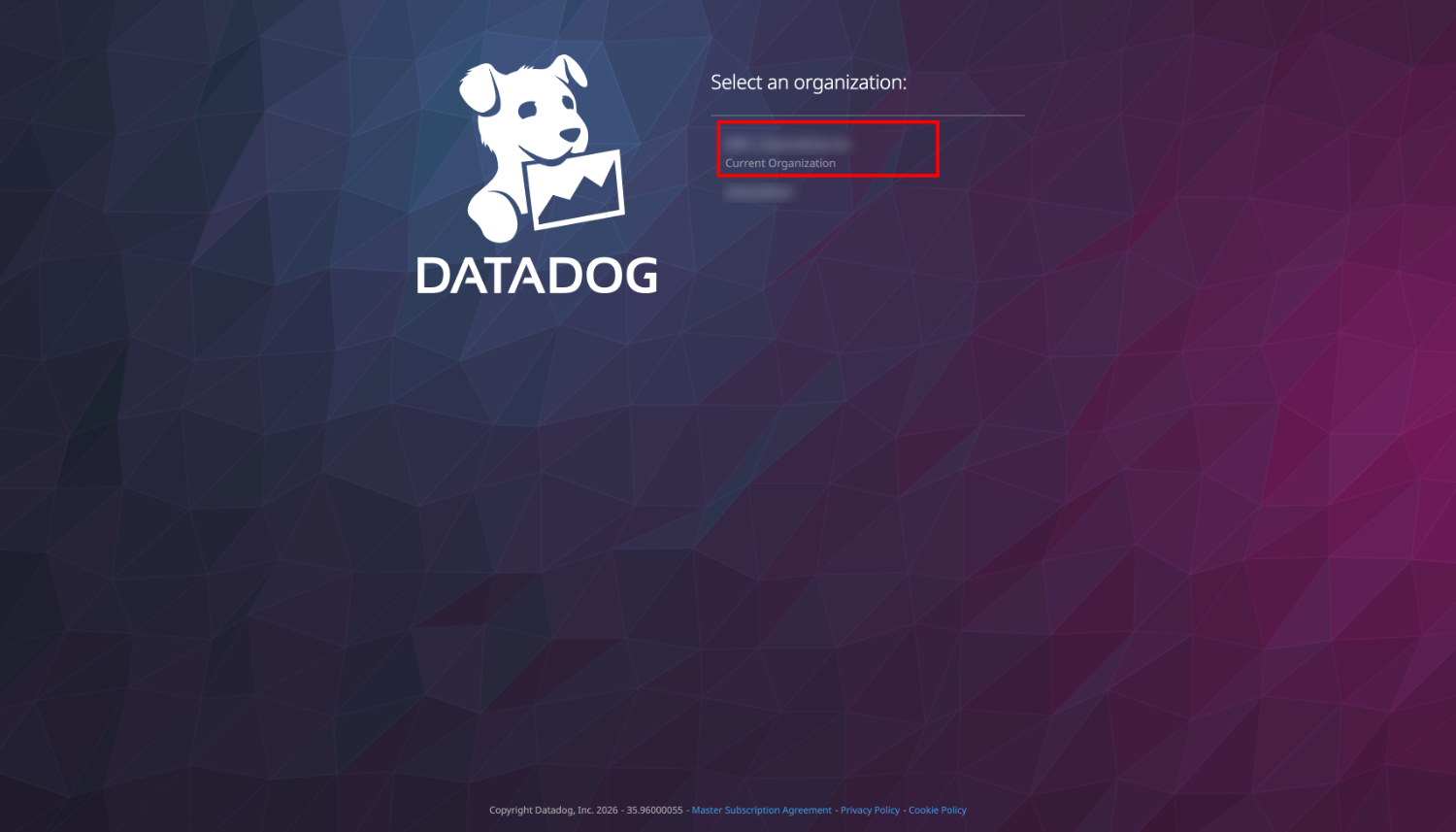
When you execute the command, a browser window will open.
Select your Datadog organization.
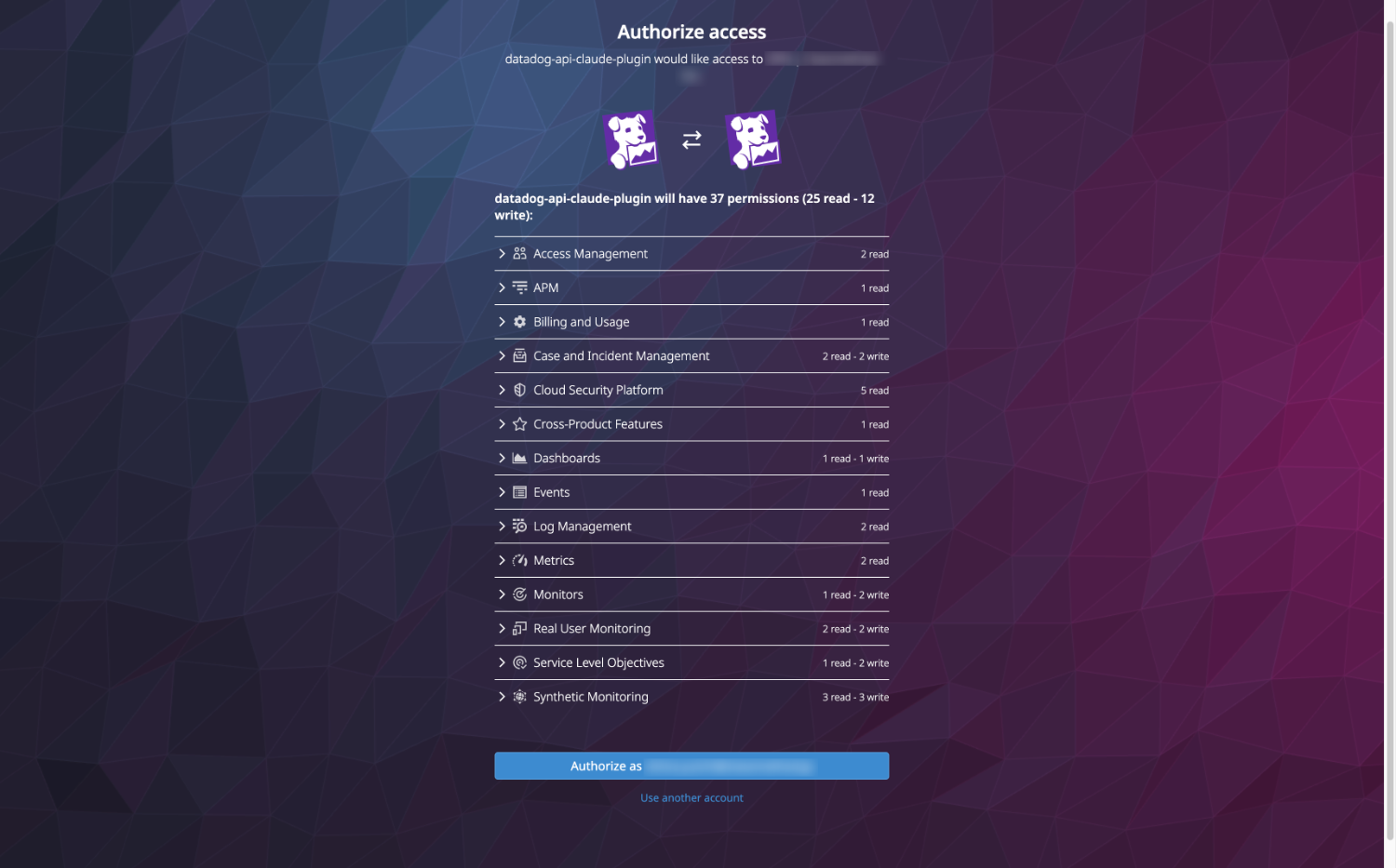
Check the access permissions and authorize.
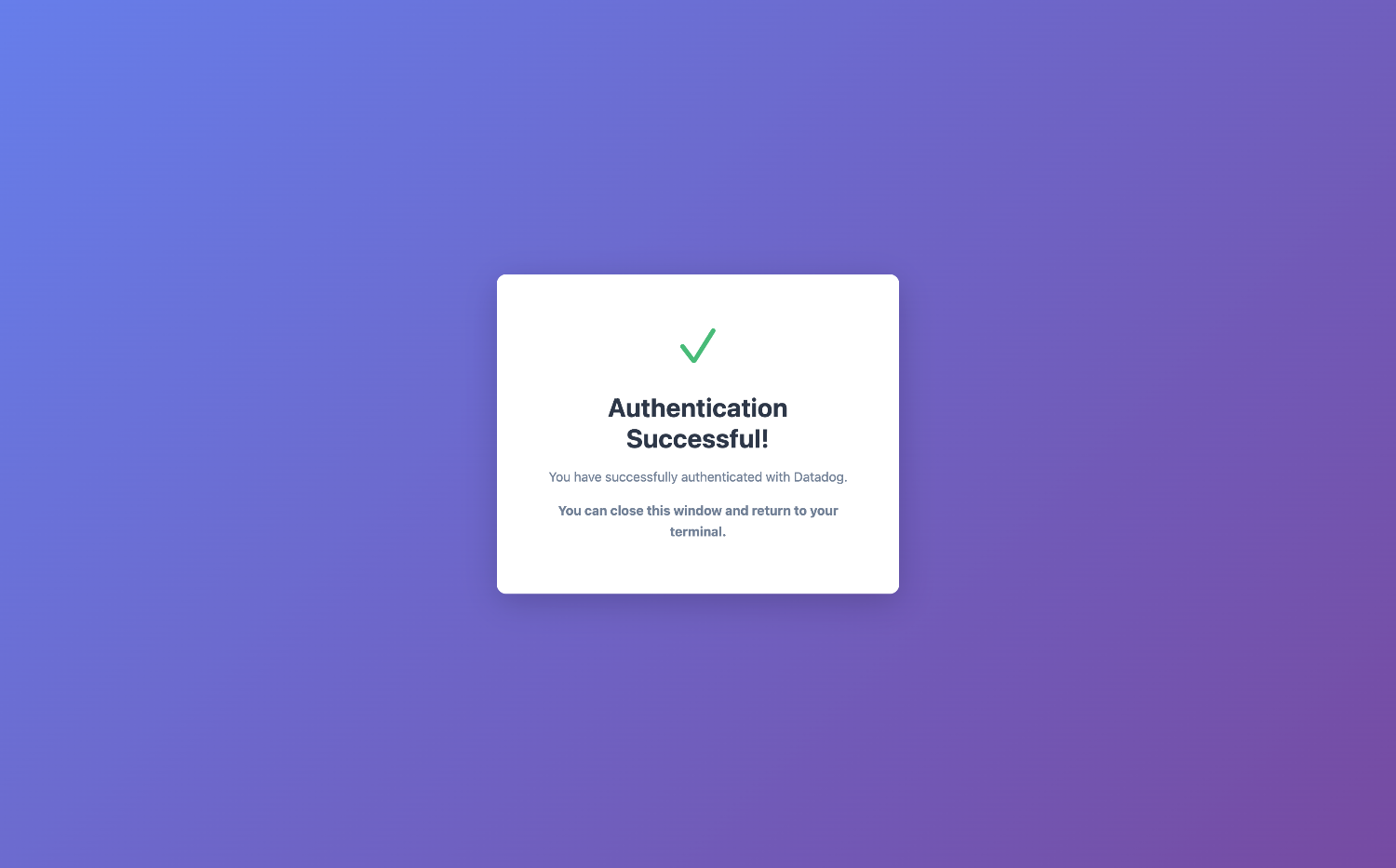
Upon success, "Authentication Successful!" will be displayed.
When you return to the terminal, a login success message is displayed.
✅ Login successful!
   Access token expires: 2026-02-12T13:57:56+09:00
   Token stored in: macOS Keychain (secure)
Login is now complete.
The OAuth authentication token is stored in the OS keychain.
On macOS, you can see it's stored in the Keychain Access with the name datadog-cli.

Checking authentication status
Let's check the authentication status.
pup auth status
✅ Authenticated for site: datadoghq.com
   Token expires in: 59m6s

{
  "authenticated": true,
  "expires_at": "2026-02-12T13:57:56+09:00",
  "has_refresh": true,
  "site": "datadoghq.com",
  "status": "valid",
  "token_type": "Bearer"
}
You can check the Datadog site you're logged into and the token expiration time.
The token validity period appears to be 1 hour by default.
When the token expires, commands will fail.
You can re-authenticate using the pup auth refresh or pup auth login command.
⚠️  Token expired
   Run 'pup auth refresh' to refresh or 'pup auth login' to re-authenticate

{
  "authenticated": false,
  "expires_at": "2026-02-12T13:57:56+09:00",
  "has_refresh": true,
  "site": "datadoghq.com",
  "status": "expired",
  "token_type": "Bearer"
}
Connection test
There's a dedicated command to test the connection with Datadog.
pup test
Configuration is valid:
  Site: datadoghq.com
  API Key: (not set - using OAuth2 or will prompt)
  App Key: (not set - using OAuth2 or will prompt)

Connection test successful!
We can confirm that the connection is established without Datadog API or APP keys.
Retrieving monitor details
Let's run a command to retrieve information by specifying a monitor ID.
pup monitors get <monitor ID>
{
  "created": "2026-02-12T04:27:50.584Z",
  "created_at": 1770870470000,
  "creator": {
    "email": "user@example.com",
    "handle": "user@example.com",
    "id": XXXXXXXXX,
    "name": "shiina yuichi"
  },
  "deleted": null,
  "draft_status": "published",
  "id": 258374678,
  "message": "Alert!",
  "modified": "2026-02-12T04:58:40.110Z",
  "multi": false,
  "name": "EC2 CPU Monitor",
  "options": {
    "evaluation_delay": 900,
    "include_tags": false,
    "new_host_delay": 300,
    "notify_audit": false,
    "on_missing_data": "default",
    "silenced": {},
    "thresholds": {
      "critical": 70
    }
  },
  "org_id": 1116874,
  "overall_state": "OK",
  "overall_state_modified": "2026-02-12T04:41:39+00:00",
  "priority": null,
  "query": "avg(last_1h):avg:aws.ec2.cpuutilization{*} \u003e 70",
  "restricted_roles": null,
  "tags": [
    "env:production"
  ],
  "type": "query alert"
}
We were able to retrieve various information.
Log search
Let's try searching for error logs.
pup logs search --query="status:error" --from="1d" --output=table
┌────────────────────────────────────────────────────┬──────┬────────┬────────────┬──────────────────────┬────────────┬──────────────────────────────────────────────┬────────────────────────────────────────────────────┬───────────┐
│                         ID                         │ TYPE │ STATUS │    TAGS    │      TIMESTAMP       │ ATTRIBUTES │                     HOST                     │                      MESSAGE                       │  SERVICE  │
├────────────────────────────────────────────────────┼──────┼────────┼────────────┼──────────────────────┼────────────┼──────────────────────────────────────────────┼────────────────────────────────────────────────────┼───────────┤
│ AwAAAZxQH8u4O6ckcgAAABhBWnhRSDk0cEFBQ01nN3FjWFl... │ log  │ error  │ [16 items] │ 2026-02-12T04:33:07Z │ {8 fields} │ ip-10-0-0-46.ap-northeast-1.compute.internal │ 2026/02/12 04:33:07 [error] 2224#2224: *3 open(... │ webserver │
│ AwAAAZxQH6x4kqbQrAAAABhBWnhRSDdqWUFBREFYdUp3MDd... │ log  │ error  │ [16 items] │ 2026-02-12T04:32:59Z │ {8 fields} │ ip-10-0-0-46.ap-northeast-1.compute.internal │ 2026/02/12 04:32:59 [error] 2224#2224: *2 open(... │ webserver │
└────────────────────────────────────────────────────┴──────┴────────┴────────────┴──────────────────────┴────────────┴──────────────────────────────────────────────┴────────────────────────────────────────────────────┴───────────┘
Logs matching our conditions were returned.
The table format makes it easy to read, but the messages are truncated.
Since JSON format outputs more detailed information, let's format the output using jq.
pup logs search --query="status:error" --from="1d" --output=json | jq -s '.[0].data[].attributes | select(.message) | "[\(.timestamp)] \(.status) \(.service)\n HOST: \(.host)\n MSG: \(.message)\n"' -r
[2026-02-12T04:33:07Z] error webserver
  HOST: ip-10-0-0-46.ap-northeast-1.compute.internal
  MSG:  2026/02/12 04:33:07 [error] 2224#2224: *3 open() "/usr/share/nginx/html/admin.html" failed (2: No such file or directory), client: ::1, server: _, request: "GET /admin.html HTTP/1.1", host: "localhost"

[2026-02-12T04:32:59Z] error webserver
  HOST: ip-10-0-0-46.ap-northeast-1.compute.internal
  MSG:  2026/02/12 04:32:59 [error] 2224#2224: *2 open() "/usr/share/nginx/html/admin.php" failed (2: No such file or directory), client: ::1, server: _, request: "GET /admin.php? HTTP/1.1", host: "localhost"
Now it's nicely formatted.
Deleting a monitor
There's a deletion command implemented for monitors.
Let's try running a command to delete a monitor.
pup monitors delete <monitor ID>
⚠️  WARNING: This will permanently delete monitor XXXXXXXX
Are you sure you want to continue? (y/N):
By default, update commands require confirmation.
It's possible to enable auto-approval using the DD_AUTO_APPROVE environment variable.
It's probably better to keep it as false to avoid making unintended updates.
Summary
We tried operating Datadog using the Pup CLI.
The OAuth2 authentication eliminates the need to manage API keys, which is a significant security benefit.
The command structure is simple and intuitive, and being able to choose between JSON, Table, and YAML output formats is practical.
While currently in preview with limited commands, major read operations like monitor retrieval and log searching are already available.
The required confirmation for update commands like deletion provides peace of mind.
As a command line tool, it can be incorporated into shell scripts and CI/CD pipelines, making it useful for automating Datadog operations.
This is a tool worth keeping an eye on for future updates.
I hope this article has been helpful.