Verification of DynamoDB cross-account backups to LAG Vault by encryption key type (AWS-owned / AWS-managed / CMK)

This page has been translated by machine translation. View original
Hello, I'm Arahira from the Cloud Business Division, Consulting Department (@eiraces).
When backing up AWS resources across accounts, behavior can change depending on the type of encryption key.
This time, regarding DynamoDB, can tables created with AWS-owned keys be copied across accounts, and what about AWS-managed keys (aws/dynamodb)? To resolve these questions, I tested each pattern.
Note that in this case, we'll use a Logically Air-Gapped (LAG) Vault instead of a regular Backup Vault at the destination.
Prerequisite Knowledge
DynamoDB Encryption Key Types
DynamoDB tables have 3 types of encryption keys for Encryption at Rest.
| Key Type | Overview | KMS Fee | Key Policy Changes |
|---|---|---|---|
| AWS-owned key | Owned and managed by DynamoDB. Not visible in KMS console | Free | Not possible (invisible) |
AWS-managed key (aws/dynamodb) |
Exists in the user's KMS but managed by AWS | Paid | Not possible (immutable) |
| Customer-managed key (CMK) | Created and fully managed by the user | Paid | Possible |
Advanced DynamoDB backup
To perform cross-account backups of DynamoDB, you need to enable Advanced DynamoDB backup. (Enabled by default if you activated Backup Vault after November 21, 2021)
When enabled, DynamoDB becomes a Fully Managed resource for AWS Backup, and backups are encrypted with the vault's KMS key. This appears to separate it from the source table's encryption key.
Note that without this feature enabled, backups are encrypted with the same key as the source table, and cross-account or cross-region copying is not available.
Logically Air-Gapped (LAG) Vault
LAG Vault (Logically Air-Gapped Vault) is a type of backup vault that is increasingly being considered as part of ransomware countermeasures.
Conceptually, it's like storing your data in a bank (AWS) safety deposit box rather than a safe in your own home (user account). Even if a user account is compromised, it creates a "logical air gap" where backup data cannot be directly accessed.
Key Differences from Standard Vault
| Feature | Standard Backup Vault | LAG Vault |
|---|---|---|
| Vault Lock | Optional | Compliance mode auto-assigned (WORM) |
| Encryption Key | AWS-managed or CMK | AWS-owned or CMK |
| Sharing Method | Vault access policy | AWS RAM |
| Retention Period | Any | Minimum 7 days (required) |
A major difference is that Standard Vaults control cross-account access via vault access policies, while LAG Vaults use AWS RAM (Resource Access Manager) for sharing.
Architecture Diagram
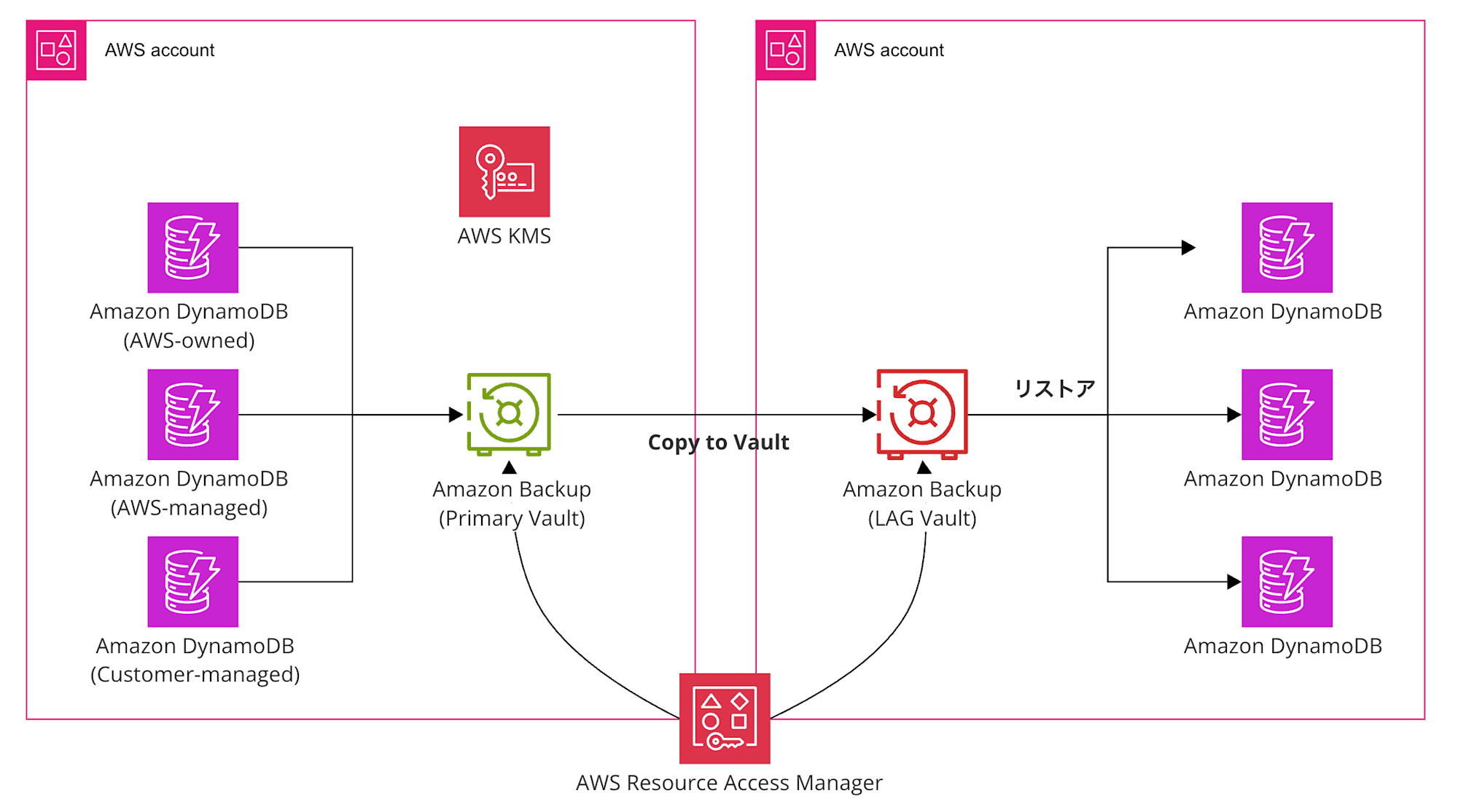
Here's the diagram for this entry. We'll prepare DynamoDB with three encryption methods.
Testing Process
For creating a LAG Vault, please refer to the following article.
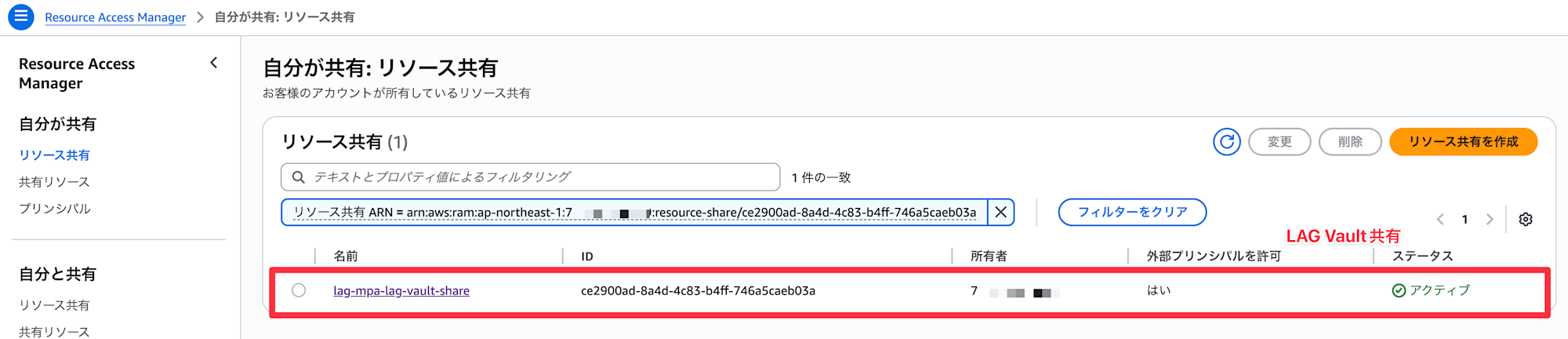
As a prerequisite, we'll verify with the LAG Vault shared between the source account and backup account via RAM.
1. Creating KMS Key
Create a KMS key in the source account (the account where the original DynamoDB belongs).
You can create it with aws kms create-key.
$ aws kms create-key \
    --description "DynamoDB CMK for cross-account backup test" \
    --region ap-northeast-1

{
    "KeyMetadata": {
        "AWSAccountId": "000000000000",
        "KeyId": "xxxxxxx-961c-4f2c-b126-4c556eb1935c",
        "Arn": "arn:aws:kms:ap-northeast-1:000000000000:key/9be72240-961c-4f2c-b126-4c556eb1935c",
        "CreationDate": "2026-04-06T14:36:23.701000+00:00",
        "Enabled": true,
        "Description": "DynamoDB CMK for cross-account backup test",
        "KeyUsage": "ENCRYPT_DECRYPT",
        "KeyState": "Enabled",
        "Origin": "AWS_KMS",
        "KeyManager": "CUSTOMER",
        "CustomerMasterKeySpec": "SYMMETRIC_DEFAULT",
        "KeySpec": "SYMMETRIC_DEFAULT",
        "EncryptionAlgorithms": [
            "SYMMETRIC_DEFAULT"
        ],
        "MultiRegion": false,
        "CurrentKeyMaterialId": "b0ed6a385ada4c0a8db9246a37e0dcf2a0155c6c70e788db8f468955cxxxxxxx"
    }
}
Note the KeyID for the CMK database.
2. Creating DynamoDB Tables (Source Account)
Create tables with 3 types of encryption key types.
| Table Name | Encryption Key Type |
|---|---|
test-aws-owned |
AWS-owned key |
test-aws-managed |
AWS-managed key (aws/dynamodb) |
test-cmk |
Customer-managed key |
test-aws-owned (AWS-owned key)
aws dynamodb create-table \
    --table-name test-aws-owned \
    --attribute-definitions AttributeName=PK,AttributeType=S \
    --key-schema AttributeName=PK,KeyType=HASH \
    --billing-mode PAY_PER_REQUEST \
    --region ap-northeast-1
test-aws-managed (AWS-managed key)
aws dynamodb create-table \
    --table-name test-aws-managed \
    --attribute-definitions AttributeName=PK,AttributeType=S \
    --key-schema AttributeName=PK,KeyType=HASH \
    --billing-mode PAY_PER_REQUEST \
    --sse-specification Enabled=true,SSEType=KMS \
    --region ap-northeast-1
test-cmk (Customer-managed key)
※ If implementing, replace the key with your actual ARN.
aws dynamodb create-table \
    --table-name test-cmk \
    --attribute-definitions AttributeName=PK,AttributeType=S \
    --key-schema AttributeName=PK,KeyType=HASH \
    --billing-mode PAY_PER_REQUEST \
    --sse-specification Enabled=true,SSEType=KMS,KMSMasterKeyId=arn:aws:kms:ap-northeast-1:000000000000:key/9be72240-961c-4f2c-b126-4c556eb1935c \
    --region ap-northeast-1
Finally, add about 50 rows to each table for restore verification.
for table in test-aws-owned test-aws-managed test-cmk; do
    for i in $(seq 1 50); do
      aws dynamodb put-item \
        --table-name "$table" \
        --item "{\"PK\":{\"S\":\"item-$i\"},\"name\":{\"S\":\"test-record-$i\"},\"value\":{\"N\":\"$i\"}}" \
        --region ap-northeast-1
    done
    echo "$table done"
  done
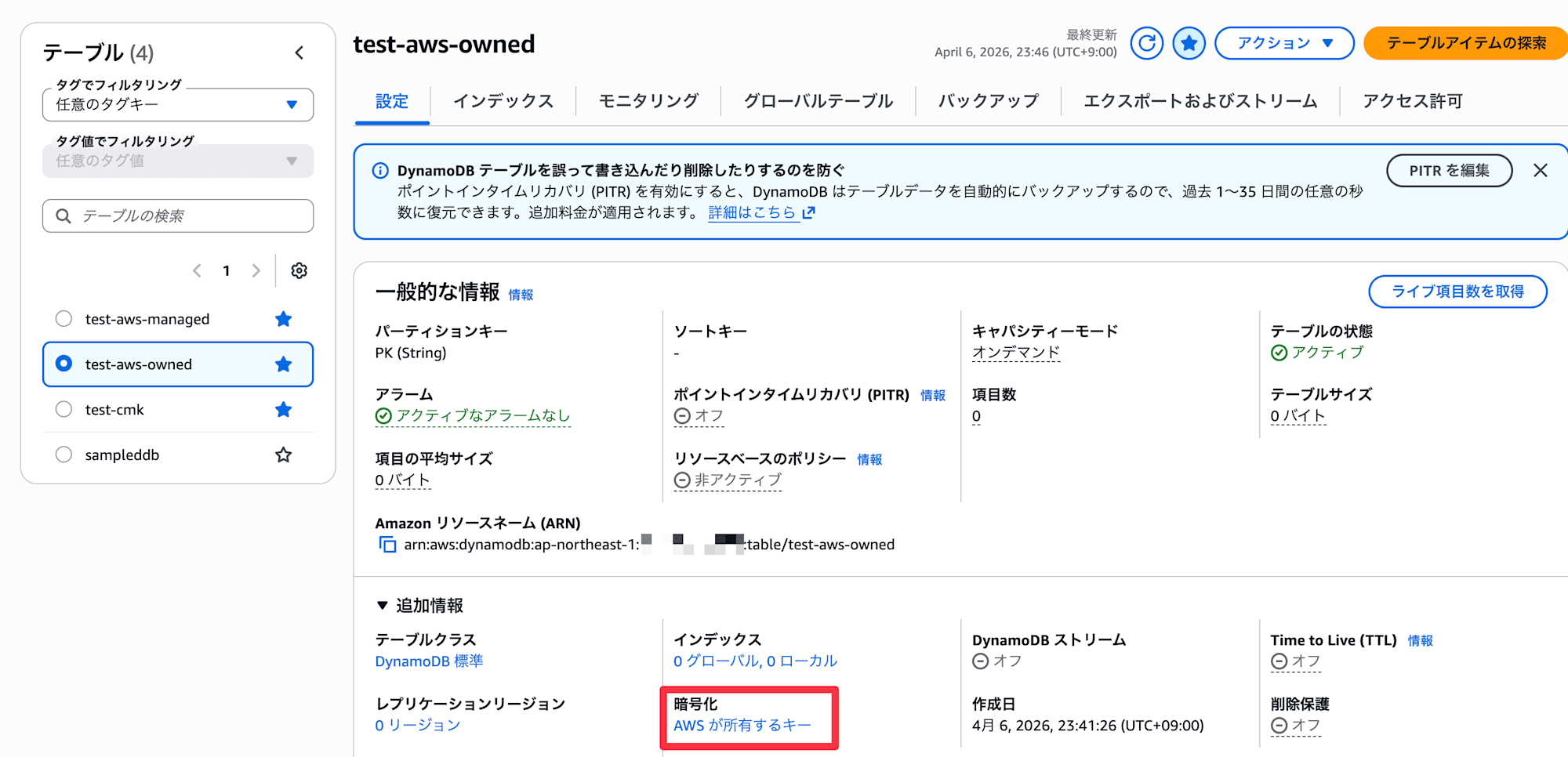
Note that when AWS-owned key is selected, it displays "AWS owned key" and the key ID cannot be confirmed.
(Other types show the key ID)
3. DynamoDB Cross-Account Backup
Take backups of each DynamoDB table and copy them to the LAG Vault in the backup account.
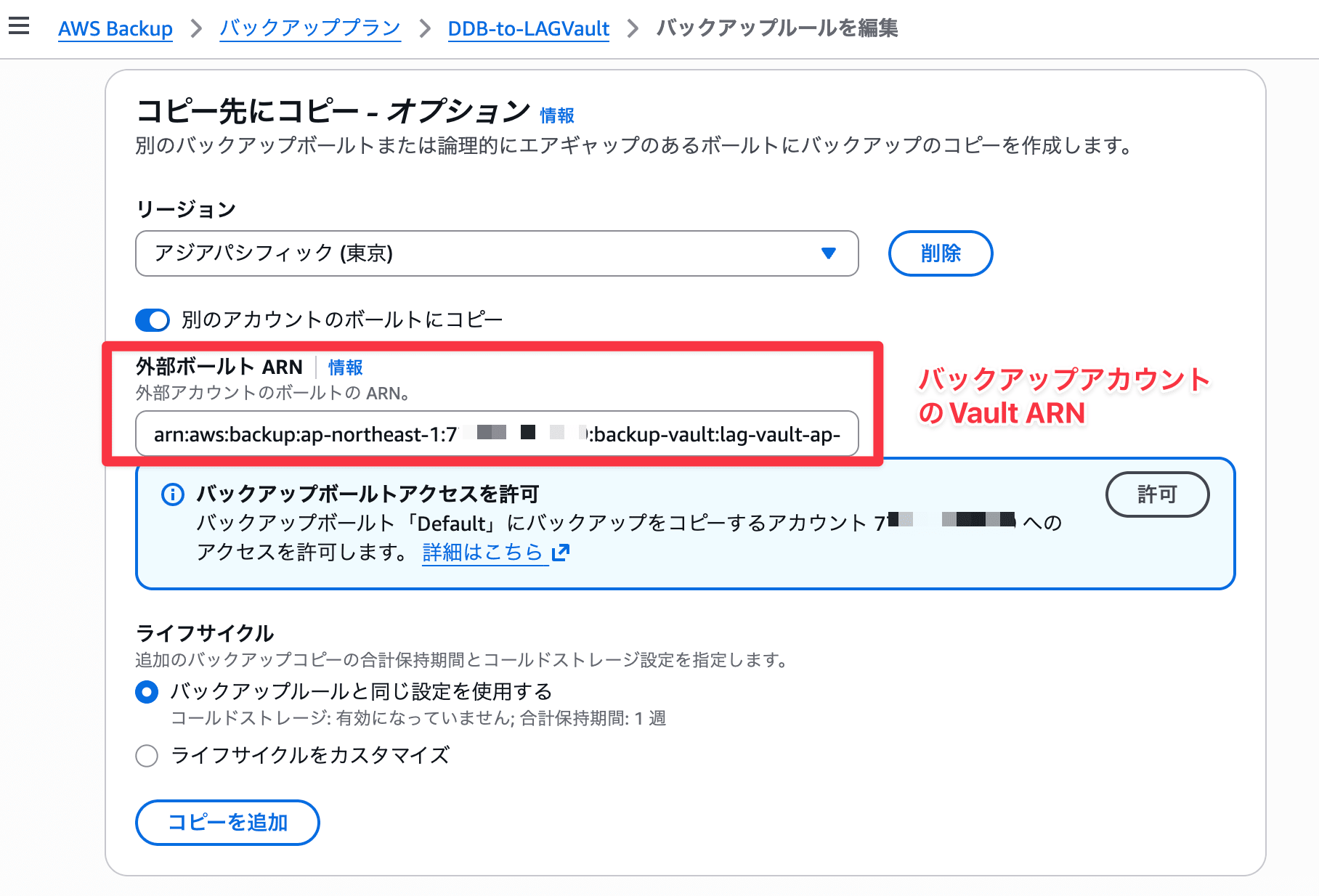
You can specify cross-account in the "Copy to destination" option within the backup plan.
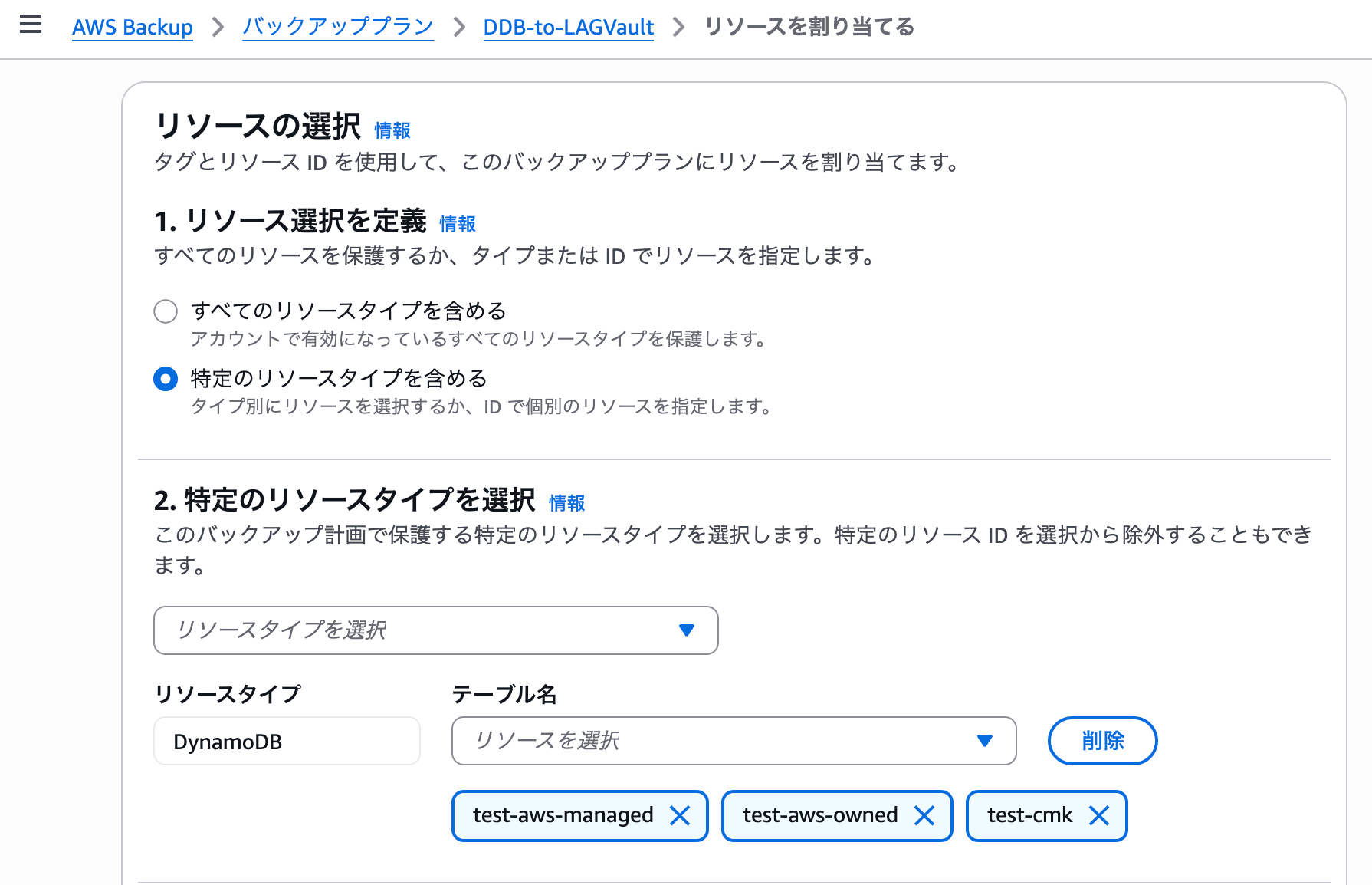
Assign DynamoDB to the backup plan.
Note that the executing IAM role needs the AWSBackupServiceRolePolicyForBackup managed policy.
Backup and copy completed. (Duration: backup took 36 minutes, copy took 22 minutes)
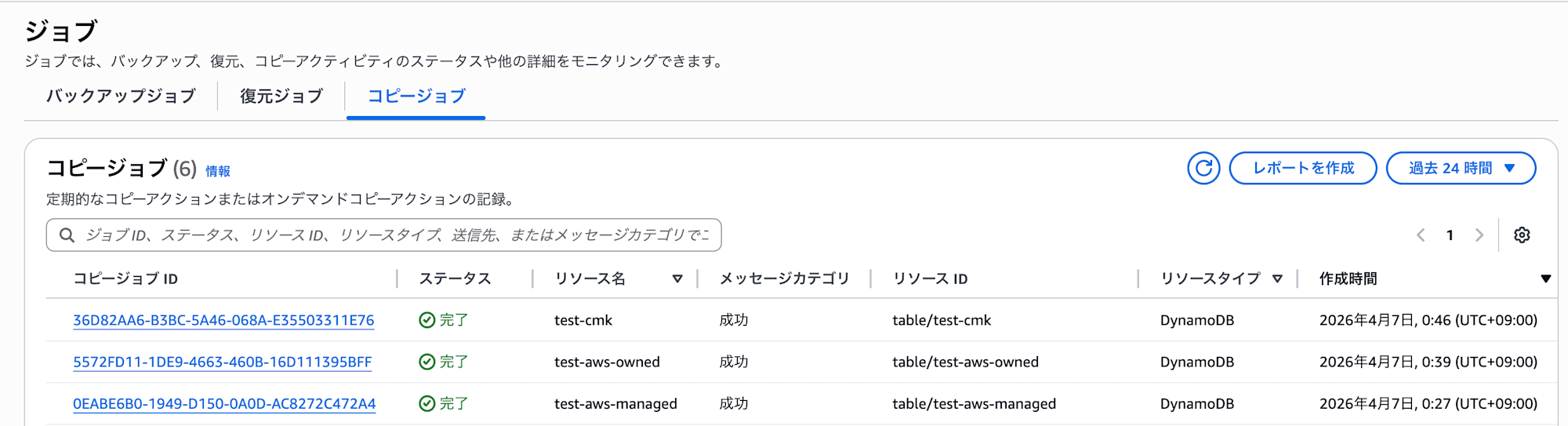
For Non-Fully Managed resources like EBS or RDS, cross-account copying with AWS-managed keys is not possible (because key policies are immutable and cannot be shared between accounts), but DynamoDB becomes Fully Managed when Advanced features are enabled, so cross-account copying is possible even with AWS-managed keys.
It's good that backups are re-encrypted with the vault's KMS key, so they don't depend on the source table's encryption key. CMK tables were also copied without issues.
4. Restore Verification
As a precaution, let's confirm that restoration is possible on the cross-account destination.
During restoration, you can specify an encryption key to change to a different encryption method.
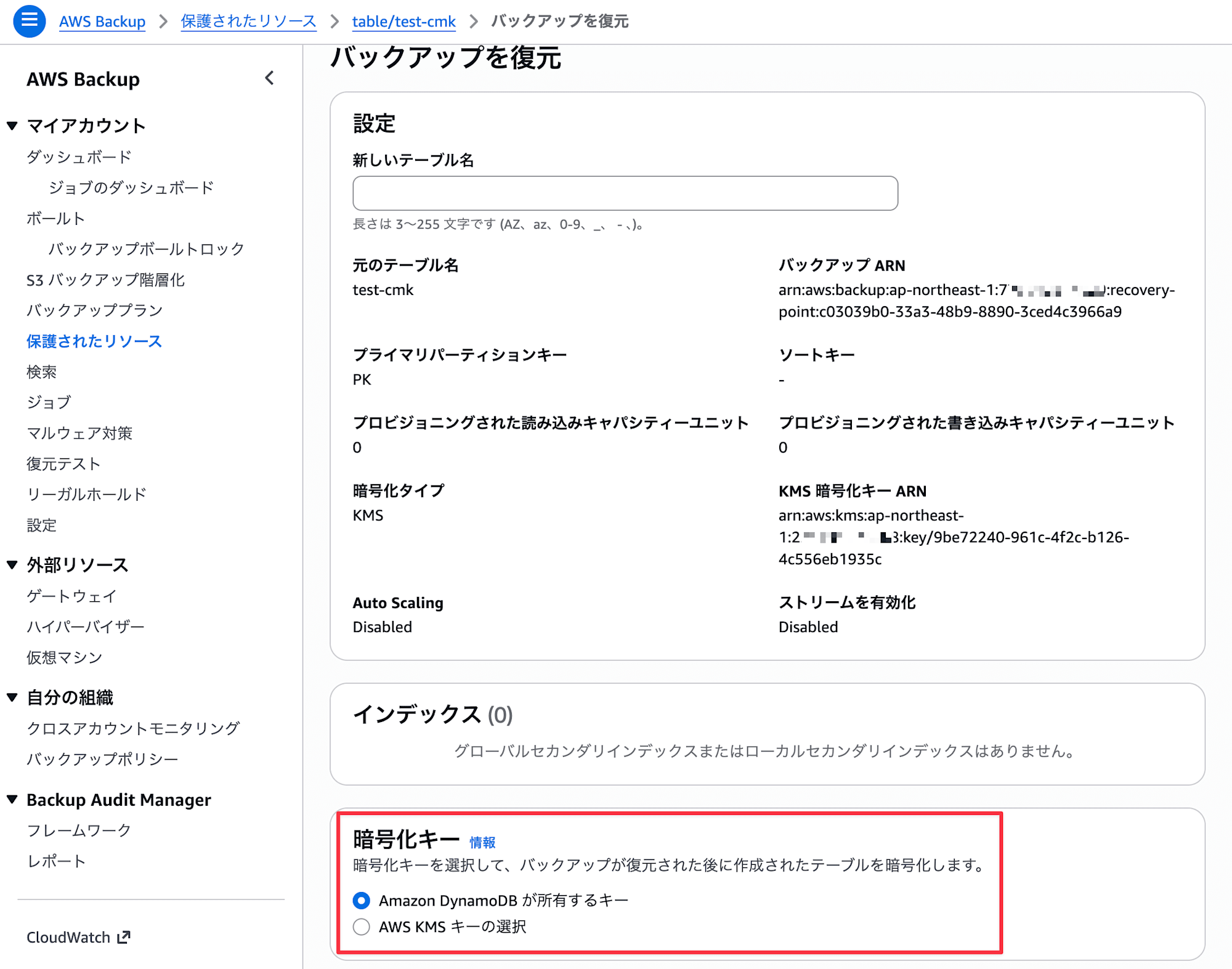
Restoration jobs took about 2-6 minutes (for 50 records) to complete.
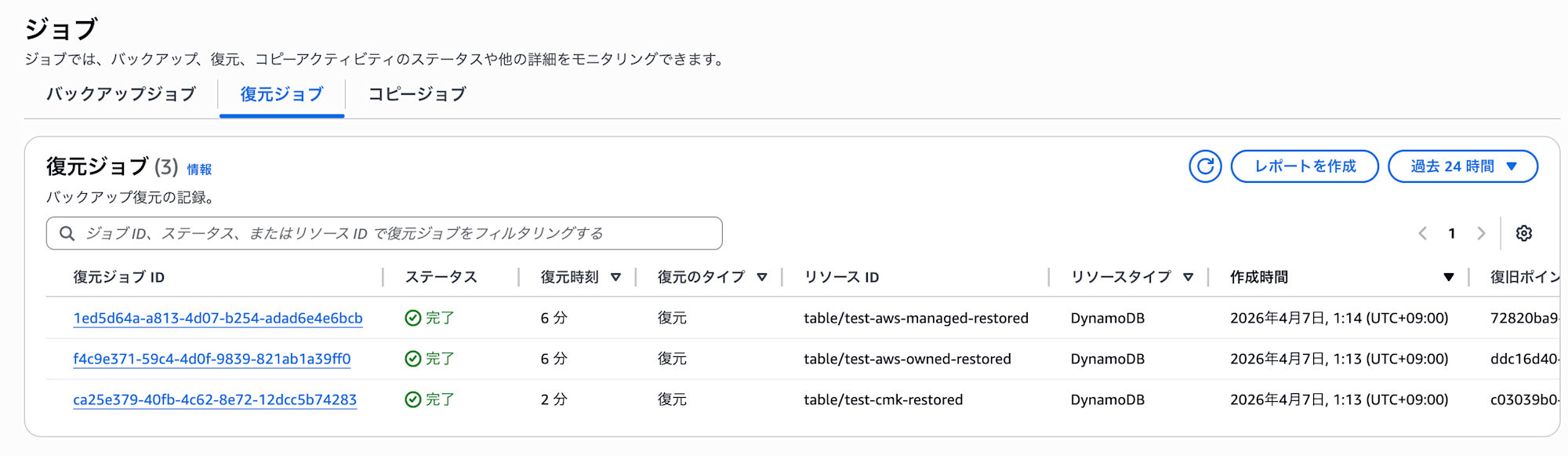
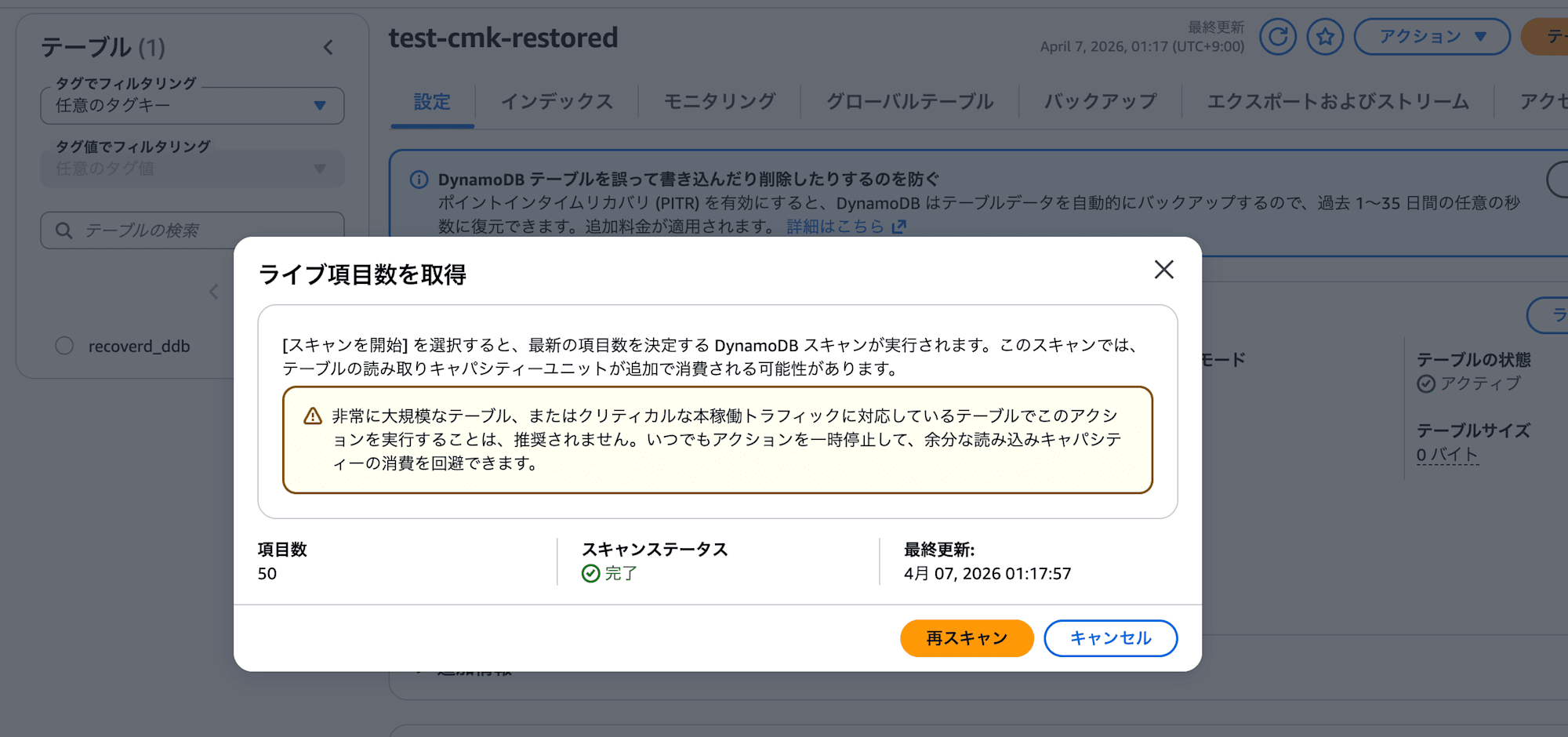
Right after restoration, the table size displays as 0 bytes (updates occur every 6 hours), so we check the live item count.
The 50 items imported in the previous step are displayed.
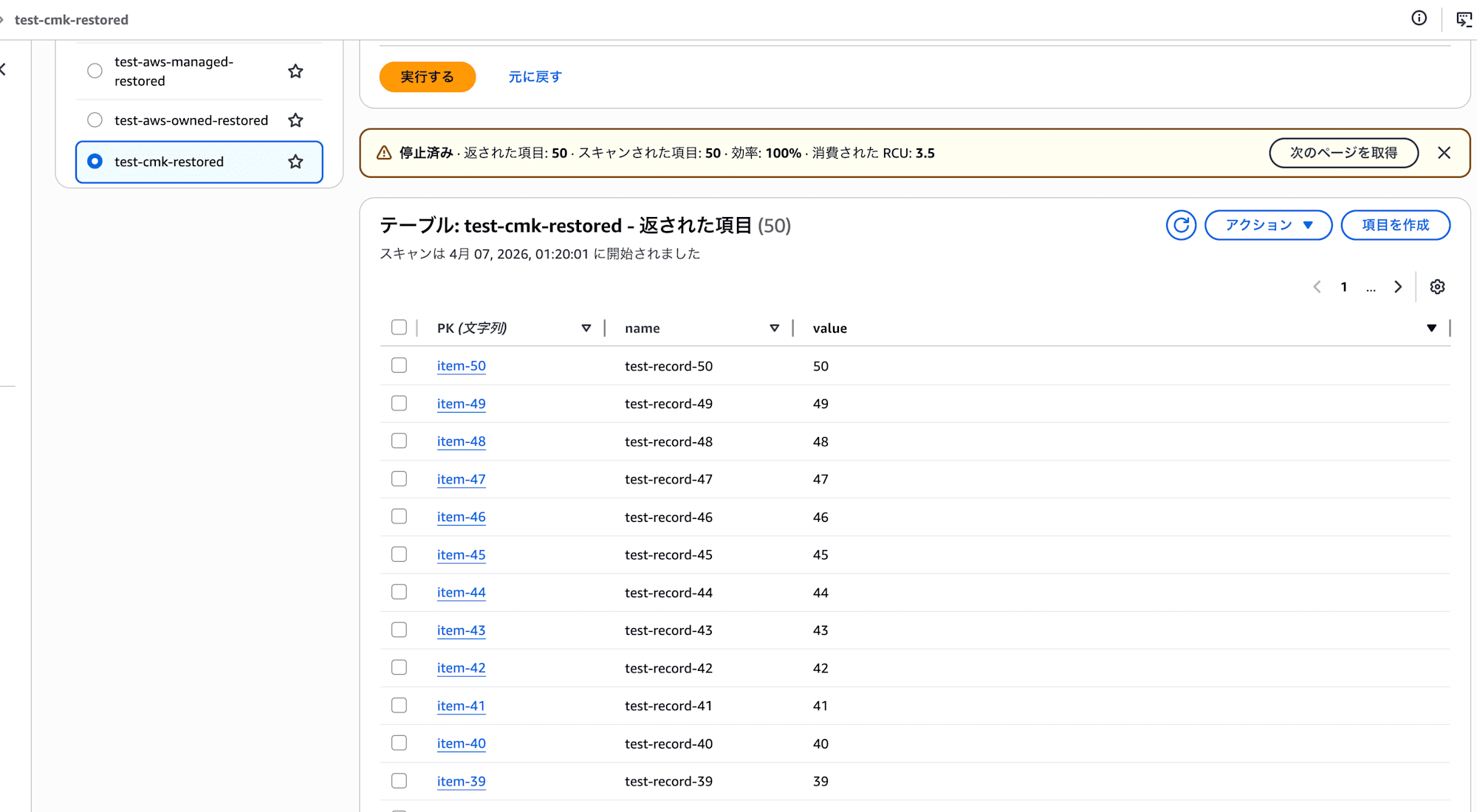
The contents are also properly readable. All three patterns were successfully restored.
As expected beforehand, everything seems to be working fine.
Test Results
Here are the results of our verification. Even for things documented, it's important to actually test them.
| Source Table Encryption | Cross-Account Copy | Destination Encryption | Restore Test |
|---|---|---|---|
| AWS-owned key | Success | LAG Vault encryption key (AWS-owned) | Success |
AWS-managed key (aws/dynamodb) |
Success | LAG Vault encryption key (AWS-owned) | Success |
| Customer-managed key (CMK) | Success | LAG Vault encryption key (AWS-owned) | Success |
Conclusion
I verified DynamoDB cross-account backups by encryption key type and confirmed that copying to LAG Vault was successful in all 3 patterns.
Note that the vault's encryption key type cannot be changed after creation, so care is needed.
Currently, there aren't many Fully Managed resources, which is a concern, but I hope support for more resources will increase with feature enhancements.
I hope this entry helps someone.
This has been Arahira from the Cloud Business Division, Consulting Department!
References