
I tried setting up a custom domain for a service created in ECS Express Mode #AWSreInvent

This page has been translated by machine translation. View original
Hello! I'm Takakuni (@takakuni_) from the Cloud Business Division Consulting Department.
At the end of last year, ECS Express Mode was released with a very simple API that enables deployment of ECS services and surrounding resources.
It's an extremely simple feature that allows you to deploy applications with just three items: "container image URI," "task execution role," and "infrastructure role."
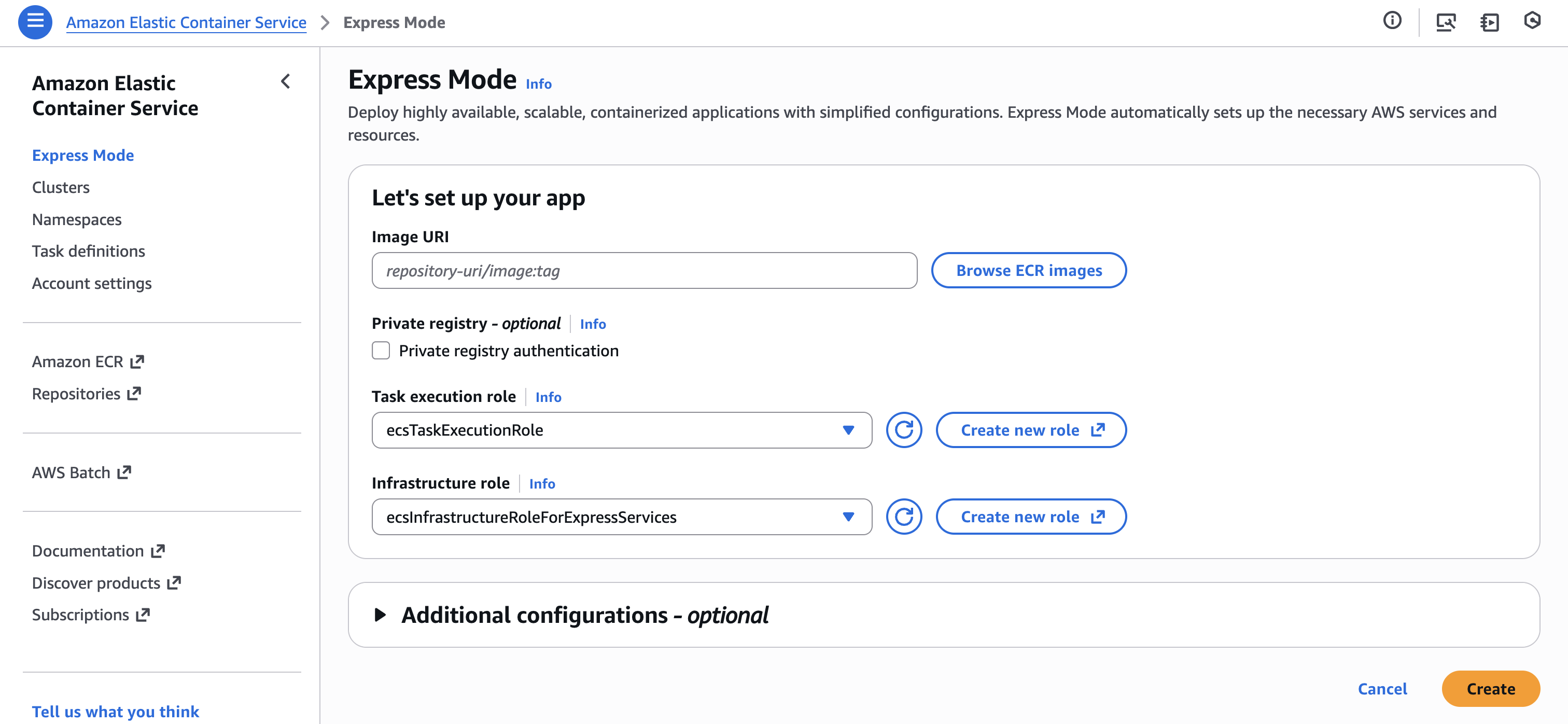
This ECS Express Mode, when deployed, issues an endpoint starting with xxx.ecs.region-name.on.aws, making it accessible.

While it's nice to be able to deploy to Express, you might want to use a custom domain for production use cases.
Looking into it, I found procedures for setting up custom domains as "Examples of updates outside Express Mode," which I'd like to try out in this article.
Let's Understand the Behavior of Express Mode API
Before getting into custom domains, let's understand the behavior of Express Mode API.
ECS Express Mode has a separate Express Mode API through which creation/deletion/viewing/update operations are performed.
Express Mode API
- CreateExpressGatewayService
- DeleteExpressGatewayService
- DescribeExpressGatewayService
- UpdateExpressGatewayService
Also, resources created by ECS Express Mode are created visibly in your AWS account and can be accessed using standard APIs. For example, you can override the ECS Service's minimum task count with Application Auto Scaling's RegisterScalableTarget API.
Important points to note with Express Mode API:
- There is no automatic detection and repair of differences (like Config Rules)
- Similar to point 1, changes made via standard APIs won't be modified unless explicitly specified as arguments to UpdateExpressGatewayService
- Even when explicitly specified as arguments to Express Mode API, it doesn't verify conflicts, so the impact of changes made through standard APIs on Express Mode is your responsibility
Therefore, while you can customize various things outside Express Mode management, be careful not to have settings conflict when you update with Express Mode API.
The "minimum task count of the ECS Service" example mentioned earlier corresponds to minTaskCount in UpdateExpressGatewayService. If you explicitly specify this when running UpdateExpressGatewayService, it may override your changes, so be cautious.
Let's Try It
Back to setting up the custom domain. We'll proceed assuming that the ACM certificate has been issued and the domain is managed by Route 53.
Let's assume we want to link a custom domain "ecs-express0102.takakuni.blog" to the ALB created by Express Mode.
Checking Resources
First, let's check the ALB status.
Basically, you can refer to the following documentation, but note that not all configuration values are listed.
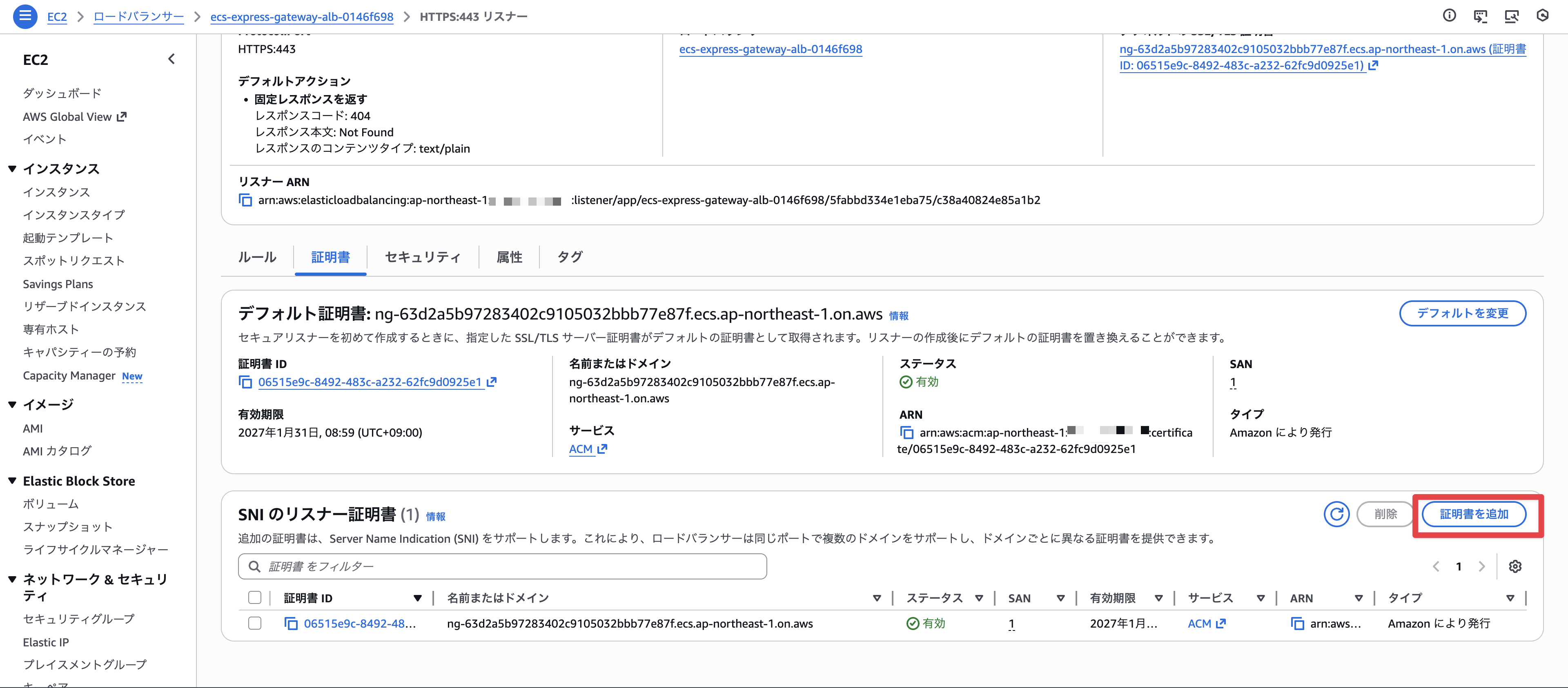
Only an HTTPS (443) listener was configured.
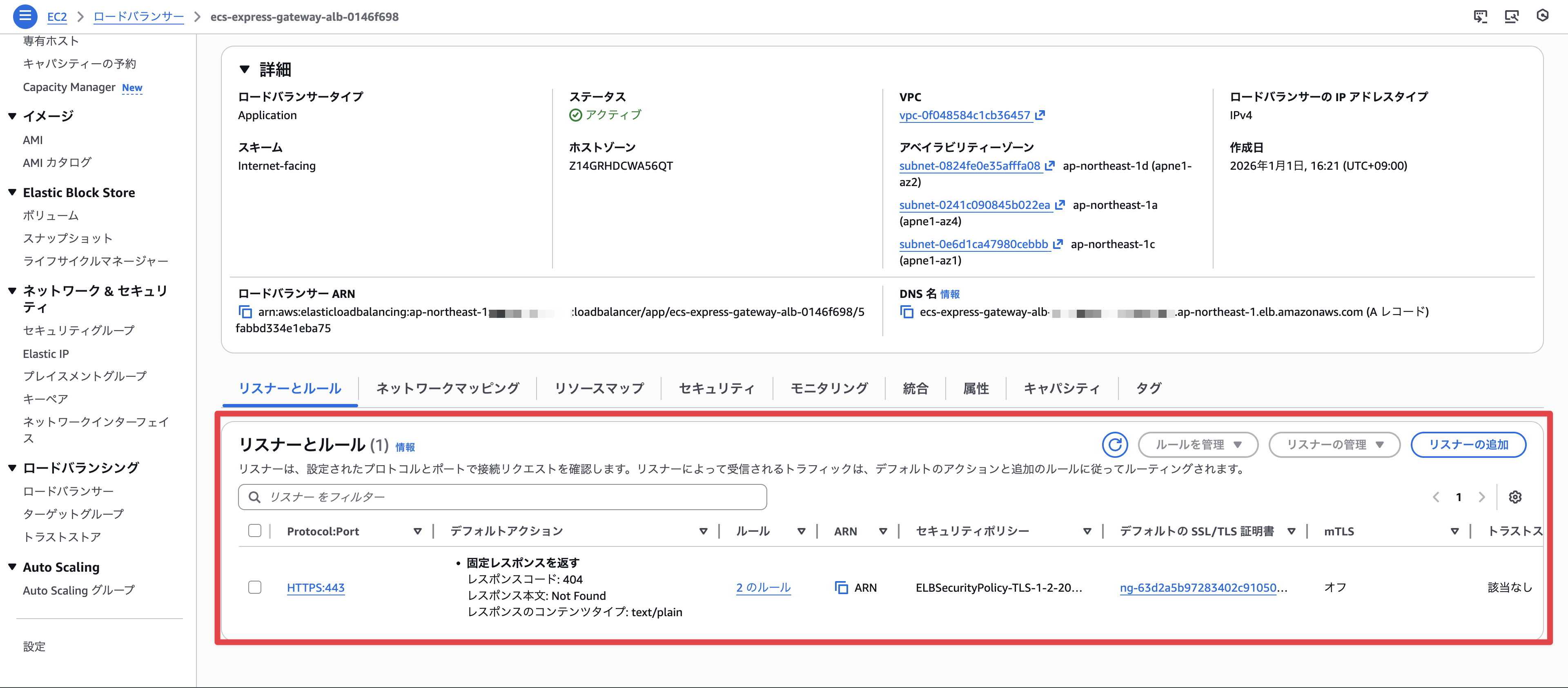
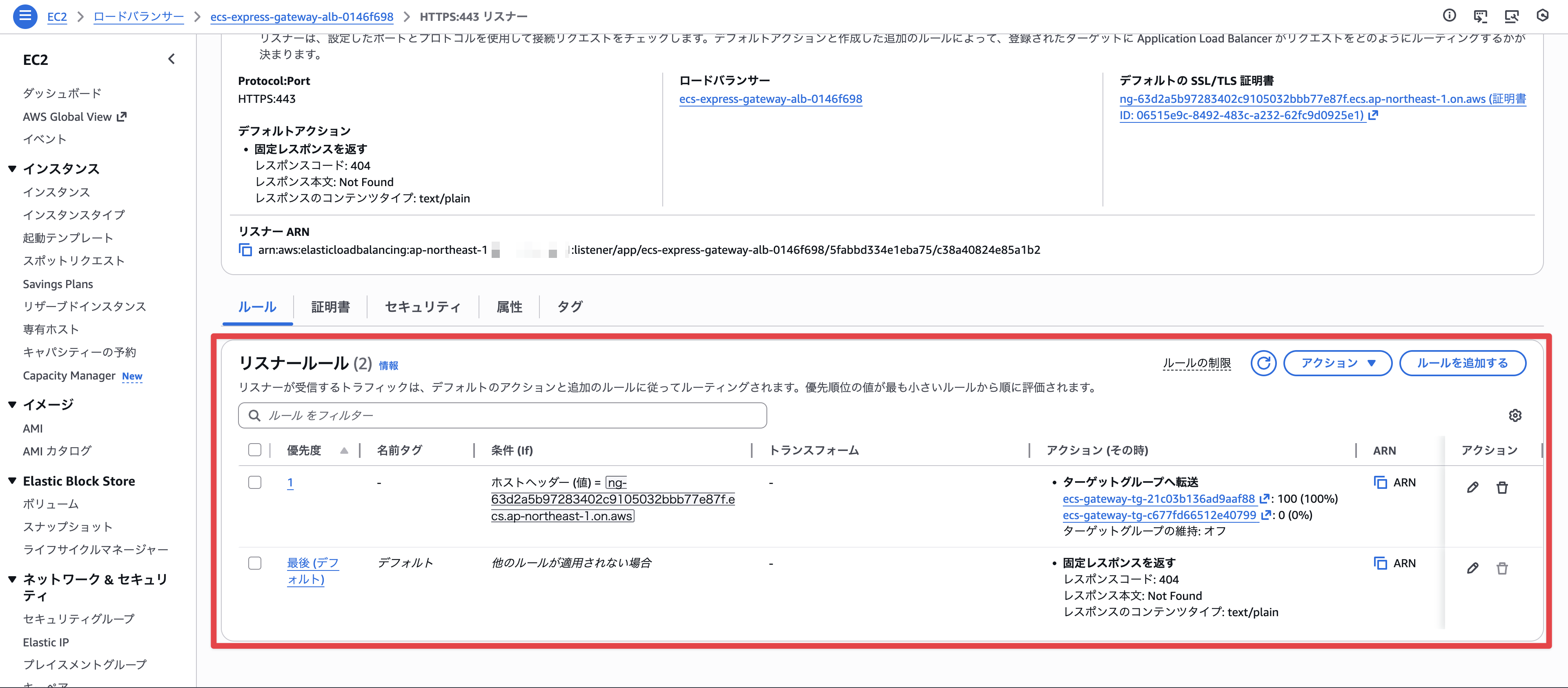
There are two listener rules configured, which route traffic based on whether the host header matches the default xxx.ecs.region-name.on.aws endpoint or returns a fixed response (default action).
A certificate is also configured for the xxx.ecs.region-name.on.aws endpoint.
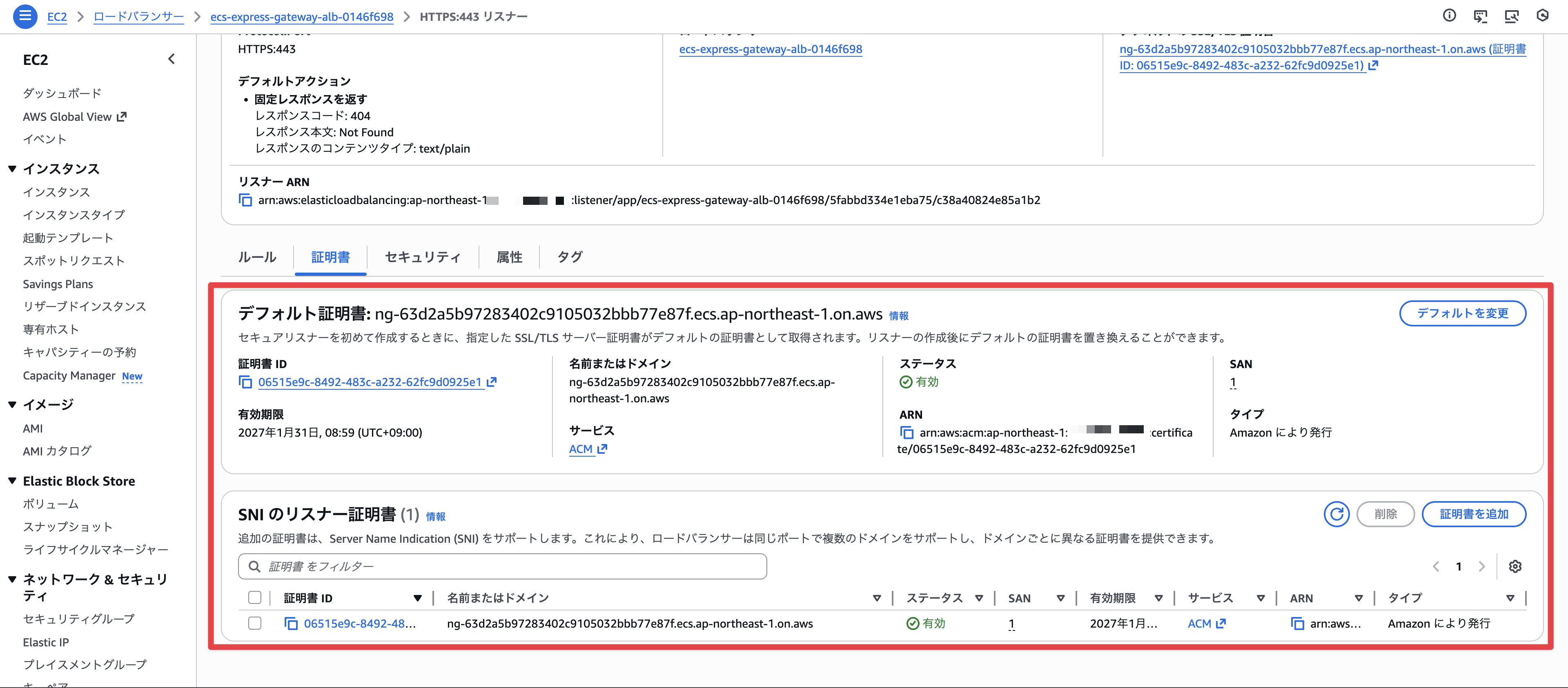
We can also confirm the issued certificate in ACM.
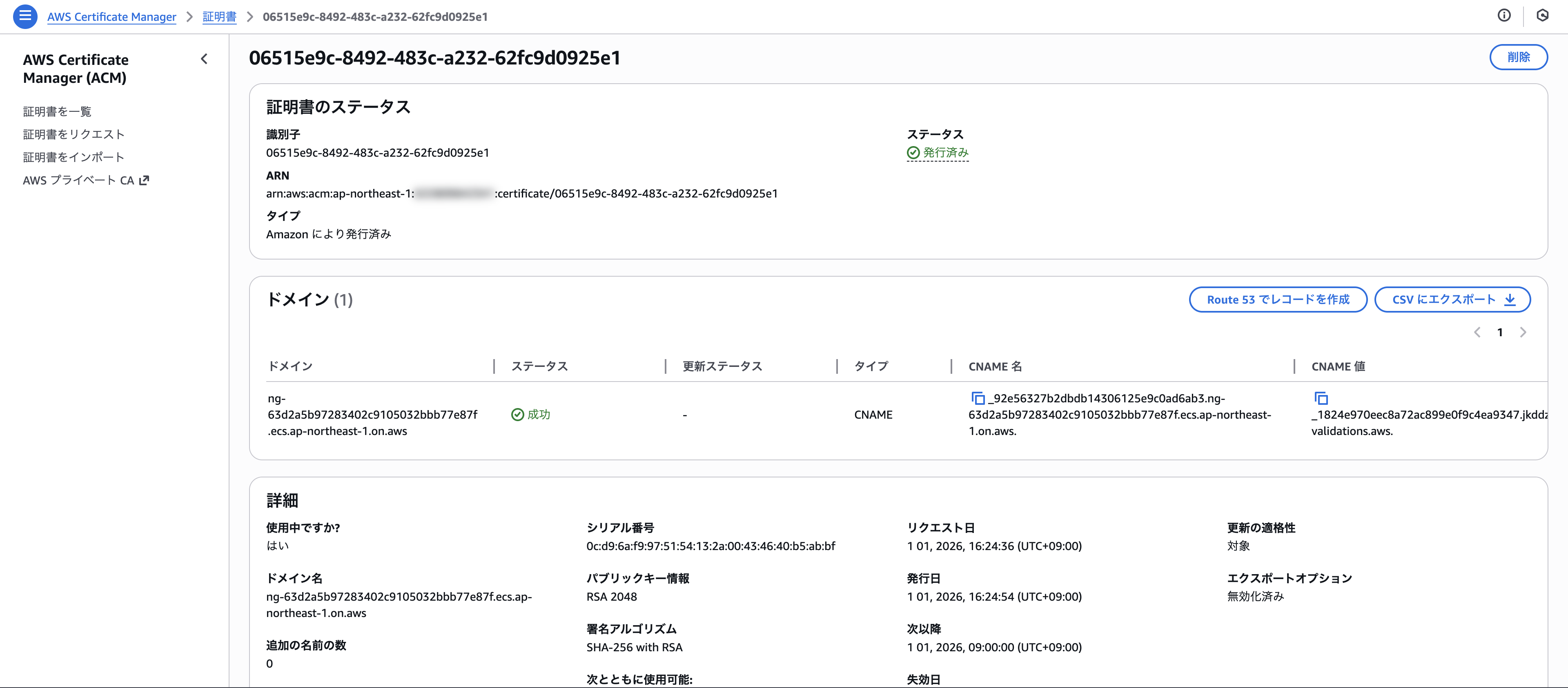
Now we understand the situation.
Editing the Listener Rule
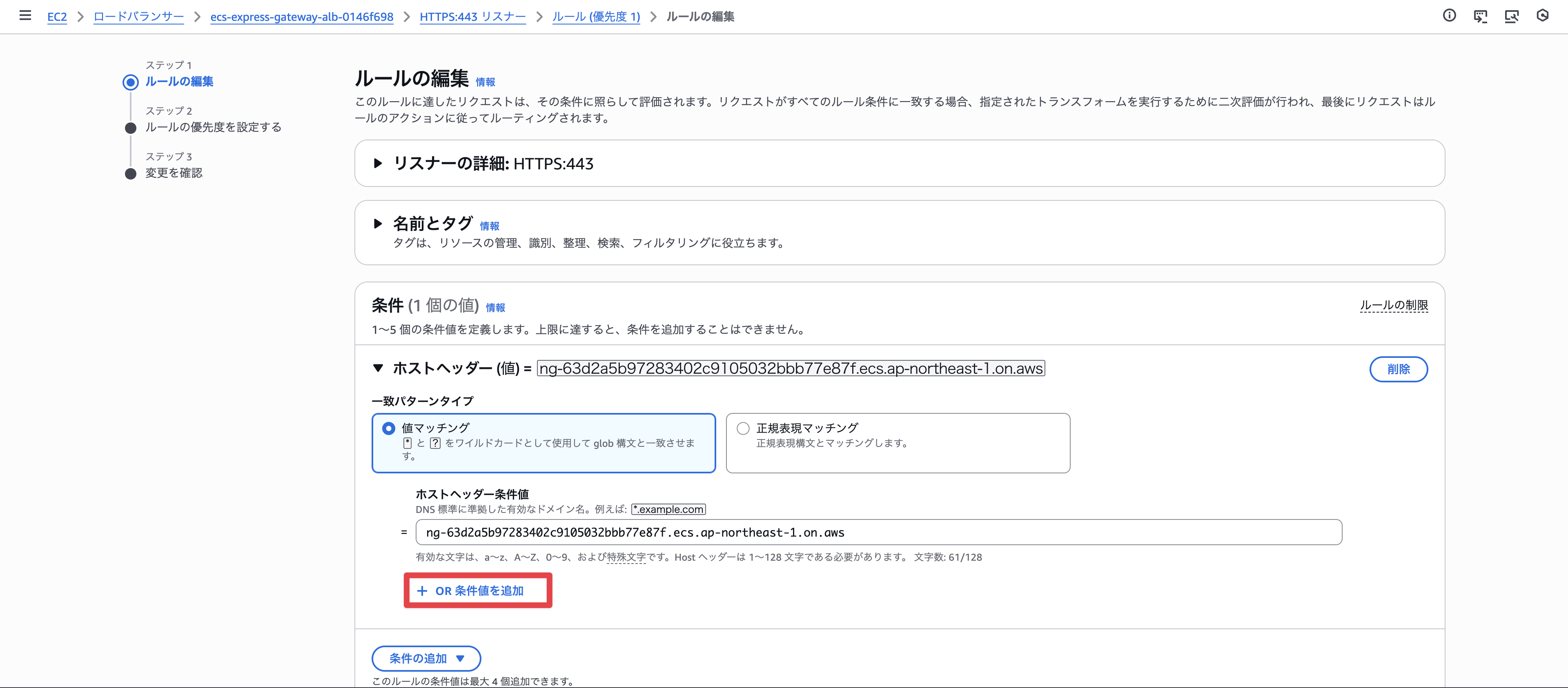
Let's edit the listener rule.
From Add OR condition value,
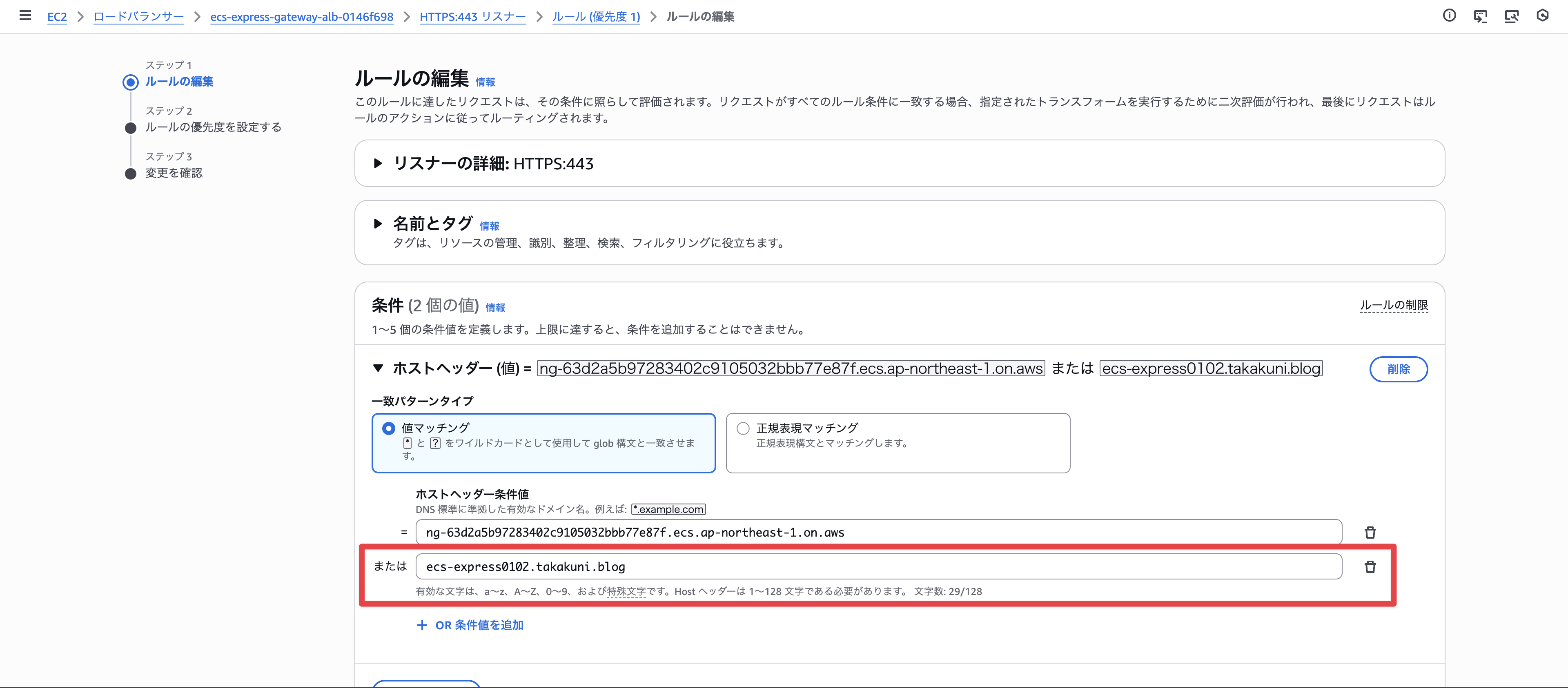
Add the custom domain (ecs-express0102.takakuni.blog) that we want to set up.
If access from the default endpoint is unnecessary, you can remove it here.
It has changed successfully.
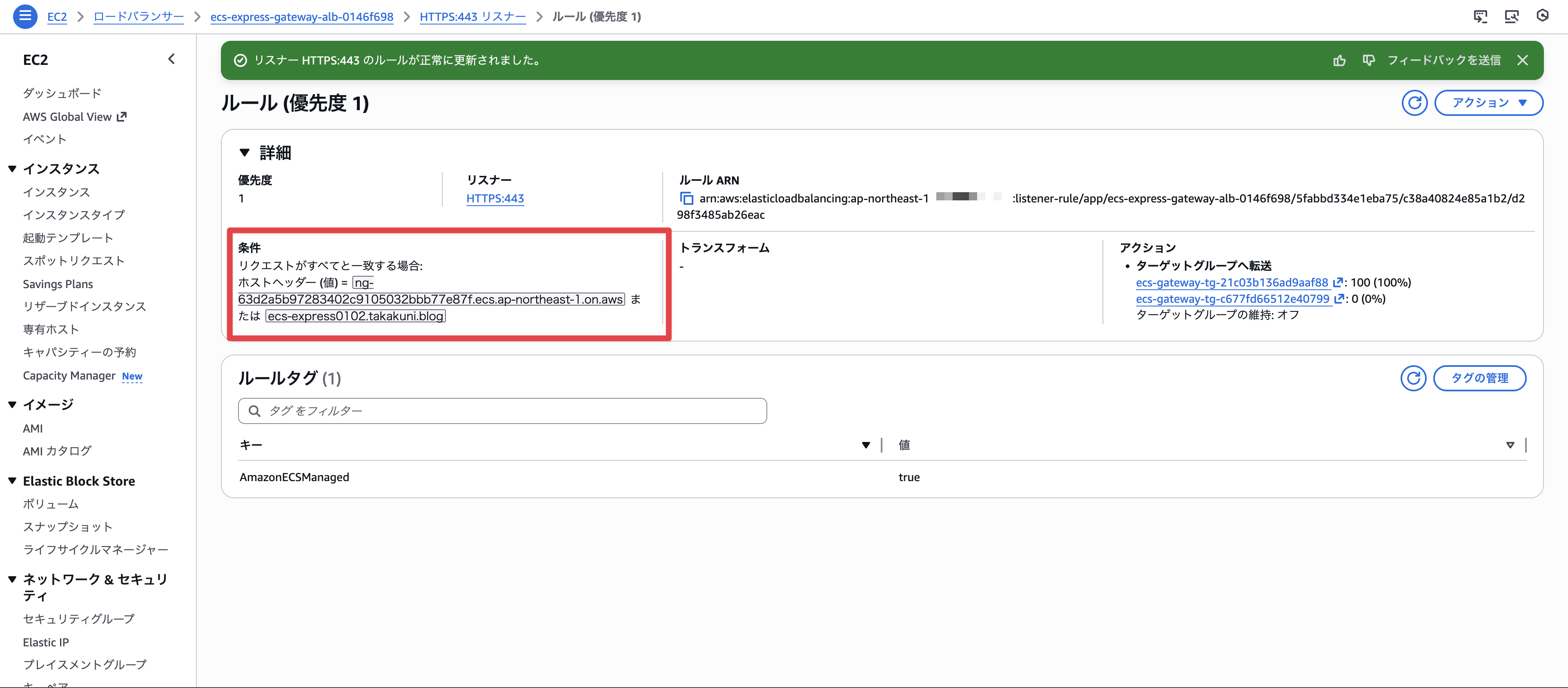
Adding a Certificate
Next, let's add the certificate. From Add Certificate,
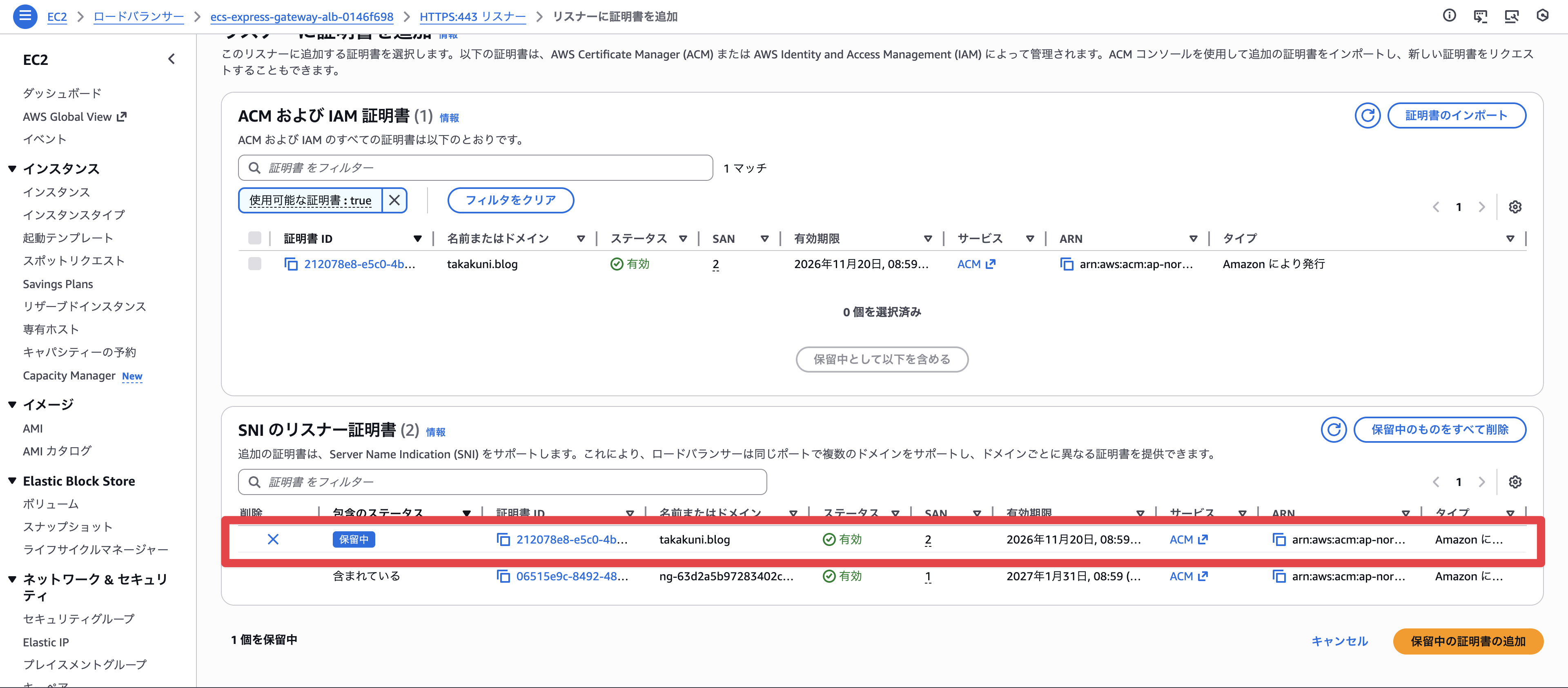
Add the certificate you want to use.
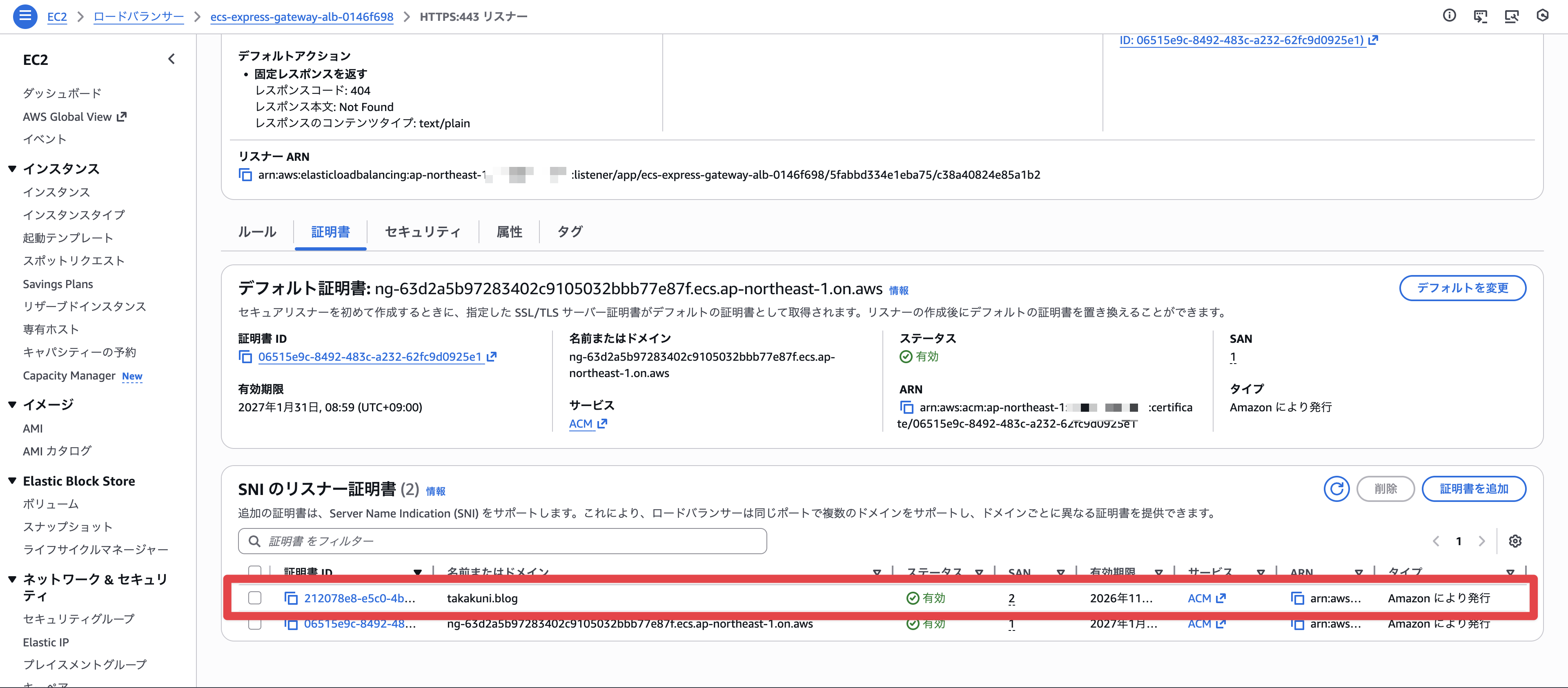
The certificate has been added successfully.
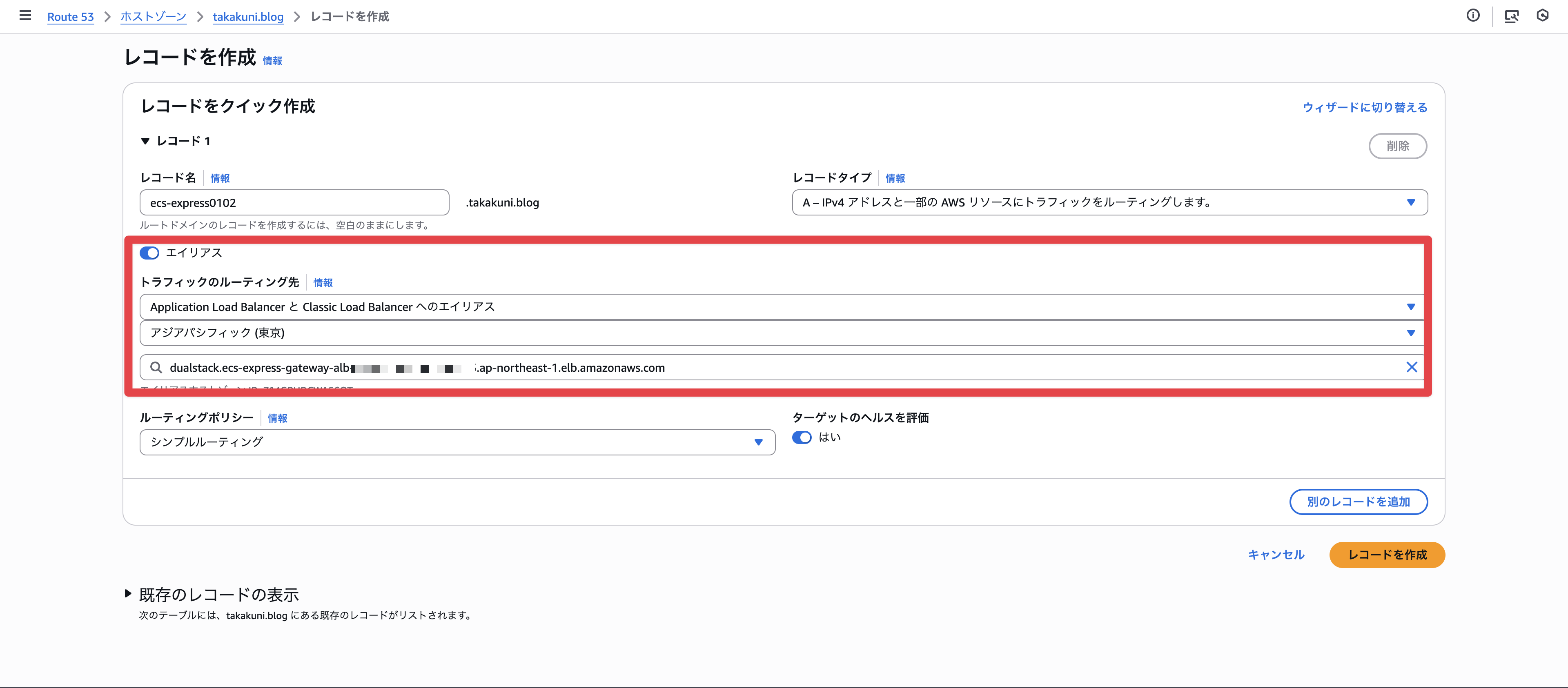
Adding DNS Record
Finally, let's add a DNS record. Specify an alias to the ALB for the custom domain.
Access Confirmation
We can now access the Express Mode ECS via the custom domain. The certificate is working perfectly.
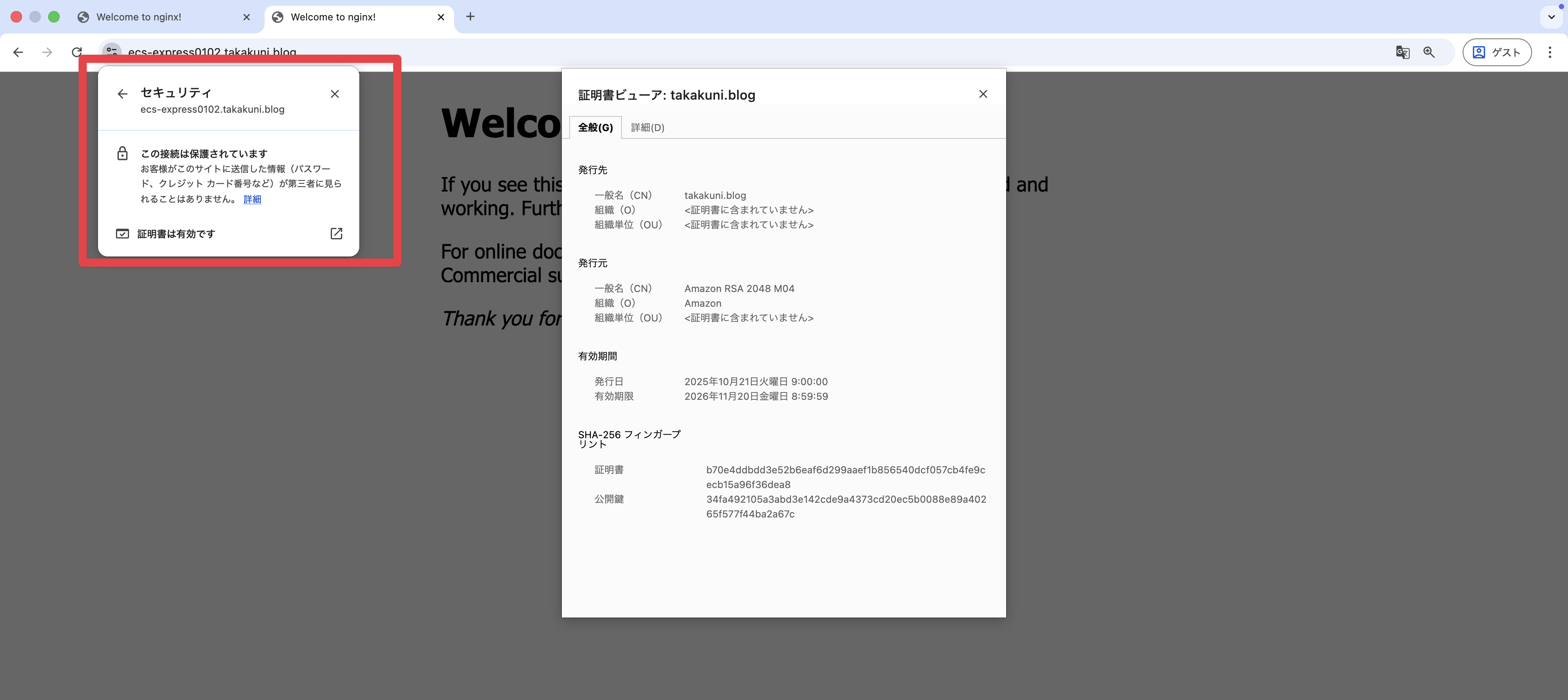
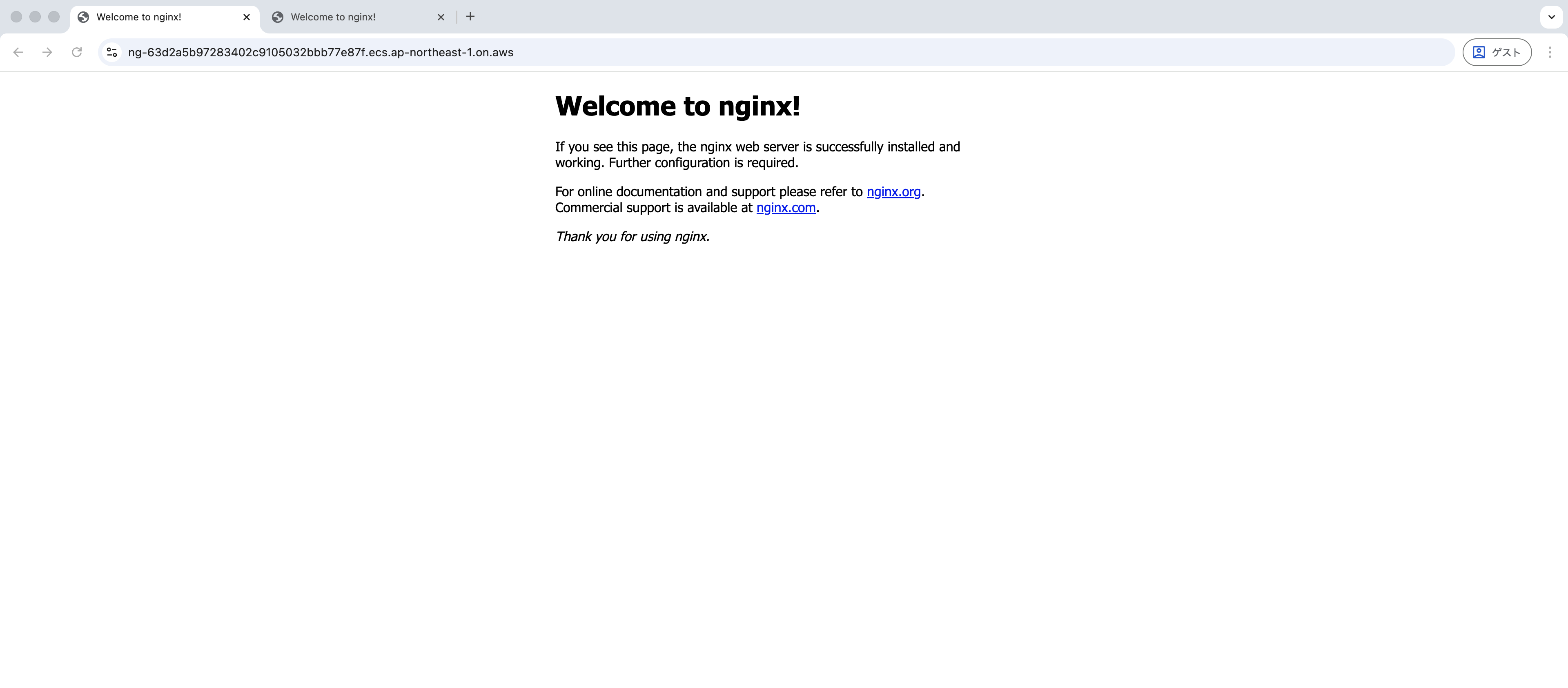
Since we allowed access to the old domain with an OR condition in the listener rule, access via the default endpoint seems to be working as well.
Summary
That's it for "Setting up a Custom Domain for a Service Created with ECS Express Mode."
As mentioned earlier, while the procedure is provided in the documentation below, it's important to understand what it actually looks like.
It would be nice if a custom domain field appeared during Express Mode creation. This was Takakuni (@takakuni_) from the Cloud Business Division Consulting Department!