I verified whether throughput can be changed during storage optimization in FSx for Windows File Server

This page has been translated by machine translation. View original
Hello. This is Maruto.
While working with FSx for Windows File Server, I had a question, so I decided to verify it and record my findings.
What is FSx for Windows File Server
Amazon FSx for Windows File Server is a fully managed Windows file server service provided by AWS.
It's an SMB-compatible shared file storage built on Windows Server, and its major feature is that it can be used just like an on-premises Windows file server with the same familiar experience.
It supports Windows native features such as AD integration and shadow copies, enabling smooth migration from existing Windows environments.
With automated backups and high availability through multi-AZ configuration provided as a managed service, it significantly reduces the operational burden of file servers.
The Question
With Amazon FSx for Windows File Server, you can expand capacity from 10% of the configured storage when needed.
The expansion process is documented in the AWS official documentation, consisting of 4 steps: expansion request → create and attach a disk with the new expanded size (new disk) → migrate data from existing disk to new disk → delete old disk.
In particular, the third step "migrate data from existing disk to new disk (also expressed as the storage optimization step)" involves data movement between disks, which consumes throughput.
On the other hand, increasing the throughput limit costs 2.53 USD/month per 1Mbps in the Tokyo region, which may be a concern in terms of cost.
This raises a question:
"Can throughput be changed during the storage optimization step?"
I was curious whether it would be possible to temporarily increase throughput during business hours to minimize impact, while reducing throughput after business hours to keep costs down, so I decided to test it out.
The Conclusion First
- In Multi-AZ configuration, throughput cannot be changed during storage expansion & optimization process
- In Single-AZ 1, you can request both simultaneously, but downtime occurs
- If you want to safely expand storage while keeping costs down, check the throughput utilization during peak hours, then change to an appropriate throughput first
- After throughput change is complete, proceed with storage expansion
- Storage expansion takes considerable time, so planning is necessary
The Testing Process
Let's try it out. First, I increase the storage capacity.
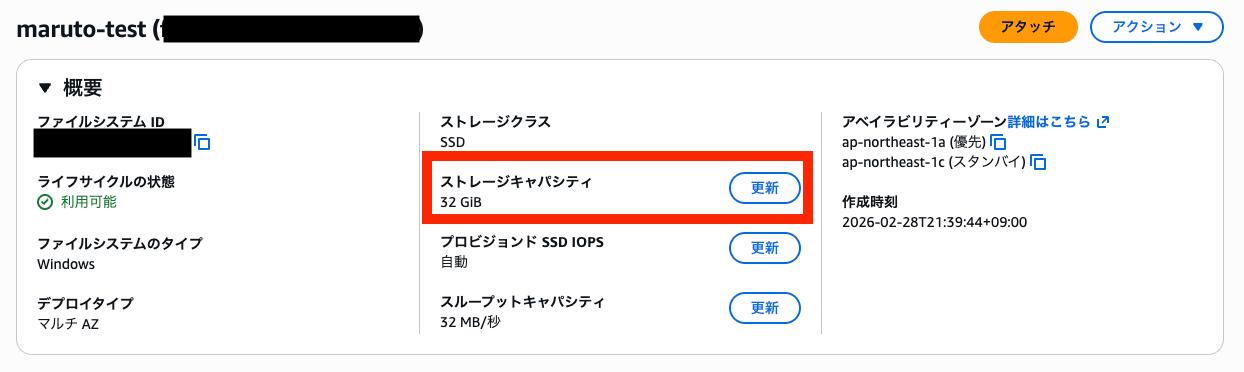
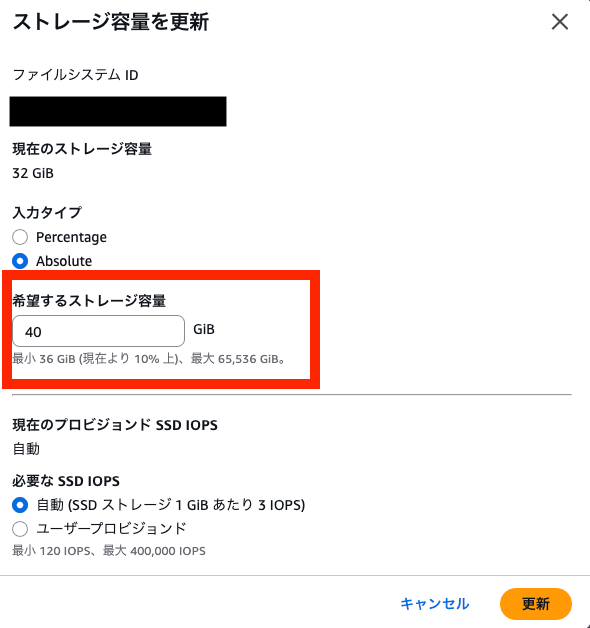
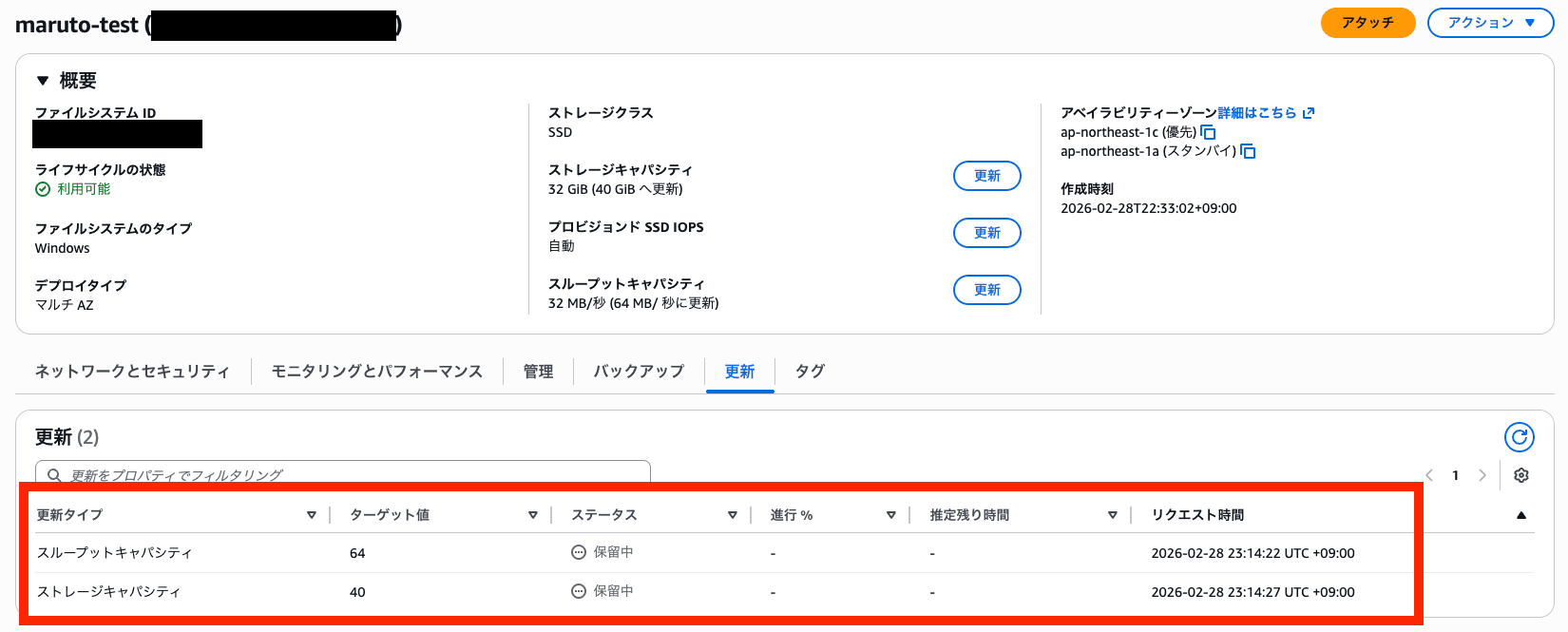
After changing the capacity, I can see the capacity change request in the updates tab.
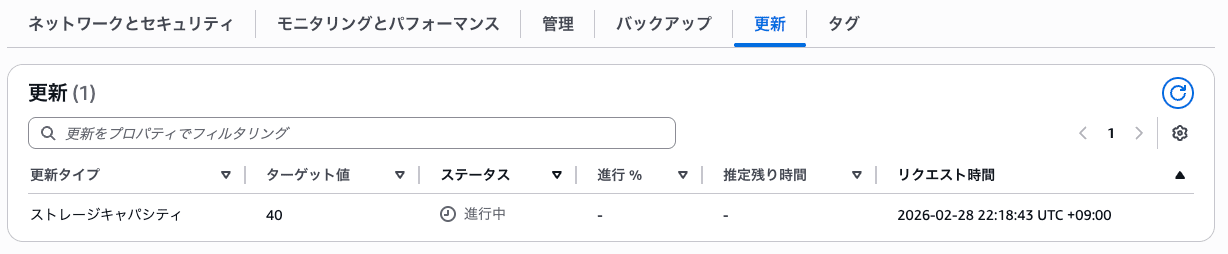
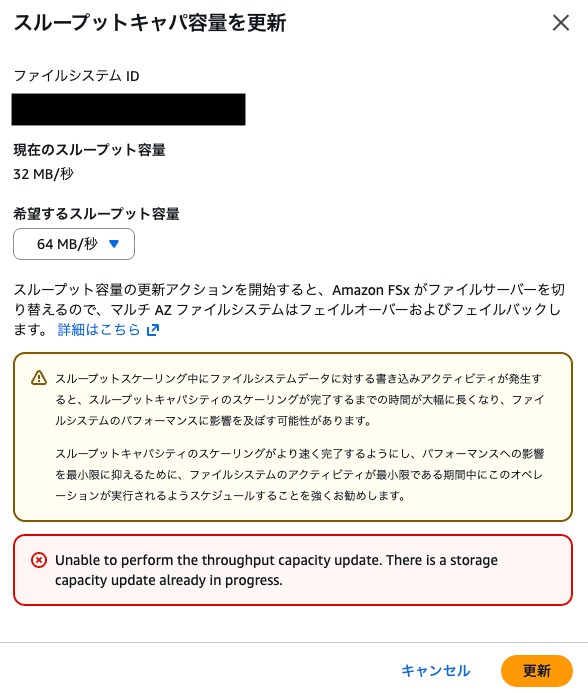
Now, I'll try to change throughput capacity while storage capacity is updating. I'm trying to change from 32 MB/s to 64 MB/s.

An error occurred stating that throughput capacity cannot be changed while storage capacity is being updated.
I was able to successfully request changing throughput capacity first and then changing storage capacity.
What Should Be Done
Since throughput cannot be changed until storage expansion is completely finished, I considered how to expand storage while minimizing costs.
First, throughput usage can be monitored through CloudWatch metrics (in the "Monitoring and Performance" tab within the file system).
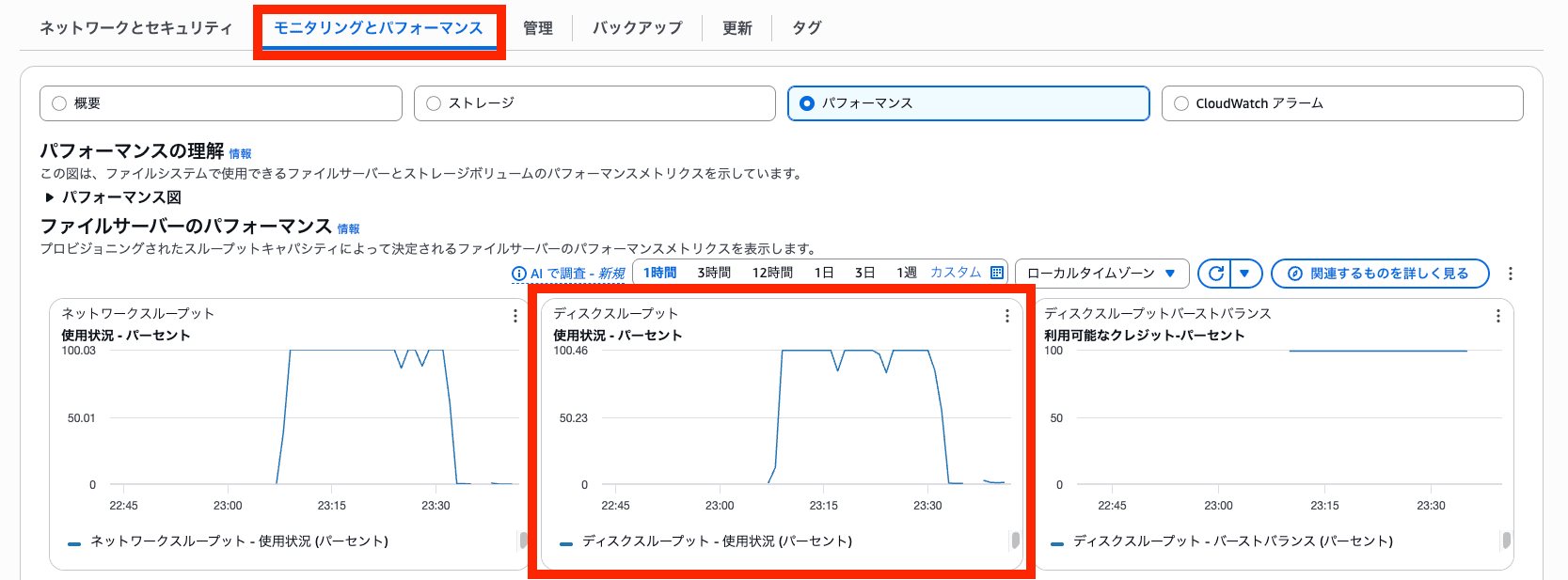
Therefore, I think the approach would be to first analyze usage during business hours or high-usage periods, and then change throughput to an appropriate value before expanding storage.
Also, the storage optimization process takes considerable time. Although there are various factors, as a sample value, the expansion from 32GB to 40GB (with throughput set at 32 MB/s) that I tested took about 30 minutes.
Since the optimization process consumes throughput when migrating from old disk to new disk, increasing the throughput limit could potentially speed up the optimization process, especially when dealing with large files.
However, increasing the throughput limit = increased cost, so please set throughput after considering and planning the balance between time and cost.
Conclusion
This time, I performed various tests to resolve a small question I had.
Although it's very convenient to be able to expand capacity without taking the disk offline, I learned a lot about points to consider such as processing time and throughput associated with optimization.
I hope this provides some helpful hints when expanding capacity.
That's all from Maruto.