
Game Development Data Layout Strategy: Making Updates 3 Times Faster by Switching from Node-Based to SoA

This page has been translated by machine translation. View original
Introduction
When increasing the number of objects on screen to hundreds or thousands in games or physical simulations, the frame rate drops dramatically at some point.
In straightforward object-oriented design, each object is generated as an instance of a class, with its own update and draw processing. While the code is clear, this design is not well-suited for processing large numbers of objects every frame. The issue is not in the algorithmic complexity, but in the memory data layout.
This article analyzes this problem from a Data-Oriented Design perspective and explains the SoA (Structure of Arrays) pattern as an improvement. Later, we'll measure the actual effects numerically using Godot Engine 4.6.
Target Audience
- Engineers who need to handle large numbers of objects in games or physical simulations
- Those who have hit performance walls with object-oriented design
- Anyone interested in Data-Oriented Design
References
- Richard Fabian, Data-Oriented Design — A guide to data-oriented design (free online version)
- Godot Engine Documentation, PackedFloat32Array / PackedVector2Array
- Unity Technologies, Unity DOTS / Entities overview
CPU Cache and Memory Layout
To understand performance issues, we need to know how CPUs read data from memory.
How Cache Lines Work
CPUs don't read data from main memory one byte at a time, but in fixed-size blocks called cache lines (typically 64 bytes on many CPUs). Access to data within an already loaded cache line is fast. Conversely, accessing an address not in the cache line causes a read from main memory, resulting in a wait of tens to hundreds of cycles. This is a cache miss.
In other words, processing that accesses consecutive memory regions in order is fast, while processing that jumps between distant addresses is slow.
AoS: Natural Layout in Object-Oriented Design
In object-oriented design, a single object contains all fields like position, velocity, color, and HP. An array of this structure is called AoS (Array of Structures).
Even when movement processing only uses position and velocity, the cache line also loads color and HP data. The larger the object size, the fewer objects fit in one cache line, degrading cache efficiency.
SoA: Separate Arrays for Each Field
SoA (Structure of Arrays) groups the same fields into continuous arrays.
Movement processing only traverses the position and velocity arrays. The cache line is filled with values of the same field, significantly reducing cache misses.
What Happens in Node-Based Game Engine Design
In typical game engines, each object is managed as a node in the scene graph. In Unity, this would be GameObject; in Godot, Node2D.
Node-based design is excellent for intuitively expressing game structure. However, when creating 1000 objects of the same type, the following overheads become significant:
- Repeated virtual function calls
The engine calls the update function of each node individually every frame. Besides the cost of the calls themselves, the separate memory locations of each node cause cache misses - Scene tree management costs
Engine internal processing such as maintaining parent-child relationships and propagating coordinate transformations increases in proportion to the number of nodes - Memory fragmentation
Nodes are individually allocated on the heap, so continuous memory layout is not guaranteed
Nodes are suitable for small numbers of different types of objects, like players and bosses. For large numbers of similar objects like bullets or particles, batch management with SoA is more efficient.
SoA + Batch Processing Design Pattern
Let's look at specific design patterns for managing data with SoA.
Data Structure
Position, velocity, and color are held as independent arrays.
positions:  [pos₀, pos₁, pos₂, ...]    # Vector2 array
velocities: [vel₀, vel₁, vel₂, ...]    # Vector2 array
colors:     [c₀, c₁, c₂, ...]          # color array
count:      int                        # Number of valid entities
Batch Update
In node-based design, the engine calls the update function for each of N nodes.
With SoA, all entities are updated in a single loop.
for i in range(count):
    positions[i] += velocities[i] * delta
Accessing from the beginning to the end of the array continuously results in high cache efficiency. The function call overhead is also incurred just once.
Batch Drawing
Similarly, drawing is done by looping through all entities in a single drawing function.
for i in range(count):
    draw_circle(positions[i], radius, colors[i])
In node-based systems, the engine calls the drawing function of each of N nodes, but with SoA, N shapes are drawn together in a loop within a single drawing function.
Measuring with Godot Engine 4.6
Based on these concepts, I tested how much difference this makes in Godot Engine 4.6.
Benchmark Design
I created a minimal scene where N circles move in random directions and bounce off screen edges.
The comparison is between two patterns:
- Node-based
Each circle is generated as a child node of Node2D, with each node having its own_process()and_draw(). In Godot,_draw()is only called whenqueue_redraw()requests a redraw, so in this test,queue_redraw()is called every frame - SoA
All positions, velocities, and colors are managed in PackedArrays, with batch processing in a single_process()and_draw()
After a 60-frame warm-up, the arithmetic mean over 180 frames was recorded. Total frame time (frame_ms), update processing time (update_ms), and drawing processing time (draw_ms) were measured separately. The test environment was Windows, Godot 4.6.1 (GL Compatibility renderer), with VSync OFF.
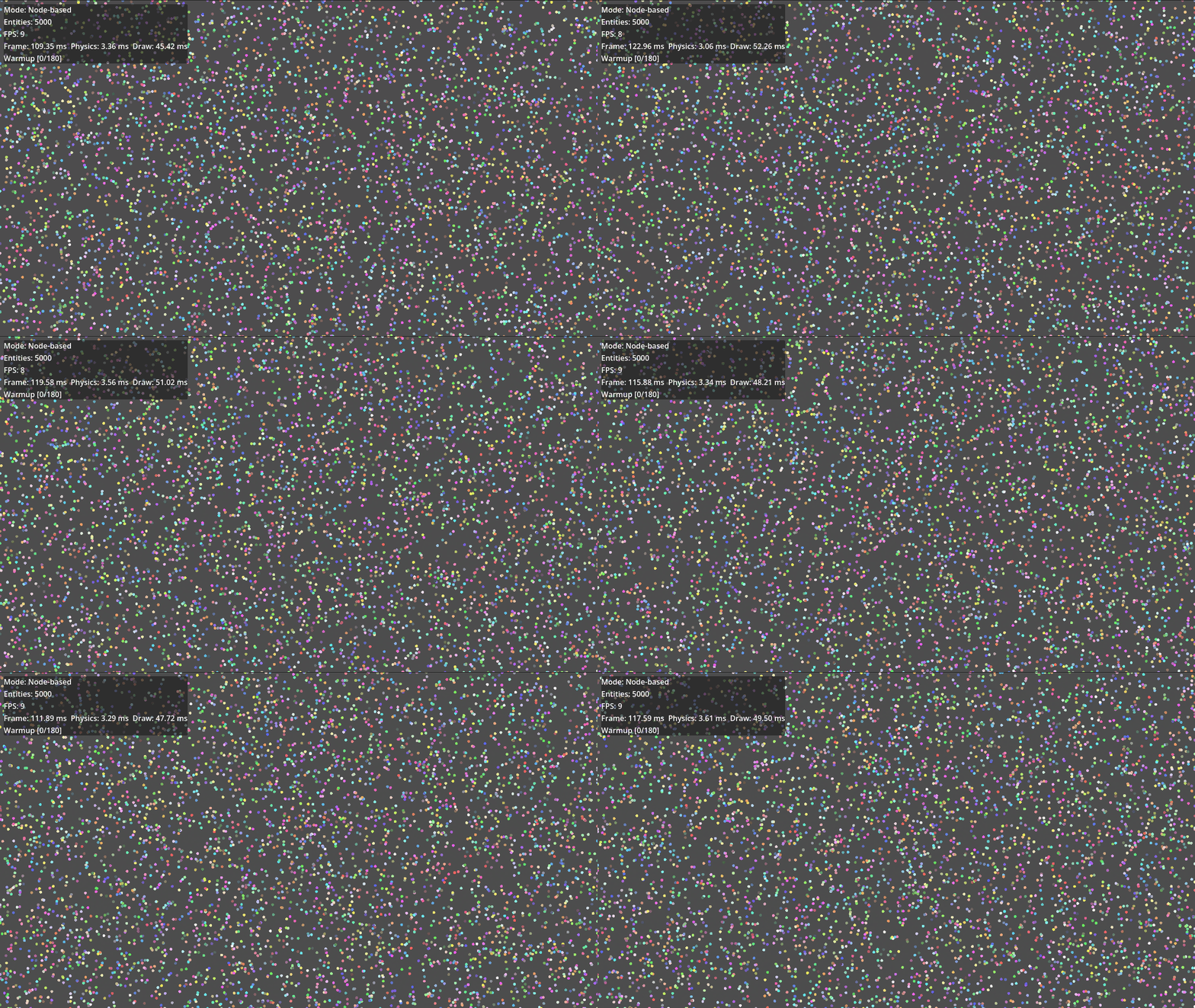
Node-based / Entity count: 5000 capture
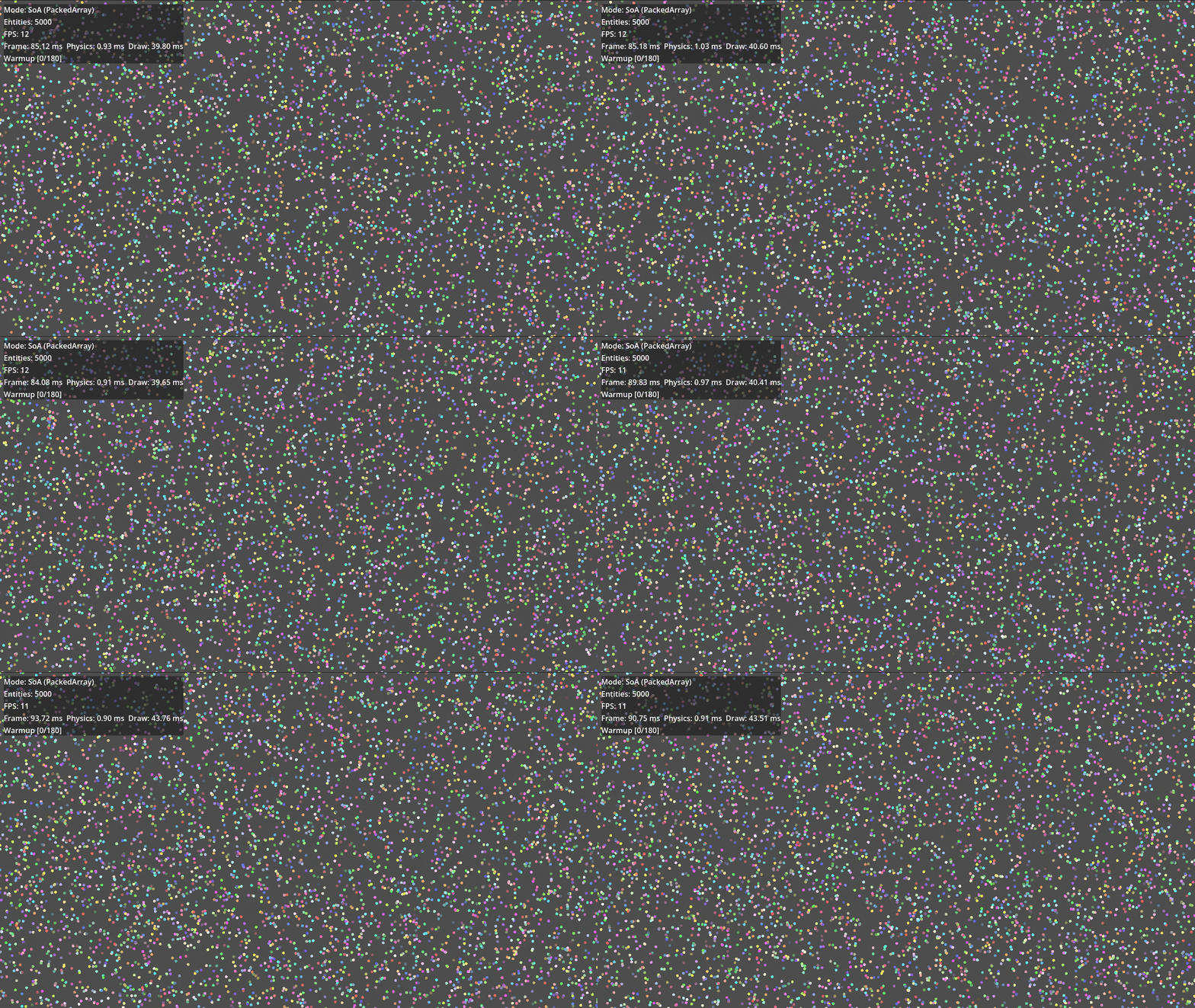
SoA / Entity count: 5000 capture
Measurement Results
| Entity Count | Node FPS | SoA FPS | Node frame (ms) | SoA frame (ms) | Node update (ms) | SoA update (ms) |
|---|---|---|---|---|---|---|
| 100 | 468 | 566 | 2.14 | 1.77 | 0.06 | 0.02 |
| 500 | 101 | 126 | 9.90 | 7.92 | 0.33 | 0.11 |
| 1,000 | 49 | 56 | 20.43 | 17.78 | 0.65 | 0.19 |
| 2,000 | 25 | 30 | 40.10 | 33.58 | 1.30 | 0.40 |
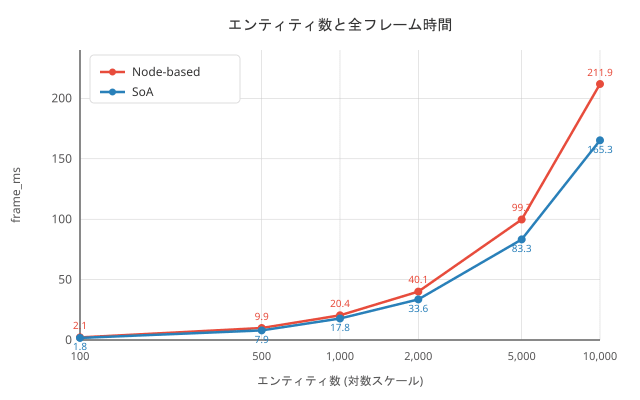
| 5,000 | 10 | 12 | 99.71 | 83.28 | 3.29 | 1.00 |
| 10,000 | 5 | 6 | 211.91 | 165.30 | 6.49 | 1.97 |
What the Tests Revealed
-
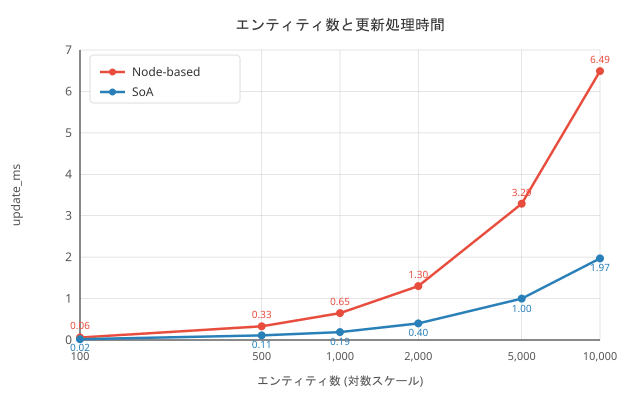
Update processing is about 3.3 times faster with SoA
For 10,000 entities, Node-based took 6.49 ms, while SoA took 1.97 ms. This is due to improved cache efficiency from continuous scanning of PackedArrays and reduction of function call overhead. -
Drawing processing occupies the majority of frame time
Drawing time accounted for 42-48% of the total frame time. Since drawing includes issuing draw commands to the GPU, there's a limit to how much improvement can be achieved through CPU-side data layout. However, Node-based is still slower due to the individual_draw()call overhead. -
Overall FPS improvement is limited to about 1.2x
Although the update processing improvement rate is significant, drawing processing and engine overhead occupy most of the frame time, resulting in only about a 1.2x overall improvement. SoA is merely a CPU-side data access optimization; for drawing pipeline bottlenecks, different approaches like GPU instancing are needed.
Which Should You Use?
SoA is not always the right answer. SoA is effective when you have hundreds to thousands of the same type of object, and you need to process all entities every frame. Bullets, particles, and crowd simulations are typical examples. For small numbers of diverse objects, node-based is more suitable. Players, UI elements, and boss enemies benefit more from nodes (using the engine's physics and animation features) and have little motivation to switch to SoA. In the same game, it's practical to mix approaches—player as node-based, bullets as SoA.
Conclusion
Changing the data layout from AoS to SoA can significantly speed up the processing of large numbers of objects. Game engine node systems improve code clarity, but for handling large numbers of similar objects, it's worth switching to a data-oriented design. In this article's measurements, we confirmed approximately 3.3x improvement in update processing and 1.2x improvement in overall frame rate. If drawing is the bottleneck, further improvements can be expected by combining with other techniques such as GPU instancing.