
I attempted to integrate my AWS certification account because the badges for my acquired AWS certifications were not reflected in Credly.

This page has been translated by machine translation. View original
Good evening, I'm Chiba (Yuki).
When you pass the AWS certification exam, you can see its content as a digital badge on the Credly platform. It looks like this 👇
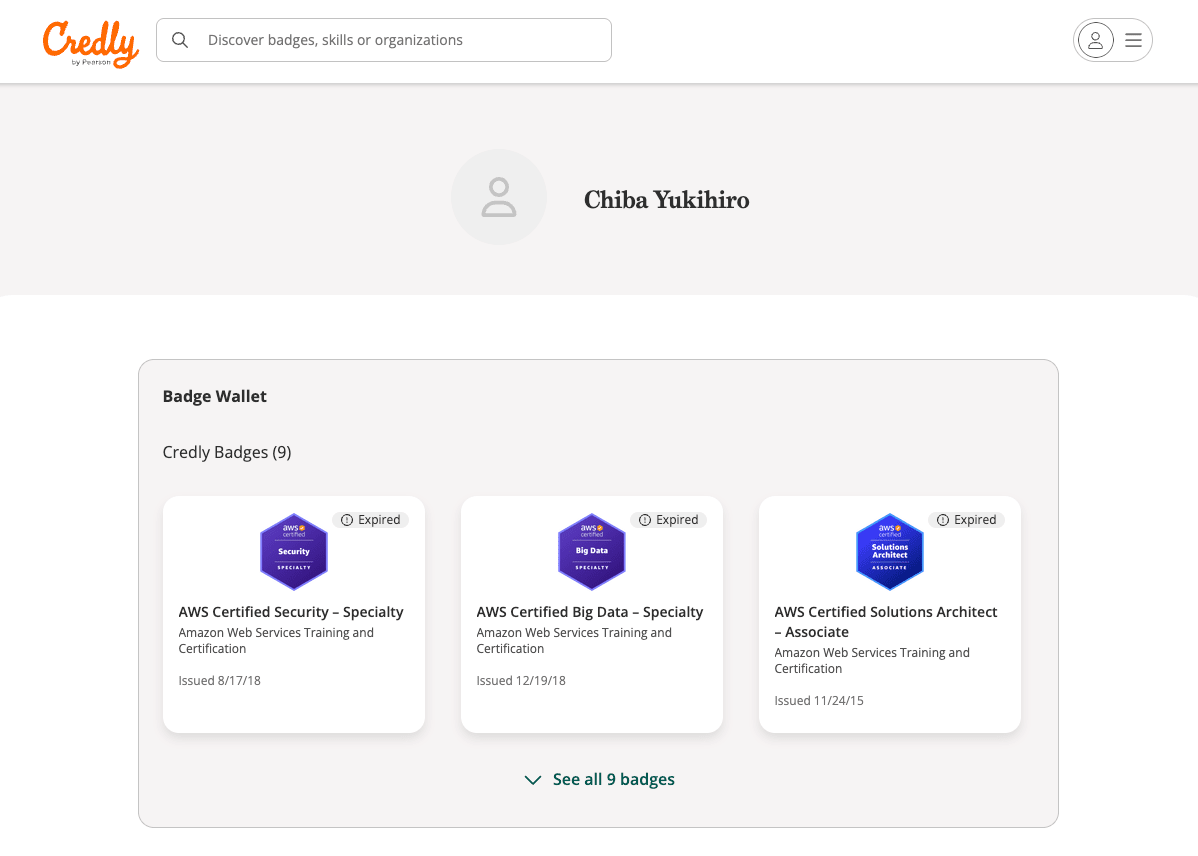
Oh, they're all expired
After passing an AWS certification exam for the first time in a while, I eagerly went to check my Credly badge but noticed that the content wasn't reflected.
Looking more carefully, I found a description stating that "If you have multiple AWS certification accounts, you may not be able to correctly view digital badges."
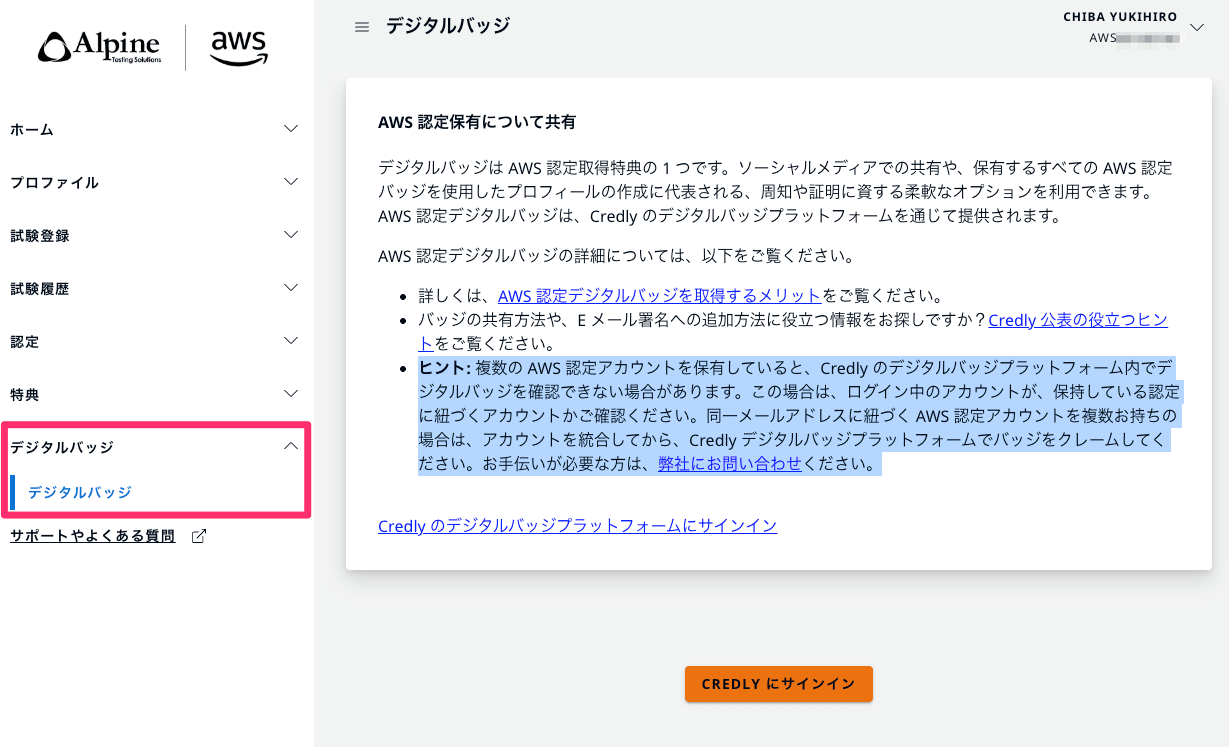
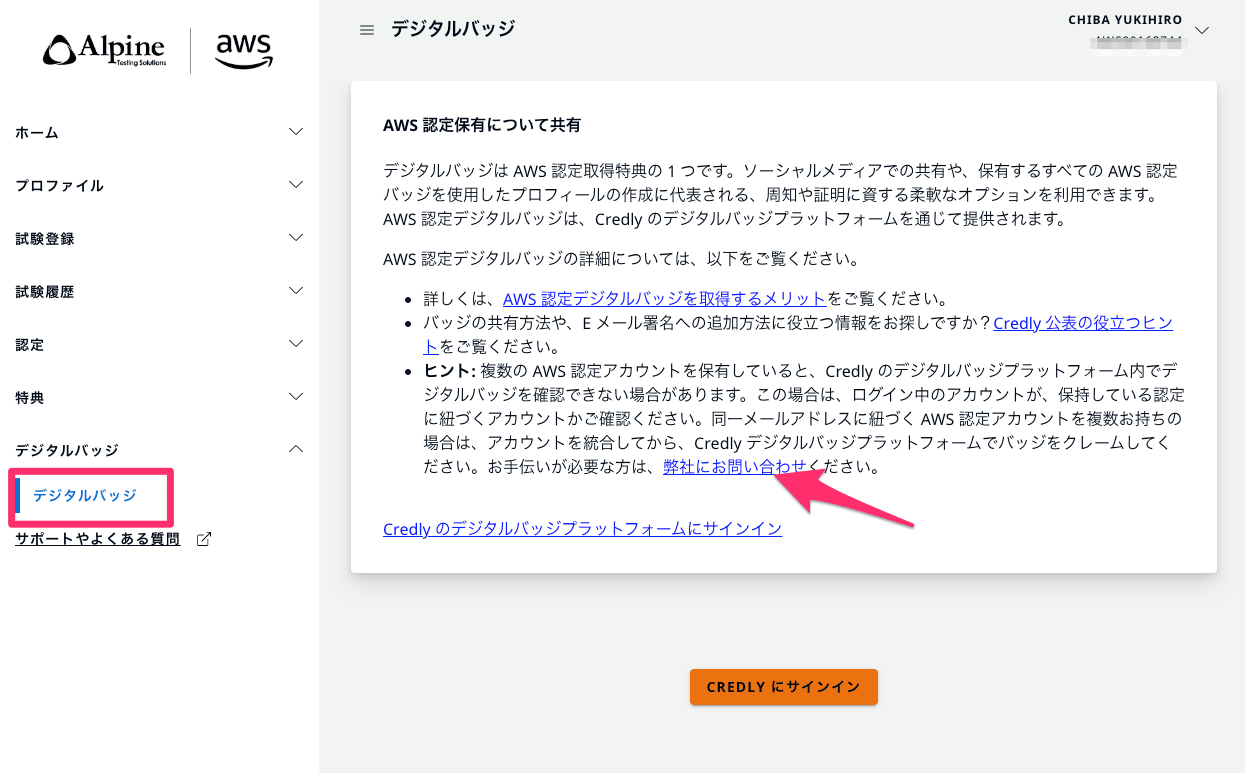
- Hint: If you have multiple AWS certification accounts, you may not be able to view digital badges in the Credly digital badge platform. In this case, please check if the account you are logged into is linked to the certifications you hold. If you have multiple AWS certification accounts linked to the same email address, please merge your accounts before claiming badges on the Credly digital badge platform. If you need assistance, please contact us.
Due to various past circumstances, I suspected I had multiple AWS certification accounts. This time, I tried "AWS certification account consolidation" and would like to share that process.
3-line summary
- You can request consolidation by submitting a support case from the AWS certification account portal
- When applying, it seems helpful to include your AWS certification account (CertMetrics) number, though it's unclear if this is mandatory
- Depending on how busy the support team is, the consolidation took about 8 days in my case
State of AWS certification accounts before consolidation
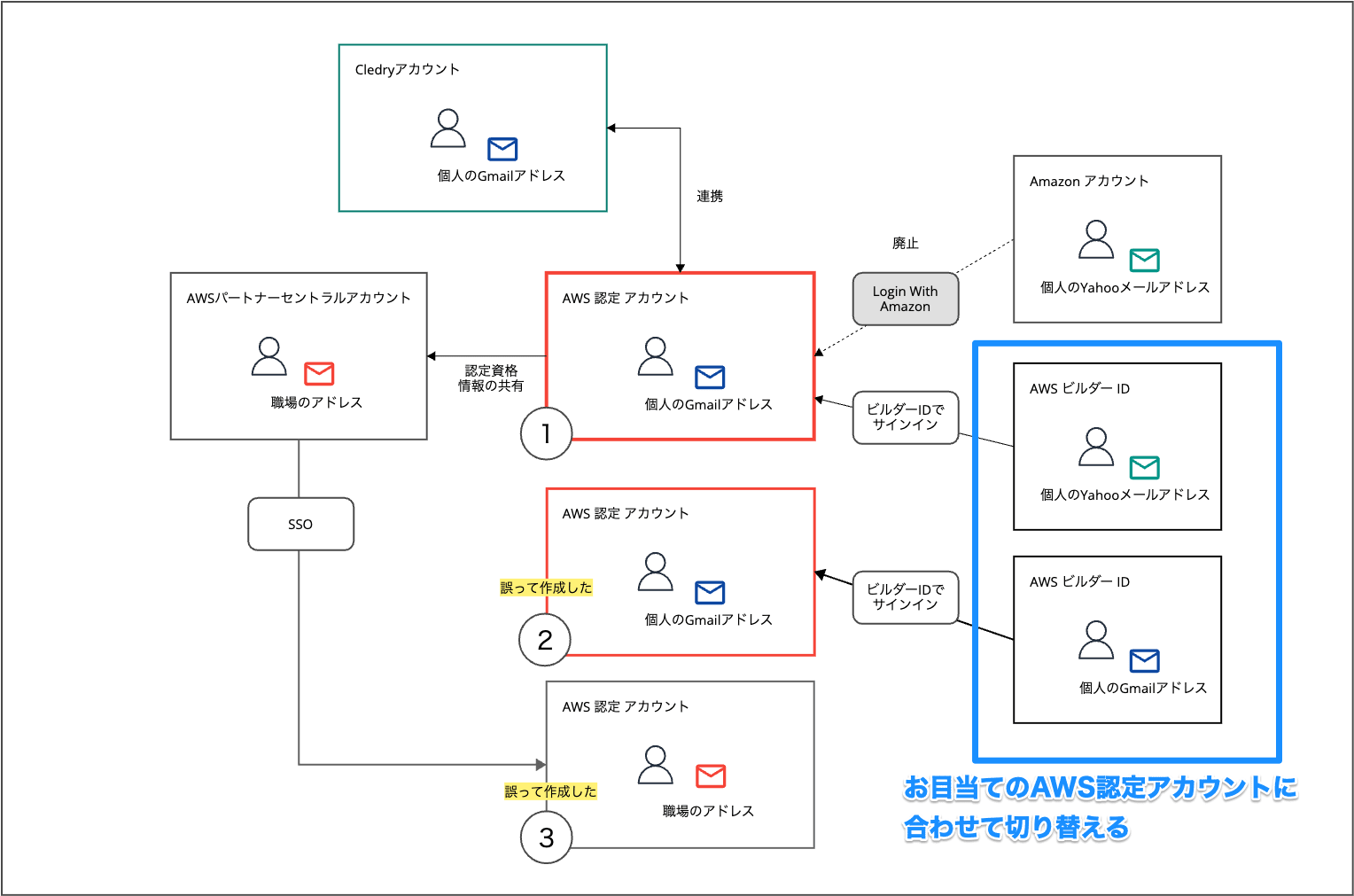
My AWS certification accounts and related accounts were in the following state. (Some parts are not relevant to this topic.)
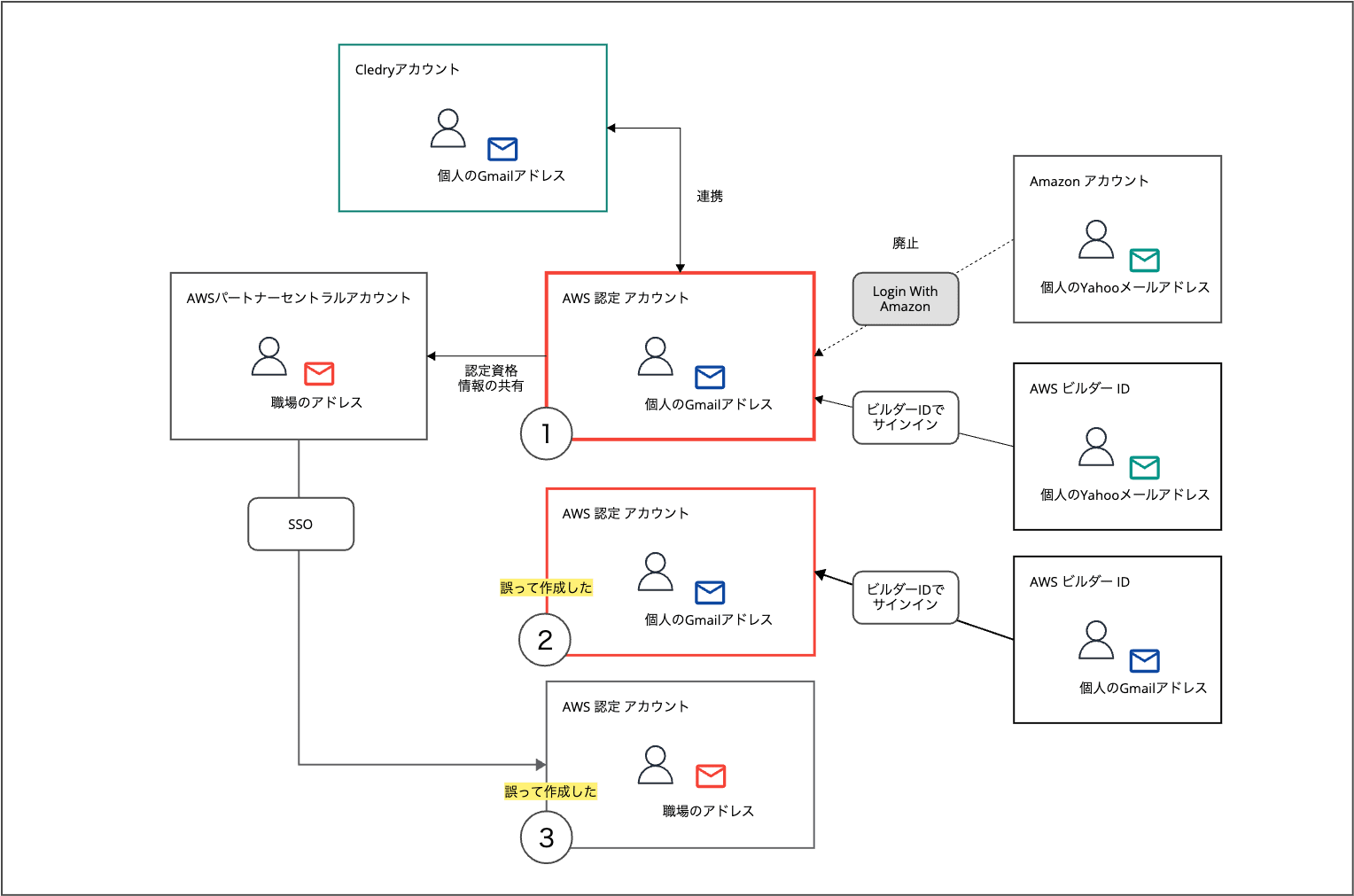
I had three AWS certification accounts:
- ① My main AWS certification account
- ② An AWS certification account created with the same email address as ①
- ③ An AWS certification account created through SSO from AWS Partner Central
Accounts ② and ③ were created when I was confused during the discontinuation of the "Login with Amazon account" method and was clicking around without understanding.
In this case:
- I had linked AWS certification account ① with my Credly account
- Here, certification history and badges were synced
- I created AWS certification account ② with the same email address as ①
- Subsequently, certifications obtained in account ① were not reflected in Credly
This seemed to be the situation. I wanted to consolidate accounts ① and ② so that certifications obtained in account ① would be reflected in Credly.
Trying AWS certification account consolidation
Let's get started.
Confirming AWS certification account (CertMetrics) numbers
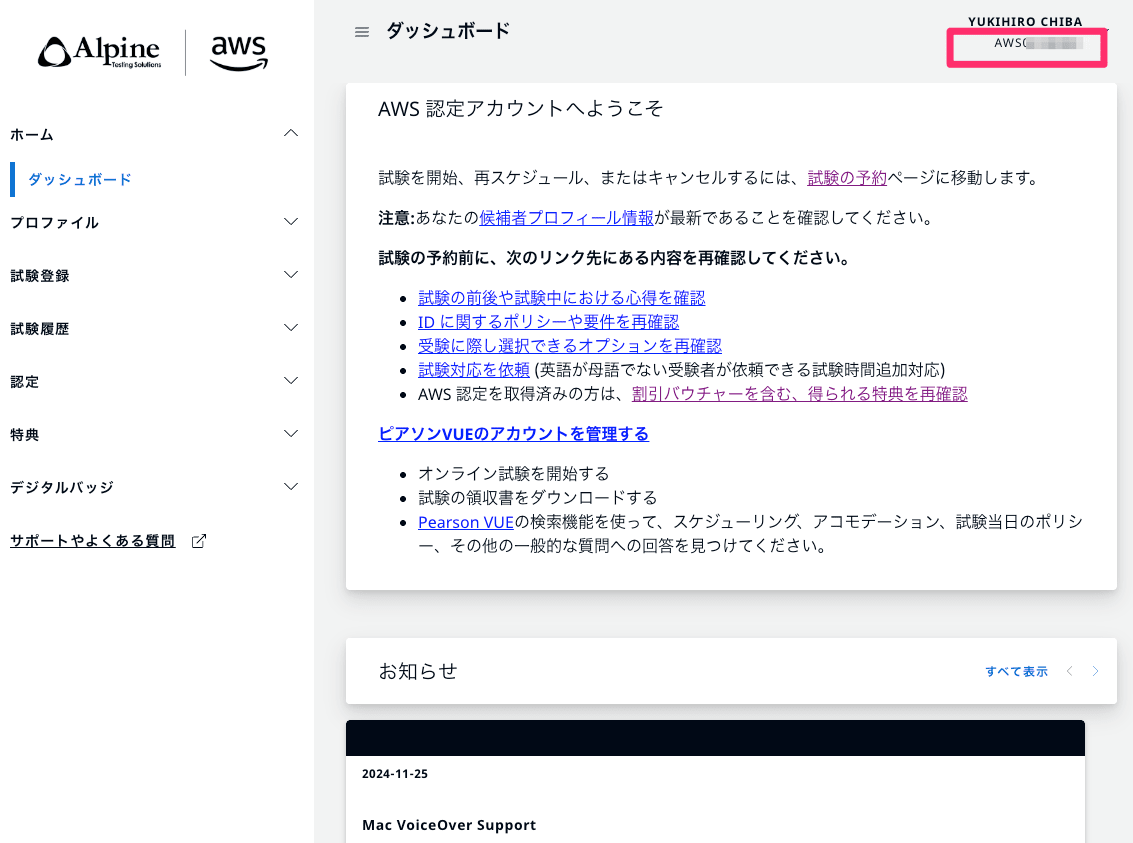
Before making an inquiry about consolidation, I confirmed the CertMetrics numbers for AWS certification accounts ① and ② that need to be consolidated.
Sign in at the URL below, and check the AWS00000000 format number in the upper right of the screen:
Side note: Switching AWS certification accounts when signing in with AWS Builder ID
In this case, I needed to sign in to each of my two AWS certification accounts.
When signing in to AWS certification accounts, most people probably use AWS Builder ID.
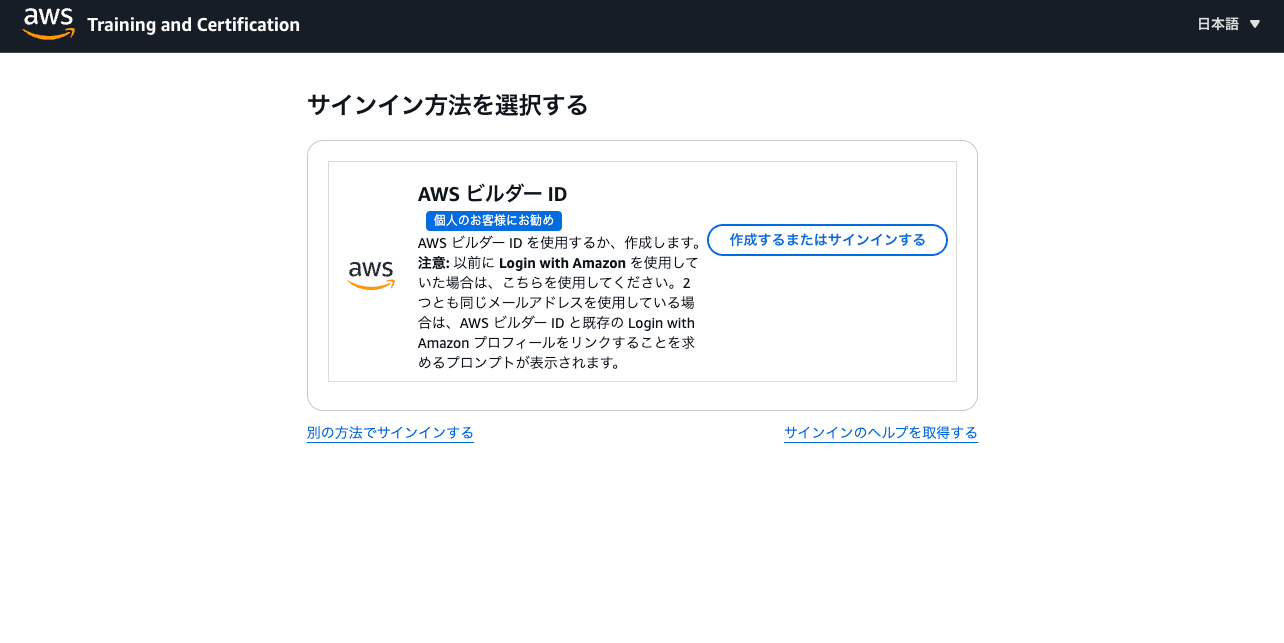
Screen during sign-in to AWS certification account
I was using AWS Builder ID to sign in to both accounts ① and ②.
When you're signed in to AWS Builder ID, that Builder ID is automatically used when signing in to an AWS certification account. (There's no screen to select which Builder ID to use.)
Therefore, to sign in to AWS certification account ② after signing in to account ①, you need to take a few extra steps:
- Sign out of AWS certification account ①
- Sign out of the AWS Builder ID linked to AWS certification account ①
- Sign in to the AWS Builder ID linked to AWS certification account ②
- Sign in to AWS certification account ②
You can access the AWS Builder ID portal from the following link:
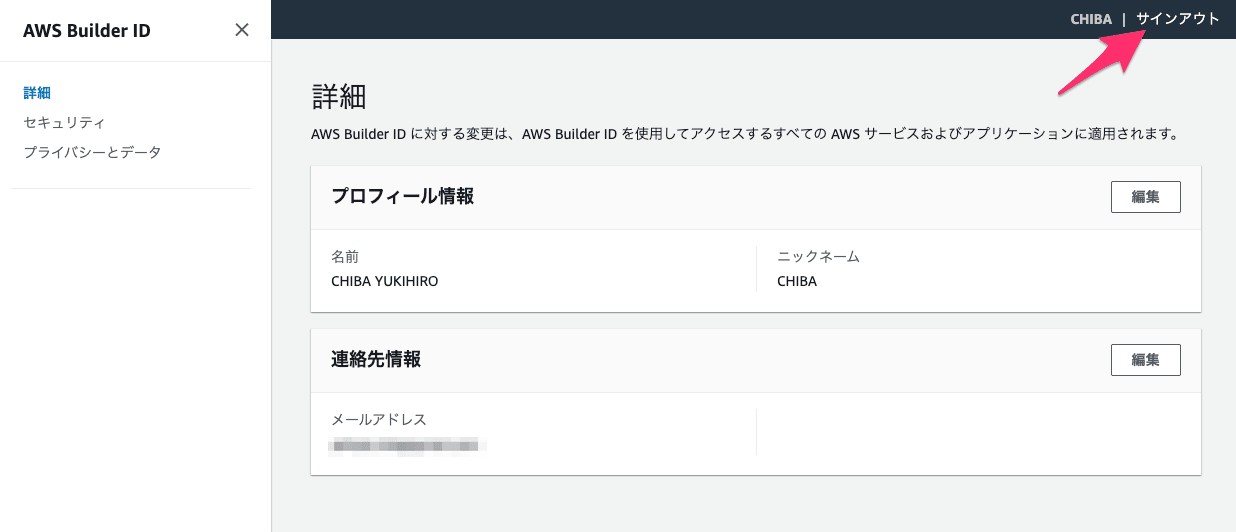
Signing out from the AWS Builder ID portal screen
Inquiring about AWS certification account consolidation
Now that I have the account numbers for the AWS certification accounts to be consolidated, I can make an inquiry.
From the "Digital Badges" > "Digital Badges" screen, click the "contact us" link.
The full inquiry page looks like this:
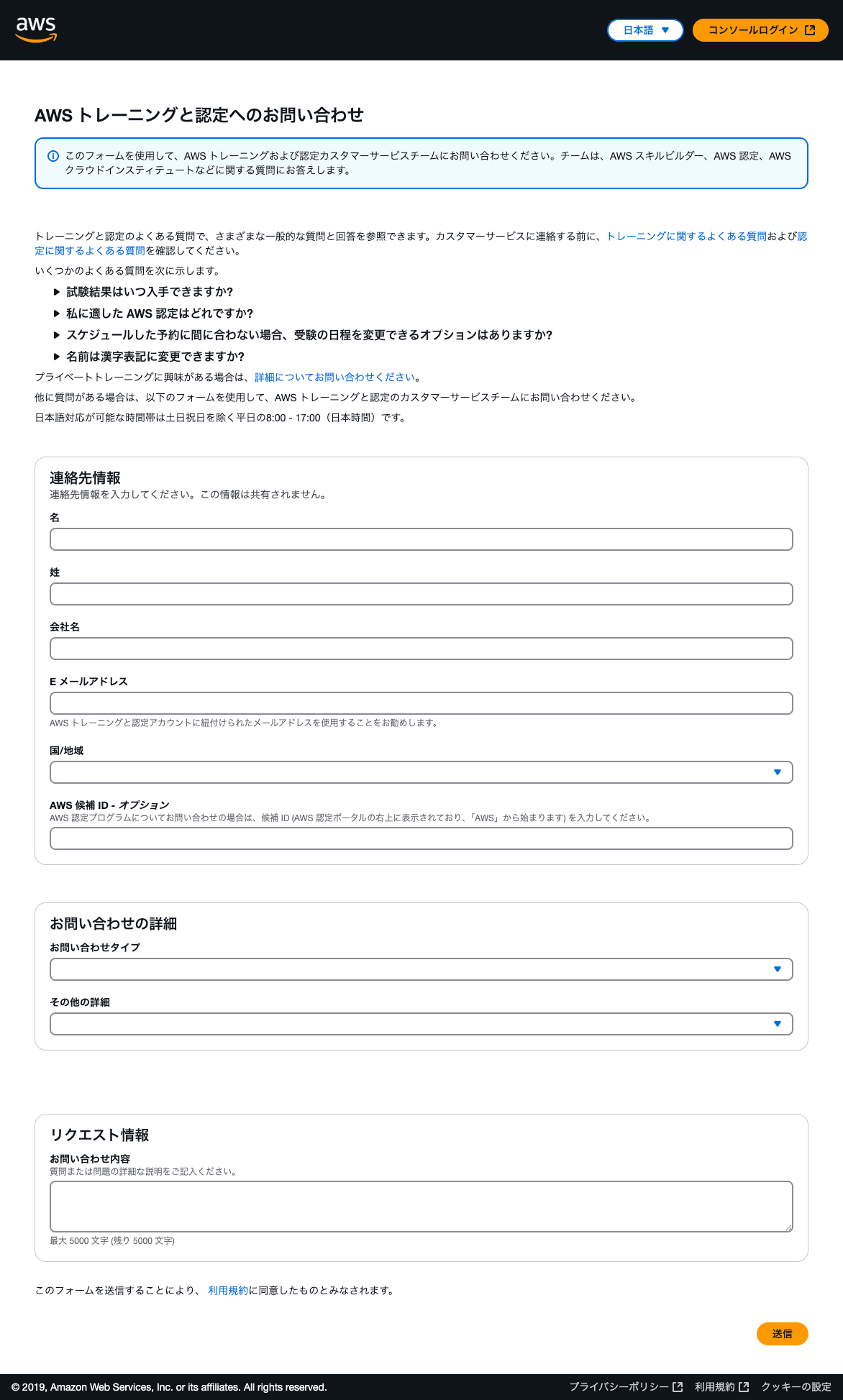
👆 Enter appropriate information in the "Contact Information" section. The "AWS Candidate ID" is what we've been calling the "AWS certification account number" in the AWS00000000 format.
"Contact type" and "Additional details" are selection-based. The available options for "Additional details" change depending on the "Contact type" you select.
For this inquiry, I specified:
| Item | Value |
|---|---|
| Contact type | Certification |
| Additional details | Account Merge |
I entered the following in the "Contact details" field and submitted it:
Both of the following accounts are registered with the email address "xxx@example.com".
① AWS0xxxxxxx
② AWS0yyyyyyySince ① was created by mistake, I would like to request consolidation into ②.
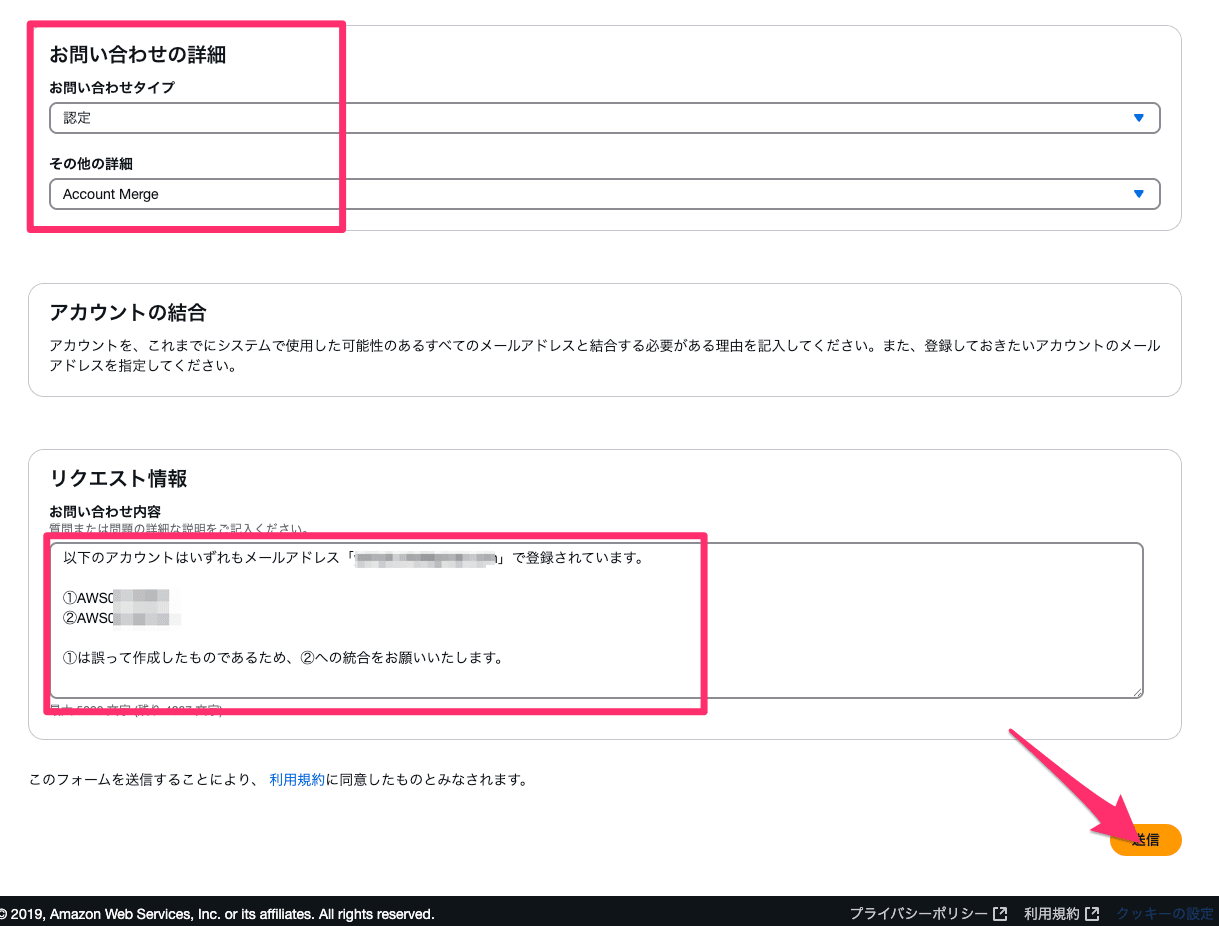
Looking at the notice, it seems possible to consolidate AWS certification accounts with different email addresses as well (this might actually be the main use case).
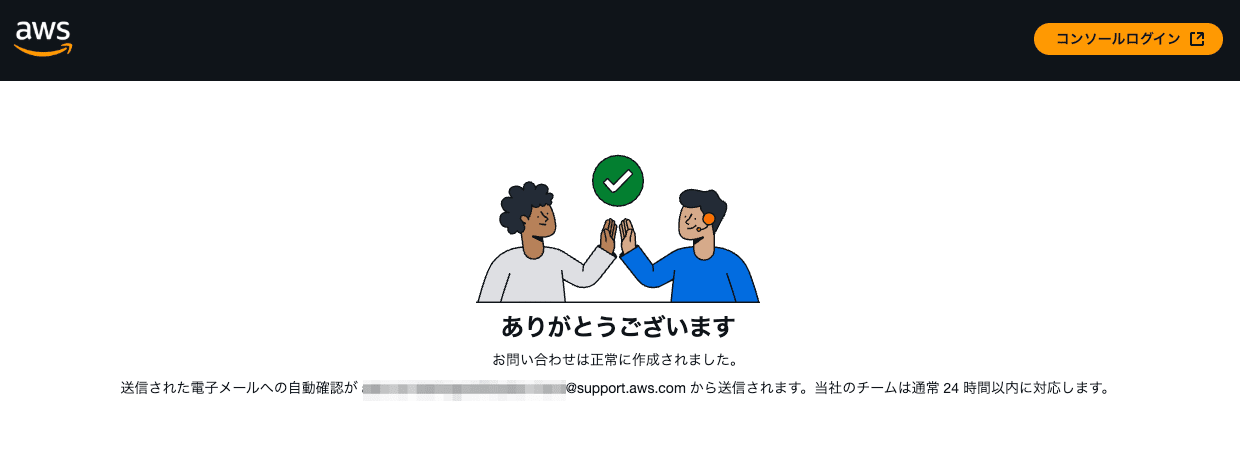
When you see this screen, the inquiry is complete.
Waiting for AWS certification account consolidation
Immediately after submitting the form, I received an email from the support team regarding the case creation.
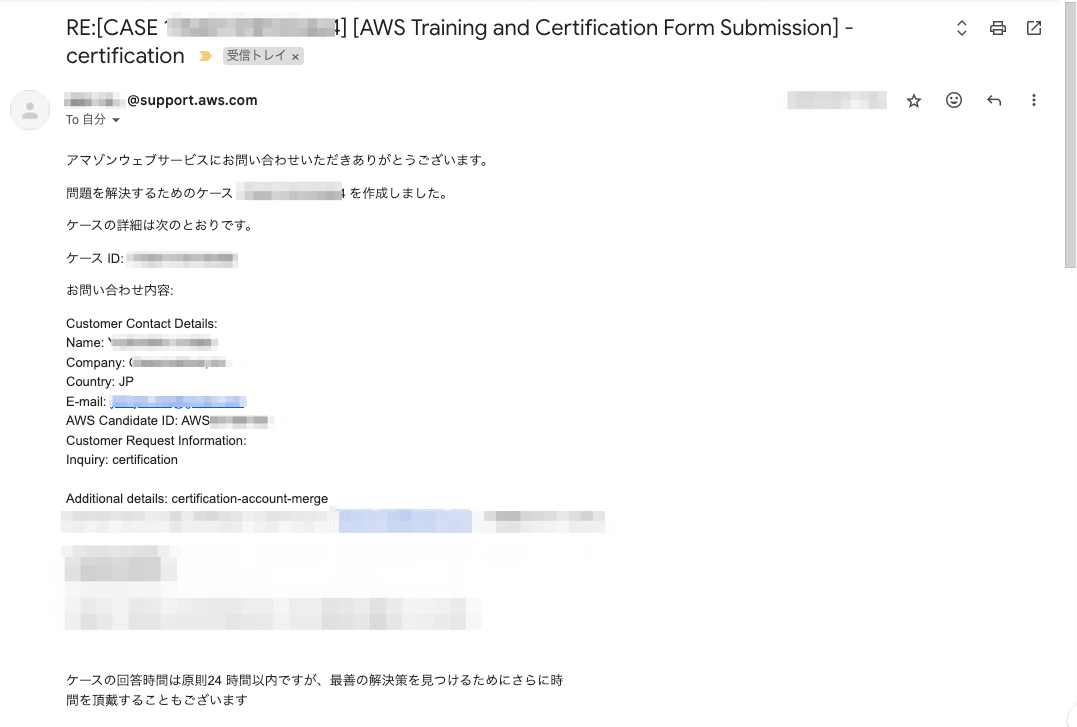
The email mentioned:
Case response time is generally within 24 hours, but we may need additional time to find the best solution.
So I waited eagerly.
After about 8 days, I received an email notification that the consolidation was complete. (They mentioned that their support desk was extremely busy.)
At the same time, I received a notification from Credly about badge acquisition.
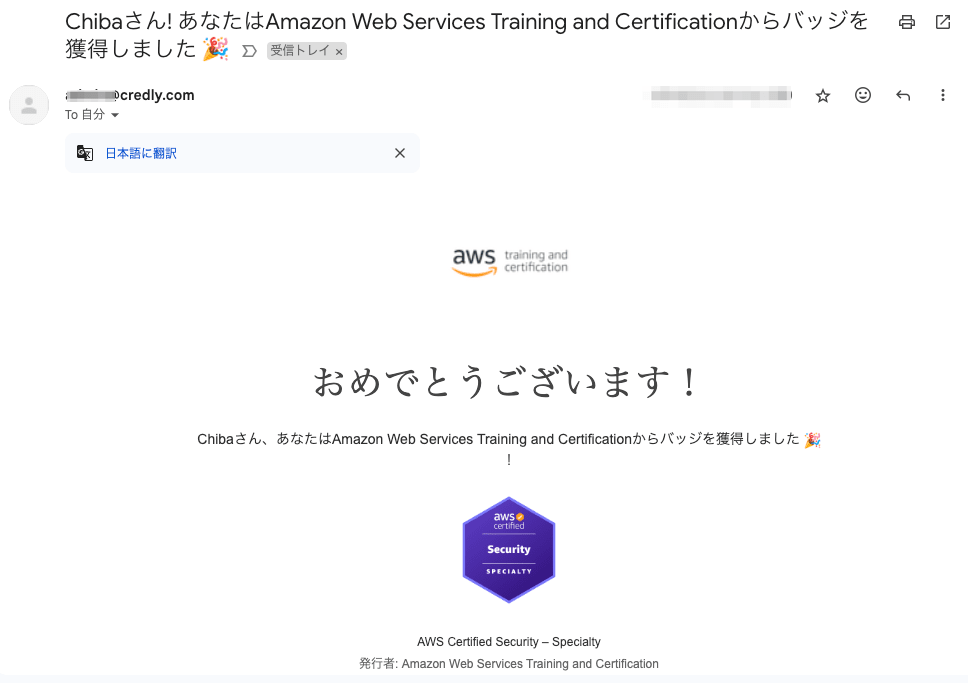
It appears that once the AWS certification account consolidation is complete, the badges are reflected in Credly without any additional action required. All's well that ends well.
Conclusion
This was the story of trying out AWS certification account consolidation.
I hope this is somewhat helpful, especially since there aren't many opportunities to consolidate accounts with duplicate email addresses. The AWS certification account system can be quite complicated.
This has been Chiba Yuki (@batchicchi).
Side note: Various information you can check in your AWS certification account
This time, I checked the AWS00000000 format account ID from the upper right corner of the screen. There is other information you can check by clicking on "Account" in the upper right corner.
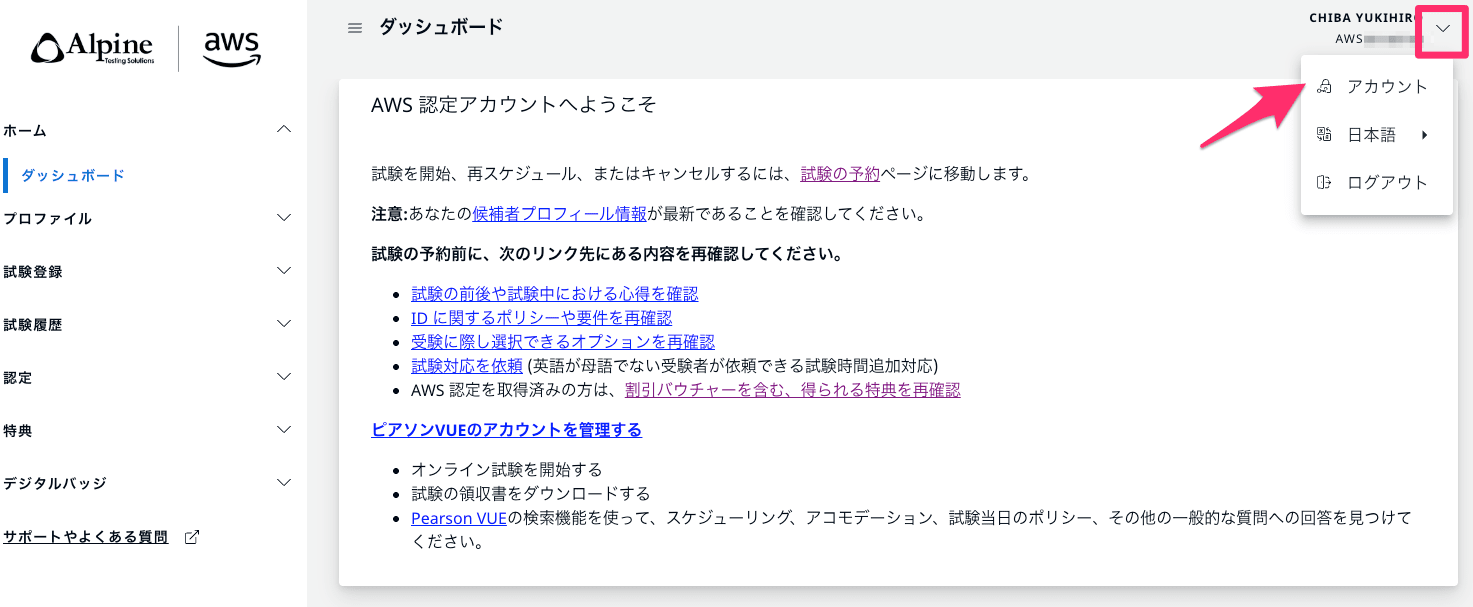
Here you can see various account IDs. The AWS00000000 format ID is labeled as CERTMETRICS here.
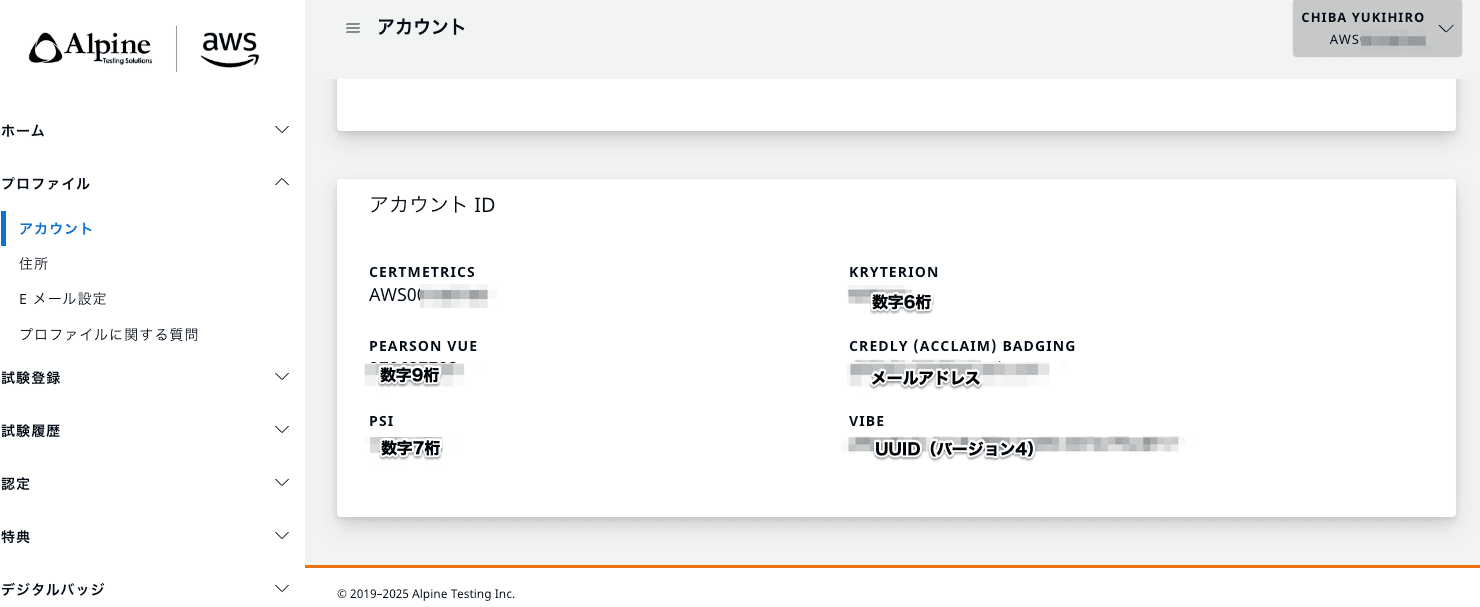
The types of accounts displayed here may vary depending on your account usage. If you're thinking "I need to check some AWS certification account-related ID," checking here might solve your problem.
Link collection
- For signing in to AWS certification account
- For signing in to AWS Training and Certification account
- For signing in to AWS Builder ID
- For signing in to Credly