Starting dynamic image generation with "ImageCreator," a new feature in iOS 18.4

This article was published more than one year ago. Please be aware that the information may be outdated.
This page has been translated by machine translation. View original
In iOS 18.4, iPadOS 18.4, Mac Catalyst 18.4, macOS 15.4, and visionOS 2.4, the ImageCreator class has been added to the Image Playground framework. This article introduces how to use the ImageCreator class.
What is ImageCreator?
"Image Playground" was announced at the WWDC 2024 keynote. This feature generates images based on specified prompts and styles. Image Playground was released a bit later than planned with iOS 18.2.
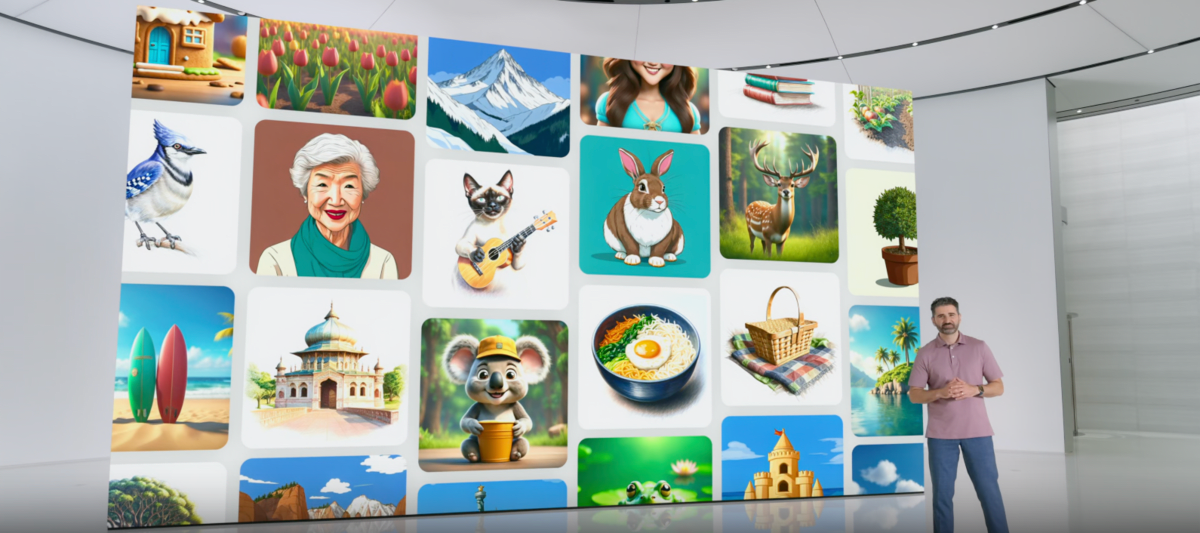
In iOS 18.1, ImagePlaygroundViewController was added for UIKit and View.imagePlaygroundSheet for SwiftUI. These are ViewController/Sheet that can generate images from entered prompts, allowing you to incorporate image generation functionality into your app.
However, these APIs had limitations on app-specific customization.
With iOS 18.4, the newly introduced ImageCreator class enables dynamic image generation programmatically. The previously mentioned ImagePlaygroundViewController didn't allow for custom UI application and used the built-in OS design, which might not have matched the design of some apps.
Being able to generate images programmatically with an app's own design makes it more accessible and easier to use. For example, use cases like custom sticker generation in social media apps or character image generation in game apps come to mind.
Testing Environment
- macOS Sequoia 15.3.1
- Xcode 16.3 Beta
- iOS 18.4 beta1 simulator
- Note: ImageCreator was unavailable on the iOS 18.4 beta1 simulator. Details on this issue are provided in the troubleshooting section.
- iPad Pro (6th generation) 12.9-inch / iPad OS 18.4 beta1 (physical device)
Apple Intelligence Compatible Devices
To use ImageCreator, you need a device that supports Apple Intelligence.
For devices that support Apple Intelligence, refer to Apple's document "Requirements for using Apple Intelligence on iPhone, iPad, and Mac". The following are compatible devices as of March 2025.
- All iPhone 16 models
- iPhone 16 Pro, iPhone 16 Pro Max
- iPhone 16, iPhone 16 Plus
- iPhone 16e
- iPhone 15 Pro, iPhone 15 Pro Max
- All iPad models with A17 Pro or M1 or later
- Macs with M1 or later
It's expected that iPhones with Apple A18 or later SoCs will be able to use this feature as standard. Currently, an M1 iPad might be the most cost-effective choice for setting up an Apple Intelligence environment.
Image Generation Flow with ImageCreator
Here are the steps to generate images using the ImageCreator class:
- Create an ImageCreator instance
- Since non-compatible devices will throw an
ImageCreator.Error.notSupportedexception, proper error handling is necessary
- Since non-compatible devices will throw an
- Select a style
- Use the
availableStylesproperty to select a style. If no style is available, abort the process
- Use the
- Generate images by specifying prompts and style
- Use the
images(for:style:limit:)method to generate images - According to the documentation, the current maximum value for the
limitparameter is 4
- Use the
- Receive the generated images
- Process the generated images sequentially through an asynchronous stream and convert them to
Imageobjects for UI reflection
- Process the generated images sequentially through an asynchronous stream and convert them to
Code Example
@available(iOS 18.4, *)
private func createImage() async {
	errorText = nil
	isProgress = true
	defer {
		isProgress = false
	}

	do {
		// 1. Create an ImageCreator instance
		let imageCreator = try await ImageCreator()

		// 2. Select a style
		guard let style = imageCreator.availableStyles.first else {
			errorText = Text("No available styles found")
			return
		}

		// 3. Generate images by specifying prompts and style
		let generatedImages = imageCreator.images(
			for: [.text("A cat wearing mittens.")],
			style: style,
			limit: 1
		)

		// 4. Receive the generated images
		for try await image in generatedImages {
			let cgImage = image.cgImage
			let image = Image(cgImage, scale: 1, label: Text("Generated image"))

			await MainActor.run {
				images.append(image)
			}
		}
	} catch ImageCreator.Error.notSupported {
		errorText = Text("Image generation is not available on this device")
	} catch ImageCreator.Error.creationFailed {
		errorText = Text("Image generation failed")
	} catch {
		errorText = Text("Error: \(error.localizedDescription)")
	}
}
The complete sample code displays the generated images in a grid layout and provides a text input field and button for generating new images. Please refer to it.
Full Sample Code
import ImagePlayground
import SwiftUI

struct ContentView: View {
    @State private var images: [Image] = []
    @State private var prompt = "A cat wearing mittens."
    @State private var errorText: Text? = nil
    @State private var isProgress: Bool = false

    @Environment(\.supportsImagePlayground) private var supportsImagePlayground

    let columns = [GridItem(.adaptive(minimum: 100, maximum: 200))]

    var body: some View {
        if supportsImagePlayground {
            contentView
        } else {
            Text("This device doesn't support Apple Intelligence. Image generation is not available")
                .padding()
        }
    }

    var contentView: some View {
        VStack {
            // List of generated images
            ScrollView {
                LazyVGrid(columns: columns, alignment: .leading) {
                    ForEach(images.indices, id: \.self) { index in
                        images[index]
                            .resizable()
                            .scaledToFit()
                    }
                }
            }

            Group {
                if isProgress {
                    // Show progress view during image generation and prevent button spamming
                    ProgressView()
                        .padding()
                } else {
                    if let errorText {
                        errorText
                            .padding()
                    }

                    HStack(alignment: .center) {
                        TextField(text: $prompt) {
                            Text("Enter text")
                        }

                        Button(action: {
                            Task {
                                await createImage()
                            }
                        }) {
                            Text("Generate Images")
                        }
                    }
                }
            }
        }
        .padding()
    }

    @available(iOS 18.4, *)
    private func createImage() async {
        errorText = nil
        isProgress = true
        defer {
            isProgress = false
        }

        do {
            // 1. Create an ImageCreator instance
            let imageCreator = try await ImageCreator()

            // 2. Select a style
            guard let style = imageCreator.availableStyles.first else {
                errorText = Text("No available styles found")
                return
            }

            // 3. Generate images by specifying prompts and style
            let generatedImages = imageCreator.images(
                for: [.text(prompt)],
                style: style,
                limit: 1
            )

            // 4. Receive the generated images
            for try await image in generatedImages {
                let cgImage = image.cgImage
                let image = Image(cgImage, scale: 1, label: Text("Generated image"))

                await MainActor.run {
                    images.append(image)
                }
            }
        } catch ImageCreator.Error.notSupported {
            errorText = Text("Image generation is not available on this device")
        } catch ImageCreator.Error.creationFailed {
            errorText = Text("Image generation failed")
        } catch {
            errorText = Text("Error: \(error.localizedDescription)")
        }
    }
}
ImageCreator.Error
The following lists the errors "ImageCreator.Error" that can occur when using ImageCreator.
| Error Code | Description |
|---|---|
| notSupported | An error indicating that the device doesn't support image generation |
| unavailable | An error indicating that image generation is currently unavailable |
| creationCancelled | An error that occurs due to parent task cancellation |
| faceInImageTooSmall | An error indicating that a face in the source image is too small to be used |
| unsupportedLanguage | An error indicating that the input text uses an unsupported language |
| unsupportedInputImage | An error indicating that one of the specified source images is unusable |
| backgroundCreationForbidden | An error indicating that the app is hidden or in the background |
| creationFailed | An error indicating a general failure during image generation |
In particular, the notSupported error occurs on devices that don't support Apple Intelligence, so it should always be handled to provide appropriate user feedback.
Troubleshooting
Here's an explanation of potential issues you might encounter when using ImageCreator and their solutions.
Limitations on iOS Simulator
ImageCreator doesn't work on iOS simulators, and an ImageCreator.Error.notSupported error occurs when creating an instance. This is likely because Apple Intelligence features require specific hardware (A17 Pro or M1 or later chipsets). A physical device is necessary for development and testing.
Apple Intelligence Model Download Doesn't Complete
Using Apple Intelligence requires downloading a language model, but in some cases, it doesn't complete even after overnight waiting. According to Apple's official forum, changing the region setting to "United Kingdom" and the language to "English (UK)" might resolve the issue.
The steps are as follows:
- Open the OS settings app
- Select [General]→[Language & Region]→[Region]
- Select "United Kingdom"
- Set [Language] to "English (UK)"
On my iPad Pro, the model download completed after this settings change. Note that this may not be effective in all cases.
Errors Occur Right After Changing Apple Intelligence Language
Right after changing the Apple Intelligence language, ImageCreator.Error.unavailable may occur because downloading and applying the new language model is necessary. The error message was "Image creation is not available at the moment." Waiting for a while and then retrying usually resolves the issue.
Is There a Time-Based Limit for Image Generation with ImageCreator?
While writing sample code, I generated images multiple times but encountered ImageCreator.Error.creationCancelled or ImageCreator.Error.creationFailed. Currently, there's no official information about API usage limits, but it might not be suitable for continuous mass generation.
Summary
With the ImageCreator class in iOS 18.4, developers can programmatically use Apple Intelligence's image generation capabilities to provide custom experiences that match their app's branding.
Currently, there are challenges such as device compatibility limitations and language model download issues, but we can expect improvements in these areas with future updates. Utilizing ImageCreator will enable providing more attractive and creative app experiences.
References