I installed "Kiro CLI", the successor to Amazon Q Developer CLI

This page has been translated by machine translation. View original
On November 18, 2025, Kiro CLI was released.
I had the opportunity to try installing Kiro CLI, released as the successor to Amazon Q Developer CLI, so I'll introduce it here.
Environment
I used a macOS environment.
ProductName:		macOS
ProductVersion:		26.1
BuildVersion:		25B78
Installation
I installed it using the installer from the official site.
curl -fsSL https://cli.kiro.dev/install | bash
Installation log:
$ curl -fsSL https://cli.kiro.dev/install | bash
Kiro CLI installer:

Detected existing Amazon Q CLI installation
Kiro CLI is the new version of Amazon Q CLI. Updating to latest version.

████████████████████████████████████████████████████████████████████████ 100/100

🎉 Installation complete! Happy coding!

1. Important! Before you can continue, you must update your PATH to include:
   /Users/<username>/.local/bin

Add it to your PATH by adding this line to your shell configuration file:
  export PATH="$HOME/.local/bin:$PATH"

2. Use the command "kiro-cli" to get started!
Path Configuration
- I added the
$HOME/.local/binpath setting to "~/.profile".
export PATH="$HOME/.local/bin:$PATH"
- This step can be skipped if you already have Q Developer CLI installed with path configured
Login
$ kiro-cli login
▰▰▰▰▰▱▱ Opening browser... | Press (^) + C to cancel
A browser opens and you select the login type.
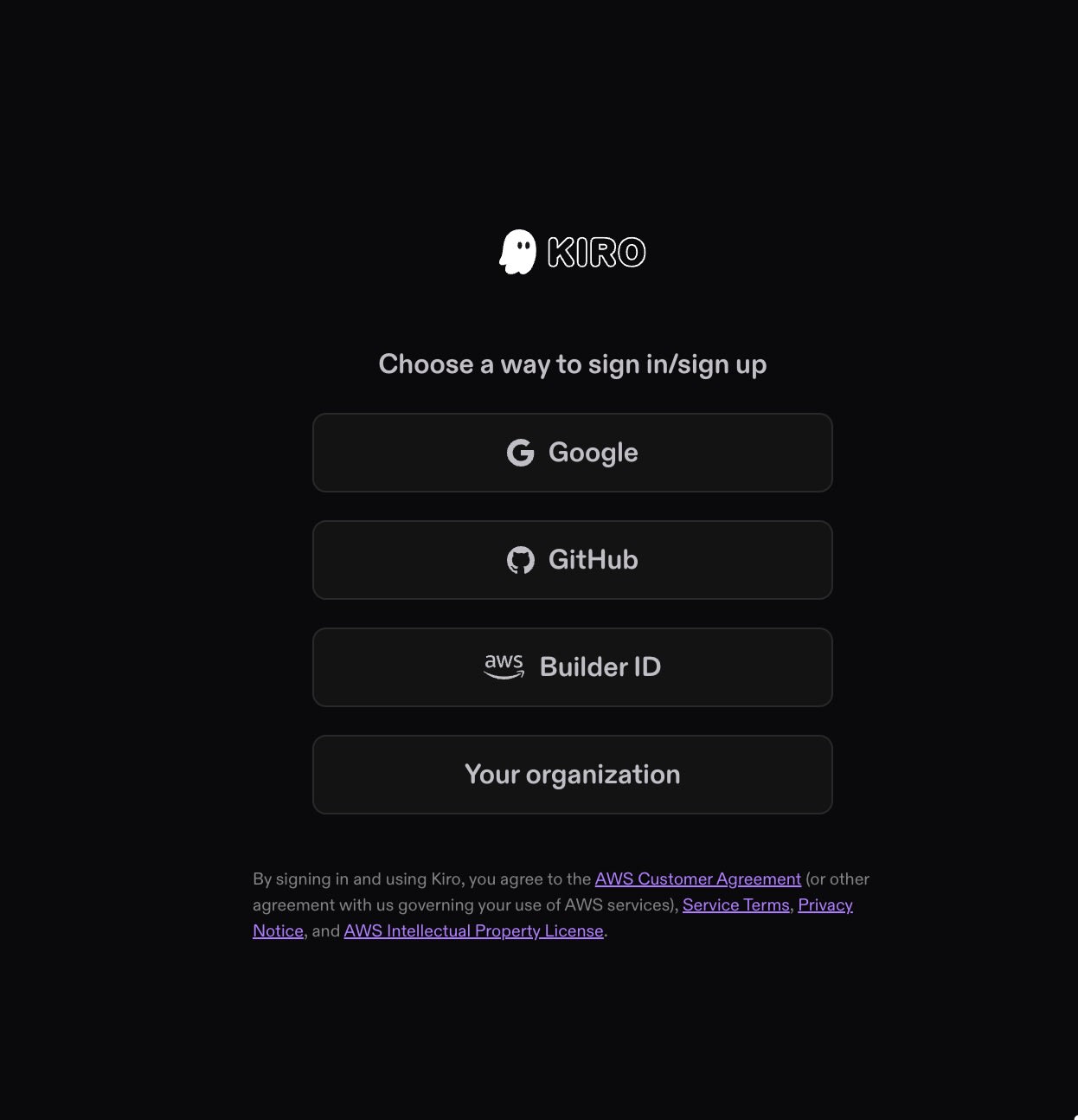
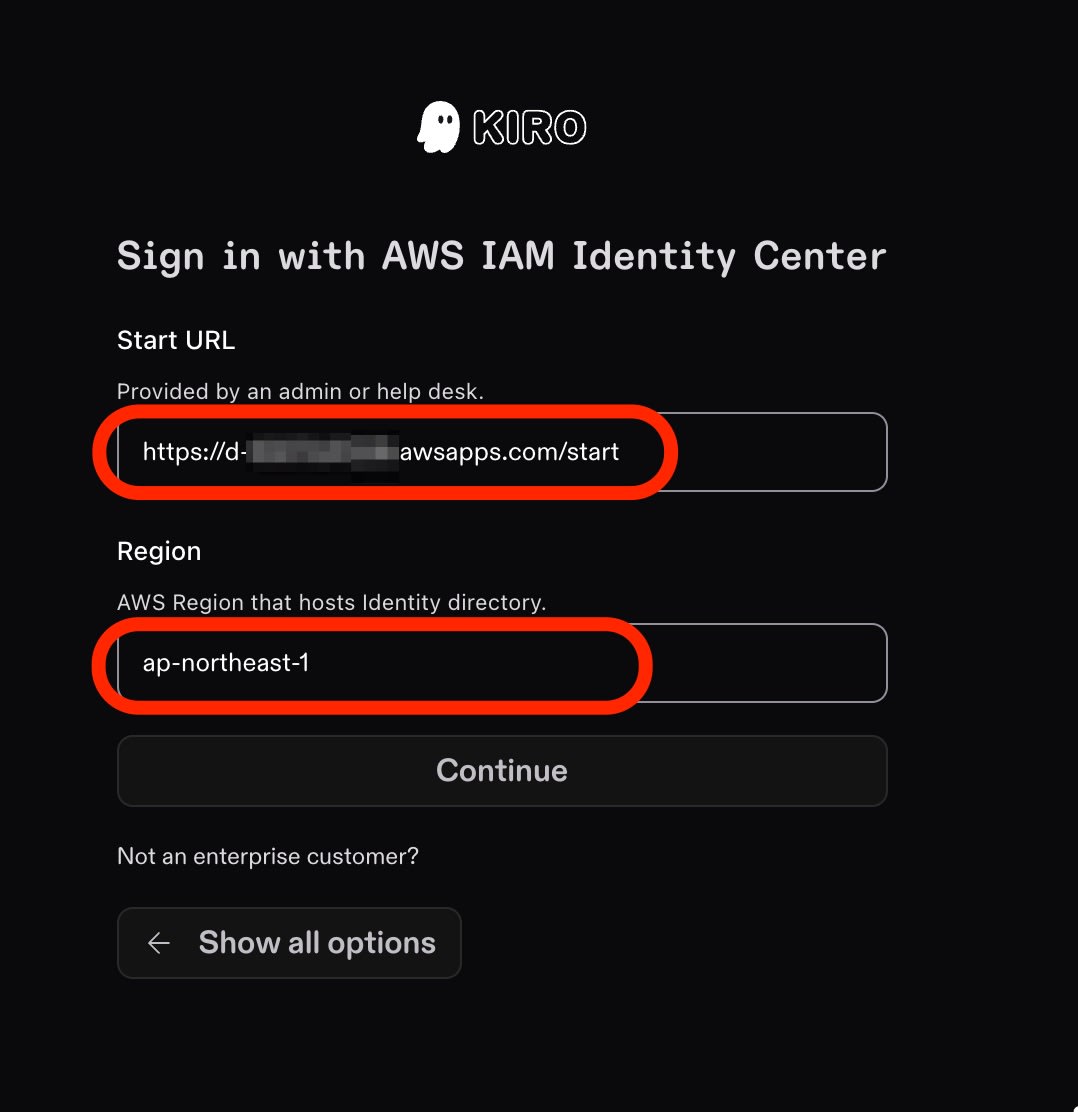
For this test, I used "Your organization," the IAM Identity Center with a Q Developer PRO subscription.
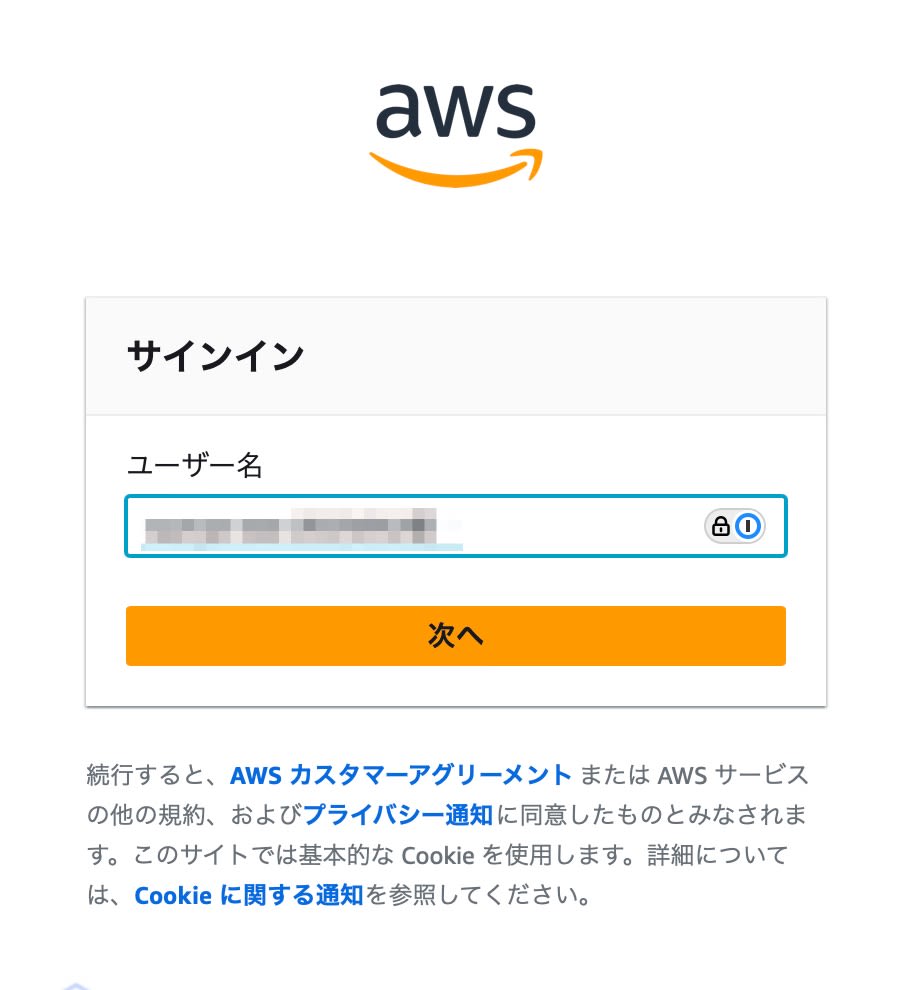
Login using SSO user, password, and MFA.
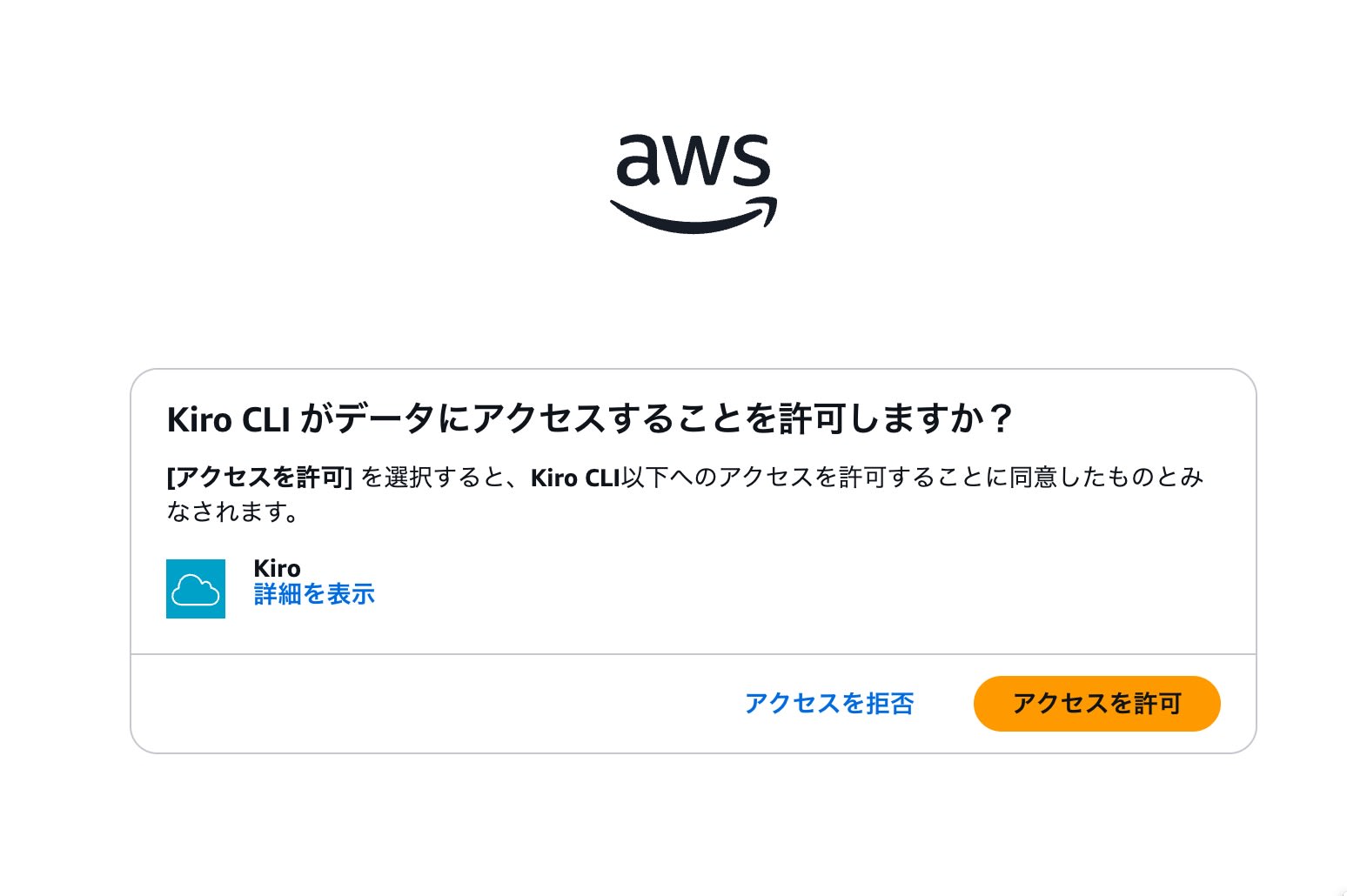
I granted access permission.
Starting KIRO
The CLI launched with kiro-cli.
$ kiro-cli
⠀⠀⠀⠀⠀⠀⠀
⠀⠀⠀⠀⠀⠀⠀     ⢀⣴⣶⣶⣦⡀⠀⠀⠀⢀⣴⣶⣦⣄⡀⠀⠀⢀⣴⣶⣶⣦⡀⠀⠀⢀⣴⣶⣶⣶⣶⣶⣶⣶⣶⣶⣦⣄⡀⠀⠀⠀⠀⠀⠀⢀⣠⣴⣶⣶⣶⣶⣶⣦⣄⡀⠀⠀⠀⠀⠀⠀⠀⠀⠀
⠀⠀⠀⠀⠀⠀⠀    ⢰⣿⠋⠁⠈⠙⣿⡆⠀⢀⣾⡿⠁⠀⠈⢻⡆⢰⣿⠋⠁⠈⠙⣿⡆⢰⣿⠋⠁⠀⠀⠀⠀⠀⠀⠀⠀⠈⠙⠻⣦⠀⠀⠀⠀⣴⡿⠟⠋⠁⠀⠀⠀⠈⠙⠻⢿⣦⠀⠀⠀⠀⠀⠀⠀
⠀⠀⠀⠀⠀⠀⠀    ⢸⣿⠀⠀⠀⠀⣿⣇⣴⡿⠋⠀⠀⠀⢀⣼⠇⢸⣿⠀⠀⠀⠀⣿⡇⢸⣿⠀⠀⠀⢠⣤⣤⣤⣤⣄⠀⠀⠀⠀⣿⡆⠀⠀⣼⡟⠀⠀⠀⠀⣀⣀⣀⠀⠀⠀⠀⢻⣧⠀⠀⠀⠀⠀
⠀⠀⠀⠀⠀⠀⠀    ⢸⣿⠀⠀⠀⠀⣿⡿⠋⠀⠀⠀⢀⣾⡿⠁⠀⢸⣿⠀⠀⠀⠀⣿⡇⢸⣿⠀⠀⠀⢸⣿⠉⠉⠉⣿⡇⠀⠀⠀⣿⡇⠀⣼⡟⠀⠀⠀⣰⡿⠟⠛⠻⢿⣆⠀⠀⠀⢻⣧⠀⠀⠀⠀
⠀⠀⠀⠀⠀⠀⠀    ⢸⣿⠀⠀⠀⠀⠙⠁⠀⠀⢀⣼⡟⠁⠀⠀⠀⢸⣿⠀⠀⠀⠀⣿⡇⢸⣿⠀⠀⠀⢸⣿⣶⣶⡶⠋⠀⠀⠀⠀⣿⠇⢰⣿⠀⠀⠀⢰⣿⠀⠀⠀⠀⠀⣿⡆⠀⠀⠀⣿⡆
⠀⠀⠀⠀⠀⠀⠀    ⢸⣿⠀⠀⠀⠀⠀⠀⠀⠀⠹⣷⡀⠀⠀⠀⠀⢸⣿⠀⠀⠀⠀⣿⡇⢸⣿⠀⠀⠀⠀⠀⠀⠀⠀⠀⠀⠀⣠⣼⠟⠀⢸⣿⠀⠀⠀⢸⣿⠀⠀⠀⠀⠀⣿⡇⠀⠀⠀⣿⡇
⠀⠀⠀⠀⠀⠀⠀    ⢸⣿⠀⠀⠀⠀⠀⣠⡀⠀⠀⠹⣷⡄⠀⠀⠀⢸⣿⠀⠀⠀⠀⣿⡇⢸⣿⠀⠀⠀⠀⣤⣄⠀⠀⠀⠀⠹⣿⡅⠀⠀⠸⣿⠀⠀⠀⠸⣿⠀⠀⠀⠀⠀⣿⠇⠀⠀⠀⣿⠇
⠀⠀⠀⠀⠀⠀⠀    ⢸⣿⠀⠀⠀⠀⣾⡟⣷⡀⠀⠀⠘⣿⣆⠀⠀⢸⣿⠀⠀⠀⠀⣿⡇⢸⣿⠀⠀⠀⠀⣿⡟⣷⡀⠀⠀⠀⠘⣿⣆⠀⠀⢻⣧⠀⠀⠀⠹⣷⣦⣤⣤⣾⠏⠀⠀⠀⣼⡟
⠀⠀⠀⠀⠀⠀⠀    ⢸⣿⠀⠀⠀⠀⣿⡇⠹⣷⡀⠀⠀⠈⢻⡇⠀⢸⣿⠀⠀⠀⠀⣿⡇⢸⣿⠀⠀⠀⠀⣿⡇⠹⣷⡀⠀⠀⠀⠈⢻⡇⠀⠀⢻⣧⠀⠀⠀⠀⠉⠉⠉⠀⠀⠀⠀⣼⡟
⠀⠀⠀⠀⠀⠀⠀    ⠸⣿⣄⡀⢀⣠⣿⠇⠀⠙⣷⡀⠀⢀⣼⠇⠀⠸⣿⣄⡀⢀⣠⣿⠇⠸⣿⣄⡀⢀⣠⣿⠇⠀⠙⣷⡀⠀⠀⢀⣼⠇⠀⠀⠀⠻⣷⣦⣄⡀⠀⠀⠀⢀⣠⣴⣾⠟
⠀⠀⠀⠀⠀⠀⠀    ⠀⠈⠻⠿⠿⠟⠁⠀⠀⠀⠈⠻⠿⠿⠟⠁⠀⠀⠈⠻⠿⠿⠟⠁⠀⠀⠈⠻⠿⠿⠟⠁⠀⠀⠀⠈⠻⠿⠿⠟⠁⠀⠀⠀⠀⠀⠈⠙⠻⠿⠿⠿⠿⠟⠋⠁

✨ What's New in Kiro CLI

1.20.0 (2025-11-17)
✔ Added: The Kiro CLI is here! Kiro CLI leverages the Kiro Auto agent to deliver the best results at the best price, in your terminal, and takes you from natural language, to code, to deployment. Kiro CLI supports different agent modes, MCPs, Kiro steering files, and custom agents, allowing you to mold the CLI to meet your needs.

1.19.7 (2025-11-17)
✔ Added: Kiro CLI announcement. Learn more at kiro.dev/cli-upgrade

💡 Run /changelog anytime to see the latest updates and features!

Model: Auto (/model to change)
- The content displayed by
/helpwas almost identical to Q Developer CLI.
2% > /help

Use any of these commands to manage your Kiro session. All commands start with '/'

Usage: /<COMMAND>

Commands:
  quit        Quit the application
  clear       Clear the conversation history
  agent       Manage agents
  context     Manage context files and view context window usage
  editor      Open $EDITOR (defaults to vi) to compose a prompt
  reply       Open $EDITOR with the most recent assistant message quoted for reply
  compact     Summarize the conversation to free up context space
  tools       View tools and permissions
  issue       Create a new Github issue or make a feature request
  logdump     Create a zip file with logs for support investigation
  changelog   View changelog for Kiro CLI
  prompts     View and retrieve prompts
  hooks       View context hooks
  usage       Show billing and credits information
  mcp         See mcp server loaded
  model       Select a model for the current conversation session
  experiment  Toggle experimental features
  save        Save the current conversation
  load        Load a previous conversation
  todos       View, manage, and resume to-do lists
  paste       Paste an image from clipboard
  help        Print this message or the help of the given subcommand(s)

Options:
  -h, --help
          Print help (see a summary with '-h')

💡 Did you know, You can now configure Kiro to use MCP servers. Learn how at https://kiro.dev/docs/cli/mcp

Shortcuts:
Ctrl(^) + J        to insert new-line for multi-line prompt
Ctrl(^) + S        for fuzzy search commands and context files, use tab to select multiple items
Ctrl(^) + T        to toggle tangent mode for isolated conversations
chat.editMode       The prompt editing mode (vim or emacs)
                    Change these keybinding at anytime using: kiro-cli settings chat.skimCommandKey x
- The default model setting was "Auto".
- Explicit specifications for Sonnet-4.5, 4, Haiku-4.5, and other models are also possible.
2% > /model

 Press (↑↓) to navigate · Enter(⏎) to select model
❯ Auto (current) | 1x credit | Models chosen by task for optimal usage and consistent quality
  claude-sonnet-4.5 | 1.3x credit | The latest Claude Sonnet model
  claude-sonnet-4 | 1.3x credit | Hybrid reasoning and coding for regular use
  claude-haiku-4.5 | 0.4x credit | The latest Claude Haiku model
- With
/usage, in an environment logged in via "IAM Identity Center" SSO, it displayed Q Developer Pro.
2% > /usage

Plan: Q Developer Pro
Your plan is managed by admin

Tip: to see context window usage, run /context
/contextshows the breakdown of the context currently in use
2% > /context

Current context window (1.6% used)
█|██████████████████████████████████████████████████████████████████████████████ 1.6%

█ Context files 0.0%
█ Tools 1.5%
█ Kiro responses 0.1%
█ Your prompts 0.0%

💡 Pro Tips:
Run /compact to replace the conversation history with its summary
Run /clear to erase the entire chat history
Run /context show to see usage per context file
- With
/experiment, the settings previously configured in Q Developer CLI remain available.
1% > /experiment

 Press (↑↓) to navigate · Enter(⏎) to toggle an experiment
❯ Knowledge                 [OFF] Enables persistent context storage and retrieval across chat sessions (/knowledge)
  Thinking                  [ON]  Enables complex reasoning with step-by-step thought processes
  Tangent Mode              [OFF] Enables entering into a temporary mode for sending isolated conversations (/tangent)
  Todo Lists                [OFF] Enables Kiro to create todo lists that can be viewed and managed using /todos
  Checkpoint                [ON]  Enables workspace checkpoints to snapshot, list, expand, diff, and restore files (/checkpoint)
                                  Note: Cannot be used in tangent mode (to avoid mixing up conversation history)
  Context Usage Indicator   [ON]  Shows context usage percentage in the prompt (e.g., [rust-agent] 6% >)
  Delegate                  [OFF] Enables launching and managing asynchronous subagent processes
Summary
I tried installing Kiro CLI. It seems to offer the same level of functionality as Q Developer CLI, including AWS integration with the "use_aws" tool and MCP support.
With Kiro's paid license now available through IAM Identity Center, management should improve compared to the previous individual subscriptions.
Additionally, the previous Q Developer CLI was often confused with "Amazon Q" integrated into IDEs and the management console. Now that it has been given the distinct name "Kiro CLI," this distinction becomes clearer and makes information gathering easier.
Kiro CLI is also available with the free tier connected to Builders ID. Please try it as an AI-powered CLI tool.