![[Small tip] How I solved the sudo password problem in Dev Container](https://devio2024-media.developers.io/image/upload/f_auto,q_auto,w_3840/v1767594780/user-gen-eyecatch/drxglimzputggklgtwpr.jpg)
[Small tip] How I solved the sudo password problem in Dev Container

This page has been translated by machine translation. View original
Introduction
When using Dev Container, you may be prompted for a password when executing the sudo command.
The problem is that if the container user's password is not set (or unknown), you won't be able to perform any operations that require administrator privileges.
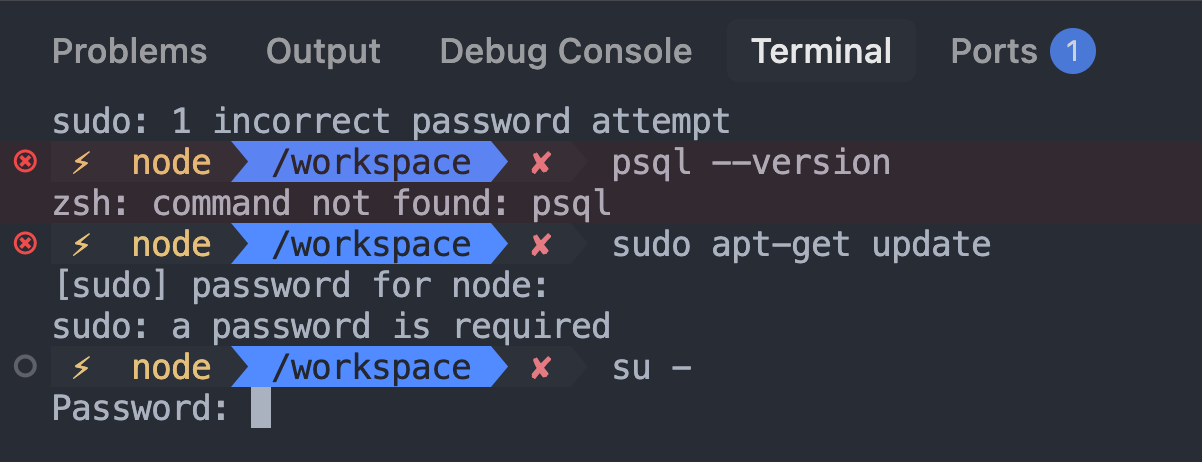
In this article, I will introduce two methods to solve this problem in Linux containers (I'm using Debian in this test environment).
Solutions
Method 1: Configure passwordless sudo in Dockerfile (recommended)
By adding the following configuration to your Dockerfile, you can grant a specific user (in this example, the node user) permission to execute sudo without a password.
# Grant passwordless sudo to node user
RUN echo "node ALL=(ALL) NOPASSWD:ALL" > /etc/sudoers.d/node && \
    chmod 0440 /etc/sudoers.d/node

USER node
Configuration explanation
| Item | Description |
|---|---|
node |
Target username |
ALL=(ALL) |
Can run commands as any user on any host |
NOPASSWD:ALL |
Can run all commands without a password |
/etc/sudoers.d/node |
Drop-in file for sudoers configuration |
chmod 0440 |
Set as read-only except for root for security purposes |
USER node |
Switch to node user after executing all commands (optional depending on the case) |
The benefit of this method is that you can work as a regular user while using administrator privileges with sudo only when necessary.
Method 2: Change remoteUser to root
Another method is to set remoteUser to root in devcontainer.json.
(When I first tested this, I was using Claude Code's official Dev Container configuration, which sets remoteUser to node.)
{
  "name": "My Dev Container",
  "remoteUser": "root",
  //...omitted
}
This allows you to log in as the root user when connecting to the container, eliminating the need to use sudo.
⚠️ Note: Compatibility with Claude Code
This method has an important limitation. You cannot use claude --dangerously-skip-permissions when logged in as the root user.

Summary
| Method | Benefits | Drawbacks |
|---|---|---|
| Method 1: Passwordless sudo | Can work as regular user, Claude Code compatible | Requires editing Dockerfile |
| Method 2: remoteUser=root | Easy to configure | Some Claude Code features won't work |
For comfortable pair programming with an AI Agent, it might be best to configure your Dockerfile using Method 1.
That's all.