Updated Windows 11 from 22H2 to 24H2 running on Parallels Desktop

This article was published more than one year ago. Please be aware that the information may be outdated.
This page has been translated by machine translation. View original
I use macOS on a daily basis, but sometimes I need Windows. In such cases, I utilize Windows on Parallels Desktop on my MacBook Pro.
Currently, the Windows running on Parallels Desktop is version 22H2. However, Windows Updates haven't been provided for a while, and I noticed that end-of-lifecycle notifications started appearing.
In this article, I'll introduce how to manually update Windows 11 from 22H2 to 24H2 using the Group Policy Editor.
Test Environment
- MacBook Pro 2021 - Sequoia 15.3.1
- Parallels Desktop 20 for Mac - Version 20.2.1 (55876)
- Windows 11 Pro 22H2 (Arm version)
Updating from 22H2 to 23H2
1. Launch Group Policy Editor
- Press the
Windowskey, type "gpedit.msc" and press Enter - The Group Policy Editor will open
2. Access Windows Update Management Settings
- Expand "Computer Configuration," "Administrative Templates," "Windows Components," and "Windows Update"
- Select "Manage updates offered from Windows Update"
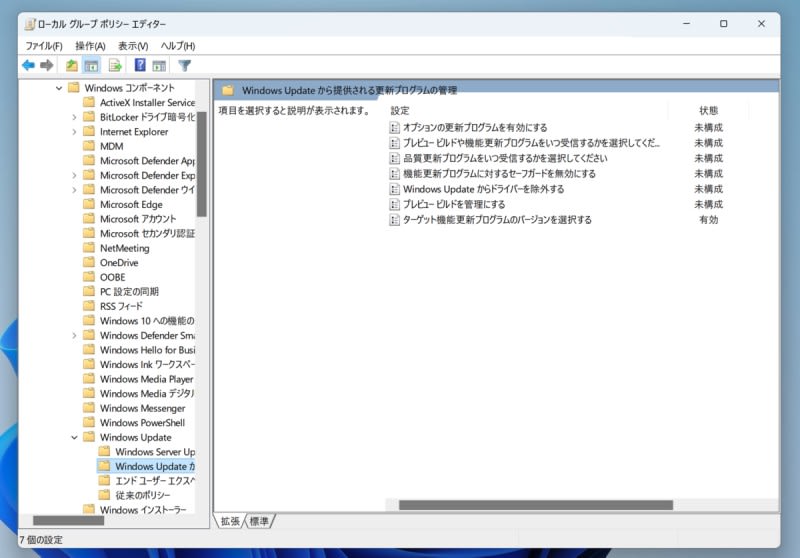
3. Select Target Version
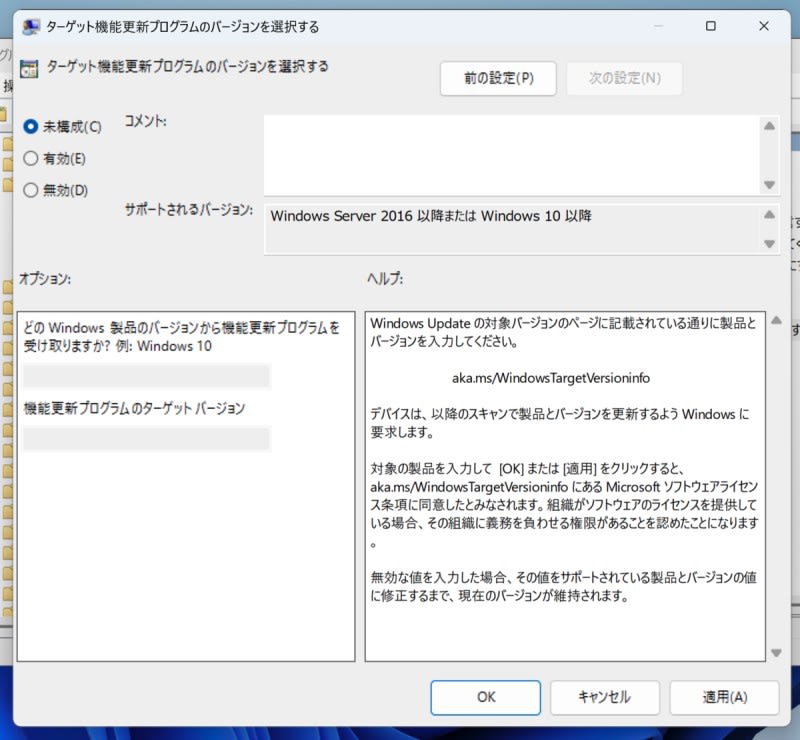
- Double-click on "Select the target Feature Update version."
- In the settings screen, select "Enabled."
- In the options field, enter the following:
* Which Windows product version would you like to receive feature updates from?
    * Windows 11
* Target Feature Update Version
    * 23H2
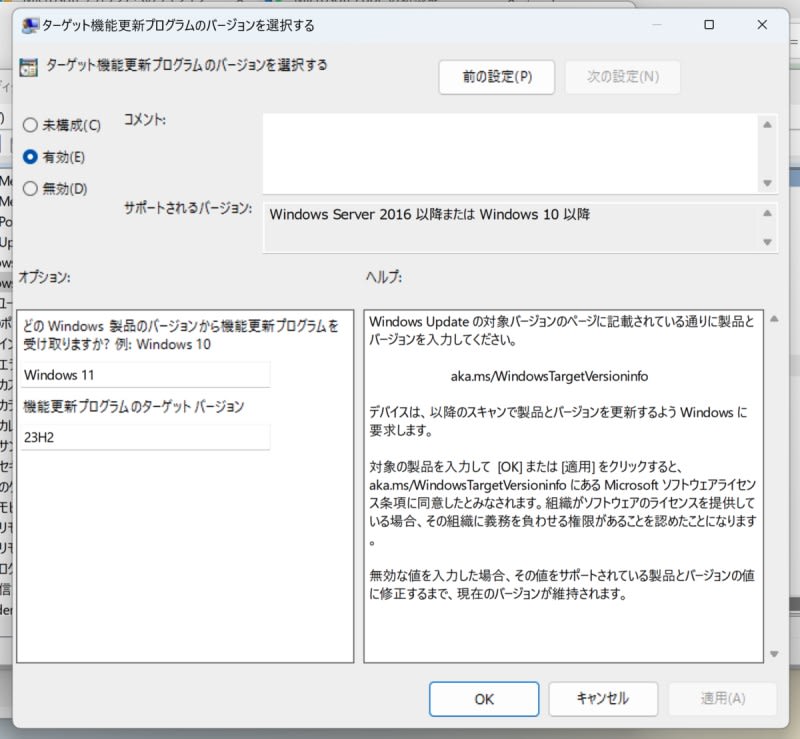
4. Save and Apply Settings
- Click "Apply" and then "OK" to save the settings.
5. Run Windows Update
After configuring, run Windows Update. The update to 23H2 should begin.
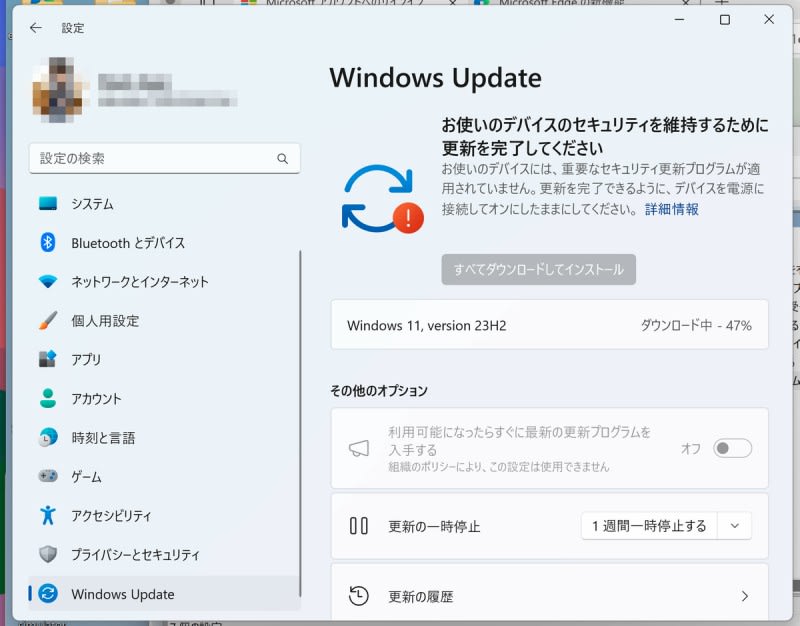
Updating from 23H2 to 24H2
Use the same procedure as when updating from 22H2 to 23H2, but change the target version to 24H2.
* Which Windows product version would you like to receive feature updates from?
    * Windows 11
* Target Feature Update Version
    * 24H2
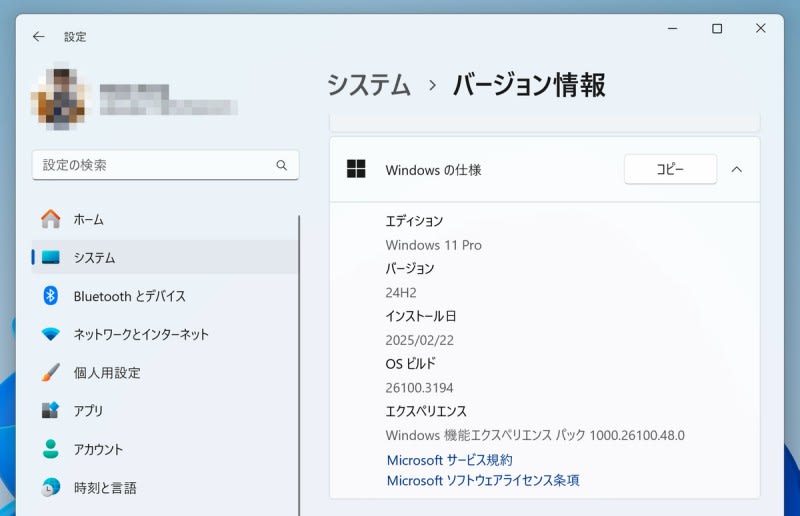
The update from 23H2 to 24H2 completed without any issues.
Reset Settings When Finished
After completing everything, return the "Select the target Feature Update version" setting to "Not Configured."
By following these steps, I was able to update Windows 11 from 22H2 to 24H2.
Reference
I referenced this article for this procedure.