[Scrapling] Scrapling, a web scrape library!

Ciallo~(∠ ω< )⌒ ★ this is AnonymousPenguin~
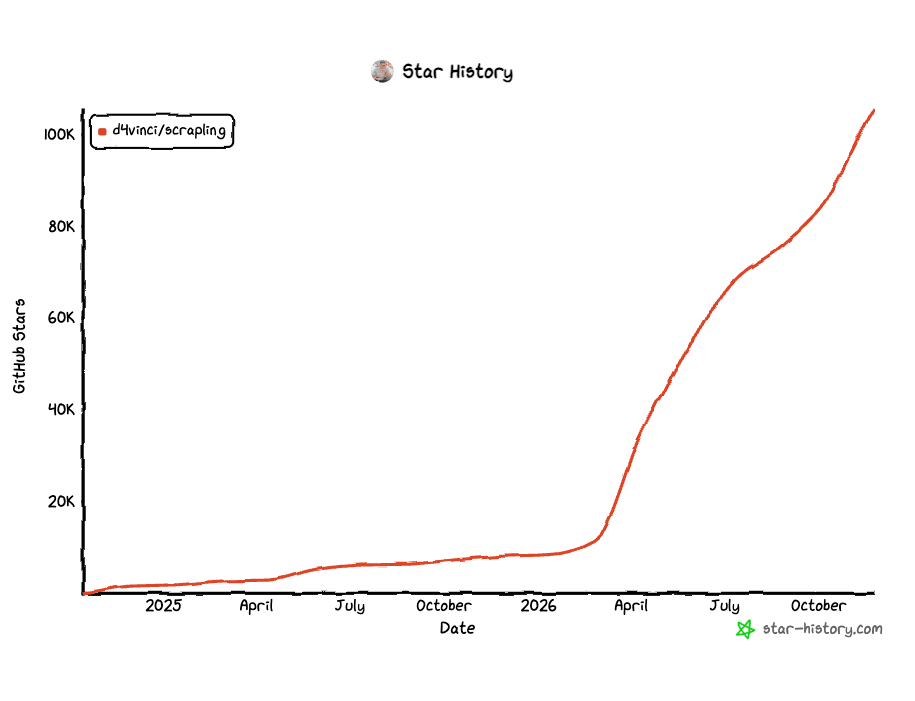
These days I got a job related to scraping web pages, and at the same time, a library called Scrapling is trending on GitHub, so I cooked it!
Result first
Scrapling 0.5.1 handled most of what I threw at it: 16 of 19 tests passed, 2 partly passed, 1 failed. Plus one extra ad-blocking test, which passed.
| Site type | Result |
|---|---|
| Plain HTML with many listing pages | ⚠️ All worked, except HTTP/3 |
| Needs JavaScript or clicks | ✅ |
| Blocks bots (fingerprint, Cloudflare) | ✅ on demo pages |
| Changes its layout often | ✅ on my test page |
| Big site, you must find the pages | ✅ |
| Heavy with ads and trackers | ✅ |
| Has a sitemap or feed | ✅ |
| Feeding pages to an AI / RAG | ⚠️ hidden text leaked |
| AI agent scrapes for you (MCP) | ✅ |
| Browser on another machine (CDP) | ❌ failed 3 times |
Should you use it?
- ✅ If you scrape plain pages, JavaScript pages and sitemaps/feeds, and want one library for all of them.
- ✅ If you get blocked by Cloudflare-style challenges. One flag solved both demo challenges.
- ⚠️ If you feed pages into a RAG knowledge base: hidden text can get in.
- ❌ If you need to drive a browser on another machine today. It failed in my run.
Words you'll see in this post
Glossary
| Word | Meaning |
|---|---|
| Fetcher | Scrapling's plain HTTP client. Fast, no browser. |
Async (AsyncFetcher) |
Doing many requests at the same time instead of waiting for each one to finish. |
| StealthyFetcher | A real browser (Chromium) tuned to look less like a bot. |
| Chromium / Patchright | Chromium is the open-source base of Google Chrome. Patchright is a tool that drives Chromium while hiding the signs of automation. |
| Headless | A browser with no window. It works the same, you just can't see it. |
| User-Agent | A short text your browser sends to say what it is, e.g. "Chrome on Mac". Easy to fake, so sites don't trust it alone. |
| HTTP/2, HTTP/3 | Versions of the protocol the web uses to send pages. HTTP/3 runs on a newer, faster connection type (QUIC), but not every site supports it. |
| TLS fingerprint (JA3) | How your connection "looks" to the server. Bots often have a different one from real Chrome. |
| Cloudflare challenge | The "Just a moment..." check page Cloudflare shows to decide if you're a human or a bot. |
| Selector (CSS / XPath) | A way to point at parts of a page, like "the price inside each book card". |
| JSON API | A hidden address the page calls to get its data as clean structured text, instead of HTML. |
| Spider | A crawler: it follows links and collects items from many pages. |
| Scrapy | A popular, older Python scraping framework. Scrapling's spiders work in a similar way. |
robots.txt |
A file where a site tells crawlers which pages they shouldn't visit. Polite crawlers follow it. |
| Sitemap / RSS feed | Files a site publishes to list all its pages (sitemap) or its newest posts (RSS), so programs can find them easily. |
| Shopify / product feed | Shopify is a platform for online shops. Each Shopify store publishes its product list as a data feed. |
| Sandbox site | A public site made for scraping practice, like books.toscrape.com. |
block_ads |
A Scrapling option that stops the browser from loading anything from a built-in list of 3,526 known ad and tracker domains. |
| RAG | Retrieval-Augmented Generation: an AI looks things up in your own documents before it answers. Scraped pages often feed it. |
aria-hidden / hidden attribute |
Two HTML ways to hide content: aria-hidden hides it from screen readers, hidden hides it from view. |
| MCP | A standard way to give an AI agent tools. Here: scraping tools. |
| CDP | Chrome DevTools Protocol. Lets a program control a Chrome that's already running, even on another machine. |
How I tested
| Item | Value |
|---|---|
| Scrapling | scrapling[all]==0.5.1 (released 4 Nov 2026, pinned because it's pre-1.0) |
| Python | 3.12.15, in a .venv made with uv |
| OS | macOS (Apple Silicon) |
| Stealth browser | Patchright Chromium, build chromium-1248 |
| Test dates | 23–24 Nov 2026 |
Rules
I decided these before testing:
- Each test has its own pass criteria.
- Real sites are public scraping sandboxes or fingerprint test pages, plus one public Shopify store (1–2 pages of its product feed).
- For some tests I made my own small pages, so I can control exactly what is on them.
1. Plain HTML with many listing pages
Target: books.toscrape.com and tls.peet.ws
- books.toscrape.com: a fake online bookstore, built for people to practice web scraping.
- tls.peet.ws: a page that shows the TLS fingerprint your connection sends, so you can see if you look like a real Chrome.
| Test | Result | Number |
|---|---|---|
Fetcher with Chrome impersonation, custom User-Agent, HTTP/3 |
⚠️ Partial | 200 with 20 book cards over HTTP/2, User-Agent echoed. HTTP/3 refused on both targets |
AsyncFetcher: 10 pages at once vs one by one |
✅ | 1.14s vs 10.32s (9.1x faster) |
| Selectors: 7 ways to get the same title and price | ✅ | 7 of 7 returned "A Light in the Attic" at 51.77 |
find_similar: find one book card, get the rest |
✅ | 19 more cards, 20 of 20 |
What I noticed
- HTTP/3 was refused on books.toscrape.com and timed out on tls.peet.ws. It returned a 200 from www.cloudflare.com, but that doesn't prove HTTP/3 carried it. So: partial.
So: easy and fast. Skip HTTP/3 for now.
2. Pages that need JavaScript or clicks
Target: quotes.toscrape.com/js and quotes.toscrape.com/scroll
- quotes.toscrape.com: a practice site with famous quotes, from the same people as the bookstore. It has special versions:
/jsbuilds the page with JavaScript, and/scrollloads more quotes as you scroll down.
| Test | Result | Number |
|---|---|---|
StealthyFetcher: wait for quotes, click Next |
✅ | 10 quotes from page 2, 6.65s |
| Background API capture: scroll, then find the hidden JSON API | ✅ | 10 JSON calls found, 100 quotes, 9.61s |
For the API capture, Scrapling records every network call the page makes while it scrolls. Then I searched those calls, and found the JSON API the page uses to load its quotes. So instead of parsing HTML, I got clean JSON data directly.
So: works. I only had to write a small function for the click and the scroll.
3. Sites that block bots
Target: bot.sannysoft.com, browserscan.net/bot-detection, scrapingcourse.com/cloudflare-challenge and scrapingcourse.com/antibot-challenge
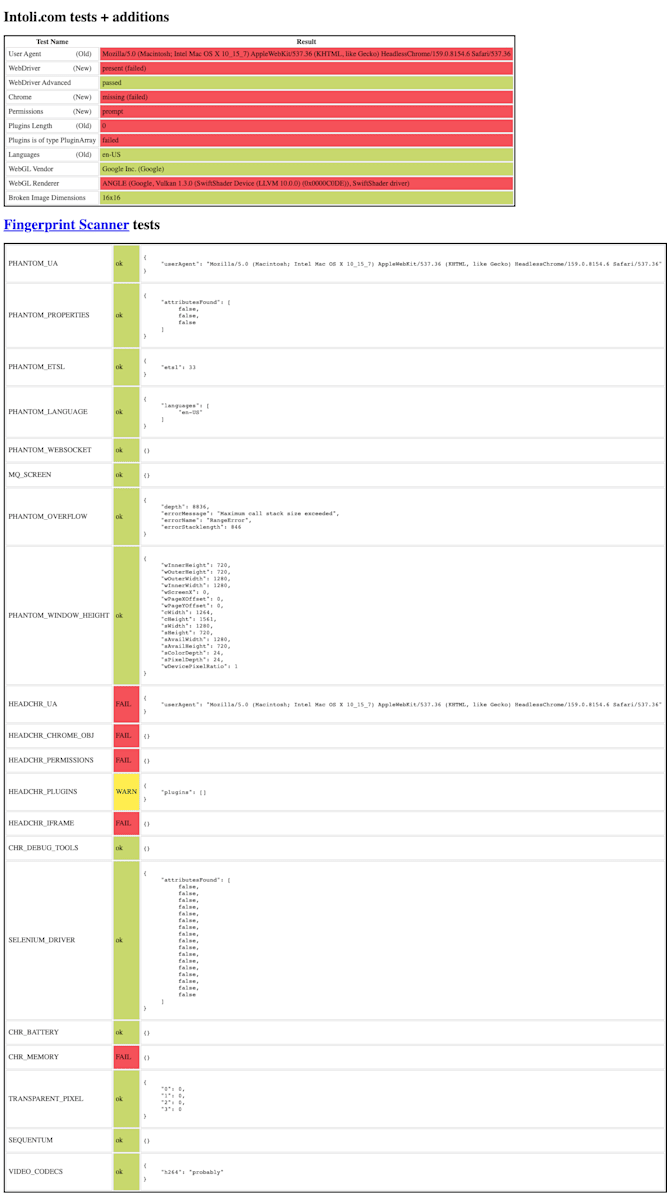
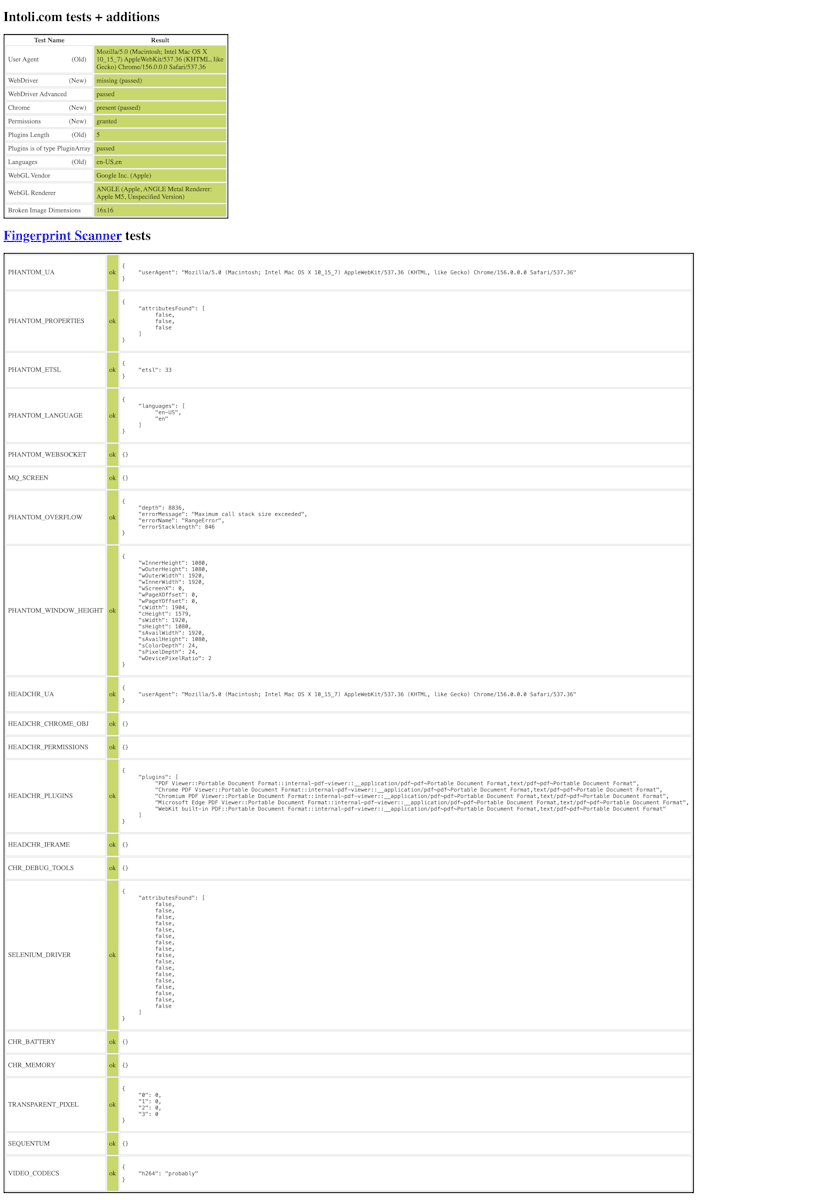
- bot.sannysoft.com: runs the common checks that sites use to spot automated browsers, and shows each result in red (looks like a bot) or green (looks human).
- browserscan.net/bot-detection: a browser fingerprint checker that says whether your browser looks automated.
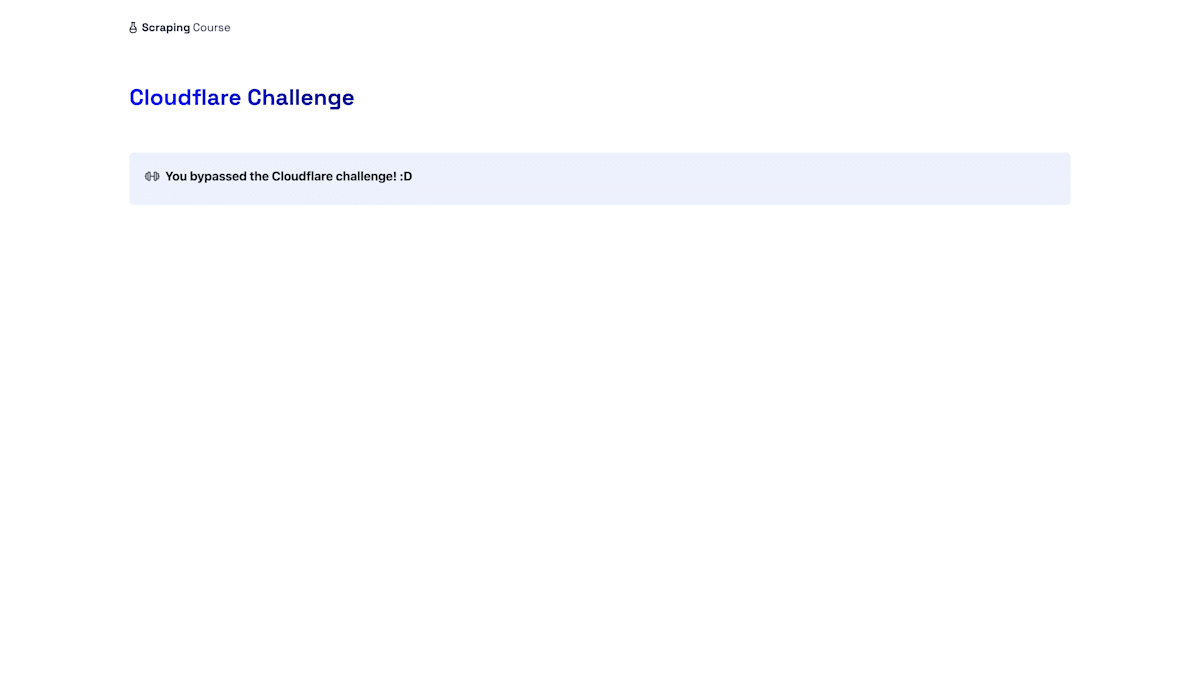
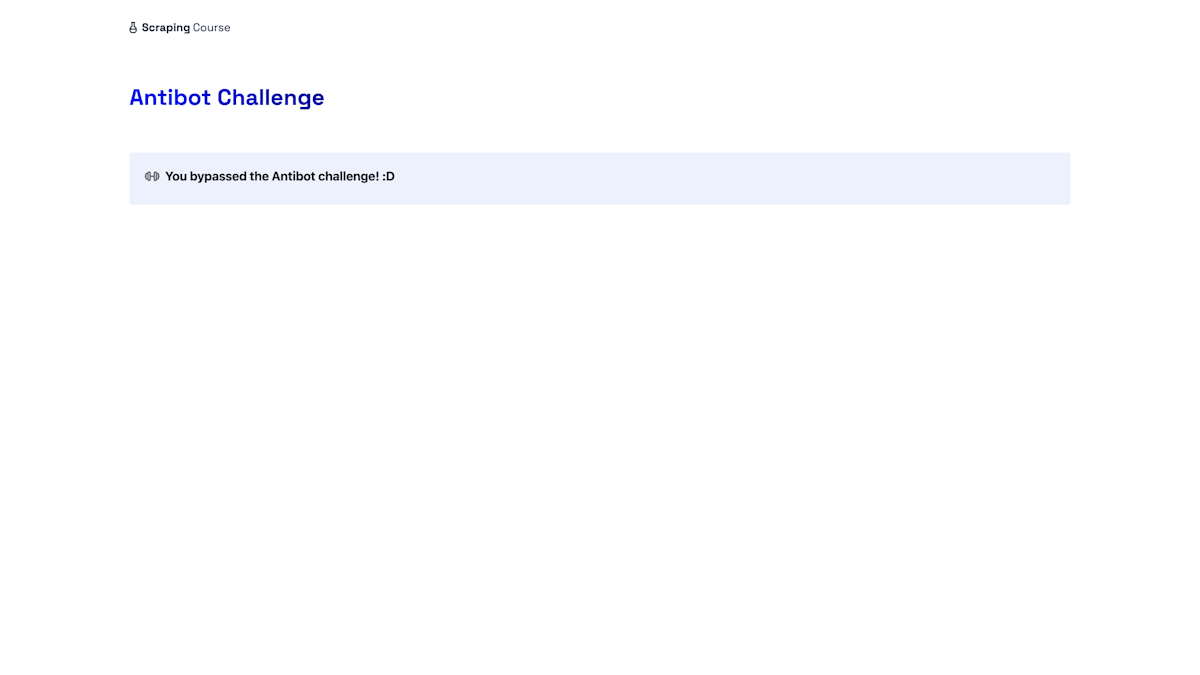
- scrapingcourse.com challenge pages: practice pages that sit behind a real Cloudflare challenge (the "Just a moment..." page), made for testing scrapers.
| Test | Result | Number |
|---|---|---|
| Fingerprint: plain browser vs stealth browser | ✅ | Failed checks: bot.sannysoft.com 12 vs 0, browserscan.net 2 vs 0 |
Cloudflare challenge: plain Fetcher vs StealthyFetcher with solve_cloudflare=True |
✅ | Plain: HTTP 403 "Just a moment...". Stealth: HTTP 200 in 13.8s and 11.1s |
bot.sannysoft.com with a plain browser (red = failed check):
The same page with StealthyFetcher:
And the two Cloudflare challenge pages, opened by StealthyFetcher:
These are the most exciting tests. As expected, trying to break the rules is so exciting~
So: impressive on demo pages. Use it only where you need it, because it's slow.
4. Sites that change their layout often
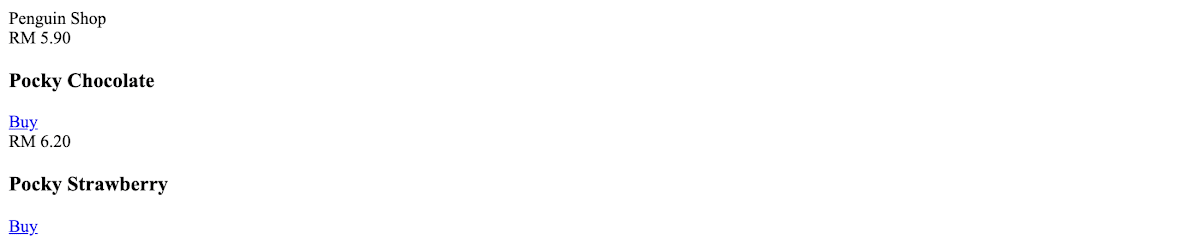
Target: two pages I made myself, a small shop page before and after a "redesign" (classes renamed, ids removed, price moved).

| Test | Result | Number |
|---|---|---|
| Adaptive tracking: old selector on the new page | ✅ | Old selector alone: 0 elements. With adaptive=True: found "RM 5.90" |
On the first page I saved the price element with auto_save=True. On the redesigned page the old selector found nothing, but with adaptive=True Scrapling found the price again. Great work!
5. Big sites where you must find the pages
Target: books.toscrape.com and a small local site I made, with a robots.txt that forbids the /private/ folder.

| Test | Result | Number |
|---|---|---|
Spider: 3 pages, export JSON and CSV, stream mode |
✅ | 60 items in 1.22s |
Spider with robots_txt_obey=True on a local site |
✅ | 0 hits on /private/ (a control run without it did fetch it) |
CrawlSpider: follow only category links |
✅ | 6 pages crawled, 0 off-rule URLs |
So: works. I wrote a spider class and rules, like in Scrapy.
6. Sites heavy with ads and trackers
Target: quotes.toscrape.com, and a demo page I made that loads 6 ad and tracker scripts (from well-known ad networks and analytics services).

| Test | Result | Number |
|---|---|---|
quotes.toscrape.com 2 times: no blocking / one domain blocked + block_ads |
✅ | Blocked font domain never loaded. Page still had its 10 quotes |
My ad demo page 2 times: block_ads off / on |
✅ | Off: 6 of 6 ad hosts loaded. On: 0 of 6 loaded, all 6 blocked. Page content and a normal (non-ad) font still loaded |
What I noticed
- Domain blocking: on quotes.toscrape.com I blocked the Google Fonts domain myself. The font request was cut, and the page still showed all 10 quotes.
- Ad blocking: quotes.toscrape.com has no ads at all, so
block_adshad nothing to block there. That's why I made a demo page with 6 real ad and tracker scripts. Withblock_adson, all 6 were blocked, even the ones from subdomains (for examplepagead2.googlesyndication.com, when the list only hasgooglesyndication.com). The page itself and the normal font loaded fine.
So: domain blocking and ad blocking both work.
7. Sites with a sitemap or feed
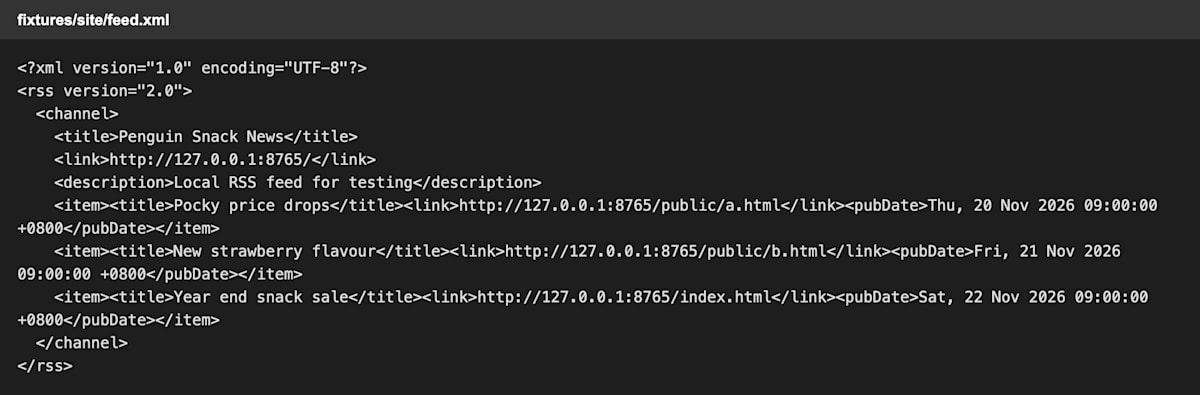
Target: my local site's sitemap.xml, an RSS feed (feed.xml) and a CSV file (products.csv) that I made, plus one public Shopify store.


| Test | Result | Number |
|---|---|---|
SitemapSpider (local) |
✅ | 3 of 3 URLs, 0.1s |
XMLFeedSpider, CSVFeedSpider (local) |
✅ | 3 RSS items, 4 CSV rows |
ShopifySpider (a public Shopify store) |
✅ | 52 items for 52 variants from 2 feed pages, 0.36s |
So: the least work of all groups. Three of these used my own local files, though; only the Shopify store was a real site.
8. Feeding pages to an AI or RAG knowledge base
Target: books.toscrape.com and a "trap" page I made, with text hidden in 6 different ways plus an injection text.

| Test | Result | Number |
|---|---|---|
page.markdown() on a books page and my trap page |
⚠️ Partial | Table kept, 0 zero-width characters, but 2 of 6 hidden-text markers leaked |
ContentSpider: a few pages into Markdown files |
✅ | 3 non-empty files, 1.07s |
So: good Markdown, but watch hidden text and fetch counts.
9. Letting an AI agent scrape for you (MCP)
Target: quotes.toscrape.com
Scrapling ships an MCP server (scrapling mcp). I added it to my Kiro project's MCP config.
| Test | Result | Number |
|---|---|---|
| List the tools, run one fetch | ✅ | 17 tools listed. One make_request returned 200 with page content |
So: with one config entry, your agent can scrape. I only tried one call.
10. Browser on another machine (CDP)
Target: quotes.toscrape.com/js
| Test | Result | Number |
|---|---|---|
| Connect to a running Chrome over CDP | ❌ | Failed in all 3 attempts |
Chrome started fine and answered on its debug port. But Scrapling's remote session failed every time:
| Attempt | Error |
|---|---|
| Headless, new context | target, context or browser has been closed |
| Windowed, new context | target, context or browser has been closed |
| Headless, default context | Target crashed |
I didn't dig into the cause, so I don't know if it's Scrapling 0.5.1, its browser driver, or a Chrome issue.
So: it didn't work for me. Don't rely on it until someone finds the cause.
Limits of this test
- One run per feature, mostly on sandbox sites and my own local files. It shows what's possible. It's not a benchmark.
- Not tested: proxy rotation (no proxies), sessions with cookies, dev-mode cache, the CLI and shell, auto-throttle, Scrapy integration.
Closing
I like to spending 1-2 minutes to scroll through the Github's treding project, and try out those which seems really interesting. It's very exciting to see how will the project work on own machine!
Anyway, thank you for following along until here!
Adiós~ (`・ω・´)ゞ
Appendix: which feature for which job
| Your job | What to use |
|---|---|
| Many plain listing pages | Fetcher, AsyncFetcher, selectors, find_similar |
| JavaScript or clicks | StealthyFetcher, page_action, background API capture |
| Cloudflare challenge | StealthyFetcher with solve_cloudflare=True |
| Sites that redesign | auto_save=True, then adaptive=True |
| Large sites | Spider, CrawlSpider, LinkExtractor |
| Sitemaps and feeds | SitemapSpider, XMLFeedSpider, CSVFeedSpider, ShopifySpider |
| Ads and trackers | Domain blocking, block_ads |
| RAG / AI knowledge base | page.markdown(), ContentSpider |
| AI agent scraping | scrapling mcp |
| Remote browser | CDP |