I tried setting up Google Workspace for the first time

This page has been translated by machine translation. View original
Introduction
Google Workspace comes packaged with various services, and I find it quite convenient for small businesses to implement.
This time, I wanted to test several Google Workspace Admin (administrator) functions, so I tried setting up the initial configuration from scratch myself.
Test Environment
- Google Workspace (initial 14-day free trial)
- Domain (Route53)
Google Workspace Initial Setup
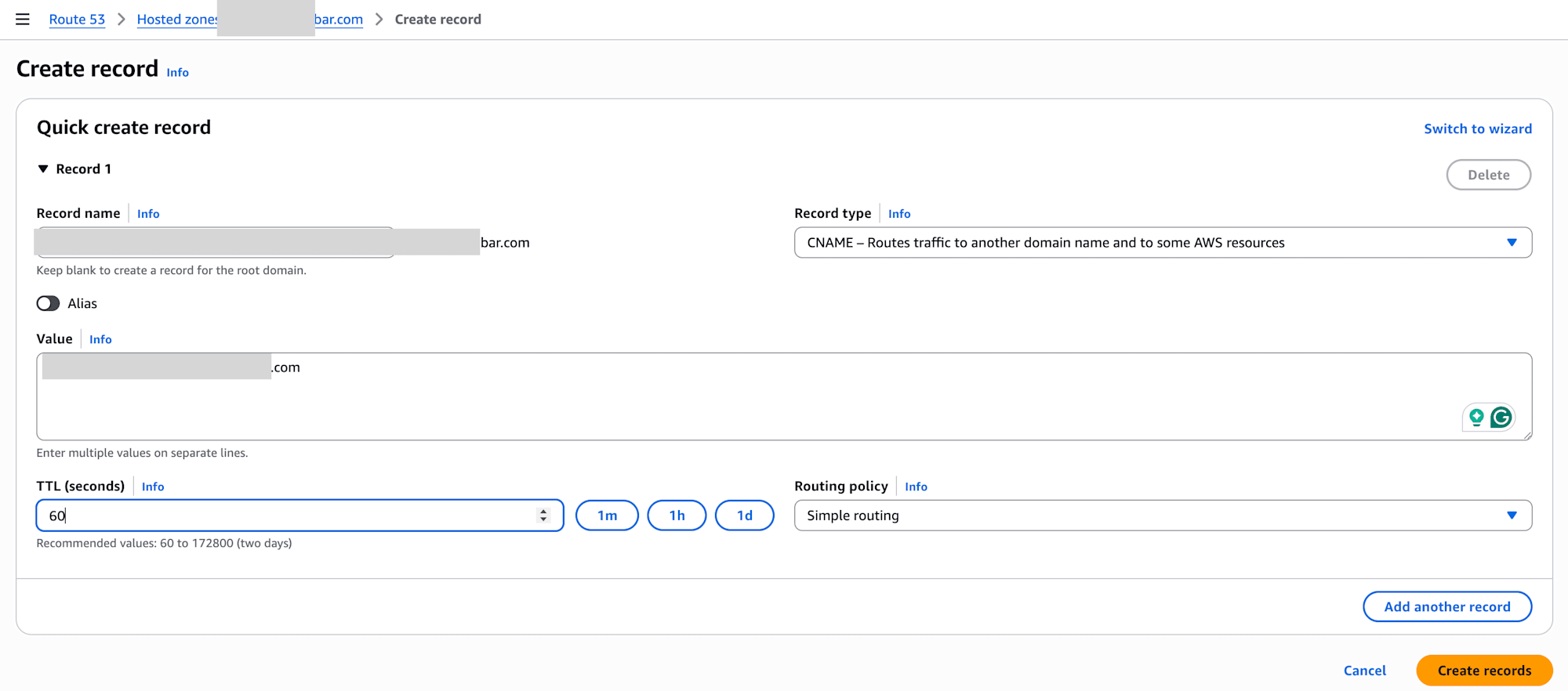
Initial Domain Verification CNAME Record Registration
First, we start with verifying the domain you own.
- Enter your Domain
- Add Username
- Select Domain host
- Register CNAME record on Domain host (Route53 in this case)
- Verify CNAME registration




Register MX Records for Mail Server
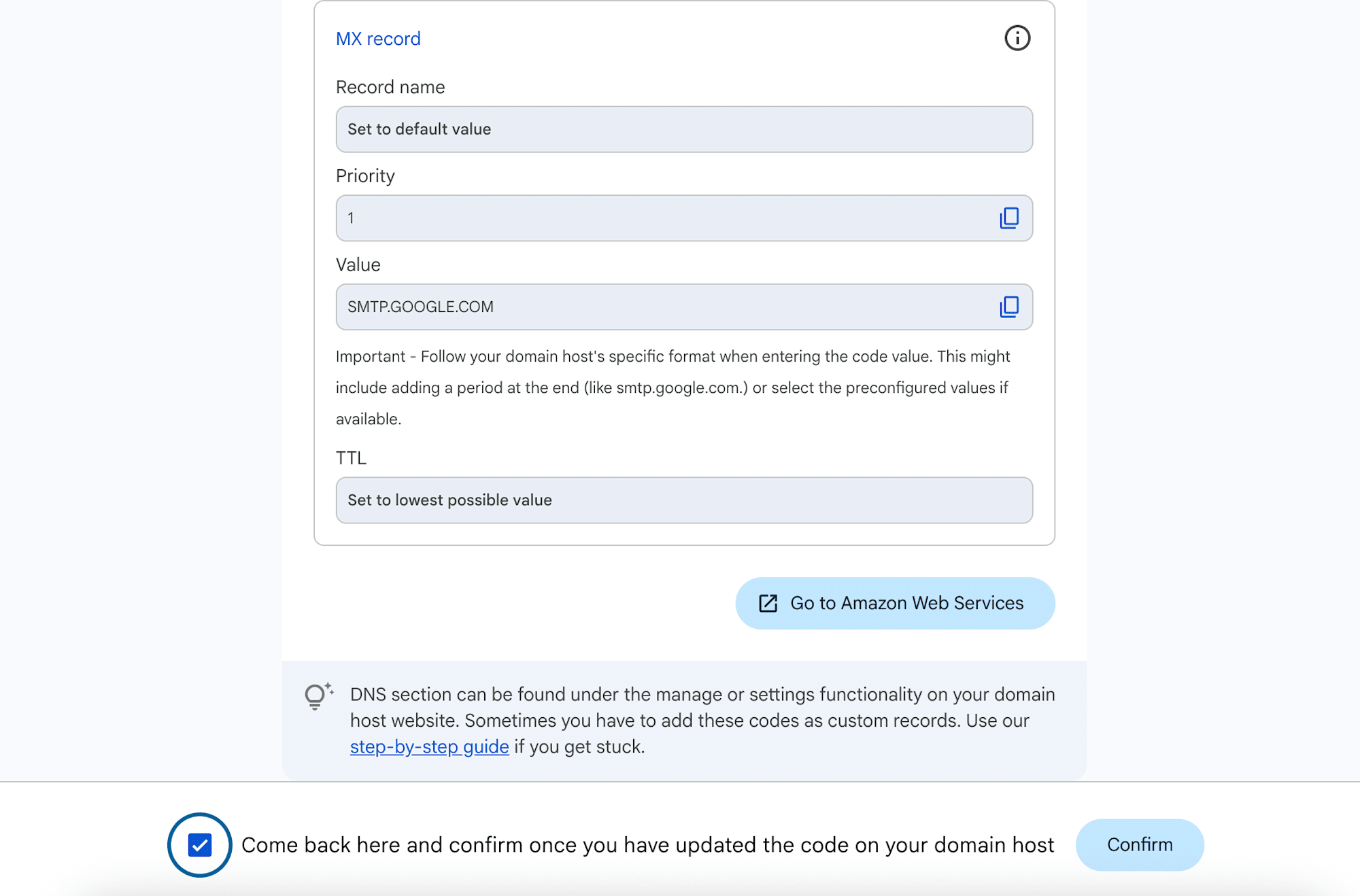
Next is the setup to enable receiving emails.
- Press the
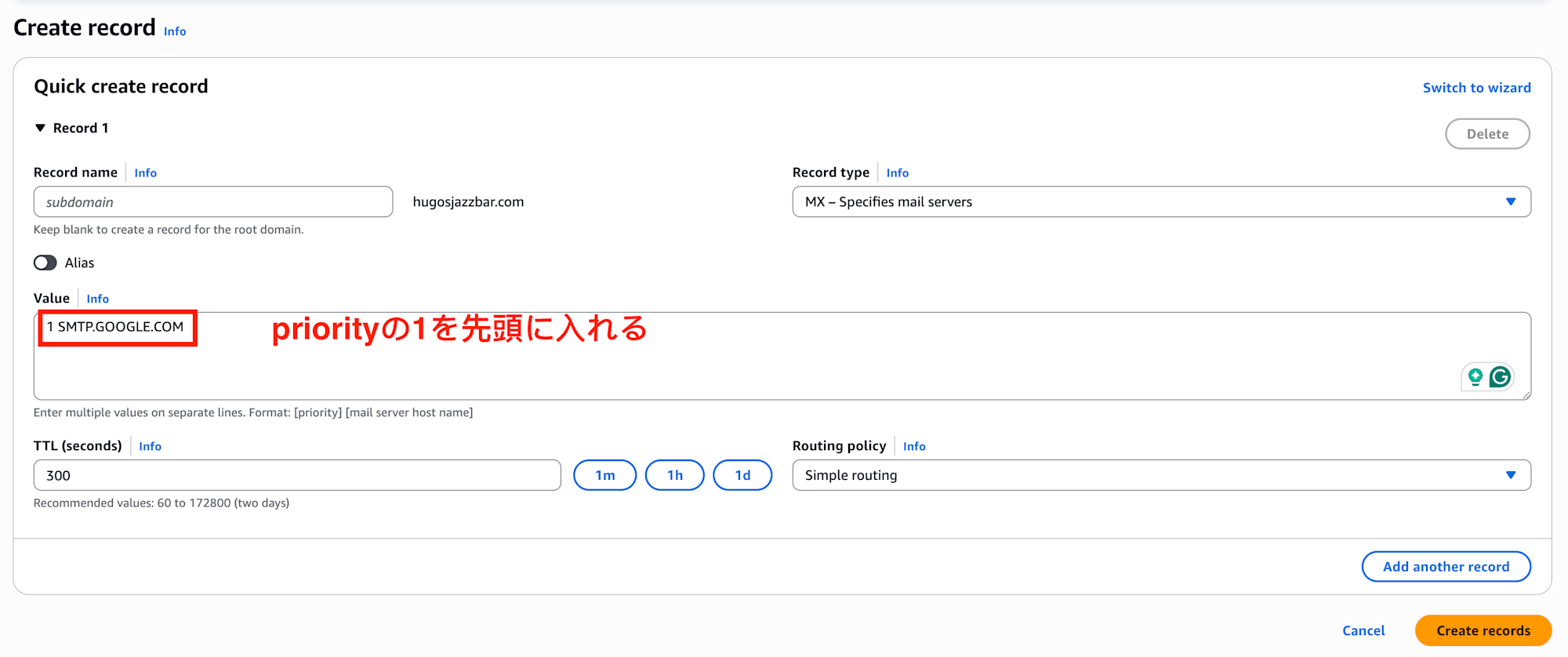
Proceed with activationbutton - Register MX records on Domain host (Route53 in this case)
- Verify MX record registration
Something to be careful about here. Since Priority is specified as 1, you need to enter the MX record Value as follows:
1 SMTP.GOOGLE.COM


Register DKIM Records for Reliability
Finally, to increase the Reputation (reliability) of the emails you send and prevent spam filtering, proceed to Set up DKIM.
- Press the
Set up DKIMbutton - Select Domain host
- Press the
Generate keybutton to generate a key - Register TXT record on Domain host (Route53 in this case)
- Confirm TXT record registration

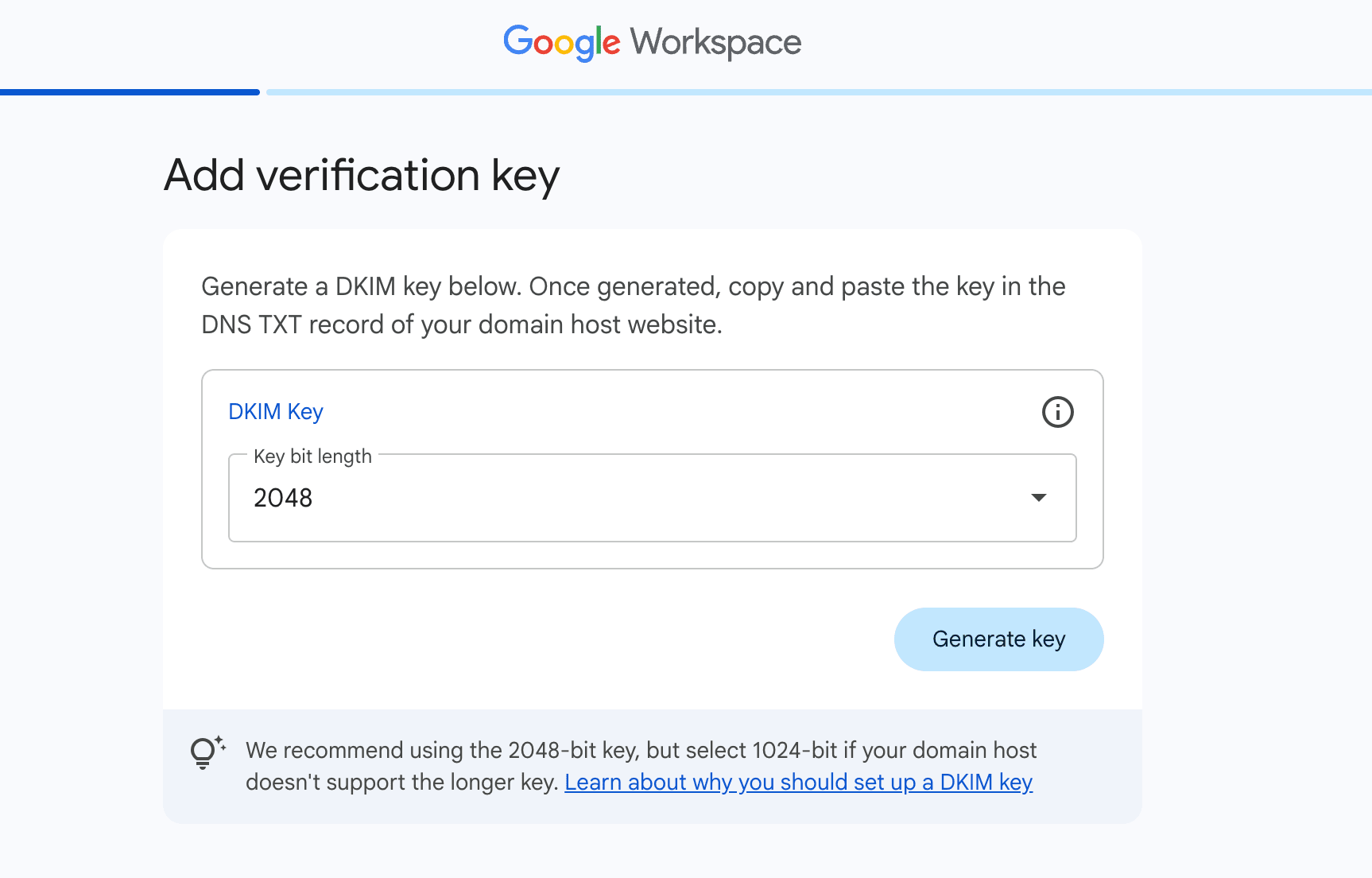

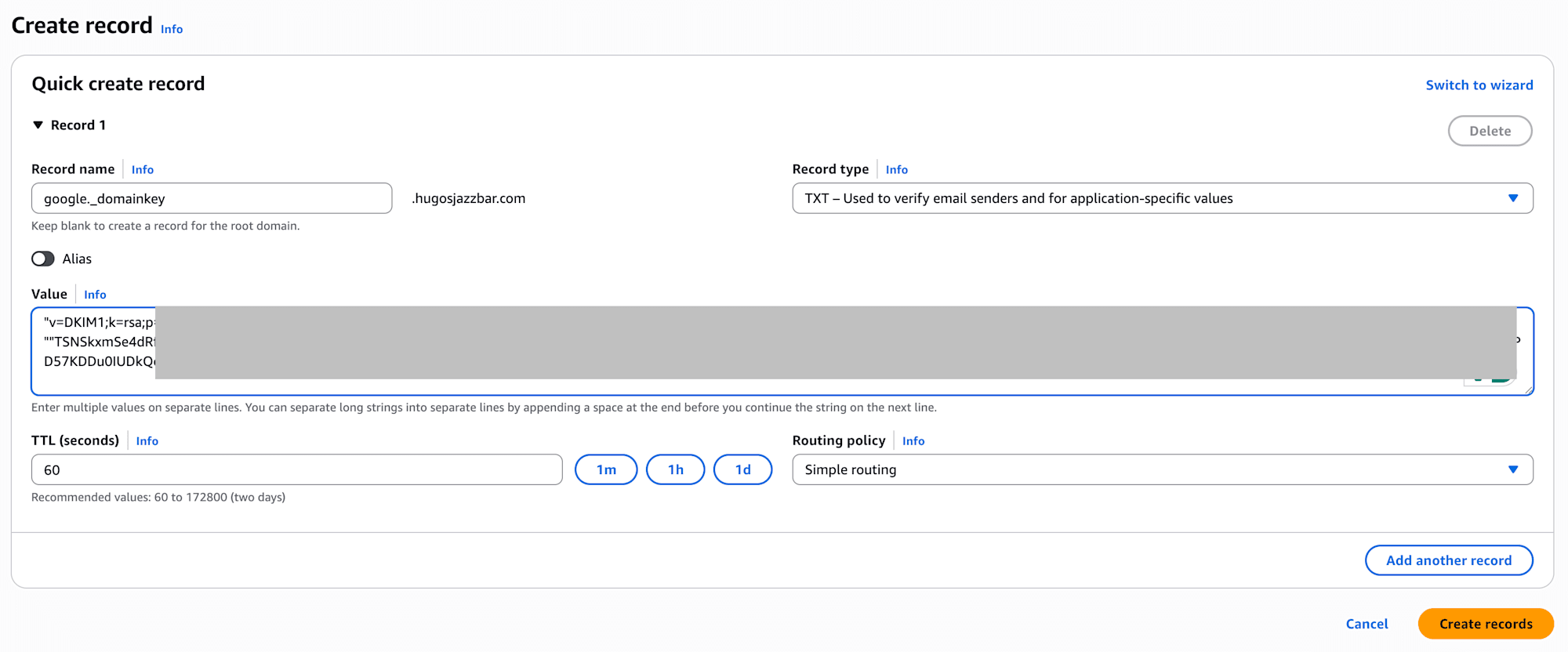

A tricky point here. The DKIM Value is quite long, and since it exceeds 255 characters, you may get an error when trying to register it as is in Route53 or similar services.
In that case, you need to split the string using double quotation marks "" as follows:
"v=DKIM1;k=rsa;p=MIIBIjANBgkqhkyKW""TSNSkxmSe4dRfWDCxGQ7i9It"
Even if you split and register it using two pairs of "" like this, it will eventually be properly combined and recognized as one full value, so don't worry.
Completion
If you proceed to Gmail now, you should be able to use your Gmail account with your custom Domain set up instead of google.com.

That's it