SSM Patch Manager scheduled with SSM Maintenance Windows does not output compliance reports when the BaselineOverride parameter is specified

This page has been translated by machine translation. View original
Introduction
Hello everyone, this is Akaike.
Once again, I got stuck with something related to Patch Manager, so I'm writing this blog.
This time, I'm summarizing an issue where compliance reports aren't generated when scheduling patch application with Maintenance Windows and specifying the BaselineOverride parameter.
Configuration Image
First, this blog assumes the following configuration.
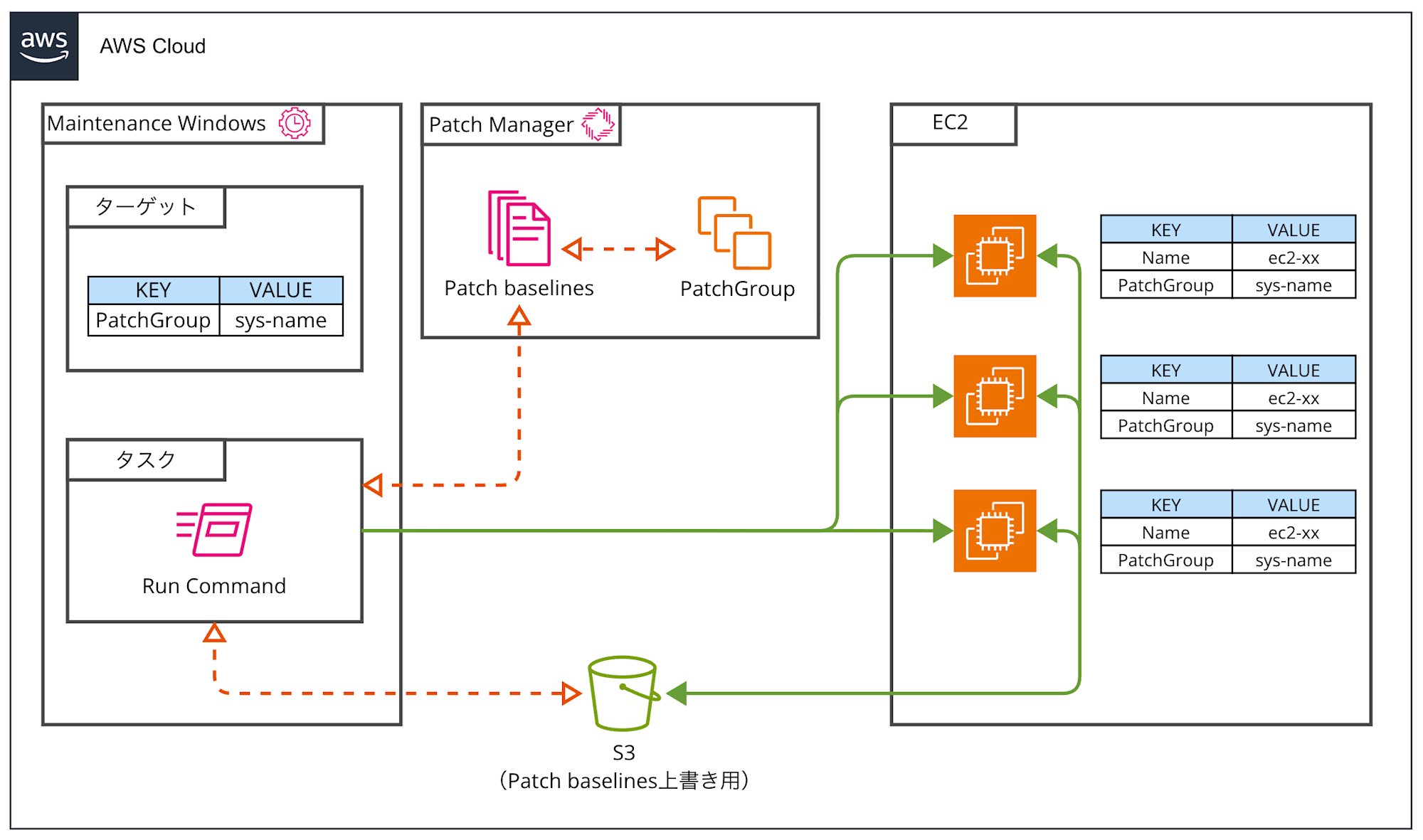
There are mainly the following methods for scheduling Patch Manager:
- Patch policies
- State Manager (Association)
- Maintenance Windows
The official documentation recommends using patch policies.
AWS recommends using patch policies to configure patching for your organization and AWS accounts.
Patch policies were introduced to Patch Manager in December 2022.
So why are we using Maintenance Windows this time?
That's because patch policies and State Manager have cron restrictions.
Specifically, State Manager's cron expressions cannot specify month fields or day-of-week ranges (like MON-FRI).
Maintenance Windows' cron expressions don't have these limitations, allowing more flexible scheduling.
For more details, please refer to the following blog.
About BaselineOverride
Regarding BaselineOverride, it's a parameter that can be specified in the AWS-RunPatchBaseline SSM command document used for applying patches, which overrides the patch baseline.
You place a JSON file for overriding as an object in an S3 bucket and specify that object's URL in the BaselineOverride parameter.
Use Case
As an example use case, you might want to change the auto-approval date of the patch baseline (how many days after release to apply patches) for each operation.
For instance, if you want to scan only a week before installing patches to see which patches will be applied,
you need to offset the auto-approval date between patch scanning and patch installation.
-
Patch requirements
- Want to apply patches released more than 3 weeks ago
-
Schedule requirements
- Patch scan: Want to run one week before installation
- Set auto-approval date to 2 weeks prior
- Patch installation: Want to run on the last Sunday of each month
- Set auto-approval date to 3 weeks prior
- Patch scan: Want to run one week before installation
However, since this auto-approval date is a patch baseline setting,
if you want to use different auto-approval dates for scanning and installation, you need to override it with BaselineOverride.
Limitation: Compliance Reports Aren't Updated
Regarding BaselineOverride, it has a limitation that compliance reports aren't updated except when used with patch policies.
Except when a patch policy is used in a patching operation, using the BaselineOverride parameter doesn't override the patch compliance for the baseline specified in the parameter.
Output results are logged to the Stdout log from Run Command, a capability of AWS Systems Manager. The results only print packages marked as NON_COMPLIANT.
In other words, packages marked as Missing, Failed, InstalledRejected, or InstalledPendingReboot.
The compliance report is the patch application status dashboard that can be viewed in the Patch Manager management console.
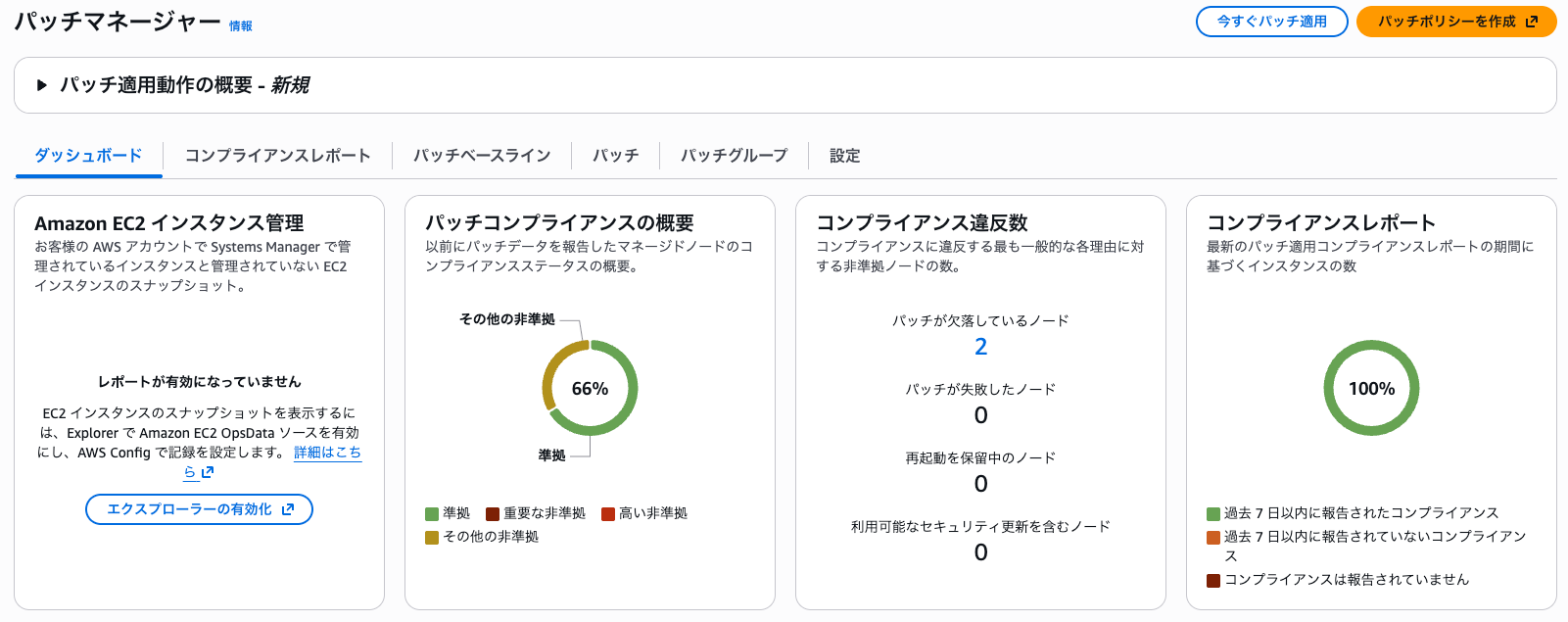
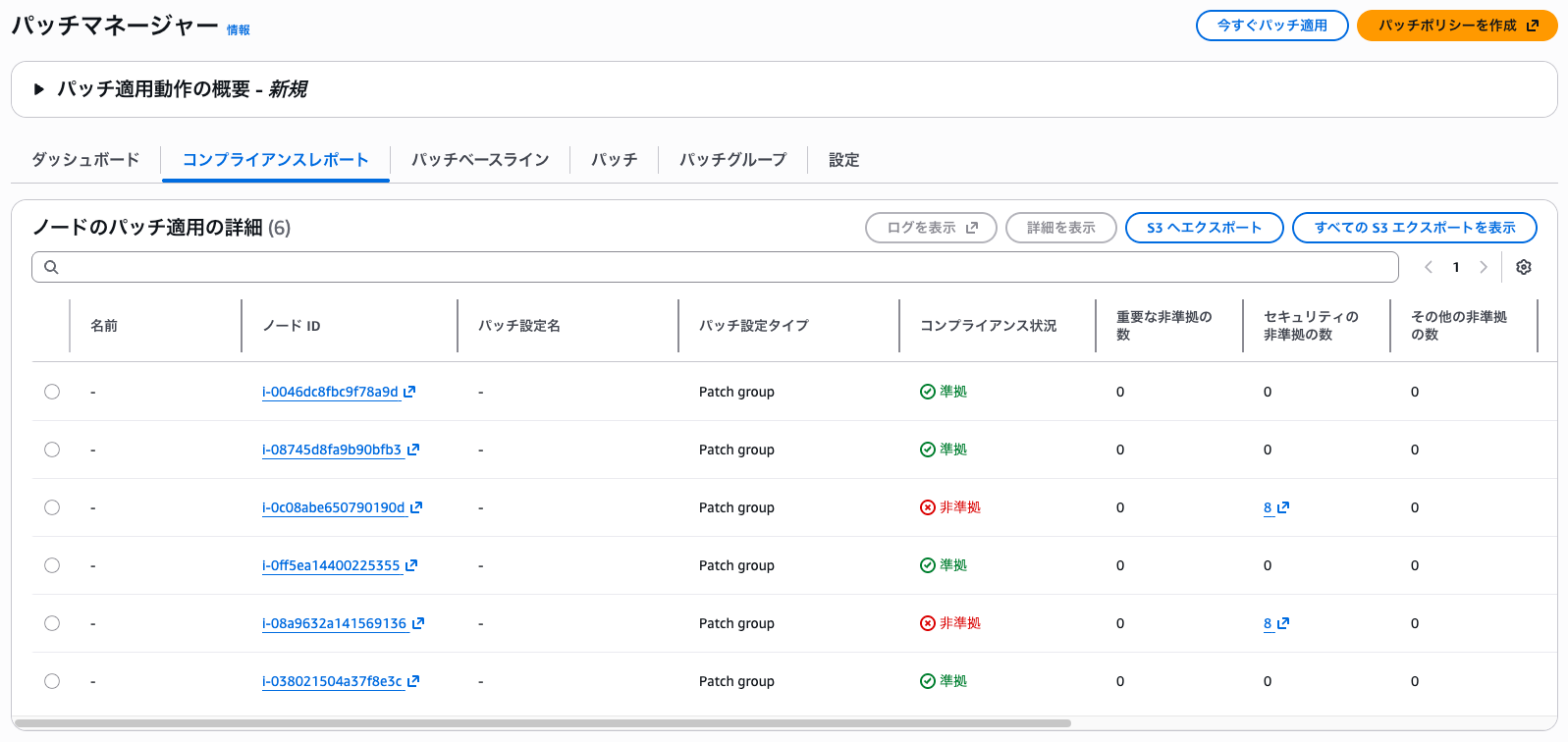
Personally, I think half the joy of Patch Manager is this compliance report, so it's problematic if I can't check it...
Side Note: Can't We Just Use Multiple Patch Baselines?
Hearing all this, you might think, "Why not just prepare multiple patch baselines and link them to EC2 instances for scanning and installation?"
Unfortunately, this isn't possible due to patch group specifications.
A managed node can be in only one patch group.
A patch group can be registered with only one patch baseline for each operating system type.
In other words, you cannot assign multiple patch baselines of the same OS type to a single EC2 instance.
How Can We Output Compliance Reports?
Now for the main topic.
I considered methods to output compliance reports with the Maintenance Windows + BaselineOverride configuration.
Option 1: Use Patch Policies
Since only patch policies update compliance reports when using BaselineOverride, switching to patch policies is the simplest approach.
However, patch policies use State Manager for scheduling, so they can't be used if you need cron expressions that are only available in Maintenance Windows...
Option 2: Update Compliance Reports via API
Systems Manager provides the PutComplianceItems API, allowing you to register compliance data programmatically.
Another approach is to call this API after patch installation to update the report.
I tried it with the AWS CLI, but matching the compliance report output format was more troublesome than expected. (Actually, I gave up halfway)
Parsing patch application results, converting them to the correct format, calling the API... it requires quite a bit of development.
We're using managed services to reduce development effort in the first place, so this defeats the purpose...
Option 3: Run a Separate Scan After Installation (This Is What I Adopted)
Yes, this is the simplest method.
Apply patches using BaselineOverride during installation, then run a scan without specifying BaselineOverride afterward.
The scan uses the normal patch baseline, so the compliance report gets updated.
However, this method has drawbacks too.
A scan without BaselineOverride uses the normal patch baseline, so auto-approval date overrides aren't reflected.
In other words, the compliance report's assessment results are based on the auto-approval date before overriding.
(I think we have to compromise on this...)
Also, AWS documentation notes that when multiple scan operations exist, each scan overwrites the previous patch compliance data.
Therefore, you need to adjust the schedule so that the scan for compliance report updates runs after patch installation.
Conclusion
So that's the story about how compliance reports aren't generated when scheduling Patch Manager with Maintenance Windows and specifying the BaselineOverride parameter.
While this is quite a niche use case, I struggled quite a bit not knowing this specification.
In the end, I settled on the simple method of running an additional scan after installation, and I hope this helps anyone facing the same issue.