![[Update] I tried using the automatic test generation feature as AWS Transform for mainframe's functionality has been expanded #AWSreInvent](https://images.ctfassets.net/ct0aopd36mqt/33a7q65plkoztFWVfWxPWl/a718447bea0d93a2d461000926d65428/reinvent2025_devio_update_w1200h630.png?w=3840&fm=webp)
[Update] I tried using the automatic test generation feature as AWS Transform for mainframe's functionality has been expanded #AWSreInvent

This page has been translated by machine translation. View original
I'm Iwasa.
With AWS Transform, I was able to create specifications from mainframe application code or modernize code. (Formerly known as: Amazon Q Developer's Transform feature)
During AWS re:Invent 2025, it was announced that this AWS Transform's mainframe capabilities were expanded. It's similar to the .NET approach.
For mainframes, two new features were added: AI-powered architecture reimagining and automatic test script creation.
In this article, I'll demonstrate the test generation for COBOL code.
Creating a Job
I'll skip the basic steps for starting AWS Transform.
It's similar to .NET or Custom options.
When creating a new job, you can specify the job type - here, select "Mainframe Modernization".
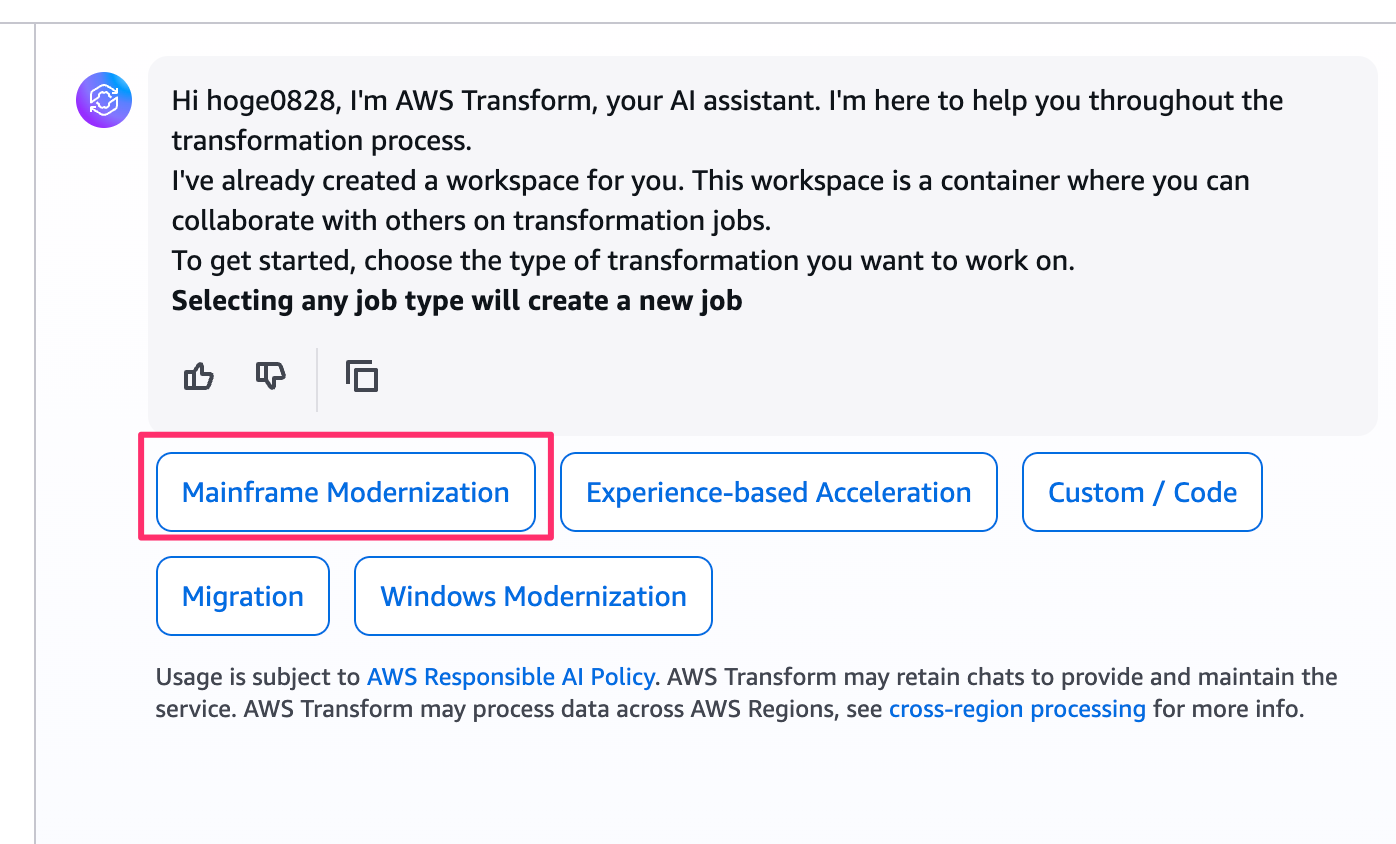
Next, you can choose from several job plan templates within the mainframe modernization category.
I entered 6 since I wanted to generate tests.

This expands the job plan in the side menu.
The job plan flow is as follows:

It analyzes the application code and then creates test cases and scripts.
The first step in the job plan is "Kickoff," which handles the S3 buckets for input/output objects and establishes connections with your AWS account.
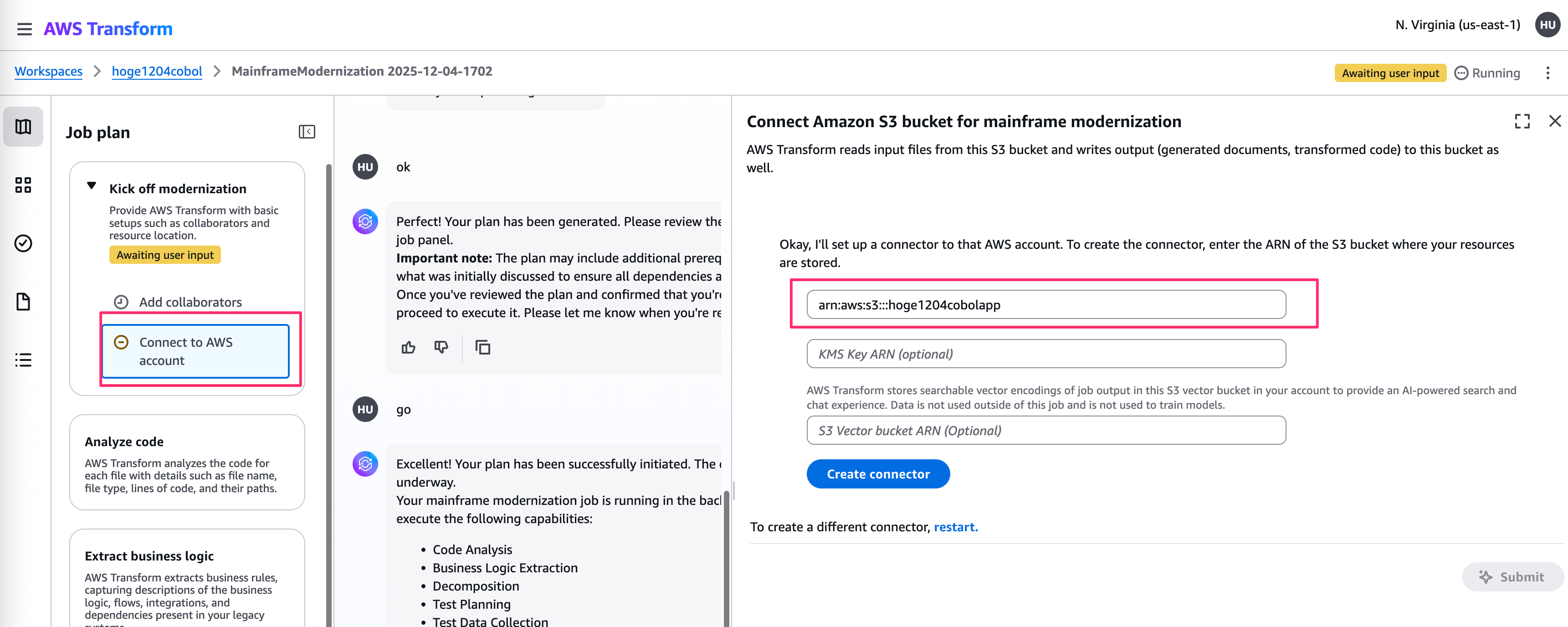
Application code needed to be zipped and uploaded to an S3 bucket.
Individual source code files won't work, and unlike .NET, Git repository support isn't available.

Application Analysis
Once the S3 bucket is configured and the application is uploaded, the process begins with code analysis and business logic extraction.

First, you specify the target files for the application.

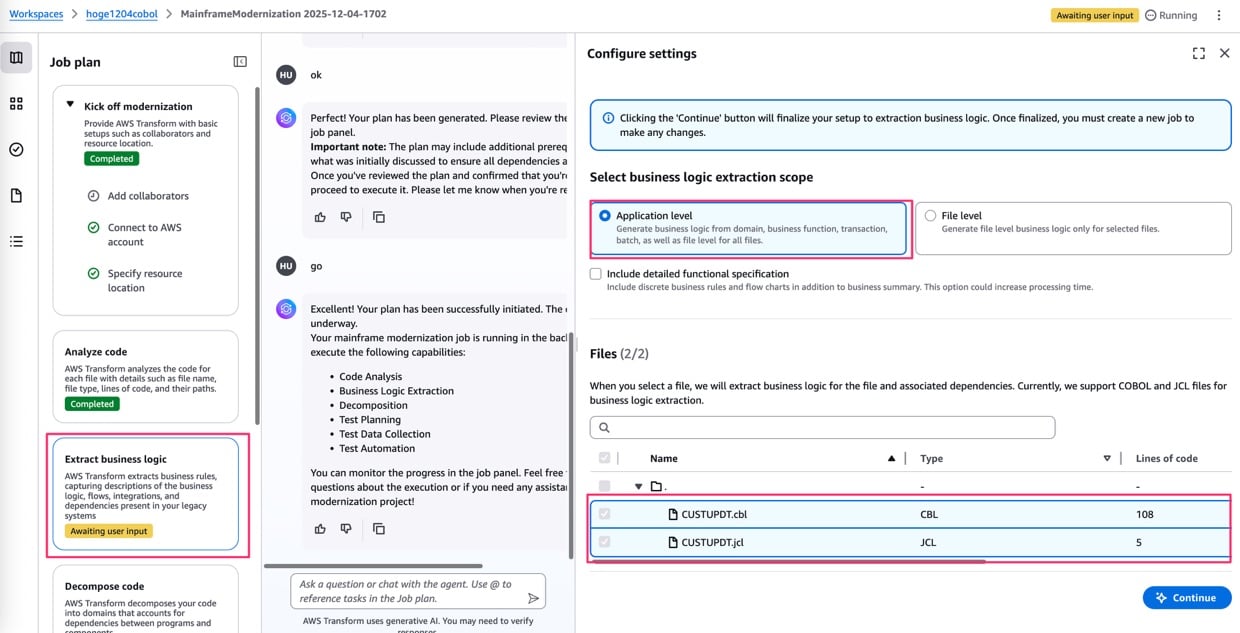
After code analysis, there's a step to extract business logic.
You decide the scope (application level, file level) and select the target files.
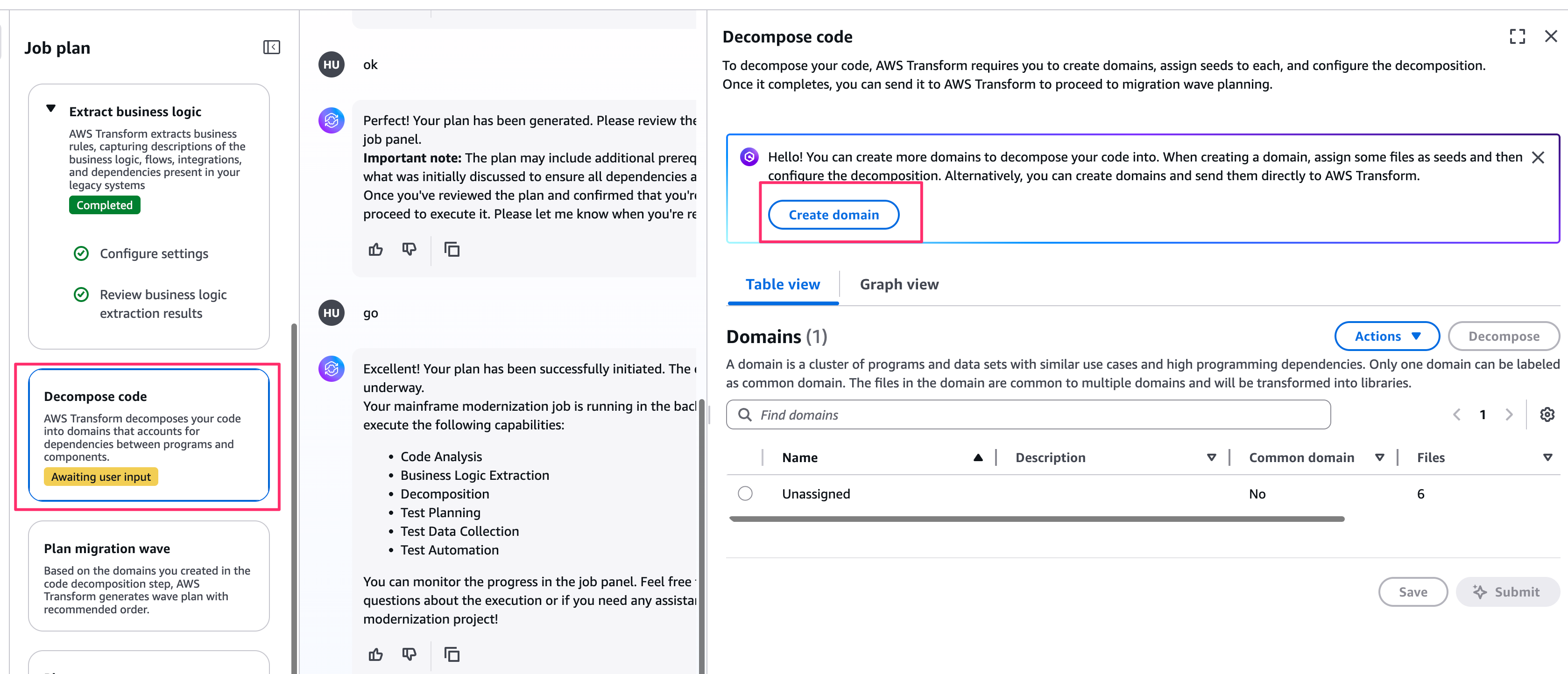
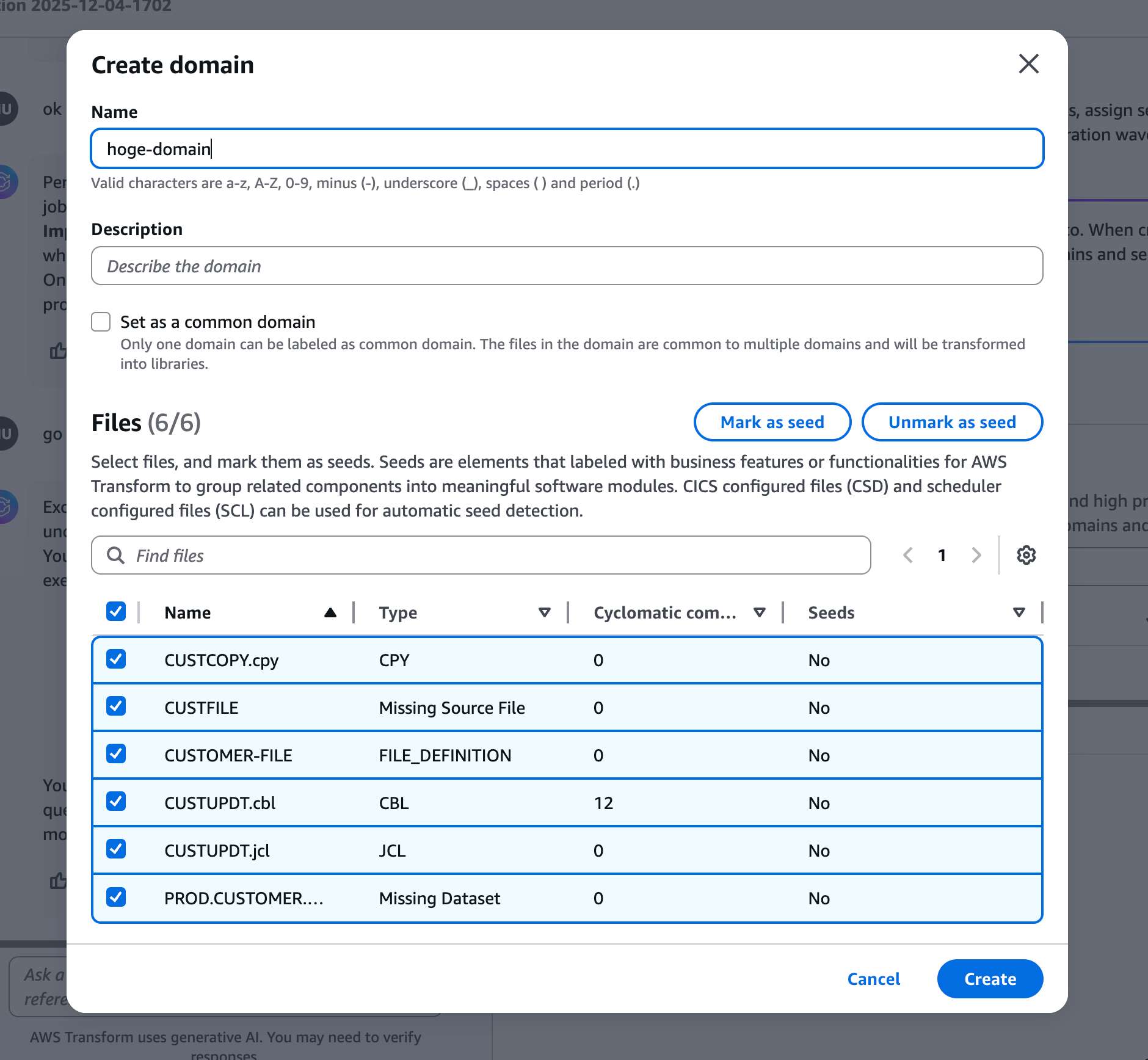
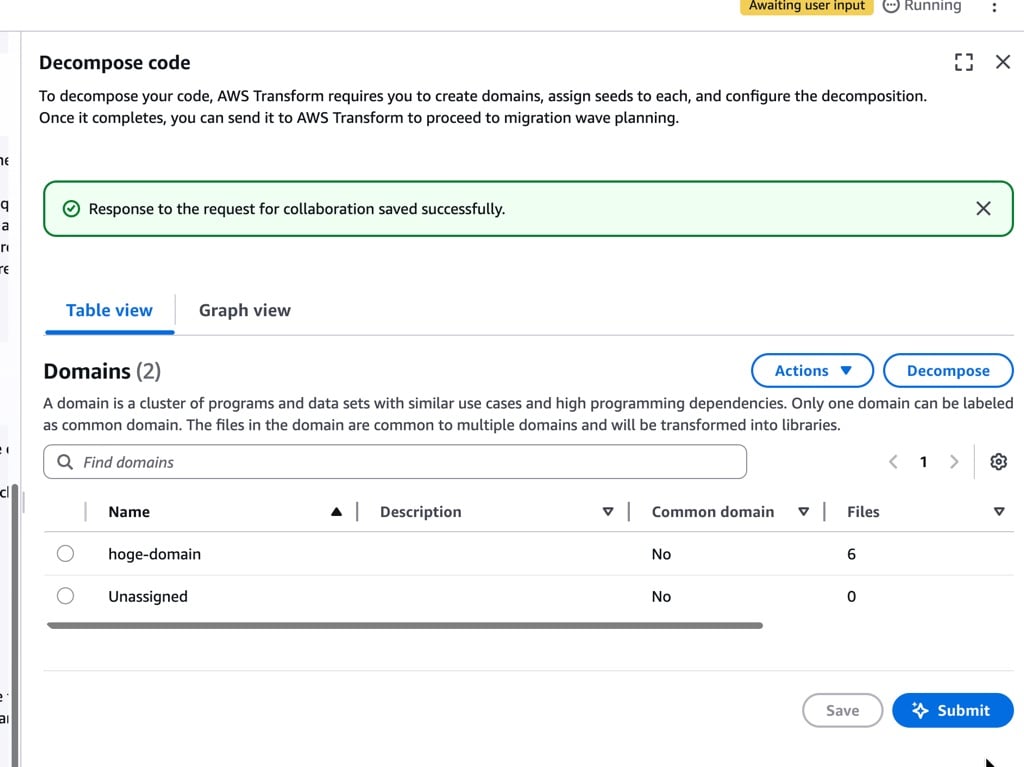
Next, you break down the domains.
You define domains in advance and assign logic to them. For this demonstration, I created a generic domain and placed all extraction targets in it.
Creating Test Cases
Now we move to test case creation.
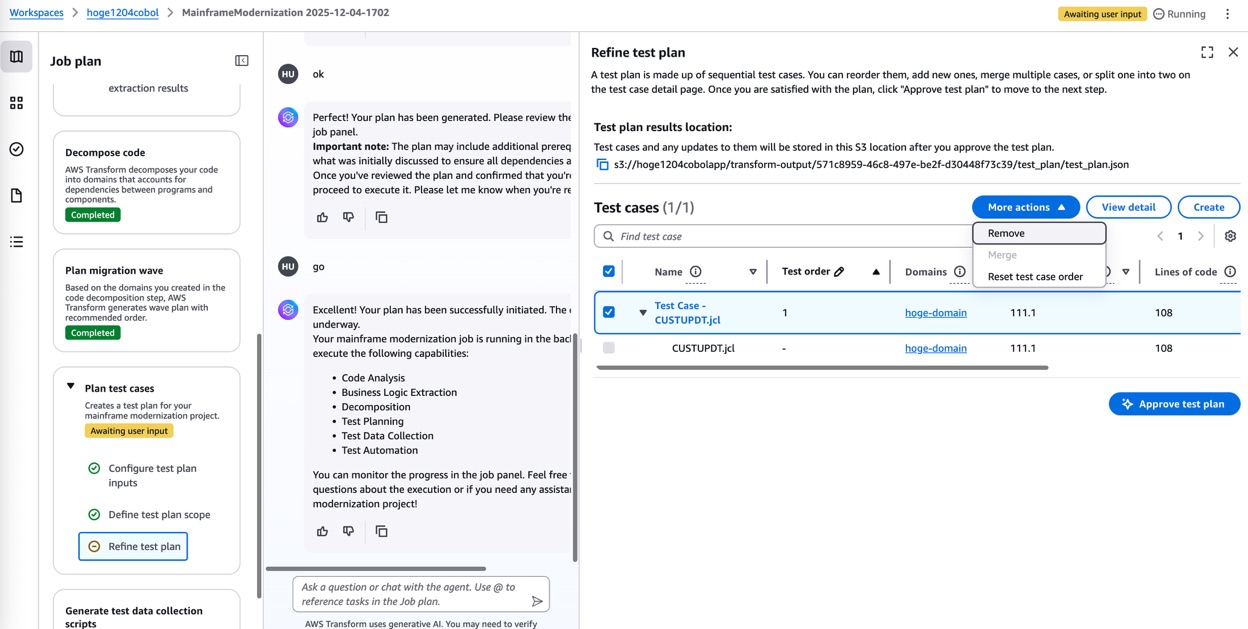
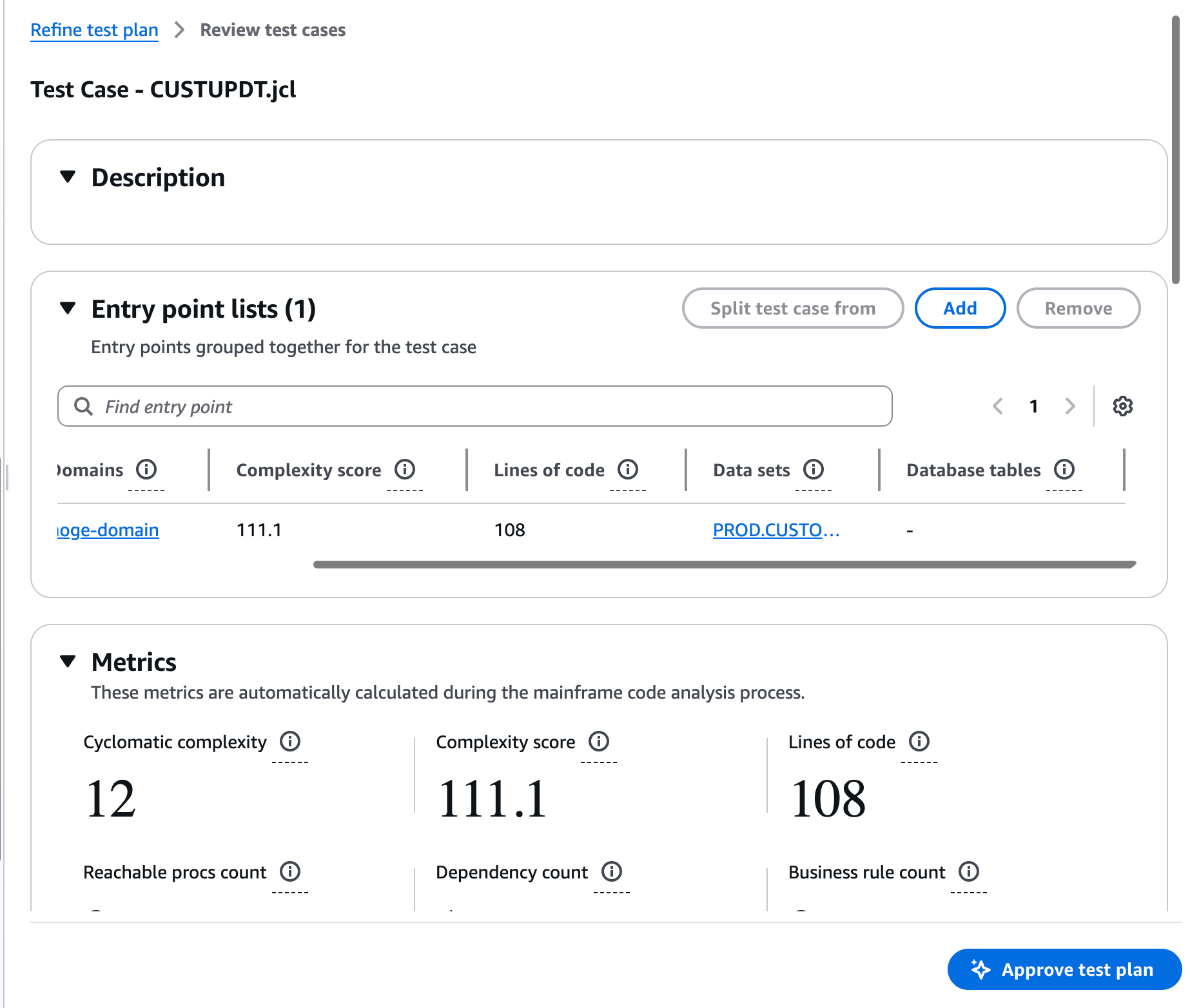
First is the test plan creation.
The system automatically defines test scope and other parameters, so you can proceed while reviewing each file. If everything looks good, you can continue.
Next, it also creates scripts to prepare test data.
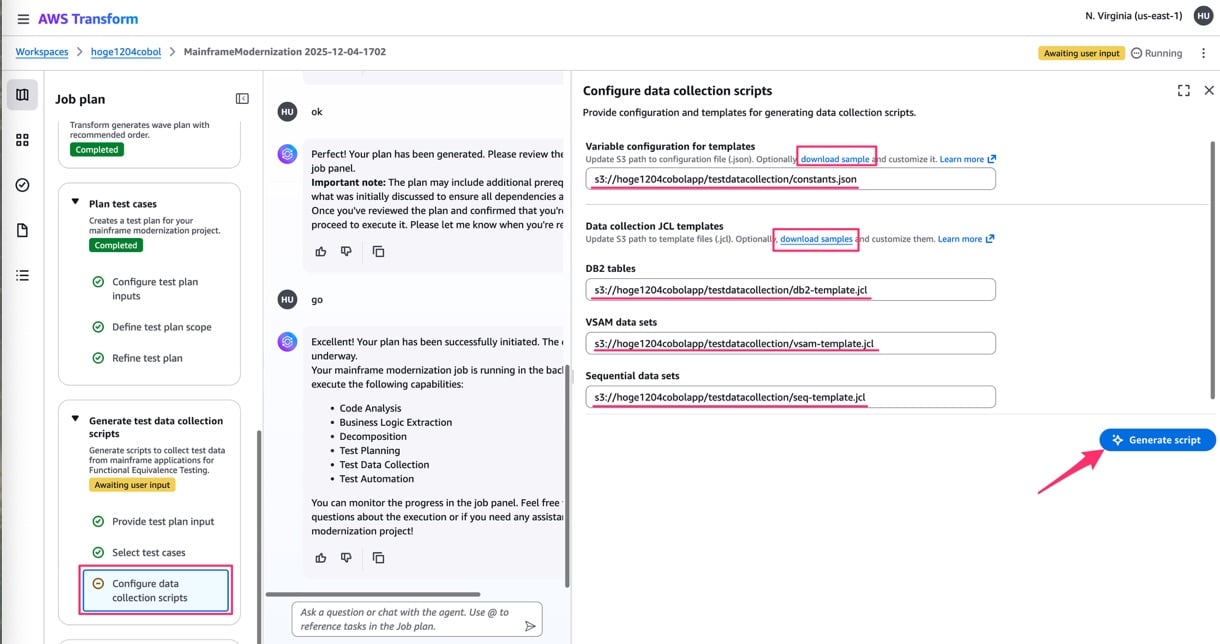
You select the target test cases and specify the S3 path where the test data generation script templates are stored. Templates can be obtained from the "download samples" link. In this case, I uploaded them as is.
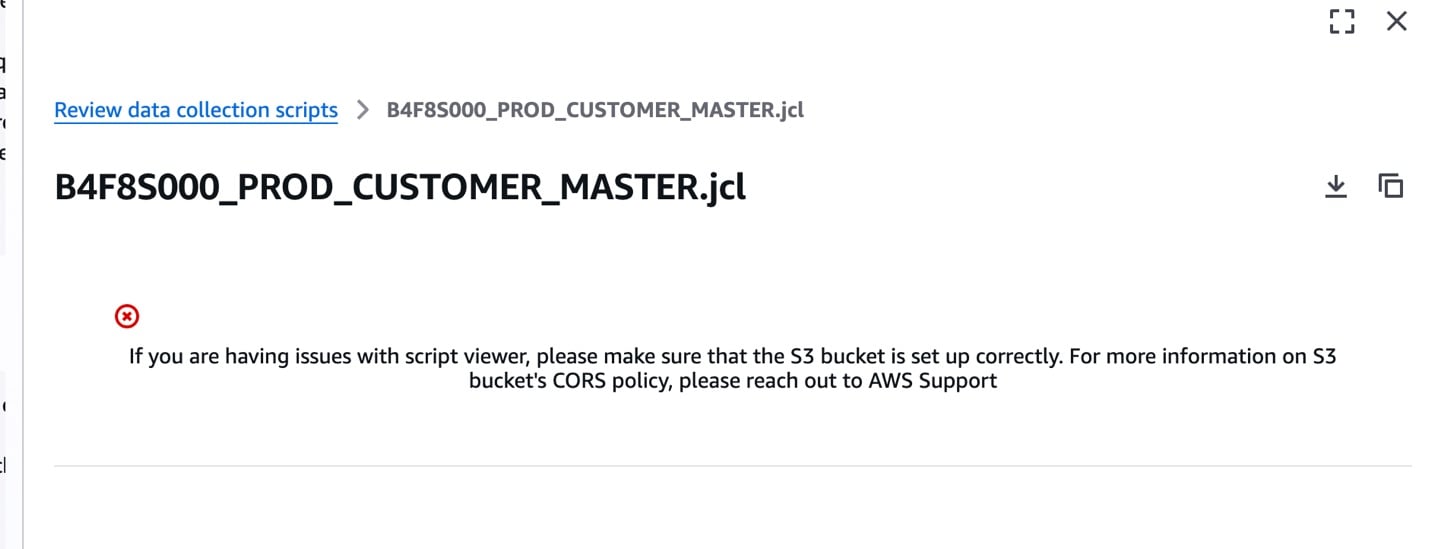
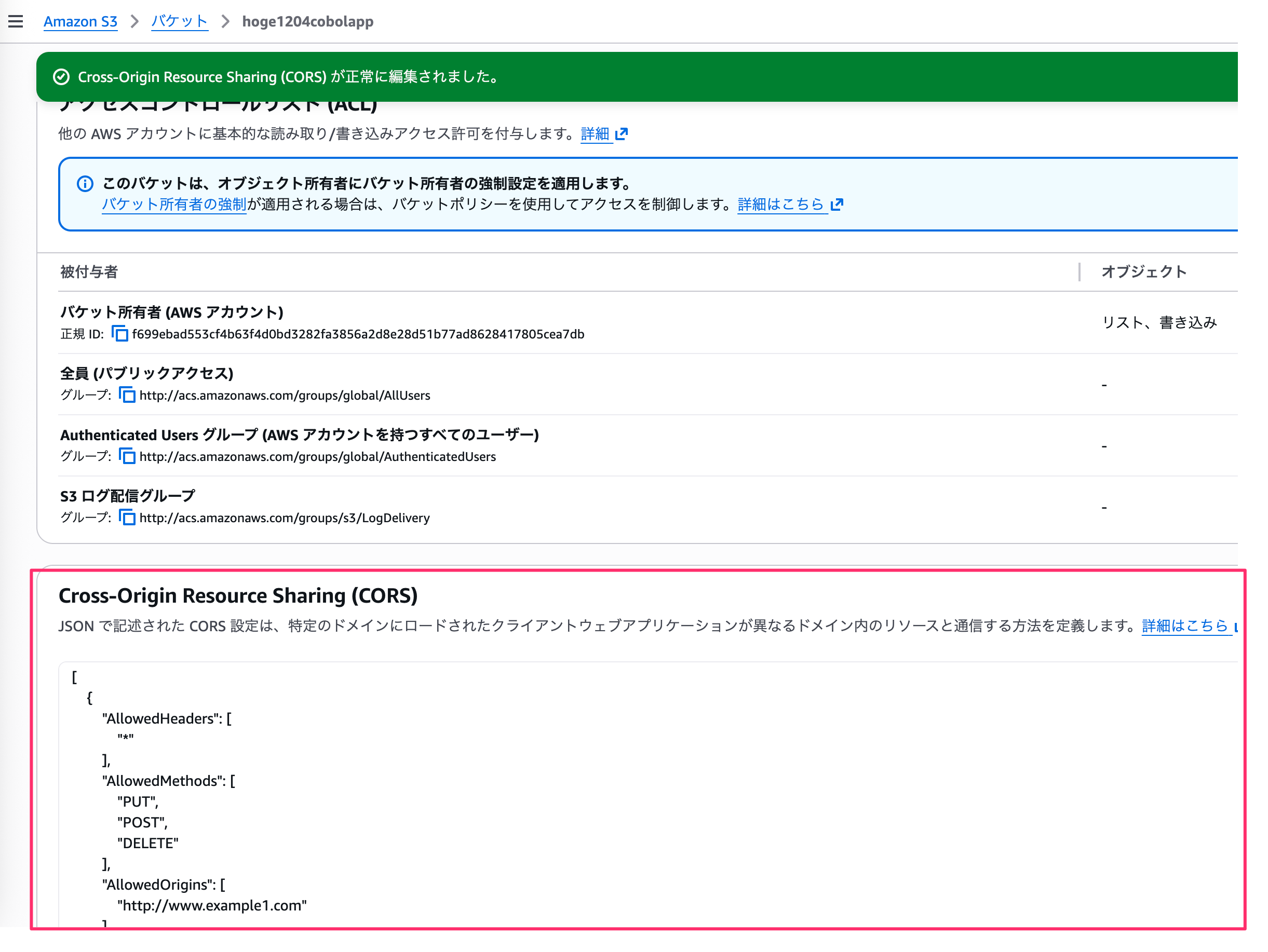
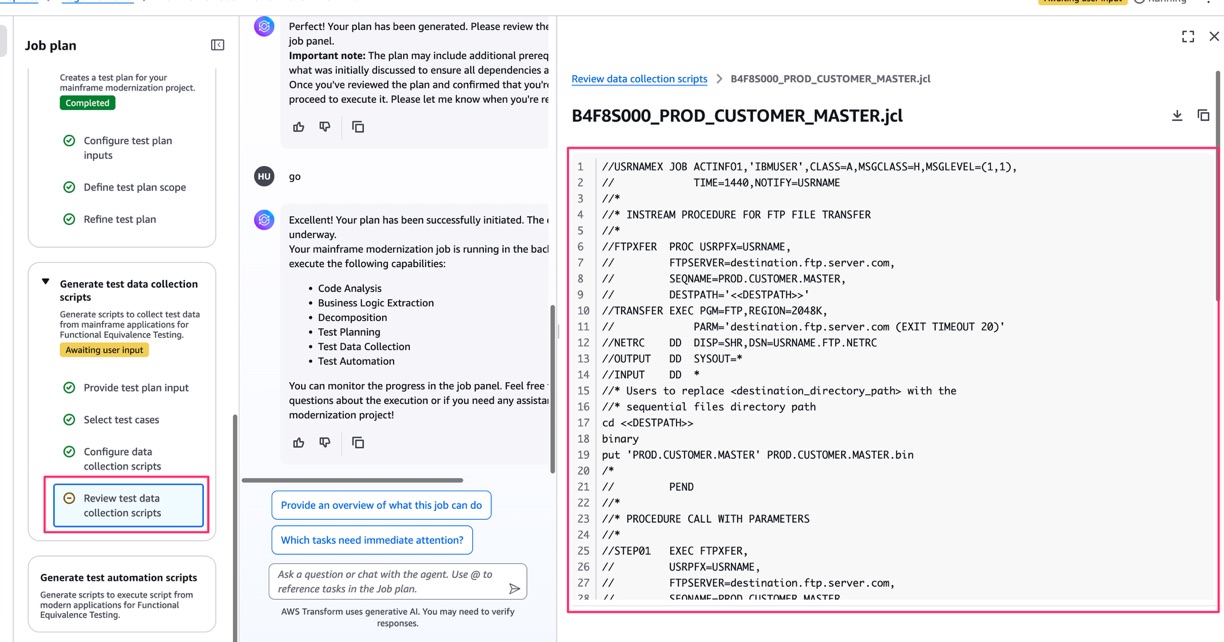
Once the collection script is generated, you should review it. By default, you may not be able to preview it due to S3 CORS issues, so you might need to review your S3 bucket's CORS settings.
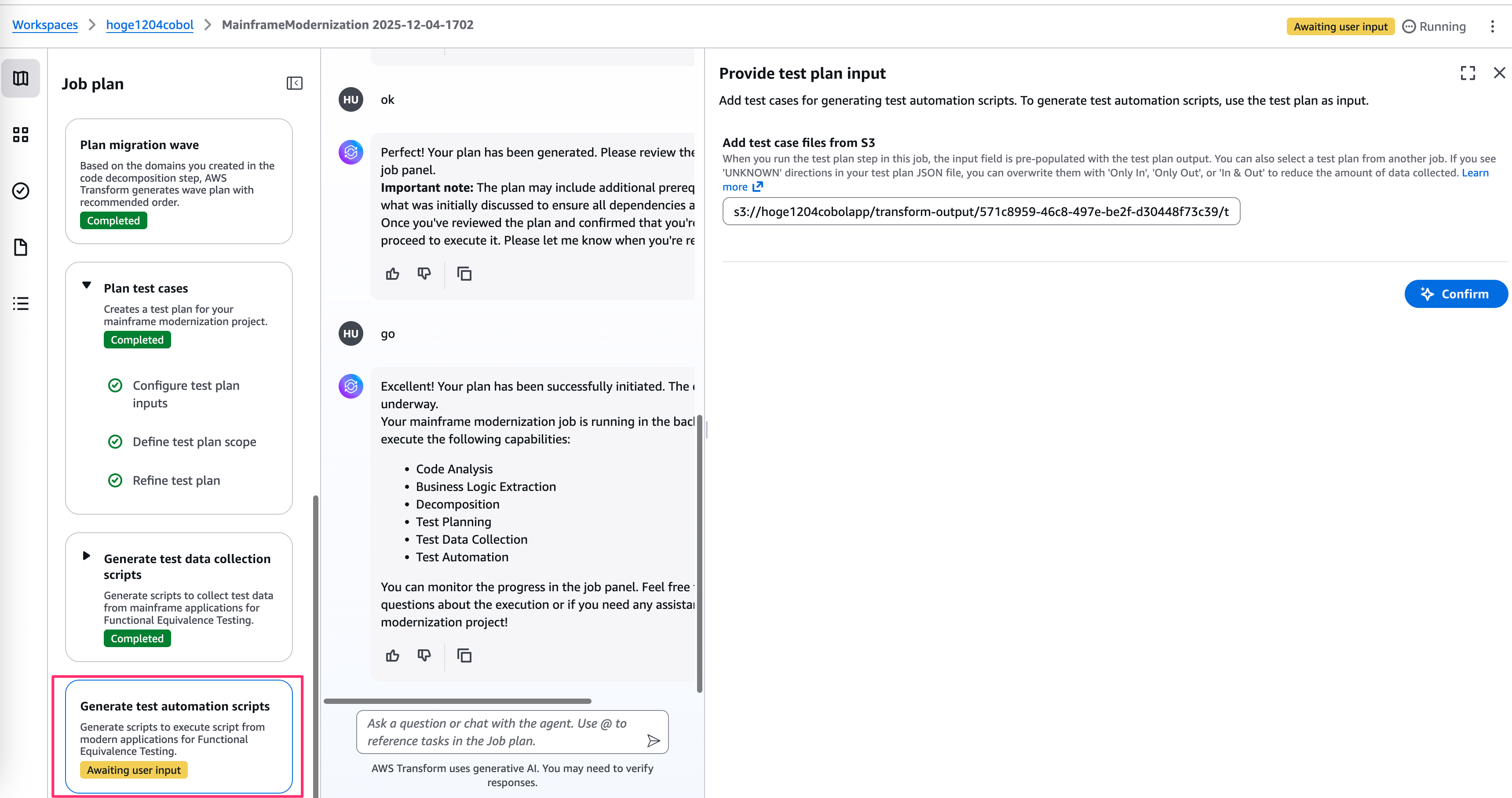
Finally, it generates test automation scripts, completing the process.
In the end, everything from execution scripts to test cases and test data is output to the specified S3 bucket.
You can then use these for testing.
Conclusion
Today I tried out the newly expanded AWS Transform for mainframe's automatic test generation feature.
Unlike the recent Windows full-stack approach, this one uses S3 bucket code as a base and creates deliverables in an S3 bucket, which reduces the risk of contaminating existing environments or repositories, making it easier to try out.
Also, while AWS Transform sometimes encounters errors or takes too much time, I found this feature relatively quick and easy to use.