
I tried the new AWS free plan updated in July 2025

This page has been translated by machine translation. View original
On July 16, 2025, AWS's free tier has been significantly updated.
The traditional "12-month free tier" has been revamped, and a new "Free Plan" has been introduced for new AWS users. With this plan, new users can use AWS services within the limit of up to $200 in AWS credits for a maximum of 6 months.
I had the opportunity to sign up for the new free plan with my personal account, so I'll introduce it here.
Sign-up
When applying for a new AWS account, you can now choose between "Free Plan" and "Paid Plan" as your account plan.
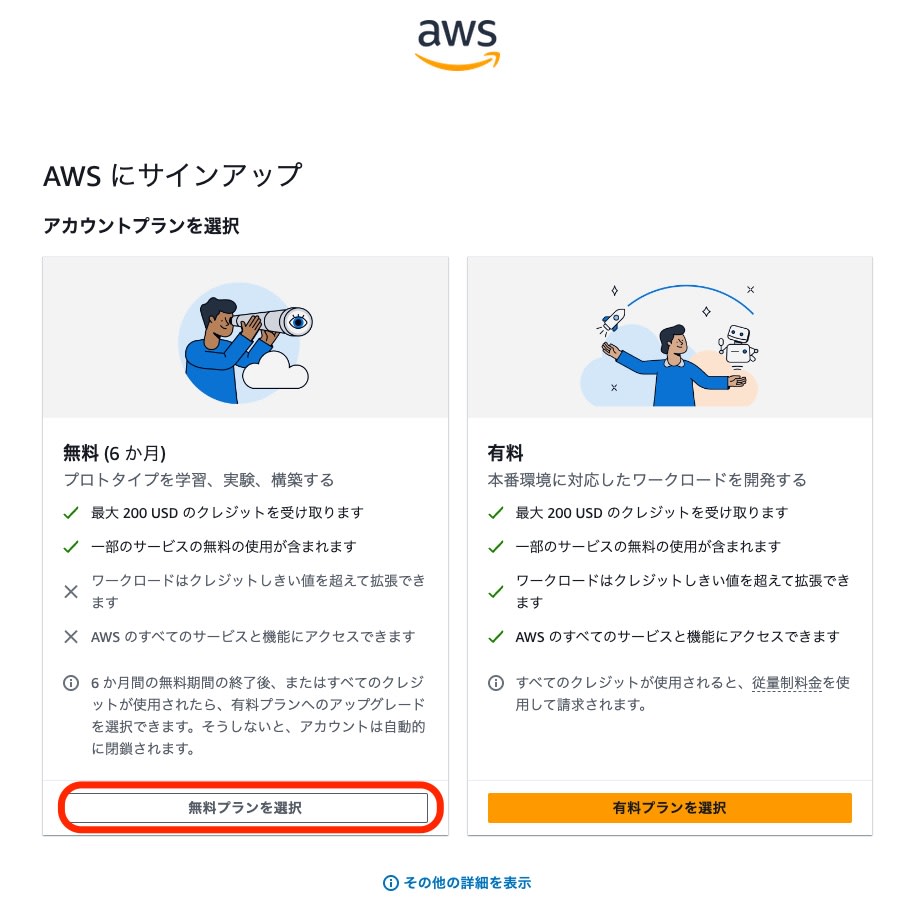
I selected the free plan this time.
I registered my Sony Bank debit card number as a payment method and completed the signup.
AWS Management Console
After signing up for a free account, you can access the AWS Management Console.
Earning Additional Credits
From the console home, via "Learn More About AWS" → "Earn AWS Credits",
you can receive an additional $100 in credits by completing five tutorials.
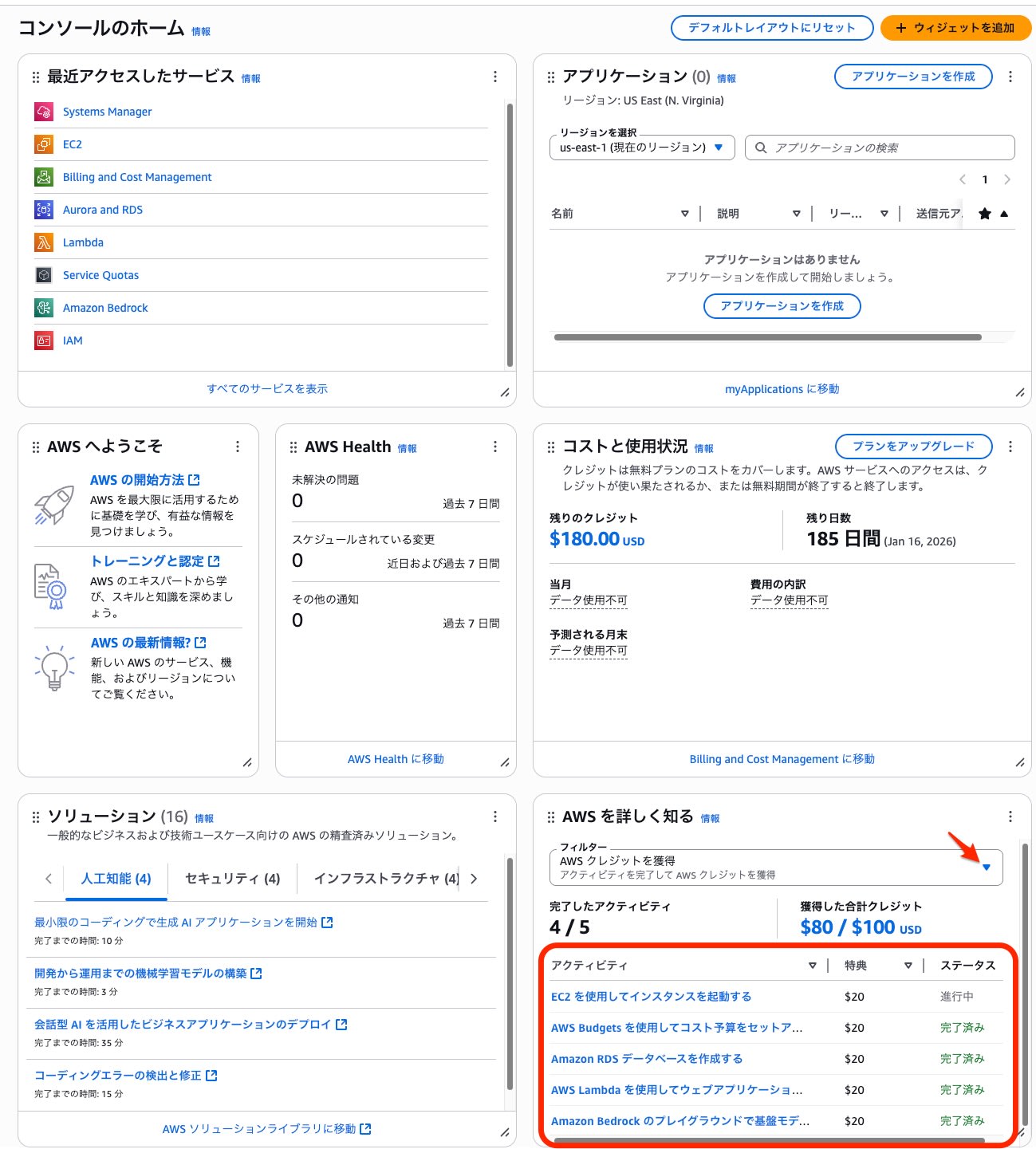
Each activity takes just a few minutes to complete. (Only RDS creation and removal takes about 20-30 minutes)
I recommend completing all five activities to earn the additional credits.
- Launch an instance using EC2
- Set up a cost budget using AWS Budgets
- Create an Amazon RDS database
- Create a web application using AWS Lambda
- Use foundation models in Amazon Bedrock playground
Billing and Cost Management
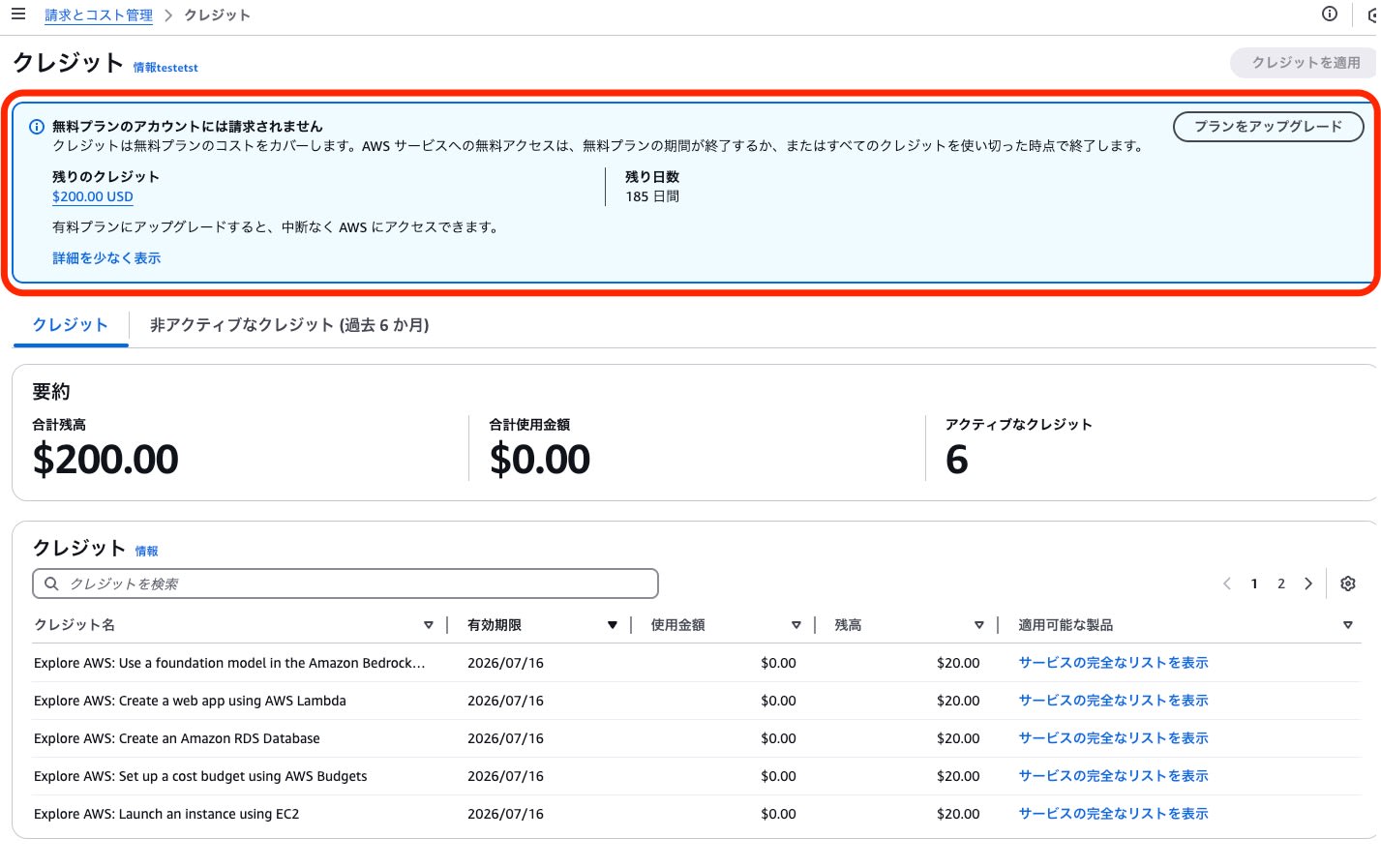
I could see a clear notice stating "Free plan accounts will not be charged."
Credits
On the credits screen, you can check your credit balance and remaining days.
Using Key AWS Services
EC2
For the free plan in the Tokyo region, only the following instance types were available:
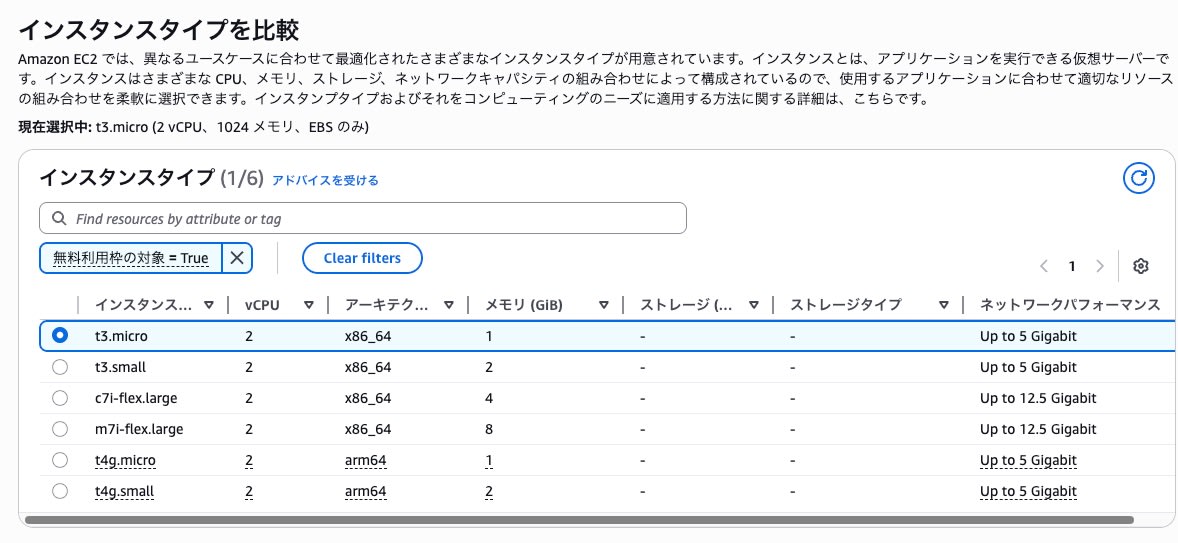
| Instance Type | vCPU | Architecture | Memory (MiB) | On-Demand Linux Price (USD) | On-Demand Windows Price (USD) |
|---|---|---|---|---|---|
| m7i-flex.large | 2 | x86_64 | 8 | 0.12369 | 0.21109 |
| c7i-flex.large | 2 | x86_64 | 4 | 0.10673 | 0.19413 |
| t3.small | 2 | x86_64 | 2 | 0.0272 | 0.0456 |
| t4g.small | 2 | arm64 | 2 | 0.0216 | - |
| t3.micro | 2 | x86_64 | 1 | 0.0136 | 0.0228 |
| t4g.micro | 2 | arm64 | 1 | 0.0108 | - |
As of July 2025, high-performance instances (xlarge or above) and nano instances are not available in the free plan.
Please be careful with the supported instance types when reusing IaC (Infrastructure as Code) templates.
※For the latest information, please check "Instance Types" on the EC2 dashboard.
RDS
The DB engines available in the free plan were MySQL, PostgreSQL, MariaDB, and SQL Server.
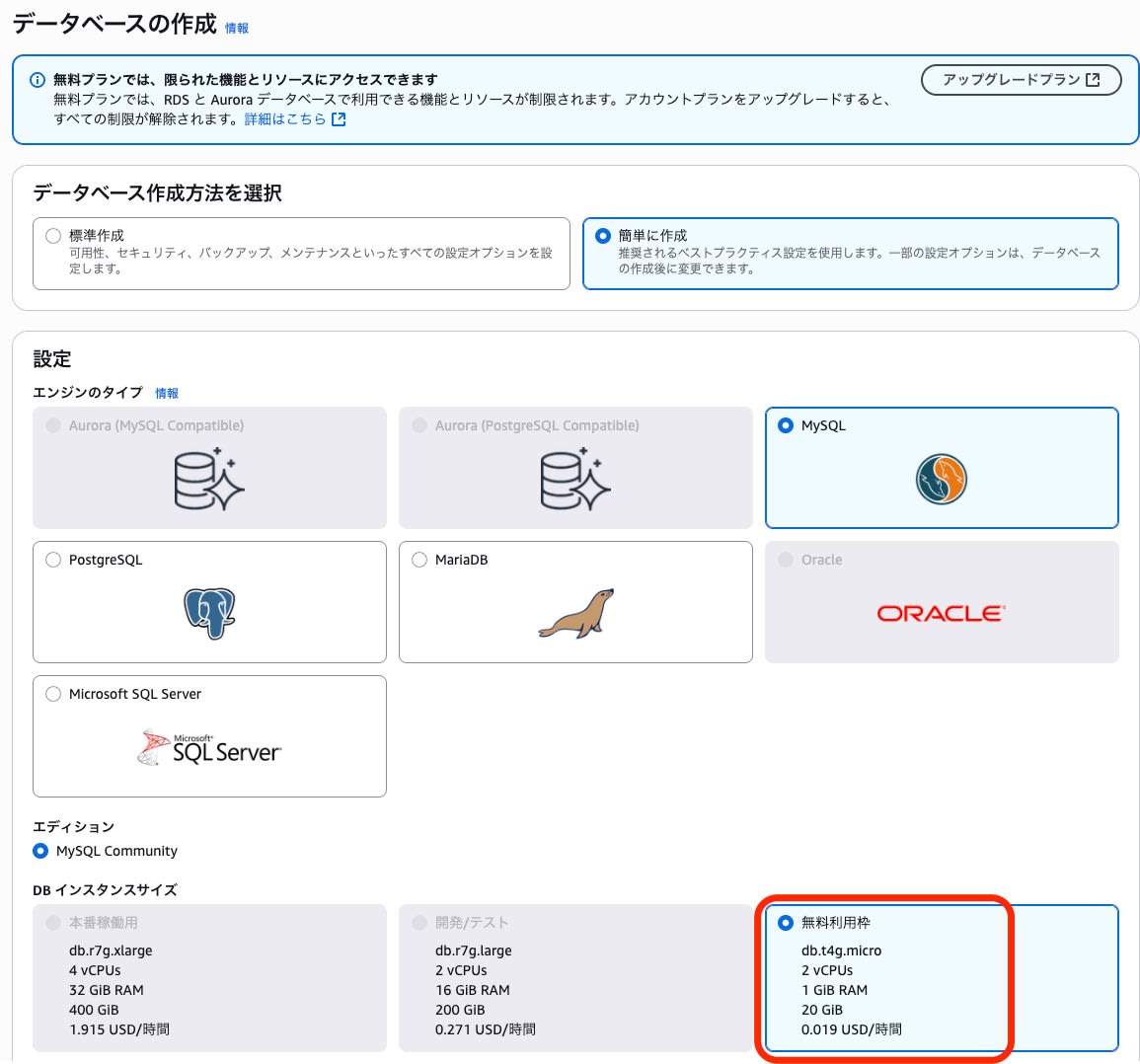
Aurora and high-spec instance types were not eligible for the free tier.
AWS Services Not Supported
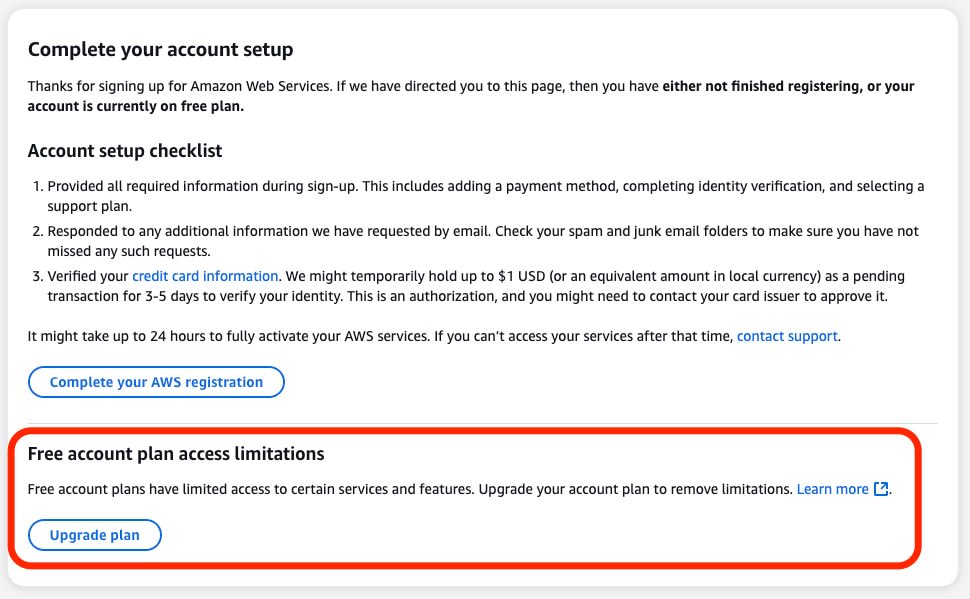
Some AWS services are restricted in the free plan.
When attempting to view dashboards for services like Amazon Athena, Amazon Data Firehose, and AWS Global Accelerator, I saw notices about usage restrictions and prompts to switch to the paid plan.
Cautions and Security Measures
While using the AWS free plan account allows you to try AWS without cost, there is a risk that if the root user credentials are compromised, someone could change to a paid plan or make unauthorized use of your account.
To mitigate the risks associated with root user access, I strongly recommend implementing the following measures as soon as possible after opening an account:
- Settings to implement immediately
- Set up MFA authentication for the root user
- Configure IAM password policies
- Enable IAM user access to billing information
- Create an administrator IAM user
- Set up MFA authentication for the administrator IAM user
Also, after completing phone verification during account signup, you might see a notice stating that you "are not eligible for the free plan."
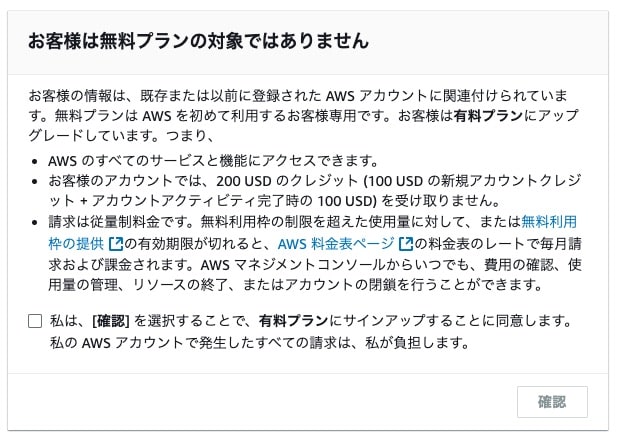
This is because AWS's new free tier program is limited to new customers, and existing customers are not eligible for the new free tier credits or free account plan.
Q1. What will happen to customers who are already on current AWS Free Tier?
Existing customers are ineligible for Free Tier credits or the free account plan.
https://aws.amazon.com/free/free-tier-faqs/?p=ft&z=subnav&loc=5#topic-4
If you interrupt or abandon the signup process midway, you risk unintended incidents or unauthorized use if your root user authentication information is leaked.
If you attempted to sign up for the free plan but found that you are not eligible, I recommend completing the signup with a paid plan and then promptly proceeding with account closure.
Summary
AWS's new free tier program has become a very attractive option for organizations with budget constraints or individuals who want to start using AWS with minimal financial burden. Please try AWS by implementing appropriate security measures.