
How to handle situations when you can't delete unwanted EC2 instances

This page has been translated by machine translation. View original
Issue I Was Facing
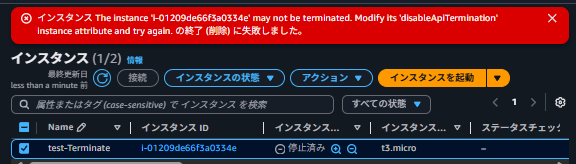
When trying to terminate (delete) an EC2 instance that was no longer needed,
I received the error message: The instance 'i-xxxxxxxxxxxxxxxxx' may not be terminated. Modify its 'disableApiTermination' instance attribute and try again.
Looking at the error message, it asks to change the disableApiTermination attribute.
How to Address This?
disableApiTermination is the termination protection feature for EC2 instances. When enabled, it blocks termination operations from API/CLI/console.
When checking the details of the EC2 instance, I confirmed that termination protection was enabled.
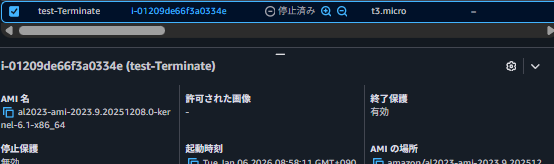
Here's how to disable termination protection:
- Access the EC2 instance dashboard
- Select the instance where you want to change termination protection
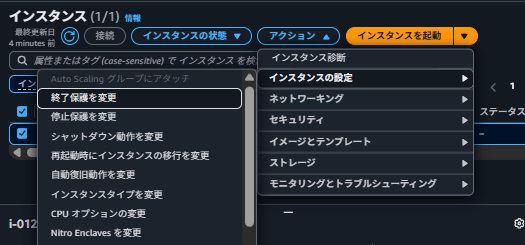
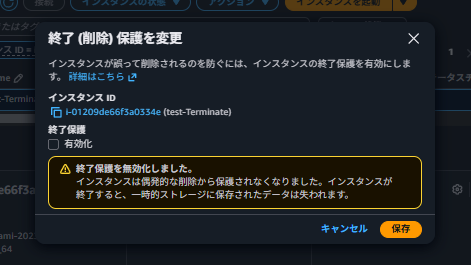
- Click "Actions" → "Instance Settings" → "Change Termination Protection"
- Uncheck the enable box, and click "Save"
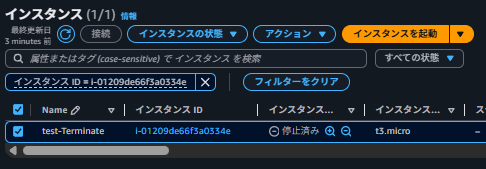
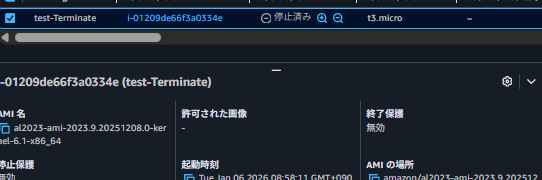
On the instance details screen, I could confirm that termination protection was disabled.
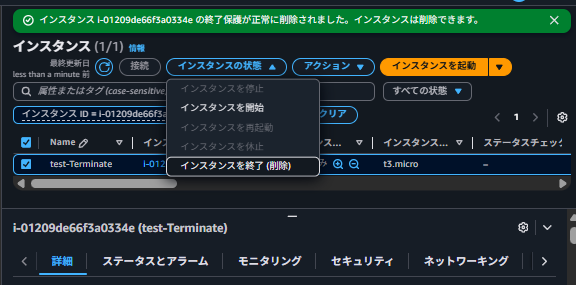
Now that termination protection is disabled, I tried terminating the instance again.
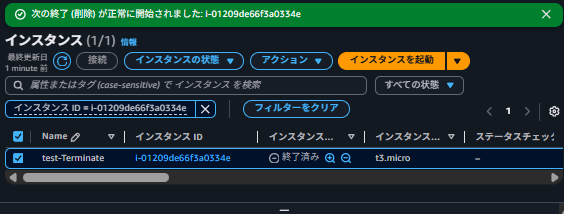
The termination started successfully and the instance is now terminated!
Reference Material
Change Termination Protection for an Instance - Amazon Elastic Compute Cloud