
Trying to Structure User Voice for Game Events with Twilio Conversational Intelligence

This page has been translated by machine translation. View original
Introduction
This article is the 25th day blog of the SaaS Accelerated Game Development - Advent Calendar 2025.
In this article, I will introduce a case study of using Twilio Conversational Intelligence to obtain metadata from user voice during a game's Christmas event.
What is Twilio?
Twilio is a cloud service that allows you to incorporate communication features such as phone calls and SMS into applications through APIs.
What is Twilio Conversational Intelligence?
Twilio Conversational Intelligence is a service that transcribes conversation data from voice calls and messages, and returns structured data such as summaries, sentiment analysis, and entity extraction. Rather than manually reviewing recorded files afterward, it characteristically provides insights that are mechanically classified in units called Language Operators.
Target Audience
- People involved in planning and operation of game development for events such as Christmas
- Engineers who want to utilize Twilio in game titles or peripheral tools
- Those who want to know use cases for Conversational Intelligence
References
- Conversational Intelligence | Twilio Docs
- Conversational Intelligence Onboarding guide | Twilio Docs
Santa's Direct Line Configuration
What is Santa's Direct Line?
The concept of the project is as follows:
- During the Christmas event period, announce Santa's direct line in game notifications and official X
- Players call a Twilio phone number and directly speak their feedback and requests about the event
From the player's perspective, it's a small experience of talking directly to Santa. From the development side, it's a system that collects feedback during the event via voice, and receives it in a form that has been text-converted, summarized, and sentiment-analyzed by Conversational Intelligence.
In this article, I'll explain how to configure the reception of recordings and the calling of Conversational Intelligence with Twilio Functions, assuming that the analysis results will be forwarded to our own backend via Webhook.
Overall Data Flow
-
Twilio Programmable Voice
- Phone number acquisition
- Call flow control (recording)
- Obtaining recording files and RecordingSid
-
Twilio Functions
- Function that receives recording completion events and calls the Conversational Intelligence Transcript creation API (Function A)
- Endpoint that receives Conversational Intelligence Webhooks and outputs analysis results to logs or forwards them to the backend (implemented in Twilio Functions for testing)
-
Twilio Conversational Intelligence
- Creating Intelligence Service
- Transcription and conversation analysis via Transcript API
- Getting metadata through Language Operators (Conversation Summary, Sentiment Analysis)
Implementation and Testing
Overall Flow
- Create an Intelligence Service in Conversational Intelligence and link the Conversation Summary and Sentiment Analysis Language Operators
- Prepare a Twilio Function that returns the call flow for Santa's direct line, with recording enabled
- Implement a Twilio Function (Function A) that receives recording completion events and calls the Transcript creation API
- Implement an endpoint (Twilio Function for testing) that receives Conversational Intelligence Webhooks and gets OperatorResults
Creating an Intelligence Service
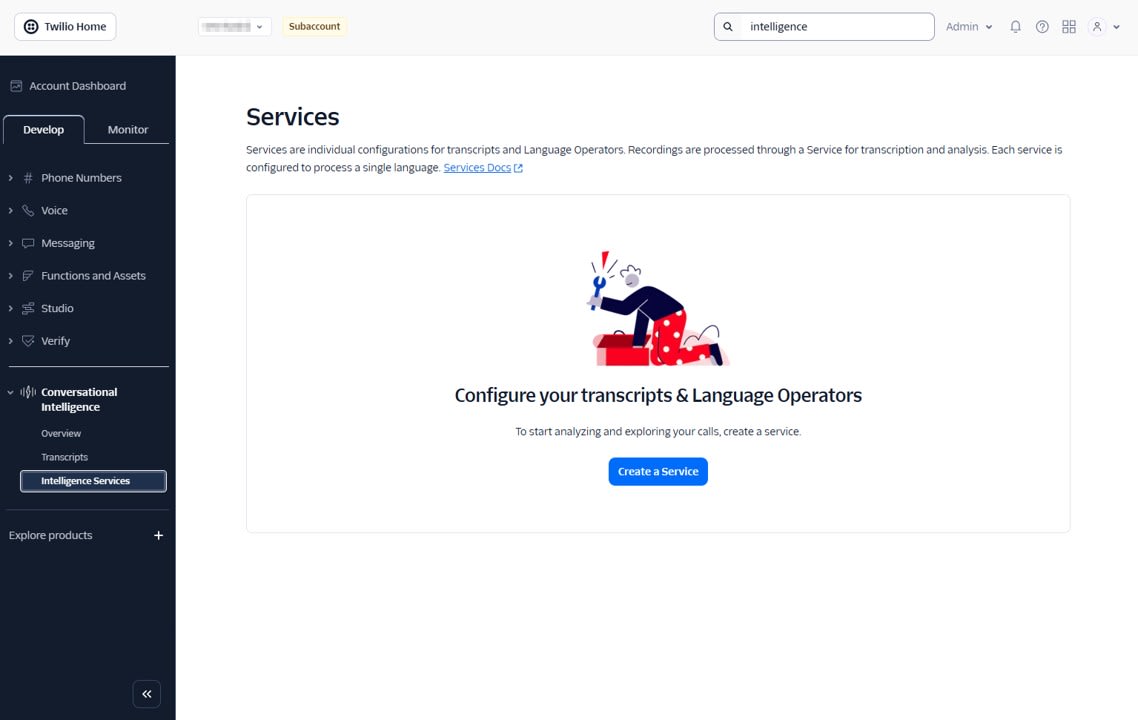
First, let's create an Intelligence Service that serves as the foundation for Conversational Intelligence. From Conversational Intelligence > Intelligence Service, create a Service using Create a Service.
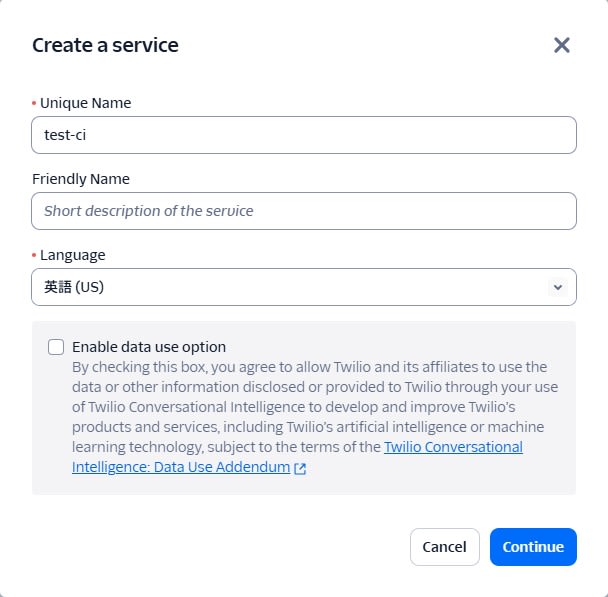
- Unique name: Any identifier like
test-ci - Language: English
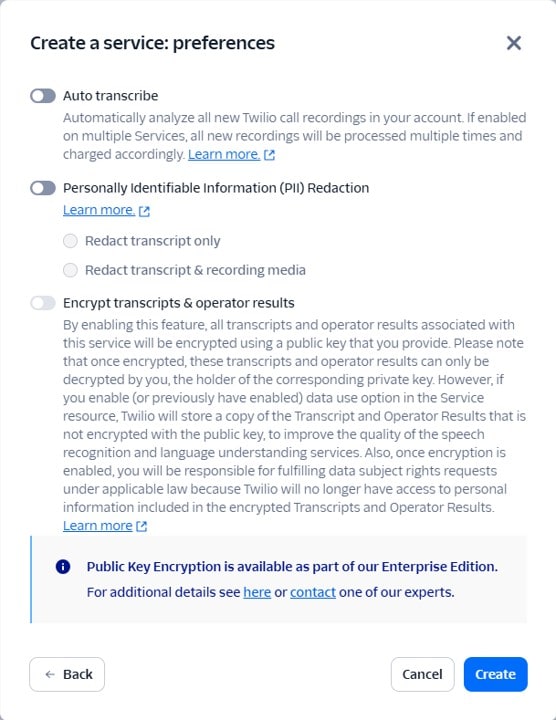
- Auto transcribe: Off, as we'll manually call the Transcript API when recording is complete
- PII Redaction: Off for testing purposes
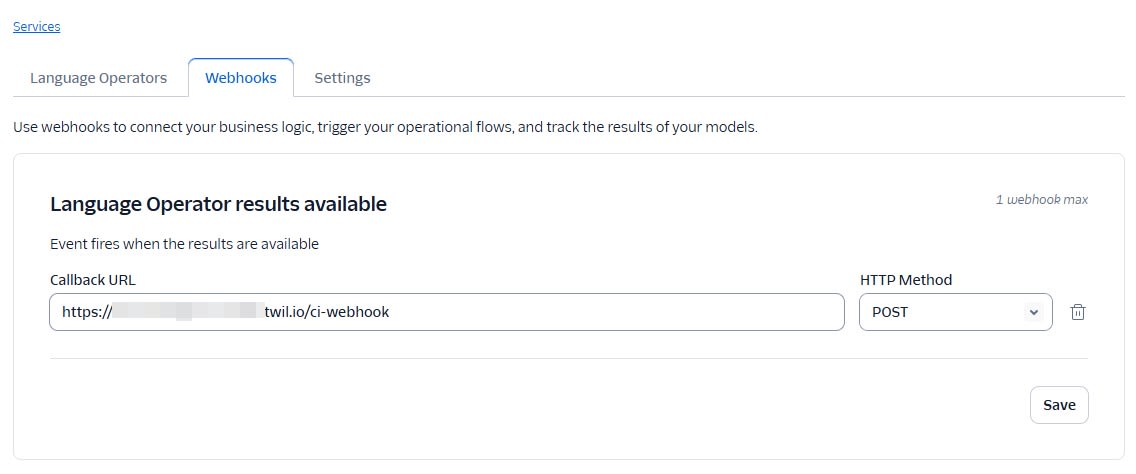
After creating the Service, configure the following in the Webhook tab:
- Webhook URL: URL of the
/ci-webhookFunction described later - Webhook HTTP method:
POST
In the Language Operators tab, add Conversation Summary and Sentiment Analysis.
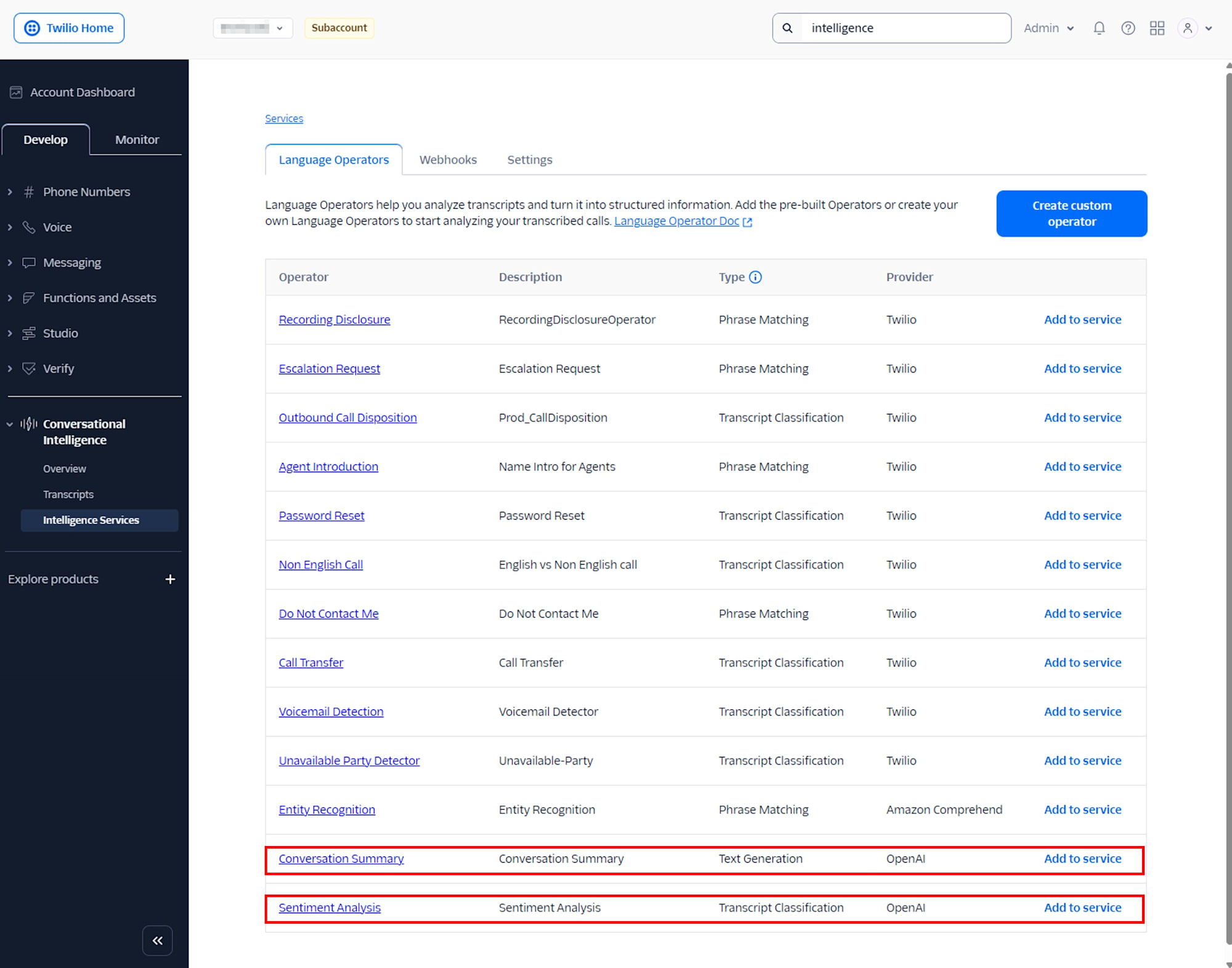
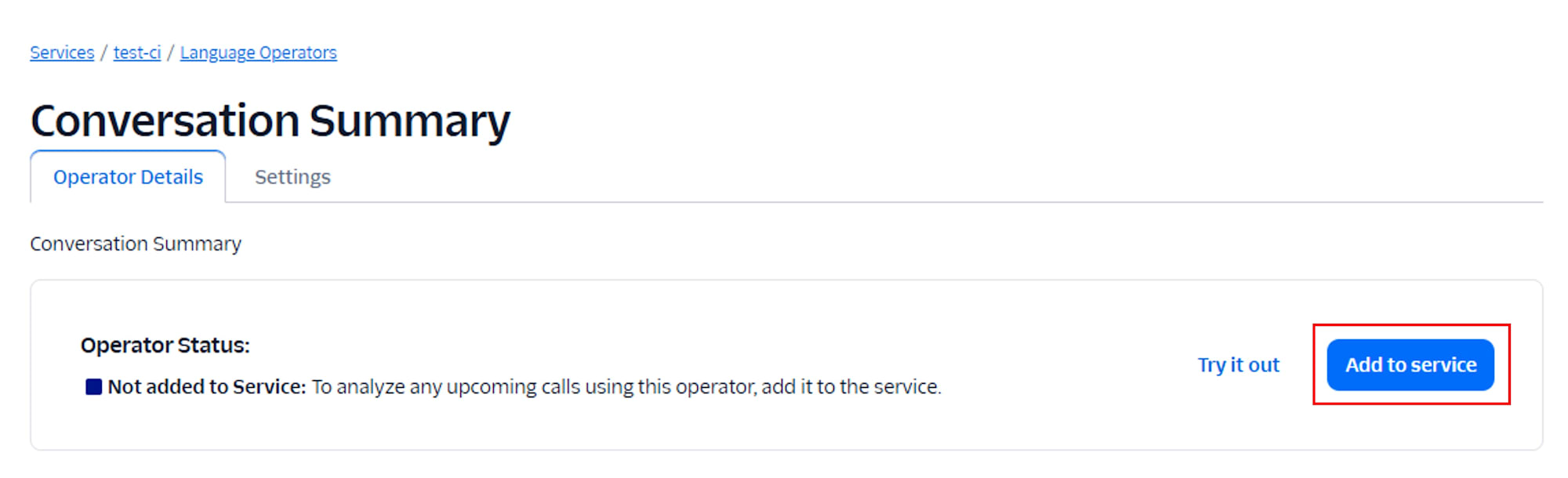
Once added, it will display Added to Service.

Function to Return TwiML for Santa's Direct Line
Next, let's prepare a Twilio Function to record incoming calls from players.
Create a new Function from the Twilio Functions dashboard.
Set up the environment variables as follows:
| Variable Name | Value |
|---|---|
| RECORDING_STATUS_URL | Public URL of the /ci-create-transcript Function described later |
| INTELLIGENCE_SERVICE_SID | Intelligence Service SID |
Then, place the code to be called when receiving a call:
/incoming-call
exports.handler = function (context, event, callback) {
  const twiml = new Twilio.twiml.VoiceResponse();

  // When called again after recording is complete, RecordingSid is provided
  if (event.RecordingSid) {
    // For subsequent calls, just say thanks and hang up
    twiml.say(
      {
        language: "ja-JP",
        voice: "woman",
      },
      "ありがとうございました。メリークリスマス。"
    );
    twiml.hangup();
  } else {
    // For the first call, play guidance and start recording
    twiml.say(
      {
        language: "ja-JP",
        voice: "woman",
      },
      "メリークリスマス。サンタさんへのご意見、ご感想をどうぞ。ピーという音のあとに話してください。"
    );

    twiml.record({
      recordingStatusCallback: context.RECORDING_STATUS_URL,
      recordingStatusCallbackEvent: ["completed"],
      recordingChannels: "dual",
      timeout: 5,
      maxLength: 120,
      playBeep: true,
    });
  }

  return callback(null, twiml);
};
After creating the Function, register it as A calls comes in in the Voice Configuration of your purchased Twilio number.

Creating a Transcript with the Recording Completion Function
Add the following Function to Twilio Functions:
/ci-create-transcript
exports.handler = async function (context, event, callback) {
  const client = context.getTwilioClient();

  const recordingSid = event.RecordingSid;
  const callSid = event.CallSid;

  console.log("RecordingSid:", recordingSid, "CallSid:", callSid);

  if (!recordingSid) {
    console.error("RecordingSid is missing");
    return callback(null, {});
  }

  try {
    const transcript = await client.intelligence.v2.transcripts.create({
      serviceSid: context.INTELLIGENCE_SERVICE_SID,
      customerKey: callSid || recordingSid,
      channel: {
        media_properties: {
          // Pass Twilio Recording to Conversational Intelligence
          source_sid: recordingSid,
        },
      },
    });

    console.log("Queued transcript:", transcript.sid, "status:", transcript.status);
    return callback(null, {});
  } catch (err) {
    console.error("Failed to create transcript", err);
    return callback(err);
  }
};
Here, we follow these principles:
- Specify the SID of the pre-created Intelligence Service in
serviceSid - Pass the Twilio RecordingSid as
channel.media_properties.source_sid - Include CallSid in
customerKeyto make it easier to associate with your system later
After calling the Transcript creation API, results don't come back immediately. Conversational Intelligence performs transcription and analysis asynchronously, and notifies the Webhook URL configured in the Intelligence Service when completed.
Receiving Analysis Results with Intelligence Webhook
When a Transcript is completed, Conversational Intelligence sends the Transcript SID and event type to the Webhook. The Webhook endpoint's role is to receive this notification and obtain the Summary and Sentiment.
/ci-webhook
exports.handler = async function (context, event, callback) {
  const client = context.getTwilioClient();

  const transcriptSid = event.transcript_sid;
  const eventType = event.event_type;
  const customerKey = event.customer_key;

  console.log("CI webhook:", eventType, "TranscriptSid:", transcriptSid, "CustomerKey:", customerKey);

  // Conversational Intelligence's Webhook sends voice_intelligence_transcript_available
  if (eventType !== "voice_intelligence_transcript_available") {
    return callback(null, {});
  }

  try {
    // Retrieve all OperatorResults at once
    const operatorResults = await client.intelligence.v2
      .transcripts(transcriptSid)
      .operatorResults.list({ limit: 20 });

    // Get Conversation Summary results
    const summaryResult = operatorResults.find(
      (r) => r.name === "Conversation Summary"
    );
    const summaryText = summaryResult?.textGenerationResults?.result;

    // Get Sentiment Analysis results
    const sentimentResult = operatorResults.find(
      (r) => r.name === "Sentiment Analysis"
    );

    const predictedLabel = sentimentResult?.predictedLabel;
    const labelProbabilities = sentimentResult?.labelProbabilities;

    console.log("Summary:", summaryText);
    console.log("Sentiment predictedLabel:", predictedLabel);
    console.log("Sentiment labelProbabilities:", labelProbabilities);

    // In production, you would save summaryText, predictedLabel, etc. to your own DB here

    return callback(null, {});
  } catch (err) {
    console.error("Failed to fetch transcript or operator results:", err);
    return callback(err);
  }
};
Testing
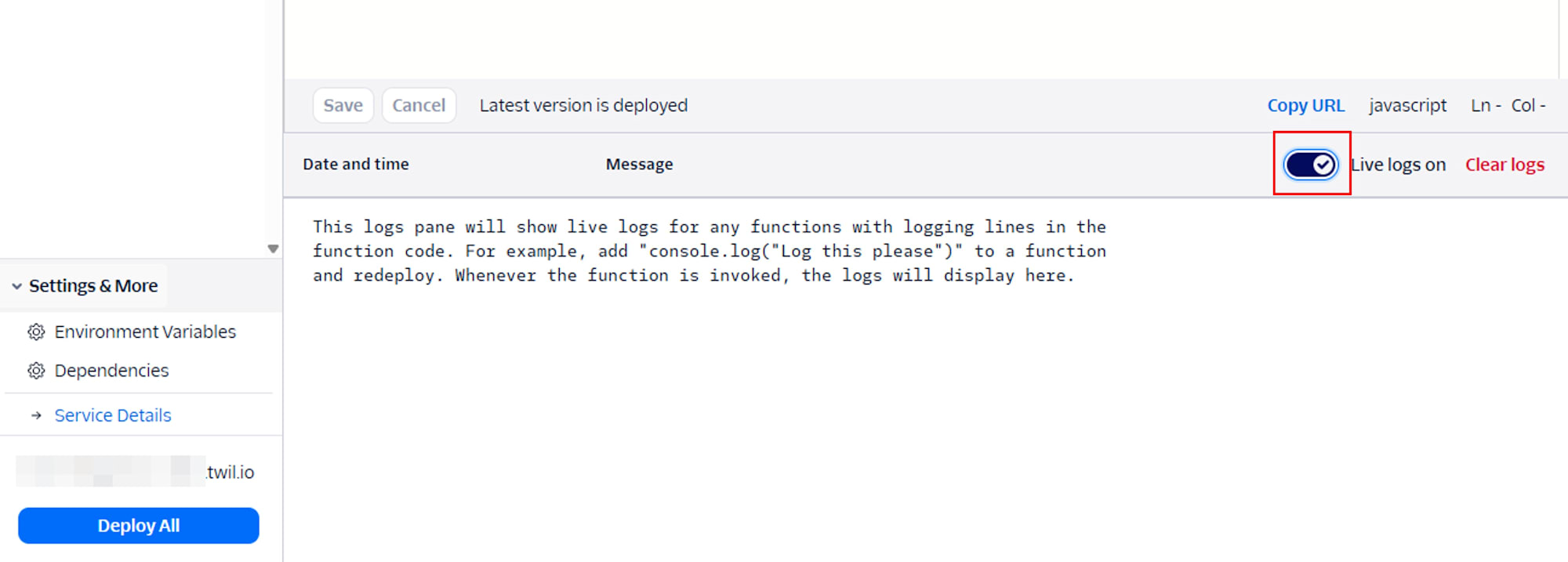
- I enabled Live logs on in Twilio Function to check the logs.
- I called the Twilio phone number and said the following:
I enjoyed the event very much, thank you!
- I confirmed that the following logs were output in Live logs:
Dec 13, 2025, 02:22:49 PM
Execution started...
Dec 13, 2025, 02:22:49 PM
CI webhook: voice_intelligence_transcript_available TranscriptSid: GT**** CustomerKey: CA****
Dec 13, 2025, 02:22:49 PM
Summary: The customer expressed their appreciation for the event, indicating that they found it enjoyable. The agent acknowledged this sentiment with gratitude. Overall, the interaction was positive and focused on the customer's satisfaction with the event.
Dec 13, 2025, 02:22:49 PM
Sentiment predictedLabel: neutral
Dec 13, 2025, 02:22:49 PM
Sentiment labelProbabilities: { neutral: 1 }
Dec 13, 2025, 02:22:49 PM
Execution ended in 223.29ms using 107MB
Considerations
Lowering the Barrier to Review Raw Voice Feedback
Voice-based feedback can be burdensome to listen to afterward. Even if you display a list of recording files, it's often difficult to know where to start just by looking at file names and lengths.
By incorporating Conversational Intelligence, it becomes easier to grasp trends just by scanning the Summary. Furthermore, having labels like Sentiment makes it easier to prioritize which feedback to check first.
Easier Conversations in the Same Format for Planning and Operations
Not only for development teams, but also when cross-functional roles like planning, operations, and CS are involved, it becomes easier to have conversations while looking at the same data. For example, discussions like these become easier:
- How much feedback is being received about balance adjustments
- How positive the overall reactions are to the Christmas scenario
- How much dissatisfaction there is with gacha mechanics
While such questions are difficult to organize with just raw recording files, having simple metadata like Summary and Sentiment allows for discussion with common premises. Receiving data that has been pre-formatted by Conversational Intelligence directly reduces communication costs.
Easy to Attach as a Christmas-limited Initiative
This Santa's direct line was designed to minimize changes to the game client side. It basically focuses on announcements and campaign ID management, with Twilio handling voice reception and analysis.
I felt that utilizing SaaS to add external functionality increases the room for experimentation without major modifications to the game itself.
Conclusion
In this article, I introduced a case study of using Twilio Conversational Intelligence to obtain metadata from user voice during a Christmas event, with Santa on the other end of the phone as the entry point. For players, it's a small project that lets them say a few words to Santa, but from the development perspective, it functions as a behind-the-scenes mechanism that organizes voice feedback in the form of transcription, summary, and emotional labels.
While conversation data analysis might conjure images of large-scale infrastructure, utilizing SaaS like Twilio makes it easier to start with small experiments for events. There are many points to consider for practical operation, such as handling recording files and privacy protection, but I hope this provides an opportunity to try Conversational Intelligence as part of a light Christmas initiative.
In the future, it seems possible to extend similar analysis to messaging and chat histories, or to analyze interactions with AI agents as well. I'd like to test such applications on another occasion.