
Managing an Unreal Engine project with git-lfs

This page has been translated by machine translation. View original
Introduction
In everyday app development, using git for version control is common practice.
However, git is specialized for text files and is not well-suited for managing binary files.
In game development, large binary files such as textures, models, and audio files are generated in large quantities, so managing them directly with git will cause the repository to bloat.
For version control of binary files, Perforce and Git LFS are commonly used, but in this article, I'll introduce the setup procedure for version controlling a UE5 template project using Git LFS.
Test Environment
- MacOS Sequoia 15.7.1
- Unreal Engine 5.7.3
- git version 2.50.1
- git-lfs/3.7.1
- UE5 template project (Top Down) created in advance
Procedure
Download .gitignore and .gitattributes
Templates for .gitignore and .gitattributes for UE5 projects are already publicly available, so we'll use them.
Place the downloaded files in the root directory of your UE5 project.
Just in case, I'll also paste the contents of each file here.
.gitignore
This is written in a whitelist style that first ignores all files and then allows only what's needed.
# Ignore all files by default, but scan all directories.
*
!*/

# Do not ignore git files in the root of the repo.
!/.git*

# Do not ignore current project's `.uproject`.
!/*.uproject

# Do not ignore source, config and plugins dirs.
!/Source/**
!/Config/**
!/Plugins/**

# Only allow .uasset and .umap files from /Content dir.
# They're tracked by git-lfs, don't forget to track other
# files if adding them here.
!/Content/**/*.uasset
!/Content/**/*.umap

# Allow any files from /RawContent dir.
# Any file in /RawContent dir will be managed by git lfs.
!/RawContent/**/*

# OS/platform generated files.

# Windows
ehthumbs.db
Thumbs.db

# Mac OS X
.DS_Store
.DS_Store?
.AppleDouble
.LSOverride
._*

# Linux
*~
.directory

# vim
[._]*.s[a-w][a-z]
[._]s[a-w][a-z]
*.un~
Session.vim
.netrwhist

# Visual Studio
.vs
.gitattributes
From the Git LFS official site:
Git Large File Storage (LFS) replaces large files such as audio samples, videos, datasets, and graphics with text pointers inside Git, while storing the file contents on a remote server like GitHub.com or GitHub Enterprise.
File types marked with lfs in this file are stored in Git LFS storage, not in git itself. Only pointers to these files are managed in git (users don't need to be particularly aware of this mechanism).
# Unreal Engine file types.
*.uasset filter=lfs diff=lfs merge=lfs -text
*.umap filter=lfs diff=lfs merge=lfs -text

# Raw Content file types.
*.3ds filter=lfs diff=lfs merge=lfs -text
*.bmp filter=lfs diff=lfs merge=lfs -text
*.exr filter=lfs diff=lfs merge=lfs -text
*.fbx filter=lfs diff=lfs merge=lfs -text
*.jpeg filter=lfs diff=lfs merge=lfs -text
*.jpg filter=lfs diff=lfs merge=lfs -text
*.mov filter=lfs diff=lfs merge=lfs -text
*.mp3 filter=lfs diff=lfs merge=lfs -text
*.mp4 filter=lfs diff=lfs merge=lfs -text
*.obj filter=lfs diff=lfs merge=lfs -text
*.ogg filter=lfs diff=lfs merge=lfs -text
*.png filter=lfs diff=lfs merge=lfs -text
*.psd filter=lfs diff=lfs merge=lfs -text
*.tga filter=lfs diff=lfs merge=lfs -text
*.wav filter=lfs diff=lfs merge=lfs -text
*.xcf filter=lfs diff=lfs merge=lfs -text

# Anything in `/RawContent` dir.
/RawContent/**/* filter=lfs diff=lfs merge=lfs -text
Initialize the Project
Use the following commands to initialize the project with git / Git LFS and push it to a remote repository.
# git initialization
git init

# Git LFS initialization
git lfs install

# Stage all files (except those excluded by .gitignore)
git add .

# Commit
git commit -m "top down ue project template"

# Add remote repository
git remote add origin git@github.com:your-org/your-repo.git

# Push to main branch
git push -u origin main
Results
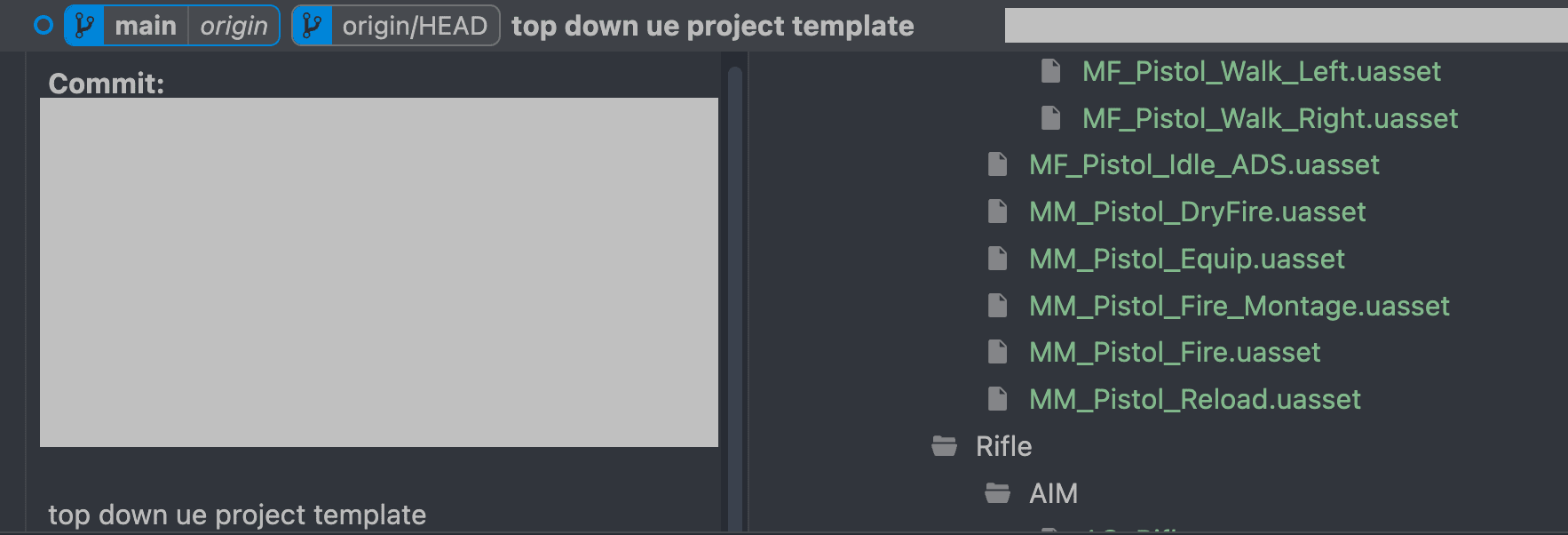
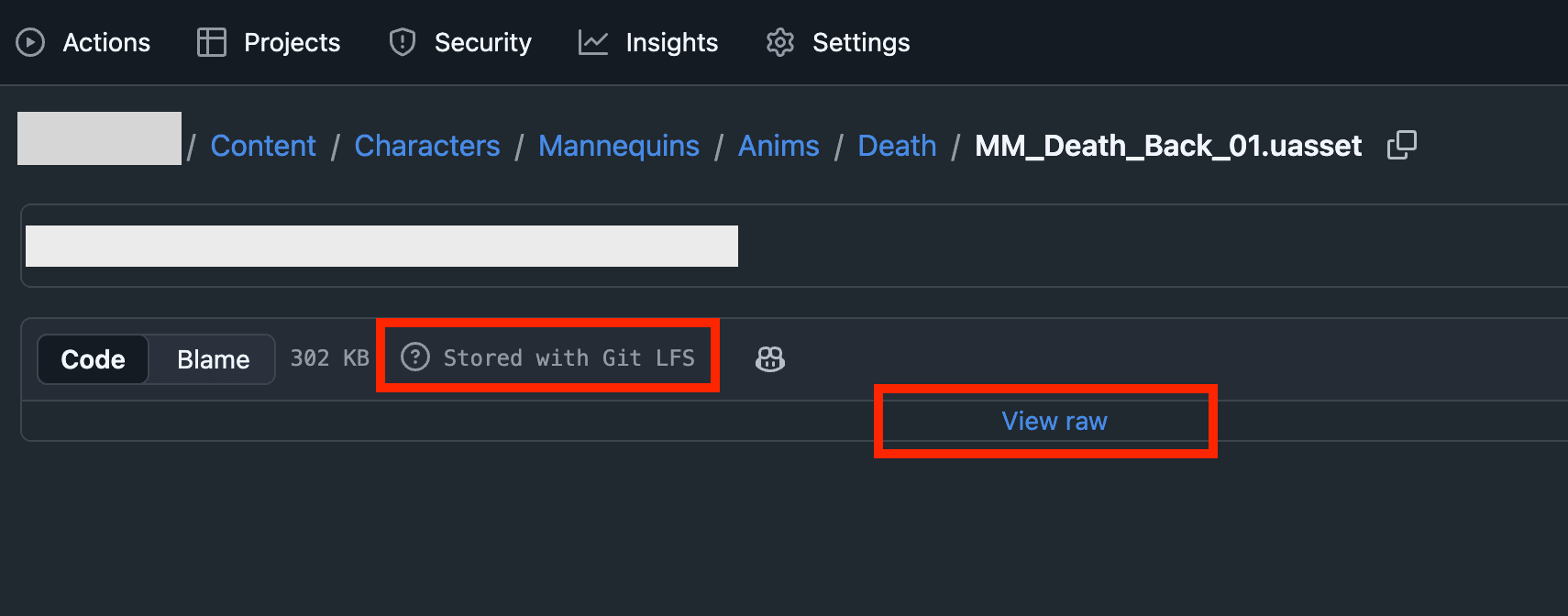
I confirmed that binary files can be committed and are managed by Git LFS on Github.
Conclusion
Now you can version control UE5 projects with git and Git LFS.
One thing to note is that GitHub and GitLab have usage limits for Git LFS storage and bandwidth. If you exceed these limits, you won't be able to upload data without additional payment, so I recommend checking in advance according to the scale of your project.
Reference: About GitHub Git LFS billing