![[Update] Amazon SageMaker Unified Studio now supports business metadata and data governance features in IAM-based domains](https://images.ctfassets.net/ct0aopd36mqt/wp-thumbnail-4e6e510f2f74e1cc7d0ec360f38d138a/c00e9d7f4e47022543b37632bc20bcc0/amazon-sagemaker?w=3840&fm=webp)
[Update] Amazon SageMaker Unified Studio now supports business metadata and data governance features in IAM-based domains

This page has been translated by machine translation. View original
This is Ishikawa from the Cloud Business Division. Business context, metadata, and data governance features are now available for IAM-based domains in Amazon SageMaker Unified Studio. Governance features that were previously centered on Identity Center (IDC)-based domains are now available for IAM-based domains as well, enabling teams focused on developer productivity to enhance data discoverability and access management across the organization.
IAM-Based Domain Update
This update brings business context, metadata, and data governance features — previously available only for IDC-based domains — to IAM-based domains in Amazon SageMaker Unified Studio (SMUS). Users of IAM domains can now add business names, descriptions, and README documents to Glue Data Catalog tables, automatically generate business names and descriptions using AI-generated metadata, and apply structured attributes using business glossaries and metadata form templates.
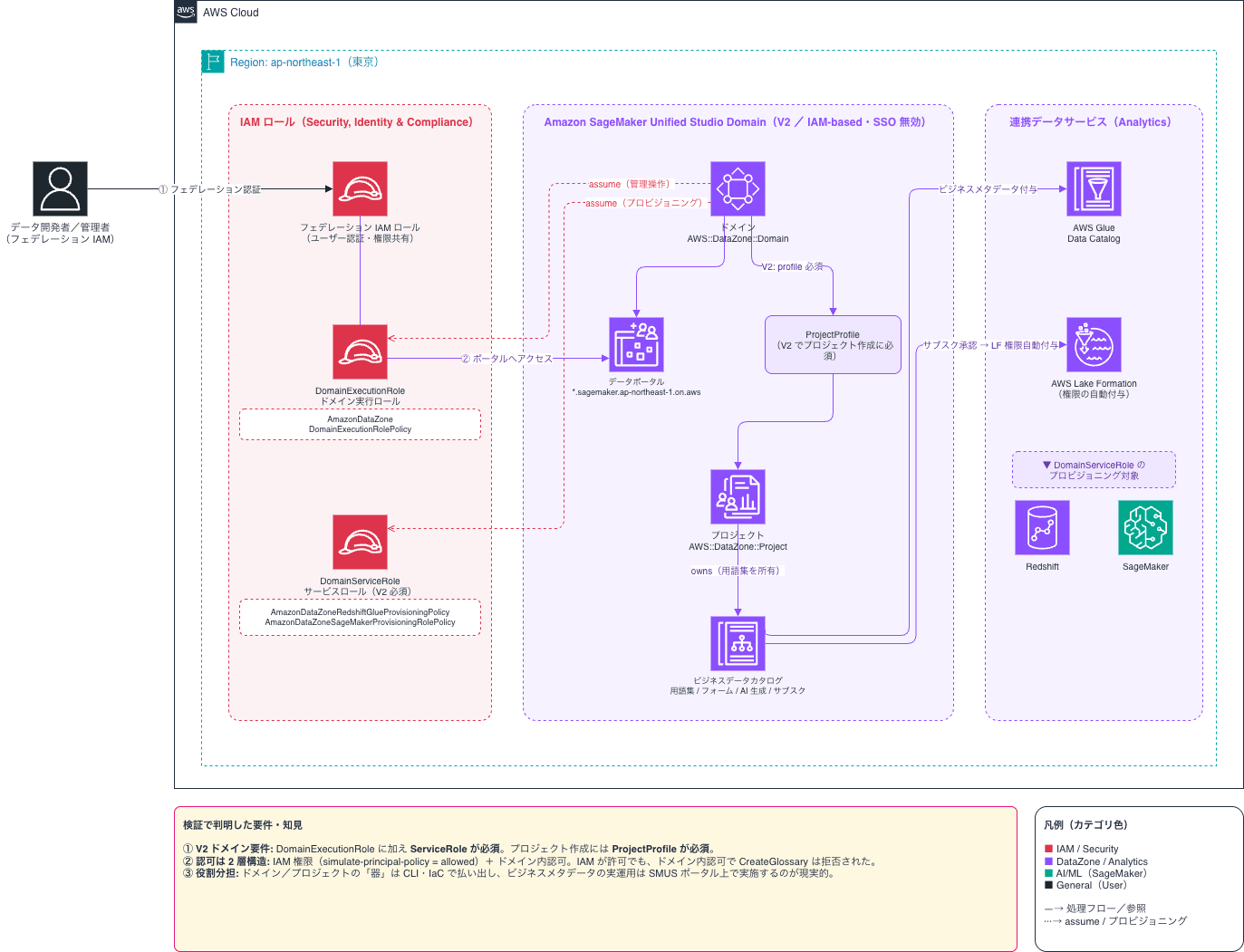
As background context, this update is best understood as part of an ongoing effort to close the "feature gap" between IAM domains and IDC domains. IAM-based domains lean toward developer productivity tools such as new serverless Notebooks and Athena Spark integration, while IDC-based domains lean toward governance including Publisher/Subscriber-style catalog management — and this release adds catalog and governance capabilities to the IAM side.
What's New
With this update, customers using IAM-based domains can now add business context to AWS Glue Data Catalog tables and achieve data discovery and governance across the organization.
The main changes are as follows:
- Ability to add business names, descriptions, and README documents to AWS Glue Data Catalog tables
- AI-generated metadata to automatically generate business names and descriptions for large numbers of tables
- Create business glossaries to standardize the definitions of organizational terms such as "ARR" and "churn rate"
- Define structured attributes such as data classification, retention policies, and ownership information using metadata form templates
- Cross-table search using glossary terms and metadata form fields
- Access request functionality via subscriptions
- Upon approval, AWS Lake Formation permissions are automatically granted
- Administrators can also grant access to tables directly from SageMaker Unified Studio without going through a request
Key Feature Details
Adding Business Context
You can register business names, descriptions, and README documents for Glue Data Catalog tables to provide meaning that technical names alone cannot convey. Data producers can supplement the business context of the tables they publish, helping consumers understand the data and preventing misuse.
AI-Generated Metadata
For organizations with hundreds or thousands of tables, it is not practical to manually prepare business names and descriptions for all of them. With the AI-generated metadata feature, business names and description drafts can be automatically generated from table names and schemas, significantly reducing the burden of catalog work.
Business Glossary
You can centralize the definitions of terms that tend to vary within an organization, such as "ARR," "churn rate," and "active users." By linking terms to tables and columns, related data can be searched by term, promoting consistent understanding of data across the organization.
Metadata Form Templates
Structured attributes such as data classification (presence of PII, sensitivity level), retention policies, and ownership information can be templated and applied to tables. This strengthens both the visibility of governance policies and compliance efforts.
Subscriptions and Access Control
When a data consumer requests access to a table, they submit a subscription request in SageMaker Unified Studio. Once approved by an administrator, AWS Lake Formation permissions are automatically granted, allowing access to the table from the target project. Administrators can also grant permissions directly from SageMaker Unified Studio without going through a request.
Use Cases
This update is effective for teams such as the following:
- Data engineering teams: When looking to accelerate catalog preparation for large numbers of tables using AI-generated metadata
- Data analytics teams: When looking to standardize business terminology across the organization and prevent inconsistent interpretations in dashboards and reports
- Data science teams: When looking to discover training datasets and quickly gain access via subscriptions
- Governance teams: When looking to maintain developer agility while disseminating metadata such as data classification, ownership, and retention policies throughout the organization
Organizations that had previously adopted IAM-based domains sometimes considered migrating to IDC-based domains for governance features, but this update expands the options available for achieving organization-level data governance while remaining on IAM-based domains.
Hands-On
Creating an IAM-Based Domain and Project
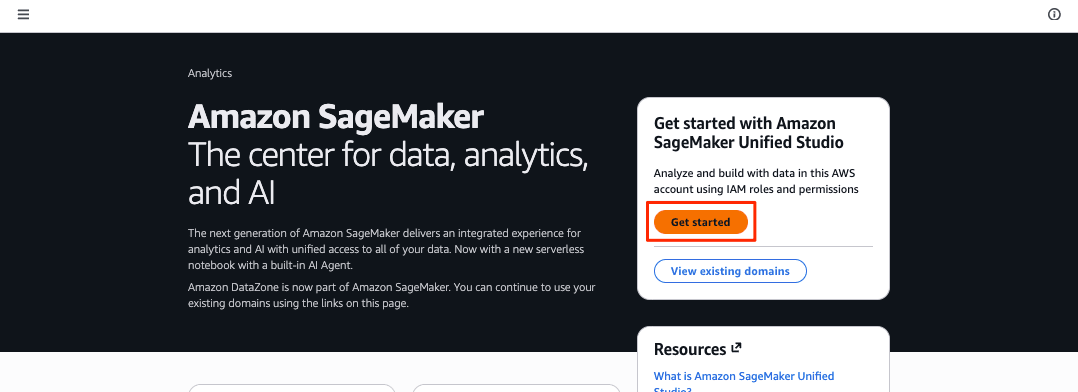
The initial Amazon SageMaker Unified Studio top screen displays a [Get started] button.
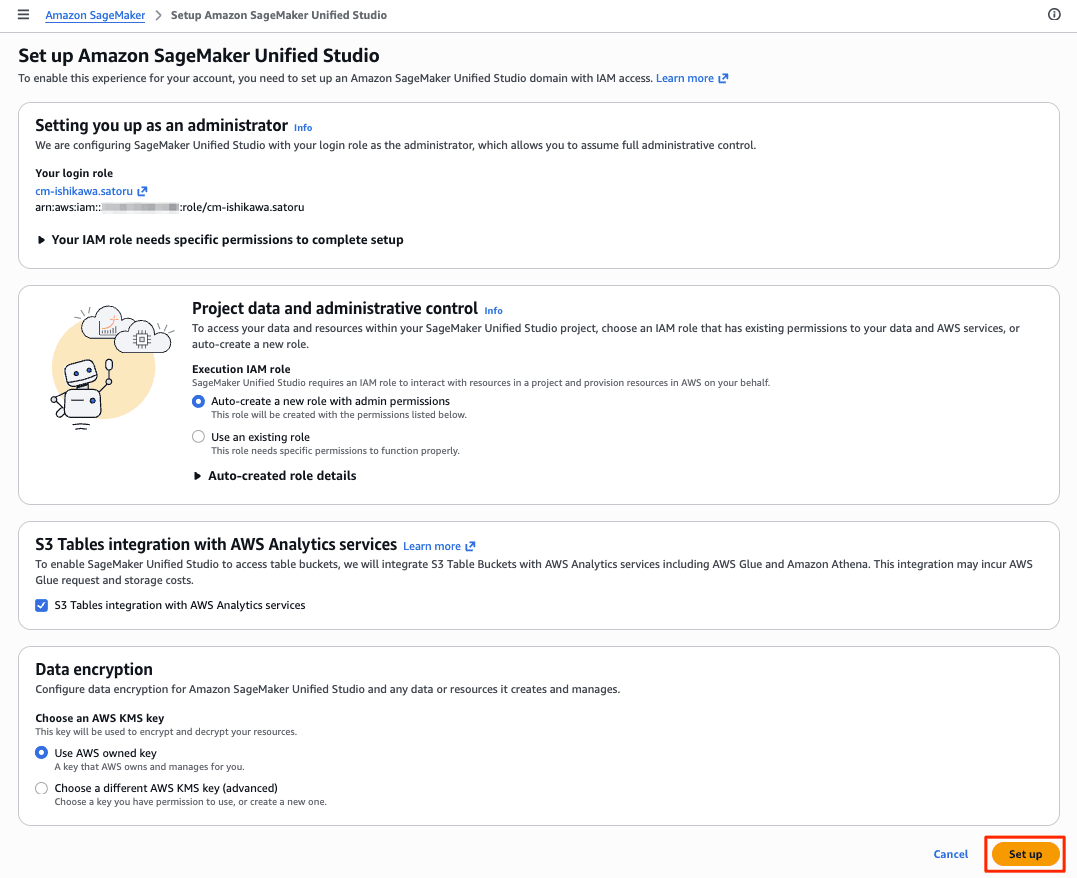
On the setup screen, press the [Set up] button without making any changes. A creation-in-progress animation dialog will appear for 1–2 minutes.
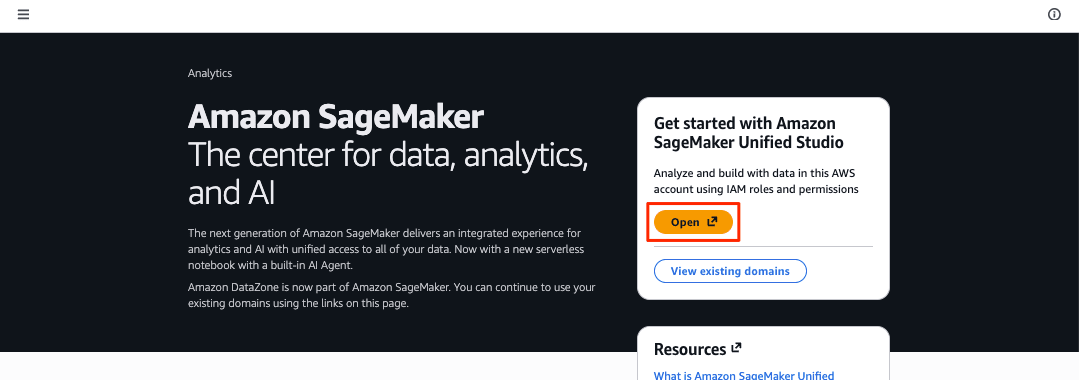
Once the IAM-based domain and project are created, the display on the Amazon SageMaker Unified Studio top screen changes to an [Open] button.
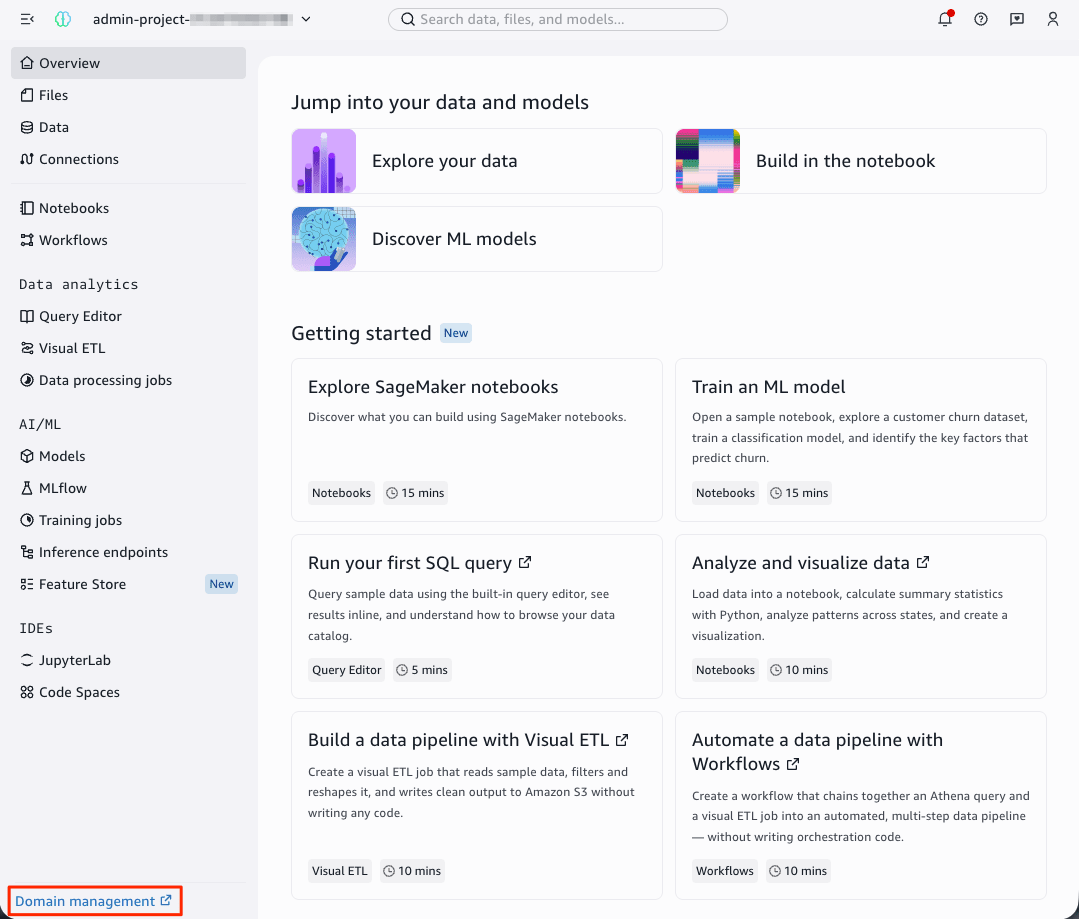
A project named admin-project-xxxxx is displayed. Click the [Domain management] link in the bottom right.
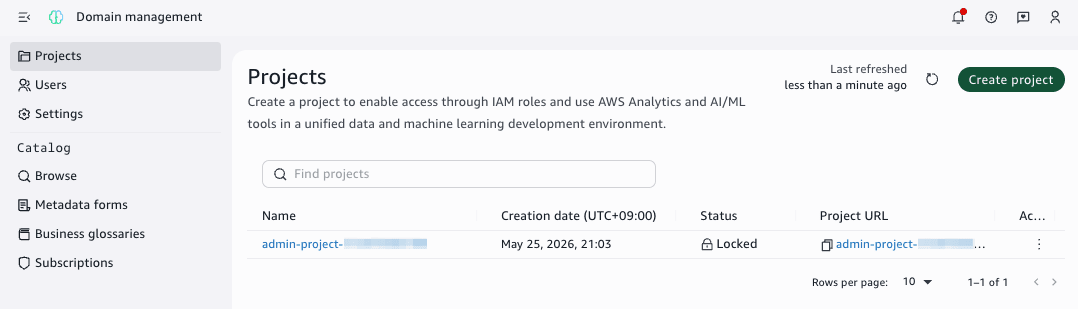
The domain management screen is displayed, and the admin-project-xxxxx project from earlier is shown in the list.
Trying AI-Generated Metadata
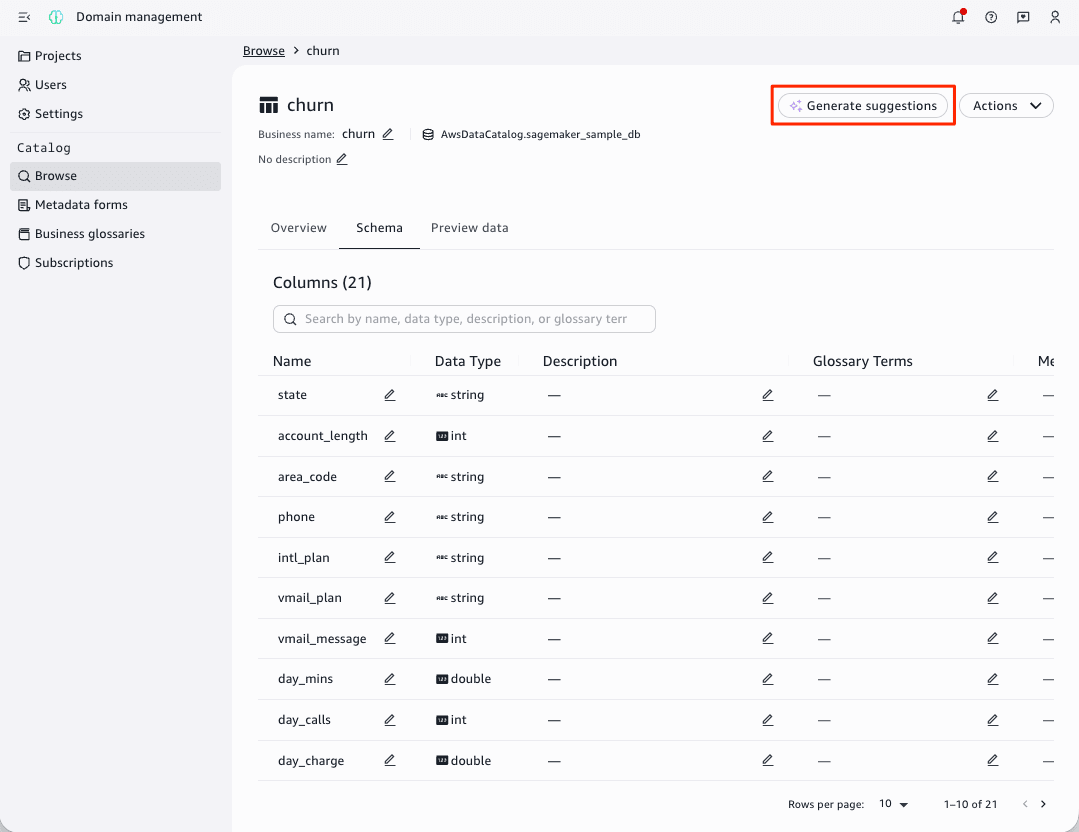
Pressing the Browse link on the domain management screen displays a list of tables registered in Glue Data Catalog. In the initial state, when an IAM-based domain and project are created, a sagemaker_sample_db.churm table registered in Lake Formation is created.
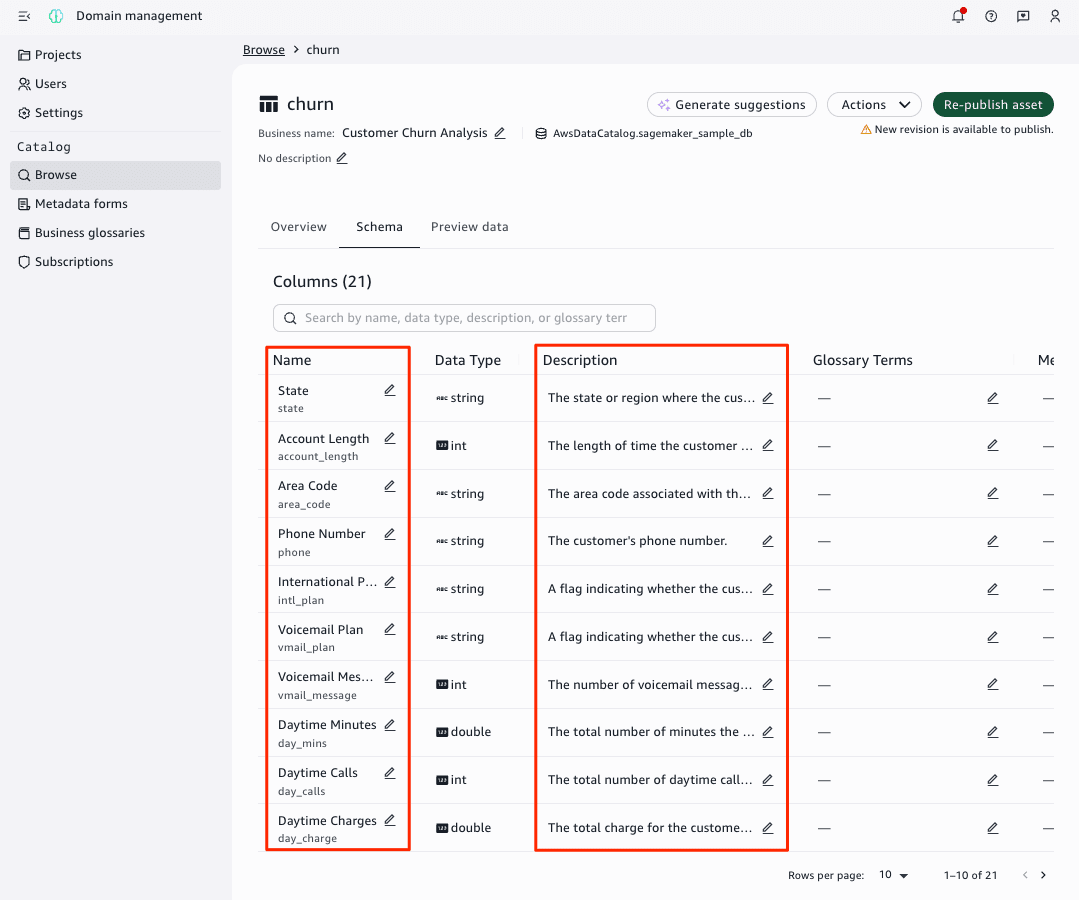
I would like to create AI-generated metadata for this sagemaker_sample_db.churm table. With the table displayed, press the [Generate suggestions] button.
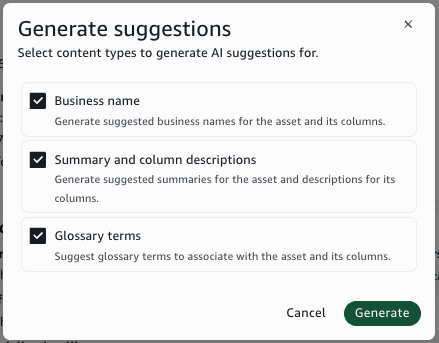
Pressing the [Generate suggestions] button displays a dialog asking what to generate. Press the [Generate] button.
The Name and Description were automatically generated in about one minute. Glossary Terms could not be generated this time.
Closing
A suite of data governance features — including business context, AI-generated metadata, business glossaries, metadata form templates, and subscriptions — are now available for IAM-based domains in Amazon SageMaker Unified Studio (SMUS).
This is a significant update that offers a compelling option for teams looking to maintain developer agility while enhancing data discoverability and access management processes across the organization. Whether you are already using IAM-based domains or considering adopting SageMaker Unified Studio for the first time, why not explore advancing your data utilization by starting with the preparation of business metadata?
