
I tried a passkey authentication app with the aws-auth skill for Amazon Cognito

This page has been translated by machine translation. View original
Introduction
On August 7, 2026, an aws-auth skill for Amazon Cognito was added to the Agent Toolkit for AWS.
Amazon Cognito passkey authentication has been supported since November 2024. The setup procedure is introduced by Kitano in the following article.
In this article, we reviewed the configuration of the aws-auth skill and implemented an actual passkey authentication demo app.
Verification Details
Overview of the aws-auth Skill
The aws-auth skill consists of the skill definition SKILL.md and nine references. Files are divided by Cognito feature and use case, and the agent refers to the necessary references depending on the task.
| # | File Name | Role |
|---|---|---|
| 1 | SKILL.md | Skill definition (metadata, scope, overview, guidance to references) |
| 2 | references/user-pools.md | User pool creation and configuration |
| 3 | references/managed-login-oauth.md | Managed Login and OAuth 2.0 flows |
| 4 | references/passkeys.md | Passkey/WebAuthn configuration and registration |
| 5 | references/tokens-and-sessions.md | Token and session management |
| 6 | references/api-authorization.md | API Gateway JWT Authorizer, etc. |
| 7 | references/identity-pools.md | Identity pools (Federated Identities) |
| 8 | references/lambda-triggers.md | Lambda triggers |
| 9 | references/threat-protection.md | Threat protection |
| 10 | references/troubleshooting.md | Troubleshooting |
SKILL.md also serves as an index, and the agent refers to relevant references as needed based on the task.
Installing the Skill
Download the aws-auth directory from the GitHub repository and extract it to .kiro/skills/aws-auth in your project.
mkdir -p .kiro/skills
cd .kiro/skills
curl -sL https://github.com/aws/agent-toolkit-for-aws/archive/refs/heads/main.tar.gz \
  | tar -xzf - --strip-components=3 agent-toolkit-for-aws-main/skills/core-skills/aws-auth
Implementing the Passkey Authentication Demo
With the aws-auth skill placed in the project's .kiro/skills/aws-auth, we implemented a demo app that signs in with Cognito passkeys. The region is ap-northeast-1 and the model is GPT-5.6 Luna.
The instructions given were as follows.
- Create a user pool with the Essentials plan and enable passkeys
- A demo where a passkey is registered after password sign-in, allowing passkey sign-in from the next time onward
- Implemented in HTML + JavaScript with no dependency packages
- HTTPS delivery via CloudFront
The generated code reflected the descriptions in passkeys.md from the aws-auth skill. For example, regarding the RP ID, the skill contains the following description.
**`WebAuthnConfiguration`** — lives on the pool's **MFA configuration**, NOT
on `SignInPolicy`. Set via `set-user-pool-mfa-config`:

   aws cognito-idp set-user-pool-mfa-config \
     --user-pool-id <pool-id> \
     --web-authn-configuration RelyingPartyId=auth.example.com,UserVerification=preferred

- `RelyingPartyId` — the origin the passkey is bound to. Must match your
  app's domain.
The RP ID is the domain used by WebAuthn. It must be set to the hostname accessed in the browser itself, or a valid value as its parent domain. In this configuration, the CloudFront delivery domain was specified as the RP ID.
window.APP_CONFIG = {
  region: "ap-northeast-1",
  userPoolId: "ap-northeast-1_XXXXXXXXX",
  clientId: "xxxxxxxxxxxxxxxxxxxxxxxxxx",
  relyingPartyId: "dxxxxxxxxxxxxx.cloudfront.net"  // Matches the CloudFront domain
};
The generated code worked without any modifications, and passkey registration and sign-in succeeded.
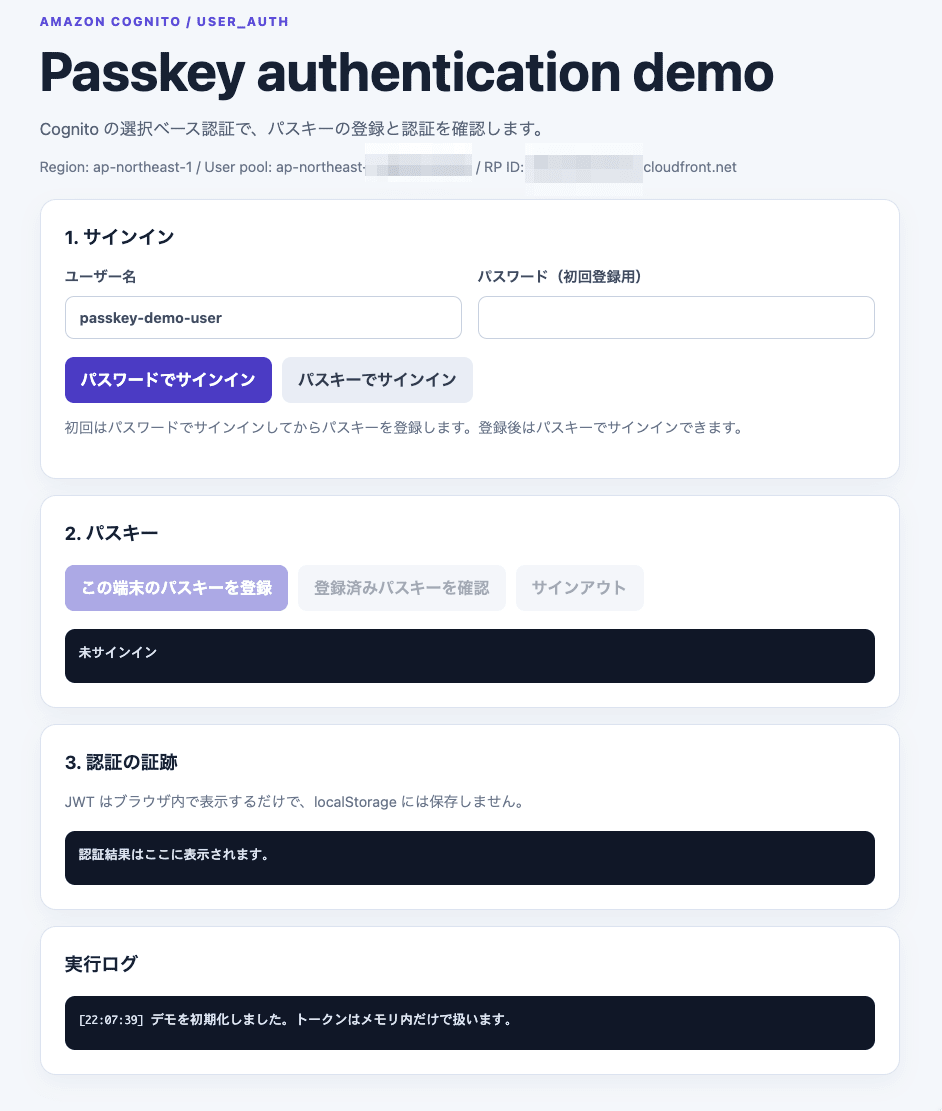
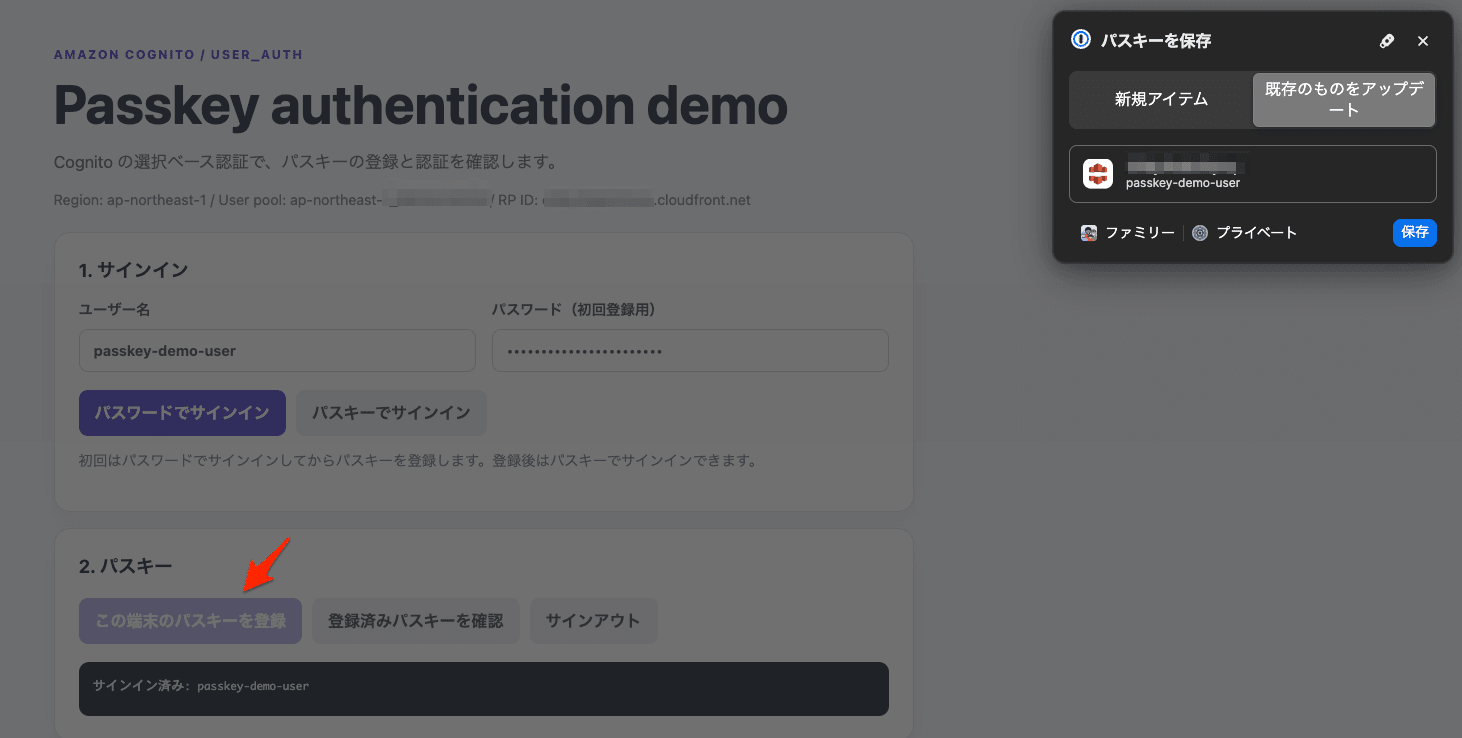
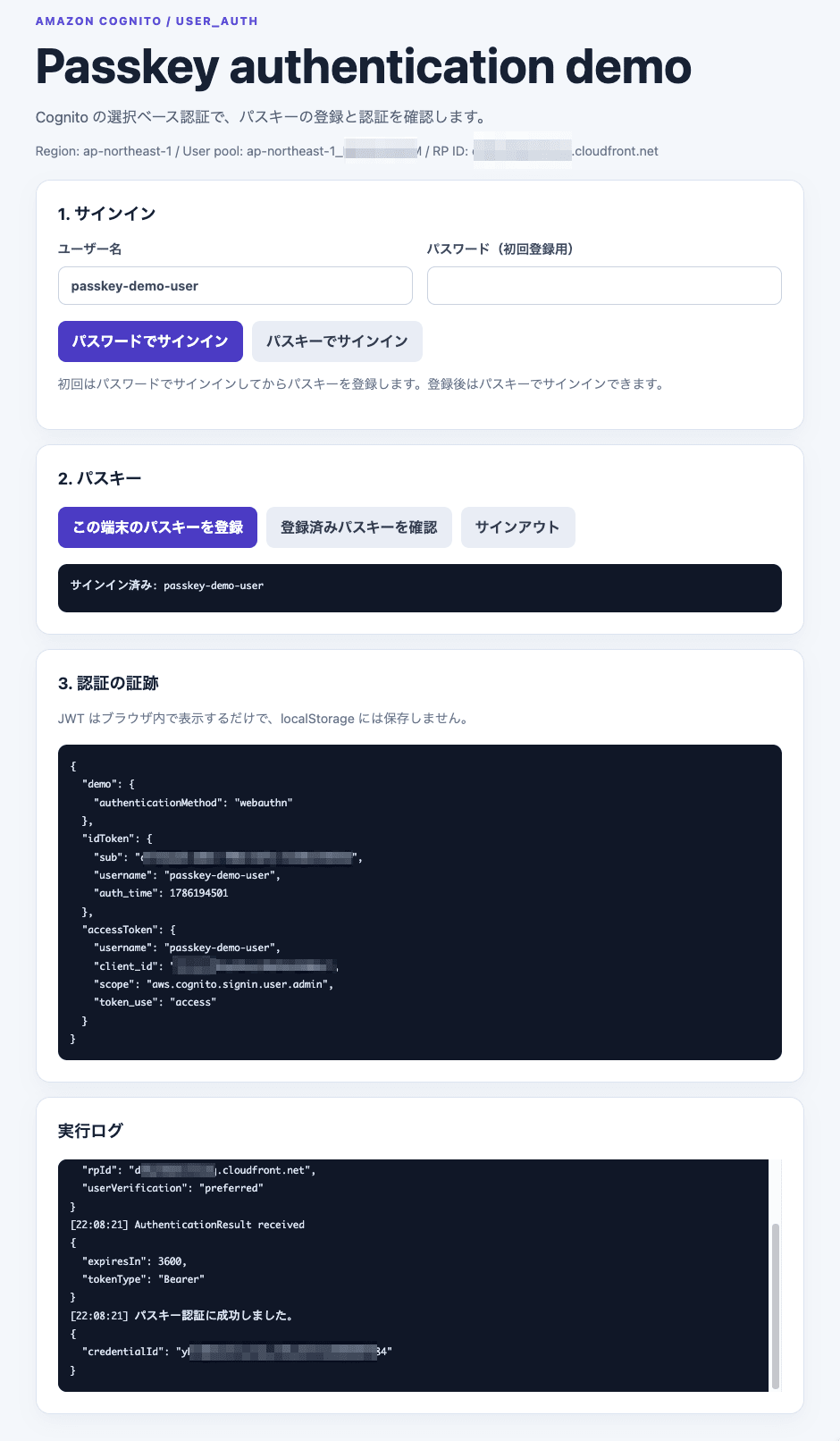
We confirmed the completion of passkey authentication by starting the WEB_AUTHN challenge with InitiateAuth, executing navigator.credentials.get(), and then obtaining AuthenticationResult from RespondToAuthChallenge. Additionally, we confirmed that the passkey was registered by verifying that WEB_AUTHN was included in ConfiguredUserAuthFactors of AdminGetUserAuthFactors.
Summary
By introducing the aws-auth skill, the agent can refer to the necessary configurations and implementation notes for Cognito authentication features while proceeding with implementation and modifications. For features like passkeys that involve both user pool configuration and client-side implementation, the ability to reference related information together proved to be a significant advantage.
This time, even with GPT-5.6 Luna available at a 0.1x credit multiplier, all the configuration items required for passkeys were implemented without omission. If you have the opportunity to develop an application using Cognito authentication and authorization, please give the aws-auth skill a try.
