I tried building a multi-agent AI Starter with AgentCore Gateway × VPC Lambda

This page has been translated by machine translation. View original
Introduction
I encountered a situation where I wanted to add "sub-agents" to AI Starter. This is a multi-agent configuration where a parent agent (assistant) delegates tasks it cannot handle on its own to specialized sub-agents, then incorporates the results to provide an answer.
AI Starter has MCP (Model Context Protocol) integration implemented, with a mechanism for calling external MCP servers as tools. My investigation started from the question: can we leverage this existing MCP integration to add sub-agents?
Can Sub-Agents Be Added to AI Starter?
How MCP Integration Works
Upon investigation, I found that AI Starter's MCP client communicates with remote MCP servers using Streamable HTTP Transport. The flow is simple:
- Register the MCP server URL
- At startup, retrieve the tool list via
tools/list - LLM decides to call a tool → execute via
tools/call - Return the result to the LLM's context
In other words, as long as you prepare an endpoint that behaves as an MCP server, the application treats it as "just a tool." Whether the sub-agent's internals call an LLM or use simple logic doesn't matter — as long as it satisfies the MCP interface, it works transparently.
AgentCore Gateway Becomes an MCP Aggregator
This is where Amazon Bedrock AgentCore Gateway comes in. AgentCore Gateway has a feature called MCP targets that wraps Lambda functions as MCP tools.
Architecture diagram:
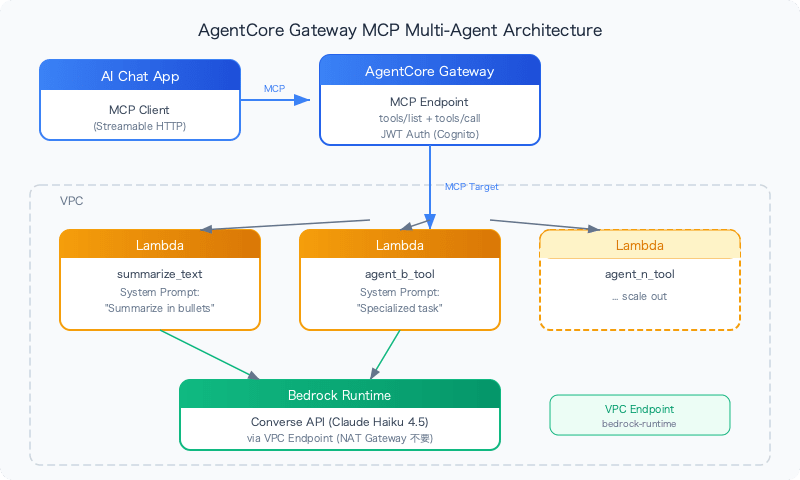
Since the Gateway responds to tools/list and exposes Lambda-based sub-agents as tools, no code changes are needed on the application side.
MCP Target vs HTTP Target
AgentCore Gateway has two types: "MCP target" and "HTTP target." Here is an important finding:
| MCP Target | HTTP Target | |
|---|---|---|
Discoverable via tools/list |
Yes | No |
| Tool schema definition | Required (name, description, inputSchema) | Not required (pass-through) |
| Use case | Called as a tool | API proxy |
HTTP targets do not appear in tools/list and are therefore invisible to MCP clients. If you want to use it as a sub-agent, MCP target is the only option.
Building Sub-Agents with VPC Lambda
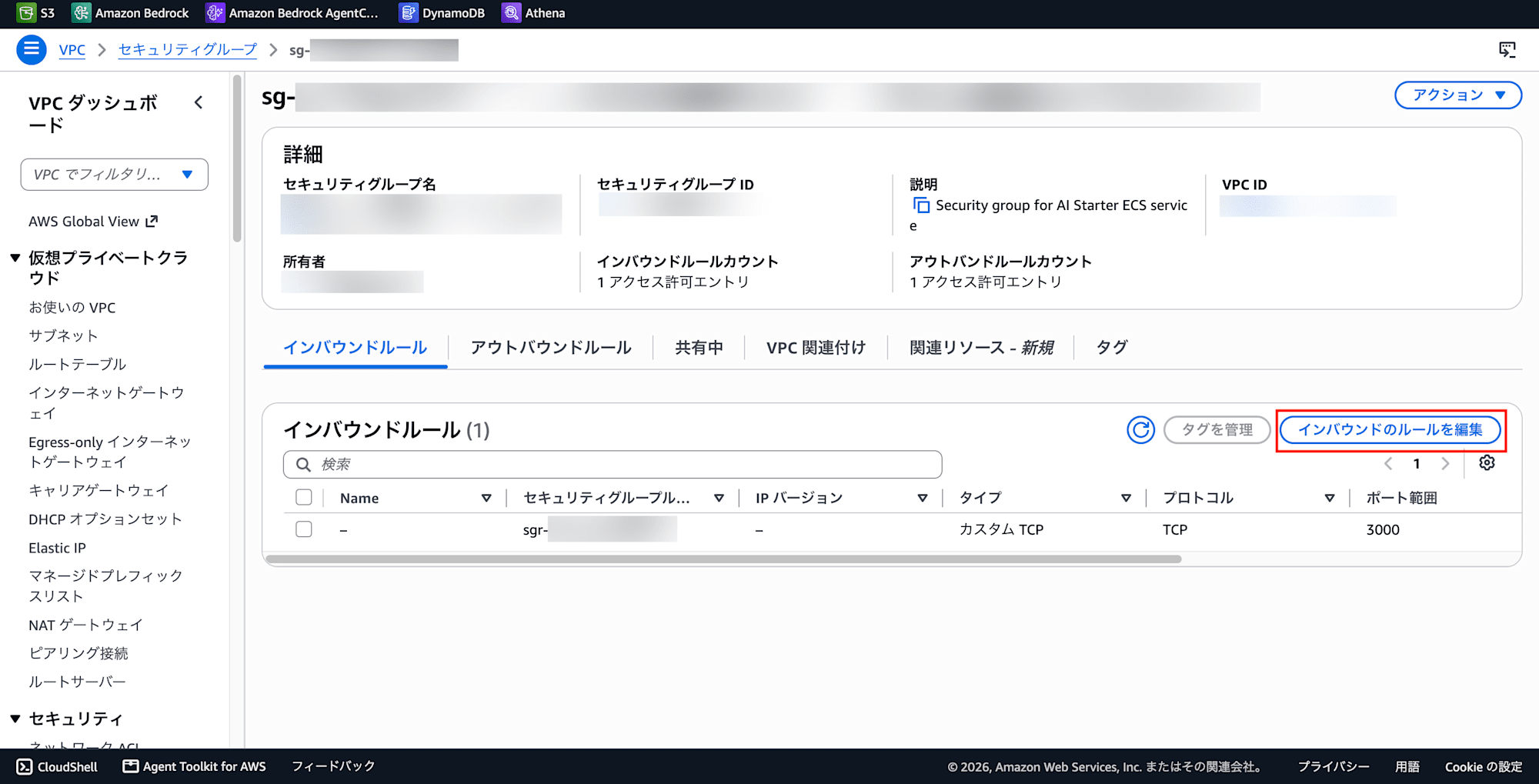
Add Inbound Rules to the Security Group
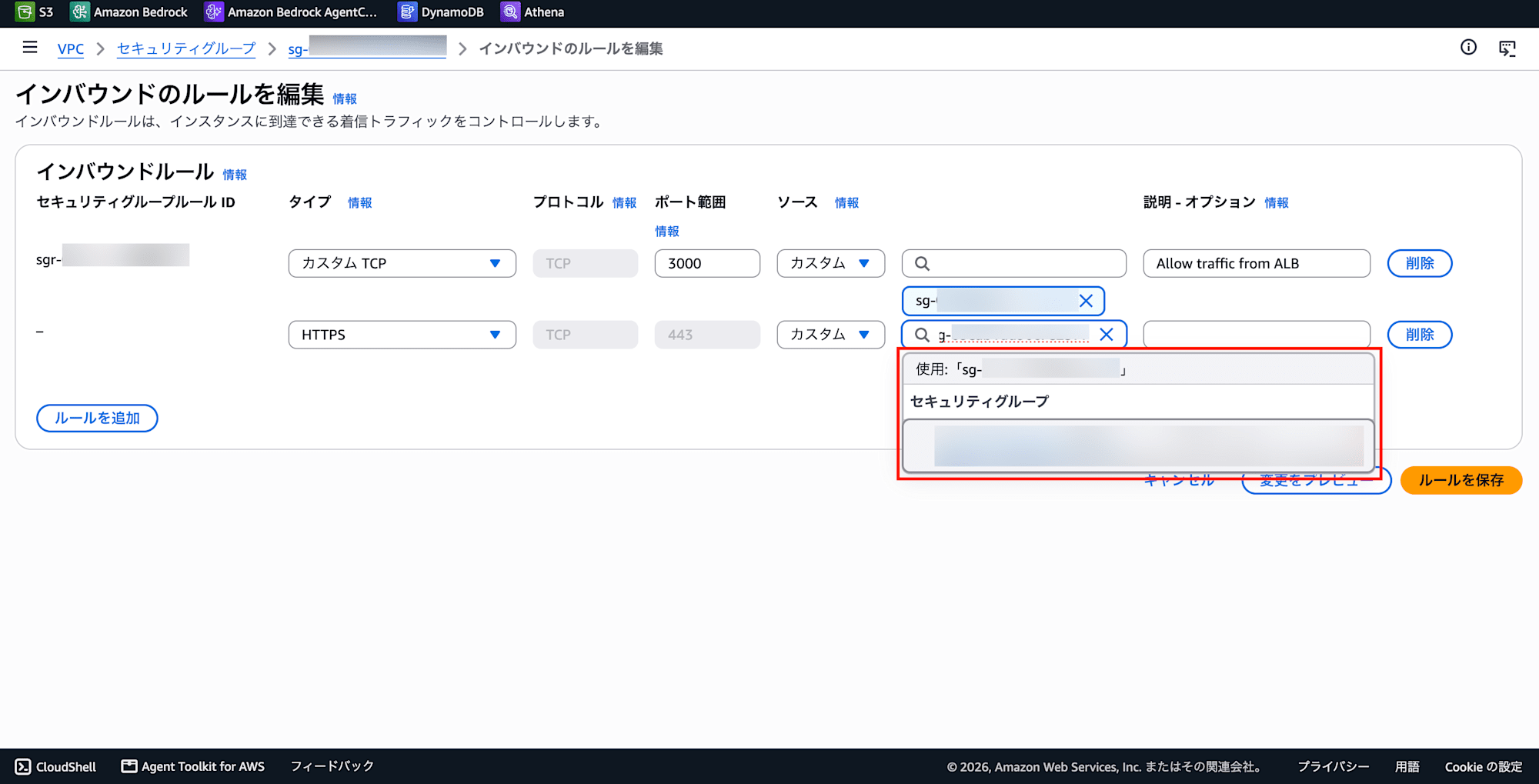
Add HTTPS (443) / Source: own SG to the security group's inbound rules. This allows HTTPS communication from Lambda within the same SG to the VPC Endpoint.
-
VPC Console → Security Groups → Edit Inbound Rules
-
Click Add Rule
-
Type: HTTPS
-
Source: Custom
-
Target: Your own security group ID
-
Click Save Rules
Creating a VPC Endpoint
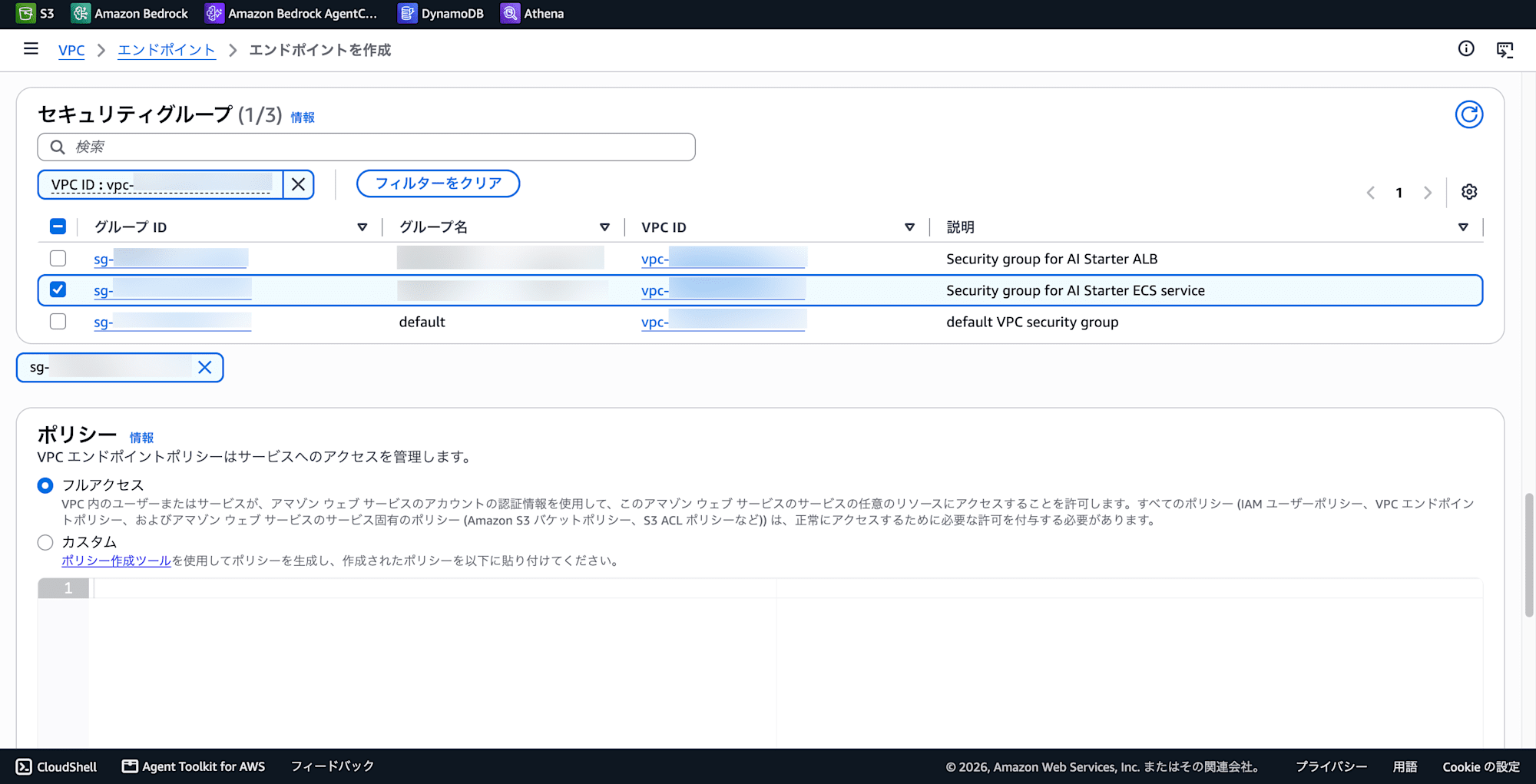
A VPC Endpoint is required to call Bedrock from Lambda inside a VPC (no NAT Gateway needed).
-
VPC Console → Endpoints → Create Endpoint
-
Type: AWS Services
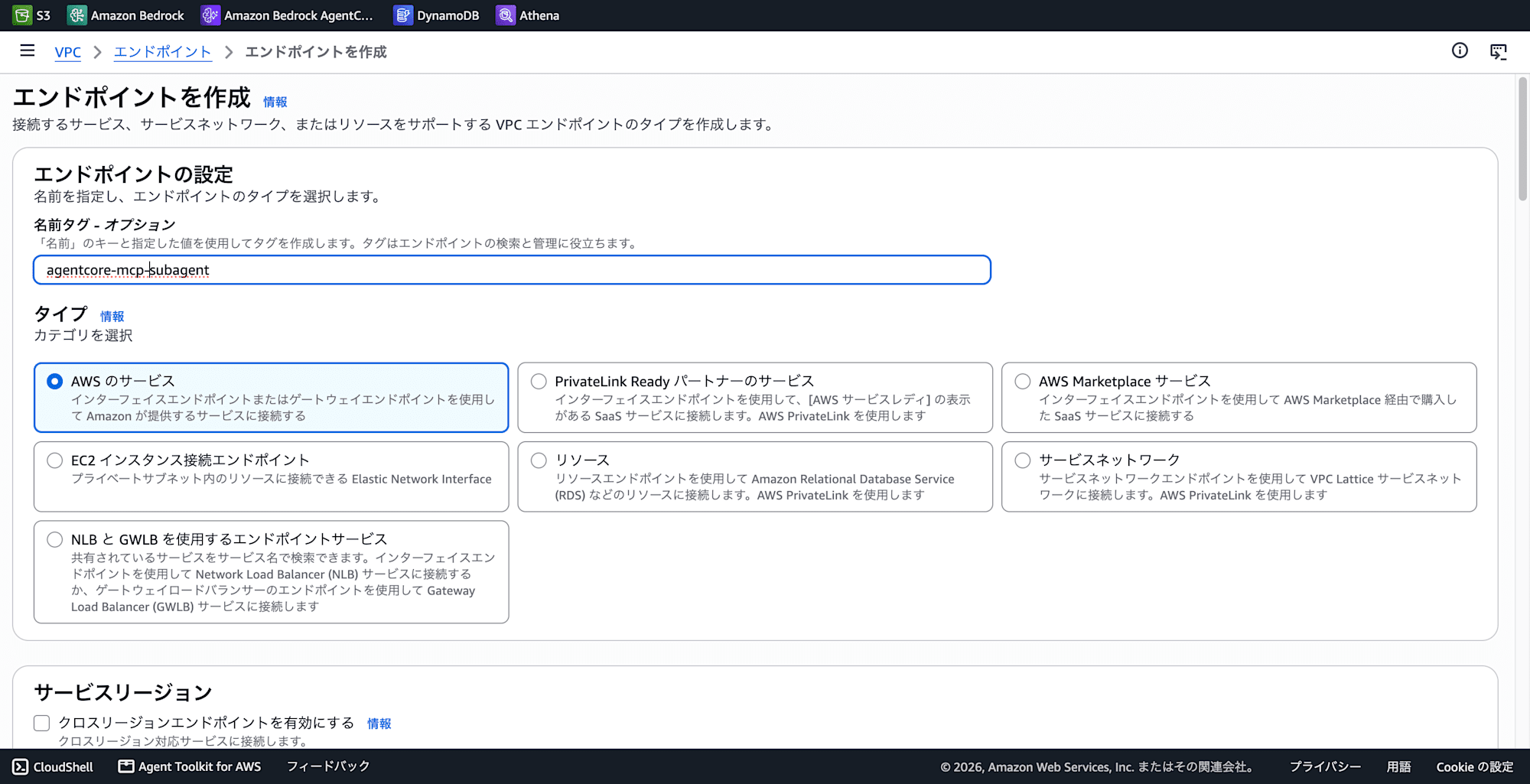
-
Service:
com.amazonaws.ap-northeast-1.bedrock-runtime
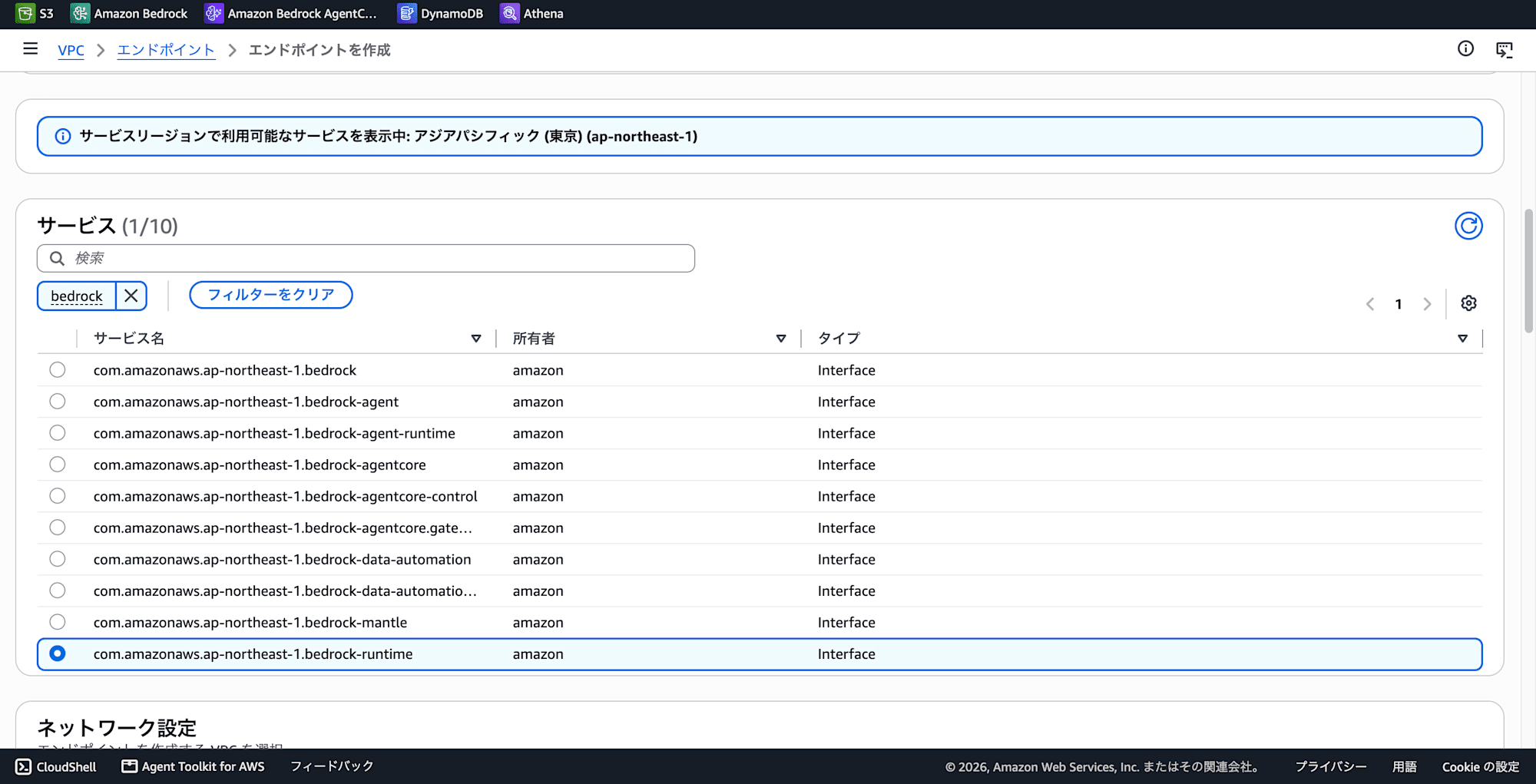
-
Select VPC
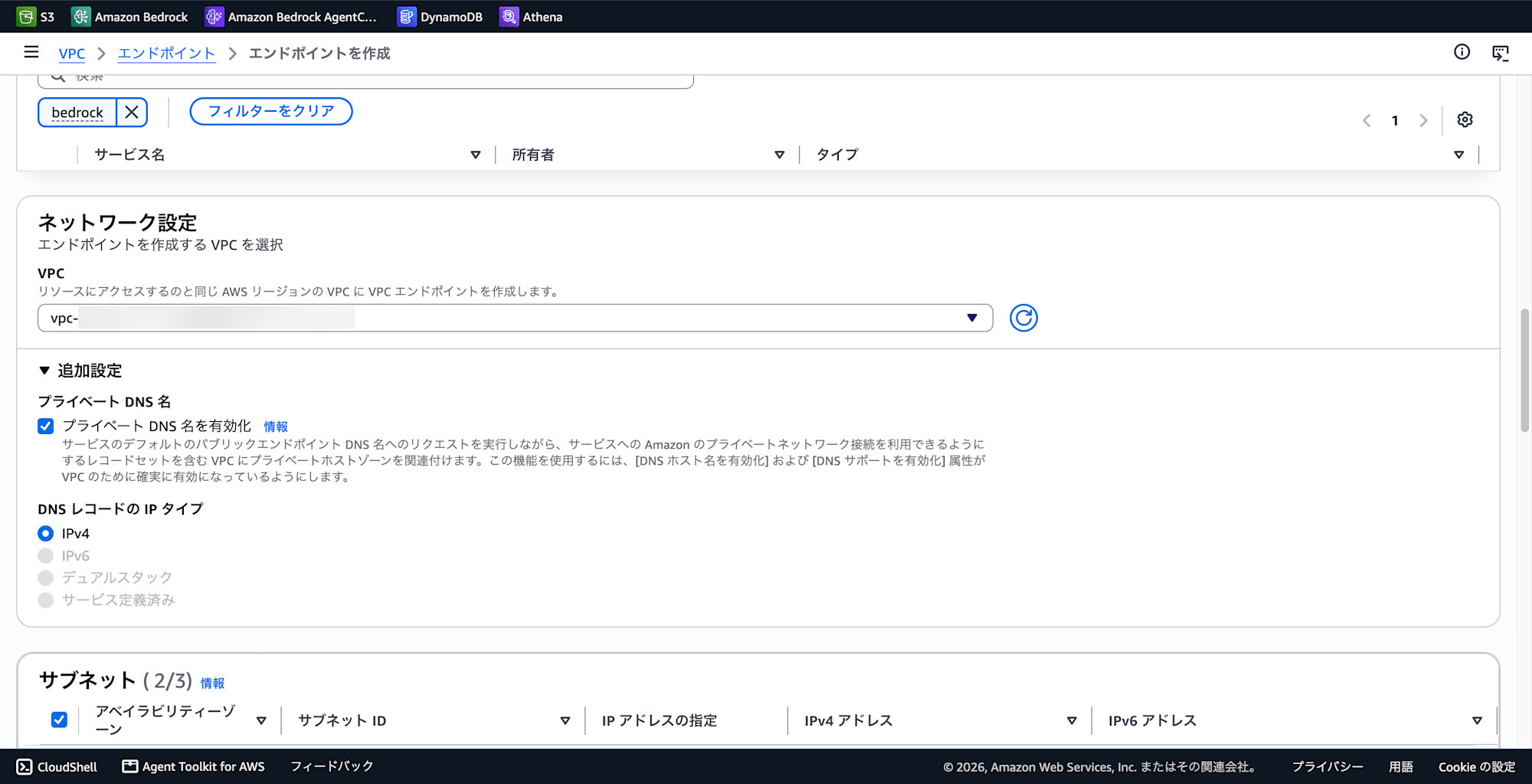
-
Select subnet
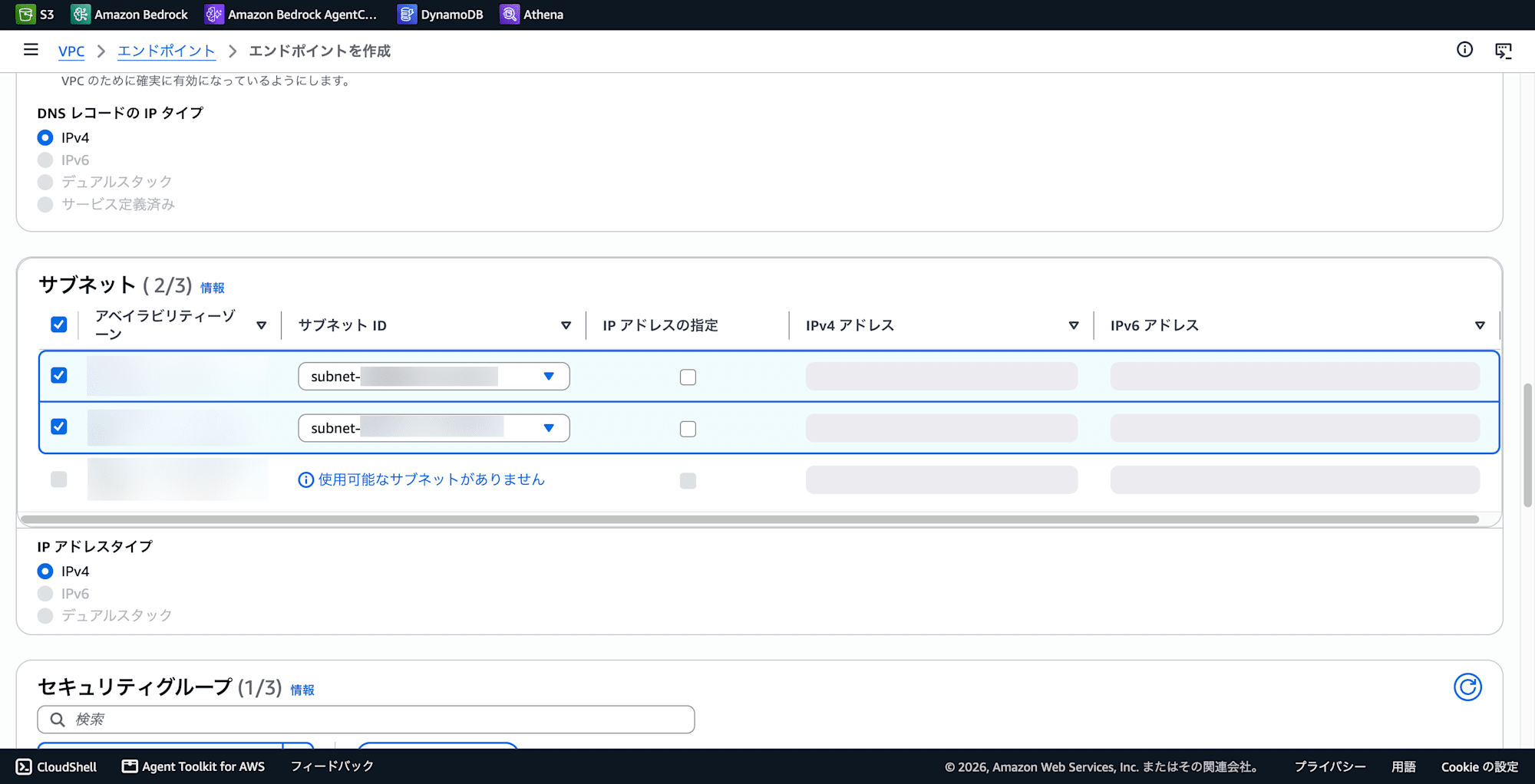
-
Select security group
Creating the Lambda Function
Implement the sub-agent with VPC Lambda. Here we use a "summarization agent" as an example.
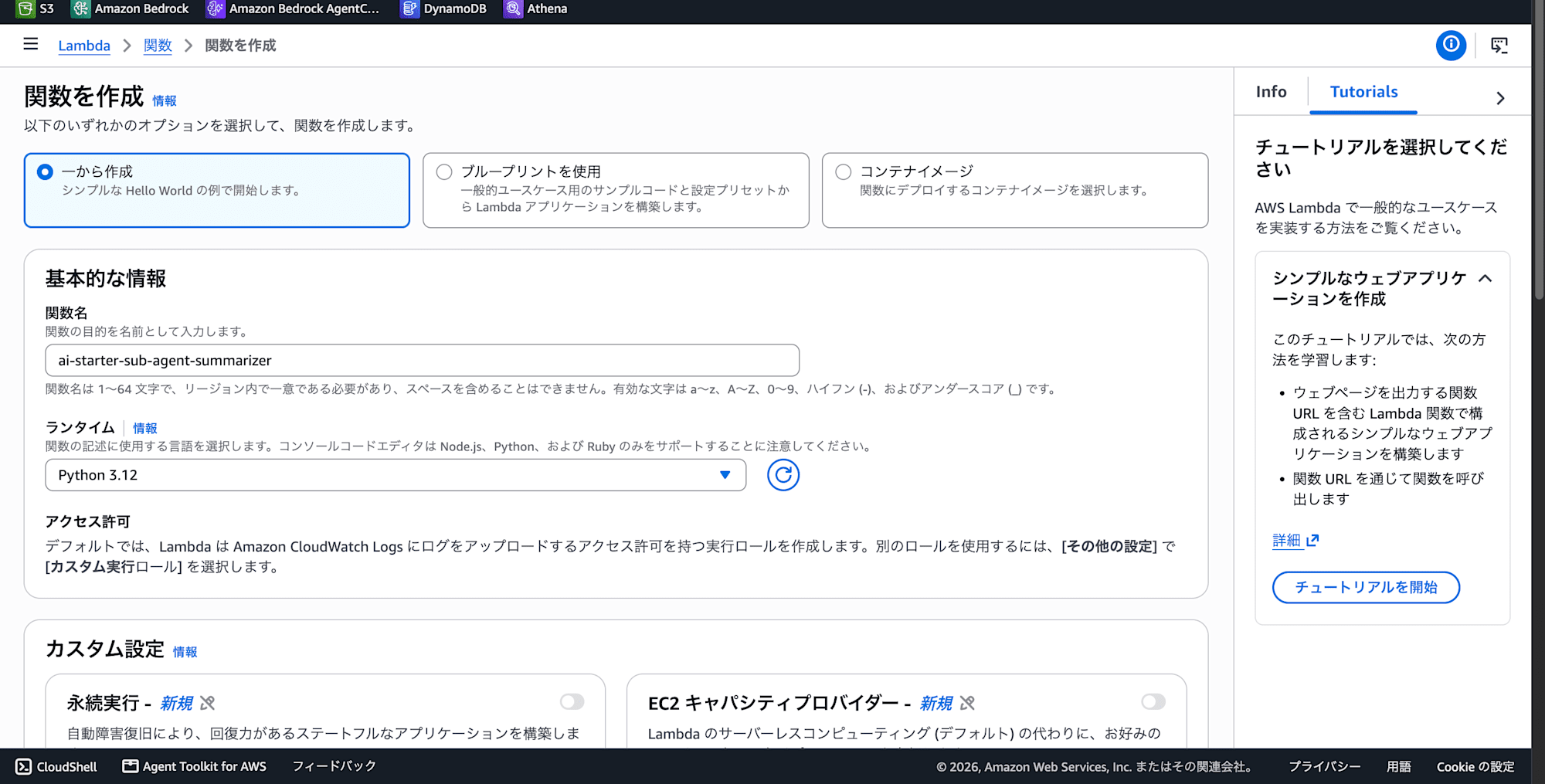
- Runtime: Python 3.12
- VPC: Specify the same VPC, subnet, and SG as the VPC Endpoint
- Timeout: Set to 30 seconds or more since LLM calls are involved
- IAM Role: Grant
bedrock:InvokeModelpermission
-
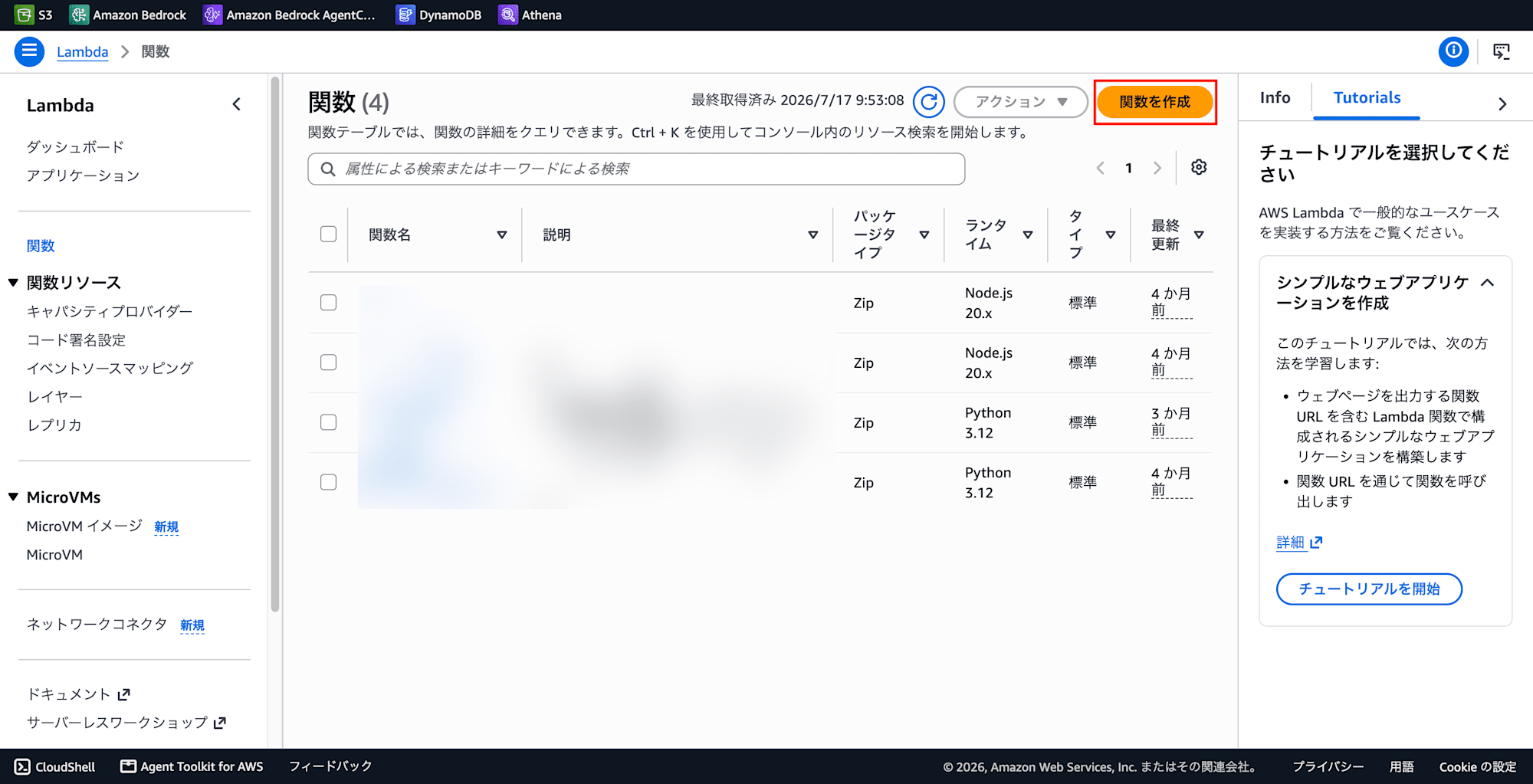
Lambda Console → Functions → Create Function
-
Select Author from scratch
-
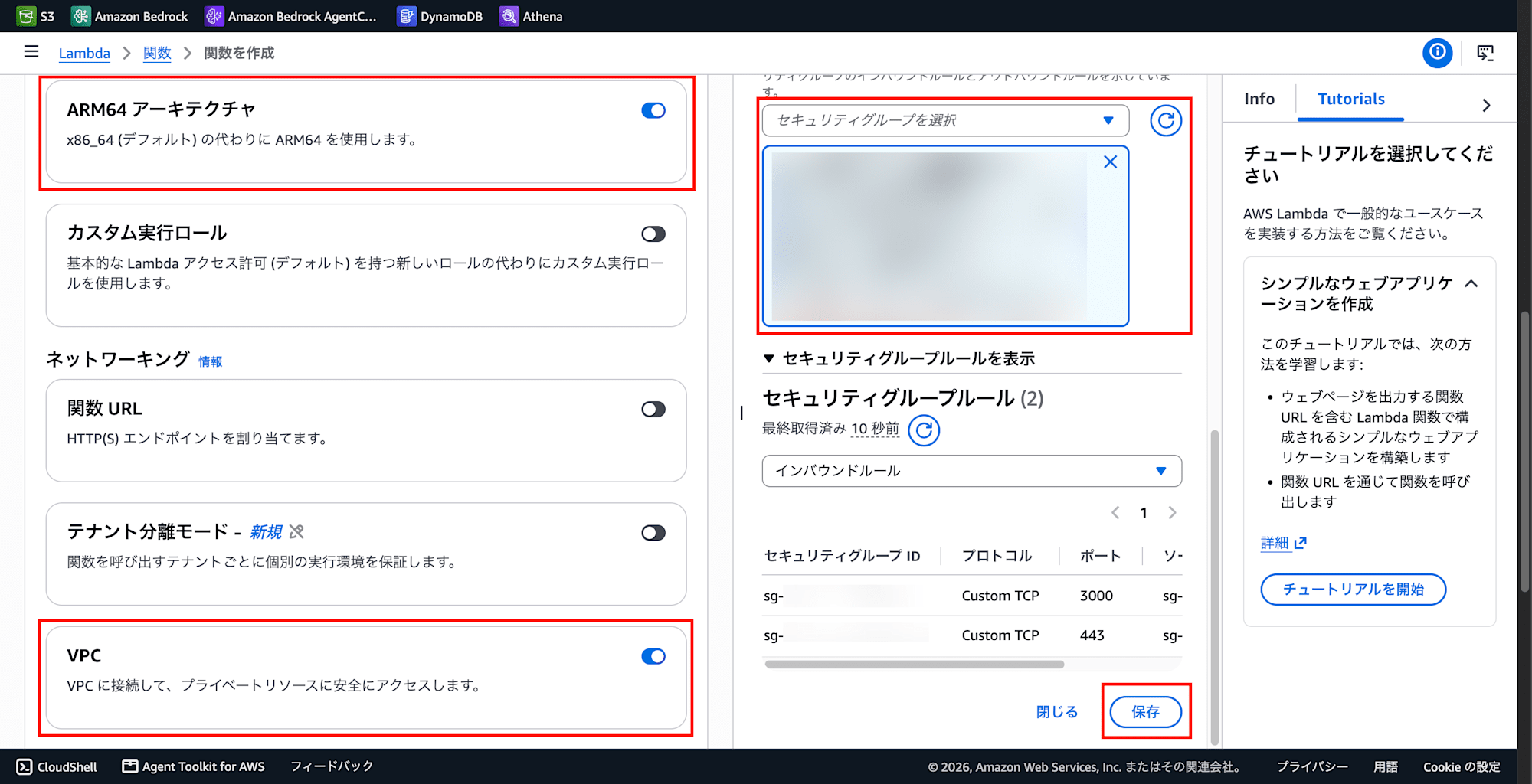
Enable ARM64 architecture for cost savings
-
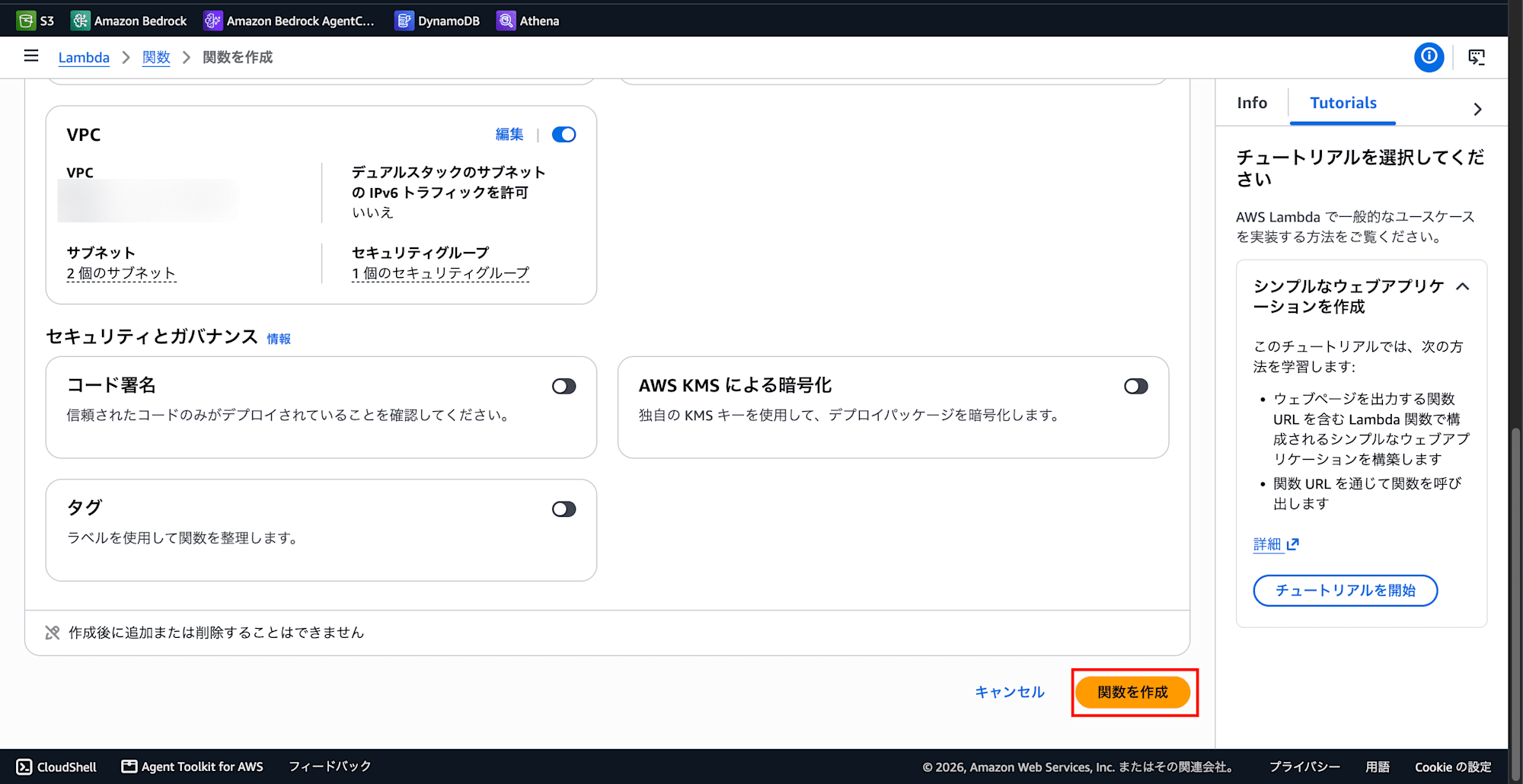
Enable VPC
-
Select security group
-
Click the Save button
-
Click Create Function
-
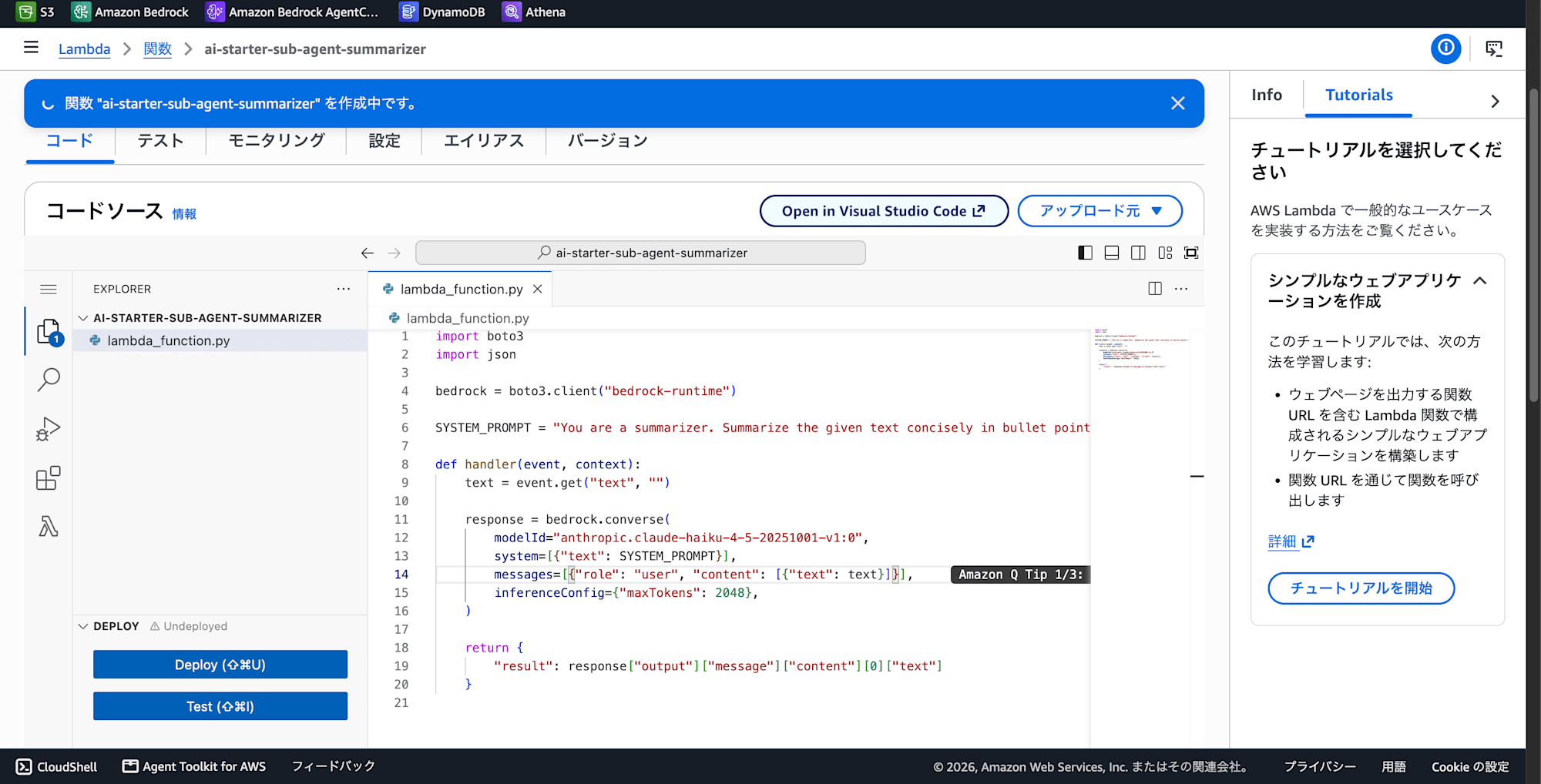
Configure the Lambda function with the following content
import boto3
import json

bedrock = boto3.client("bedrock-runtime")

SYSTEM_PROMPT = "You are a summarizer. Summarize the given text concisely in bullet points."

def lambda_handler(event, context):
    text = event.get("text", "")
    response = bedrock.converse(
        modelId="jp.anthropic.claude-haiku-4-5-20251001-v1:0",
        system=[{"text": SYSTEM_PROMPT}],
        messages=[{"role": "user", "content": [{"text": text}]}],
        inferenceConfig={"maxTokens": 2048},
    )
    return {
        "result": response["output"]["message"]["content"][0]["text"]
    }
-
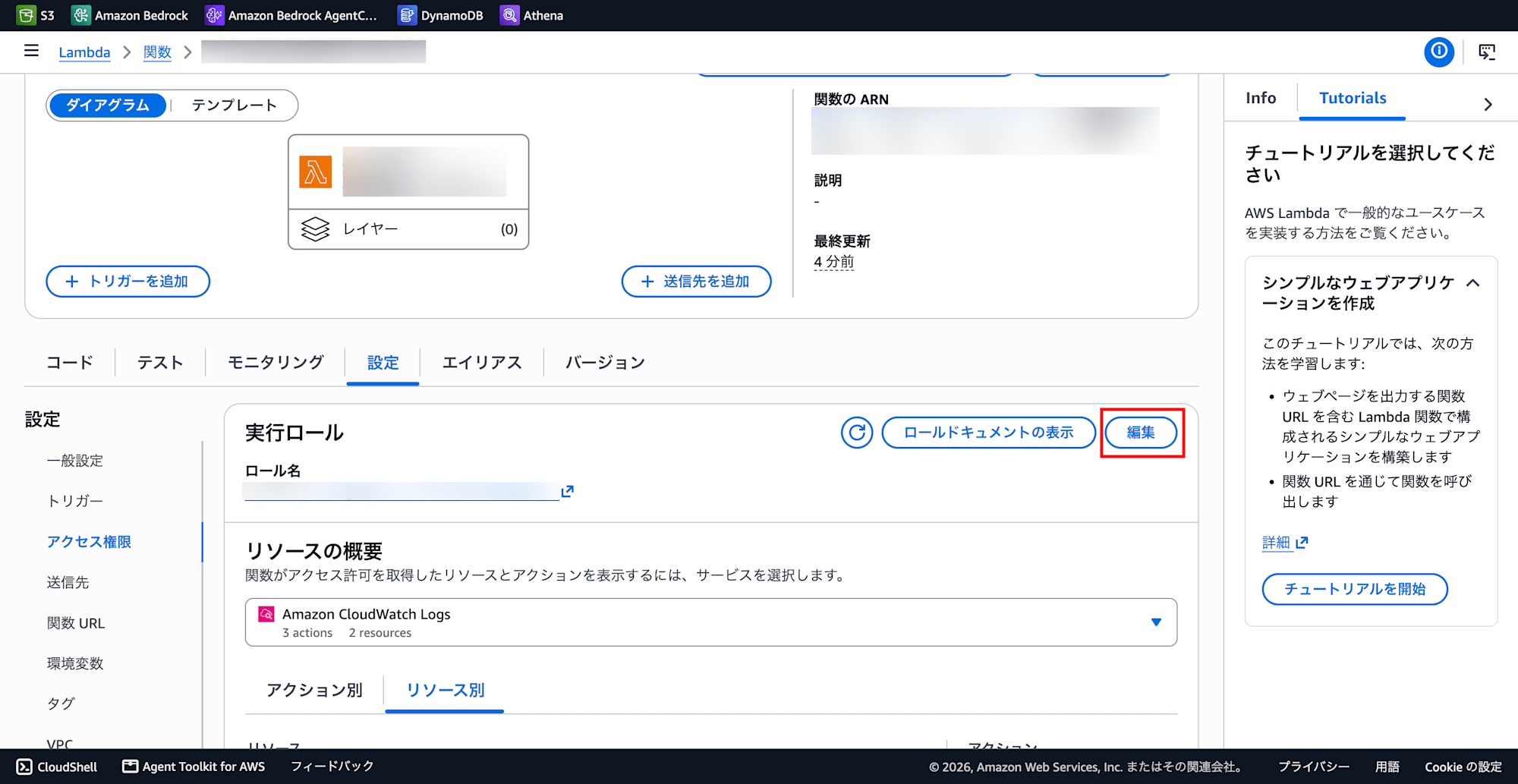
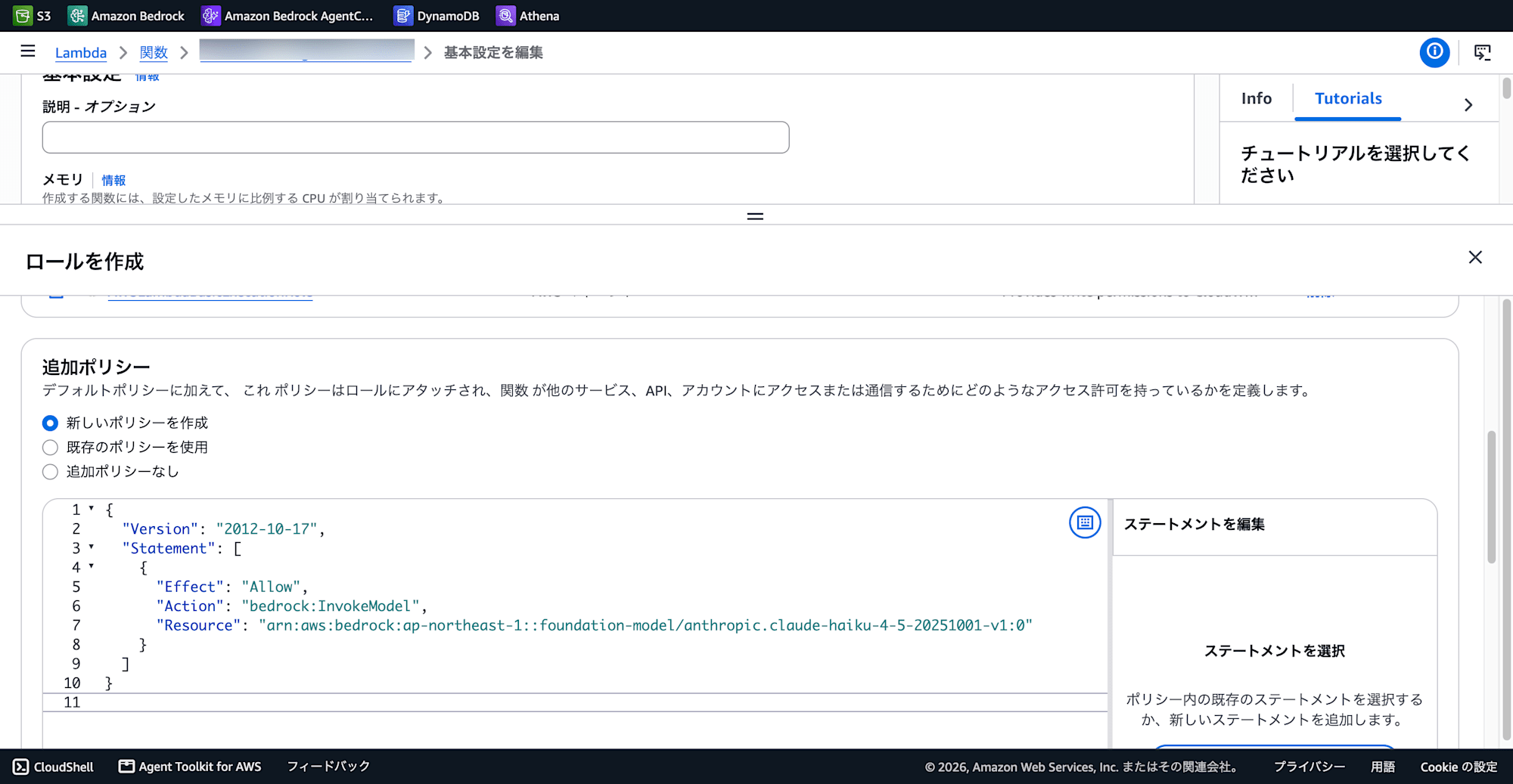
Configuration → Permissions → Edit
-
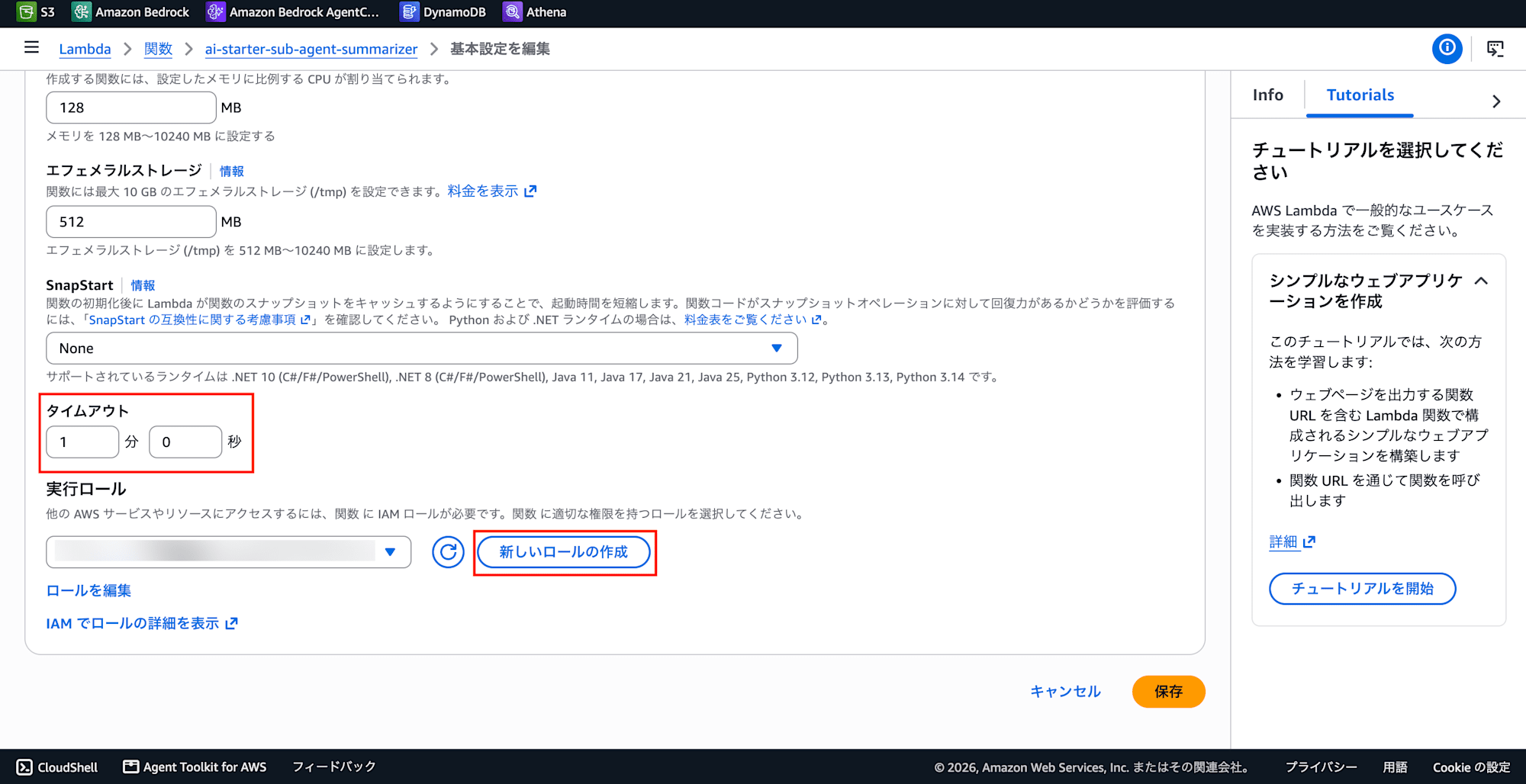
Timeout: 1 minute
-
Select Create a new role
-
Create a role with the following content
{
  "Version": "2012-10-17",
  "Statement": [
    {
      "Effect": "Allow",
      "Action": "bedrock:InvokeModel",
      "Resource": "*"
    }
  ]
}
-
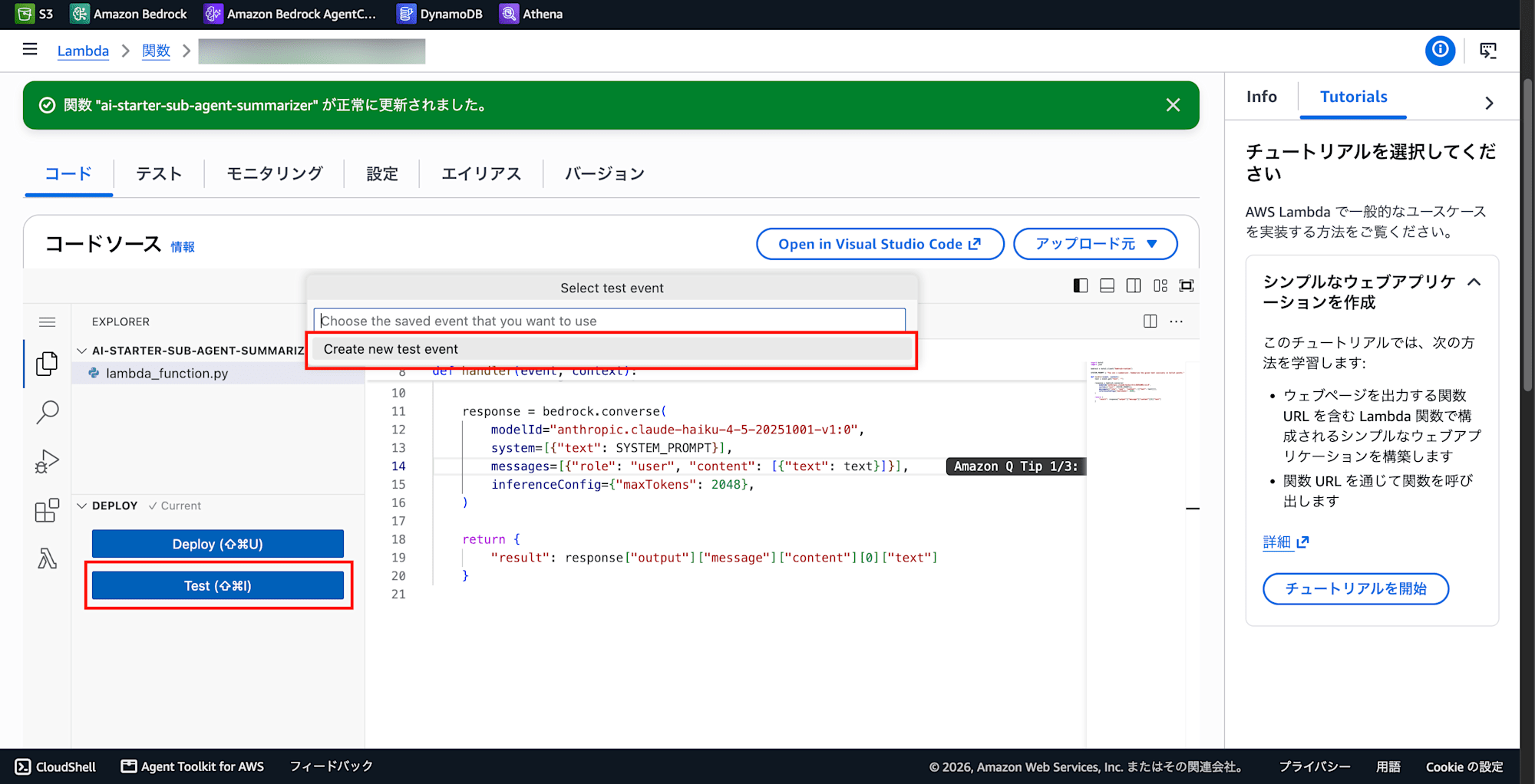
Test → Create new test event
-
Invocation type: Synchronous
-
Events sharing settings: Private
-
Set the JSON event with the following content
{
  "text": "Amazon Bedrock is a fully managed service that makes foundation models from leading AI companies available through a single API. It offers a broad range of models to choose from, along with capabilities to build generative AI applications with security, privacy, and responsible AI."
}
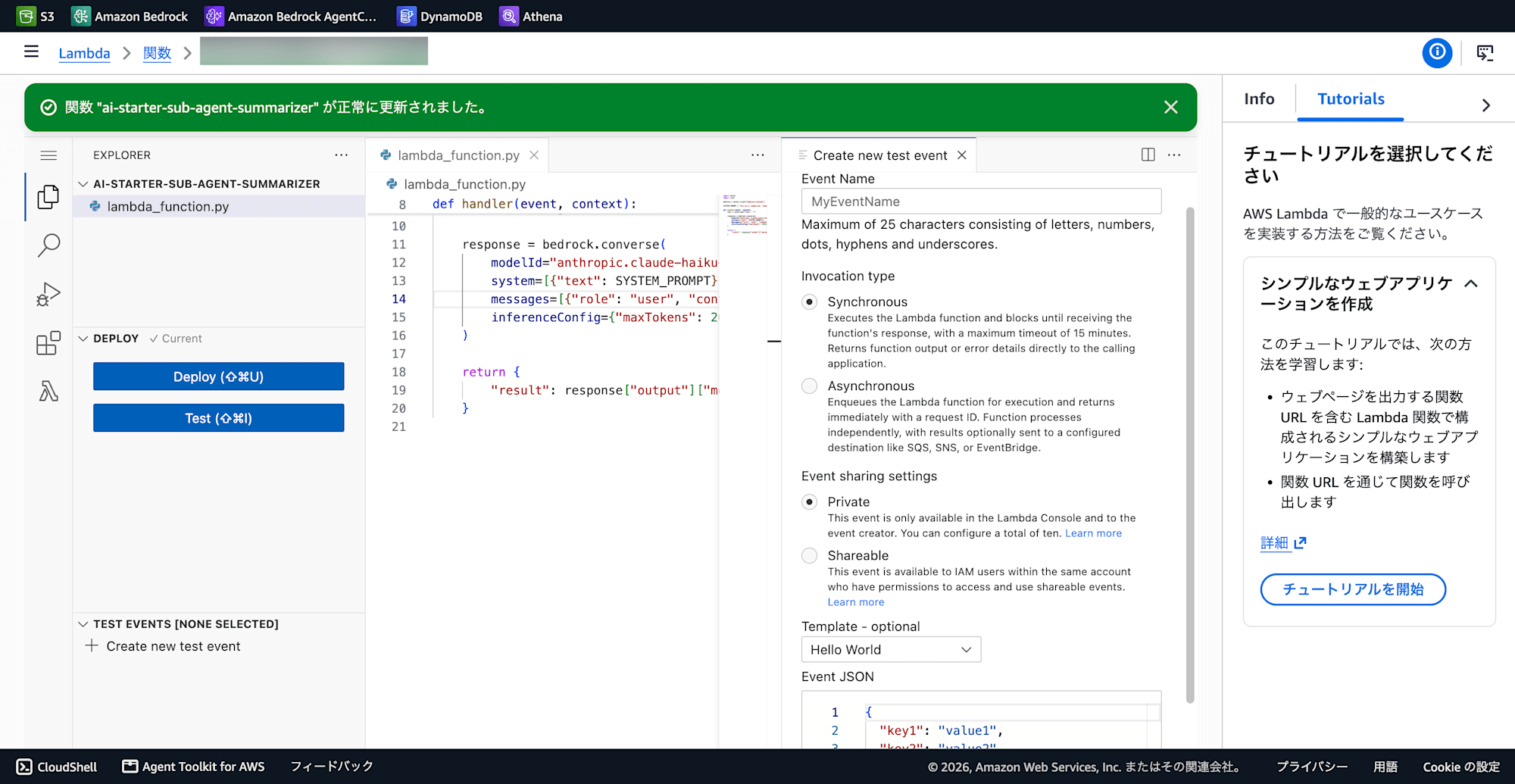
If the test succeeds, you are good to go.
Setting Up AgentCore Gateway
-
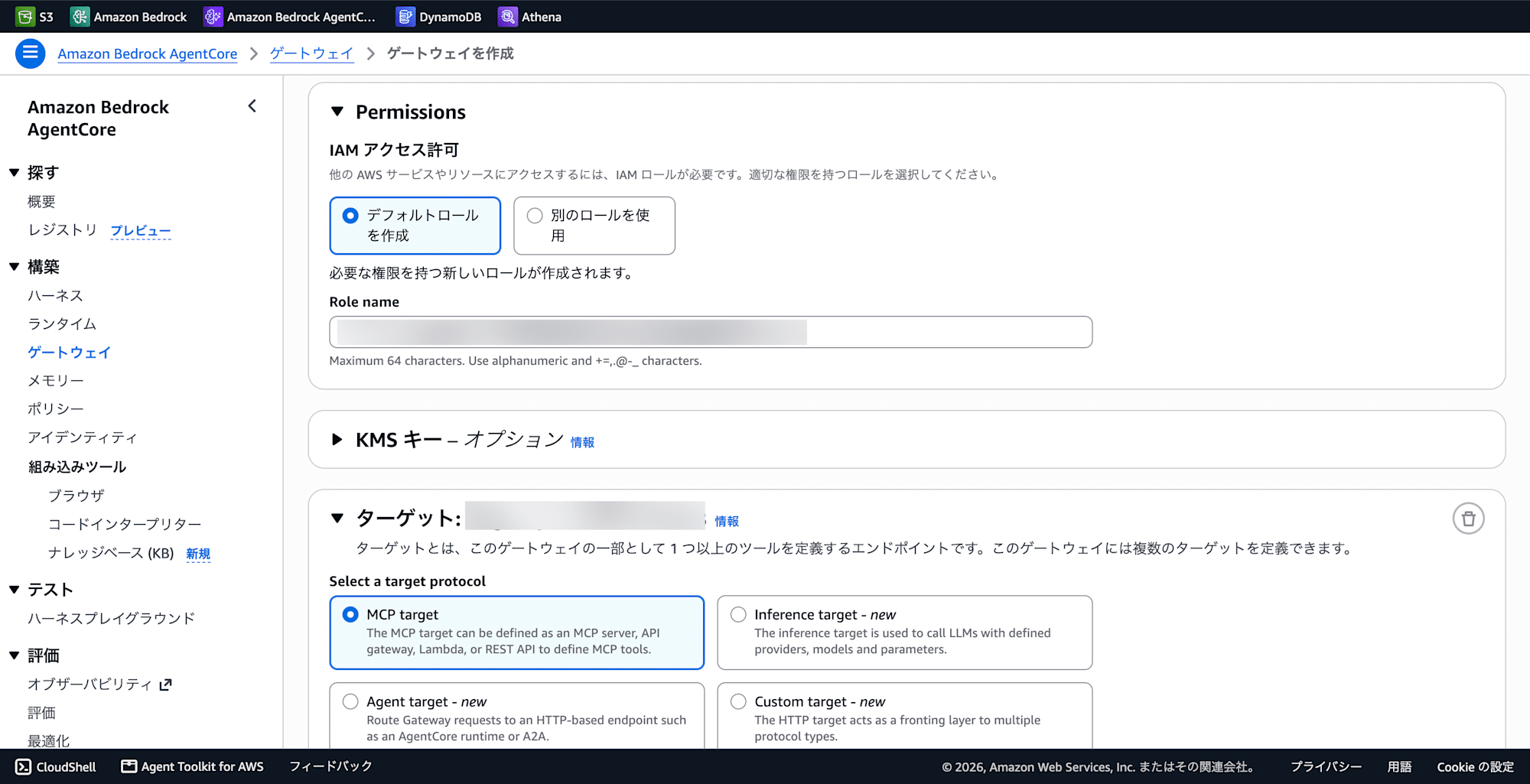
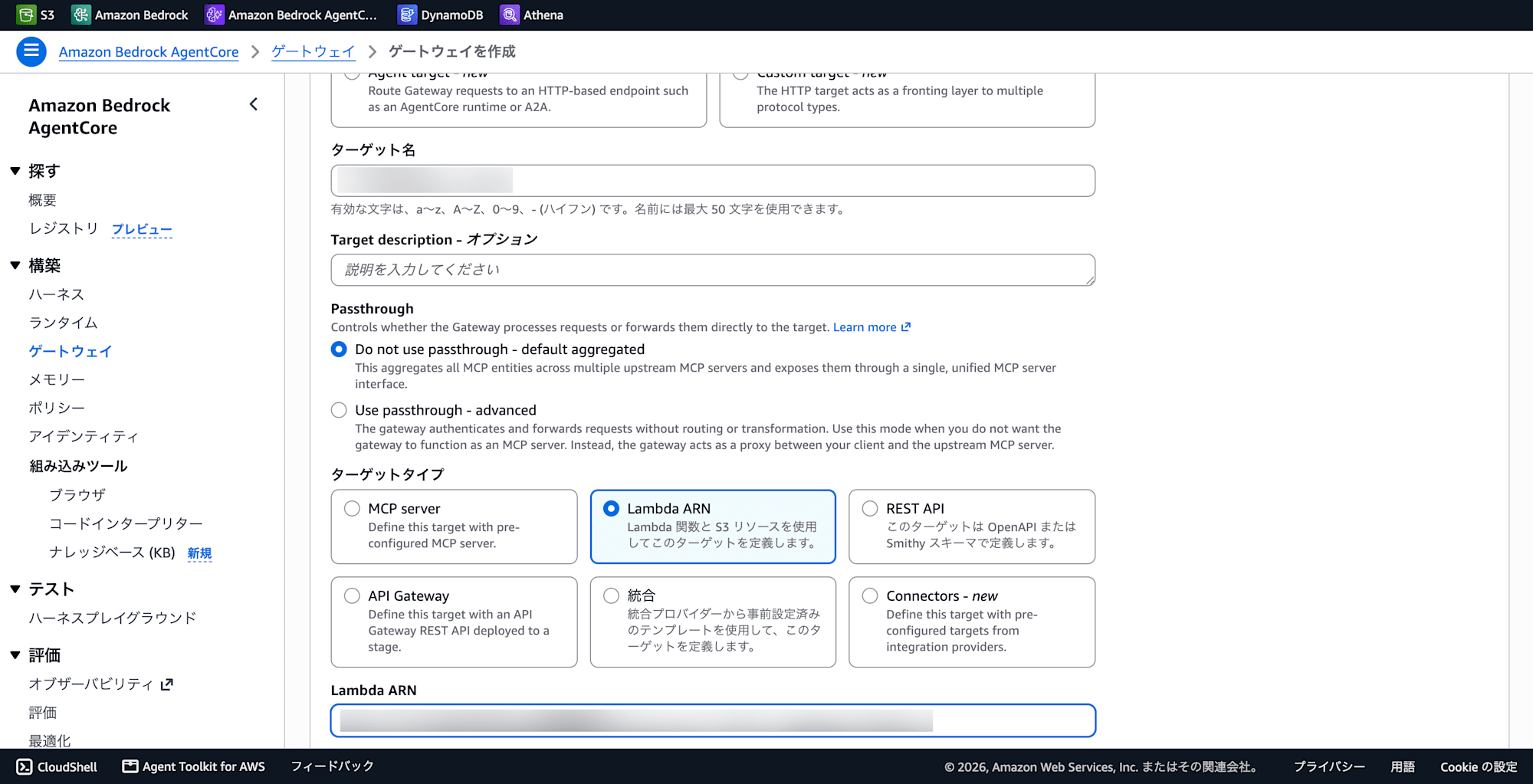
Bedrock Console → AgentCore → Gateways → Create Gateway
-
IAM Permissions: Create default role
-
Target: MCP target
-
Target type: Lambda ARN
-
Lambda ARN: The ARN of the Lambda you created earlier
-
Inline schema (enter in the JSON editor):
[
  {
    "name": "summarize_text",
    "description": "Summarize given text into concise bullet points. Use when user asks to summarize long content.",
    "inputSchema": {
      "type": "object",
      "properties": {
        "text": {
          "type": "string",
          "description": "The text to summarize"
        }
      },
      "required": ["text"]
    }
  }
]
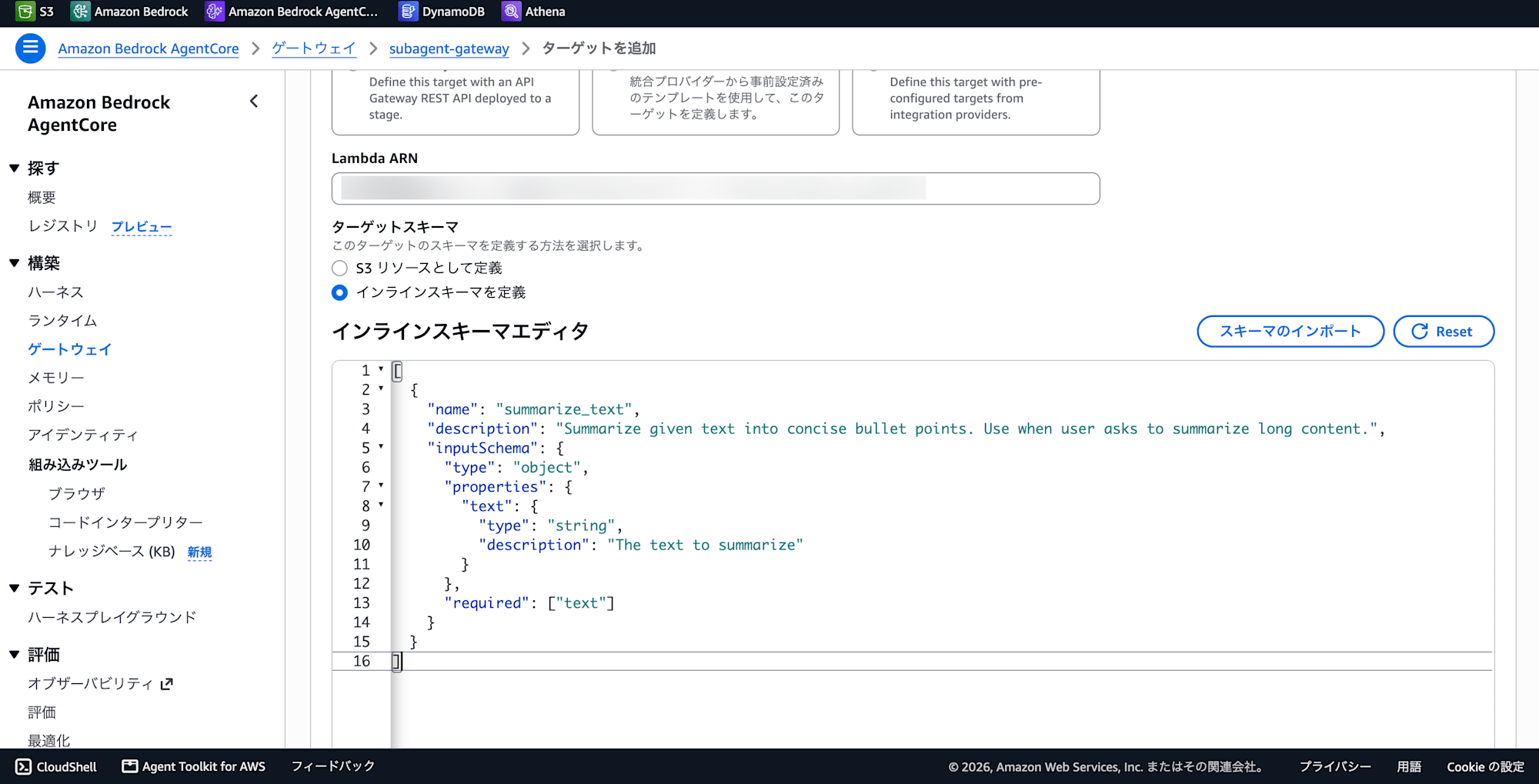
The schema must be written in array format including name and description, not just the inputSchema part. Pasting only inputSchema will result in the following validation error:
Value at 'targetConfiguration.mcp.lambda.toolSchema.inlinePayload.1.member.name'
failed to satisfy constraint: Member must not be null
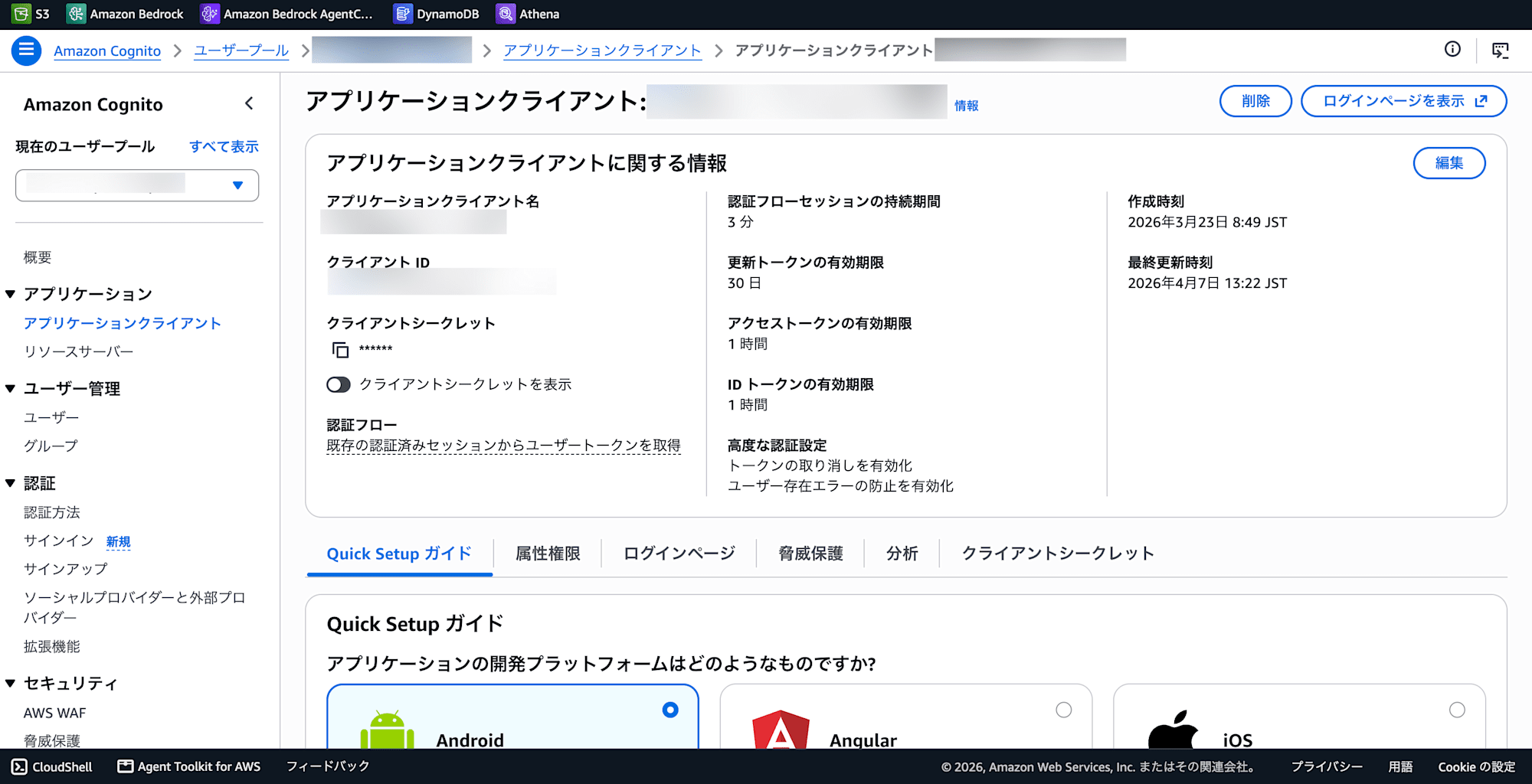
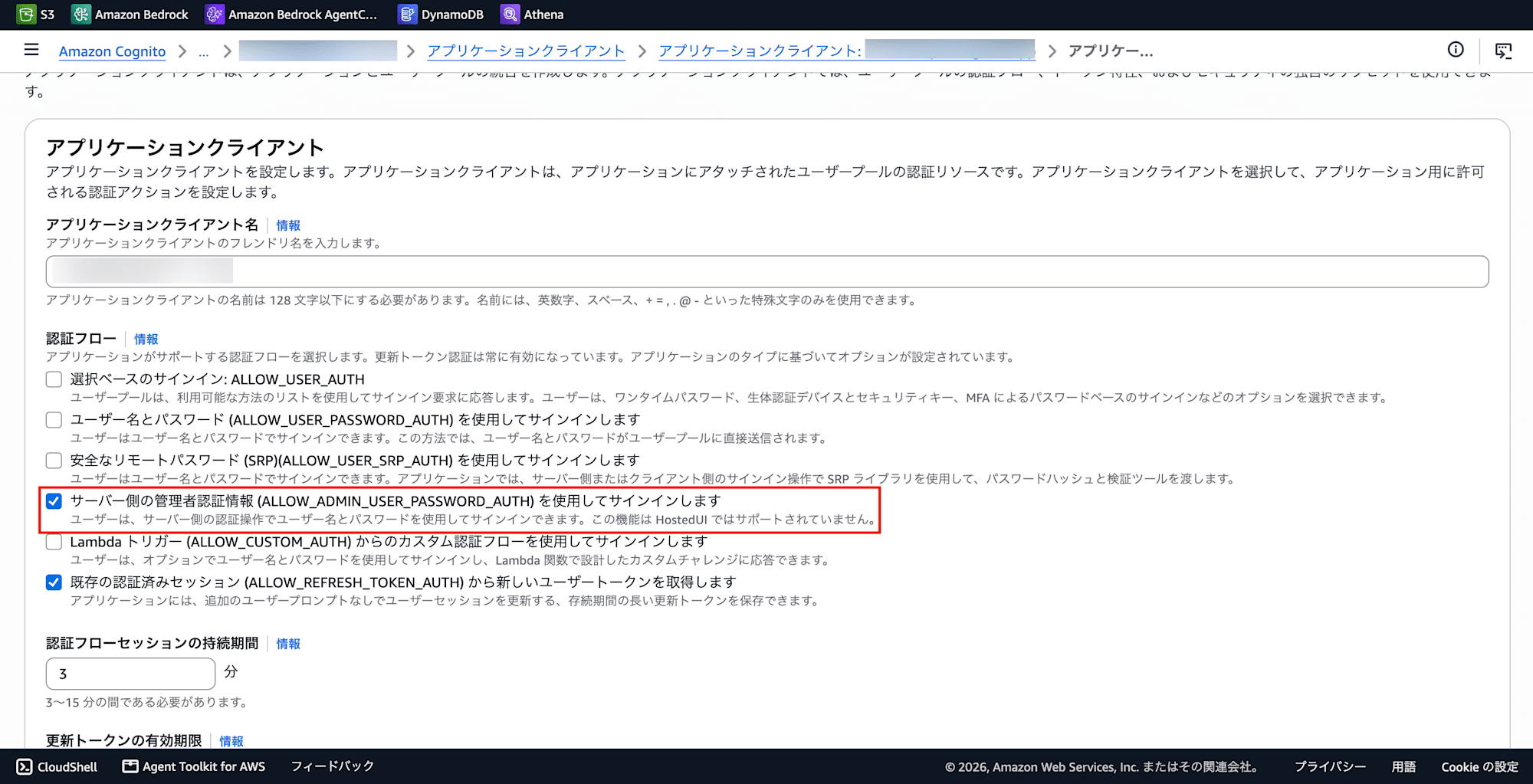
When using JWT authentication, configure the Amazon Cognito User Pool information:
- Issuer:
https://cognito-idp.ap-northeast-1.amazonaws.com/<USER_POOL_ID> - Audience: Cognito App Client ID
Verifying MCP Endpoint Operation
Verify the operation using the MCP endpoint URL issued after Gateway creation.
# Retrieve tool list
curl -X POST \
  https://<GATEWAY_ID>.gateway.bedrock-agentcore.ap-northeast-1.amazonaws.com/mcp \
  -H "Content-Type: application/json" \
  -d '{"jsonrpc":"2.0","id":1,"method":"tools/list"}'
If the tools appear in the response, it is successful. The Gateway automatically prepends the target name as a prefix to tool names (e.g., target-xxx___summarize_text).
# Tool execution test
curl -X POST \
  https://<GATEWAY_ID>.gateway.bedrock-agentcore.ap-northeast-1.amazonaws.com/mcp \
  -H "Content-Type: application/json" \
  -d '{"jsonrpc":"2.0","id":2,"method":"tools/call","params":{"name":"<TARGET_PREFIX>___summarize_text","arguments":{"text":"Test text..."}}}'
Building Sub-Agents in AI Starter
Adding an External Service
-
AI Starter Admin Console → External Services
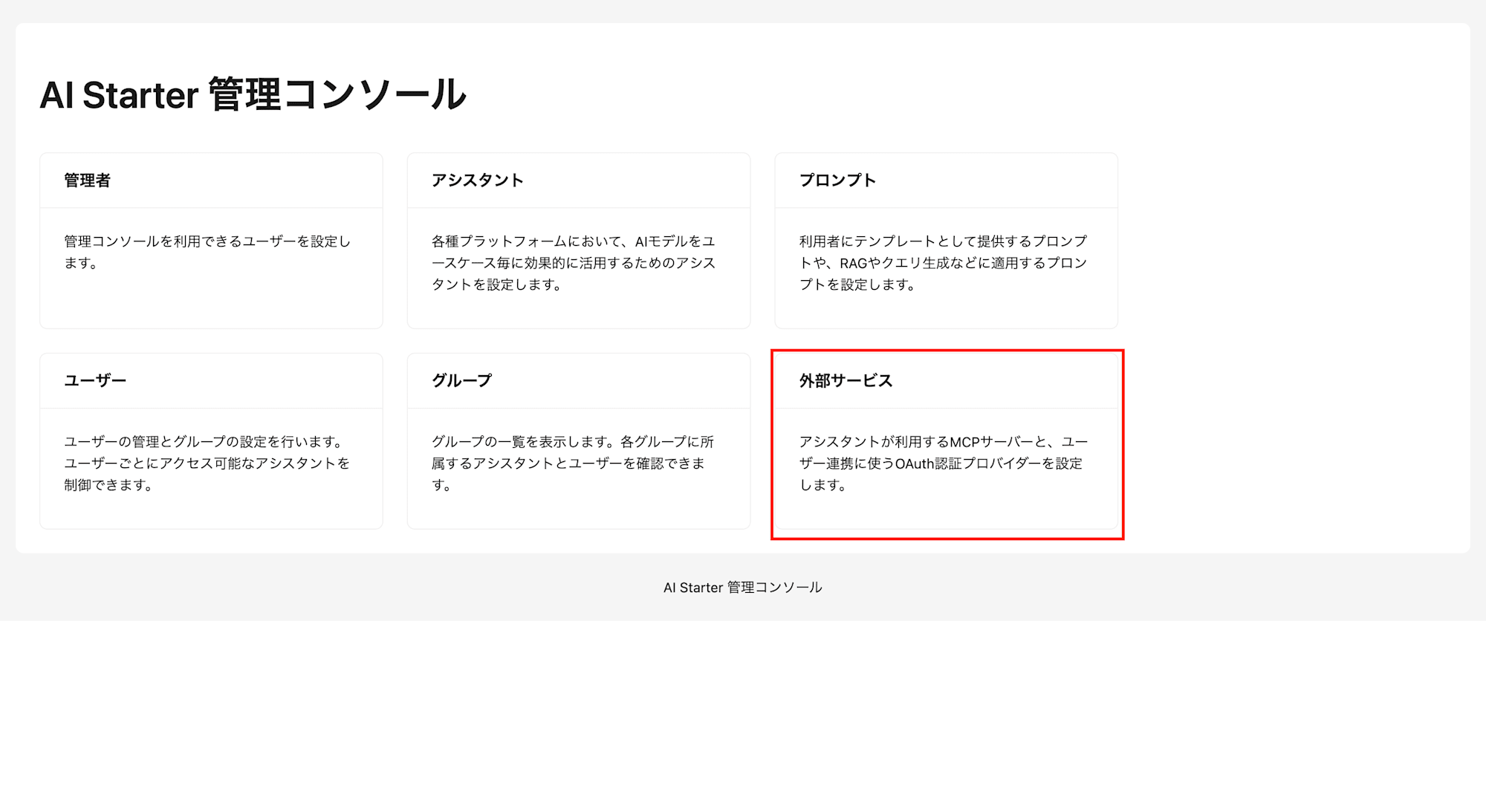
-
Select Add New
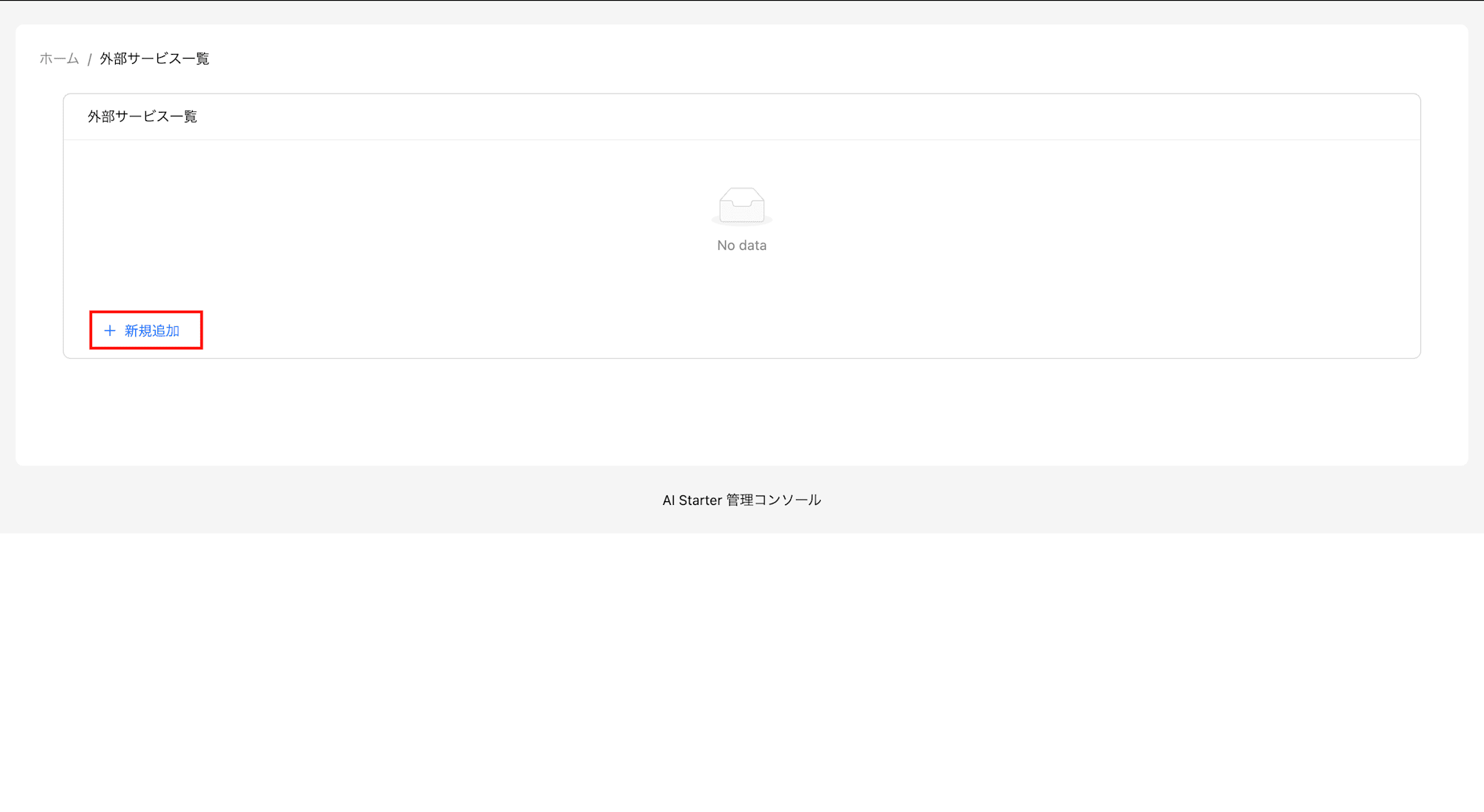
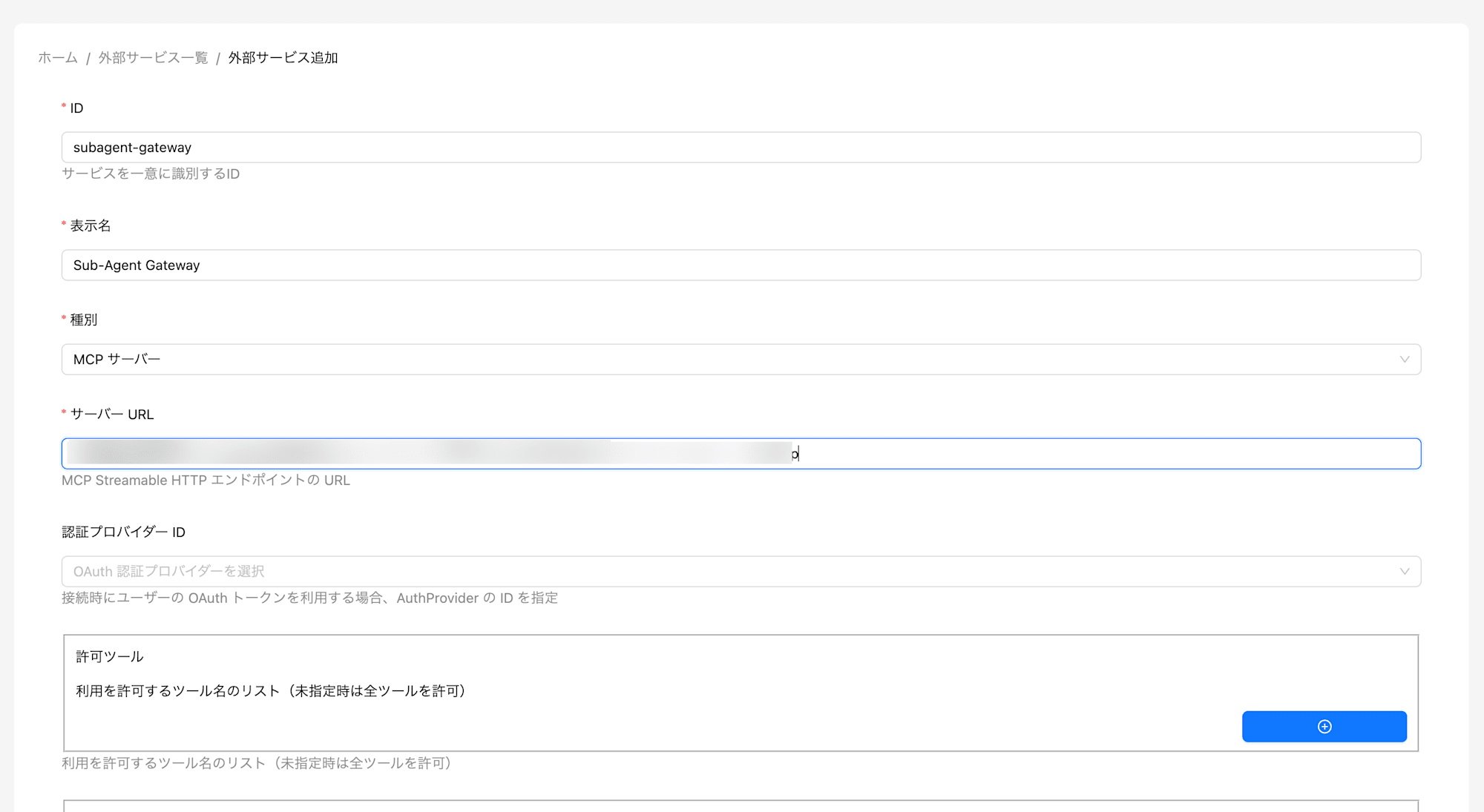
-
Service URL: The URL of the AgentCore Gateway you created earlier
Creating a New Assistant (Use Case)
- AI Starter Admin Console → Assistants
- Select the external service you created earlier as the MCP server
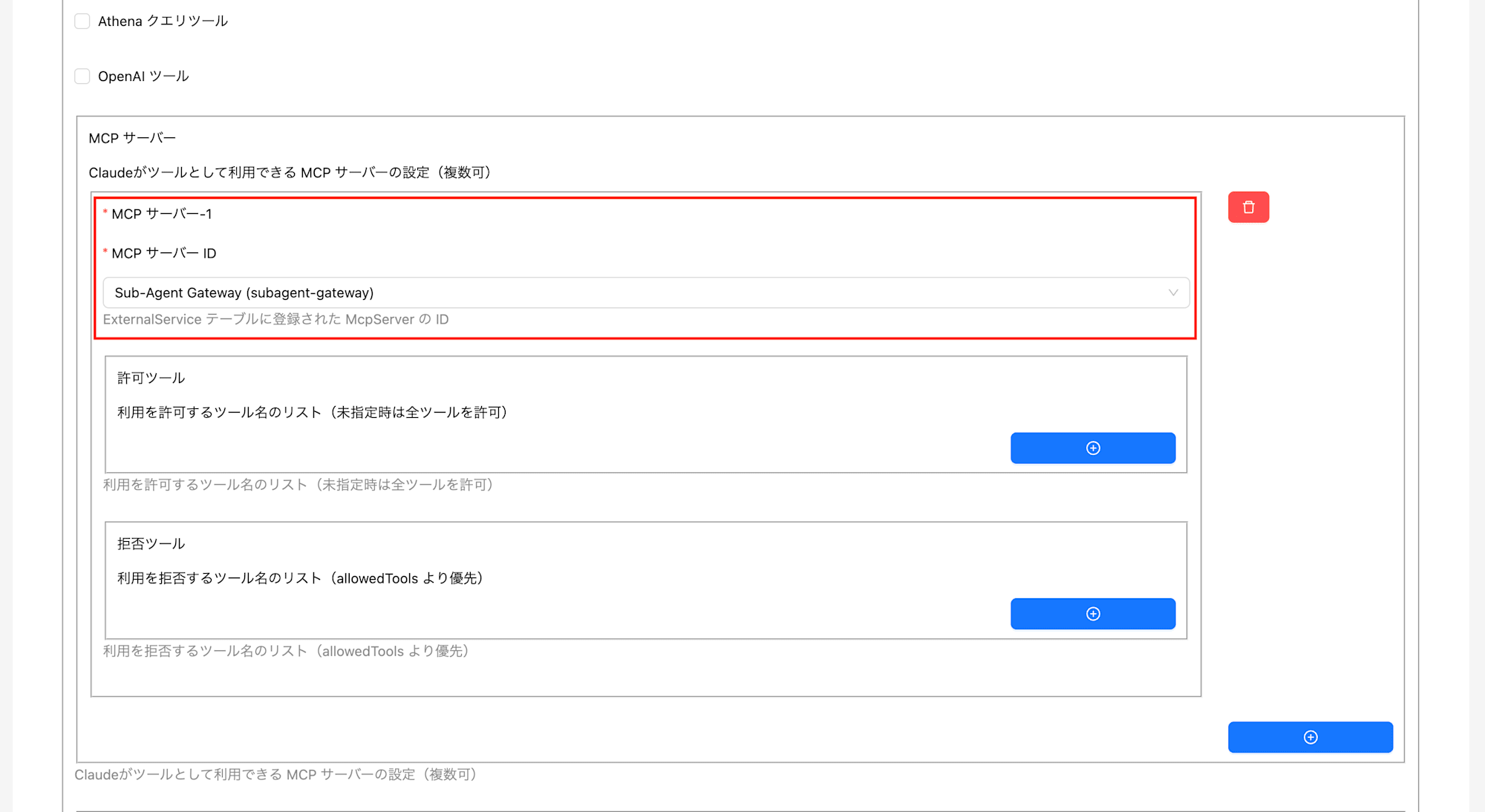
Verifying Operation in AI Starter
-
AI Starter → Use Cases
-
Select the assistant (use case) you created earlier
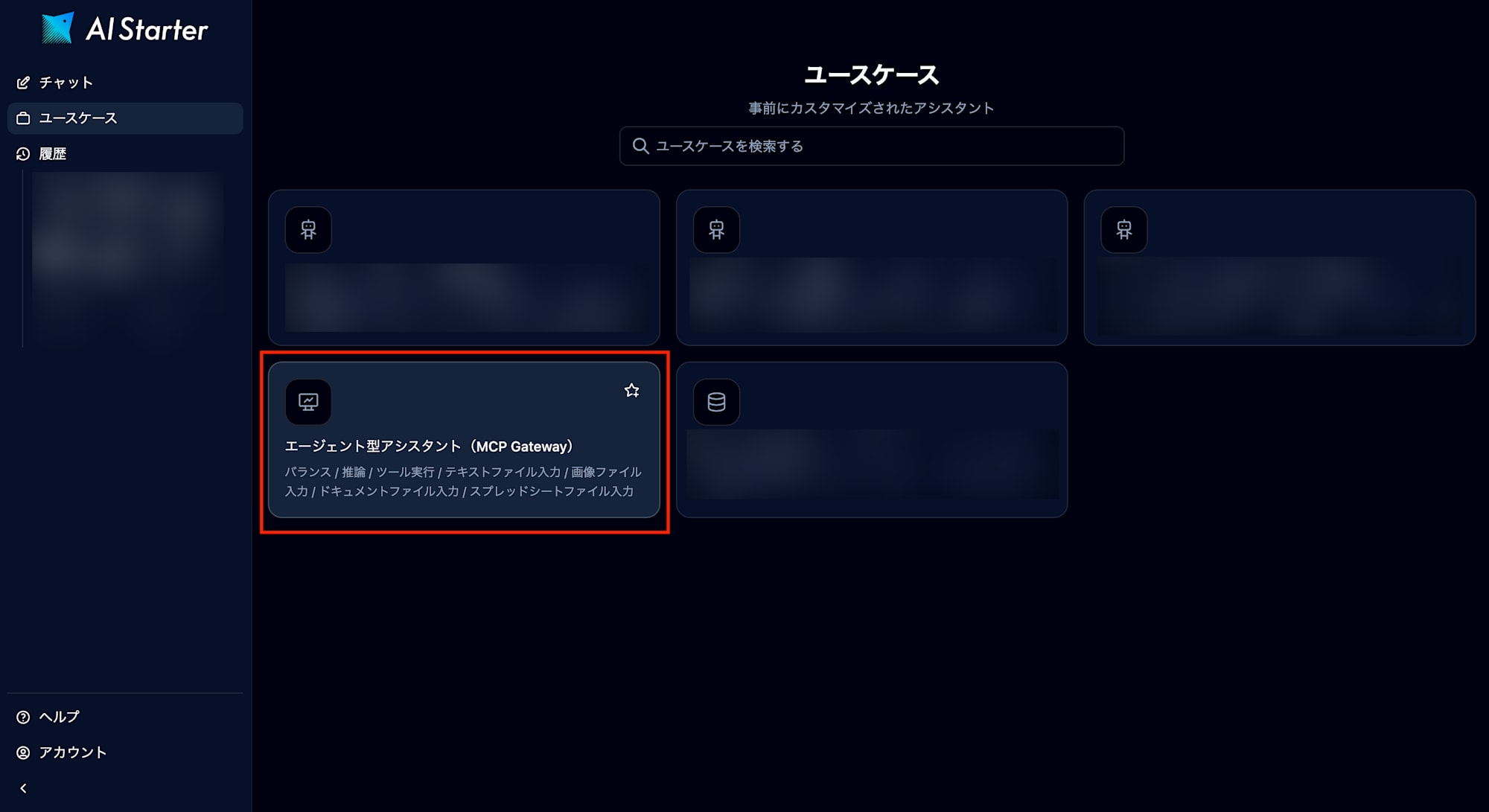
-
Test the summarization feature you registered
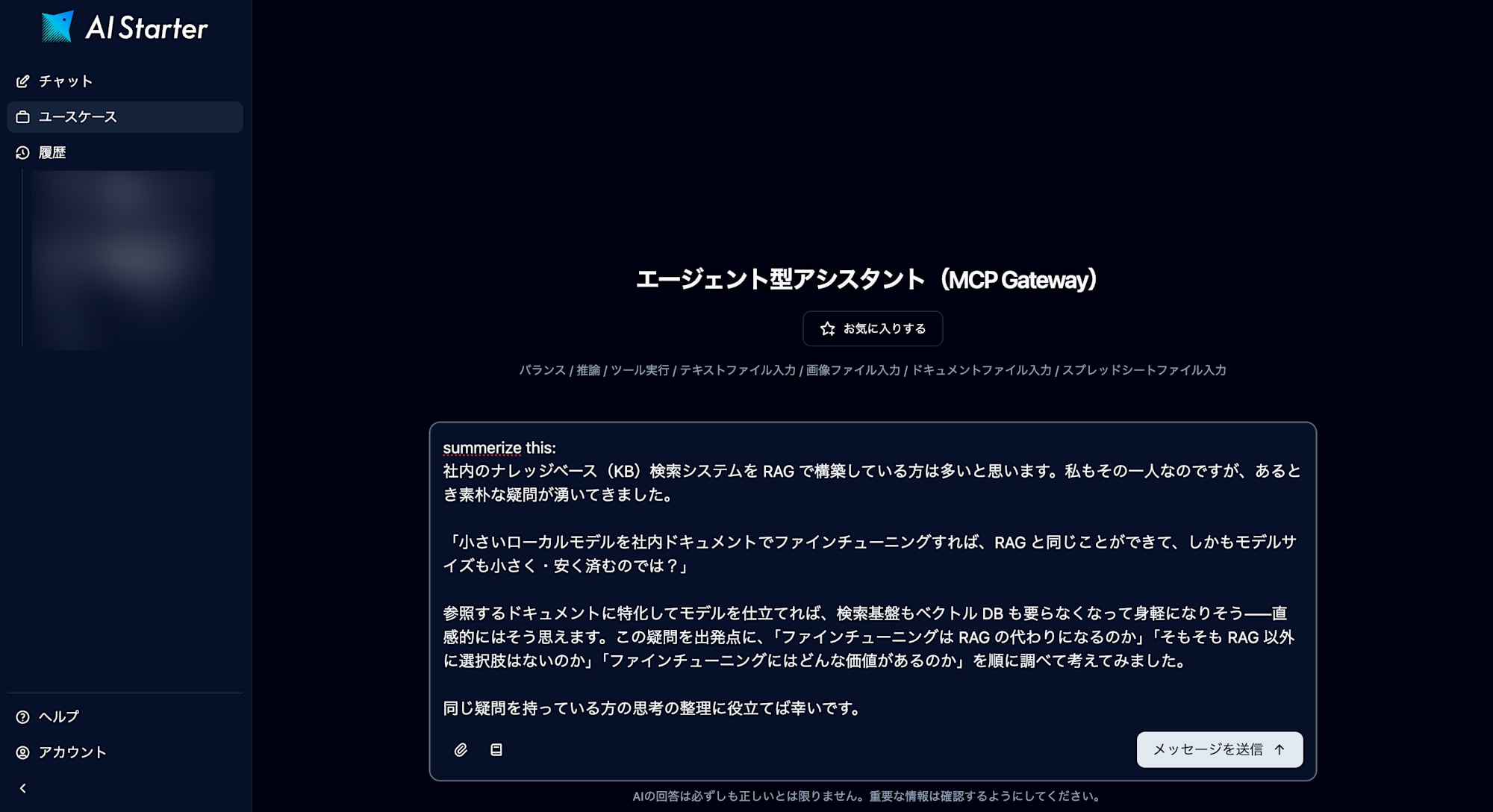
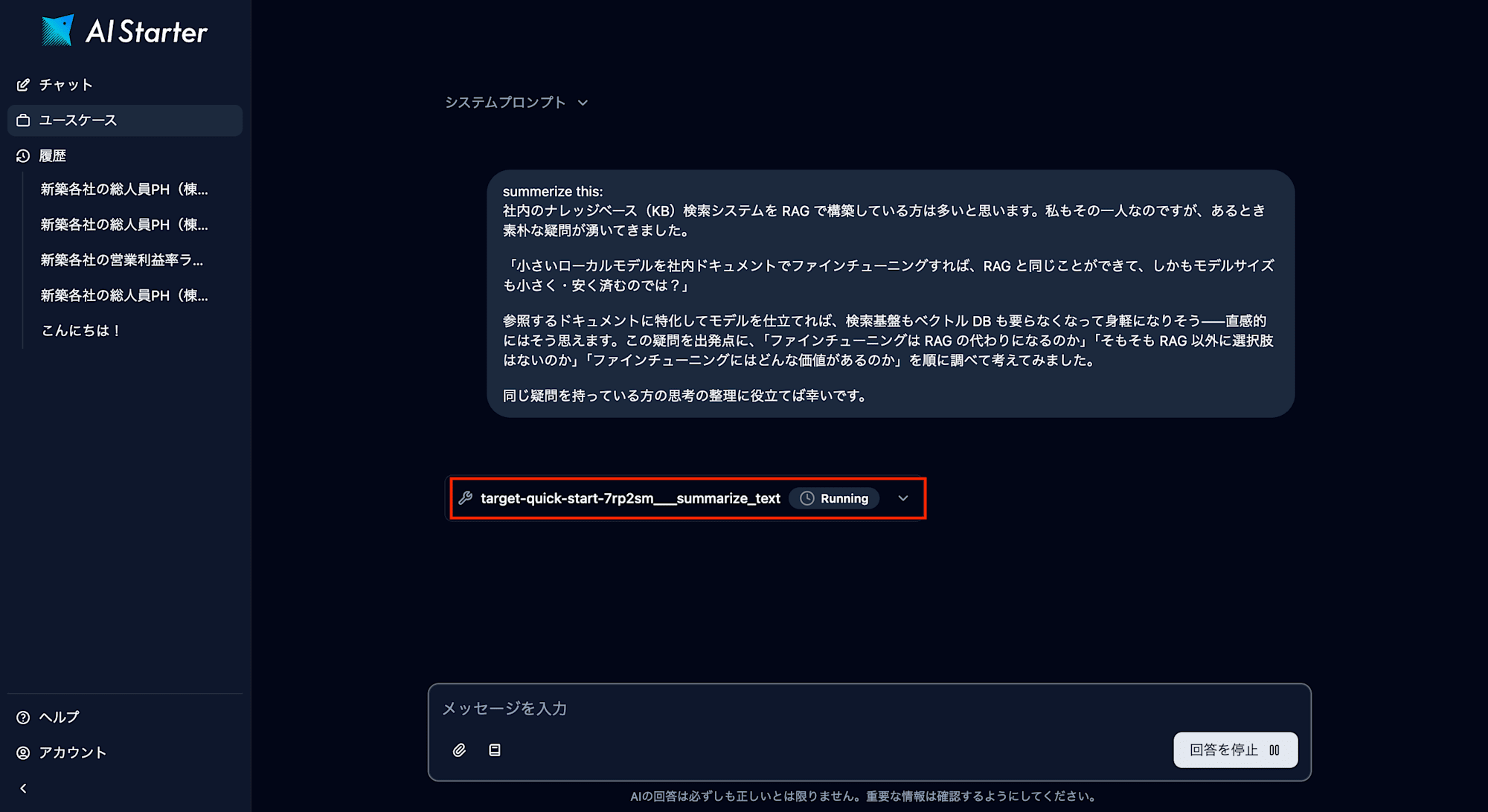
The registered MCP tool is called.
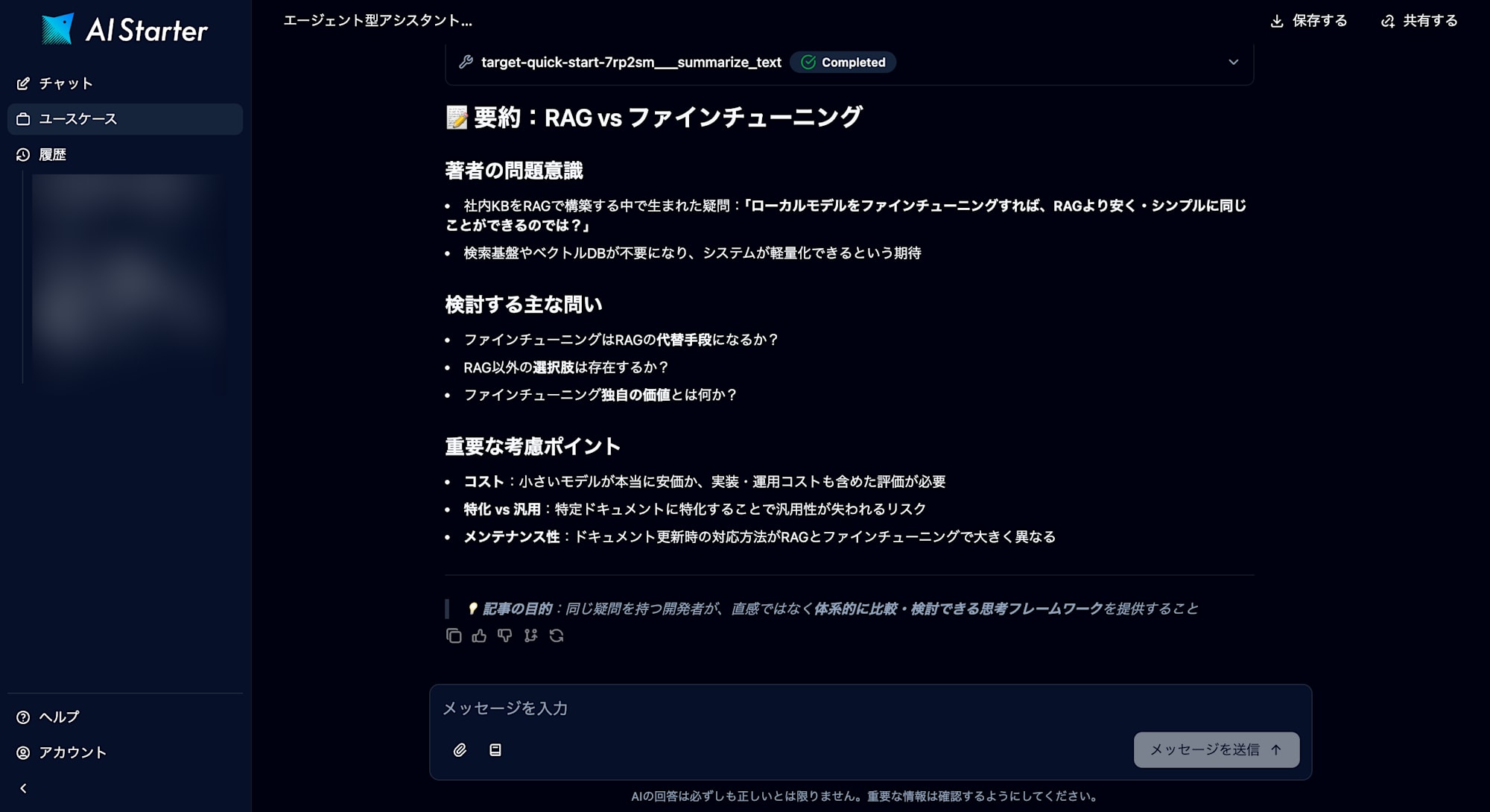
The generated content is returned.
Collection of Pitfalls
Here is a summary of issues encountered during the build and their solutions.
1. Cross-Region Inference Profile Routing
Symptom: Using jp.anthropic.claude-haiku-4-5-20251001-v1:0 causes AccessDeniedException even though ap-northeast-1 resources are allowed in the IAM policy.
Cause: Inference profiles with the jp. prefix are internally routed by AWS to the Japan region group (ap-northeast-1, ap-northeast-3, etc.). If only ap-northeast-1 is allowed, access is denied when routed to ap-northeast-3 (Osaka).
Solution: Set the IAM policy Resource to "*" in staging environments. In production, explicitly allow all required regions or use a wildcard like arn:aws:bedrock:*:<ACCOUNT_ID>:inference-profile/*.
2. Inference Profile ARN Format
Symptom: Specifying arn:aws:bedrock:ap-northeast-1::foundation-model/* in the IAM policy causes AccessDeniedException.
Cause: Models with the jp. prefix are inference profiles and use the inference-profile ARN format, not foundation-model. The ARN also requires an account ID.
# NG
arn:aws:bedrock:ap-northeast-1::foundation-model/anthropic.claude-*

# OK
arn:aws:bedrock:*:<ACCOUNT_ID>:inference-profile/jp.anthropic.*
3. Marketplace Permissions
Symptom: Lambda unit tests succeed, but going through the Gateway causes AccessDeniedException (related to Marketplace actions).
Cause: aws-marketplace:ViewSubscriptions and aws-marketplace:Subscribe permissions may be required on the first invocation of Anthropic models. As of July 2026, Bedrock model access is automatically enabled, but Marketplace integration permissions are required separately.
Solution: Add the following policy to the Lambda IAM role.
{
  "Effect": "Allow",
  "Action": [
    "aws-marketplace:ViewSubscriptions",
    "aws-marketplace:Subscribe"
  ],
  "Resource": "*"
}
4. Gateway Target Schema Validation
Symptom: inlinePayload.1.member.name failed to satisfy constraint: Member must not be null when adding a target.
Cause: There are two patterns.
- Only
inputSchemawas pasted in the inline schema without includingname/description - An empty tool row remains in the console form (index
1= the second row is empty)
Solution: Write in the array format [{name, description, inputSchema}] and confirm there are no empty rows.
5. Gateway IAM Role Propagation Delay
Symptom: Adding a target immediately after Gateway creation results in Gateway service is not authorized to perform AssumeRole on Gateway role.
Cause: Immediately after IAM role creation, it may take tens of seconds to propagate within AWS internally.
Solution: Wait about 30 seconds and retry.
Summary
By leveraging the MCP target of AgentCore Gateway, we were able to achieve a multi-agent configuration without modifying existing application code.
Key Points of the Configuration:
- Leverage existing MCP integration by simply registering the Gateway as an "MCP server"
- Sub-agents implemented with VPC Lambda + Bedrock (via VPC Endpoint, no NAT required)
- Gateway intermediates the MCP protocol and transparently handles tool discovery (
tools/list) and execution (tools/call) - Sub-agents can be scaled out by adding more MCP targets
Practical Decision Criteria:
- Prepare a dedicated Lambda for each sub-agent and specialize its role with a system prompt
- Gateway authentication can be None for MVP, but JWT (Cognito) is recommended for production
- When using VPC Lambda, don't forget to configure the VPC Endpoint security group settings
- In IAM policies, pay attention to the inference profile ARN format and cross-region routing
