I tried recovering AWS account root user credentials by enabling "Allow password recovery" from root access management

This page has been translated by machine translation. View original
Hello, this is Usuda.
Is everyone keeping their root user sealed away? (greeting)
This time, I'll introduce the steps for creating a root user password from root access management when, for absolutely unavoidable reasons, you need to unseal a root user that has been locked away.
Overview
When creating an AWS account, the first user created is the root user (when created as a standalone AWS account). Alternatively, in an AWS Organizations environment, you register an email address as the "account owner's email address," which becomes the root user.
Since the root user has extremely strong permissions and is basically impossible to control, "setting up MFA and sealing it away without using it" has long been the best practice.
However, at re:Invent at the end of 2024, the long-awaited "root access management" feature was released, making it possible to delete root user credentials from the management account or a delegated administrator account in AWS Organizations!
As a result, the best practice has become "making it impossible to use the root user in the first place (sealing it away)."
That's normally fine, but when there are absolutely unavoidable reasons to break this seal — which basically never happens — you need to go through these steps.
So let's go ahead and allow "password recovery" from root access management to actually enable the password to be used.
Tried It Out
※ Normally, enabling the root user password has nothing but disadvantages, so please absolutely never do this
Now, due to unavoidable circumstances, we'll reluctantly set a root user password and make it possible to sign in.
Root access management is a feature that has become commonplace in modern AWS Organizations, and with it, root users of newly created AWS accounts are often not created from the start, aren't they?
However, if you try to perform the "password reset" procedure to use the root user in this state, you'll get an error like the following and cannot proceed.
Password recovery failed
Password recovery for the AWS account is disabled. Please ask your administrator for support.
So we need to allow this.
Allowing Password Recovery from Root Access Management
Although it's a feature that integrates with AWS Organizations, root access management is used from the IAM management console of the management account.
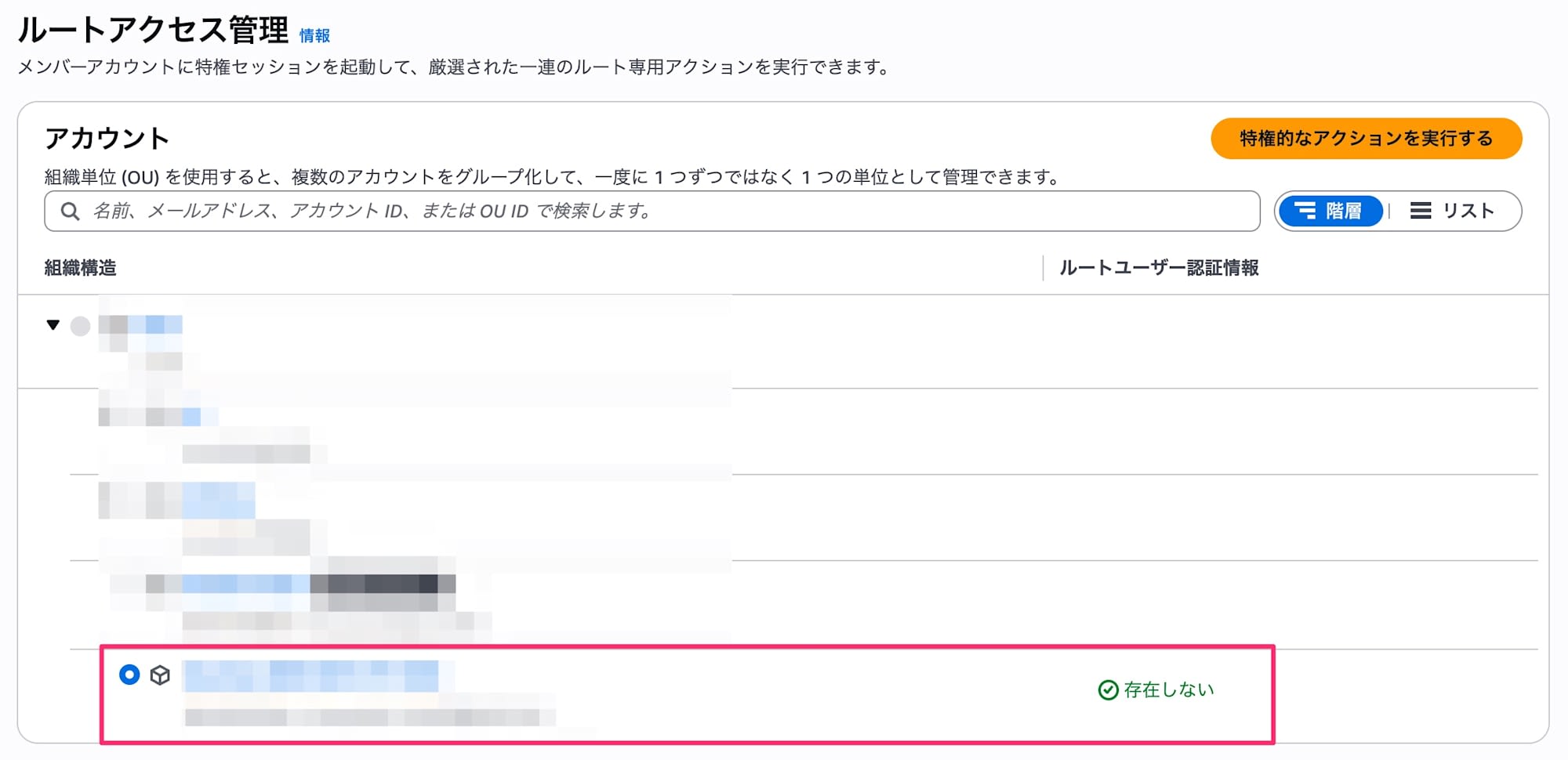
When you open root access management, the root user credentials for the relevant account show as "does not exist."
This is actually the correct state, but we'll reluctantly change it.
Click "Perform privileged actions."
From the available privileged actions, select "Allow password recovery" and proceed.
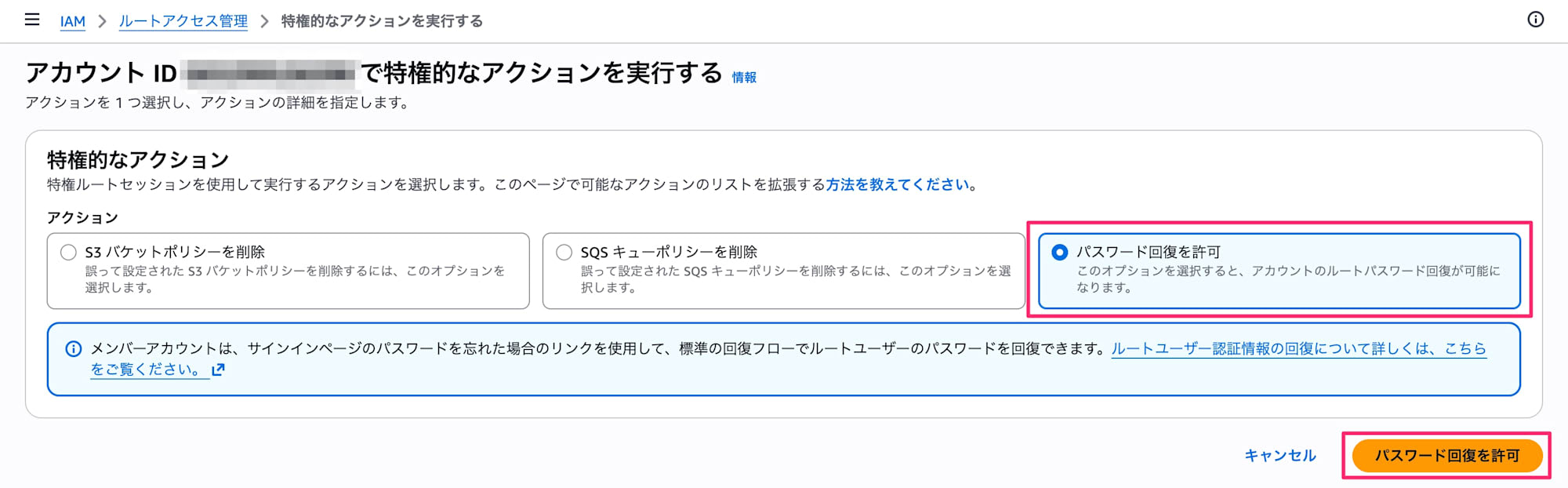
It has been allowed, and the message "The root user can now recover their password using the forgot password flow." is displayed.
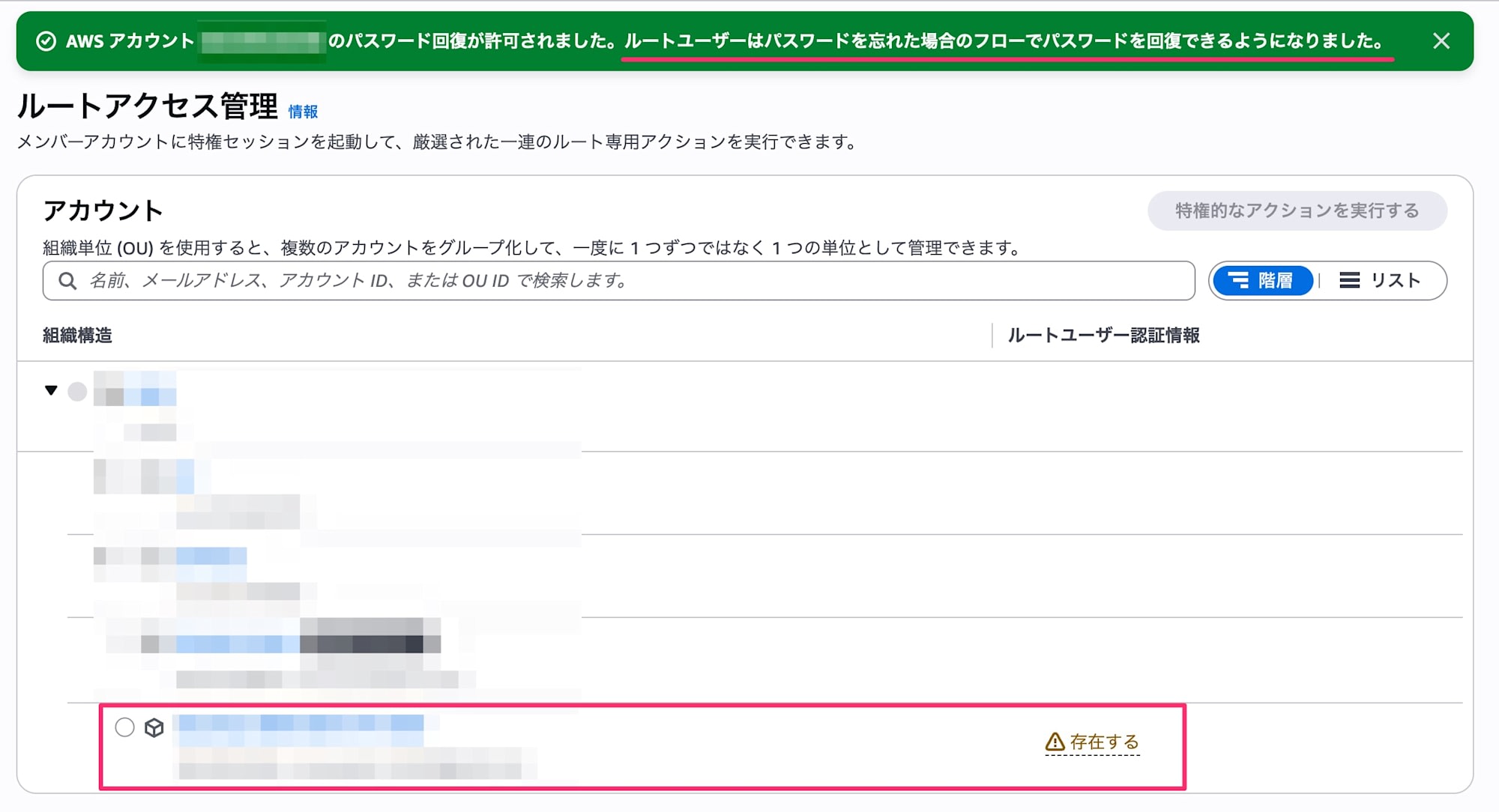
At this point, the root user credentials have changed to "exists."
When you focus on it, it appears that only the console password shows as "exists."
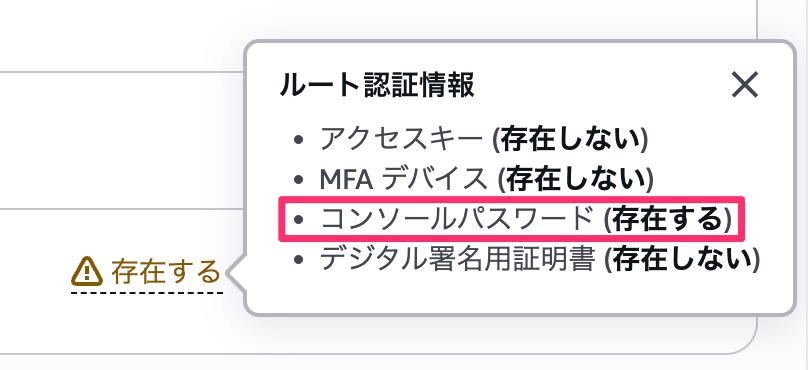
This means the password reset procedure can now be executed.
Recovering the Password
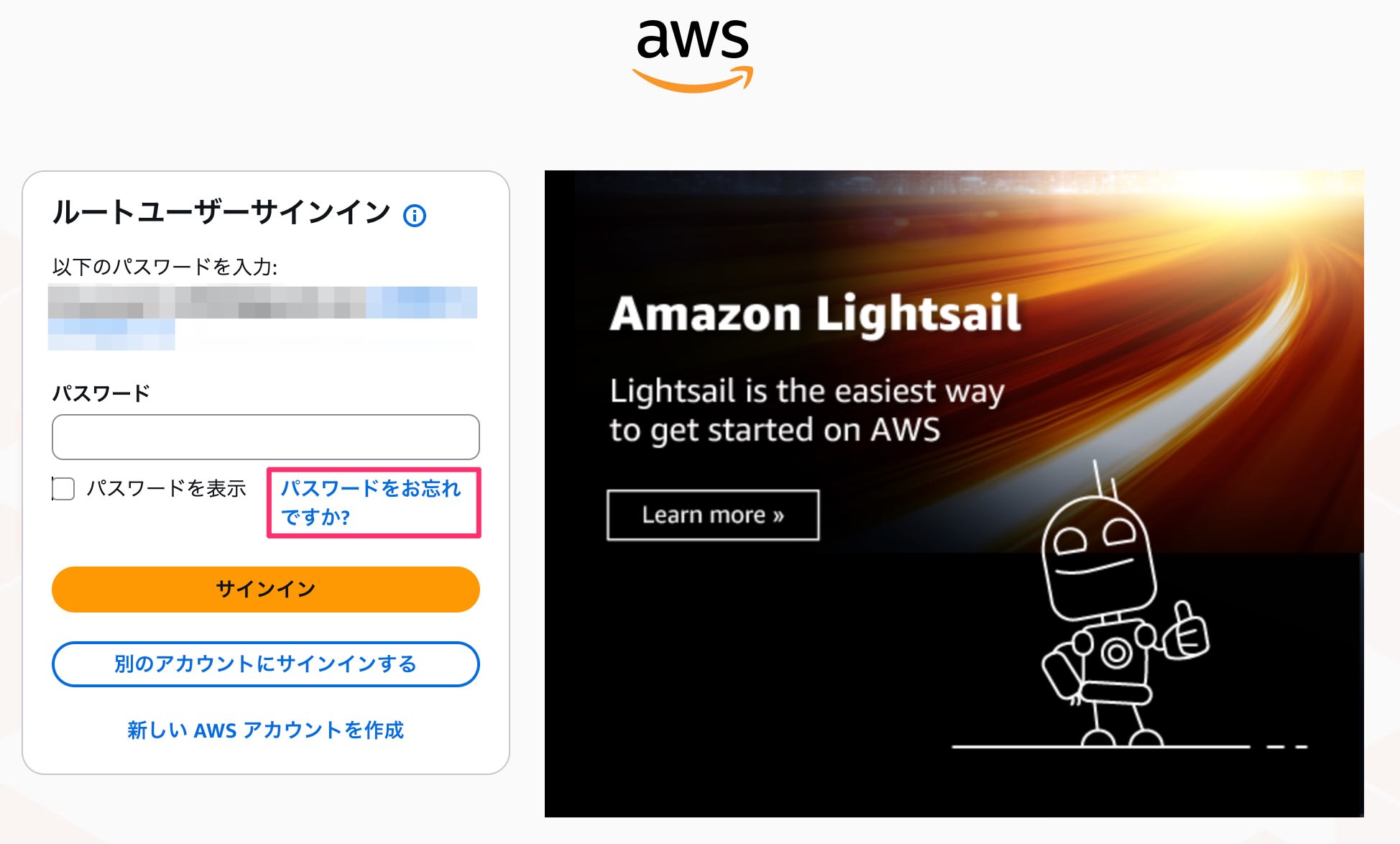
Let's try recovering the password. On the root user sign-in screen, enter your email address and proceed to the password entry screen.
Click "Forgot your password?"
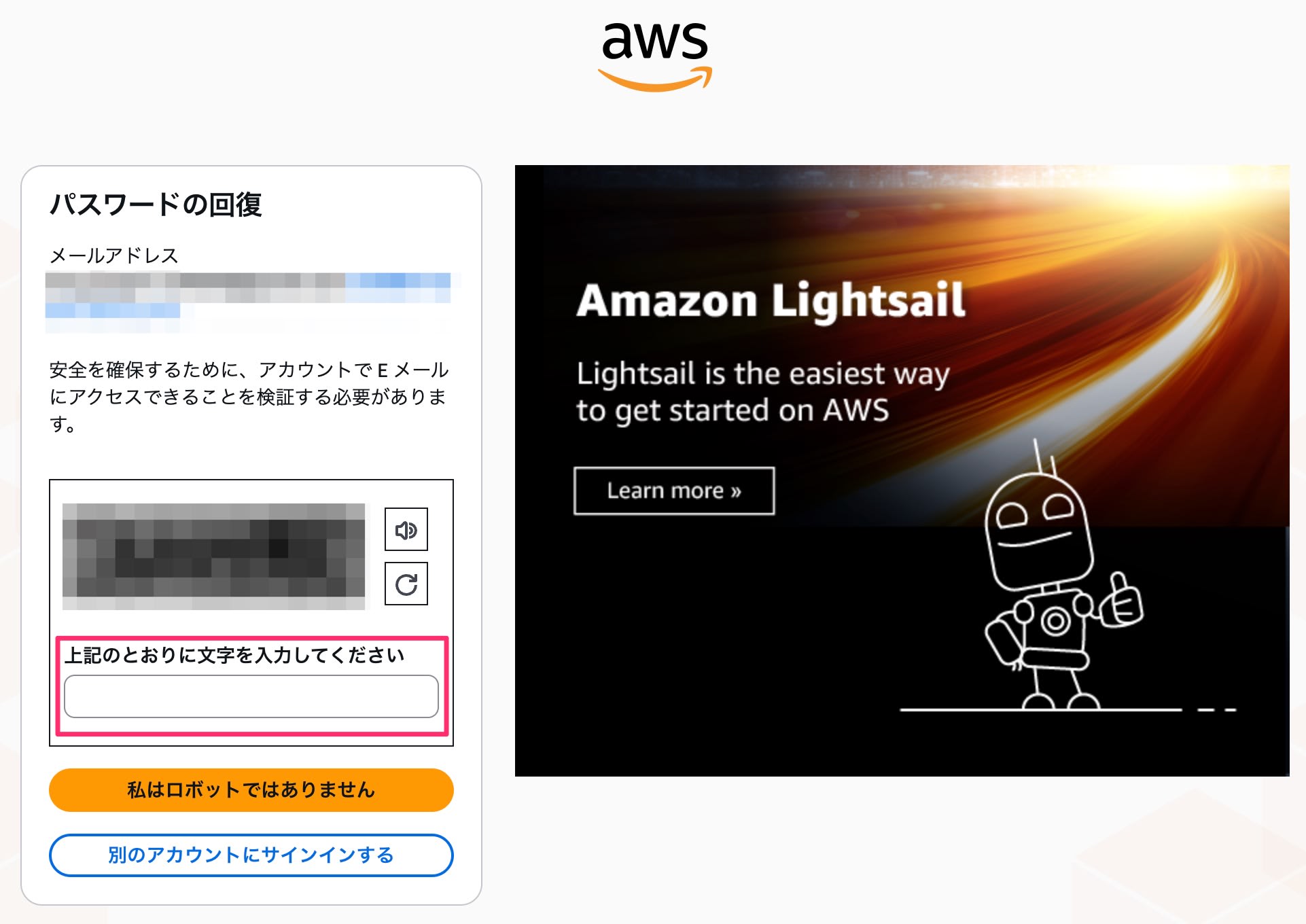
To recover the password, enter the characters as instructed and complete the robot verification.
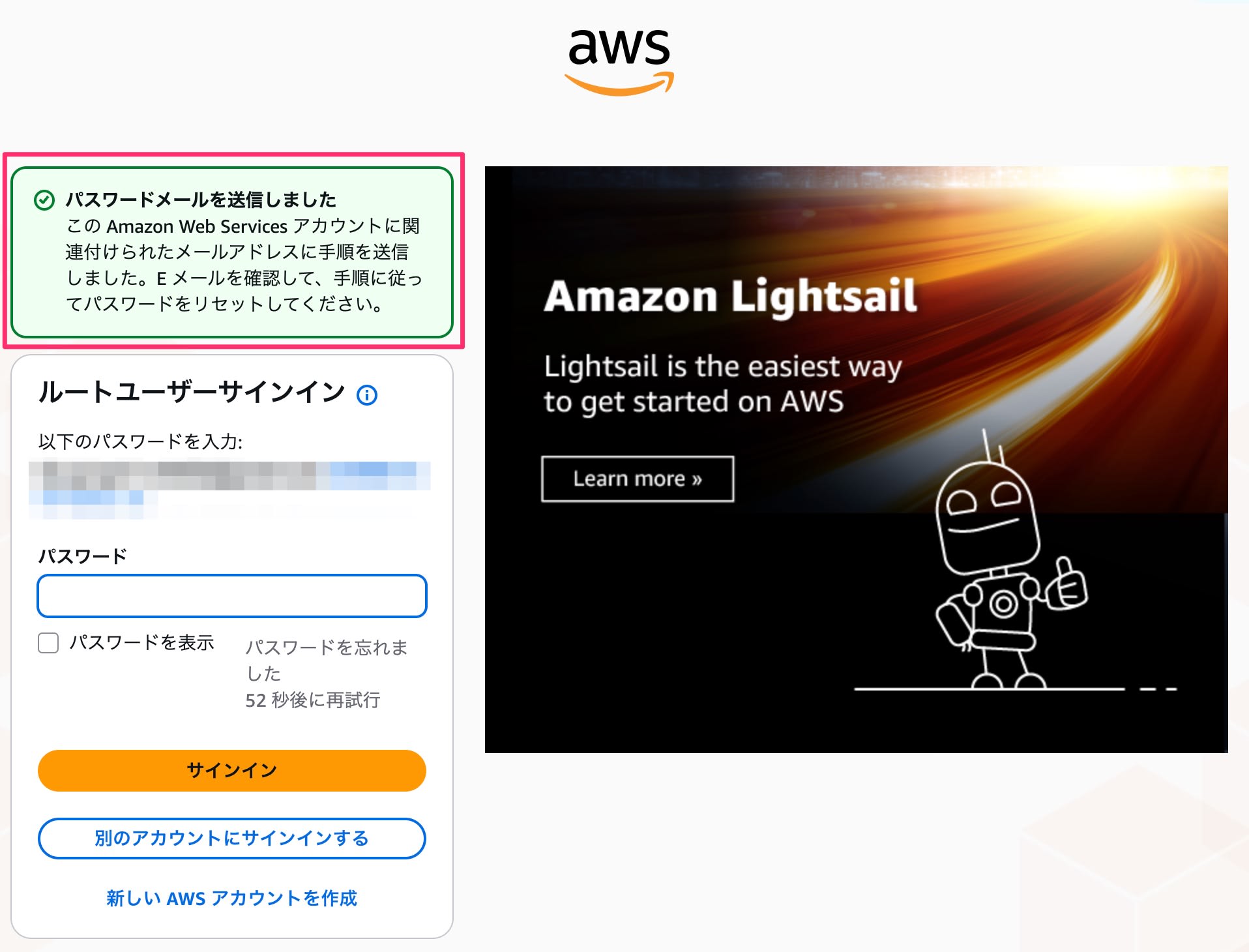
If there are no issues, a reset email will be sent.
When you check your email, you'll receive the following email.
- Subject: Amazon Web Services Password Assistant
- Sender: password-reset-no-reply@verify.signin.aws
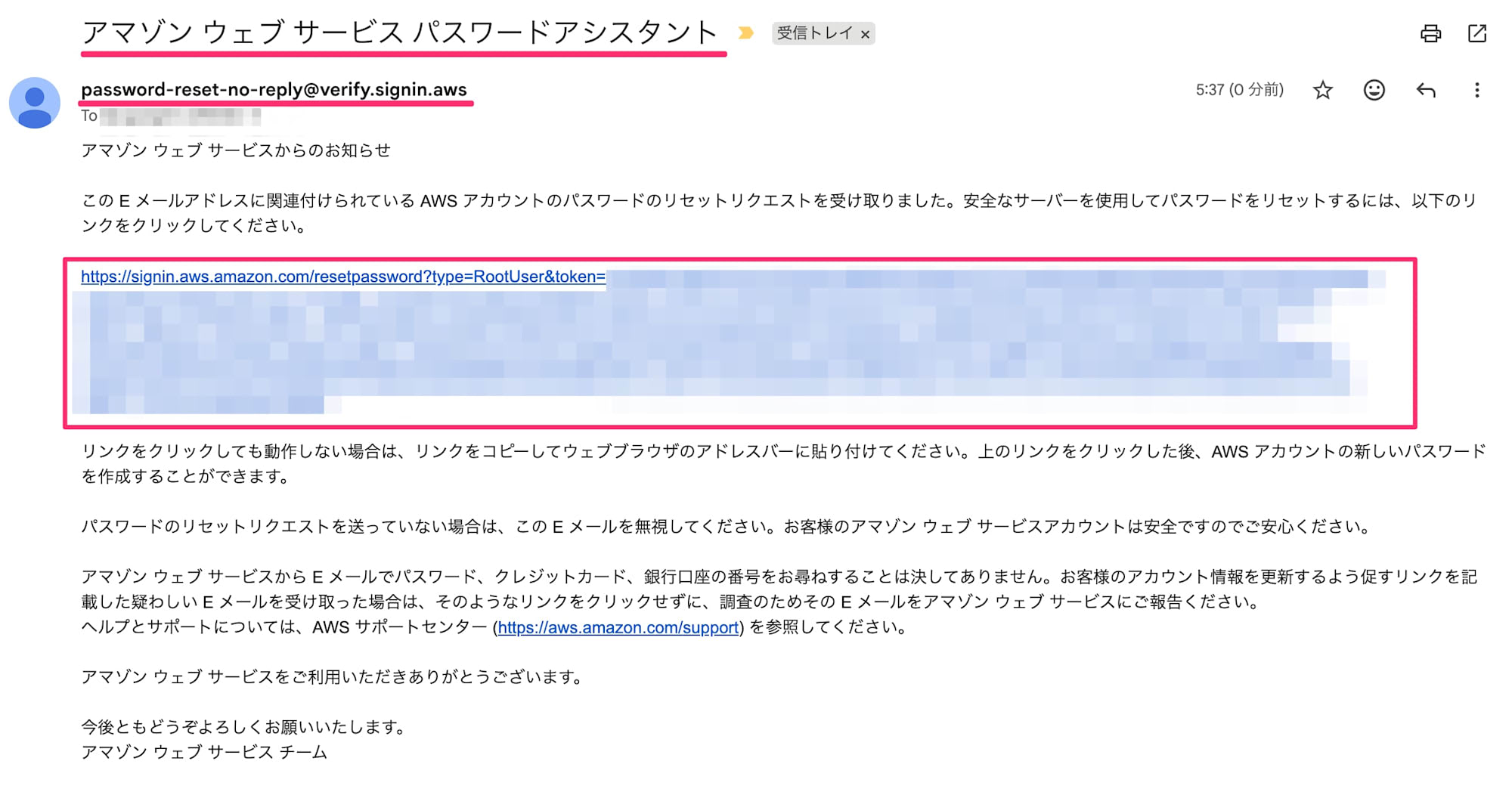
Opening the link takes you to a screen to set a new password, so set it there.
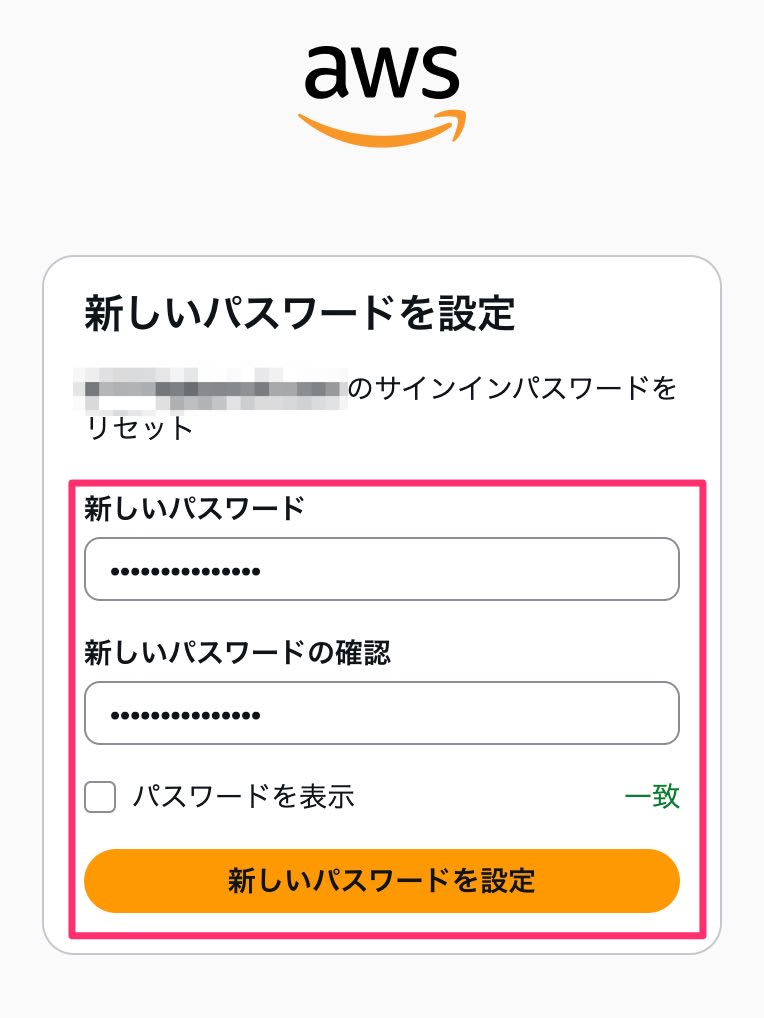
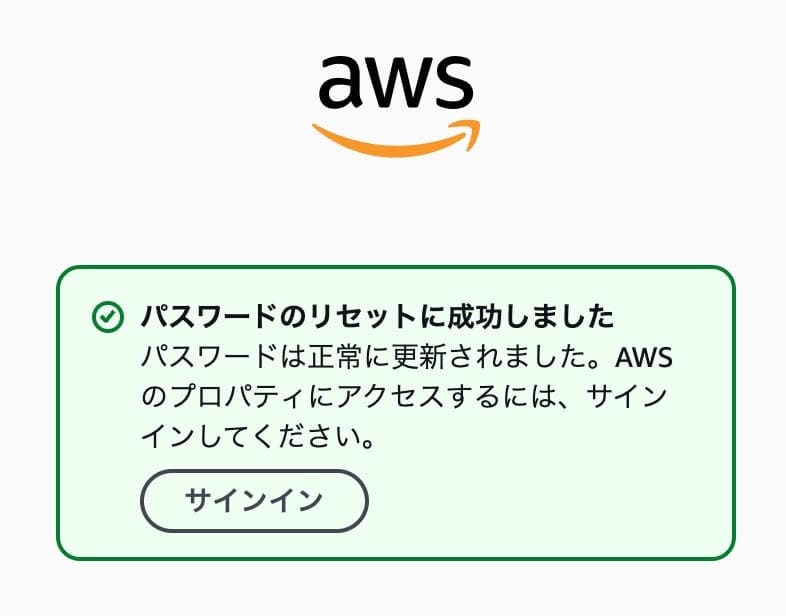
Once the reset is successful, proceed to sign in.
This time, upon signing in, perhaps because it was judged to be risky, a verification code was sent by email for identity confirmation.
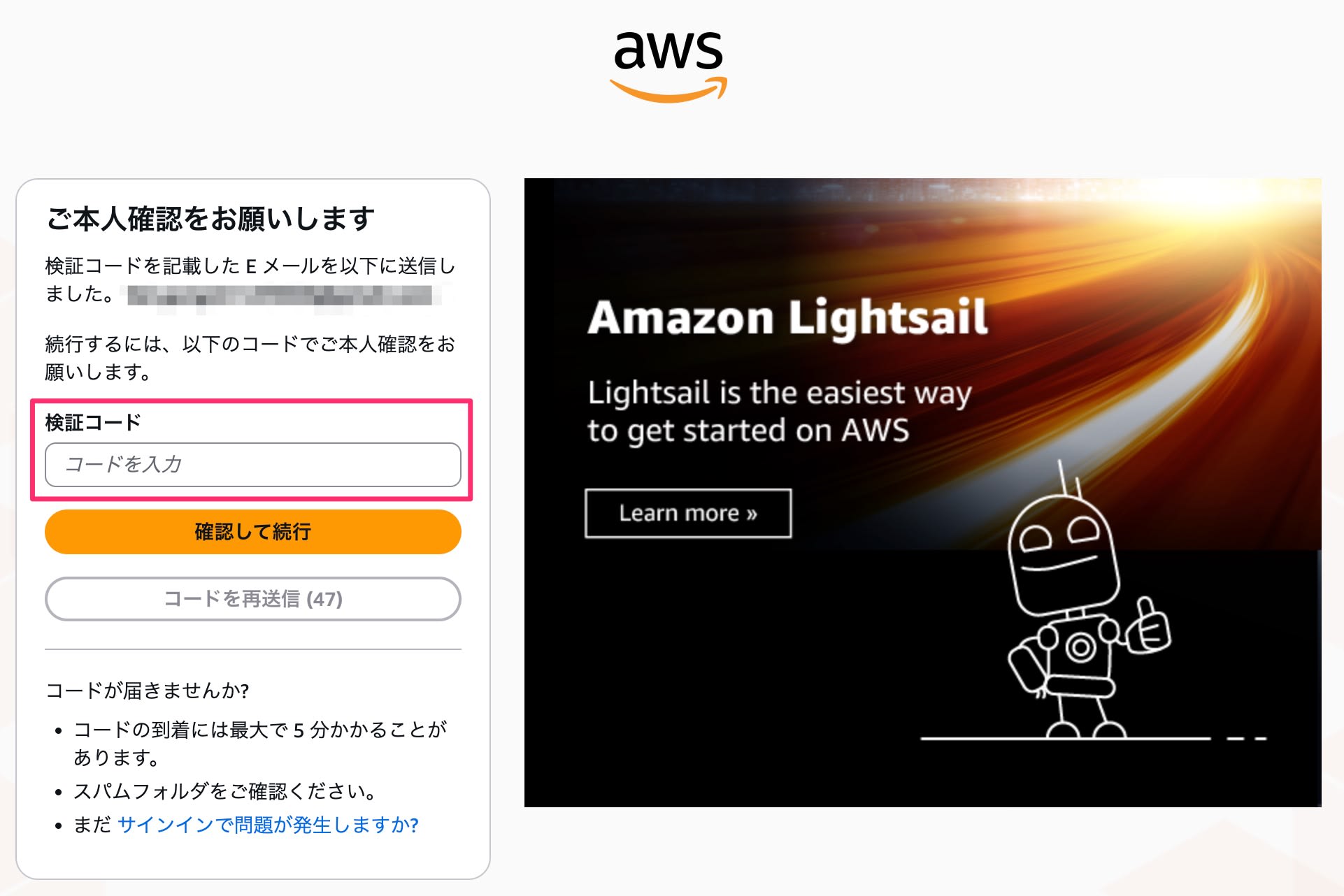
The following email arrives as the verification code email.
- Subject: Identity Verification Request
- Sender: no-reply@verify.signin.aws
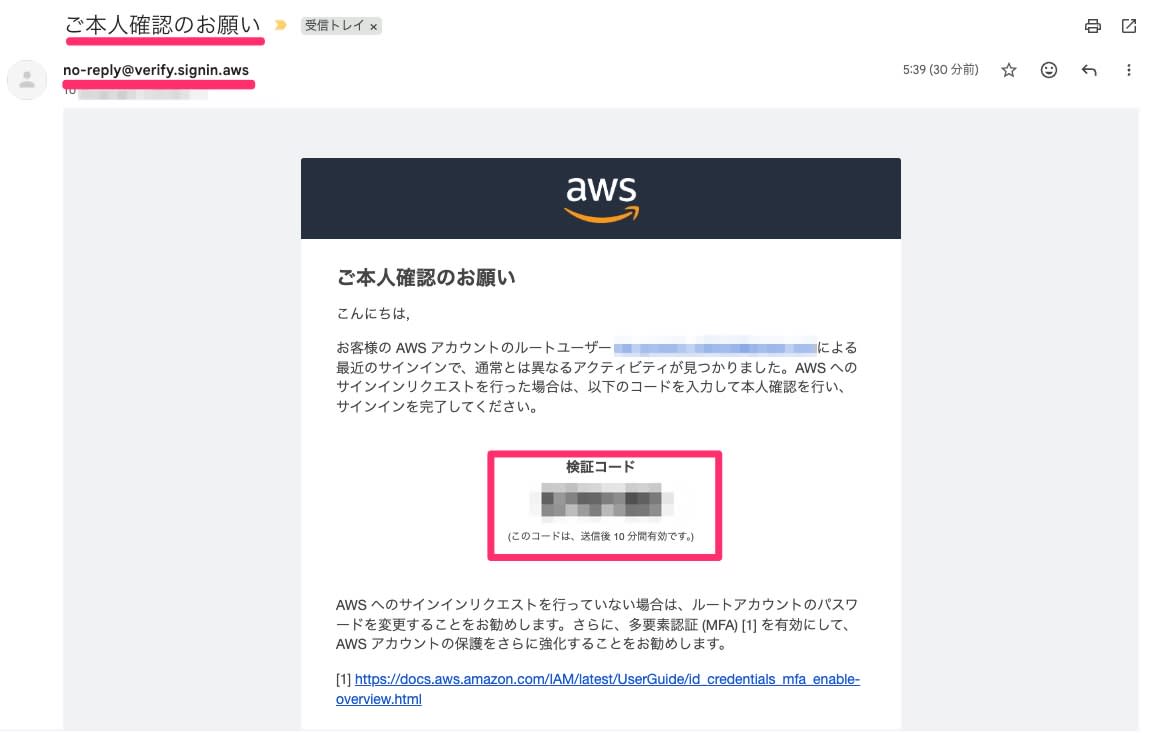
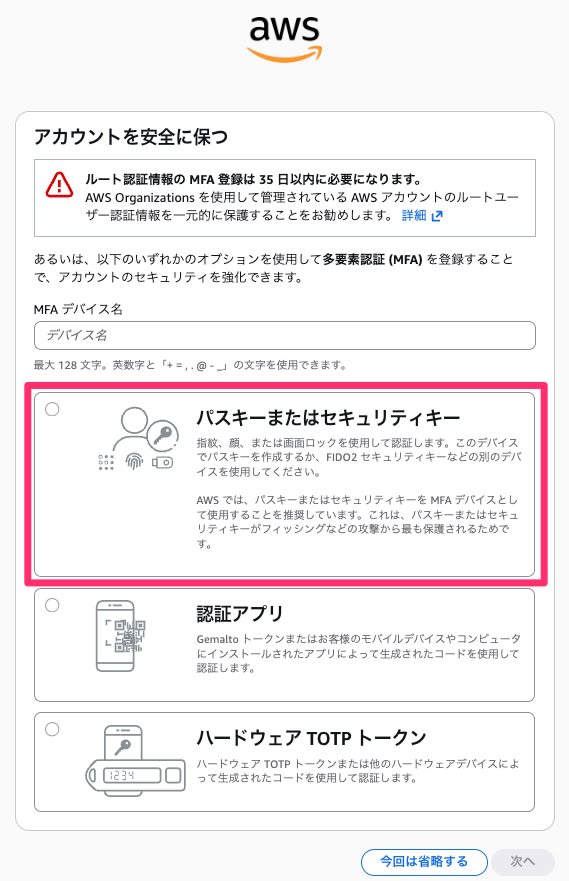
After entering the verification code and proceeding, a screen to set up MFA appears.
Recently, MFA has been made mandatory when using root credentials, and while it's not immediately enforced, it needs to be set up within 35 days. So let's set that up too. It's not good to skip it just because it's only for a moment. Absolutely don't skip it — set it up. Passkeys are easy and recommended these days.
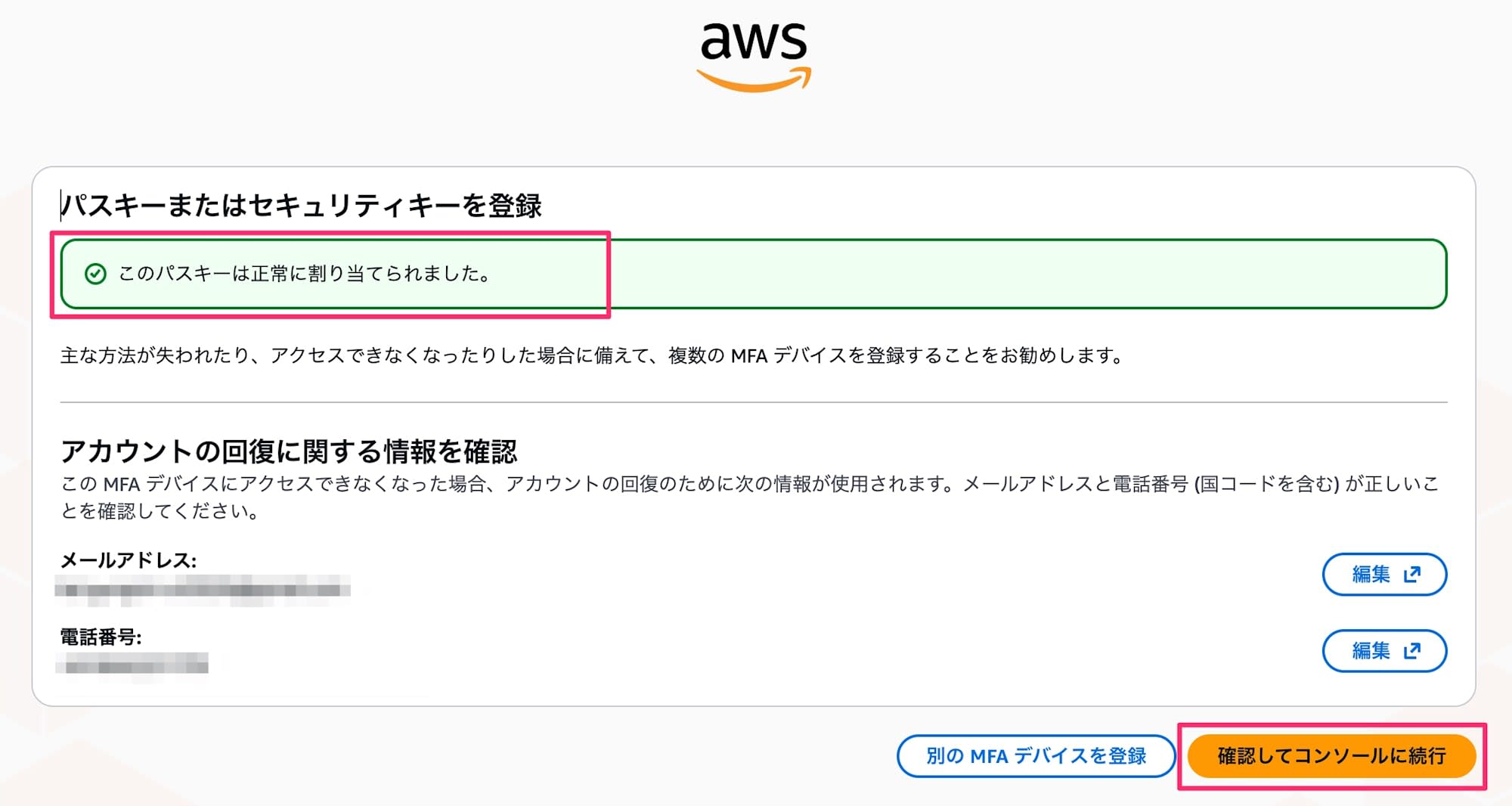
And with that, the MFA setup is complete as well. You can now access the AWS Management Console with the root user.
Deleting Root User Credentials
We've recovered the root user password for unavoidable reasons, but it's not good to leave things in that state indefinitely.
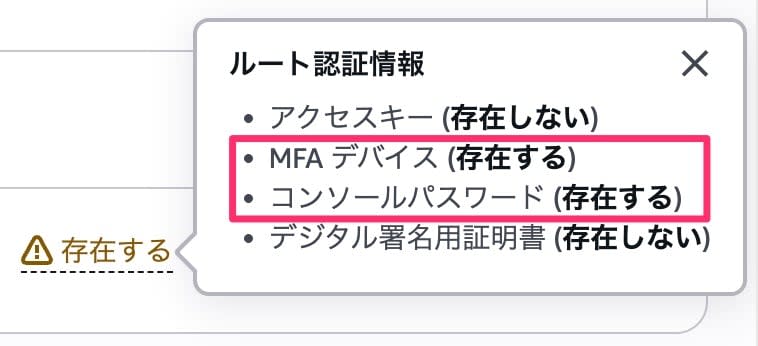
Checking the root access management screen from the management account again, you can confirm that in addition to the console password, an MFA device has also been configured, as shown below.
However, that alone is not enough.
Clicking "Perform privileged actions" and proceeding will show the option to "Delete root user credentials," and deletion is available.
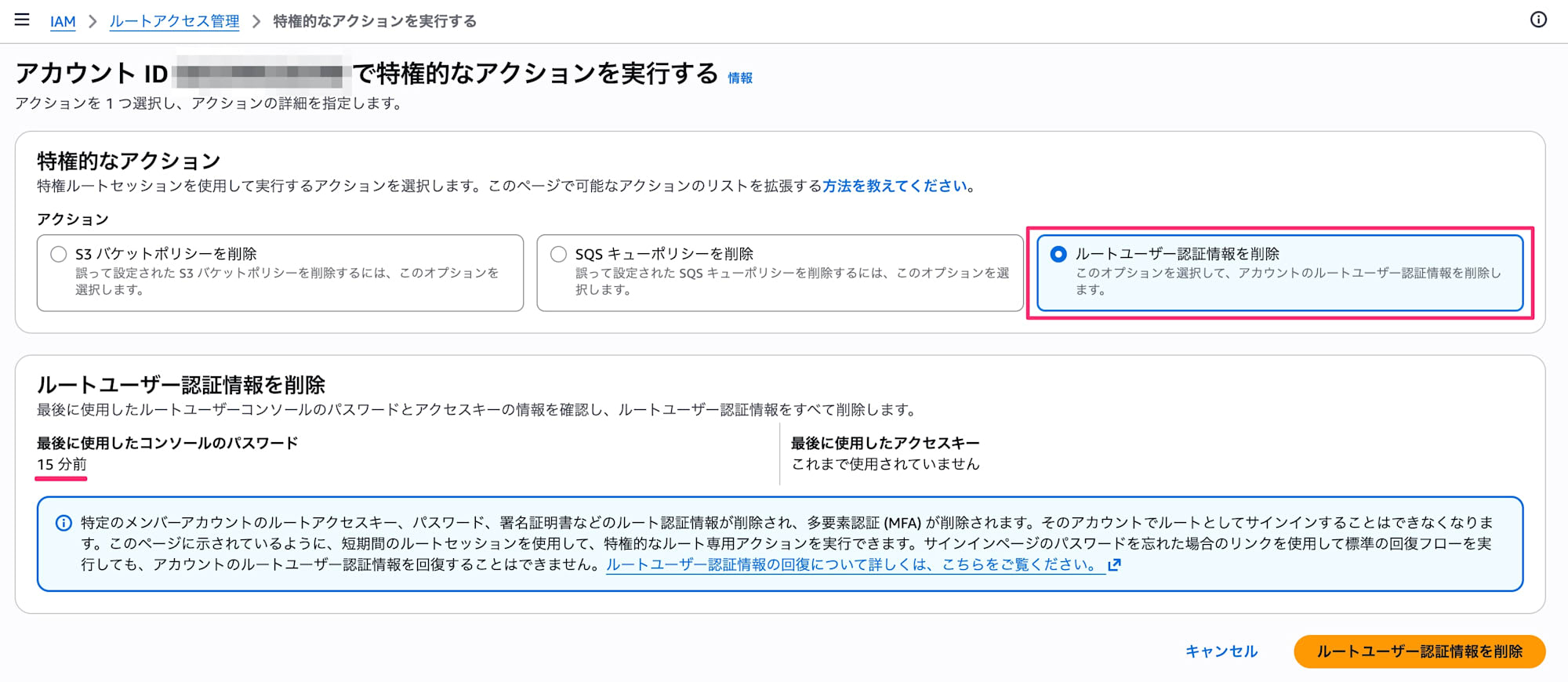
Once you no longer need to use the root user password, restore it to a good state from here as soon as possible.
Summary
Although it deviates from AWS security best practices, we confirmed the steps for unsealing the root user and setting a password for absolutely unavoidable reasons.
Managing root users used to be difficult in the past, but now that we can delete credentials and don't need to hold them, it's a much better era. Please seal away your root user credentials and enjoy easy management.

