
I Tried Using the System Tables Introduced in Amazon Athena

This page has been translated by machine translation. View original
I'm Suzuki from the Data Business Division.
On 11/9, system tables were introduced to Amazon Athena. I was very curious about how they would work, so I tried them out to see how they feel to use!
About system tables
When enabled, an S3 table bucket is provisioned and data on Amazon Athena usage is automatically recorded.
As the first release, query_executions became available on 11/9.
query_executions stores one row for each completed query execution across all workgroups in the account and Region. This table contains data equivalent to the GetQueryExecution API response, plus additional columns.
The specific columns are listed in the following guide.
Because the data is stored in an S3 table bucket, it can also be processed by other engines that support Apache Iceberg. The AWS Agent Toolkit also reportedly includes a skill that queries the system tables and presents usage patterns and optimization recommendations.
Trying it out
1. Enabling system tables
First, I tried enabling the system tables.
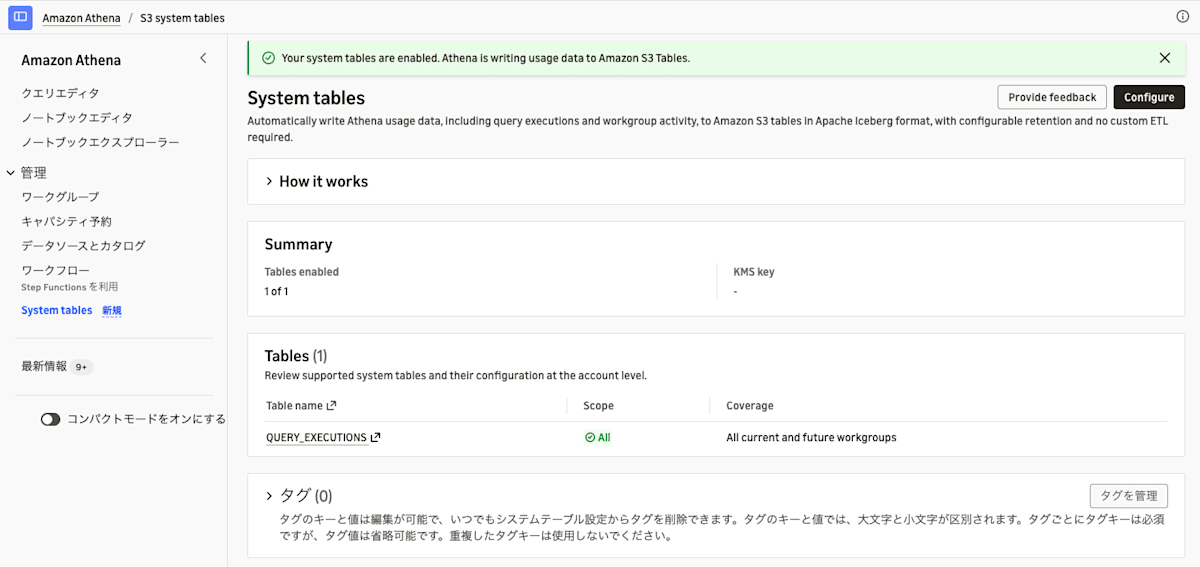
When I checked the Amazon Athena console, I found that a 管理 > System tables link had been added to the navigation pane.
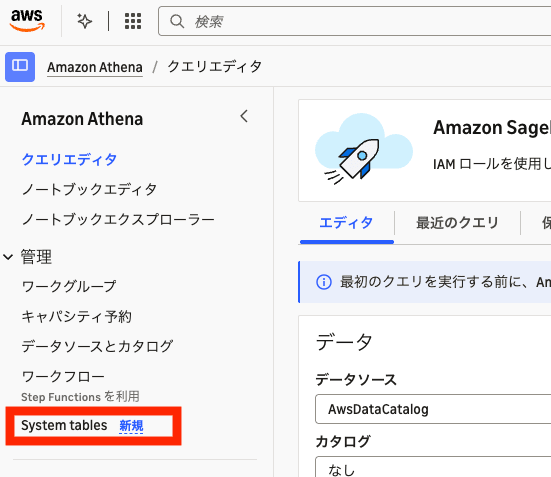
I was able to see the system tables as shown below. At the moment there is only QUERY_EXECUTIONS, and it is set to OFF.
Click Configure at the top right.
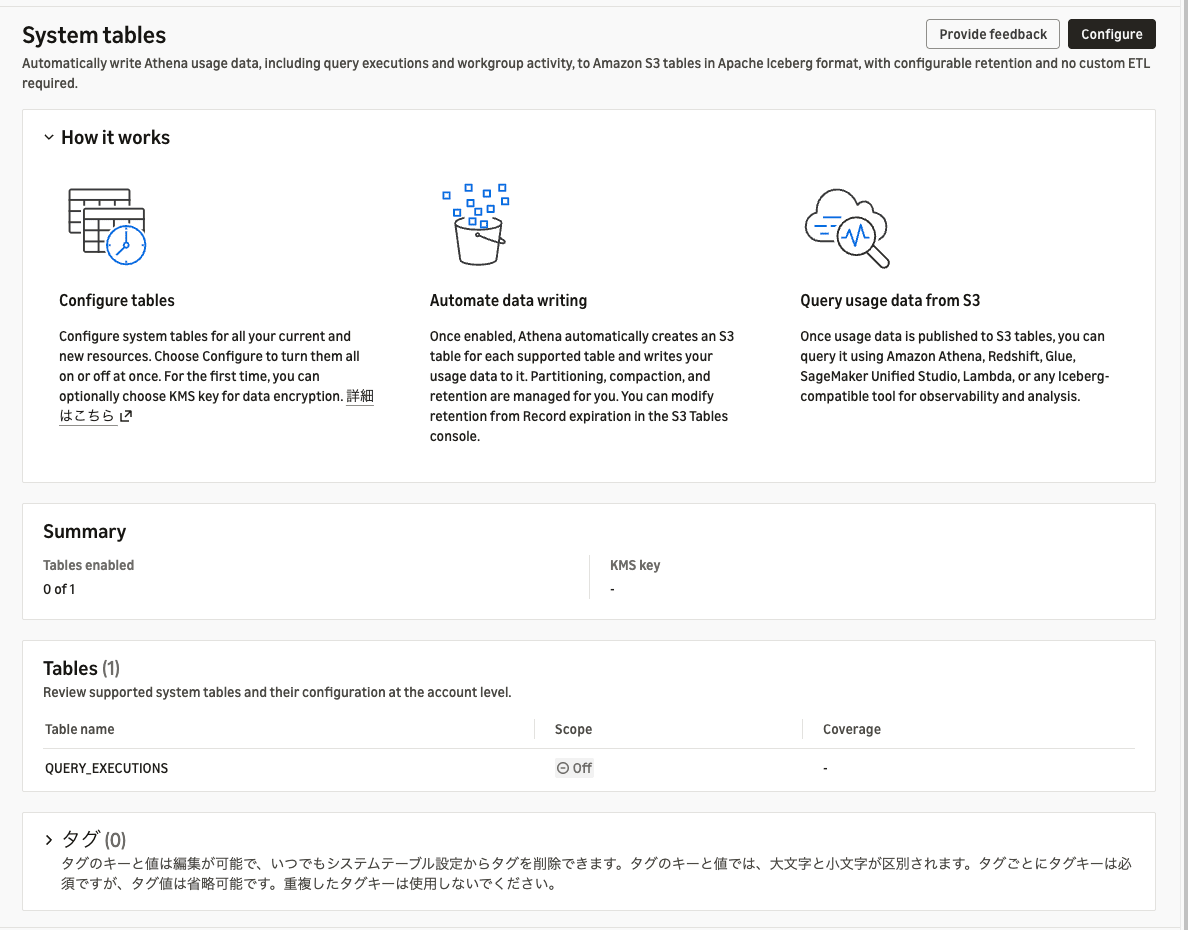
Turn ON Enable system tables for all your current and future resources.
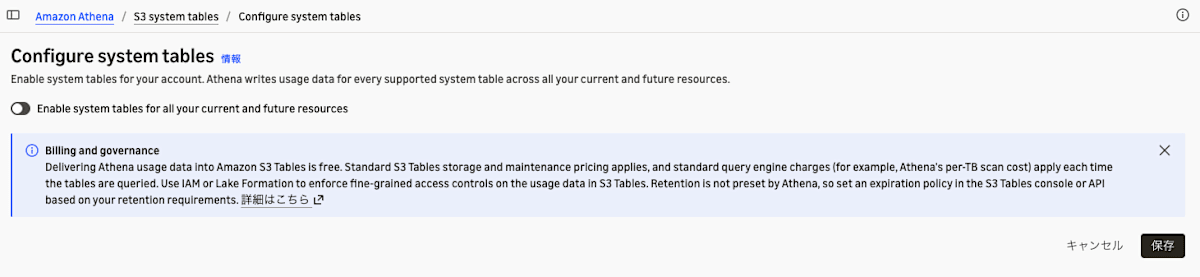
The QUERY_EXECUTIONS table was displayed for confirmation, so I just clicked 保存. Note that encryption with an AWS KMS key is also possible, but this time I proceeded with the default without configuring it.
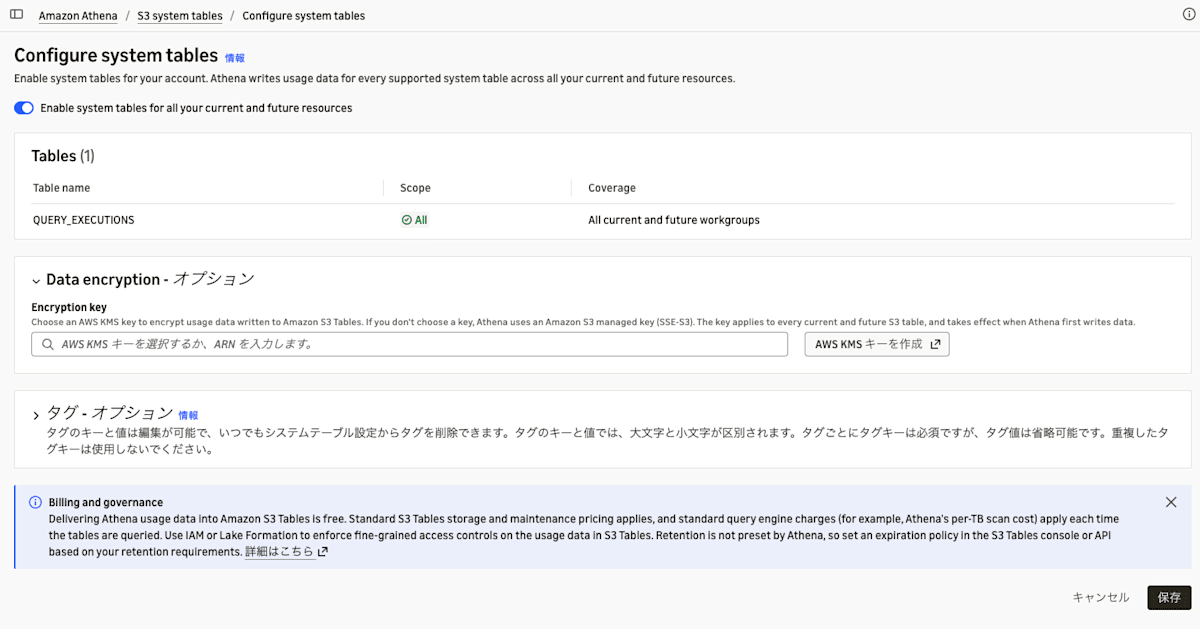
I confirmed that it had been enabled.
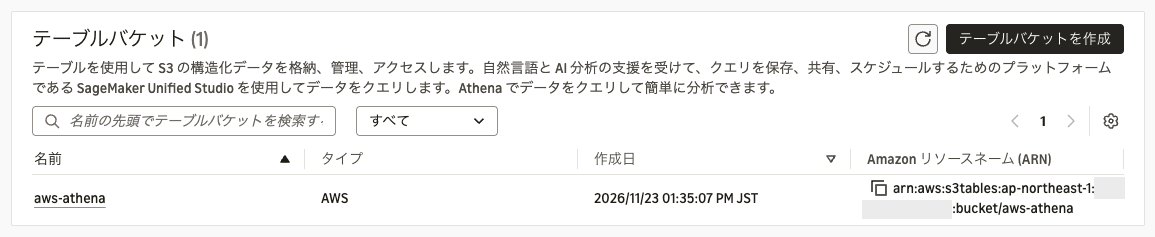
At this point, when I checked S3 tables, I found that a table bucket named aws-athena had been created automatically.
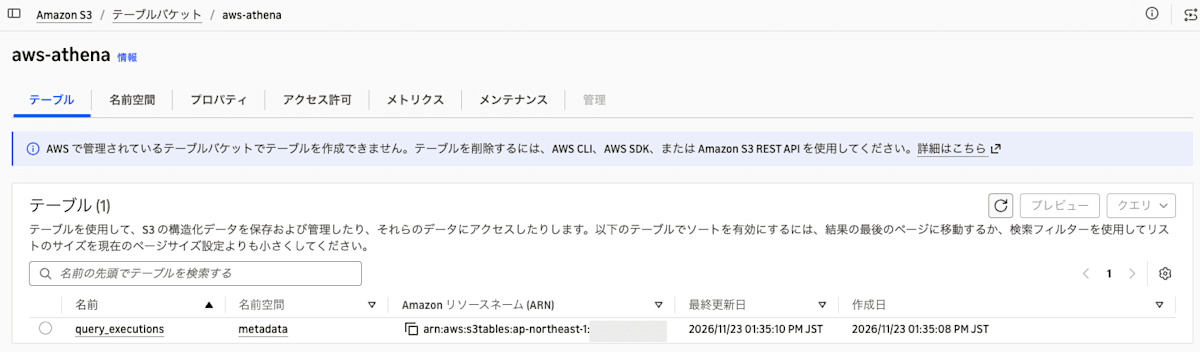
The table bucket contained a query_executions table. Data will presumably accumulate here.
2. Querying from Amazon Athena
I checked the execution results from the query_executions table.
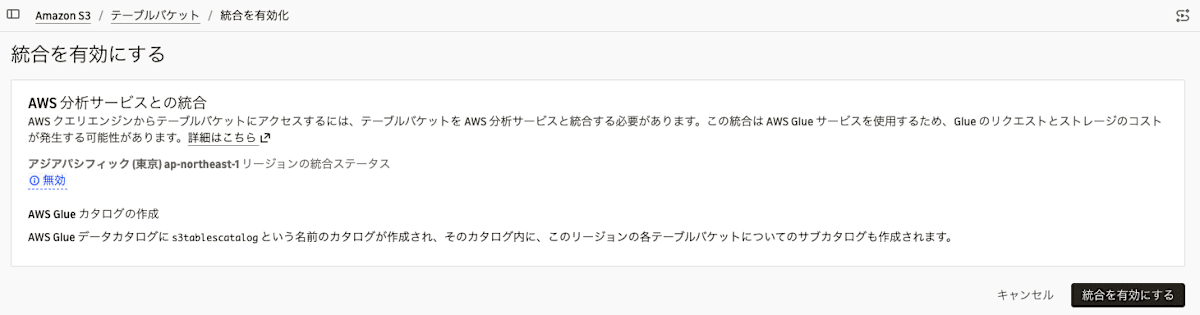
First, as a prerequisite, to query S3 tables with Amazon Athena you need to enable the integration. If you haven't yet, be sure to do so.
When the integration is enabled, s3tablescatalog/aws-athena appears in the catalog, and when I ran a select on the query_executions table within it, I could see the contents and results of recent queries!
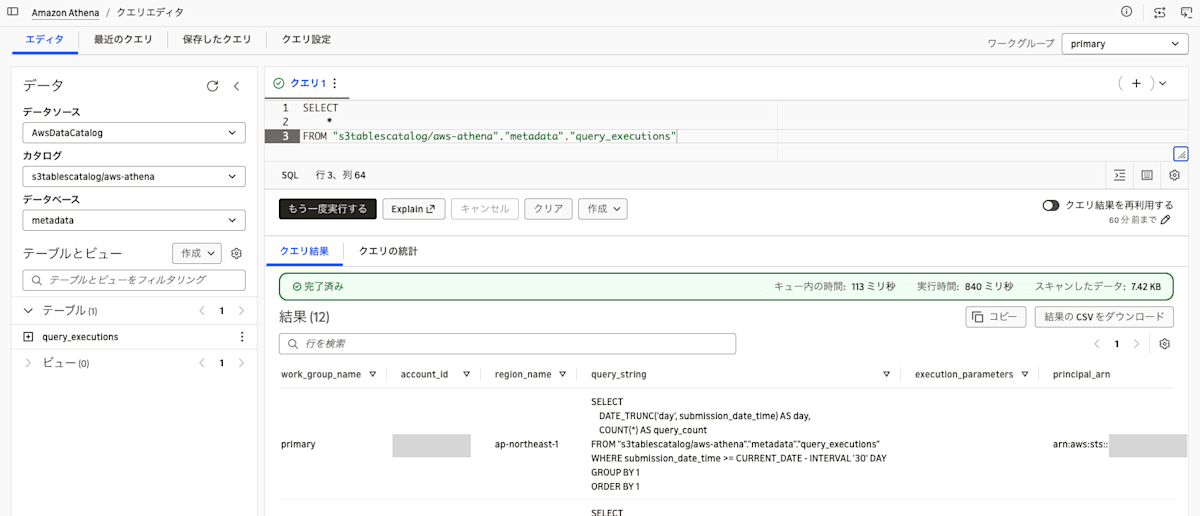
Compared with "Recent queries" that you can see in the Athena console, it also shows who ran each query and the workgroup, so I could check execution details in a more cross-cutting way.
Not only the total execution time, but also the query planning and queuing times could be checked.
It's also great that you can check this kind of execution history directly from Athena, without having to retrieve the history with ListQueryExecutions and GetQueryExecution, save it to S3, and create an Athena table to look at the contents.
With "Recent queries", it took time to trace back through the history when I wanted to find a query from a while ago, but since you can search in Athena, you can easily retrieve the query you want with SQL, which I think makes it far easier to use.
Conclusion
This was an introduction to the recently released Amazon Athena system tables.
I'm looking forward to more system tables being added in the future. I hope this was helpful.
