![[Update] Amazon API Gateway has been added as a target for Amazon Bedrock AgentCore Gateway](https://images.ctfassets.net/ct0aopd36mqt/33a7q65plkoztFWVfWxPWl/a718447bea0d93a2d461000926d65428/reinvent2025_devio_update_w1200h630.png?w=3840&fm=webp)
[Update] Amazon API Gateway has been added as a target for Amazon Bedrock AgentCore Gateway

This page has been translated by machine translation. View original
Hello, I'm Jinno from the Consulting Department.
I've been participating in re:Invent in person, enjoying the sessions and writing blogs every day.
Today, I'd like to introduce the following update!
While the title might make it seem like a standalone MCP Proxy feature for Amazon API Gateway, this update is actually closely integrated with Amazon Bedrock AgentCore Gateway, adding a new target for the Gateway.
Update Details
First, let's review the existing Amazon Bedrock AgentCore Gateway targets:
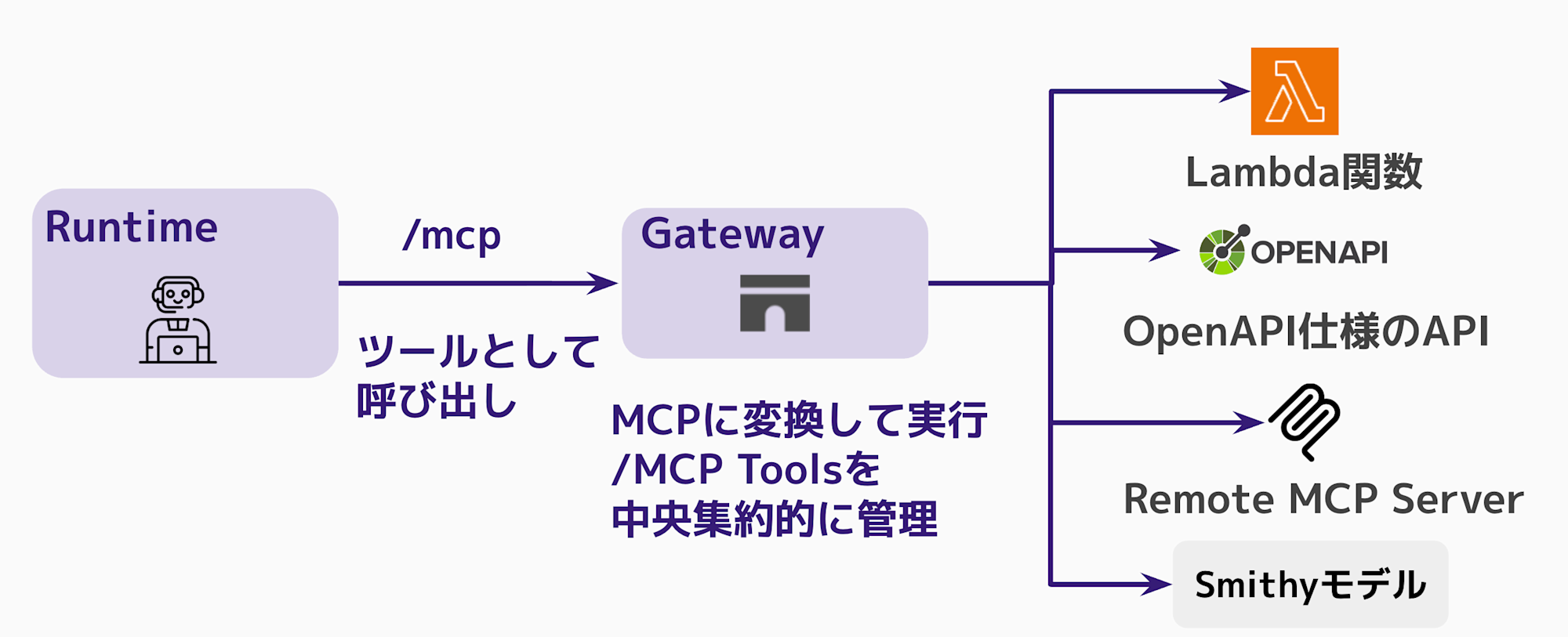
- Lambda functions
- APIs with OpenAPI specifications
- APIs with Smithy models
- Remote MCP Server
- Built-in templates (Slack, Jira, etc.)
With this update, API Gateway can now be added as a target!
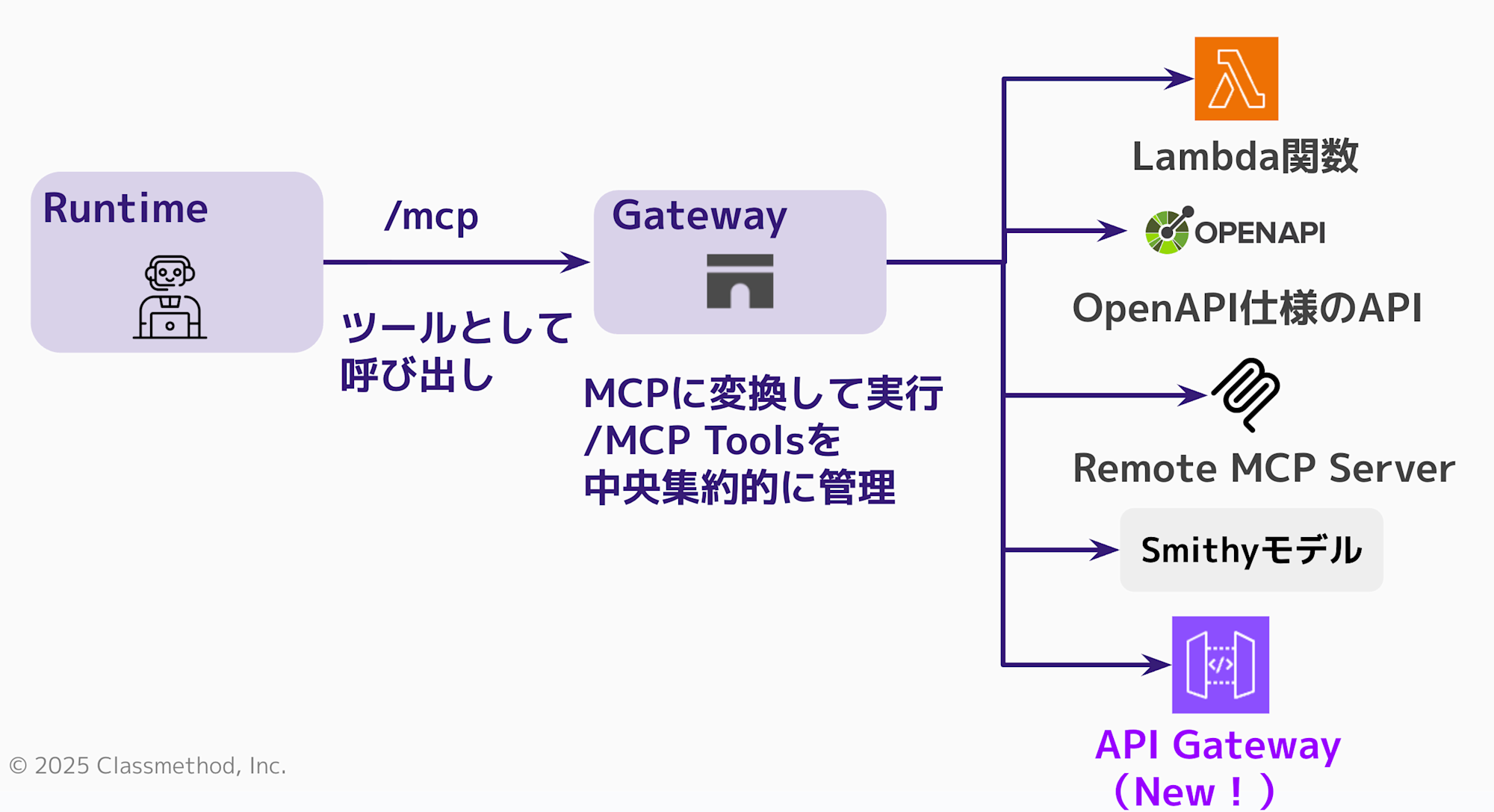
You might wonder, "Couldn't we already add API Gateway as a target with OpenAPI specifications? What's the difference?" I thought the same thing at first.
However, previously we needed to prepare an OpenAPI specification to connect as a generic API server, which wasn't specifically optimized for API Gateway integration.
That's what makes this update exciting - the addition of API Gateway as a dedicated target makes integration much easier. Let's try it out.
Let's Try It
We'll do everything through the console.
Creating an API Gateway
First, let's create a simple REST API in API Gateway.
From the console, select and create a REST API.
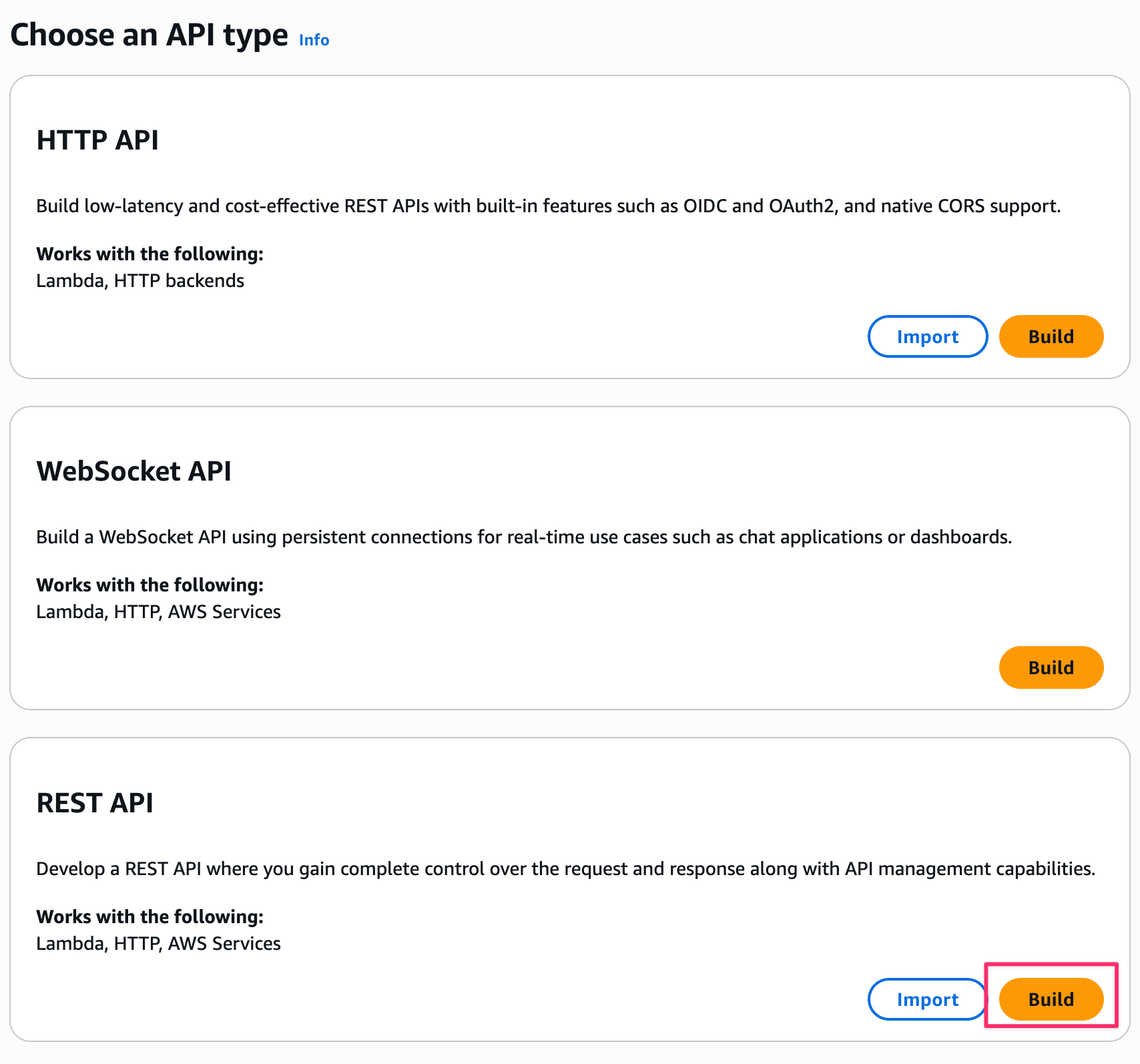
Since we're fine with fixed responses, let's select Example API.
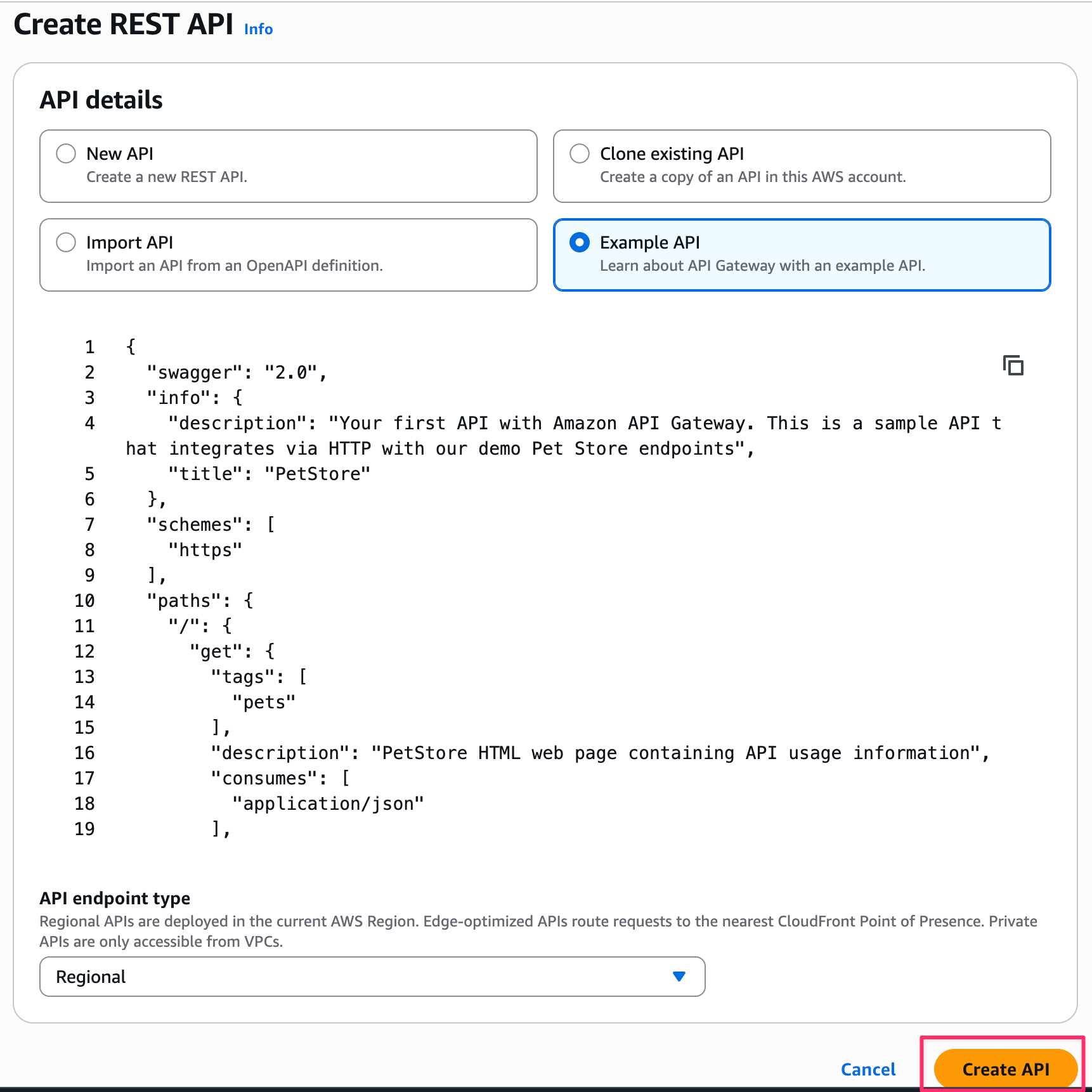
After creating it, let's deploy the API.
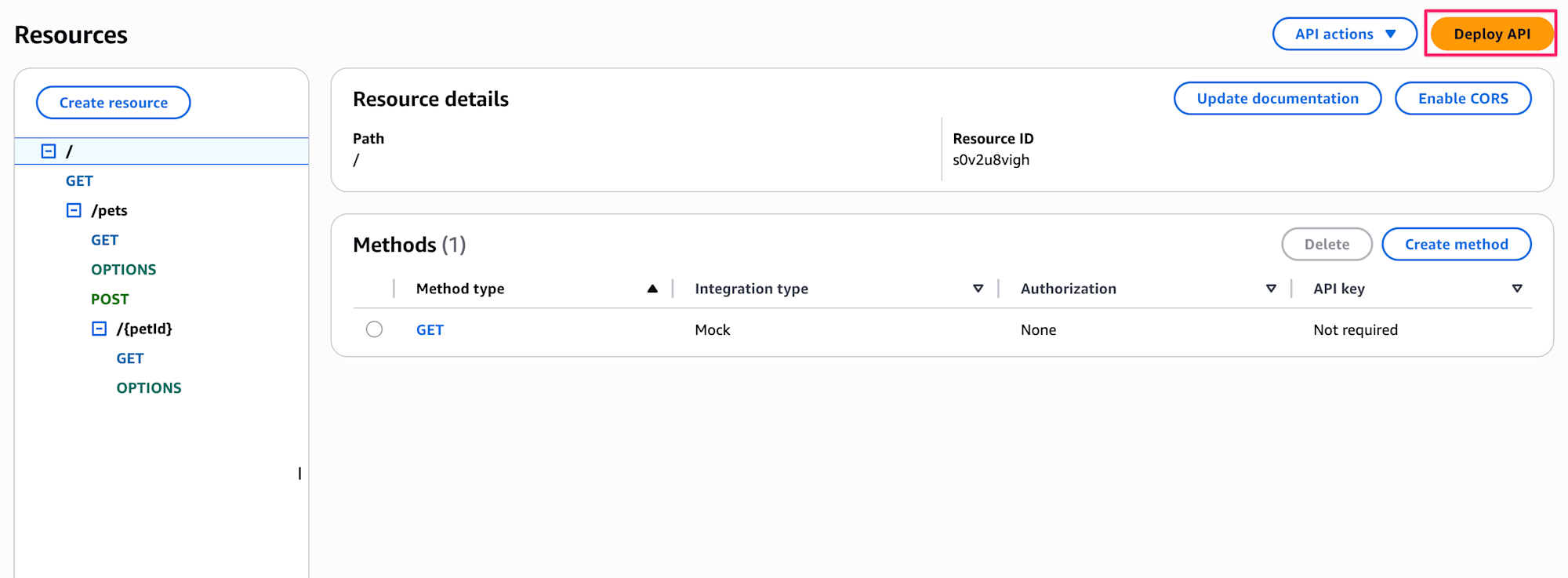
We need to create a new stage, so let's create one called test.
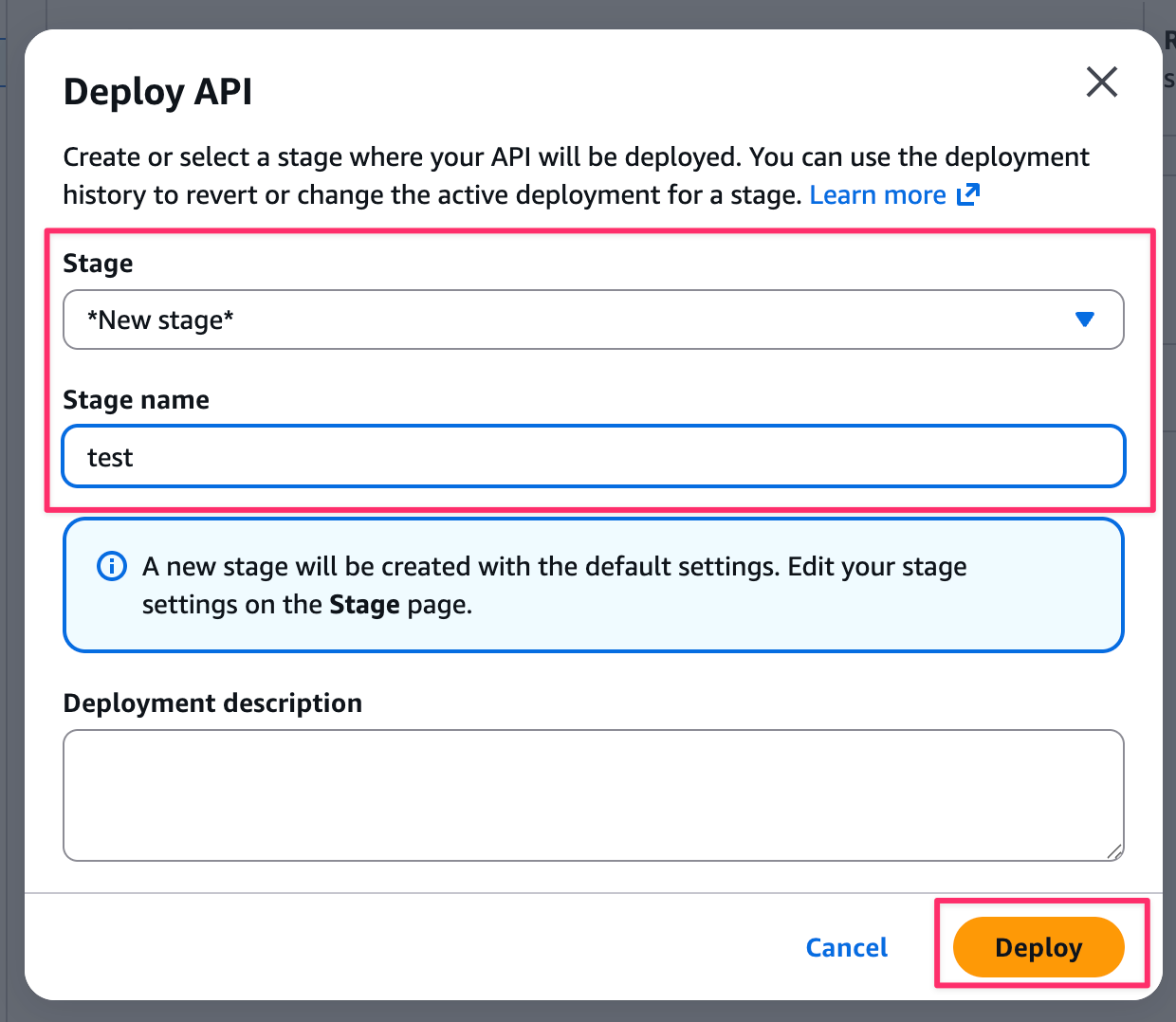
Now the API Gateway preparation is complete.
Creating Amazon Bedrock AgentCore Gateway
Let's create this through the console as well.
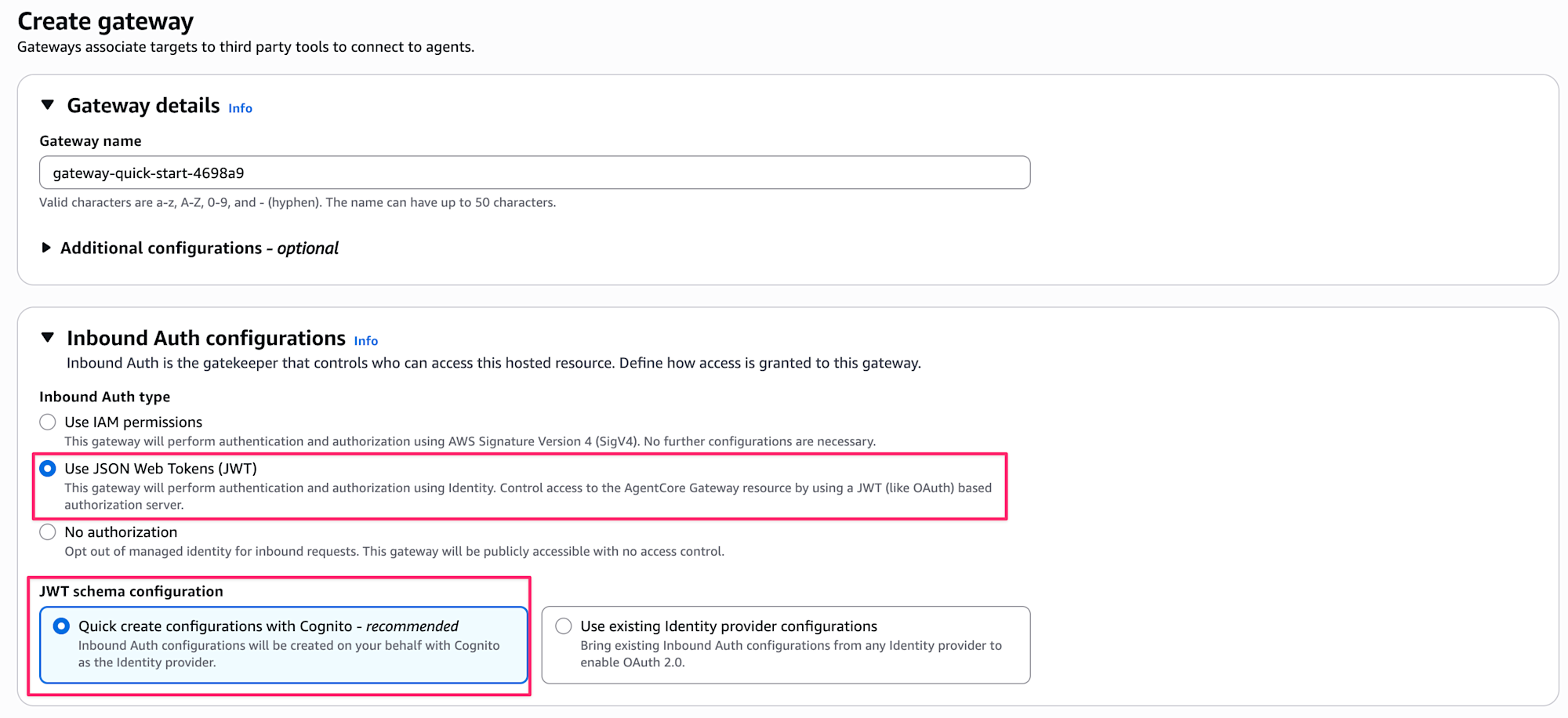
From the Gateway tab, select Create Gateway.
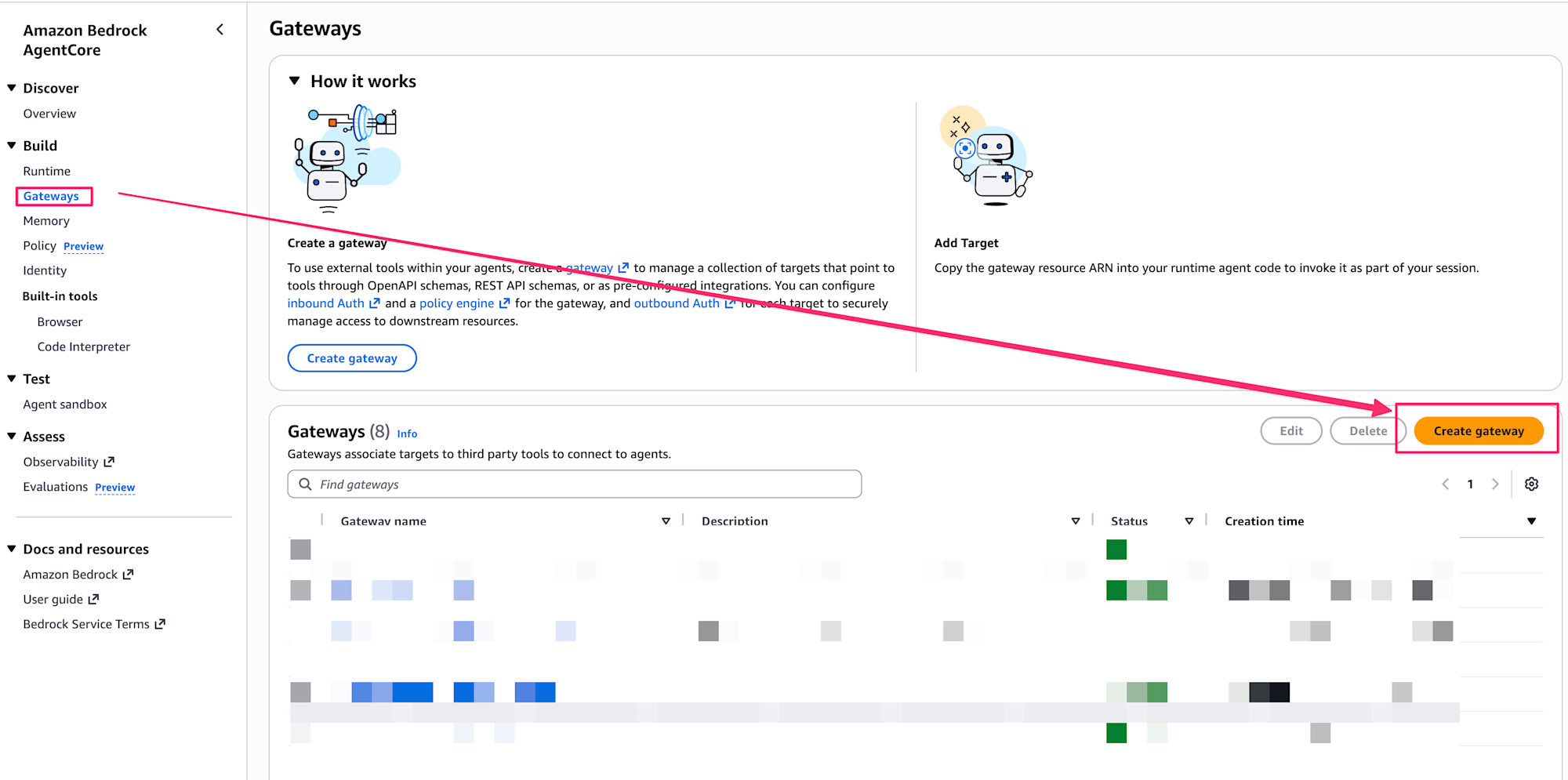
Give it any name you want, and select Use JSON Web Tokens (JWT) for Inbound Auth. Also select Quick create configurations with Cognito, which will conveniently create and configure Cognito for us.
This was my first time using it, and I found it convenient for quickly creating an AgentCore Gateway with authentication!
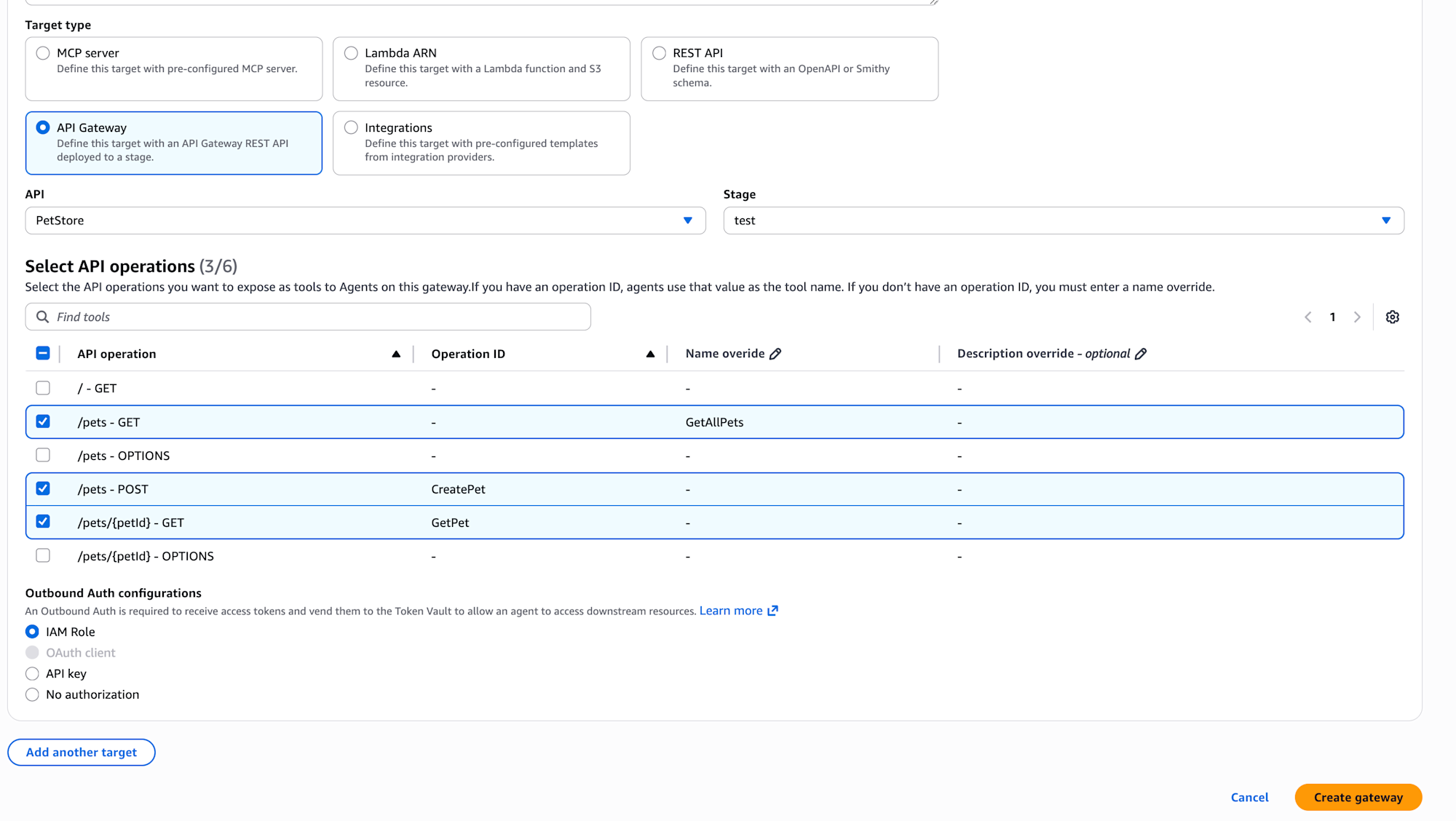
The new target API Gateway has been added to Target type. Of course, we'll select API Gateway as the Target type.
For the API, we'll select PetStore that we created in our sample, and for the stage, we'll select test.
We need to select APIs, and in this case, we'll choose:
/pets - GET- API to get all pets
/pets - POST- API to create pets
/pets/{petId} - GET- API to get a pet by ID
Since the /pets - GET in our sample API's OpenAPI definition doesn't have an operationId, we're asked to provide a name in Name override to indicate what operation it performs.
Let's call it GetAllPets. The value entered will be reflected as part of the tool name.
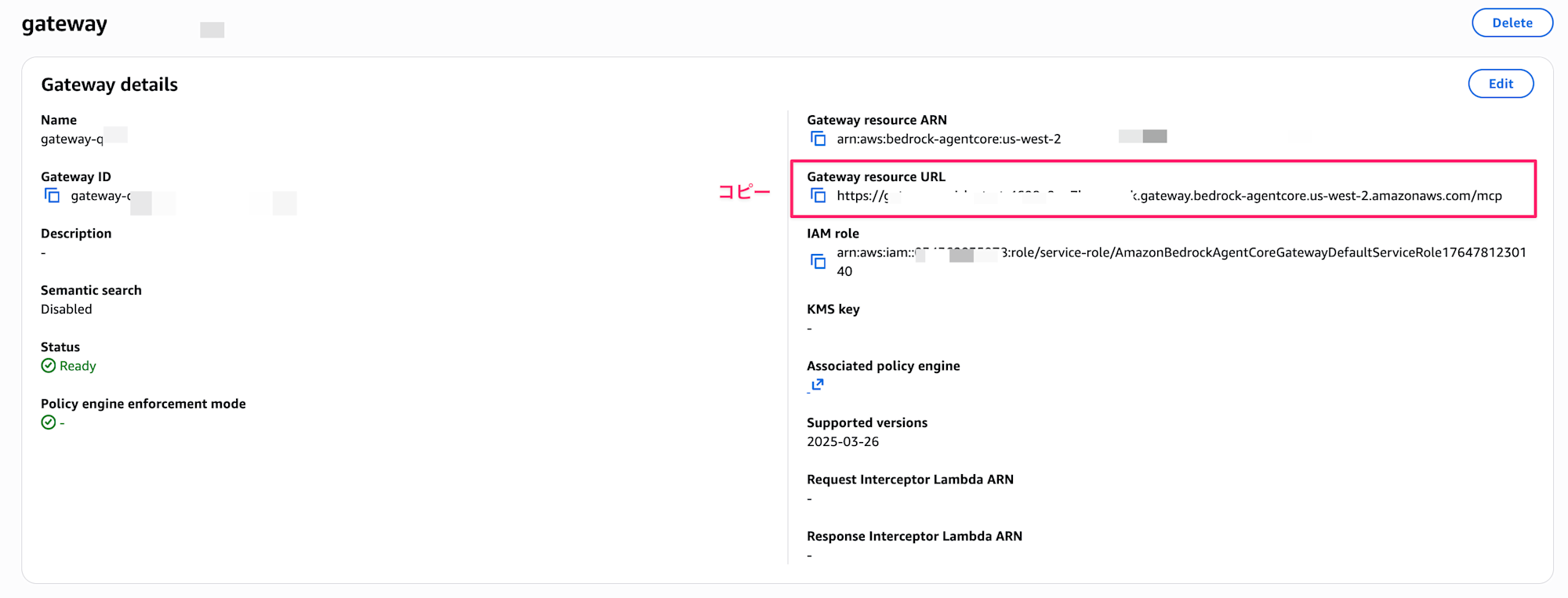
After creation, make note of the Gateway URL.
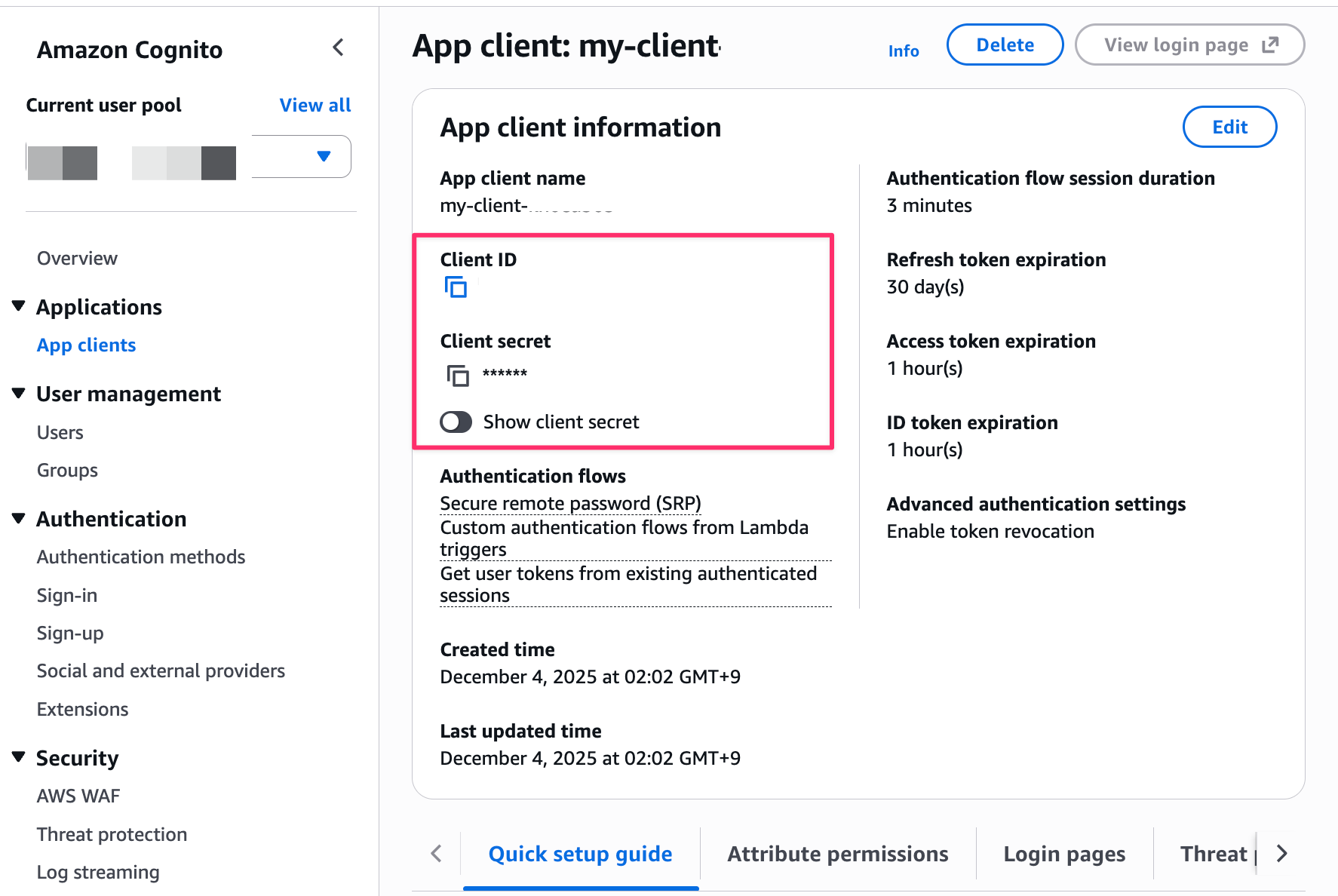
Also, since Cognito was automatically created, check and note the ClientID, Secret, etc.
Check the automatically generated App Client and note the ClientID and Secret.
Also check the endpoint for obtaining tokens.
You can find this information in the Domain tab, so copy it.
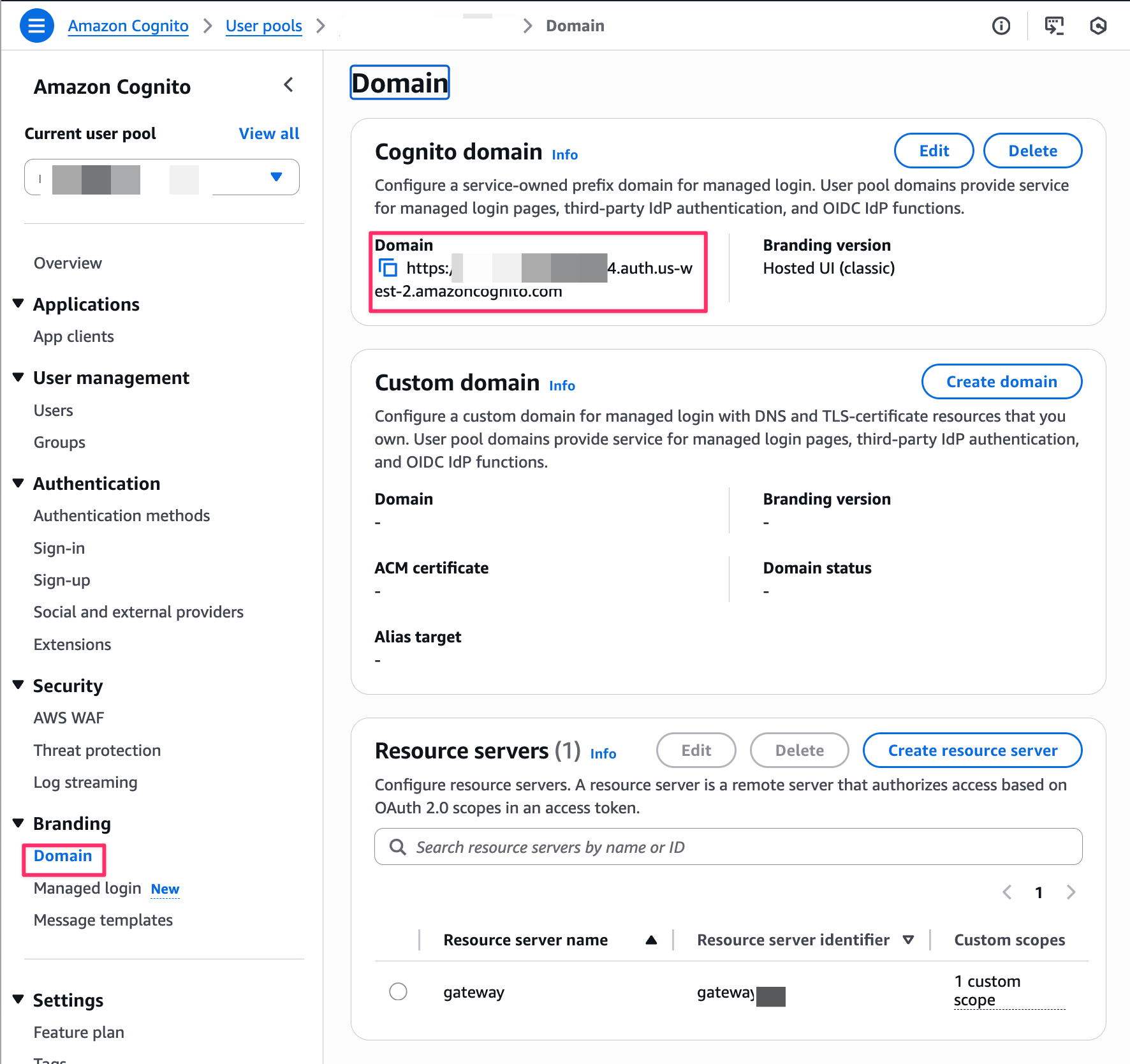
Now our resource preparation is complete! Let's verify that we can connect through the Gateway.
Testing
First, let's create the token retrieval process.
Change TOKEN_ENDPOINT to the Cognito Domain value we obtained earlier. We'll access the /oauth2/token endpoint.
"""Script to obtain an access token using Cognito Client Credentials Flow"""

import os
import base64
import requests

# Configuration
TOKEN_ENDPOINT = "https://xxx.auth.us-west-2.amazoncognito.com/oauth2/token"
CLIENT_ID = os.environ.get("COGNITO_CLIENT_ID", "xxx")
CLIENT_SECRET = os.environ.get("COGNITO_CLIENT_SECRET")

def get_access_token():
    if not CLIENT_SECRET:
        raise ValueError("Please set the COGNITO_CLIENT_SECRET environment variable")

    credentials = base64.b64encode(f"{CLIENT_ID}:{CLIENT_SECRET}".encode()).decode()

    headers = {
        "Authorization": f"Basic {credentials}",
        "Content-Type": "application/x-www-form-urlencoded"
    }

    data = {
        "grant_type": "client_credentials"
    }

    response = requests.post(TOKEN_ENDPOINT, headers=headers, data=data)
    response.raise_for_status()

    return response.json()
Also set the environment variables CLIENT_ID and CLIENT_SECRET to the values we obtained earlier.
export CLIENT_ID=xxx
export CLIENT_SECRET=yyy
Next, let's create list_tools.py to get a list of available tools.
Specify the AgentCore Gateway URL we confirmed earlier for GATEWAY_URL.
"""Script to get the list of tools from Bedrock AgentCore Gateway"""

import json
import os

import requests

from get_cognito_token import get_access_token

GATEWAY_URL = "https://gateway-quick-start-xxx.gateway.bedrock-agentcore.us-west-2.amazonaws.com/mcp"

def list_tools(gateway_url: str, bearer_token: str):
    """List all available tools from the gateway"""
    response = requests.post(
        gateway_url,
        headers={
            "Content-Type": "application/json",
            "Authorization": f"Bearer {bearer_token}",
        },
        json={
            "jsonrpc": "2.0",
            "id": 1,
            "method": "tools/list",
            "params": {},
        },
    )

    print(f"Status Code: {response.status_code}")
    print(f"Response Body: {json.dumps(response.json(), indent=2)}")
    return response

if __name__ == "__main__":
    if not GATEWAY_URL:
        raise ValueError("Please set the GATEWAY_URL environment variable")

    # Get access token from Cognito
    token_response = get_access_token()
    access_token = token_response.get("access_token")

    # Get list of tools
    list_tools(GATEWAY_URL, access_token)
Let's run it to check connectivity.
python3 list_tools.py

# Execution result
Status Code: 200
Response Body: {
  "jsonrpc": "2.0",
  "id": 1,
  "result": {
    "tools": [
      {
        "inputSchema": {
          "type": "object",
          "properties": {
            "basePath": {
              "type": "string"
            },
            "price": {
              "type": "number"
            },
            "type": {
              "type": "string",
              "enum": [
                "dog",
                "cat",
                "fish",
                "bird",
                "gecko"
              ]
            }
          }
        },
        "name": "target-quick-start-xxx___CreatePet",
        "description": "CreatePet"
      },
      {
        "inputSchema": {
          "type": "object",
          "properties": {
            "basePath": {
              "type": "string"
            },
            "page": {
              "type": "string"
            },
            "type": {
              "type": "string"
            }
          }
        },
        "name": "target-quick-start-xxx___GetAllPets",
        "description": "GetAllPets"
      },
      {
        "inputSchema": {
          "type": "object",
          "properties": {
            "petId": {
              "type": "string"
            },
            "basePath": {
              "type": "string"
            }
          },
          "required": [
            "petId"
          ]
        },
        "name": "target-quick-start-xxx___GetPet",
        "description": "GetPet"
      }
    ]
  }
}
We passed authentication and retrieved the list of tools!
Each tool name follows the naming convention target-name___OperationID or overridden name.
Next, let's create call_get_all_pets.py to execute GetAllPet.
Specify the AgentCore Gateway URL we confirmed earlier for GATEWAY_URL, and enter the value of GetAllPets that we obtained from the list for target-quick-start-axxx___GetAllPets.
#!/usr/bin/env python3
"""Script to call the GetAllPets tool on Bedrock AgentCore Gateway"""

import json
import os

import requests

from get_cognito_token import get_access_token

GATEWAY_URL = "https://gateway-quick-start-xxx.gateway.bedrock-agentcore.us-west-2.amazonaws.com/mcp"

def call_tool(
    gateway_url: str, bearer_token: str, tool_name: str, arguments: dict = None
):
    """Call a specific tool on the gateway"""
    response = requests.post(
        gateway_url,
        headers={
            "Content-Type": "application/json",
            "Authorization": f"Bearer {bearer_token}",
        },
        json={
            "jsonrpc": "2.0",
            "id": 1,
            "method": "tools/call",
            "params": {
                "name": tool_name,
                "arguments": arguments or {},
            },
        },
    )

    print(f"Status Code: {response.status_code}")
    print(f"Response Body: {json.dumps(response.json(), indent=2)}")
    return response

def get_all_pets(
    gateway_url: str, bearer_token: str, page: str = None, pet_type: str = None
):
    """Call the GetAllPets tool"""
    arguments = {}
    if page:
        arguments["page"] = page
    if pet_type:
        arguments["type"] = pet_type

    return call_tool(
        gateway_url, bearer_token, "target-quick-start-xxx___GetAllPets", arguments
    )

if __name__ == "__main__":
    if not GATEWAY_URL:
        raise ValueError("Please set the GATEWAY_URL environment variable")

    # Get access token from Cognito
    token_response = get_access_token()
    access_token = token_response.get("access_token")

    # Call GetAllPets
    get_all_pets(GATEWAY_URL, access_token)
Let's run it.
python3 call_get_all_pets.py

# Execution result
Status Code: 200
Response Body: {
  "jsonrpc": "2.0",
  "id": 1,
  "result": {
    "isError": false,
    "content": [
      {
        "type": "text",
        "text": "[{\"id\":1,\"type\":\"dog\",\"price\":249.99},{\"id\":2,\"type\":\"cat\",\"price\":124.99},{\"id\":3,\"type\":\"fish\",\"price\":0.99}]"
      }
    ]
  }
}
We successfully retrieved the list!
The API Gateway integration went quite smoothly!
Prerequisites for Use
There are prerequisites for using API Gateway as an MCP Proxy. Make sure to check if you meet them.
Quote (translation)
- An AgentCore Gateway must already exist.
- Only public REST APIs are supported.
- The default endpoint for the API cannot be disabled.
- Each method in the API must have an operation name defined or you must create a name override when adding the stage as a target. This name is used as the tool name for the agent to interact with the method.
- You can use the API_KEY, NO_AUTH, or GATEWAY_IAM_ROLE credential provider types for outbound authentication to allow AgentCore Gateway to access the API. The API_KEY credential provider is defined by the AgentCore Gateway. You can use existing API Gateway API keys. For more information, see Configuring outbound authentication.
- If you're controlling access to your API using an Amazon Cognito user pool or Lambda authorizer, MCP clients won't be able to access it.
- The API must exist in the same account and region as the AgentCore Gateway.
This is definitely an update based on AgentCore Gateway.
It's not an update where API Gateway independently implements MCP Proxy.
Also, note that if API Gateway controls API access using an Amazon Cognito user pool or Lambda authorizer, MCP clients won't be able to access it. That's important to know...
If you're using these and want to integrate, you'll need to reconsider your authentication method.
There seems to be a trade-off between creating something new versus reviewing the authentication method, in terms of cost and risk.
Calling APIs directly from AI agent tools might also be an option.
Conclusion
I tried out the addition of API Gateway as a target for Amazon Bedrock AgentCore Gateway!
Being able to intuitively specify API Gateway as a Gateway target is convenient. This is a useful update if you want to use existing APIs as MCP tools.
However, if your API Gateway is configured with Amazon Cognito user pool or Lambda authorizer authentication, you won't be able to use it, so you'll need to either revise your authentication scheme to make it compatible, create a new API Gateway, or execute RestAPI directly through tools from your AI agent without going through AgentCore Gateway.
I hope this article was helpful. Thank you for reading to the end!!
Additional Note
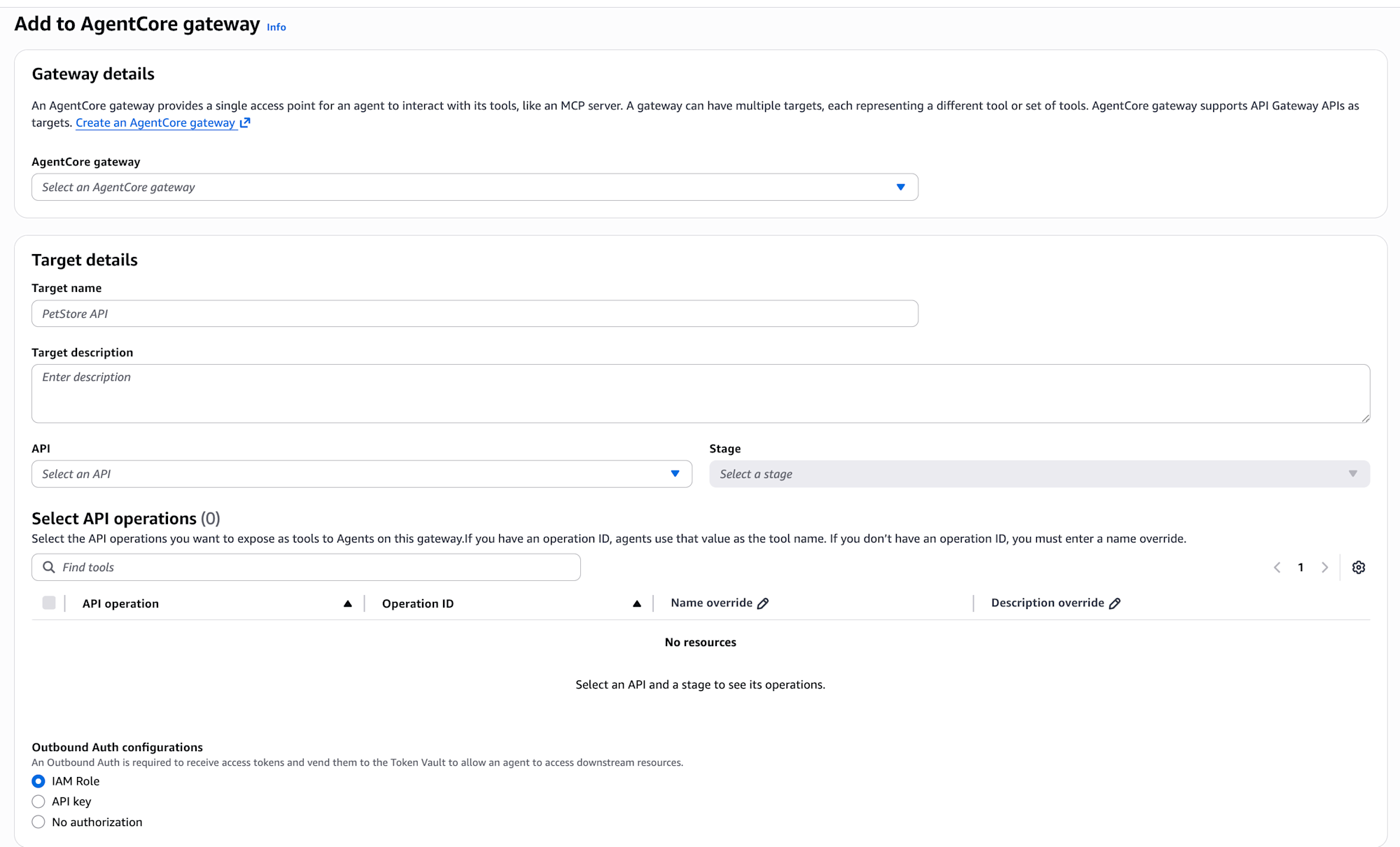
While we specified the target from AgentCore Gateway in this example, you can also add it from API Gateway.
A new AgentCore targets tab has been added, allowing you to add API Gateway as a target for AgentCore Gateway from here.
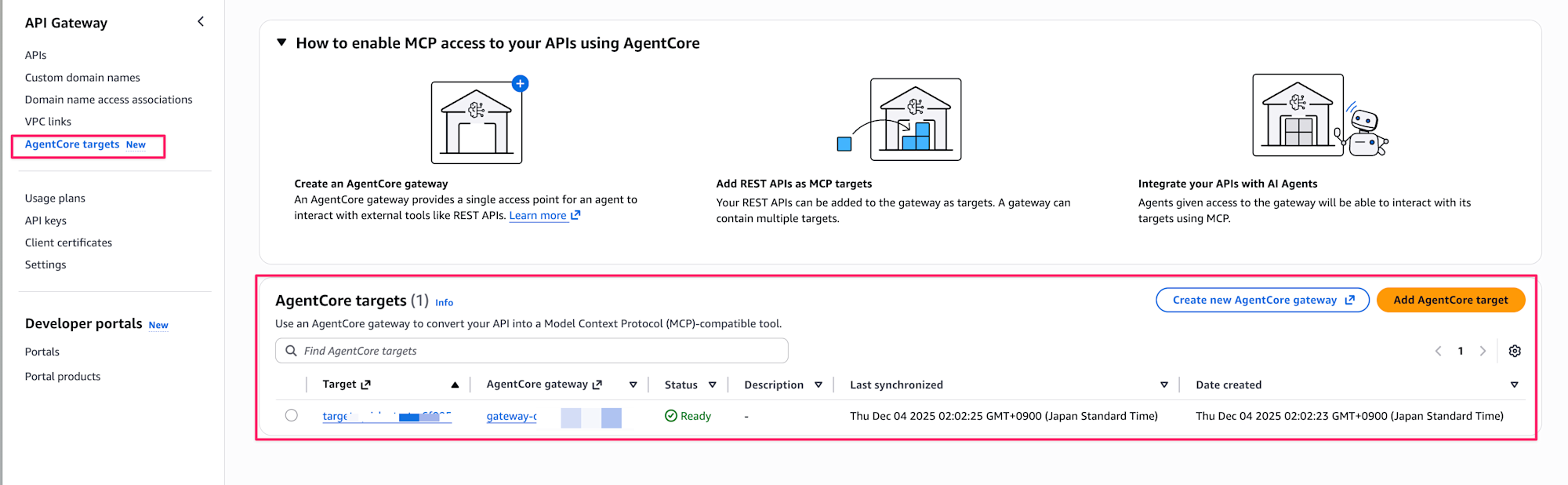
Clicking the Add AgentCore target button displays the input screen below, which is almost identical to the AgentCore Gateway configuration. The only difference is whether you specify the target from the API Gateway screen or the Gateway screen, while the settings themselves are the same.