I Tried Publishing a WebSocket App Through an ALB Using Amazon ECS Express Mode

This page has been translated by machine translation. View original
On November 21, 2025, Amazon ECS Express Mode was released.
This feature lets you build production-ready container applications in just a few clicks or with a single command. I had the chance to try it out right away, so I'm sharing it here.
Prerequisites
Creating and Registering the Container Image
I prepared a container image to deploy to ECS Express Mode.
This time, I created an Nginx image that includes a WebSocket echo server and pushed it to ECR.
Script for creating and registering the Nginx test image
#!/bin/bash
set -e

REGION="ap-northeast-1"
ACCOUNT_ID="********"
REPO_NAME="websocket-nginx"
IMAGE_URI="${ACCOUNT_ID}.dkr.ecr.${REGION}.amazonaws.com/${REPO_NAME}:latest"

echo "=== 1. WebSocketサーバーを作成 ==="
cat > ws-server.js << 'EOF'
const WebSocket = require('ws');
const wss = new WebSocket.Server({ port: 8080 });

wss.on('connection', ws => {
  ws.on('message', (msg, isBinary) => {
    const data = isBinary ? msg : msg.toString();
    ws.send(data);
  });
});
EOF

echo "=== 2. package.jsonを作成 ==="
cat > package.json << 'EOF'
{"dependencies":{"ws":"^8.14.2"}}
EOF

echo "=== 3. Nginx設定を作成 ==="
cat > nginx.conf << 'EOF'
events {
    worker_connections 1024;
}

http {
    server {
        listen 80;
        root /usr/share/nginx/html;
        index index.html;

        location / {
            try_files $uri $uri/ =404;
        }

        location /ws {
            proxy_pass http://127.0.0.1:8080;
            proxy_http_version 1.1;
            proxy_set_header Upgrade $http_upgrade;
            proxy_set_header Connection "upgrade";
            proxy_set_header Host $host;
        }
    }

    server {
        listen 8081;

        location / {
            return 200 'WebSocket Echo\n';
            add_header Content-Type text/plain;
        }
    }
}
EOF

echo "=== 4. 起動スクリプトを作成 ==="
cat > start.sh << 'EOF'
#!/bin/sh
node /app/ws-server.js &
nginx -g 'daemon off;'
EOF

echo "=== 5. HTMLテストページを作成 ==="
cat > index.html << 'EOF'
<!DOCTYPE html>
<html>
<head>
    <title>WebSocket Test</title>
    <style>
        body { font-family: Arial; max-width: 600px; margin: 50px auto; }
        #messages { border: 1px solid #ccc; height: 300px; overflow-y: auto; padding: 10px; margin: 10px 0; }
        input, button { padding: 10px; margin: 5px 0; }
        input { width: 70%; }
        button { width: 25%; }
        .sent { color: blue; }
        .received { color: green; }
        .status { color: red; }
    </style>
</head>
<body>
    <h1>WebSocket Echo Test</h1>
    <div id="status" class="status">Disconnected</div>
    <div id="messages"></div>
    <input id="input" type="text" placeholder="Type message..." disabled>
    <button id="send" disabled>Send</button>
    <button id="connect">Connect</button>

    <script>
        let ws;
        const messages = document.getElementById('messages');
        const input = document.getElementById('input');
        const status = document.getElementById('status');
        const sendBtn = document.getElementById('send');
        const connectBtn = document.getElementById('connect');

        function log(msg, className) {
            const div = document.createElement('div');
            div.className = className;
            div.textContent = msg;
            messages.appendChild(div);
            messages.scrollTop = messages.scrollHeight;
        }

        connectBtn.onclick = () => {
            const protocol = location.protocol === 'https:' ? 'wss:' : 'ws:';
            const wsUrl = `${protocol}//${location.host}/ws`;

            ws = new WebSocket(wsUrl);

            ws.onopen = () => {
                status.textContent = 'Connected';
                status.style.color = 'green';
                input.disabled = false;
                sendBtn.disabled = false;
                connectBtn.disabled = true;
                log('Connected to ' + wsUrl, 'status');
            };

            ws.onmessage = (e) => {
                log('← ' + e.data, 'received');
            };

            ws.onclose = () => {
                status.textContent = 'Disconnected';
                status.style.color = 'red';
                input.disabled = true;
                sendBtn.disabled = true;
                connectBtn.disabled = false;
                log('Disconnected', 'status');
            };

            ws.onerror = (e) => {
                log('Error: ' + e, 'status');
            };
        };

        sendBtn.onclick = () => {
            if (ws && input.value) {
                ws.send(input.value);
                log('→ ' + input.value, 'sent');
                input.value = '';
            }
        };

        input.onkeypress = (e) => {
            if (e.key === 'Enter') sendBtn.click();
        };
    </script>
</body>
</html>
EOF

echo "=== 6. Dockerfileを作成 ==="
cat > Dockerfile << 'EOF'
FROM node:alpine
RUN apk add --no-cache nginx && mkdir -p /usr/share/nginx/html
WORKDIR /app
COPY package.json .
RUN npm install
COPY ws-server.js .
COPY nginx.conf /etc/nginx/nginx.conf
COPY index.html /usr/share/nginx/html/
COPY start.sh /start.sh
RUN chmod +x /start.sh
EXPOSE 80
CMD ["/start.sh"]
EOF

echo "=== 7. Dockerイメージをビルド ==="
docker build -t ${REPO_NAME} .

echo "=== 8. ECRにログイン ==="
aws ecr get-login-password --region ${REGION} | docker login --username AWS --password-stdin ${ACCOUNT_ID}.dkr.ecr.${REGION}.amazonaws.com

echo "=== 9. イメージにタグを付ける ==="
docker tag ${REPO_NAME}:latest ${IMAGE_URI}

echo "=== 10. ECRにプッシュ ==="
docker push ${IMAGE_URI}

echo "=== 完了 ==="
echo "イメージURI: ${IMAGE_URI}"
IAM Roles
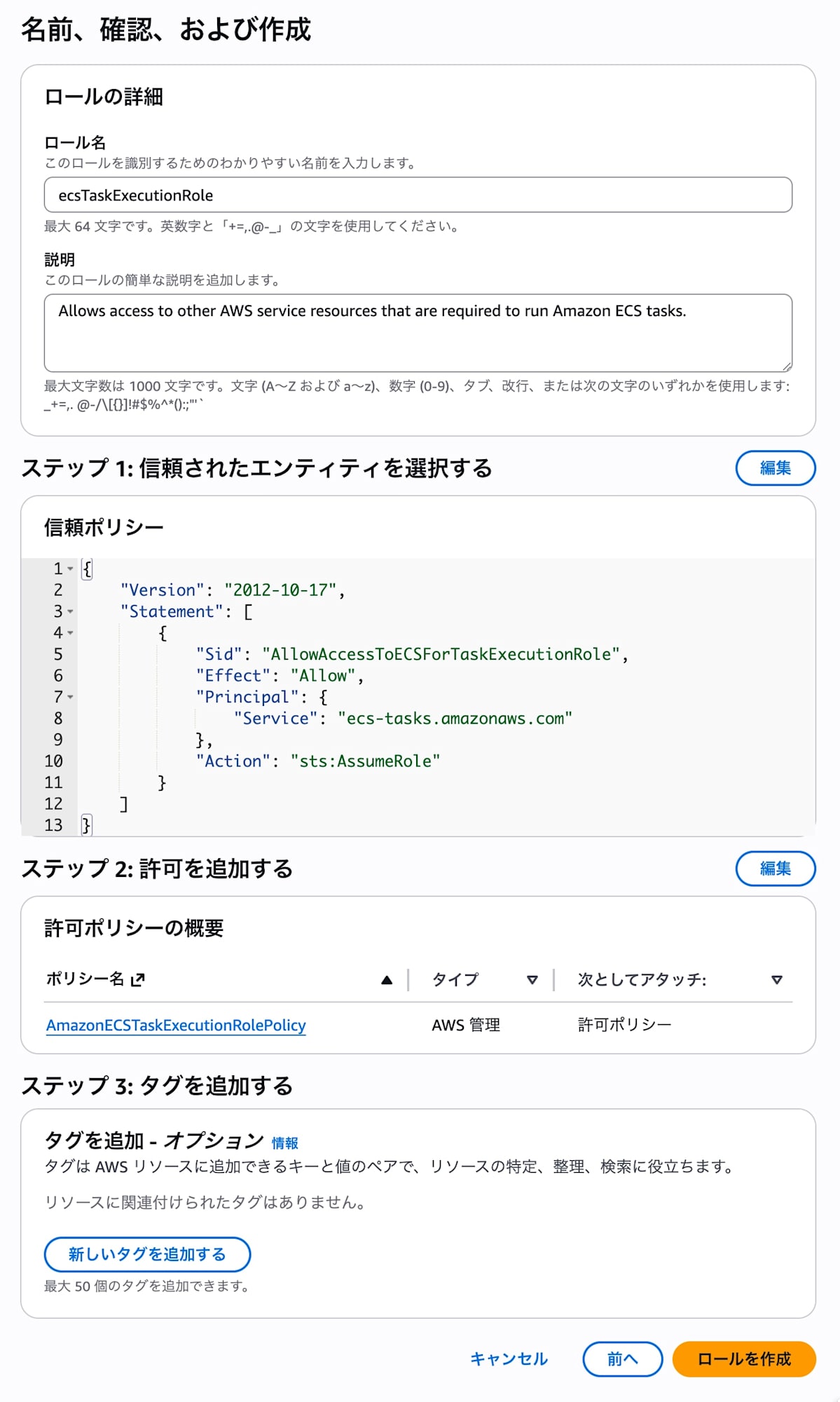
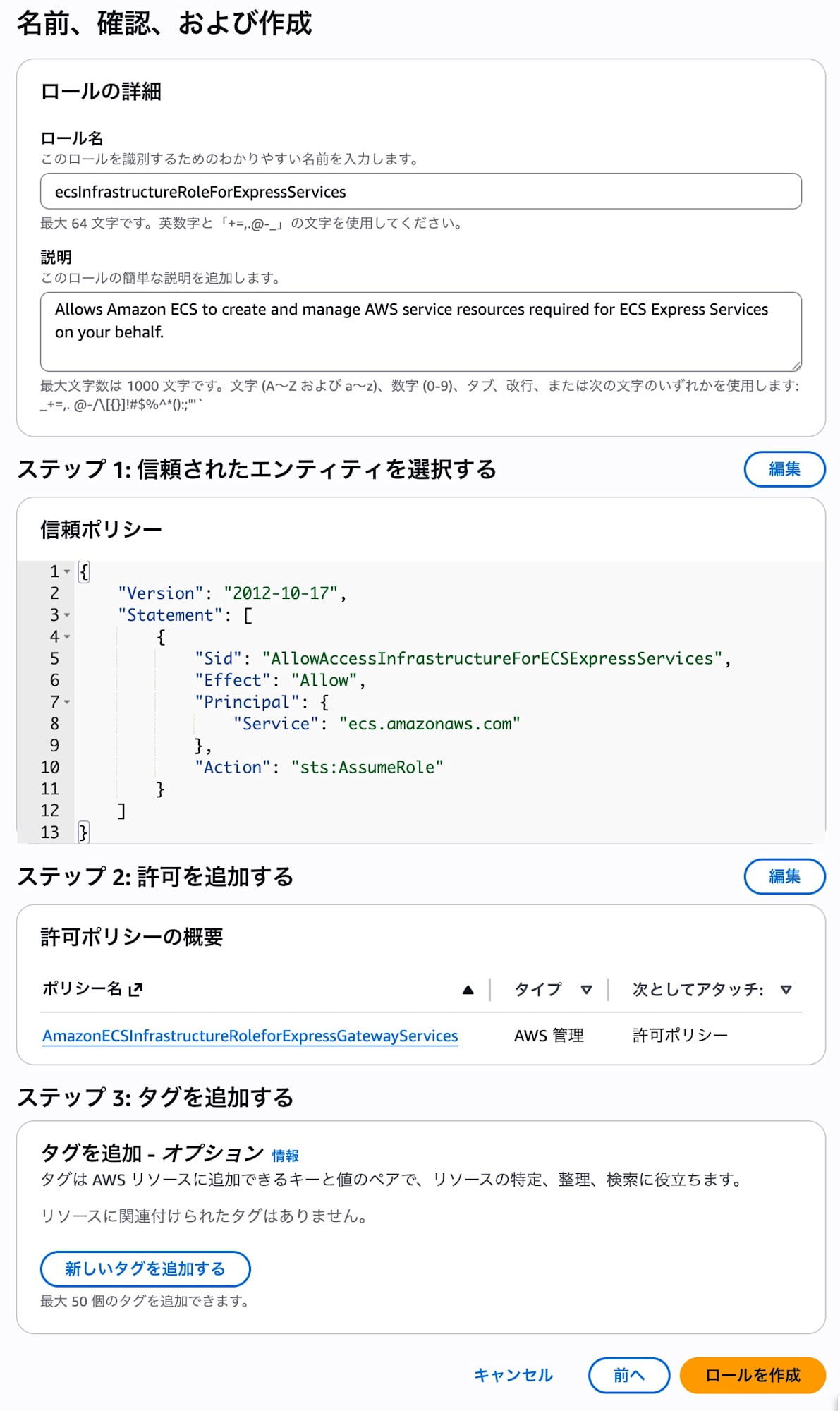
Using "Create new role" in the Express Mode console wizard, I created the following roles.
- Task execution role: ecsTaskExecutionRole
- Infrastructure role: ecsInfrastructureRoleForExpressServices
Setup
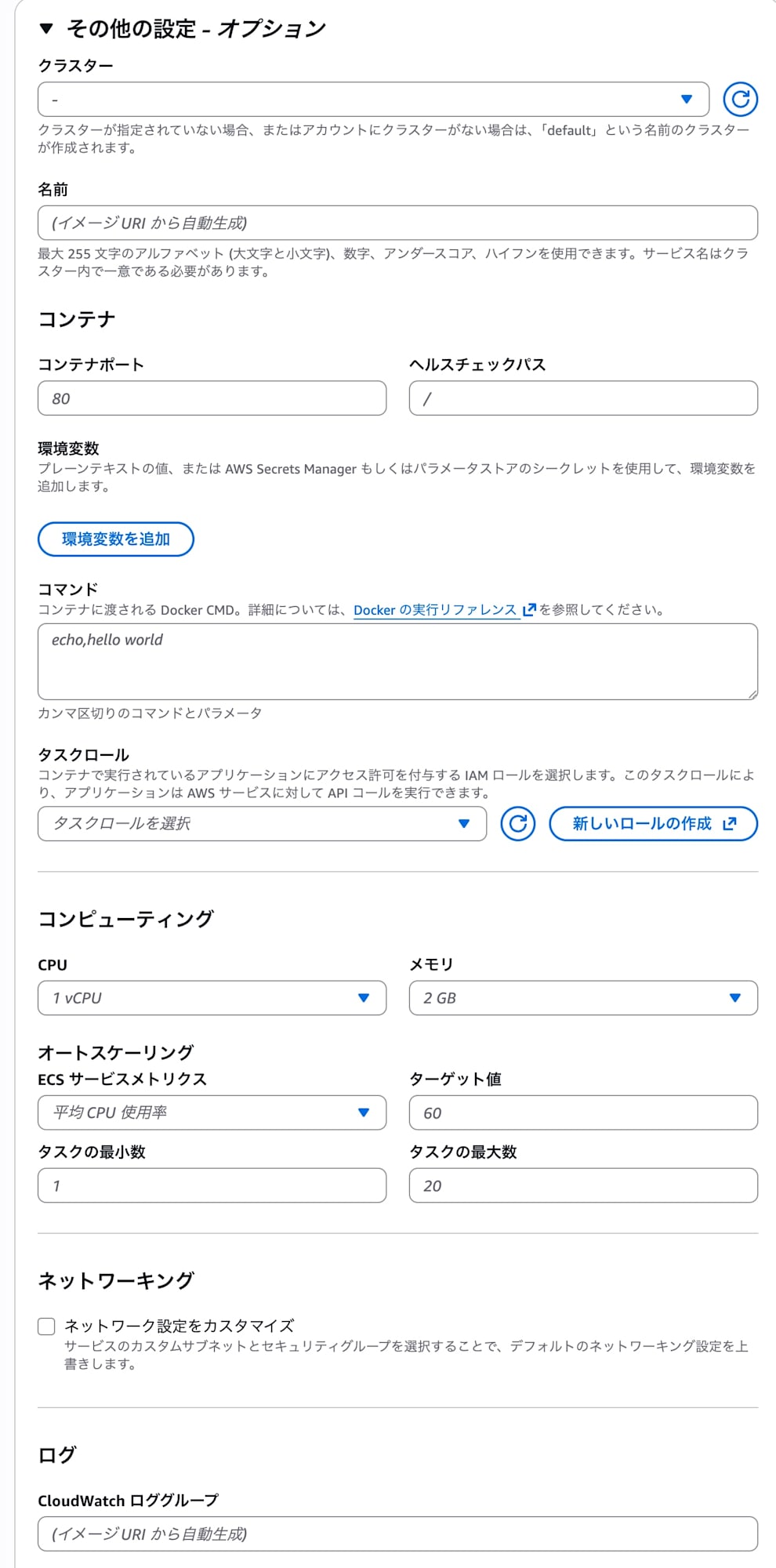
I clicked "Create" from the Express Mode console.
The procedure was very simple: just specify the ECR image URI I had prepared in advance and select the roles.
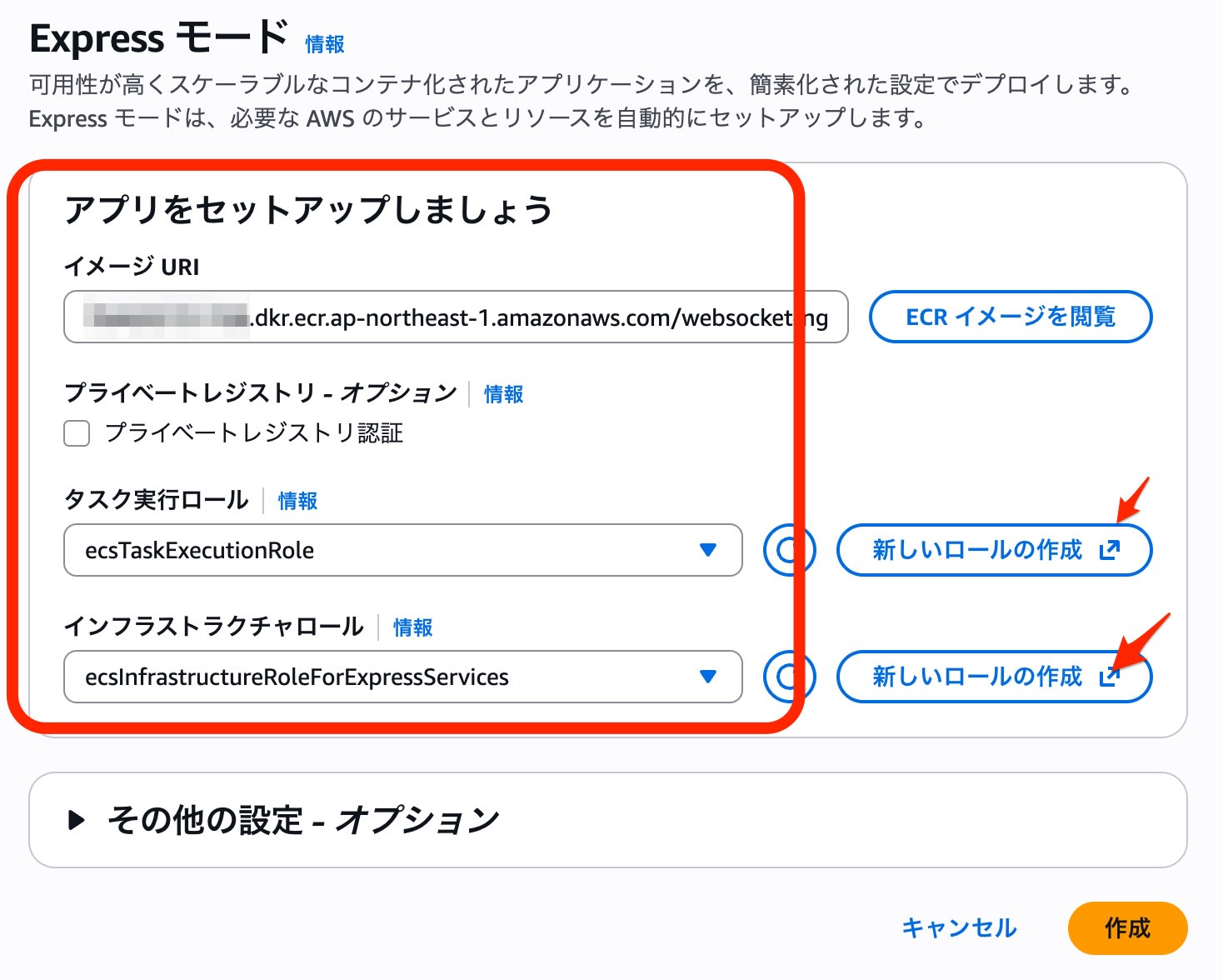
I left optional settings such as CPU and memory at their defaults.
Progress
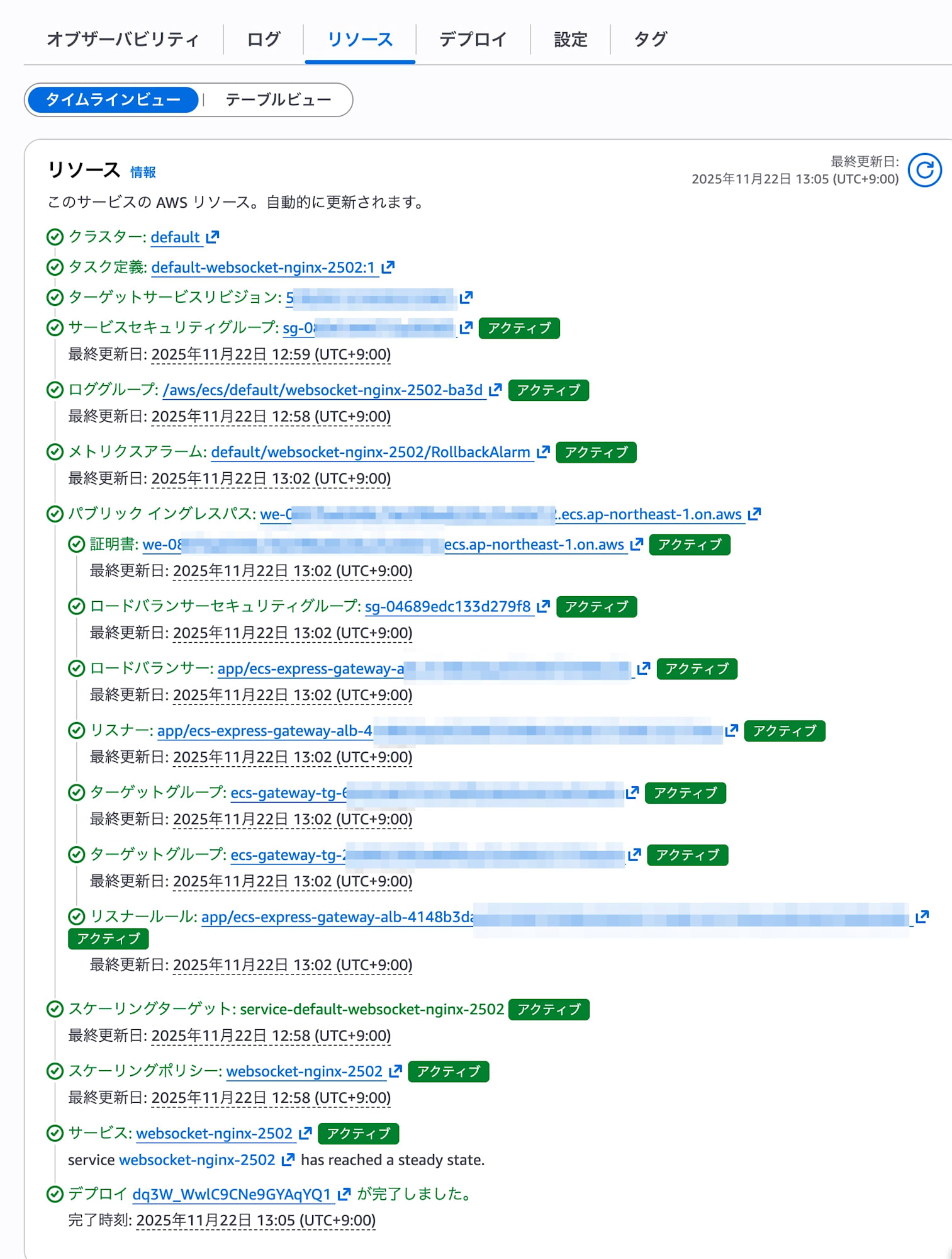
Once the deployment starts, you can check the progress in the Resources tab.
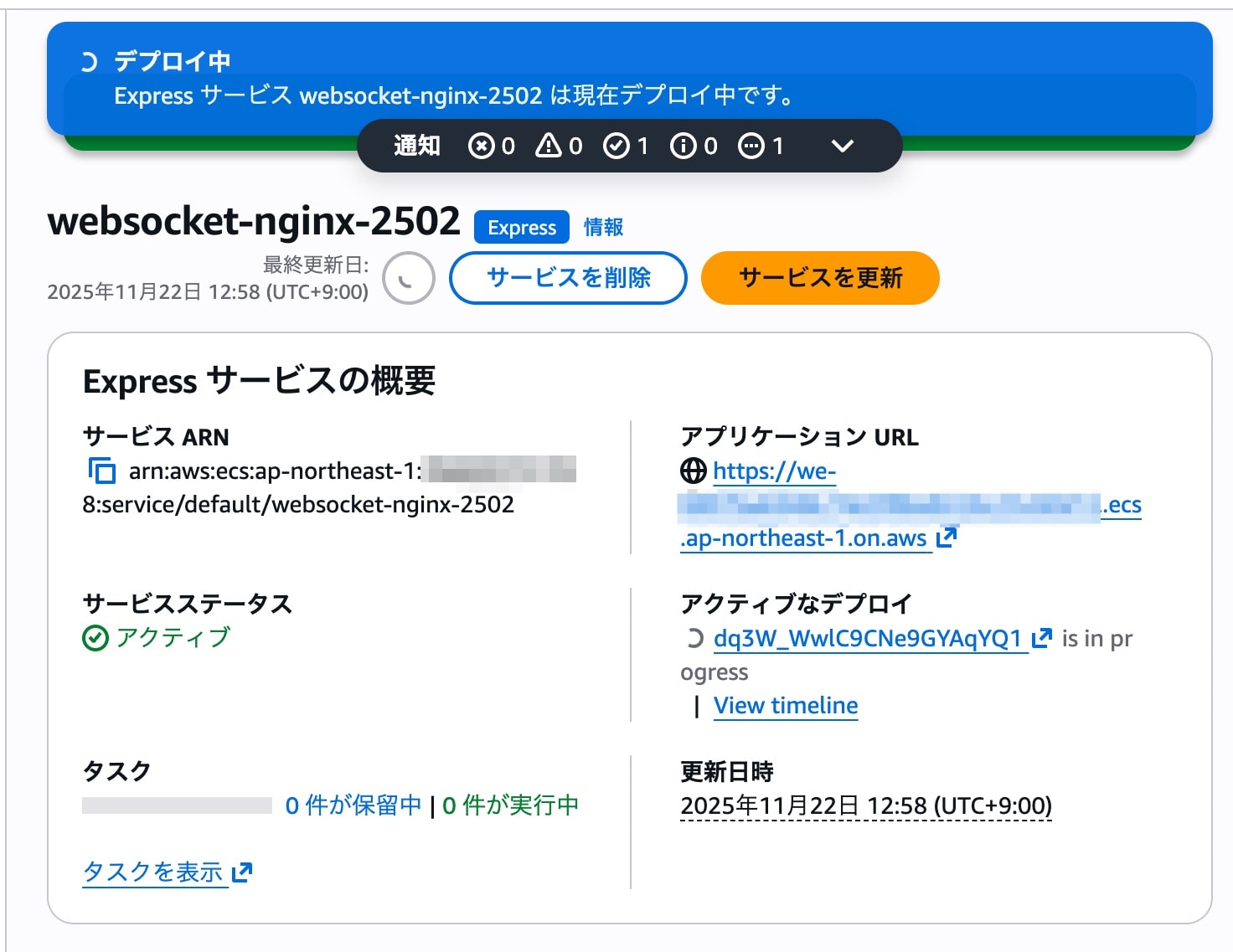
In about 8 minutes, all resources became "Active" and the deployment was complete.
Verification
Application Behavior
I tried accessing the application URL in a browser.
The test app this time is a demo using WebSocket, and I confirmed that the following worked without any problems.
- HTTP connection: retrieving a static HTML form
- WebSocket connection: sending and receiving messages
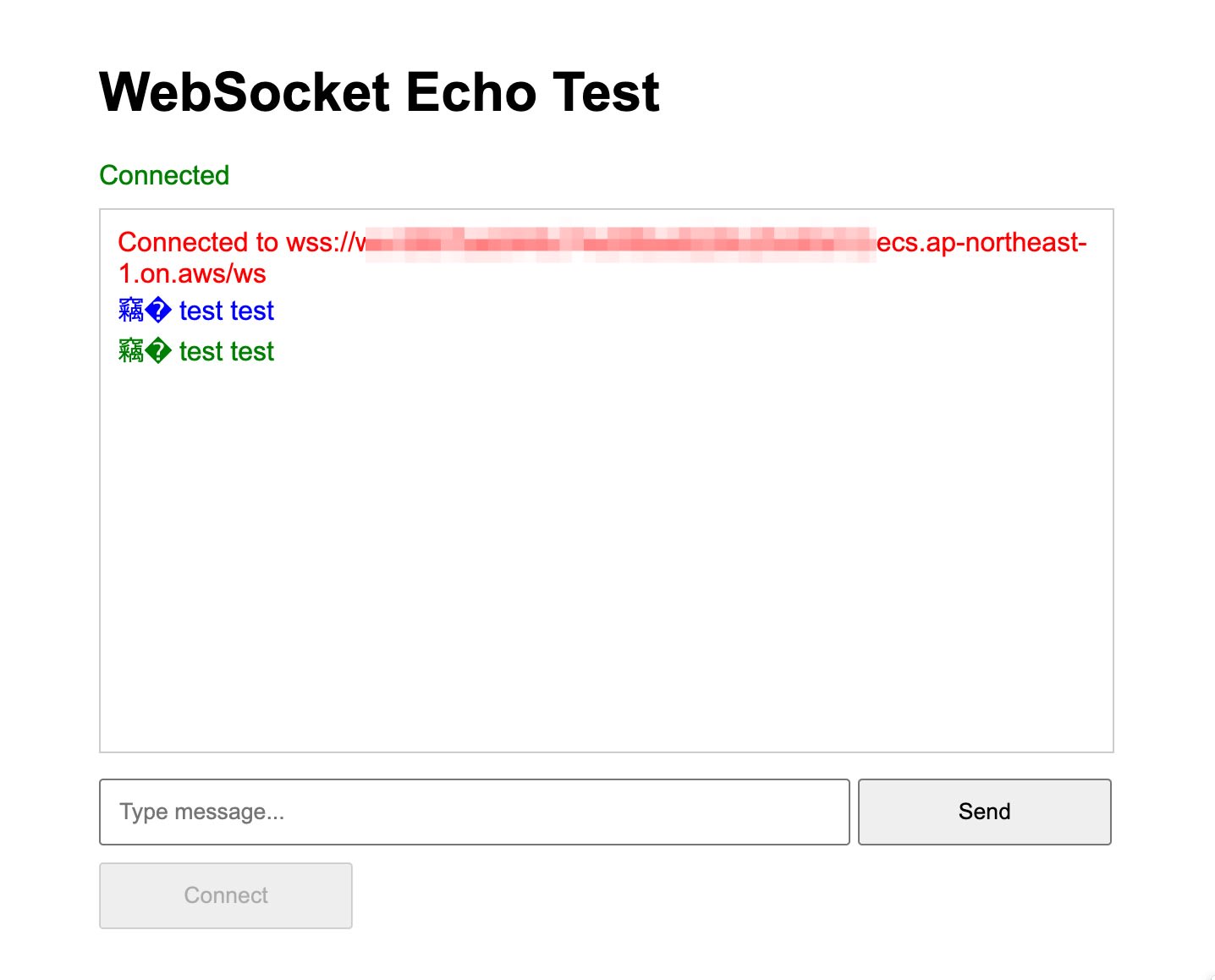
I was able to confirm that the ALB automatically built by Express Mode correctly passes WebSocket traffic (the Upgrade header) without any special configuration.
Checking Deployments
Using "Update service", I checked how application deployment behaves.
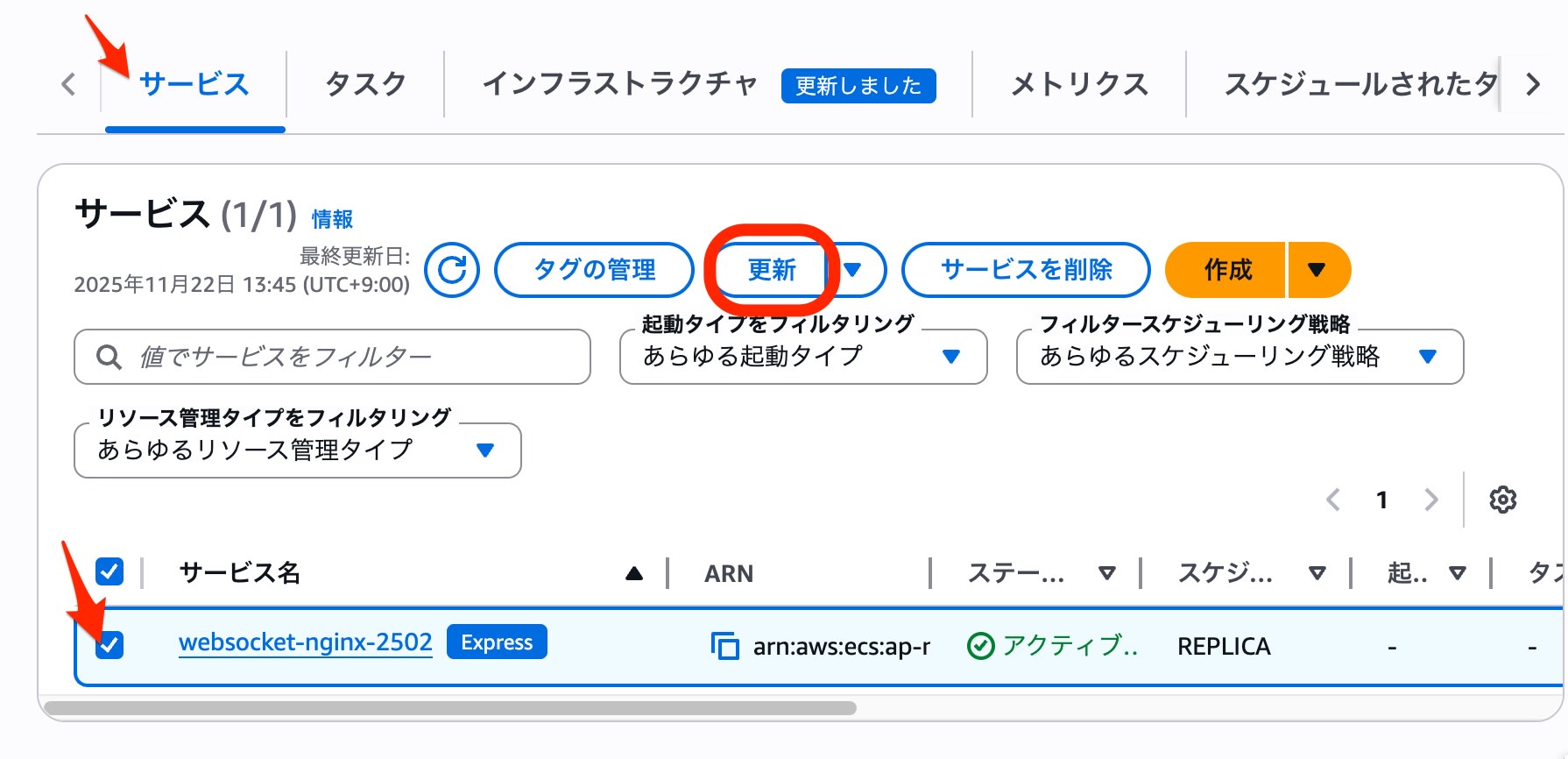
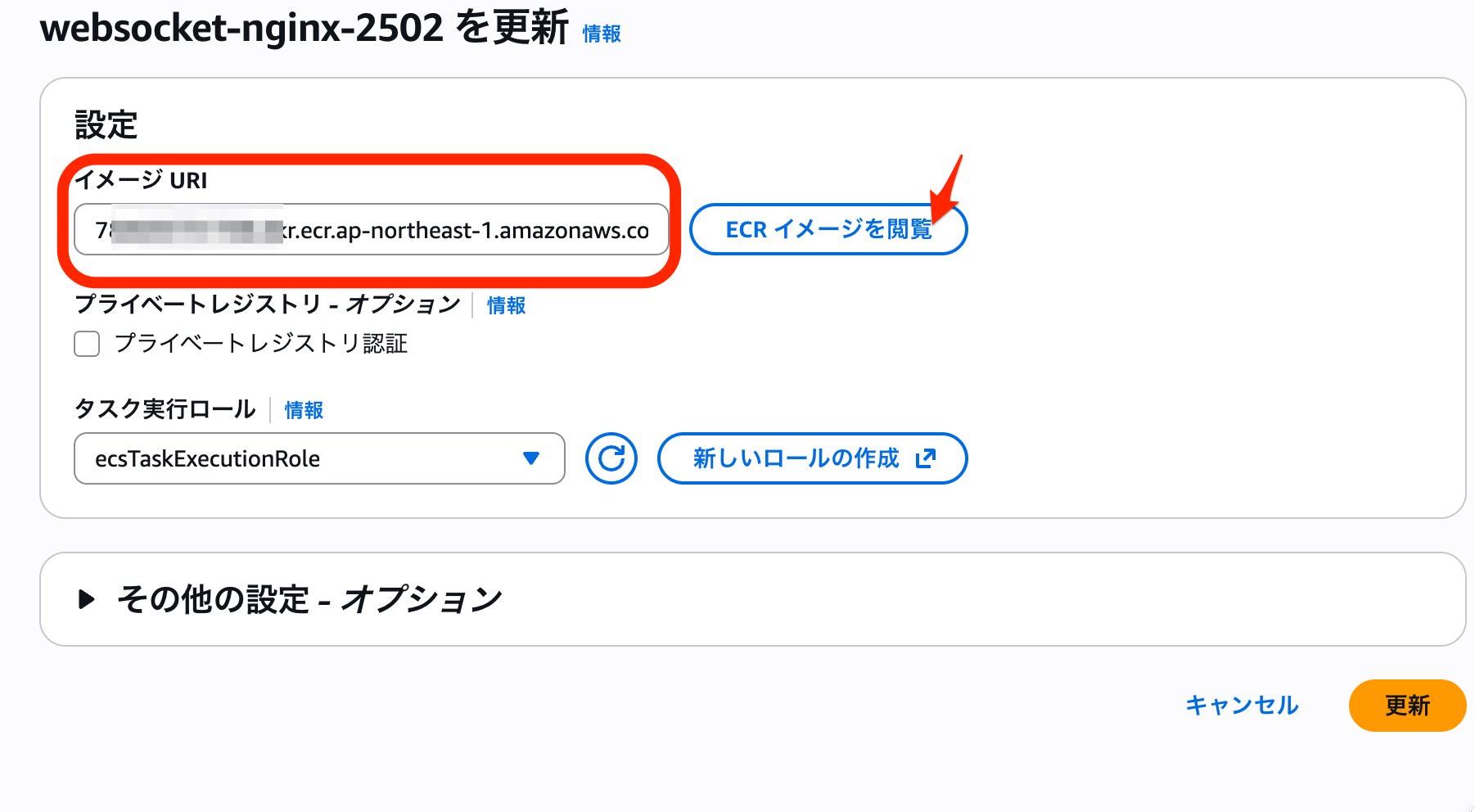
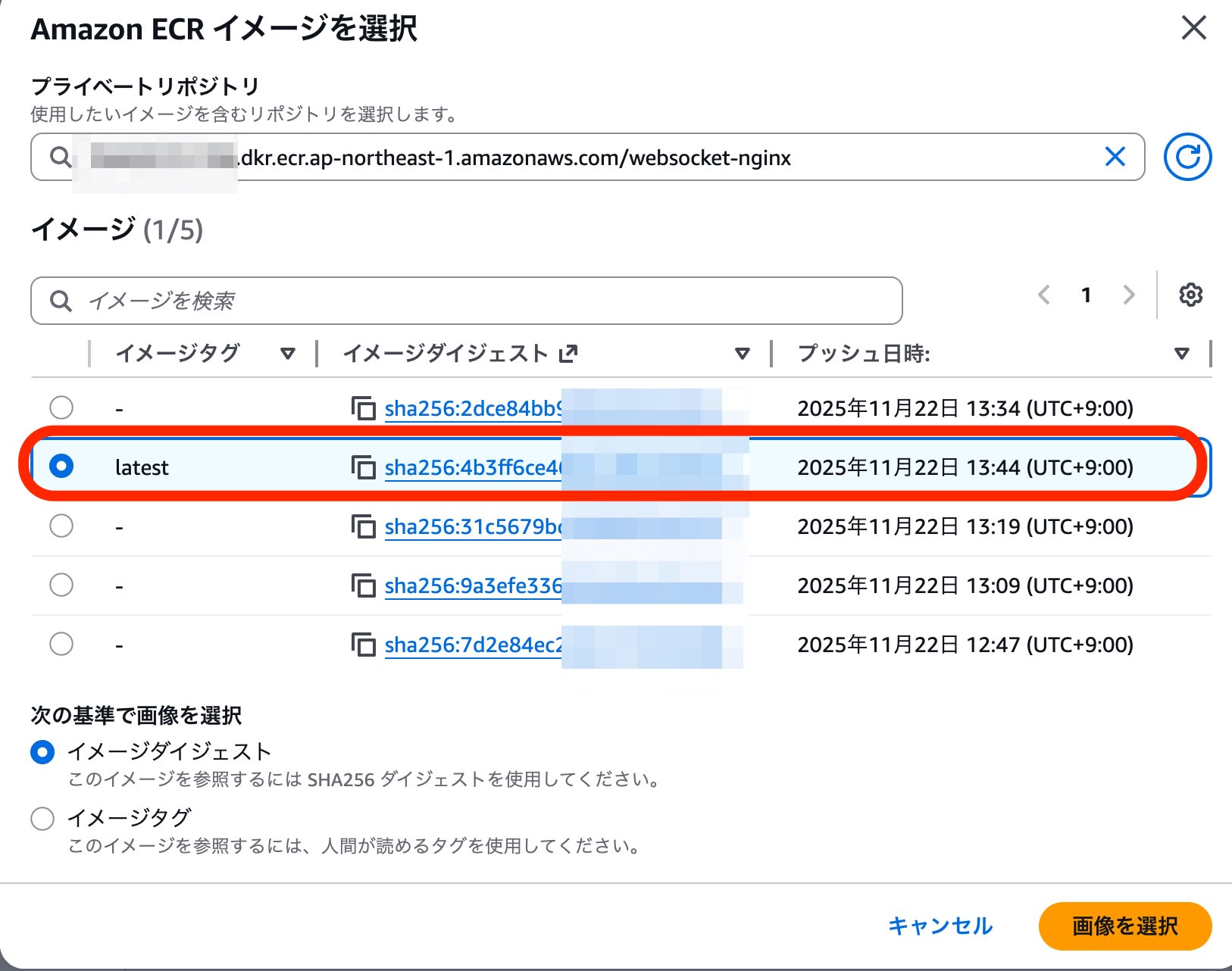
When I specified a new version of the ECR image and clicked "Update", the deployment started in the background.
The image selection screen is as follows.
The deployment completed about 10 minutes after the update started.
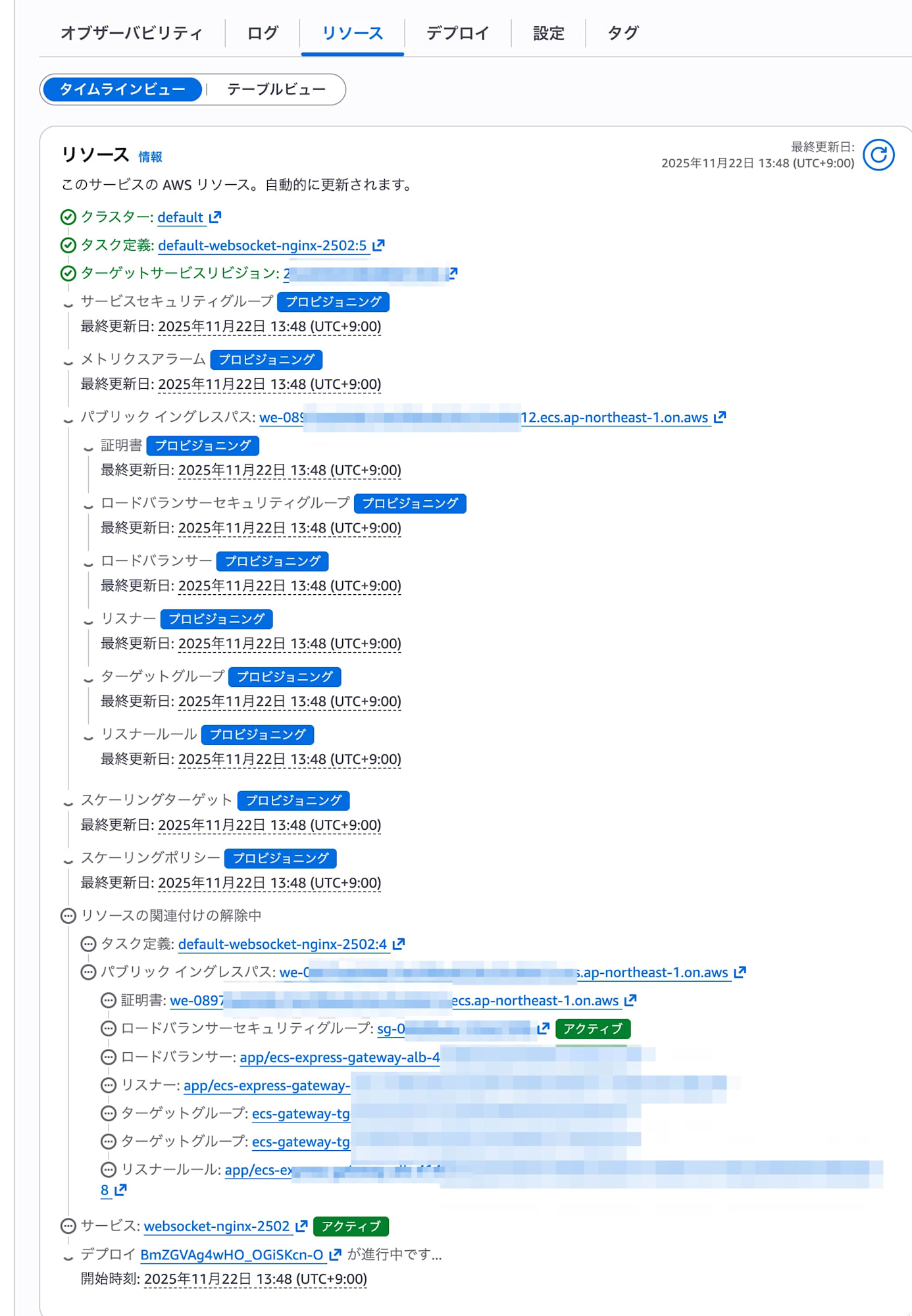
The default deployment method was a rolling update. I confirmed the safe behavior in which, after the new task passes its health check, the old task is stopped following a certain period of parallel operation.
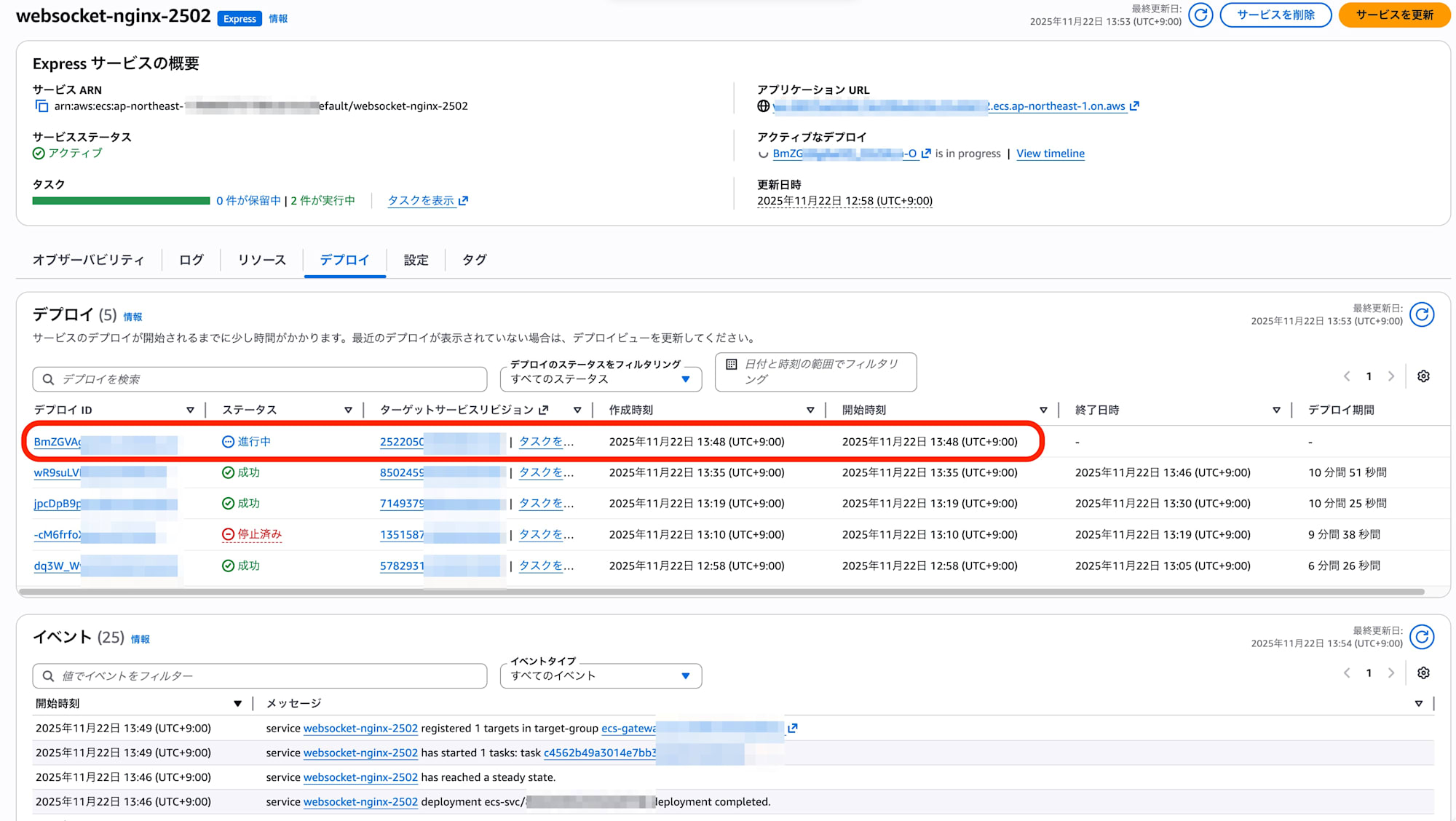
Dashboard
I looked at the tabs displayed on the Express service overview page.
Observability
I could check CPU and memory utilization as well as load balancer metrics. Because the timing of deployments is reflected in the graphs, it was easy to notice changes caused by deployments.
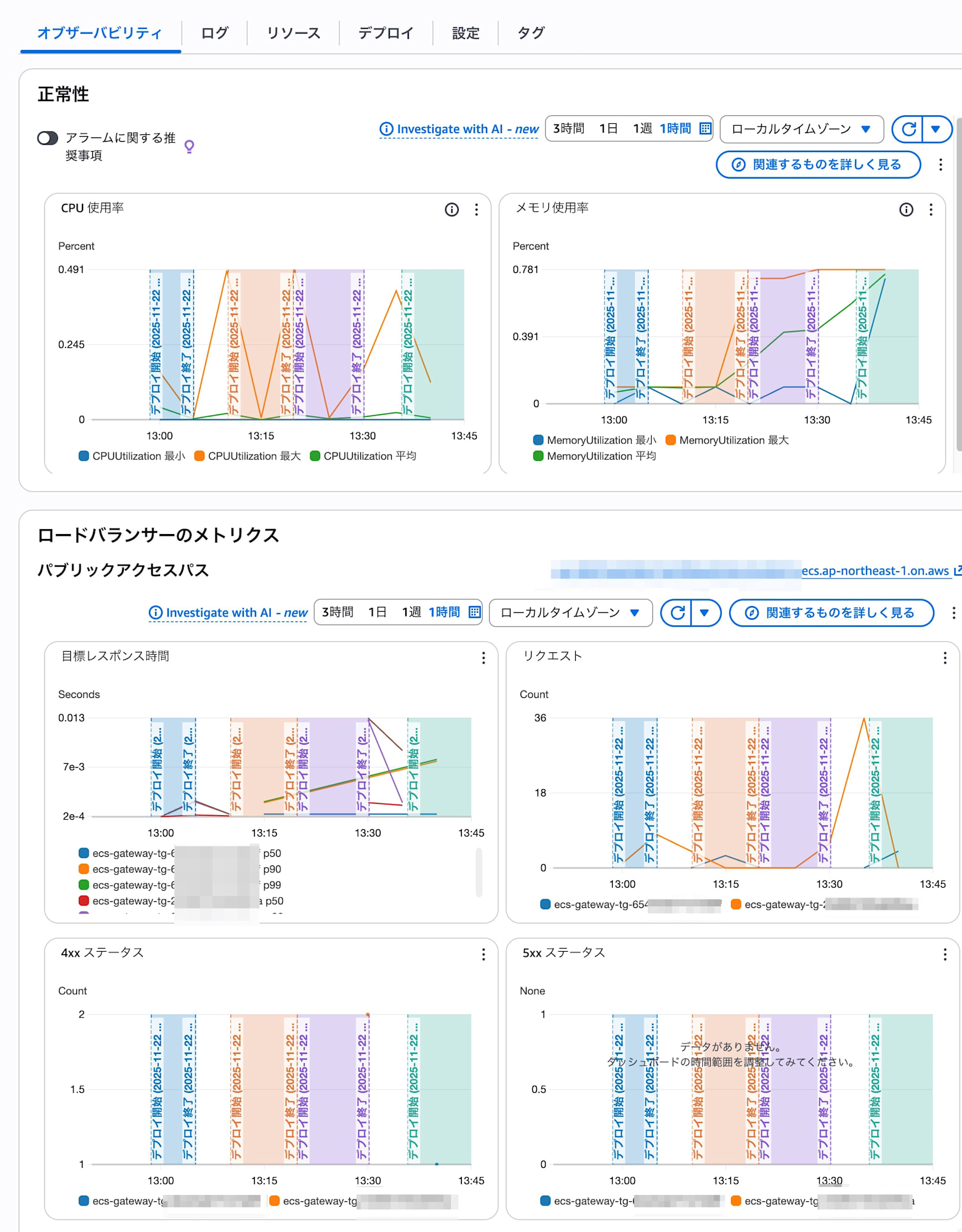
Logs
I could check the application logs of the ECS tasks.
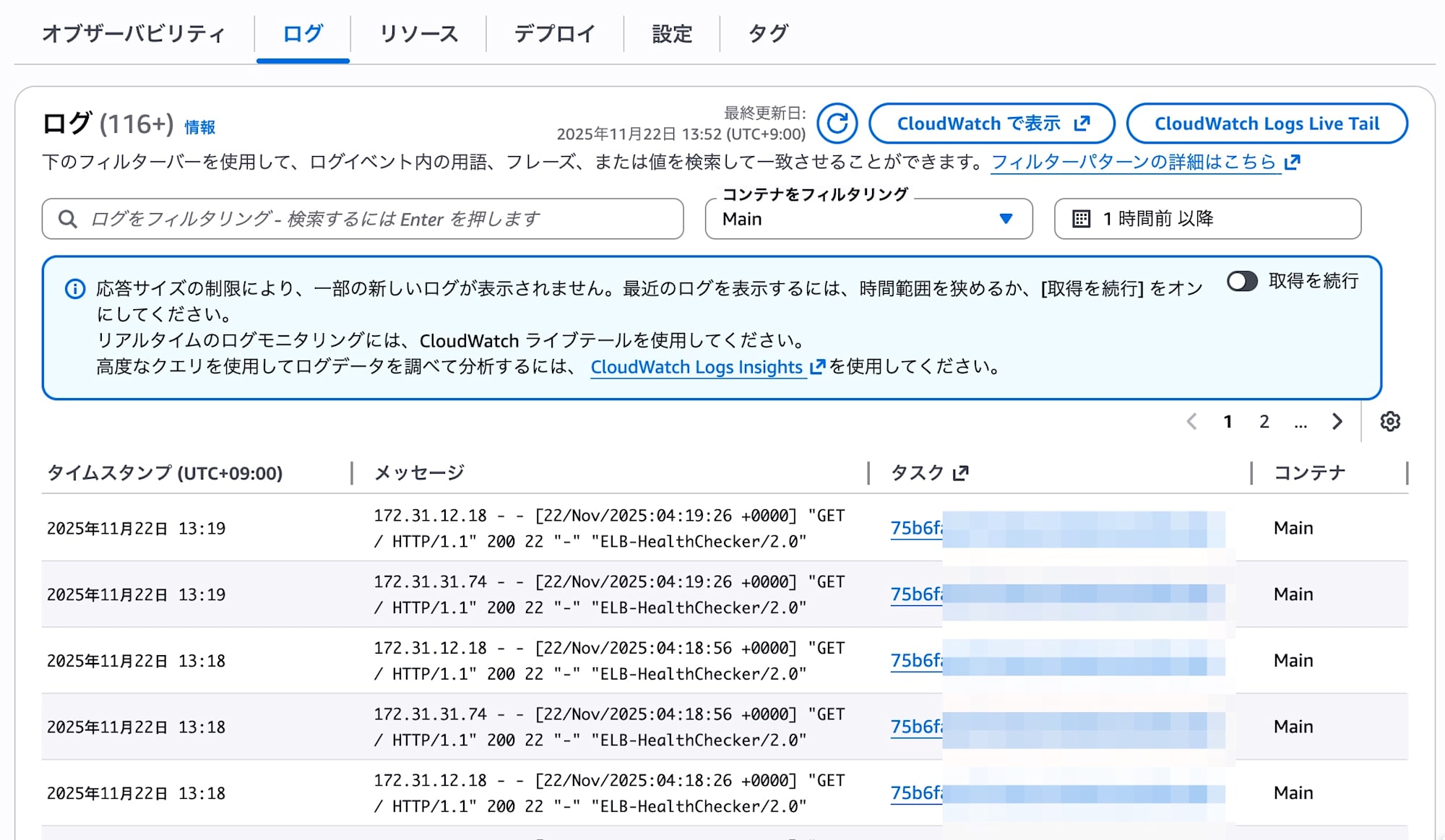
Resources
A list was displayed that serves as links to the dashboards of the AWS services used by the Express service (such as ECS and ALB).
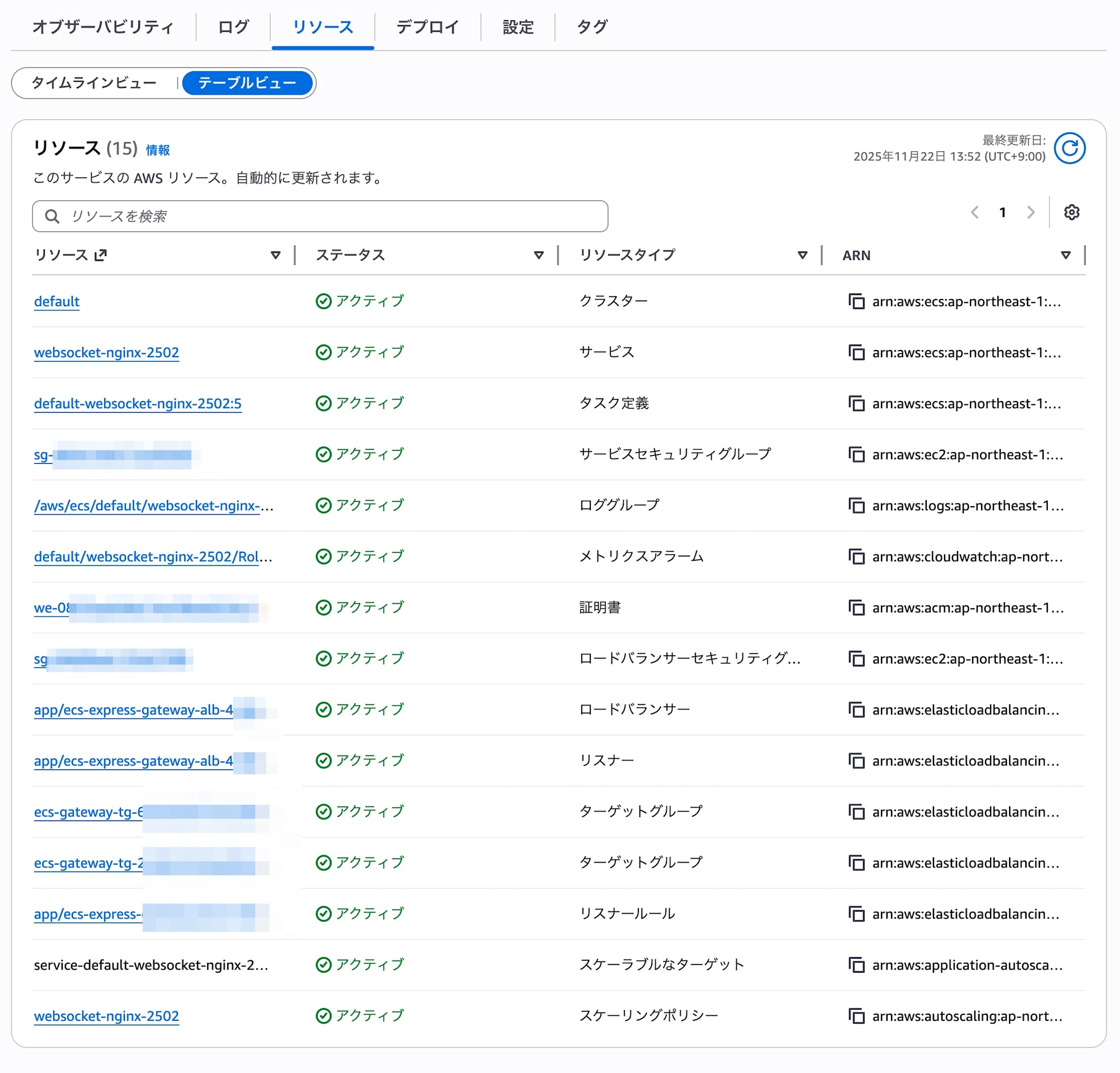
Summary
It is now possible to get started with standard ECS under the hood, with the ease of use of App Runner.
Because a regular ALB can be shared as the load balancer across multiple services, you can keep fixed costs down to the charge for a single ELB while taking advantage of advanced ALB features such as listener rules, metrics, and logs.
For simple workloads, you can start with Express Mode first and make detailed settings as needed. When further customization becomes necessary, you can migrate (graduate) seamlessly to regular ECS operations, so there is no need to worry about future lock-in.
I would like to continue checking out things like IaC support such as CloudFormation, customization of resources created by Express Mode, and adding sidecar containers for monitoring.
