![[Update] Nested virtualization is now supported in Amazon WorkSpaces Personal](https://images.ctfassets.net/ct0aopd36mqt/wp-thumbnail-acc3ac1234c3f431604b3ef32a527e4a/ef41ff2367e43f0b972b2ceec4893544/amazon-workspaces-family?w=3840&fm=webp)
[Update] Nested virtualization is now supported in Amazon WorkSpaces Personal

This page has been translated by machine translation. View original
Shibata here.
The other day, while working with Amazon WorkSpaces Personal, I noticed that a "Nested Virtualization" option had been added to the settings of each WorkSpace.
Today, AWS officially announced support for nested virtualization in Amazon WorkSpaces Personal, so in this article I'll be verifying this feature.
What's New
As mentioned above, nested virtualization is now supported in Amazon WorkSpaces Personal (and Amazon WorkSpaces Core).
As of today, it is available in all regions that support Amazon WorkSpaces Personal[1], and there is no additional charge for using nested virtualization.
The specific requirements are summarized in the following documentation.
According to this, nested virtualization is available in WorkSpace environments that meet the following conditions.
- License model
- Public (AWS-provided) bundles
- Bring Your Own License (BYOL)
- Bring Your Own Protocol (BYOP)
- OS
- Windows Server 2019
- Windows Server 2022
- Windows Server 2025
- Windows 11 (BYOL only)
- Ubuntu 22.04 or later
- Red Hat Enterprise Linux 8 or later
- Rocky 8 or later
- Protocol
- DCV (WSP)
- Bring Your Own Protocol (BYOP)
- Bundle size
- Non-GPU bundles of Standard or higher
To put it simply, it can be used with most relatively recent operating systems.
PCoIP protocol environments are not supported, but since the deprecation of PCoIP protocol has already been officially announced, this should not be an issue.
AWS recommends using bundles with 4 or more vCPUs (Power or higher).
It can also be used with 2-vCPU bundles (Standard and Performance).
As a limitation, enabling nested virtualization on AutoStop mode Windows Server 2025 (and Windows 11) WorkSpaces will disable hibernation (it will restart instead of resume).
Also, while not specific to Amazon WorkSpaces, nested virtualization in Windows environments has licensing restrictions, so please be aware of those as well.
Tried It Out
Now let me actually try this out.
I prepared one Amazon WorkSpaces environment in the Tokyo region of my AWS account for verification.
When creating a WorkSpace for verification through the wizard, I found that "Nested Virtualization" was now selectable during customization.
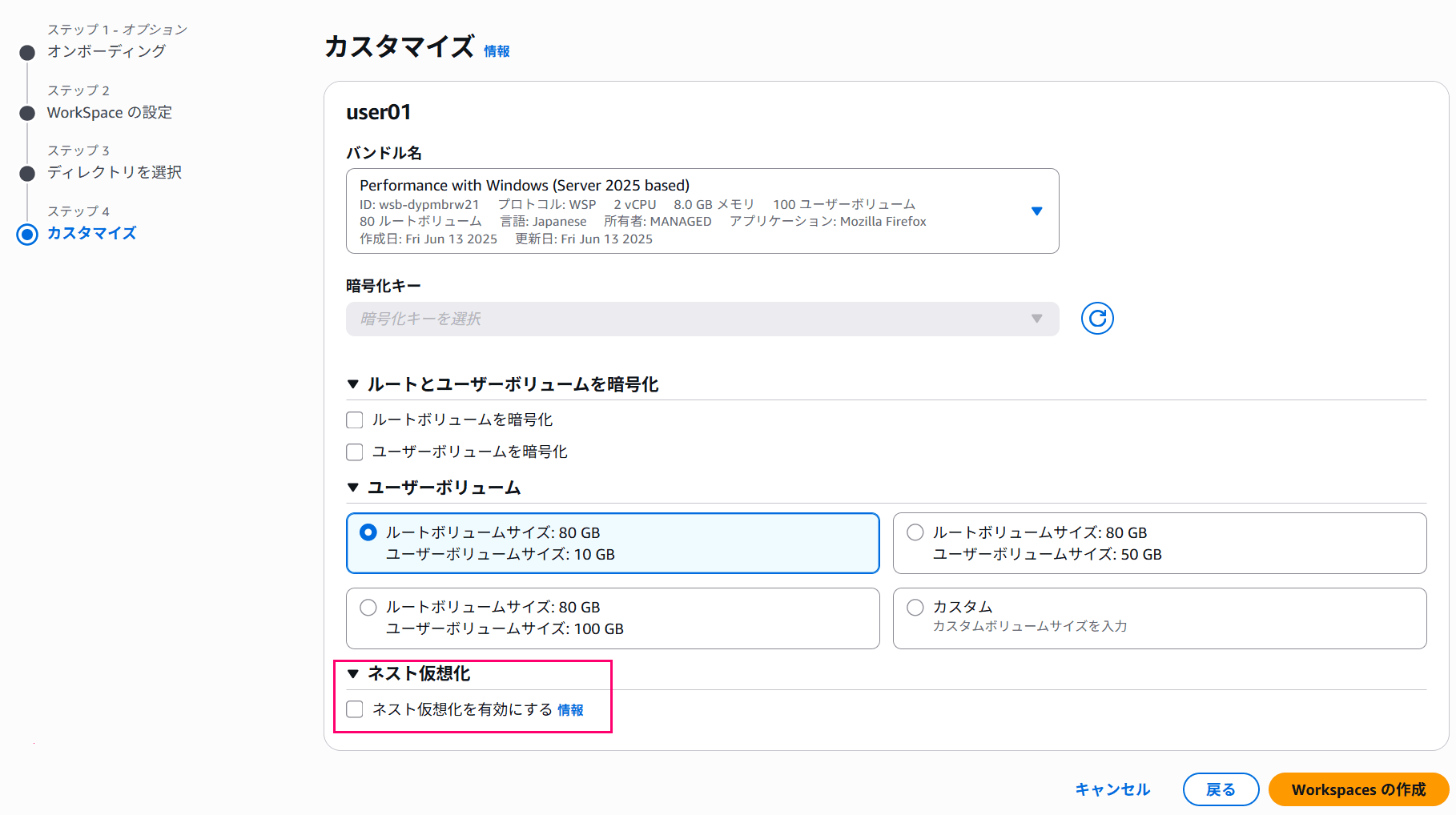
Checking "Enable nested virtualization" here displays the following notices.
Since this is the same content as described earlier, it's worth taking a moment to read through it.
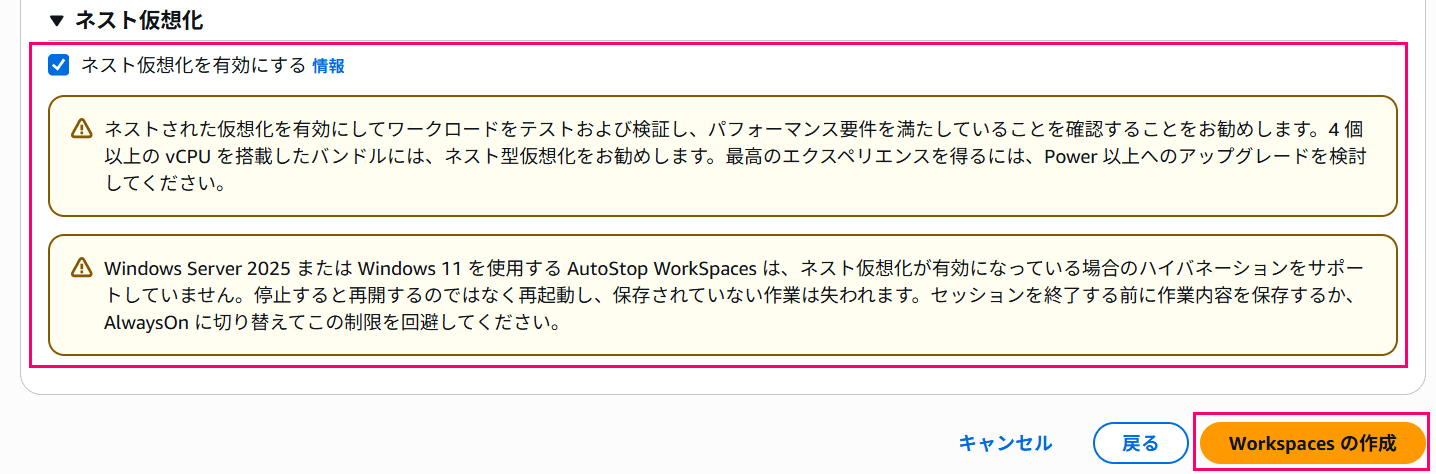
We recommend testing and validating your workloads with nested virtualization enabled to confirm performance requirements are met. Nested virtualization is recommended for bundles with 4 or more vCPUs. For the best experience, consider upgrading to Power or higher.
AutoStop WorkSpaces using Windows Server 2025 or Windows 11 do not support hibernation when nested virtualization is enabled. When stopped, they will restart rather than resume, and unsaved work will be lost. Save your work before ending the session, or switch to AlwaysOn to work around this limitation.
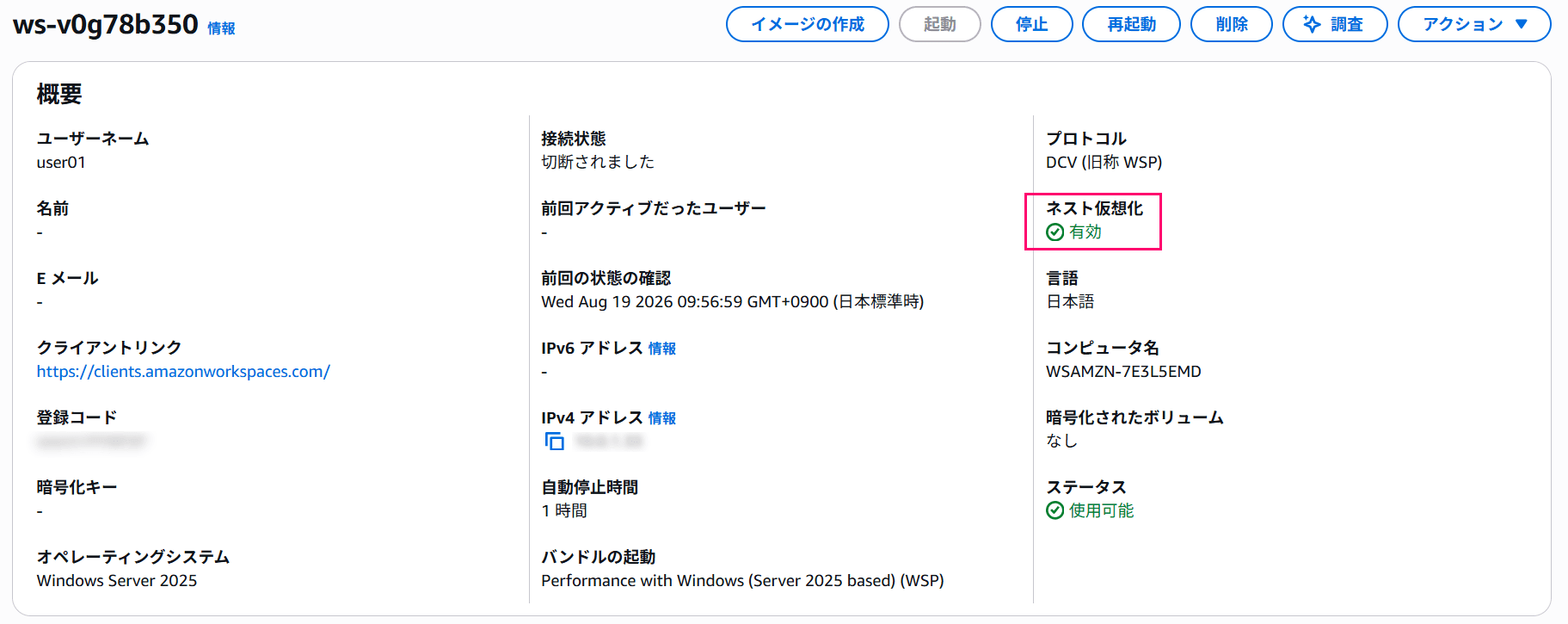
Here is the WorkSpace I created.
This time I'm using a Japanese version Windows Server 2025 with the Performance bundle.

You can see that "Nested Virtualization" has been added to the details section.
I logged into this WorkSpace and verified whether WSL2, which requires nested virtualization, could be installed.
# Installing WSL2
wsl --install
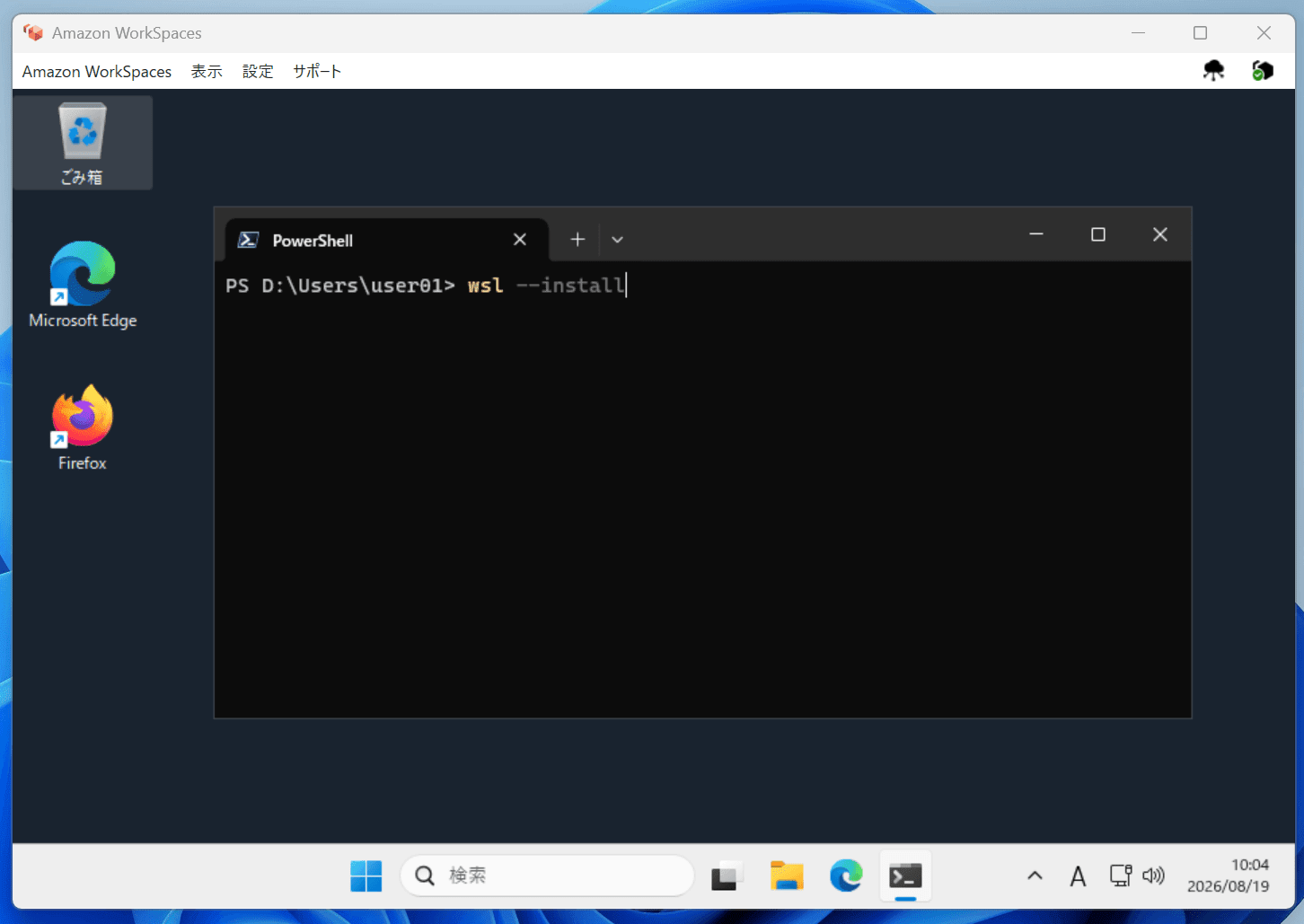
In the past this would have resulted in an error, but this time the installation completed successfully without any errors.
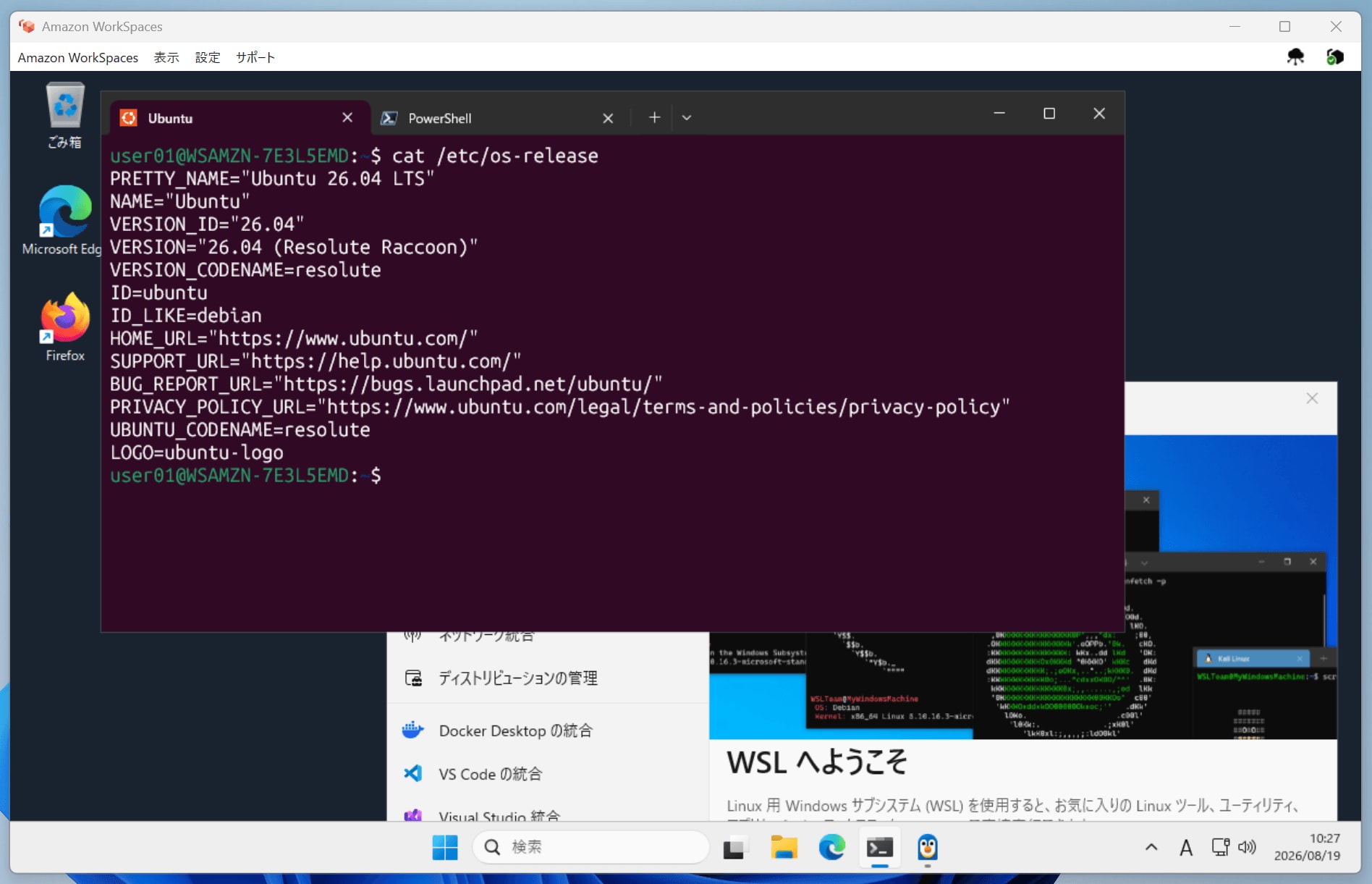
Checking the WSL environment version confirms it is properly set to 2.
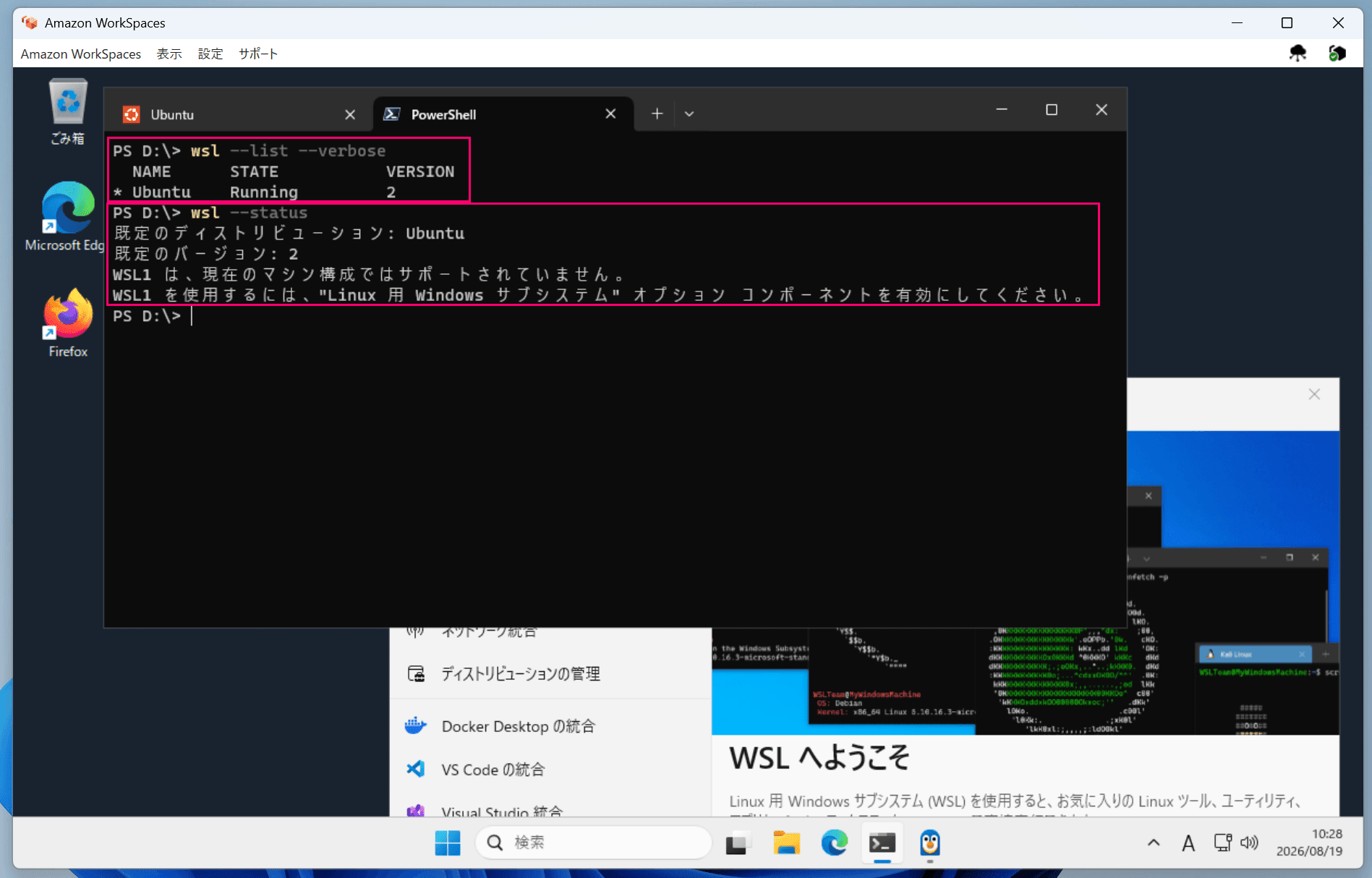
Looks great.
Disabling and Re-enabling Nested Virtualization
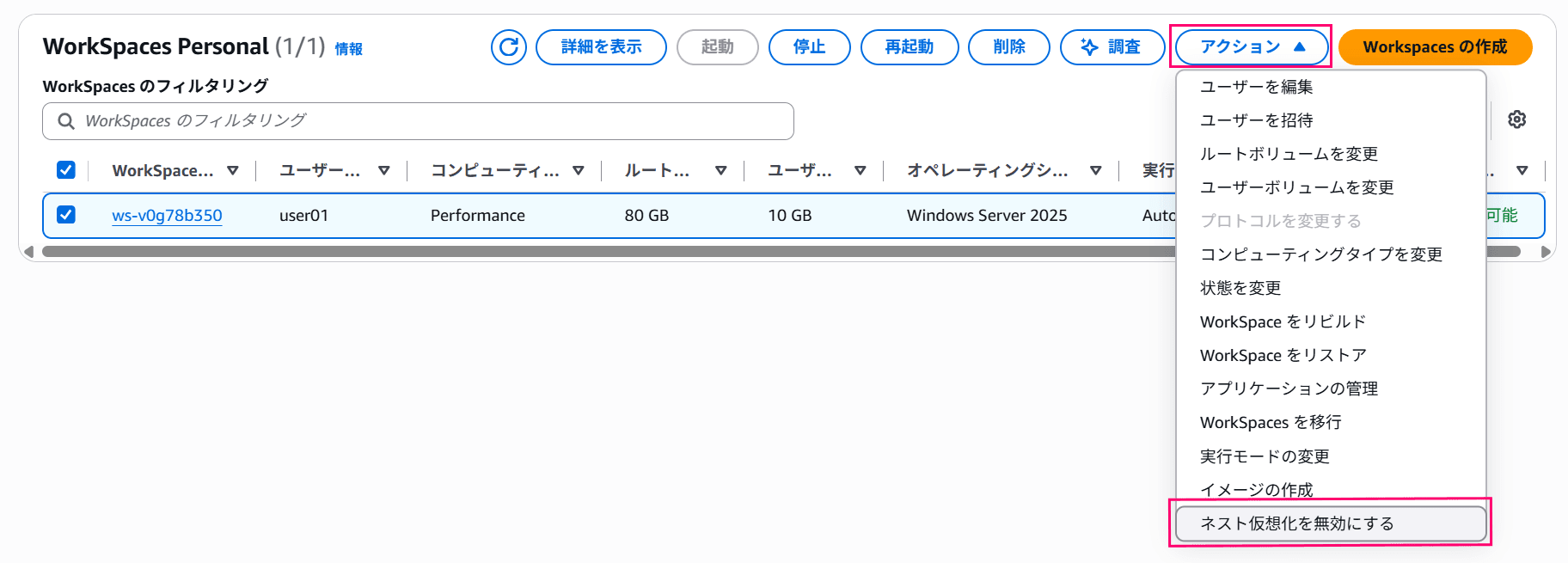
Changes to nested virtualization for existing environments can be made from the "Actions" menu.
Select the target WorkSpace and choose "Disable nested virtualization" from the Actions menu to disable it.
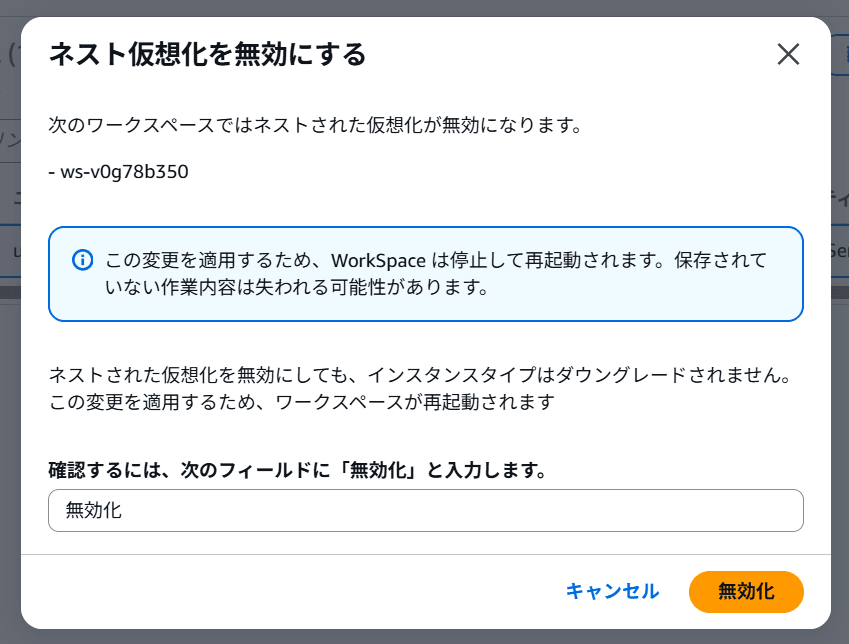
A confirmation dialog will appear, so enter the required text in the confirmation field and click the "Disable" button to confirm.
The settings change takes a little time, and once the change is complete, it will be successfully disabled.
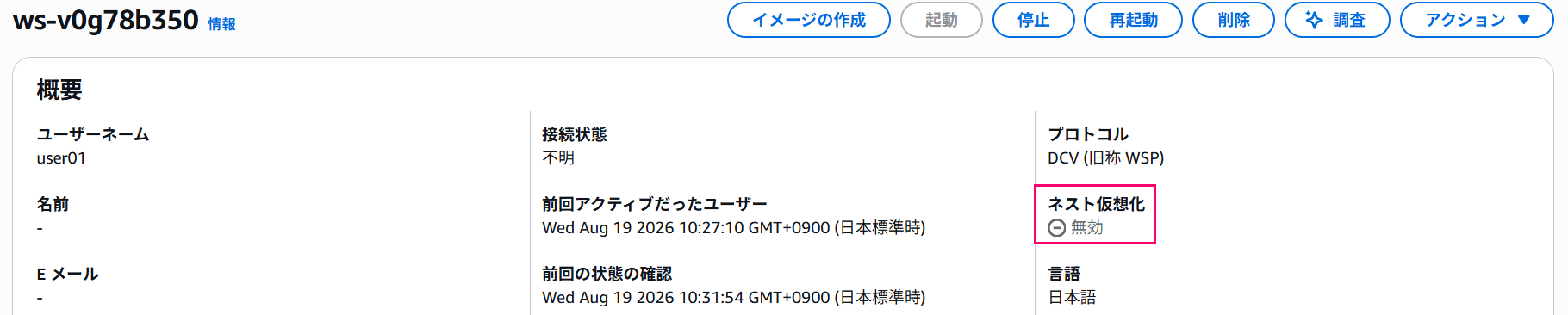
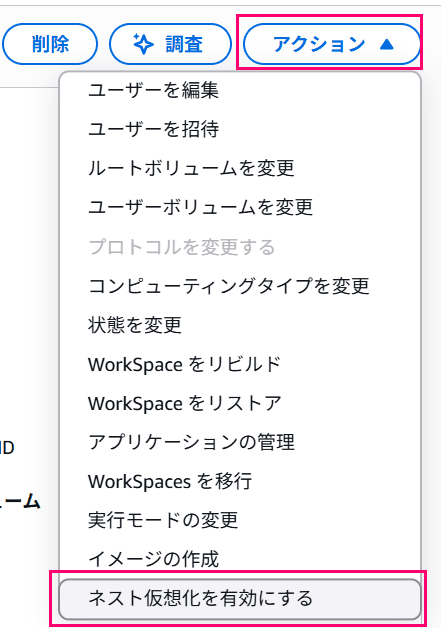
To enable it again, select "Enable nested virtualization" from the Actions menu.
A confirmation dialog will also appear here, but it displays more cautionary notes than the disable dialog.
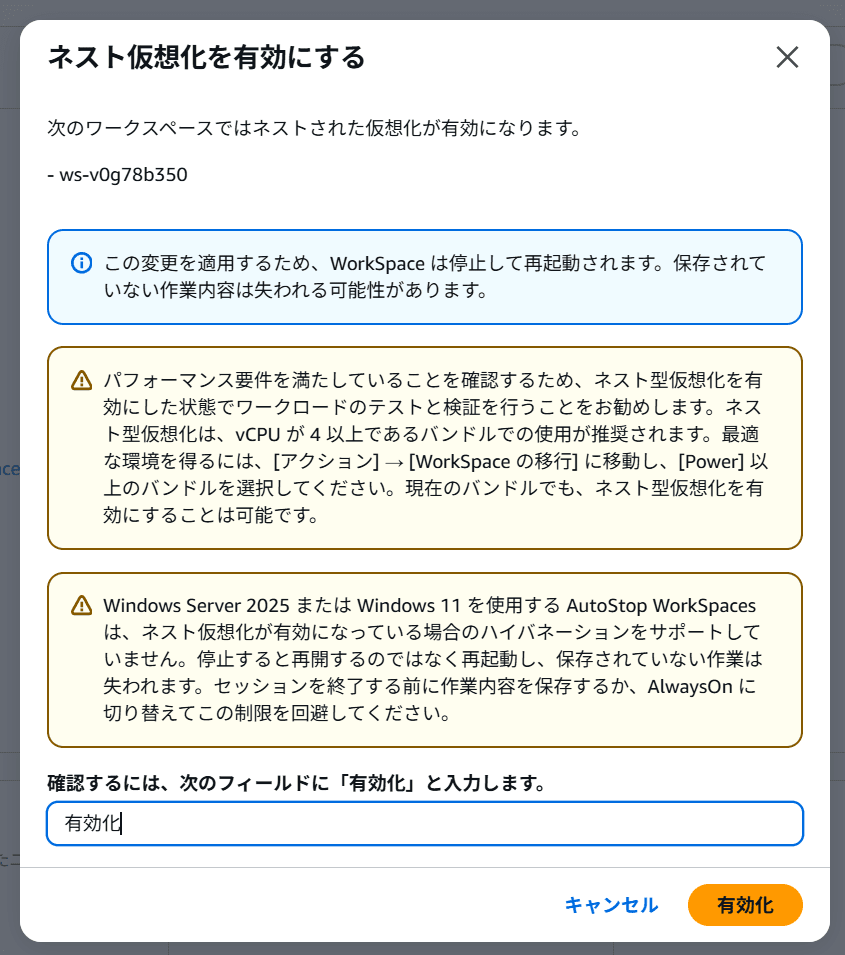
Enter the required text in the confirmation field and click the "Enable" button to confirm.
In the case of enabling, it took quite a bit of time for the settings change to complete.
Changing the Compute Type
Changing the compute type appears to work without any issues.
(Due to the 6-hour limit, I was unable to verify the actual operation...)
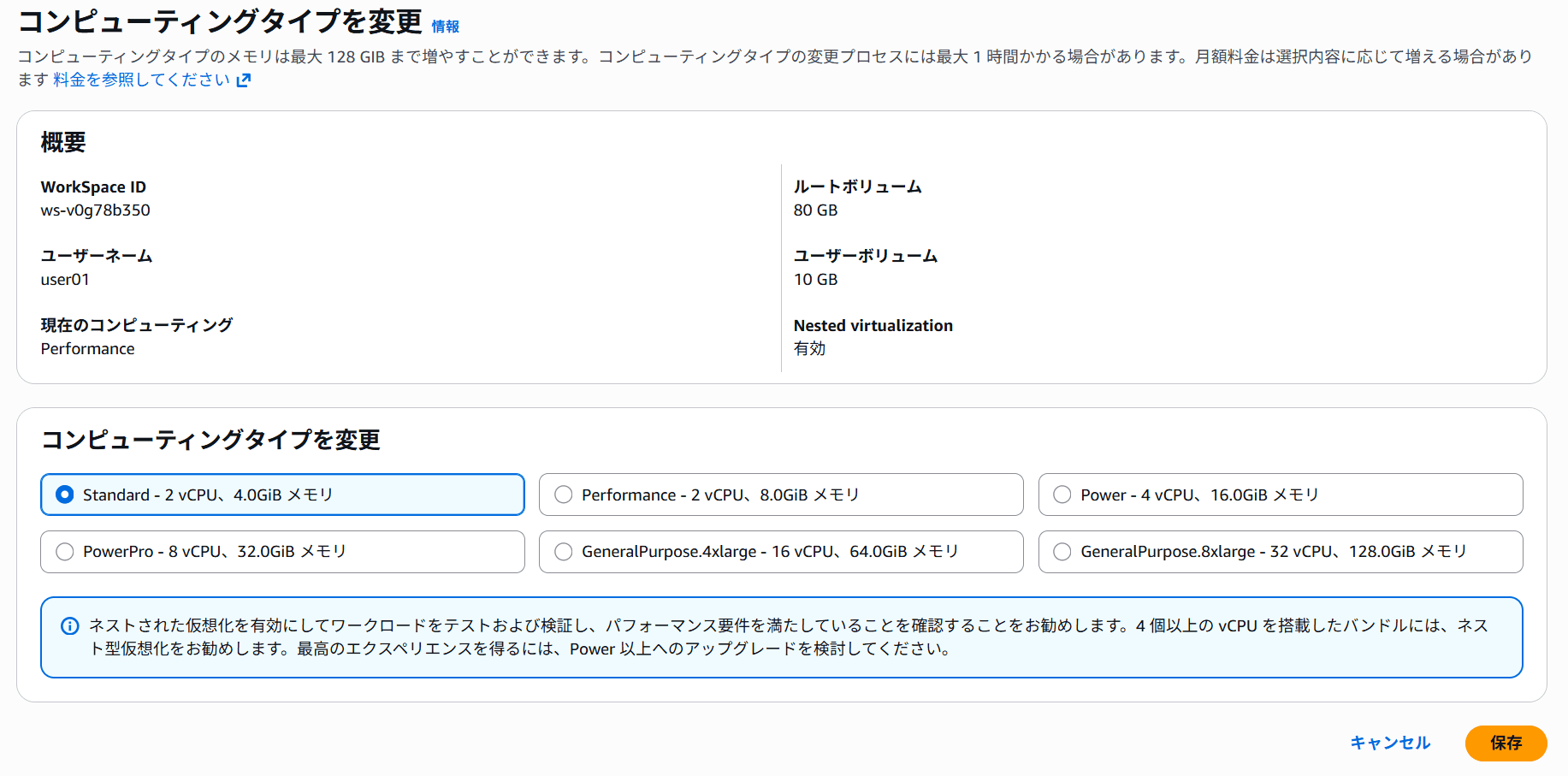
Side Note: WorkSpace Instance Types Have Been Updated + Expanded Support for Nested Virtualization on EC2
As mentioned in a previous article, when EC2 first supported nested virtualization, it was limited to 8th-generation instance types (C8i, M8i, R8i) only.
From my recollection, each bundle in WorkSpaces Personal internally used T3-series instances, so I wondered "since nested virtualization is now supported, has the instance type changed?" and decided to check.
Instance metadata is accessible within a WorkSpace environment, so the instance type can be confirmed from there.
It turned out that the Performance bundle is m7i-flex.large.
(When I tested the Standard bundle beforehand, it was c8i-flex.large.)
# Performance bundle is m7i-flex.large
PS D:\> Invoke-RestMethod http://169.254.169.254/latest/meta-data/instance-type
m7i-flex.large

# Standard bundle is c8i-flex.large
PS D:\> Invoke-RestMethod http://169.254.169.254/latest/meta-data/instance-type
c8i-flex.large

# Side note: Value bundle remains t3.small
PS D:\> Invoke-RestMethod http://169.254.169.254/latest/meta-data/instance-type
t3.small
As a result, I found that the instances have been changed to 7th and 8th generation instances.
Additionally, when I re-checked the EC2 documentation:
Supported instance types – Nested virtualization is currently supported on C8i, M8i, R8i, C8id, R8id, M8id, C8i-flex, R8i-flex, M8i-flex, X8i, C7i, R7i, M7i, C7i-flex, M7i-flex, and I7i instances.
I also found that the range of instance types supporting nested virtualization has significantly expanded.
Closing
That's all.
I've been waiting for this ever since nested virtualization was supported on EC2, so this is a really welcome update. Being able to use WSL2 in particular is fantastic.
This should be great news for those who use Amazon WorkSpaces Personal for development purposes.
China and Tel Aviv are excluded ↩︎
