
Let me try migrating XML Views to Jetpack Compose using Android CLI skills

This page has been translated by machine translation. View original
Since Android declared Compose First, I thought we need to consider migrating to Jetpack Compose.
There's a skill called /migrate-xml-views-to-jetpack-compose that supports migration from XML Views to Jetpack Compose, so let me try it out.
Android CLI
To run the skill, I first needed to install the skill itself from the Android CLI, so I tried running it.
Since I'm using Claude Code, I specified --agent=claude-code.
android skills add migrate-xml-views-to-jetpack-compose --agent=claude-code
After running it, the /migrate-xml-views-to-jetpack-compose skill is added to ~/.claude/skills.
What's Inside the Skill
Reading through the content written in SKILL.md, there are instructions to execute the following steps:
- Identifying the optimal XML candidates for migration
- Analyzing the project and layouts
- Creating a plan
- Capturing XML View UI (screenshots)
- Setting up Compose dependencies and compiler
- Setting up Compose theme
- Migrating XML layouts to Compose
- Replacing usage locations
- Verifying the migration (screenshot comparison)
- Deleting XML code
More details were written here:
It seems it takes screenshots before migration and compares them with the Compose preview after migration to verify visual consistency (amazing).
Running the Skill
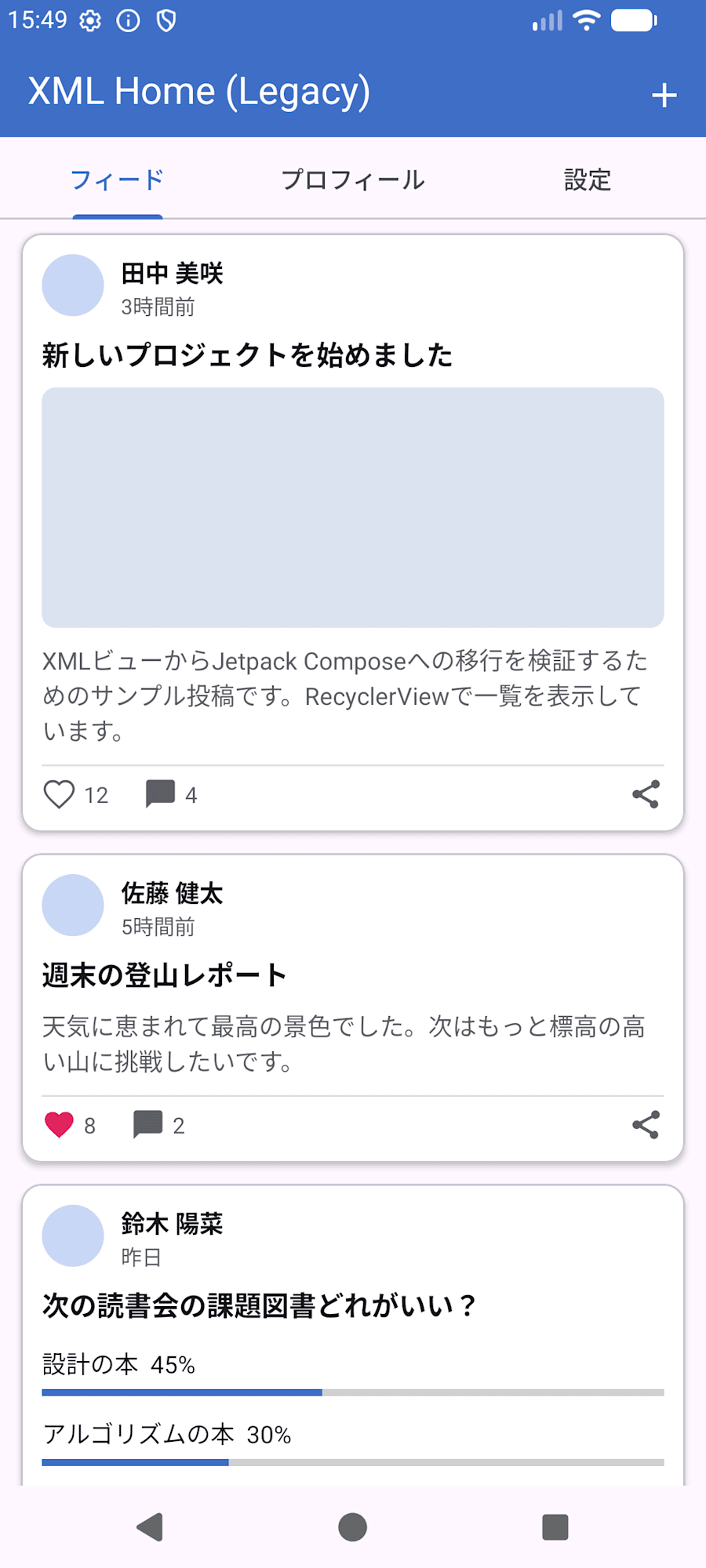
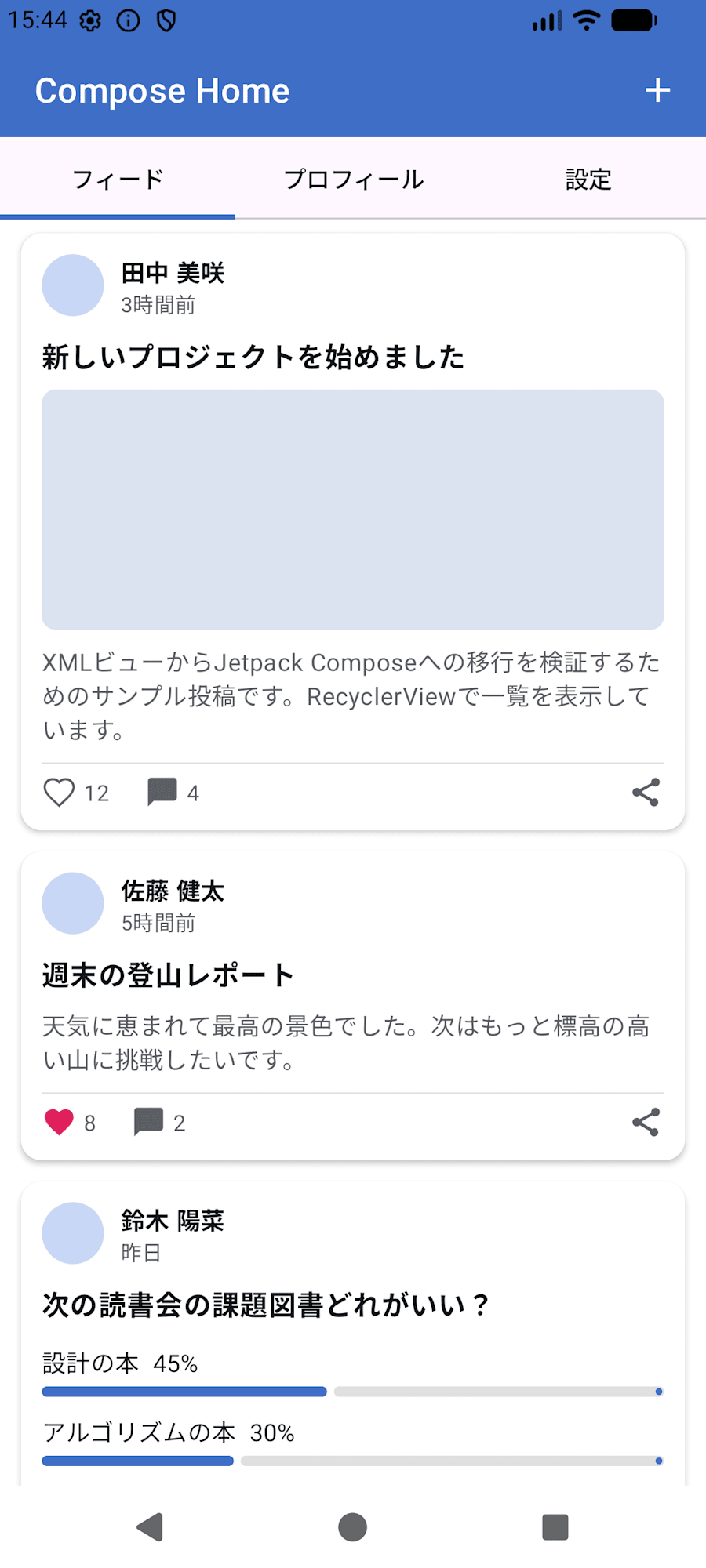
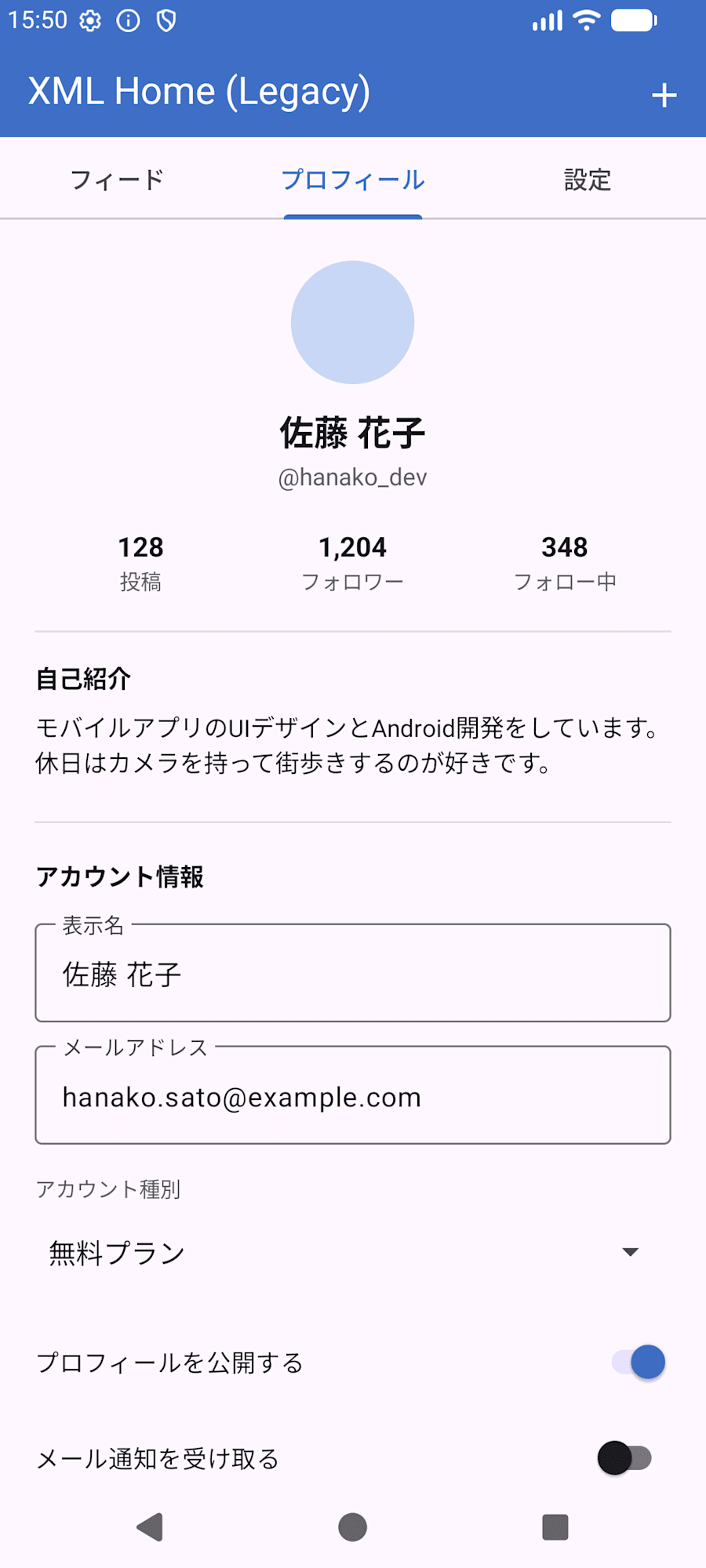
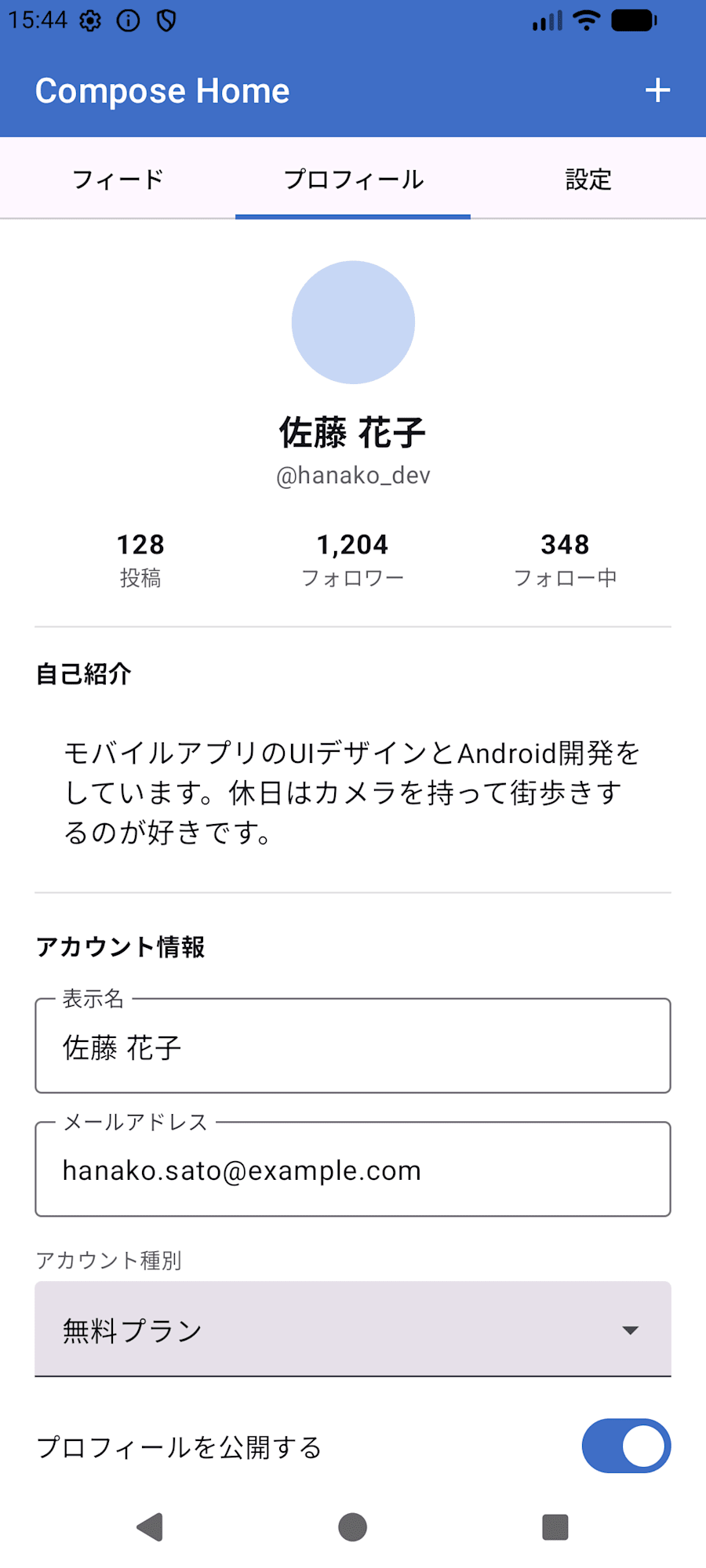
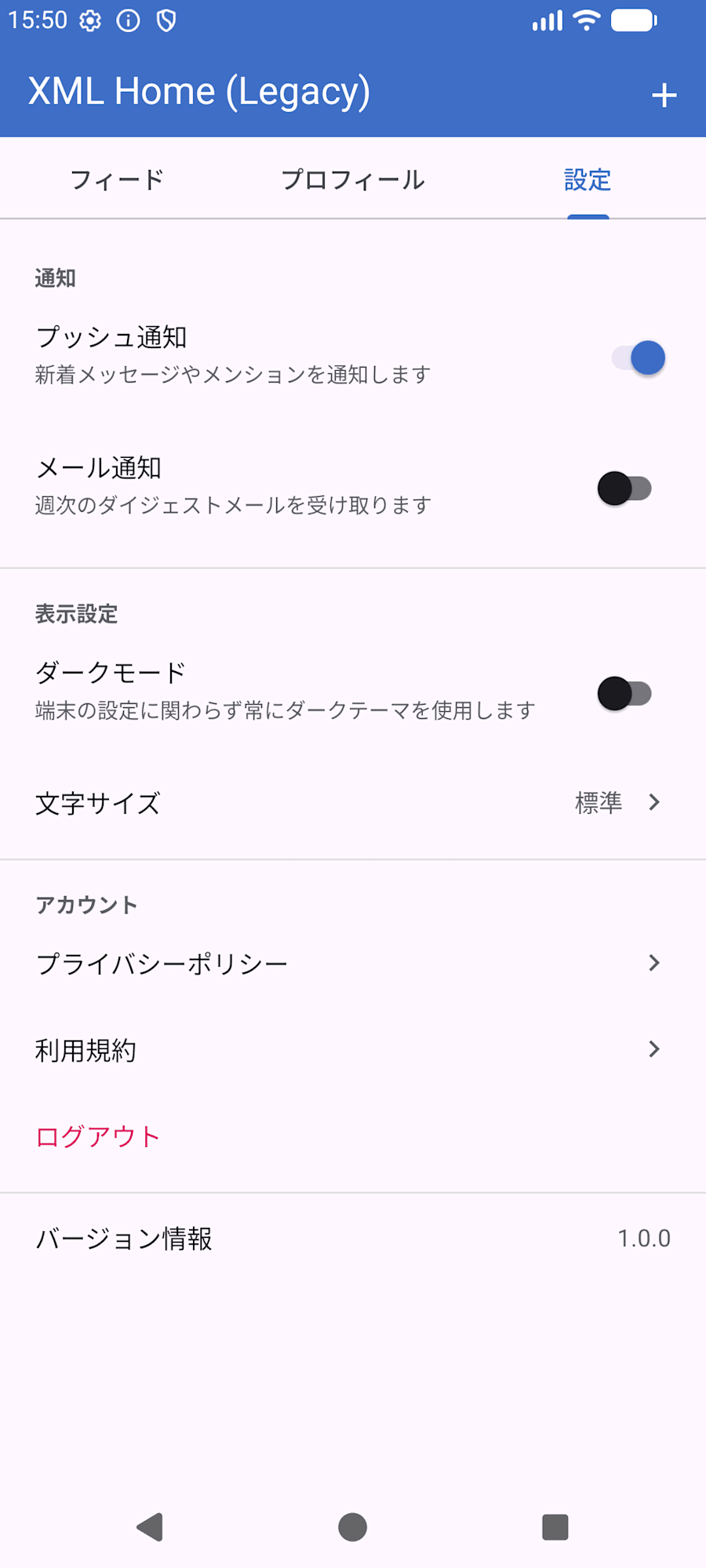
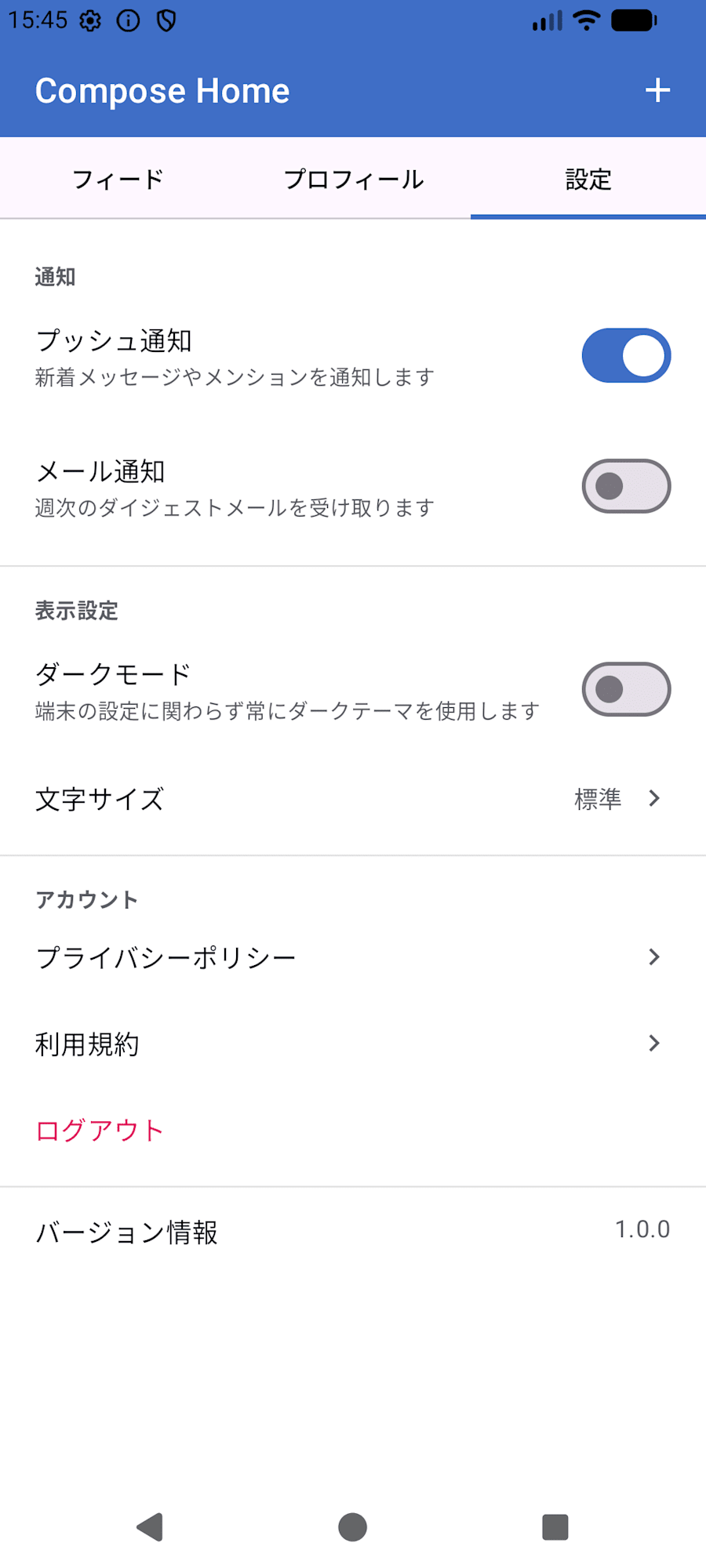
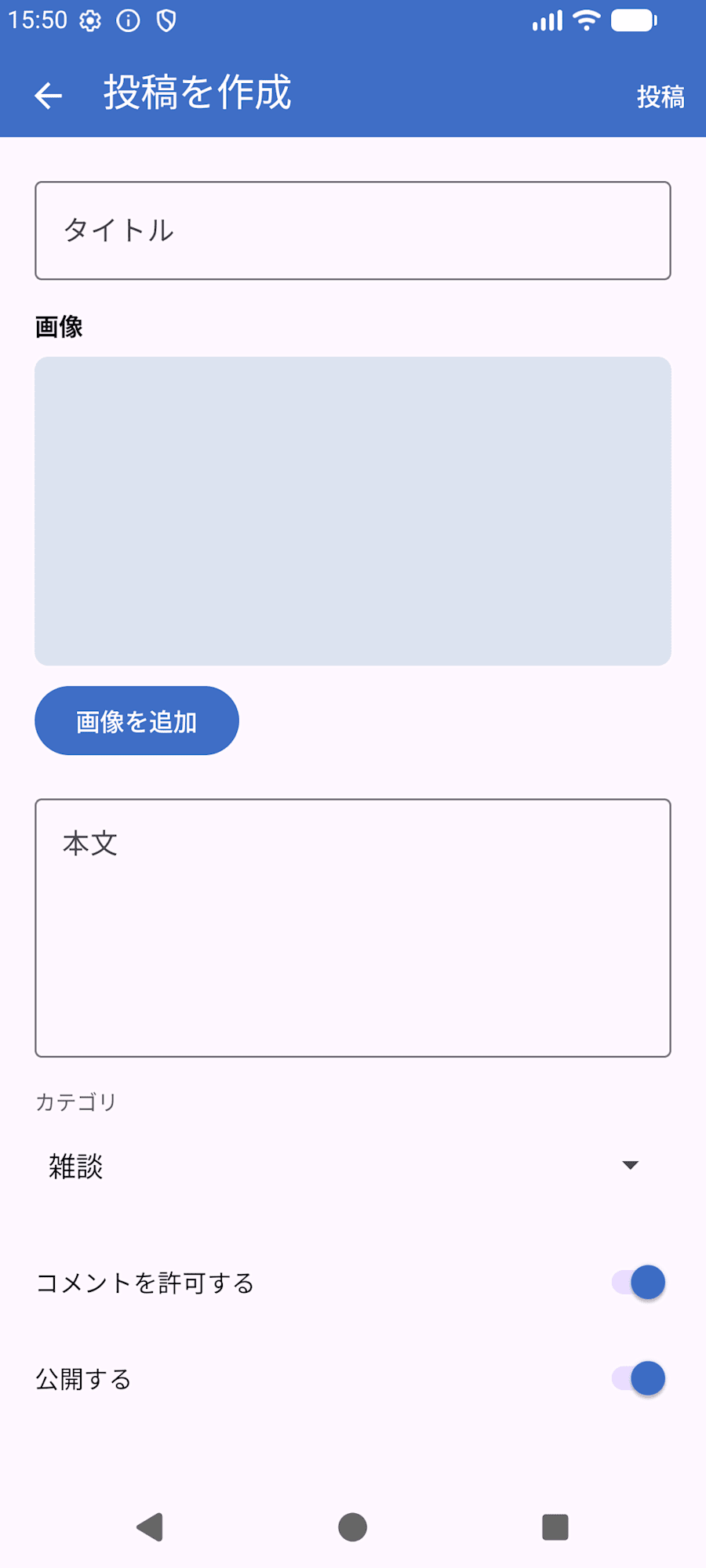
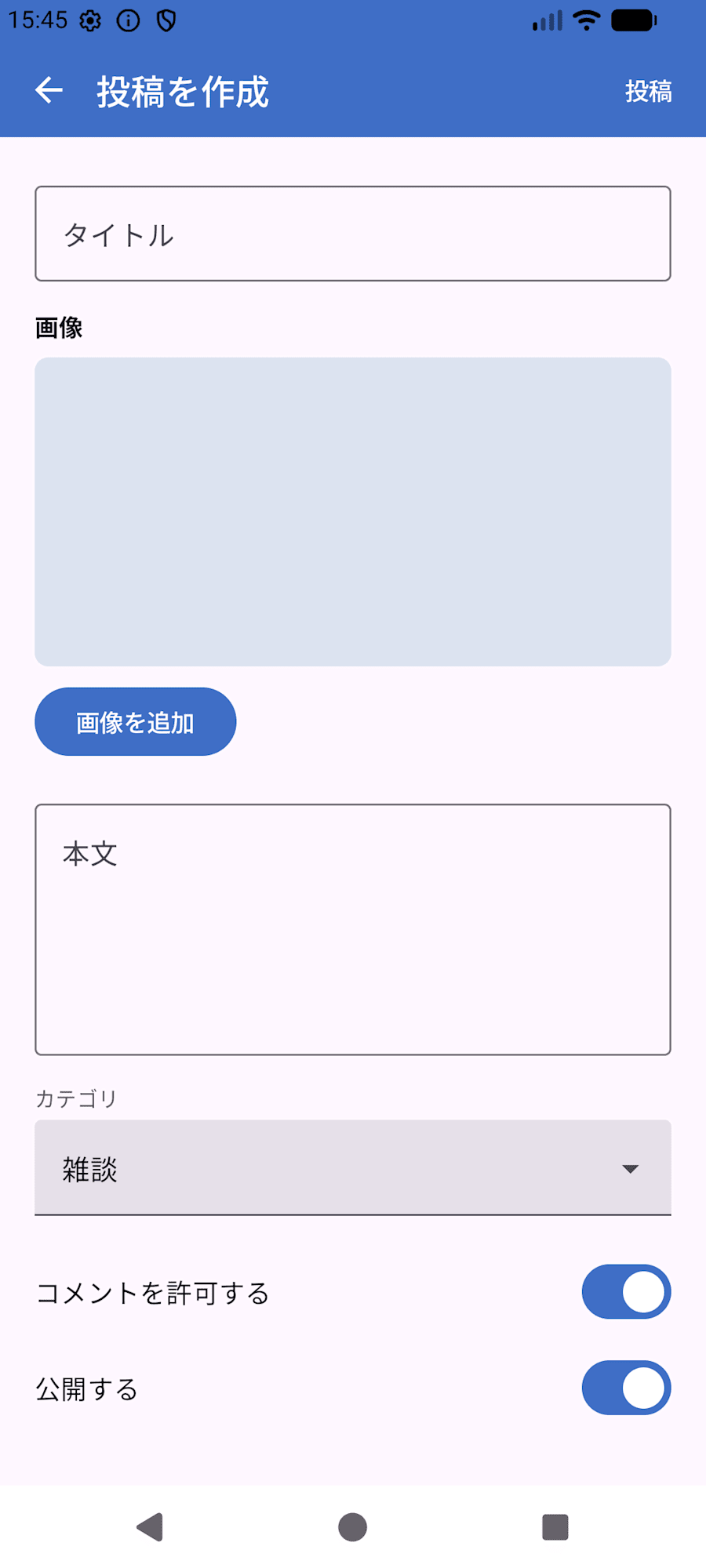
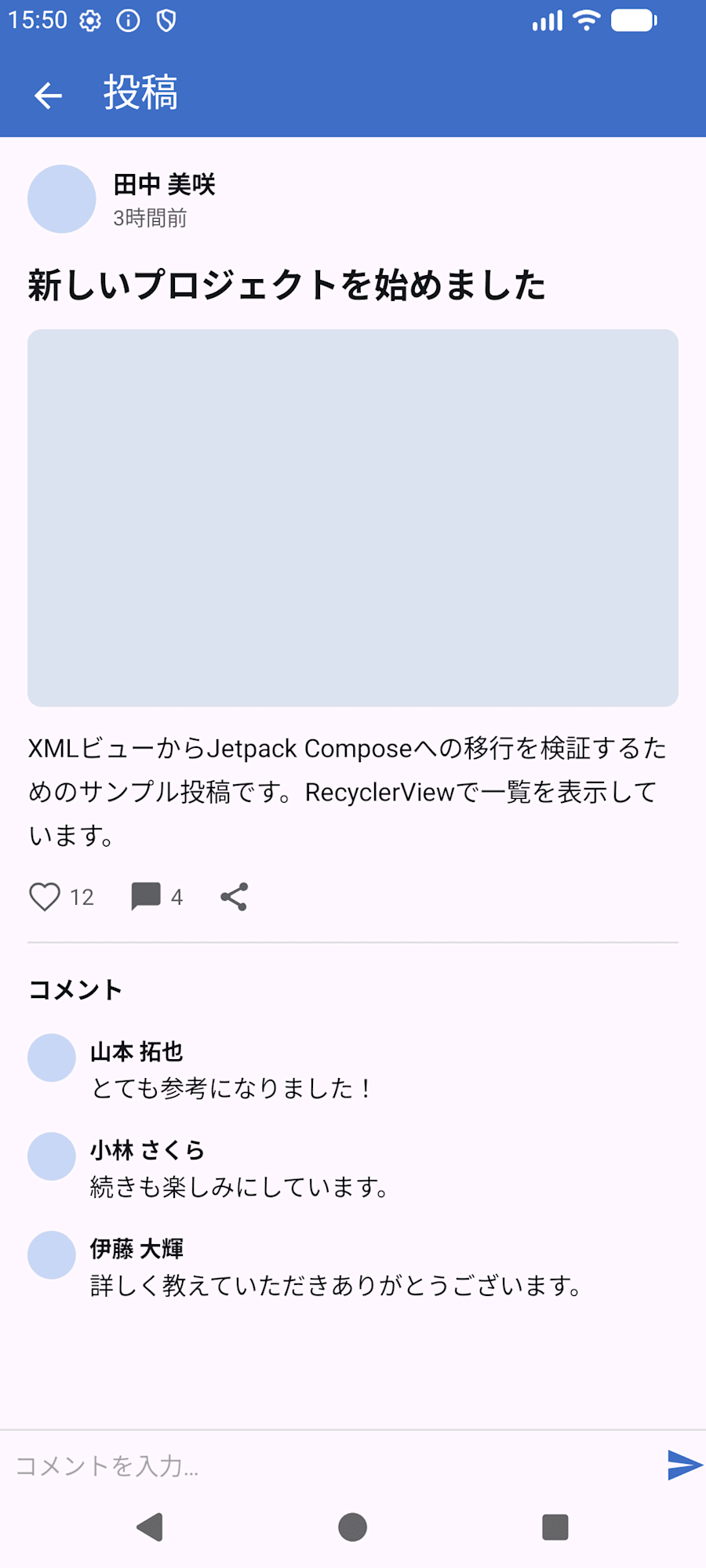
Here are the results after creating an app, implementing several Views with XML, and then launching the skill:
| before | after |
|---|---|
 |
 |
 |
 |
 |
 |
 |
 |
 |
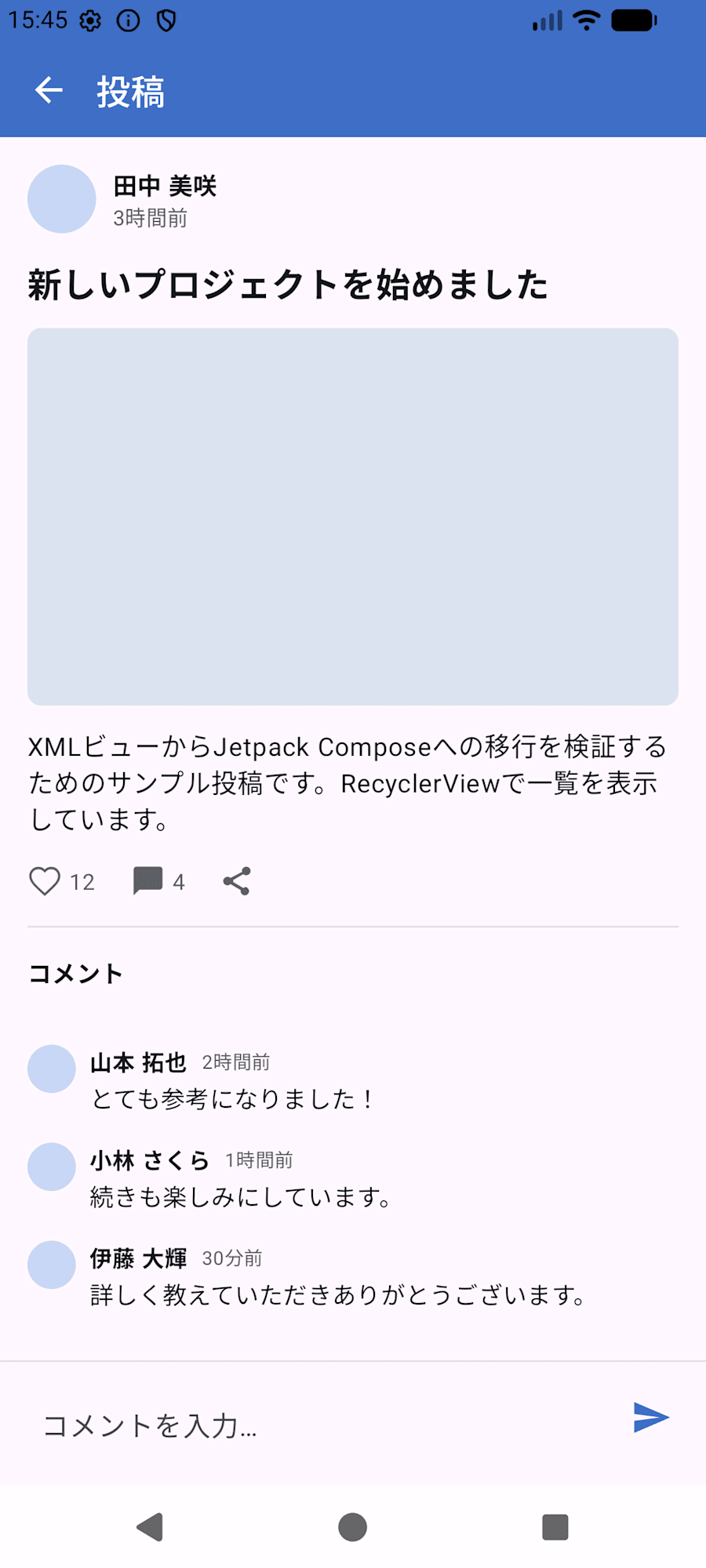 |
So close...!!
There are cases where colors changed in fine details, and there are also cases where it was automatically migrated to Material 3 components.
However, since the majority of the layout was migrated as-is, I personally consider this a sufficient result.
Summary
- I think it worked mostly as described in the skill documentation
- When asked which screen to migrate first, I answered "all of them," and as a result it took
35m 31sto migrate 5 screens. (Executed with Sonnet 5) - The iterative adjustments using screenshot comparisons were less thorough than expected
- Screen transitions, taps, and display switching also worked the same as before migration
- I thought doing everything at once wouldn't be realistic for a production-level app, so it seems better to do it one screen at a time
- It's not perfect, but I felt it's useful enough as a starting point for the work
