![[Update] The aws update command has been added to the AWS CLI](https://images.ctfassets.net/ct0aopd36mqt/wp-thumbnail-afb8c010d7789109015110e5802383b4/506a5c1ec4d5d675831f8f65783b5d2f/aws-cli?w=3840&fm=webp)
[Update] The aws update command has been added to the AWS CLI

This page has been translated by machine translation. View original
This is Shibata.
While checking the AWS CLI update history as usual, I noticed that a new aws update command was added in Ver.2.36.0, released a little while ago.
- feature:
update: Adds theupdatecommand, which downloads and installs the latest AWS CLI version.
- From CHANGELOG
This article shares the results of my investigation into this command.
What is this command?
As the name suggests, this command updates the AWS CLI to the latest version.
There are no detailed parameters, and simply typing aws update on any platform will update you to the latest version of the AWS CLI.
# Update to the latest version of AWS CLI
aws update
Investigating the implementation
After checking the implementation in the GitHub source, the mechanism is straightforward: it downloads an update script from the internet and executes it.
There are two update scripts: install.ps1 for Windows environments and install.sh for non-Windows environments. In the current AWS CLI v2, they are located at:
Both scripts perform equivalent processing:
- Check the local environment's platform, installation method, and installed version
- Download and run the latest version installer according to the installation method
The latest version information is retrieved from:
Trying it out
This time, I tested the behavior with the AWS CLI installed on my development PC (Windows 11).
I set the AWS CLI version to Ver.2.36.0 in advance.
Also, since my environment uses a system-wide installation, I'm running the PowerShell console as "Run as administrator."

I first tried it from PowerShell 7 (7.6.4), which I use regularly, but unfortunately it did not behave as expected.
When I run the aws update command, the installation script runs in a separate window, but the latest MSI installer doesn't seem to be downloaded to the intended directory the loading of the Get-AuthenticodeSignature command used internally in the script fails, causing the installation process to terminate immediately.
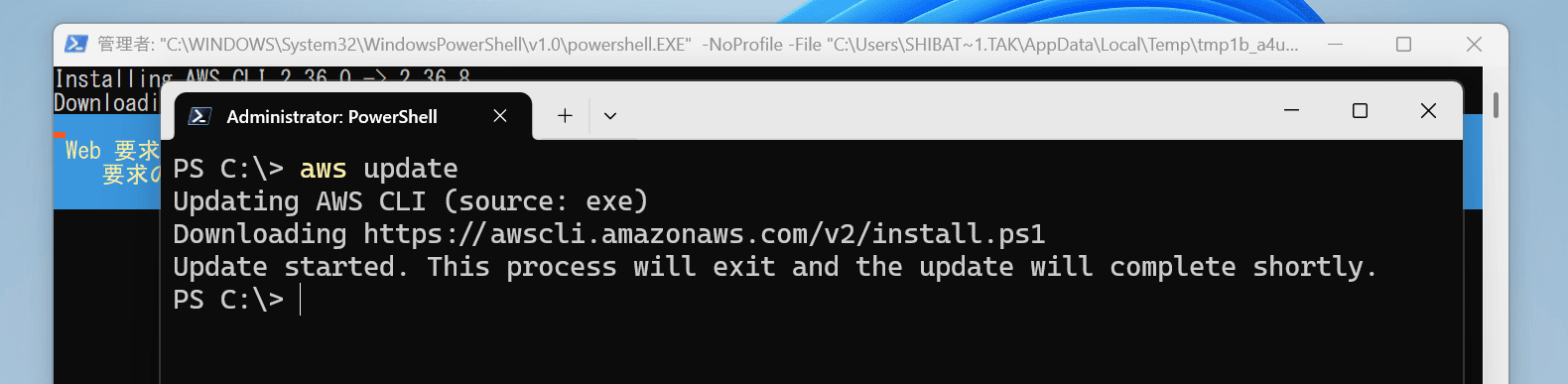

The aws update command appears to have completed successfully on the surface, but the version was not actually updated.
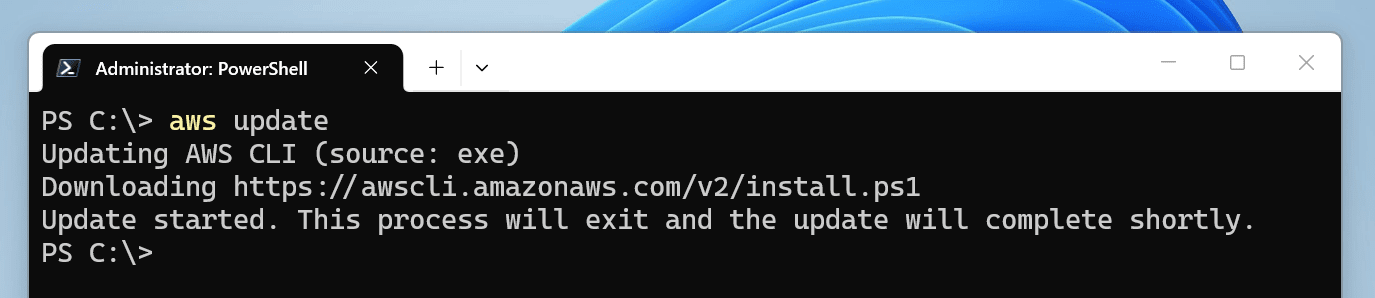
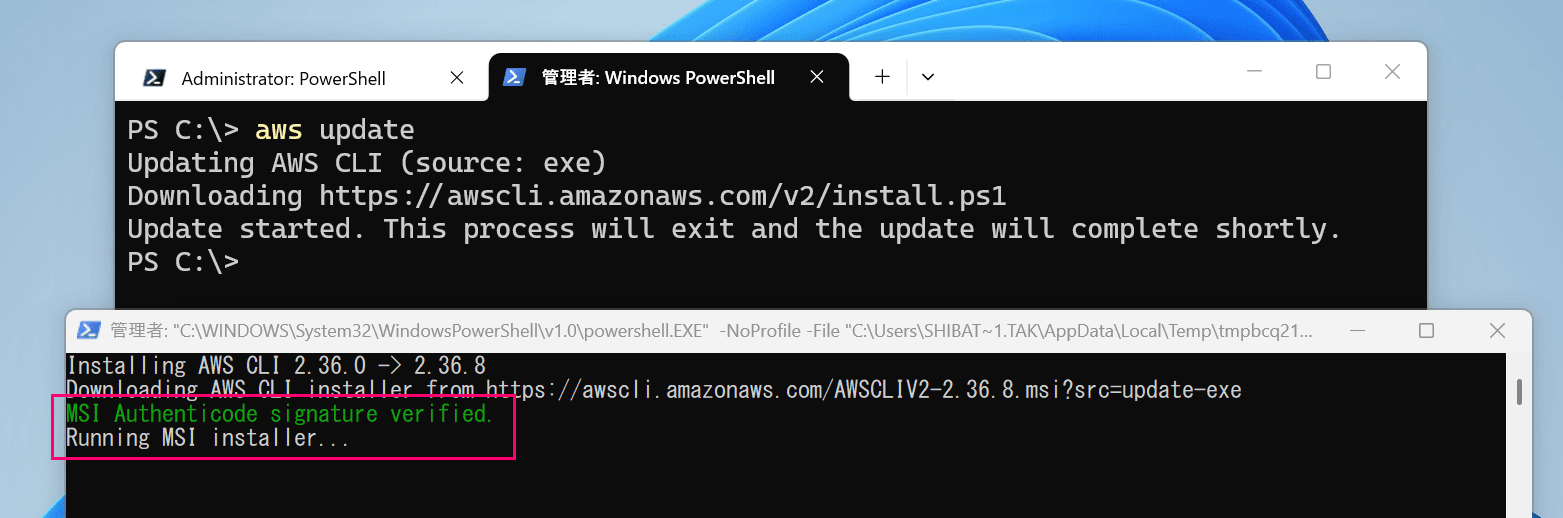
Instead, when I ran the aws update command from Windows PowerShell, the installation script ran in a separate window, and the MSI installer installation process was executed as intended.
When the separate window closed, the installation was complete, and it was updated to the latest Ver.2.36.8 as of today.
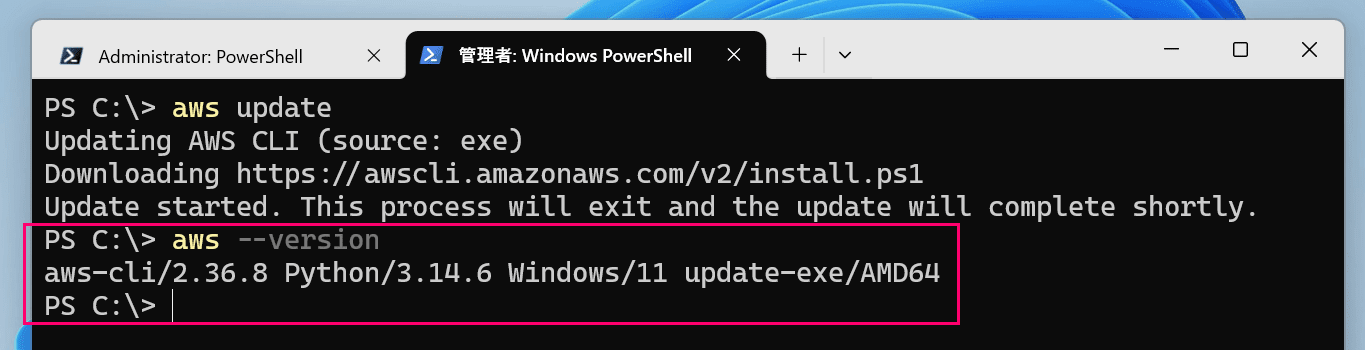
Looks great.
I'll provide feedback later about the issue where it didn't behave as expected in PowerShell 7.
[Addendum] I filed an issue.
Supplement 1: Alternative command for PowerShell 7
Since the current cause of the error lies in the difference in PSModulePath environment variable reference order when calling Windows PowerShell from PowerShell 7, the problem can be resolved by directly running install.ps1 from PowerShell 7.
# Alternative for system installation
Invoke-Expression "& { $(Invoke-RestMethod 'https://awscli.amazonaws.com/v2/install.ps1') } -System"

# Alternative for user installation
Invoke-RestMethod -Uri https://awscli.amazonaws.com/v2/install.ps1 | Invoke-Expression
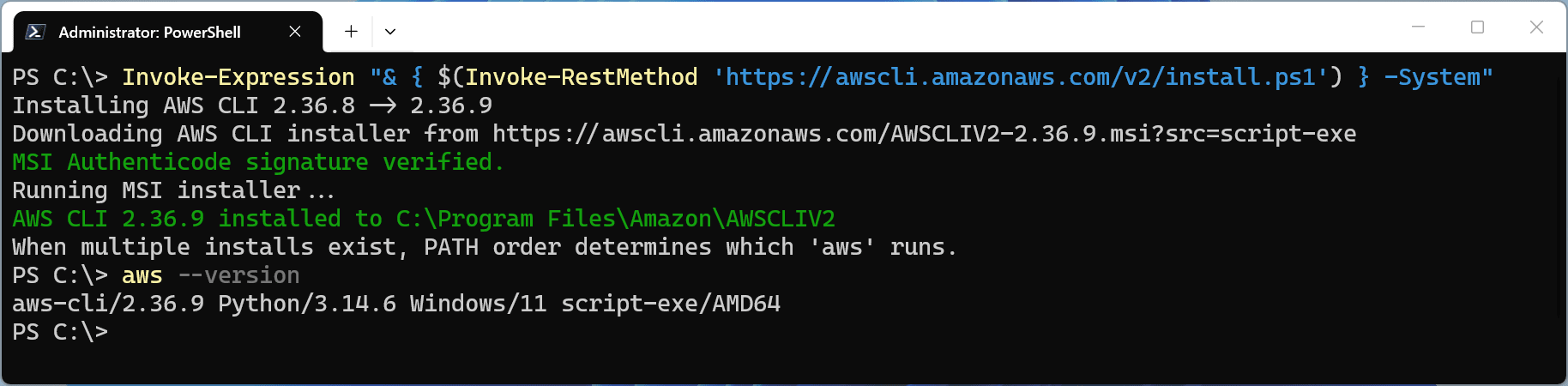
Example alternative for system installation
It feels a bit brute-force, but since it actually works, there shouldn't be any problem.
Supplement 2: A Ping to localhost (127.0.0.1) is executed in Windows environments
In Windows environments, there is a restriction that prevents updating an executable file while a process is running.
AWS CLI works around this by pinging localhost (127.0.0.1) 3 times to buy some time.
            # Windows acquires a lock when running an exe process, preventing
            # an update in-place. The workaround is to launch a detached CMD
            # subprocess and exit the parent early. Use ping to wait before
            # running the installation to ensure the parent isn't holding onto
            # the lock.
            f.write('@echo off\n')
            f.write('set AWS_CLI_DISTRIBUTION_SOURCE_OVERRIDE=update-exe\n')
            if self._no_color:
                f.write('set NO_COLOR=1\n')
            f.write('ping -n 3 127.0.0.1 >nul 2>&1\n')
            f.write(f'"{ps_exe}" {ps_args}\n')
Personally, I can't help but think "Why Ping? Wouldn't Sleep work?", but since this is the current implementation, there's no need to panic if a Ping suddenly appears.
Supplement 3: Linux environment (WSL2)
Since we're at it, let me also try it on an Ubuntu environment on WSL2.
Just like with Windows, I first set it to Ver.2.36.0.

Since this environment also uses a system installation, I run the aws update command with sudo.
The installation script ran smoothly here and was updated to Ver.2.36.8.
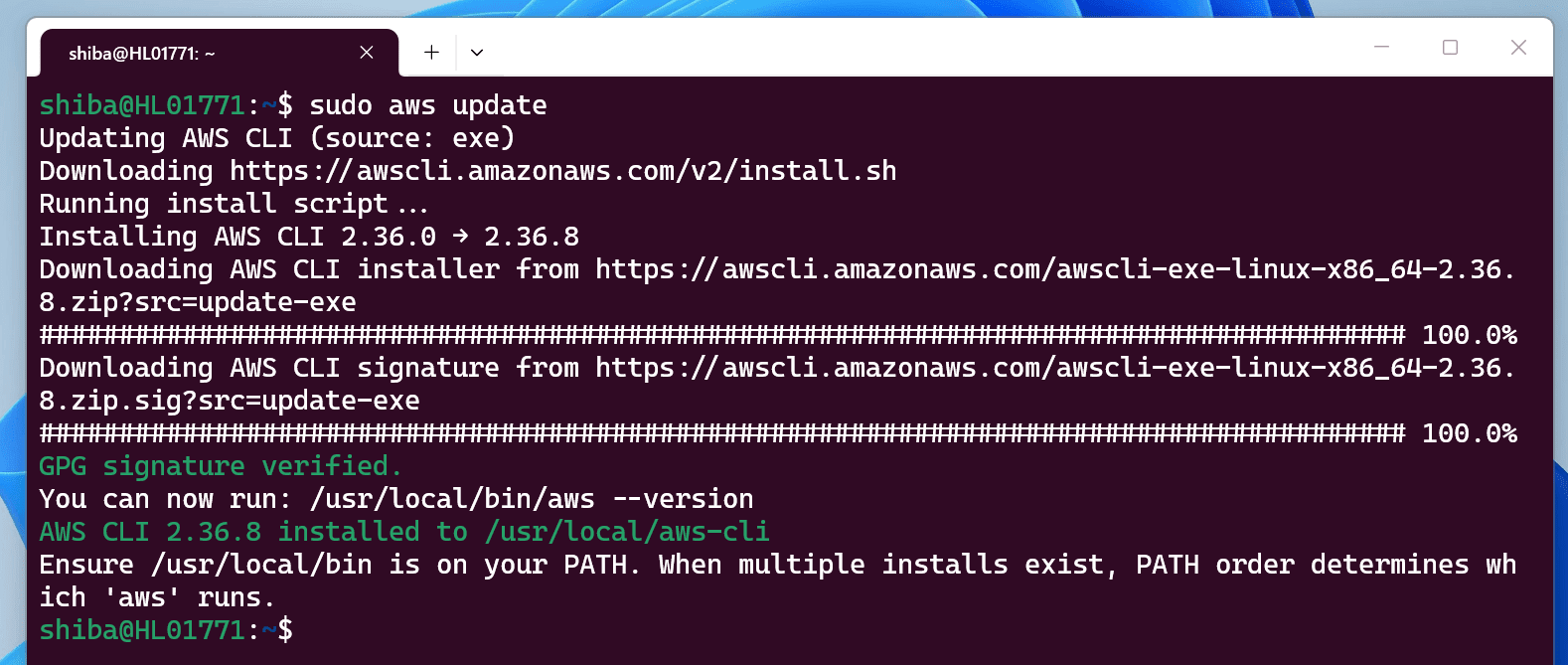

Nice and easy.
In closing
That's all.
I did find a bug in the Windows environment, but I think it's a very convenient command.
Please make use of it as well.
