I Tried Associating AWS Cloud WAN with AWS Transit Gateway and Registering the Route Information of VPCs and Site-to-Site VPNs Connected to the Transit Gateway in Cloud WAN

This page has been translated by machine translation. View original
I want to connect Cloud WAN with VPCs and Site-to-Site VPN via Transit Gateway
Hello, this is Nonpi (@non____97).
Have you ever wanted to connect Cloud WAN with VPCs and Site-to-Site VPN via Transit Gateway? I have.
I'm not considering fully adopting Cloud WAN right now, but there are times when I want to benefit from Cloud WAN while making use of an existing Transit Gateway.
If you want to migrate from Transit Gateway to Cloud WAN, please see the following AWS Blogs article and re:Post.
There was little information on the internet showing how to connect Cloud WAN with VPCs and Site-to-Site VPN via Transit Gateway, so I actually tried it.
Test environment
The test environment is as follows.
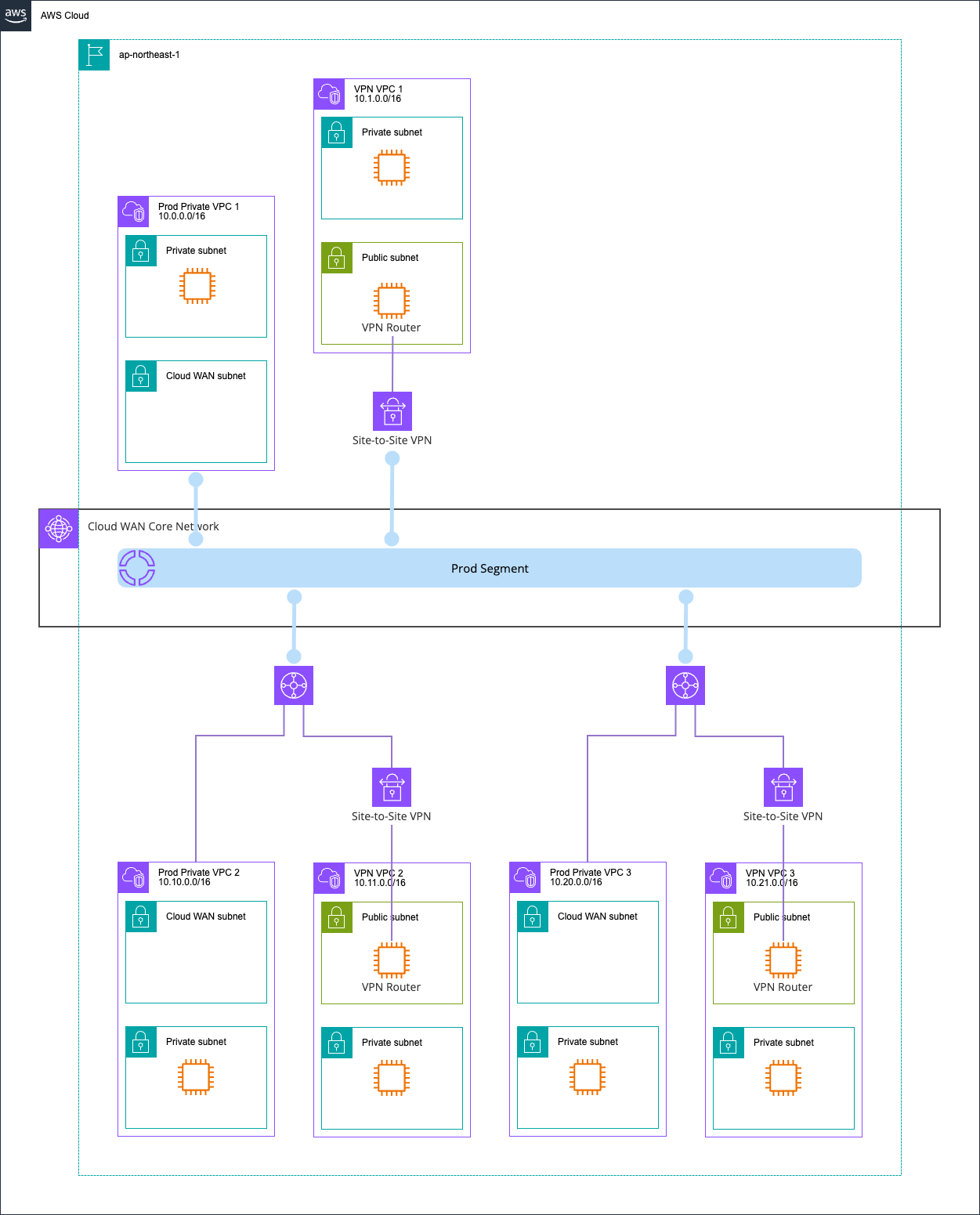
I prepared two patterns: one where VPCs and Site-to-Site VPN are connected via Transit Gateway, and one where they are connected directly to Cloud WAN without going through Transit Gateway.
AWS CDK code
All resources were deployed with AWS CDK.
The code I used is stored in the following GitHub repository.
The structure of the AWS CDK code is as follows.
.
├── bin
│   └── aws-cdk-cloud-wan-tgw-s2s-vpn.ts   # Entry point of the CDK application. Defines one AwsCdkCloudWanTgwS2SVpnStack in ap-northeast-1
├── lib
│   ├── aws-cdk-cloud-wan-tgw-s2s-vpn-stack.ts  # Main Stack. Assembles Cloud WAN / TGW×2 / VPC×6 / VPN×3 / the full set of Cloud WAN-TGW peering
│   ├── constructs
│   │   ├── core-network.ts                # Construct that defines Cloud WAN's GlobalNetwork / CoreNetwork / prod segment / attachment-policies
│   │   ├── index.ts                       # Barrel file for Constructs
│   │   ├── private-vpc.ts                 # Construct for workload VPCs. Switches between Cloud WAN attach and TGW attach with a discriminated union (also auto-generates RT association/propagation for TGW)
│   │   ├── transit-gateway.ts             # Creates TGW + explicit Route Table. Creates Policy Table for Cloud WAN peering with AwsCustomResource (createTransitGatewayPolicyTable)
│   │   └── vpn-vpc.ts                     # Construct for VPCs for on-premises connectivity. Includes VPN Router EC2 / EIP / CGW / Site-to-Site VPN. Switches between Cloud WAN/TGW attach via props; for TGW, obtains the attachment ID with DescribeTransitGatewayAttachments and executes RT association/propagation
│   └── network-config.ts                  # Centrally manages all settings such as CIDR / ASN / segment names / VPN tunnel inside CIDR / PSK
├── src
│   └── ec2
│       └── vpn-router-userdata.sh         # UserData for the VPN Router EC2. Automatically sets up Libreswan (IPsec) + FRR (BGP) + network namespace (vrf1). Receives CGW_ASN / AWS_ASN via Fn::Sub
Cloud WAN / TGW 双方で再利用可能
├── test
│   ├── aws-cdk-cloud-wan-tgw-s2s-vpn.test.ts   # Unit tests for the whole Stack. Verifies resource counts (TGW×2 / VPC×6 / VPN×3 / EIC×5, etc.) and the prod segment tag
│   └── constructs
│       ├── core-network.test.ts           # Verifies the CoreNetwork policy document (prod segment / attachment-policies)
│       ├── private-vpc.test.ts            # Verifies the attachment type and route destination in both the Cloud WAN attach and TGW attach cases
│       ├── transit-gateway.test.ts        # Verifies that TGW disables the default RT + creates an explicit RT, and that the ASN can be passed as a prop
│       └── vpn-vpc.test.ts                # Verifies the VPN resource configuration for each pattern: Cloud WAN attach / TGW attach / createEicEndpoint=false
├── cdk.context.json
├── cdk.json
├── jest.config.js
├── package.json
├── pnpm-lock.yaml
├── README.md
├── .gitignore
├── .npmignore
└── tsconfig.json
The steps to associate Cloud WAN with Transit Gateway are as follows.
- Create a Transit Gateway policy table
- Register the Transit Gateway in the Cloud WAN Global Network
- Create a peering with the Transit Gateway in the Cloud WAN Global Network
- Specify the Transit Gateway policy table created in (1)
- In the Cloud WAN Core Network, create an attachment with the attachment type Transit Gateway route table
- Specify the following
- The Transit Gateway peering created in (3)
- Transit Gateway
- A tag that matches the attachment policy
- Specify the following
The Core network Policy itself is as follows.
{
  "core-network-configuration": {
    "vpn-ecmp-support": true,
    "asn-ranges": [
      "64512-64555"
    ],
    "edge-locations": [
      {
        "location": "ap-northeast-1",
        "asn": 64512
      }
    ],
    "inside-cidr-blocks": [
      "192.168.0.0/16"
    ]
  },
  "version": "2021.12",
  "attachment-policies": [
    {
      "rule-number": 100,
      "condition-logic": "or",
      "description": "attachment segment prod",
      "action": {
        "association-method": "constant",
        "segment": "prod"
      },
      "conditions": [
        {
          "type": "tag-value",
          "value": "prod",
          "operator": "equals",
          "key": "cloudwan-seg"
        }
      ]
    }
  ],
  "segments": [
    {
      "name": "prod",
      "require-attachment-acceptance": false,
      "edge-locations": [
        "ap-northeast-1"
      ]
    }
  ]
}
Checking the environment
Core Network
Let's check the environment I created.
First, the Core Network.
There are four attachments, as shown below.
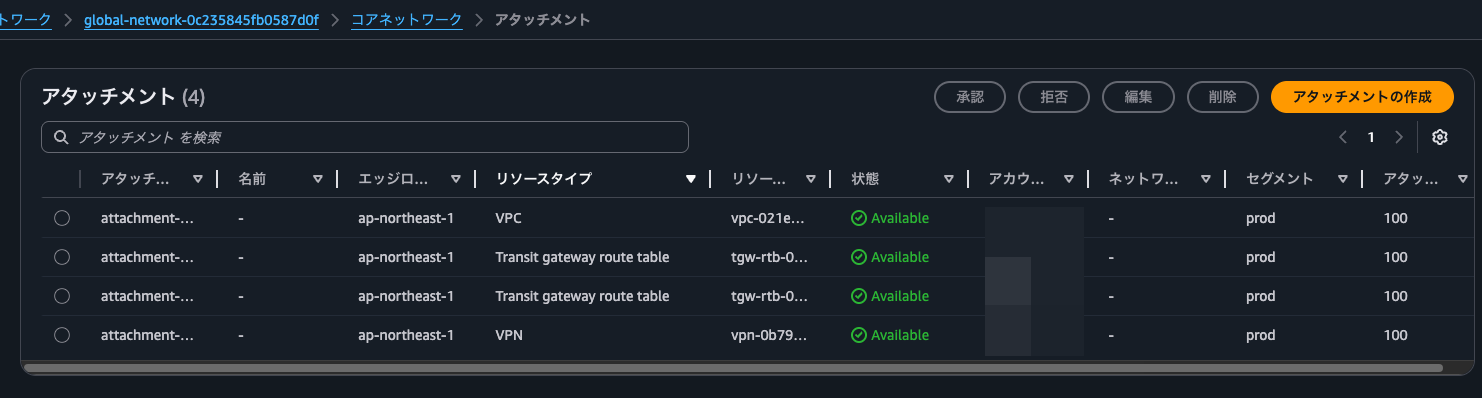
There are two peerings, one for each Transit Gateway.

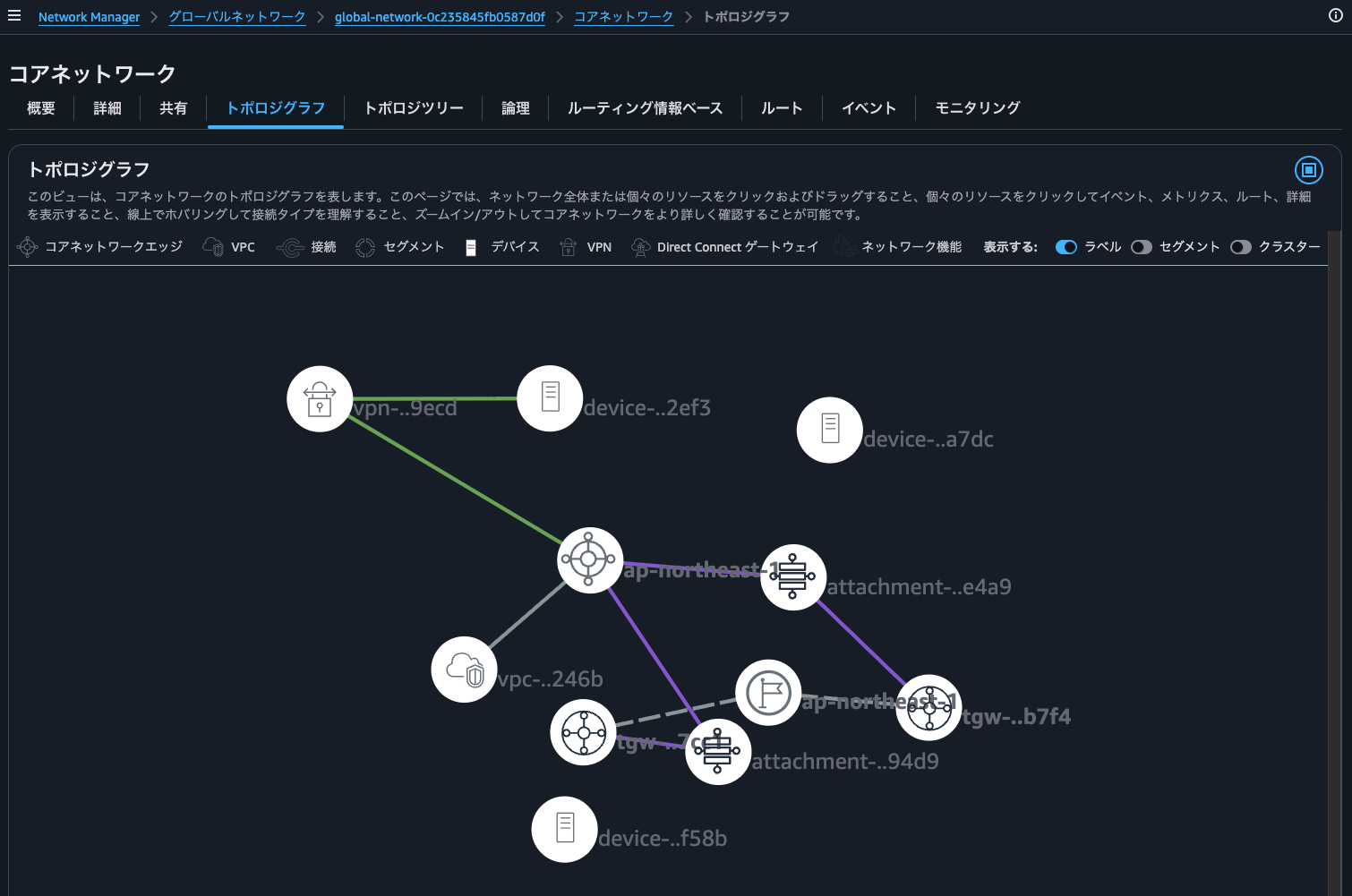
The topology graph is as follows. The VPCs and Site-to-Site VPN connected via Transit Gateway cannot be seen here.
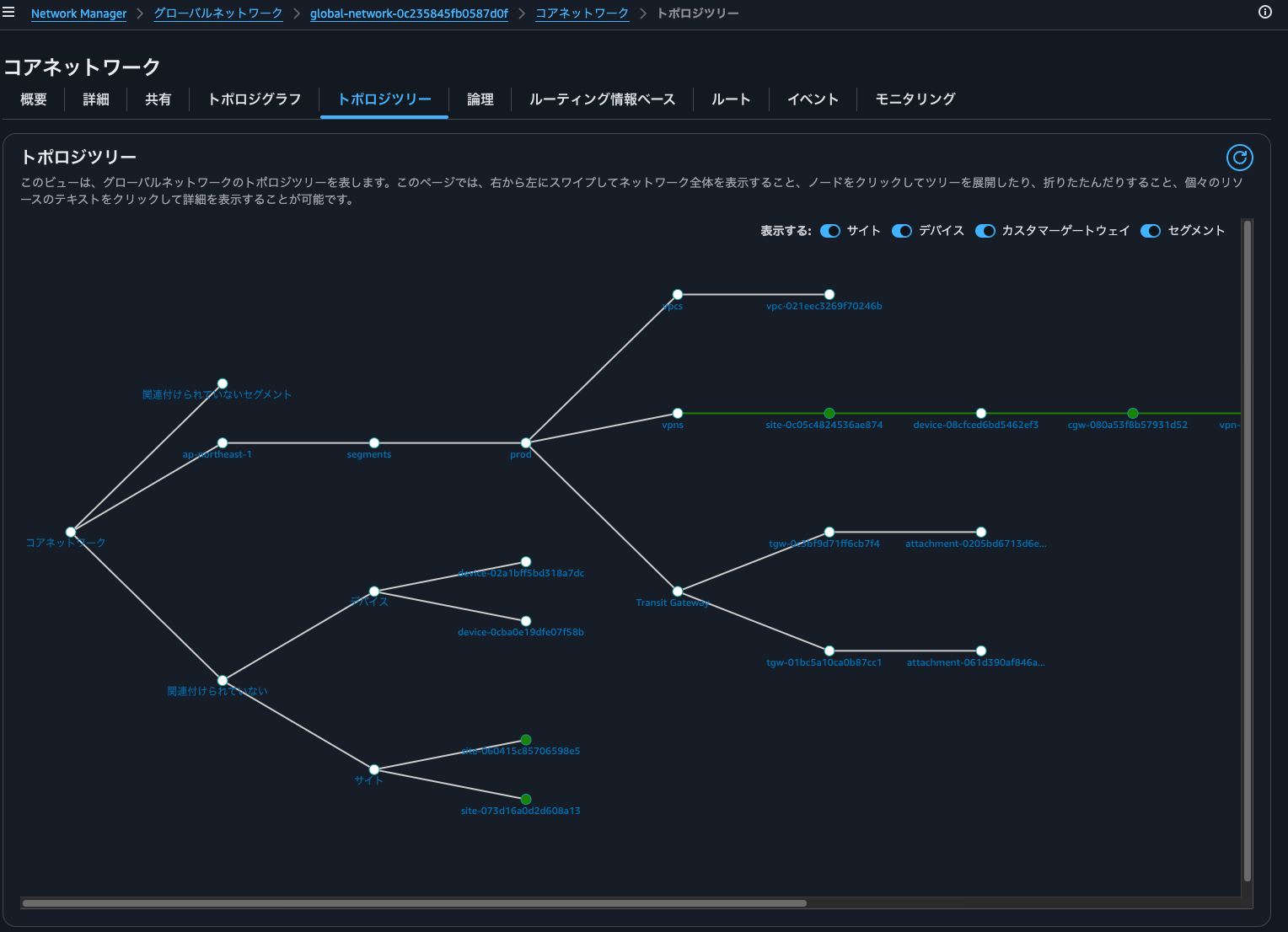
The same goes for the topology tree.
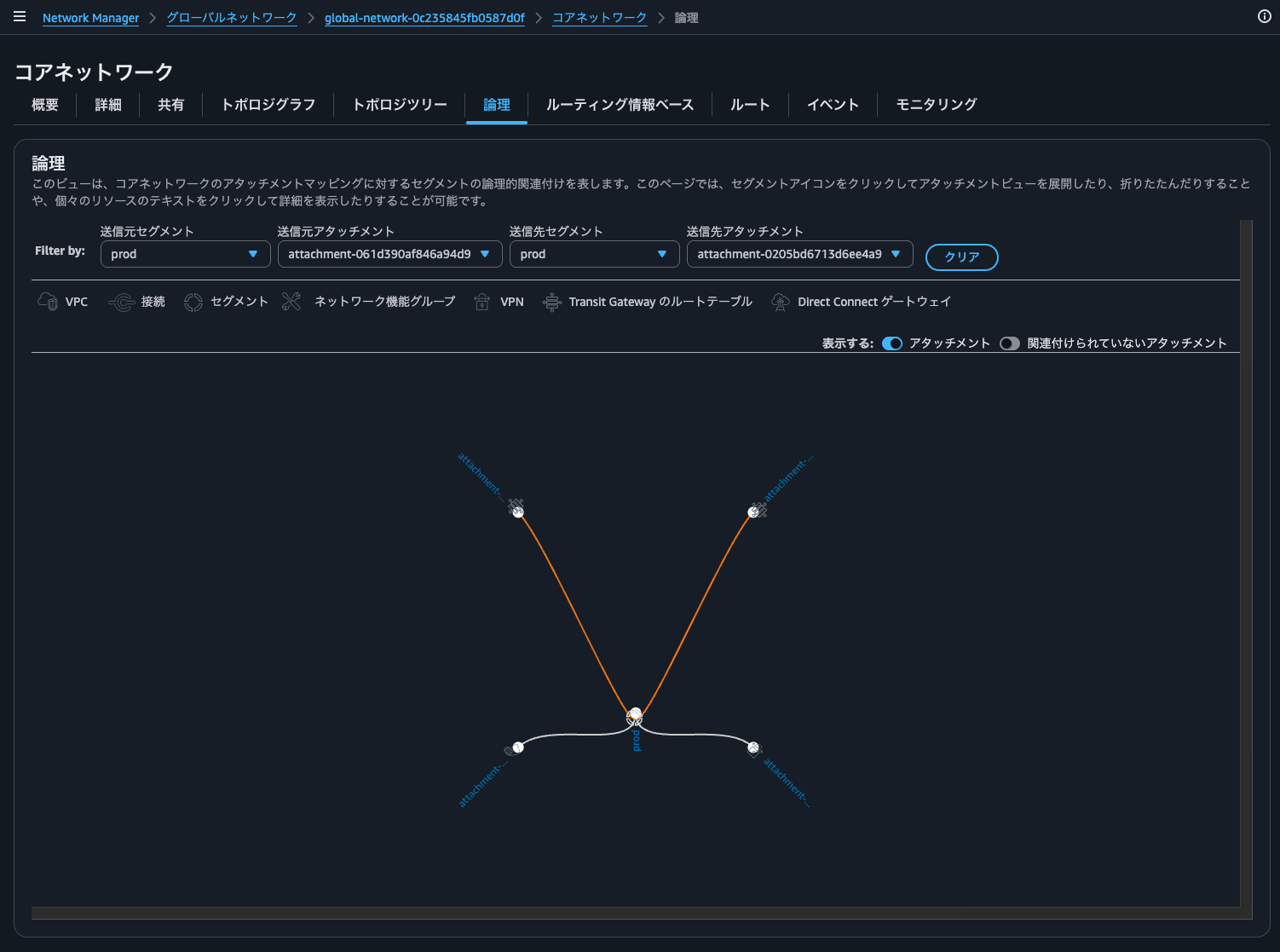
The VPCs and Site-to-Site VPN connected to Transit Gateway cannot be seen in the logical view either.
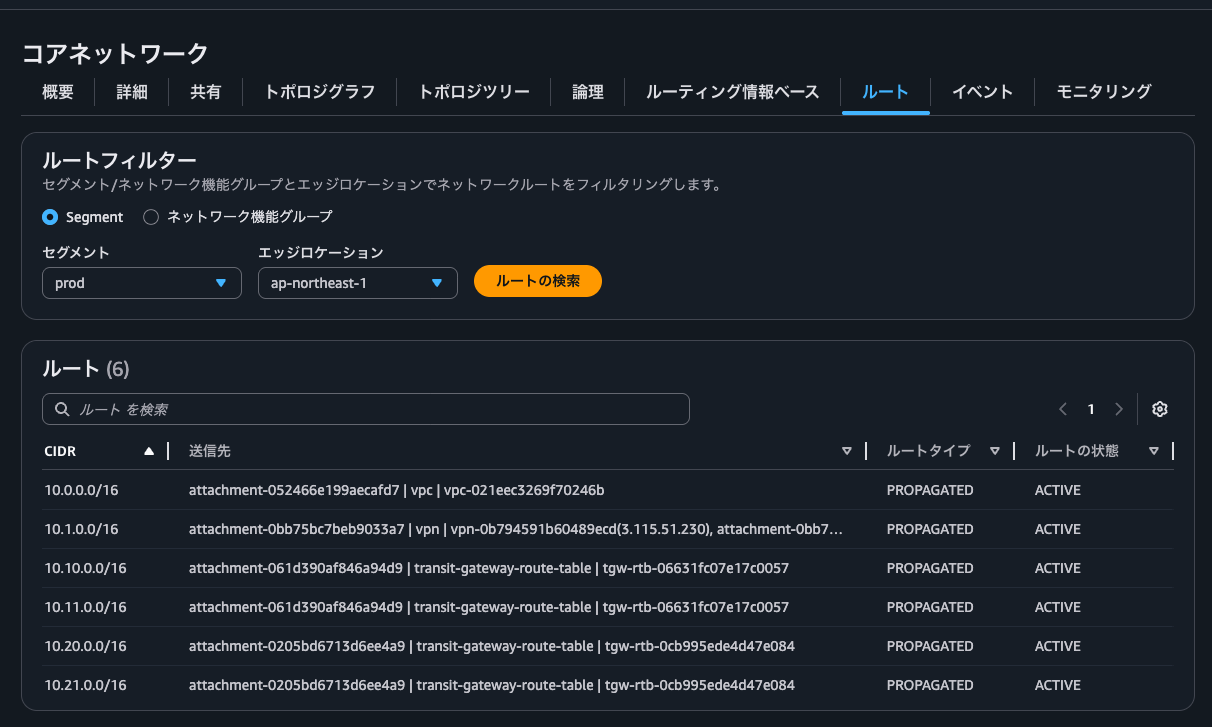
However, when I checked the routes, the CIDRs of the VPCs and Site-to-Site VPN connected to Transit Gateway were indeed registered.
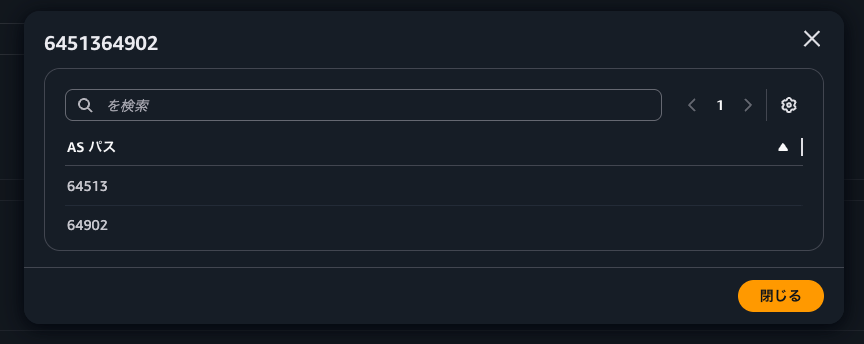
Detailed BGP information can be checked in the routing information base.
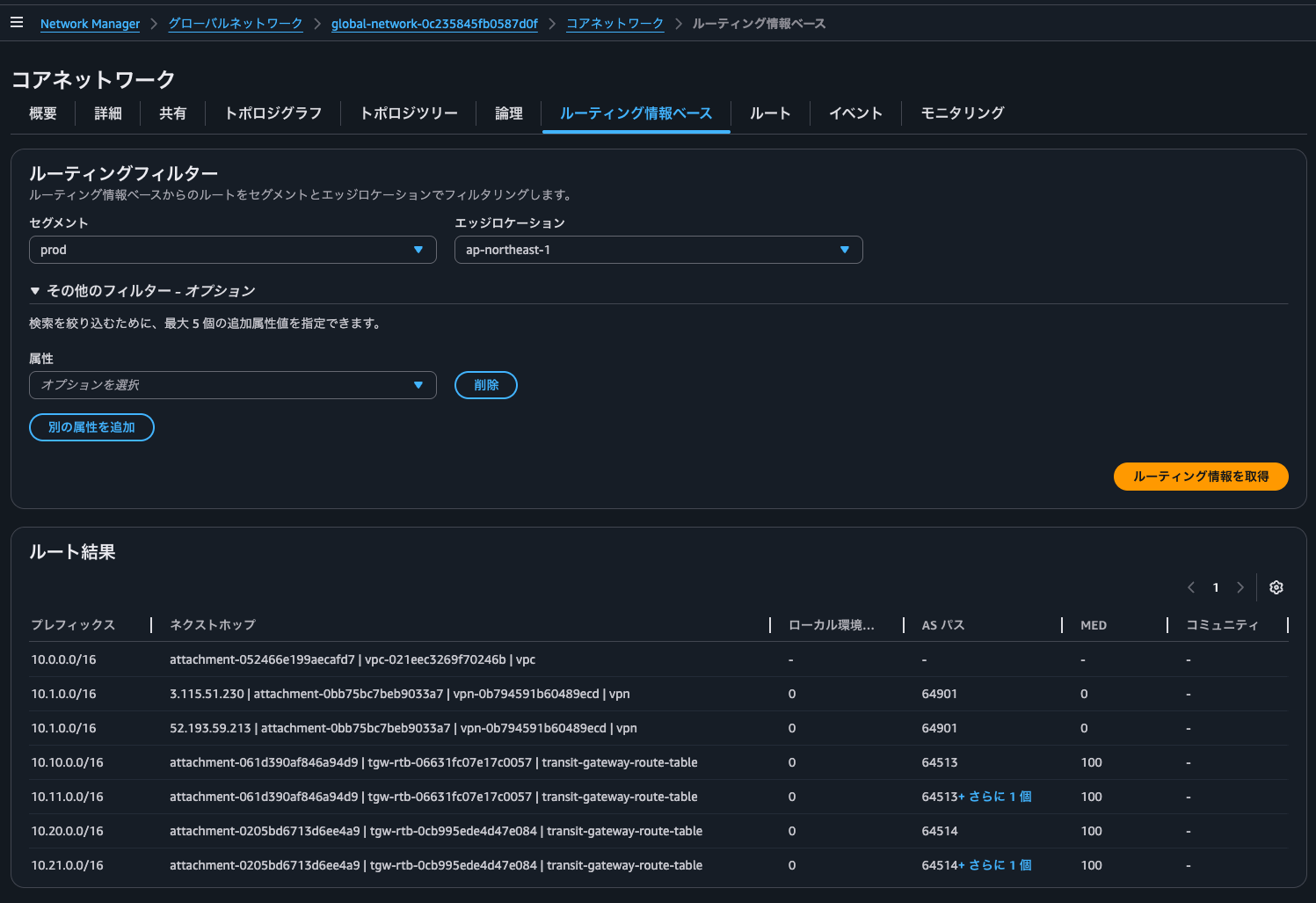
For the Site-to-Site VPN connected to Transit Gateway, you can see that two ASNs are registered as the AS Path, as shown below.
Transit Gateway network
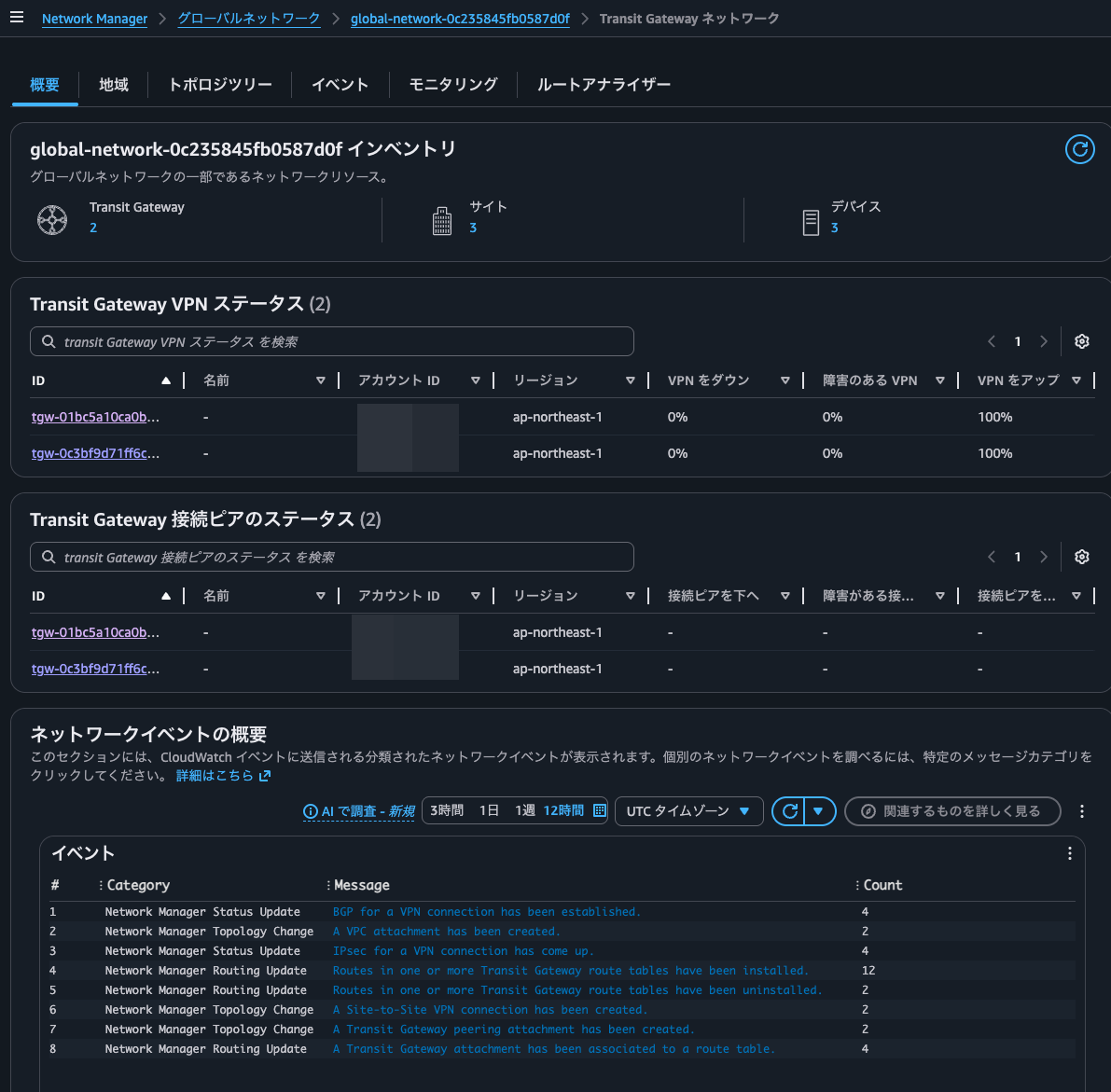
Next, the Transit Gateway network.
The overview lets you check the status and events of the VPNs and peers connected to Transit Gateway.
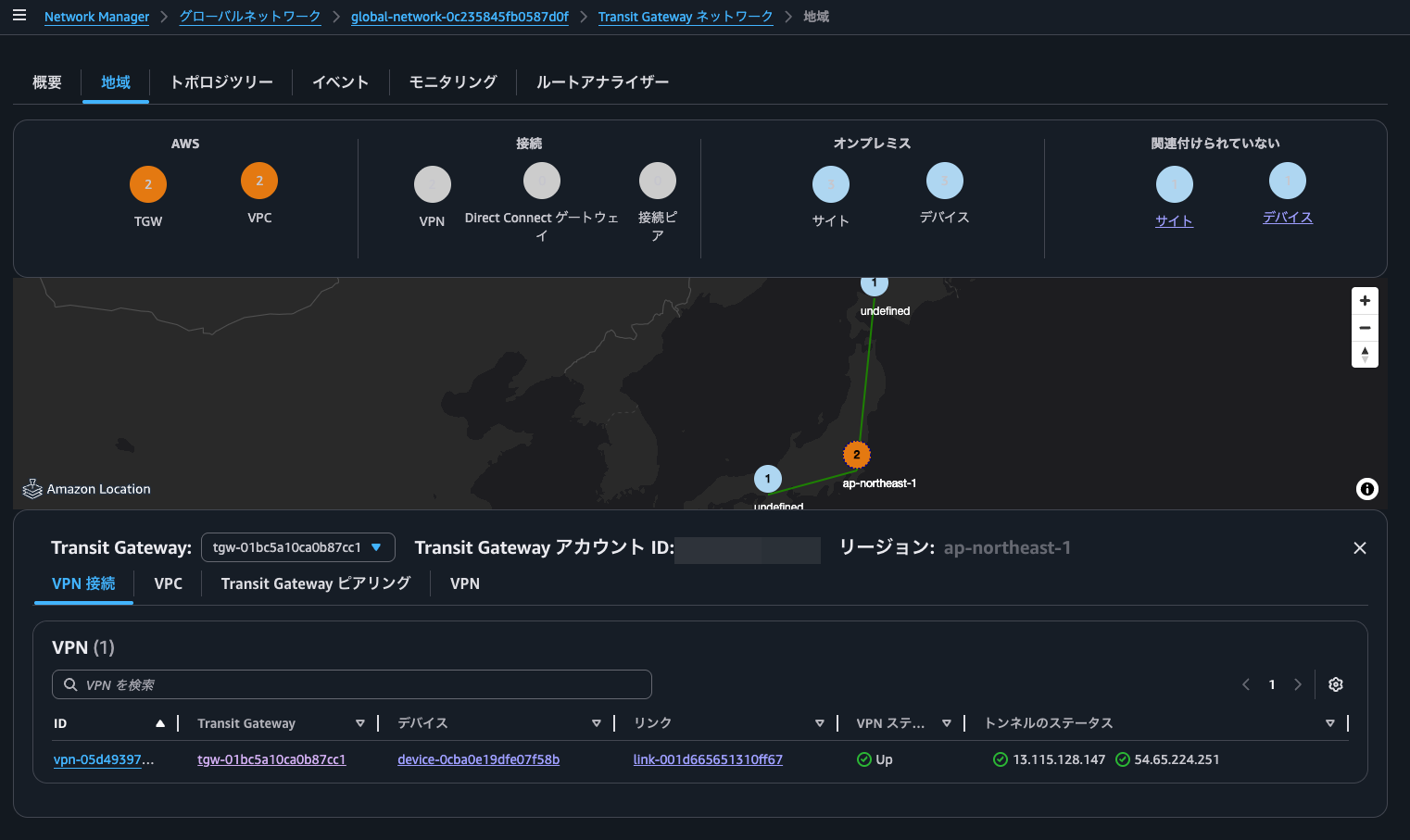
In the regions view, you can check the placement of the resources connected to Transit Gateway.
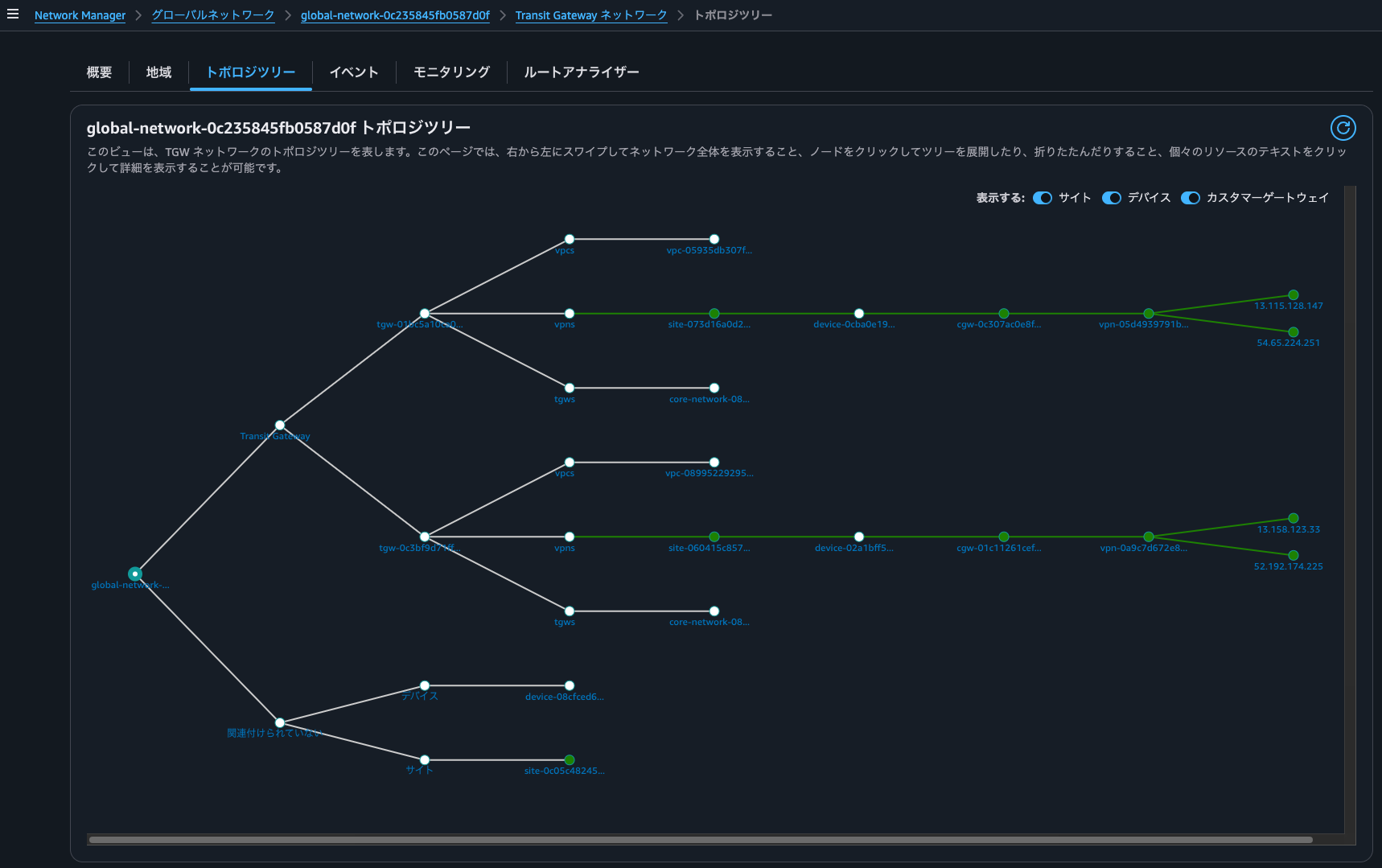
When I checked the topology graph, the VPCs and Site-to-Site VPN connected to Transit Gateway were displayed as well.
In events, I could check events related to the Global Network.
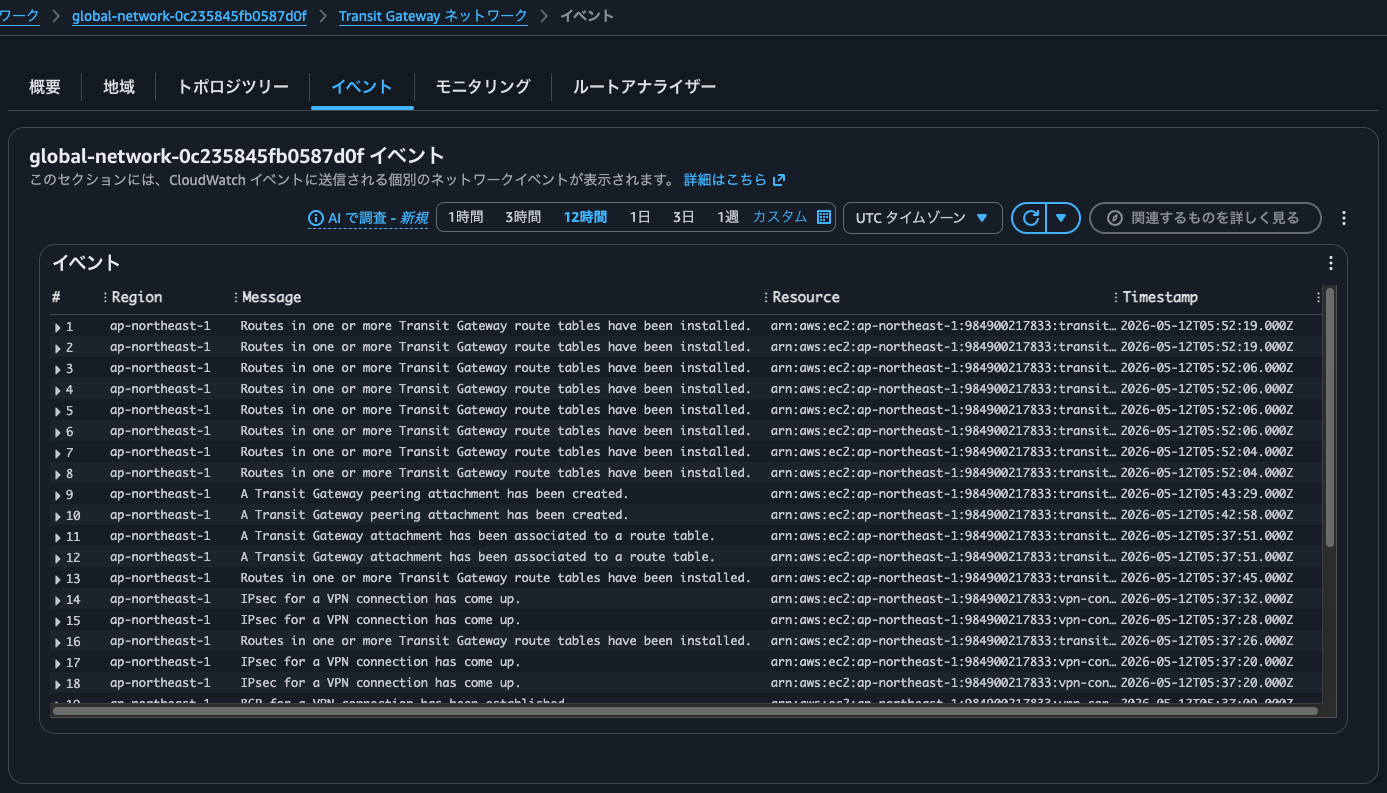
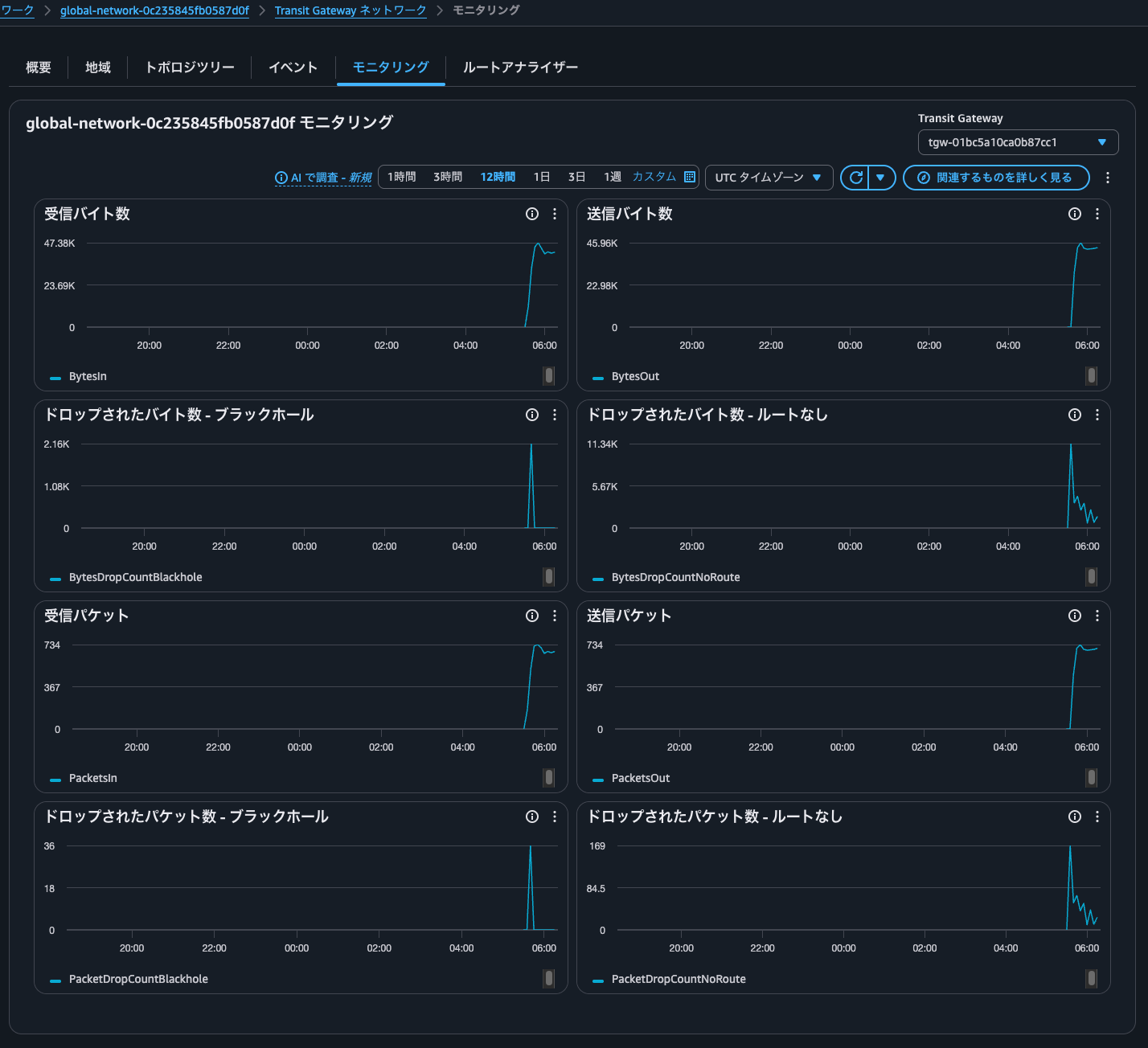
The same goes for monitoring.
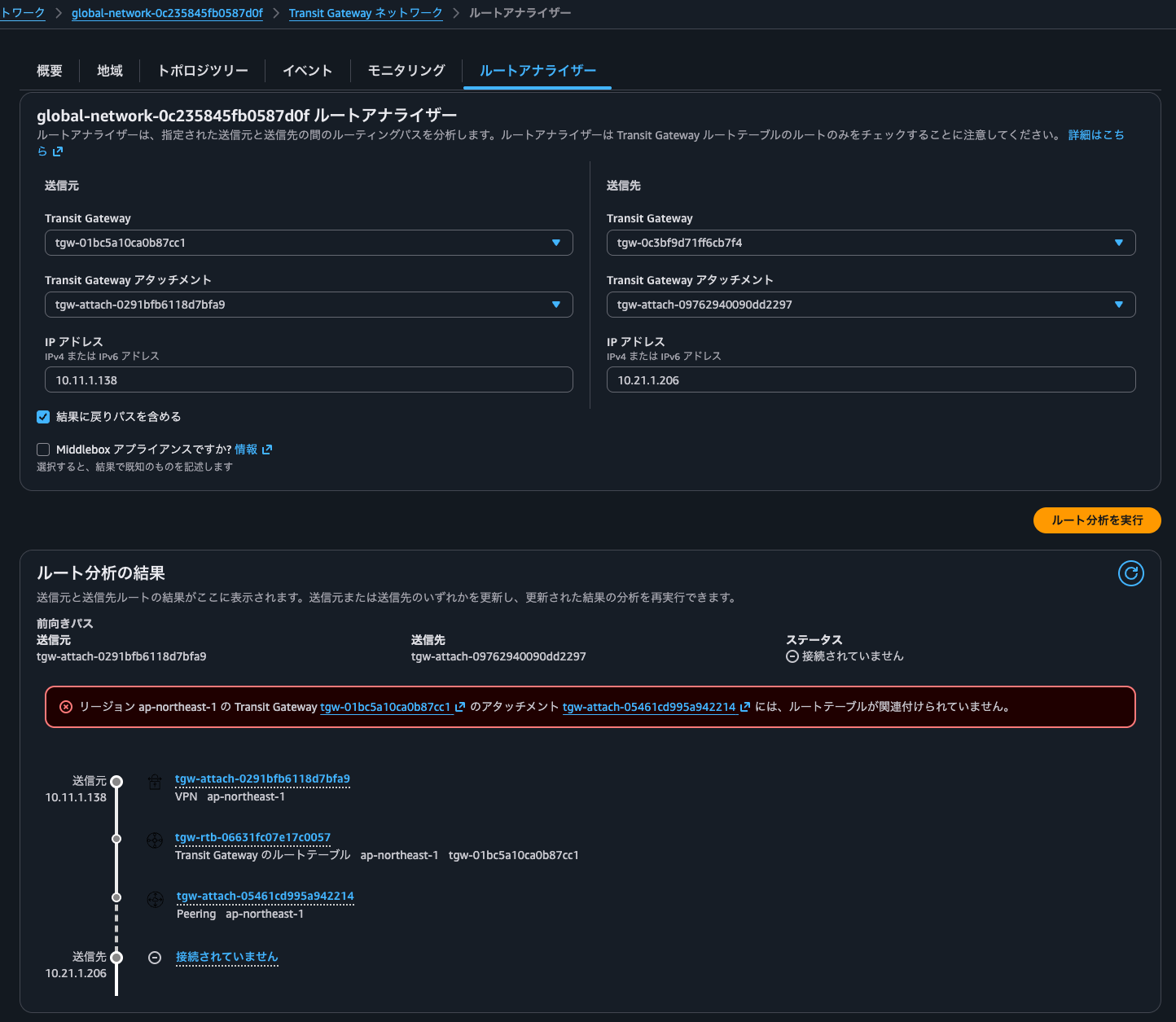
Route Analyzer can logically evaluate the communication path between Transit Gateways. However, when Cloud WAN is connected to Transit Gateway, the Transit Gateway peering is not directly associated with a Transit Gateway route table but is associated via the Transit Gateway policy table, so the evaluation cannot be performed. Be careful. It is a feature intended for cases where Transit Gateways are peered directly with each other, that is, cases not associated with Cloud WAN.
Transit Gateway route table
I'll also check the Transit Gateway route table.
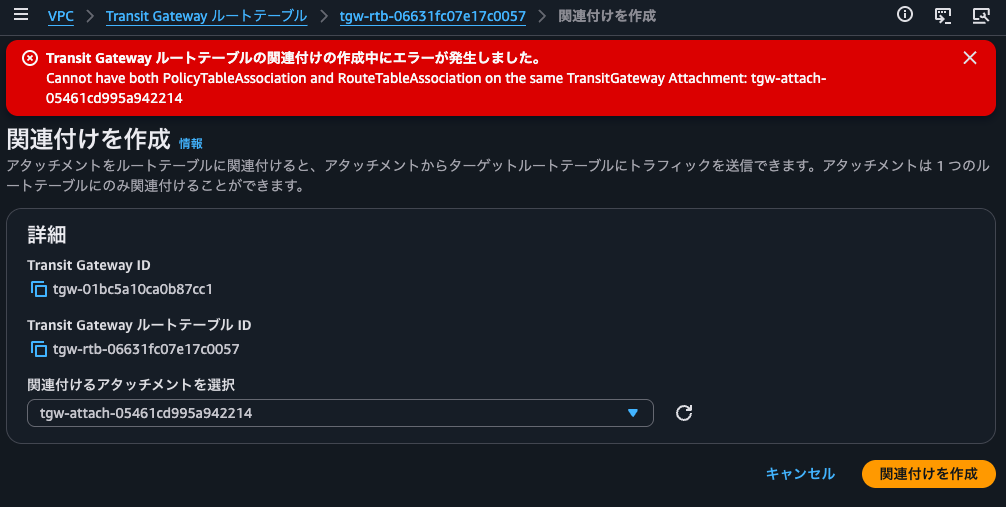
Checking the associations, you can see there is no peering with Cloud WAN.
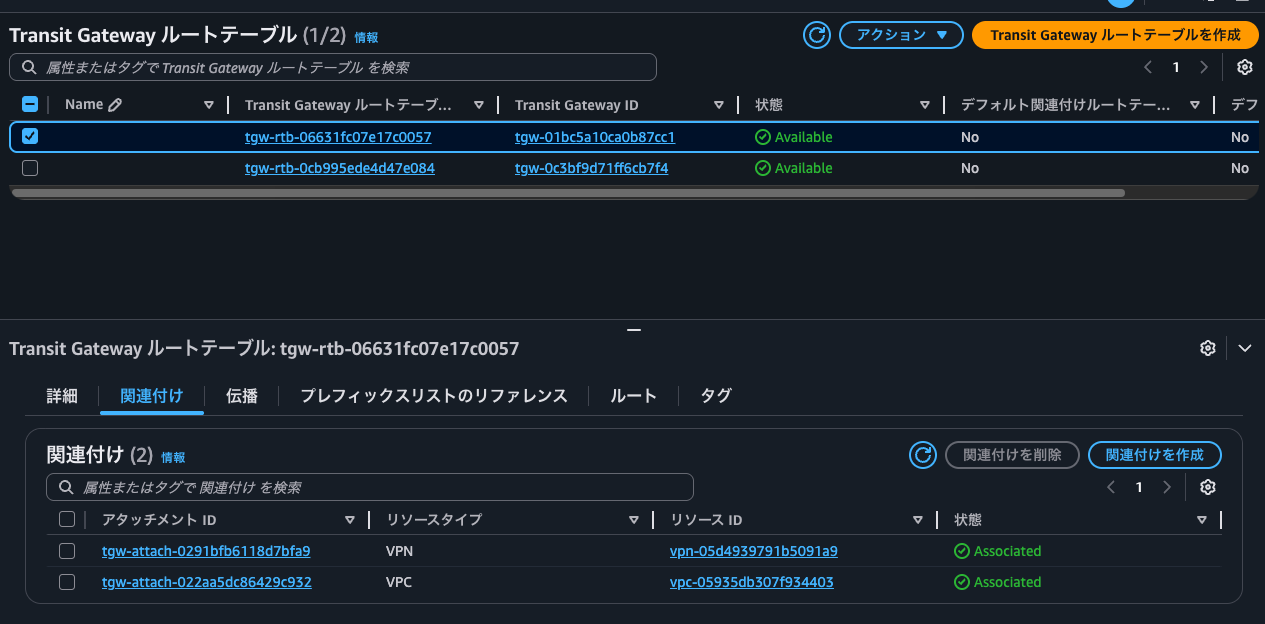
Even if you forcibly try to associate the peering's Transit Gateway attachment, it results in the error Cannot have both PolicyTableAssociation and RouteTableAssociation on the same TransitGateway Attachment: tgw-attach-05461cd995a942214, because it is already associated with the Transit Gateway policy table.
Propagation is configured for all attachments connected to the Transit Gateway.
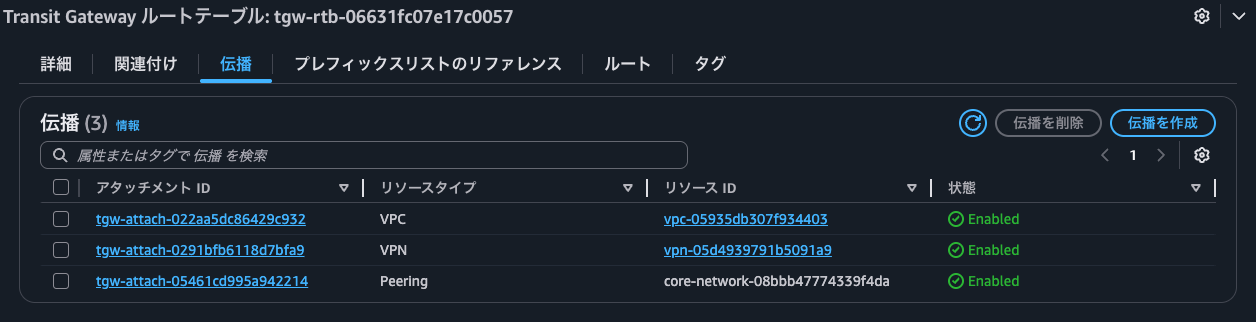
By the way, if you delete each propagation, not only are the routes propagated from it removed from this Transit Gateway route table, but the propagation of routes to Cloud WAN also stops. This is because this Transit Gateway route table is associated with Cloud WAN.
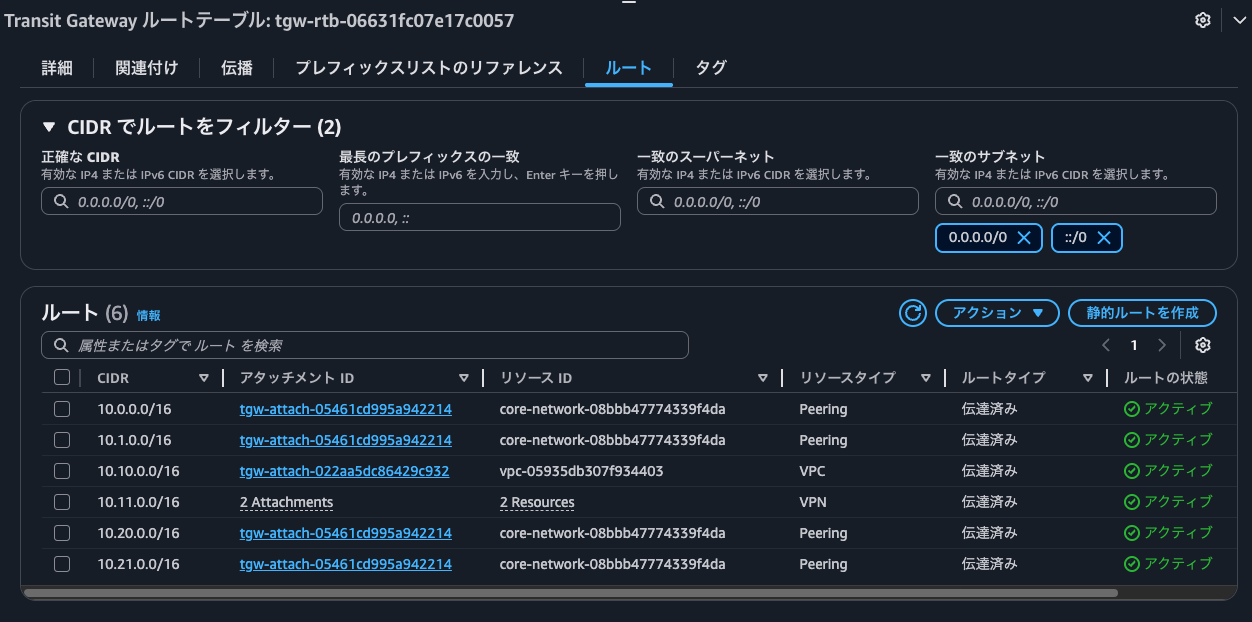
As for routes, all network addresses, including those connected to Cloud WAN, are registered as shown below.
Connectivity check
Now for the connectivity check.
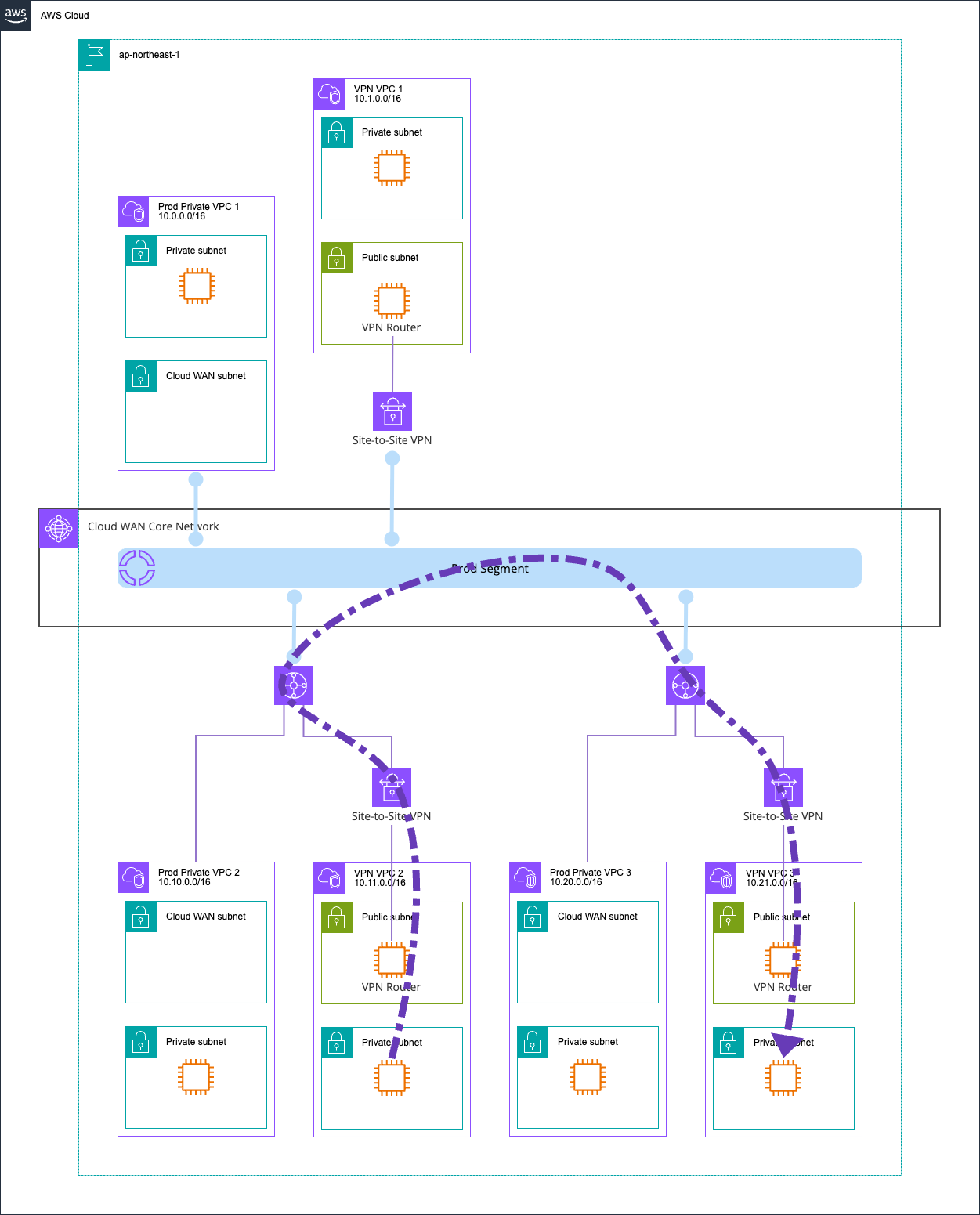
I'll ping from the EC2 instance in VPN VPC 2 to the EC2 instance in VPN VPC 3.
$ hostname -i
10.11.1.138

$ ping -c 4 10.21.1.206
PING 10.21.1.206 (10.21.1.206) 56(84) bytes of data.
64 bytes from 10.21.1.206: icmp_seq=1 ttl=121 time=10.4 ms
64 bytes from 10.21.1.206: icmp_seq=2 ttl=121 time=6.33 ms
64 bytes from 10.21.1.206: icmp_seq=3 ttl=121 time=6.14 ms
64 bytes from 10.21.1.206: icmp_seq=4 ttl=121 time=6.21 ms

--- 10.21.1.206 ping statistics ---
4 packets transmitted, 4 received, 0% packet loss, time 3004ms
rtt min/avg/max/mdev = 6.142/7.262/10.370/1.795 ms
Yes, communication worked without any problems.
Illustrated, it looks like this.
You can integrate Transit Gateway with Cloud WAN and route between them
I associated AWS Cloud WAN with AWS Transit Gateway and registered the route information of the VPCs and Site-to-Site VPN connected to Transit Gateway in Cloud WAN.
I found that you can integrate Transit Gateway with Cloud WAN and route between them. It's nice that you don't need to explicitly add routes between the peerings with Transit Gateway. As an organization grows through acquisitions and so on, if you end up with multiple Transit Gateways, there may be scenarios where you use Cloud WAN to control communication.
I hope this article helps someone.
This was Nonpi (@non____97) from the Consulting Department, Cloud Business Division!
