![[Update] Now you can easily check the last use of AWS KMS keys](https://images.ctfassets.net/ct0aopd36mqt/wp-thumbnail-d5543bc9fd4ae763dcf74e04d096b8bc/d3fffe307001ee43ef2e3f0a1eca7bea/aws-key-management-service?w=3840&fm=webp)
[Update] Now you can easily check the last use of AWS KMS keys

This page has been translated by machine translation. View original
AWS KMS Key Inventory: A Simpler Way to Check Usage Logs
Hello, this is nonPi (@non____97).
Have you ever wanted to take inventory of your AWS KMS keys but found checking logs to be a hassle? I certainly have.
While the KMS keys themselves don't cost much, small charges add up. It's best to delete unnecessary ones.
Traditionally, when deleting KMS keys, we followed this process:
- Check Cloud Trail to see if the KMS key has been used
- If used, determine whether those operations will continue
- Disable the KMS key
- Observe for a period to ensure disabling hasn't caused issues
- Schedule deletion of the KMS key
Searching CloudTrail logs with Athena for multiple KMS keys can be time-consuming.
Now, thanks to a recent update, it's much easier to check the last usage of AWS KMS keys.
You can now retrieve when a KMS key was last used, what operation was performed, and the CloudTrail event ID from the management console or AWS CLI.
Documentation is available here:
Let's see this in action.
What Can Be Monitored
The following can be monitored:
- Successful encryption operations:
- Decrypt
- DeriveSharedSecret
- Encrypt
- GenerateDataKey
- GenerateDataKeyPair
- GenerateDataKeyPairWithoutPlaintext
- GenerateDataKeyWithoutPlaintext
- GenerateMac
- ReEncrypt
- Sign
- Verify
- VerifyMac
- Important notes:
- Records may be delayed by up to 1 hour
- For multi-region KMS keys, primary keys and replica keys track last usage information independently
- Re-encryption processes are recorded for both encryption and decryption KMS keys
Available information includes:
- Timestamp
- Operation (AWS API name)
- KMS key request ID
- CloudTrail event ID
While having records indicates usage, the absence of records doesn't necessarily mean a key is unused. The documentation warns against over-reliance on this information:
Do not solely rely on last usage information when deleting unused keys. Instead, disable the key first and monitor AWS CloudTrail for DisabledException entries, which indicate attempts to use the key while disabled. This helps identify potential dependencies and workload failures.
Trying It Out
Checking Existing KMS Keys
Let's give it a try.
First, I'll check existing KMS keys.
In the management console, customer-managed keys now show a "Last Used" field, with one showing "3 days ago".
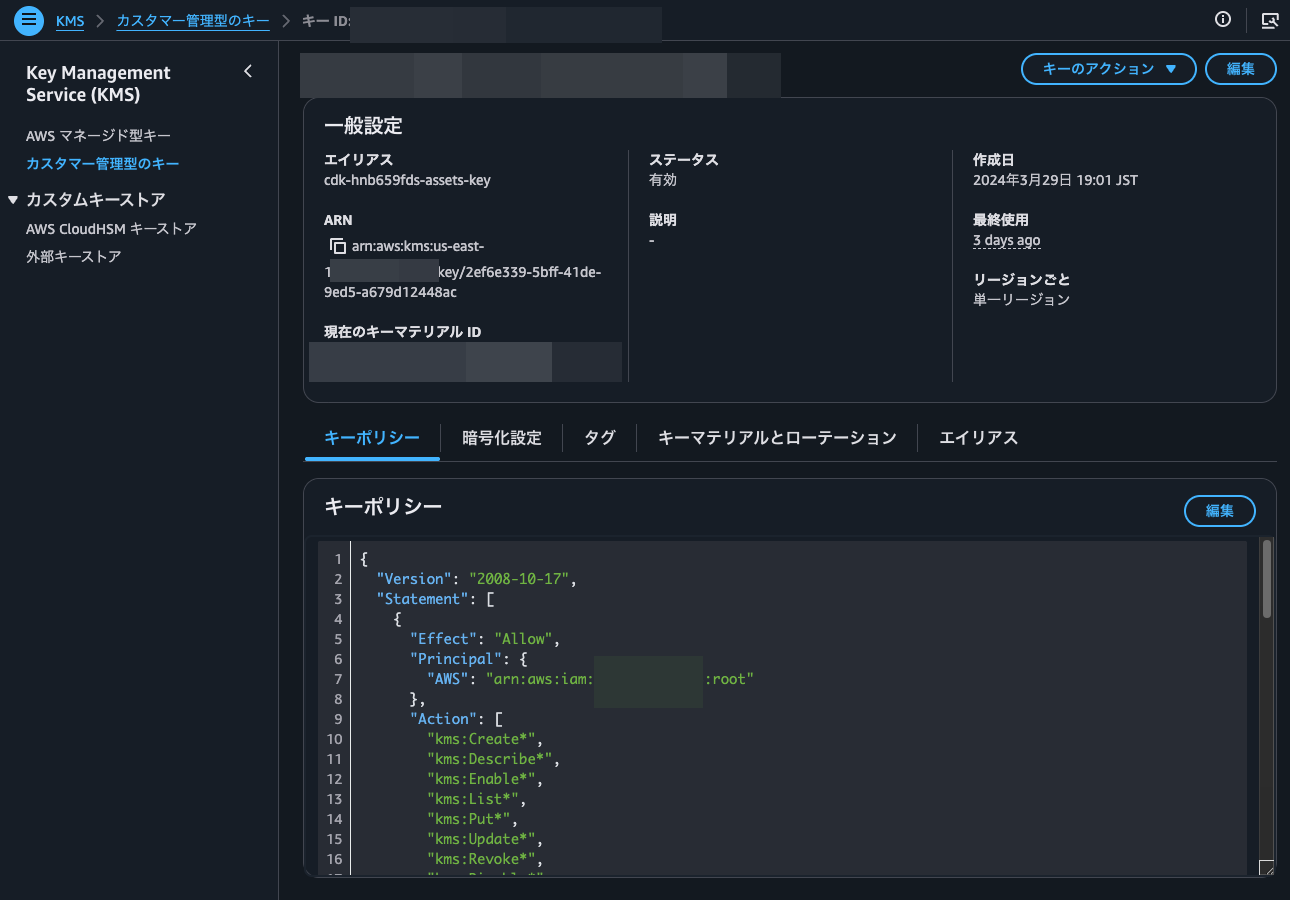
Clicking on "3 days ago" reveals the timestamp, operation, and CloudTrail event ID of the last usage.
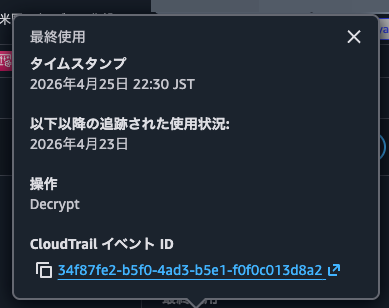
The CloudTrail event ID is a link that takes you to the CloudTrail console for detailed event information.
Checking another customer-managed key shows "No records since usage tracking began (April 23, 2026)".
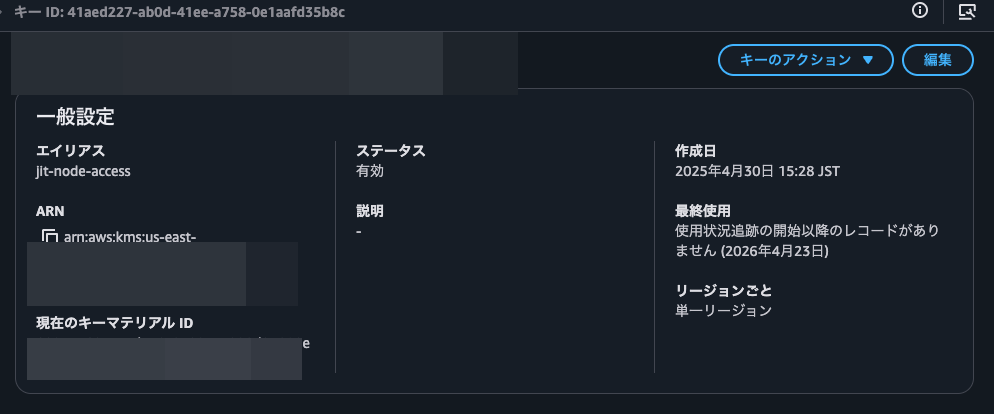
Although this key was created on April 30, 2025 (over a year ago), the "Last Used" shows April 23, 2026. This suggests the feature records KMS encryption/decryption API operations only since its release date of April 23, 2026.
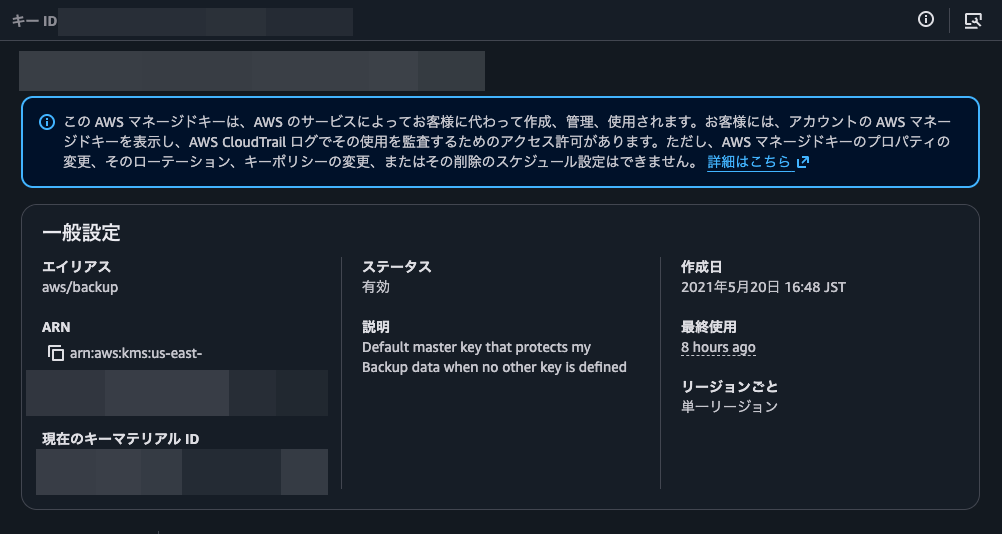
Let's also check AWS-managed keys.
These also have a "Last Used" field, with one showing "8 hours ago". This confirms the feature works for both AWS-managed and customer-managed keys.
I'll also check last usage information via AWS CLI using get-key-last-usage.
> aws kms get-key-last-usage --key-id <KMS Key ID>
{
    "KeyId": "<KMS Key ID>",
    "KeyLastUsage": {
        "Operation": "Decrypt",
        "Timestamp": "2026-04-25T22:30:57.004000+09:00",
        "CloudTrailEventId": "34f87fe2-b5f0-4ad3-b5e1-f0f0c013d8a2",
        "KmsRequestId": "3ecb6705-cd11-4705-b64f-ba39d12bf49e"
    },
    "TrackingStartDate": "2026-04-23T09:00:00+09:00",
    "KeyCreationDate": "2024-03-29T19:01:58.438000+09:00"
}
Success! The "TrackingStartDate": "2026-04-23T09:00:00+09:00" confirms that tracking began on April 23, 2026.
Preventing KMS Key Deletion or Disabling
Along with this feature, a new condition key kms:TrailingDaysWithoutKeyUsage has been added that represents the number of days without encryption operations on a KMS key.
| AWS KMS Condition Key | Condition Type | Value Type | API Operations |
|---|---|---|---|
kms:TrailingDaysWithoutKeyUsage |
Numeric | Single value | - DisableKey- ScheduleKeyDeletion |
For more details, see the AWS official documentation:
This allows you to control KMS key disabling/deletion by requiring a specified number of days to have passed since last usage.
Let's try it.
Currently, when trying to schedule deletion or disable a KMS key in the management console, it shows last usage information, but you can ignore it and proceed.
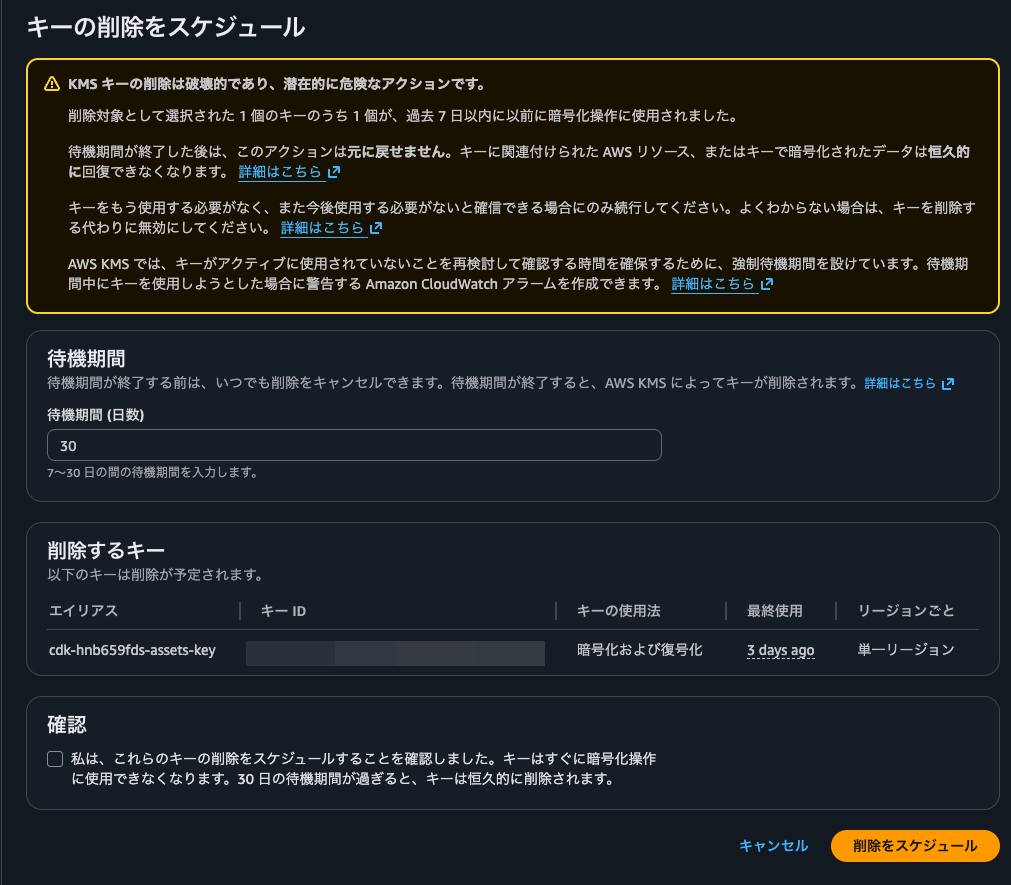
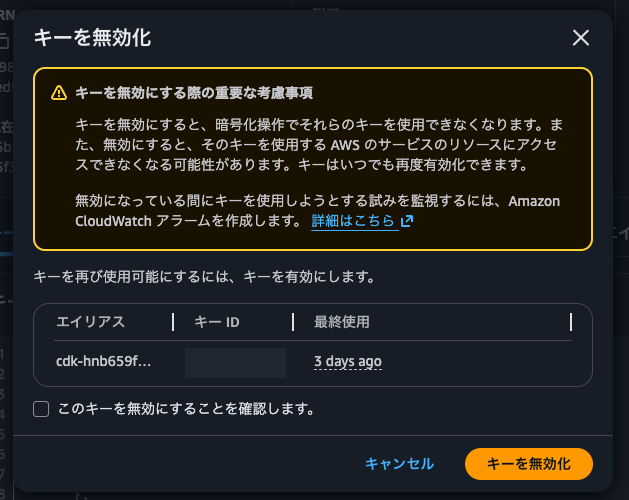
I'll set a KMS key policy that prevents disabling or scheduling deletion unless 90 days have passed since last use. I've added this statement:
    {
      "Effect": "Deny",
      "Principal": "*",
      "Action": [
        "kms:ScheduleKeyDeletion",
        "kms:DisableKey"
      ],
      "Resource": "*",
      "Condition": {
        "NumericLessThanEquals": {
          "kms:TrailingDaysWithoutKeyUsage": "90"
        }
      }
    }
With this policy in place, attempting to disable the KMS key results in AccessDeniedException, confirming the policy works.

Adding this statement when creating KMS keys can serve as an additional guardrail against accidental deletion. I plan to use this actively. Since you'd need to modify the KMS key policy to delete a key before the specified period, it makes it easier to notice if you've accidentally selected the wrong key.
A Helpful Tool for KMS Key Inventory
I've introduced the update that makes it easier to check the last usage of AWS KMS keys.
This will be a great companion for KMS key inventory management. Using EventBridge Scheduler with Step Functions to periodically retrieve last usage information for customer-managed keys and notify administrators of keys unused for a specified period would make this process much easier.
However, I must emphasize again that old last usage dates don't necessarily mean a key is no longer in use. Ultimately, you need to examine the context of the last usage to determine whether the key might still be needed.
As the AWS official documentation notes:
Certain AWS services create resources that depend on a KMS key for data protection but do not invoke cryptographic operations on that key frequently. For example, the Amazon EC2 service calls AWS KMS to decrypt the data key for an encrypted Amazon EBS volume only when the volume is attached to an instance. In these cases, you must not rely on the last usage information alone to determine if a KMS key can be deleted. If the KMS key protecting an Amazon EBS volume is deleted, there will be no disruption to the Amazon EBS volume that's already attached, but subsequent attempts to attach that encrypted Amazon EBS volume to another Amazon EC2 instance would fail.
I hope this article helps someone.
This was nonPi (@non____97) from the Consulting Department, Cloud Business Division!
