
What Happens to Resources When You Disable an Opt-In Region? Behavior & Caveats

This page has been translated by machine translation. View original
Hello. I'm Shiina from the Operations Department.
Introduction
When a new region is added to AWS, it is disabled by default, and you must explicitly enable it (opt in) in order to use it.
If you casually enable a new region, create resources, and then disable the region while leaving the resources in place, the resources become hard to see, which can lead to unexpected billing problems.
In this article, I've summarized what specifically happens when you disable an opt-in region, along with points to watch out for.
Conclusion
When disabling a region, you need to be careful about the following points.
Resources and billing
- Even if you disable a region, resources are not deleted and billing continues
- To delete the resources, you need to enable the region again
Resource visibility
- After disabling, IAM access to resources in the region is disabled
- Resources become harder to see from the console and CLI, making it easy to overlook their existence
Preventing trouble
- Always delete all resources before disabling a region
- Limit the users who can perform the disable operation to the minimum
What Are Opt-in Regions?
There are two main types of AWS regions.
| Type | Description | Examples |
|---|---|---|
| Enabled-by-default regions | Available from the start | us-east-1, ap-northeast-1, etc. |
| Opt-in regions | Must be explicitly enabled | ap-southeast-7, etc. |
Regions added on or after March 20, 2019 are disabled by default (opt-in method).[1]
Checking What Happens When a Region Is Disabled
This time, with an EC2 instance running in the opt-in region Asia Pacific (Thailand) ap-southeast-7, I'll disable the region.
I checked several differences in behavior between the enabled and disabled states of the region.
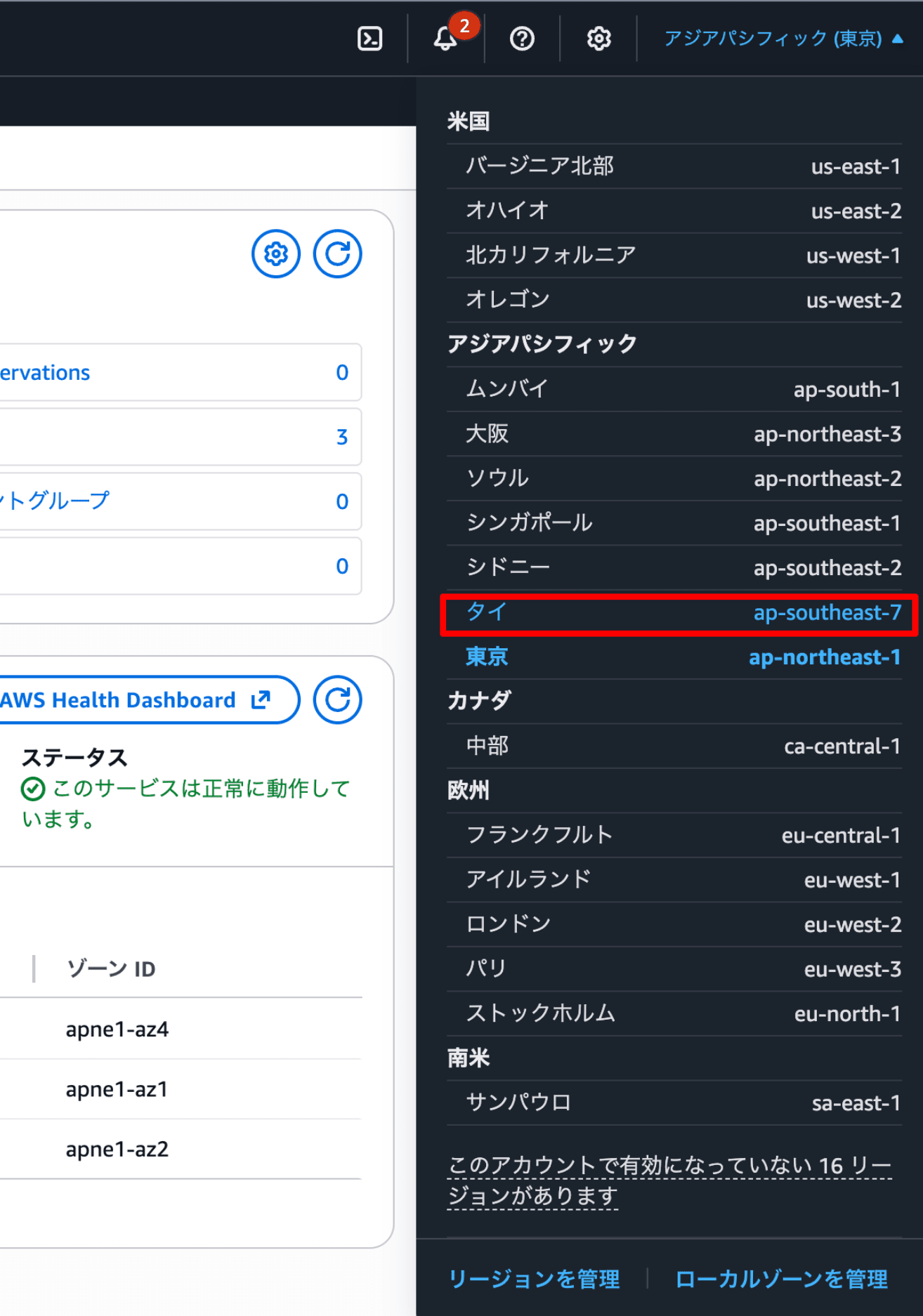
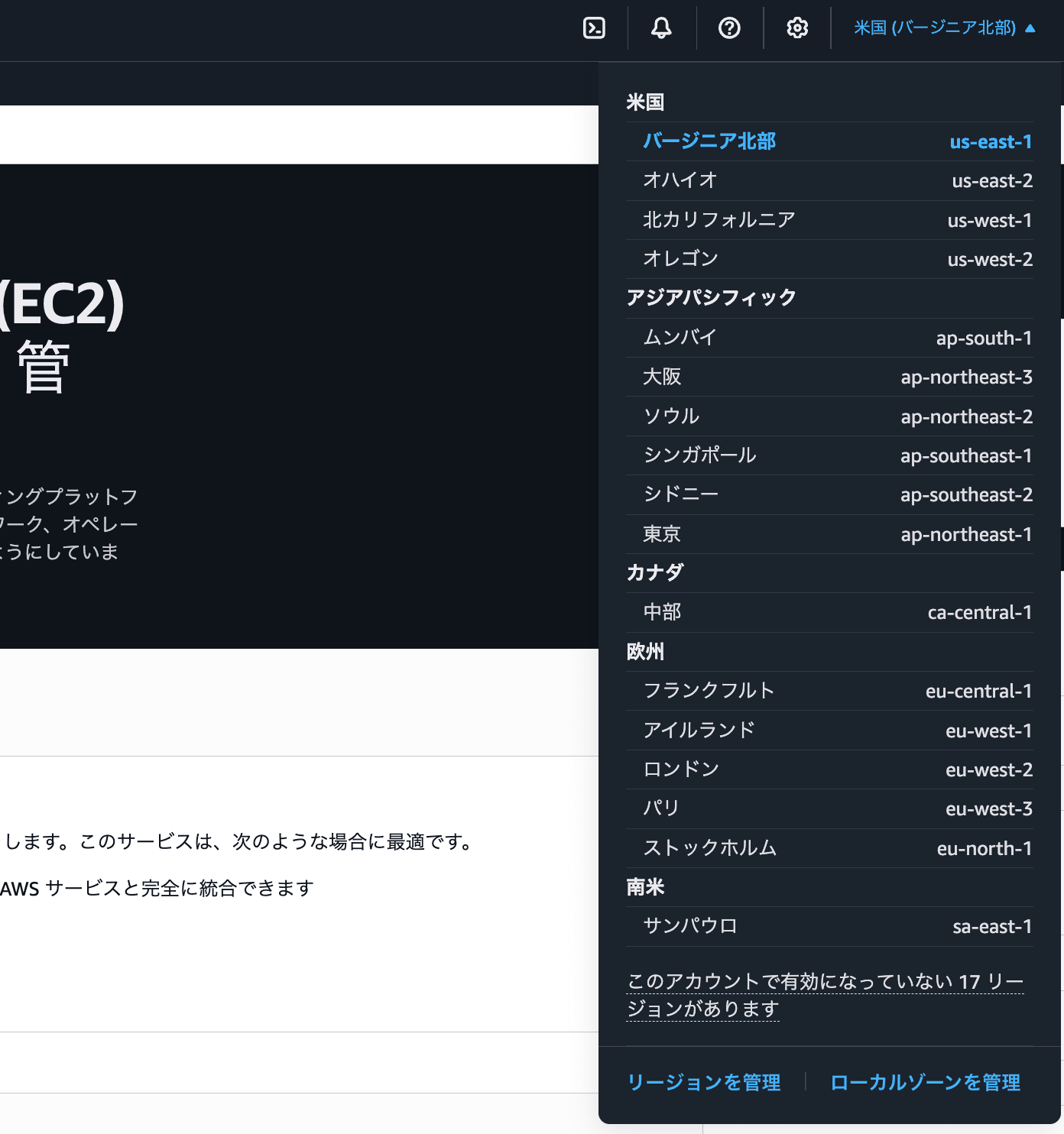
1. Region selection in the AWS Management Console
Let's check how the region switcher dropdown menu at the top right of the Management Console changes.
"Asia Pacific (Thailand)", which was displayed in the list before disabling, is no longer displayed in the list after disabling.
Enabled state
Disabled state
2. Output of the describe-regions command
Let's check how the output of aws ec2 describe-regions, an AWS CLI command that lists regions, changes.
Enabled state
aws ec2 describe-regions --query 'Regions[].RegionName' --output table
--------------------
|  DescribeRegions |
+------------------+
|  ap-south-1      |
|  eu-north-1      |
|  eu-west-3       |
|  eu-west-2       |
|  eu-west-1       |
|  ap-northeast-3  |
|  ap-northeast-2  |
|  ap-northeast-1  |
|  ca-central-1    |
|  sa-east-1       |
|  ap-southeast-1  |
|  ap-southeast-2  |
|  eu-central-1    |
|  us-east-1       |
|  us-east-2       |
|  us-west-1       |
|  ap-southeast-7  |
|  us-west-2       |
+------------------+
When the region is enabled, Asia Pacific (Thailand) ap-southeast-7 appears in the results.
Disabled state
aws ec2 describe-regions --query 'Regions[].RegionName' --output table
--------------------
|  DescribeRegions |
+------------------+
|  ap-south-1      |
|  eu-north-1      |
|  eu-west-3       |
|  eu-west-2       |
|  eu-west-1       |
|  ap-northeast-3  |
|  ap-northeast-2  |
|  ap-northeast-1  |
|  ca-central-1    |
|  sa-east-1       |
|  ap-southeast-1  |
|  ap-southeast-2  |
|  eu-central-1    |
|  us-east-1       |
|  us-east-2       |
|  us-west-1       |
|  us-west-2       |
+------------------+
After disabling, Asia Pacific (Thailand) ap-southeast-7 no longer appears in the results.
aws ec2 describe-regions is often used in loops that perform operations against all regions.
Because disabled regions are excluded from the list, be aware that they will be left out of scripts like the one below.
regions=$(aws ec2 describe-regions --query 'Regions[].RegionName' --output text)
for region in $regions; do
  # Processing for each region
done
If you want to output all regions, including disabled ones, you need to explicitly specify the --all-regions option.
aws ec2 describe-regions --all-regions
3. AWS Global View
Using AWS Global View, you can see the status of resources across regions in a single list.
Let's check how the display changes before and after disabling the region.
Enabled state
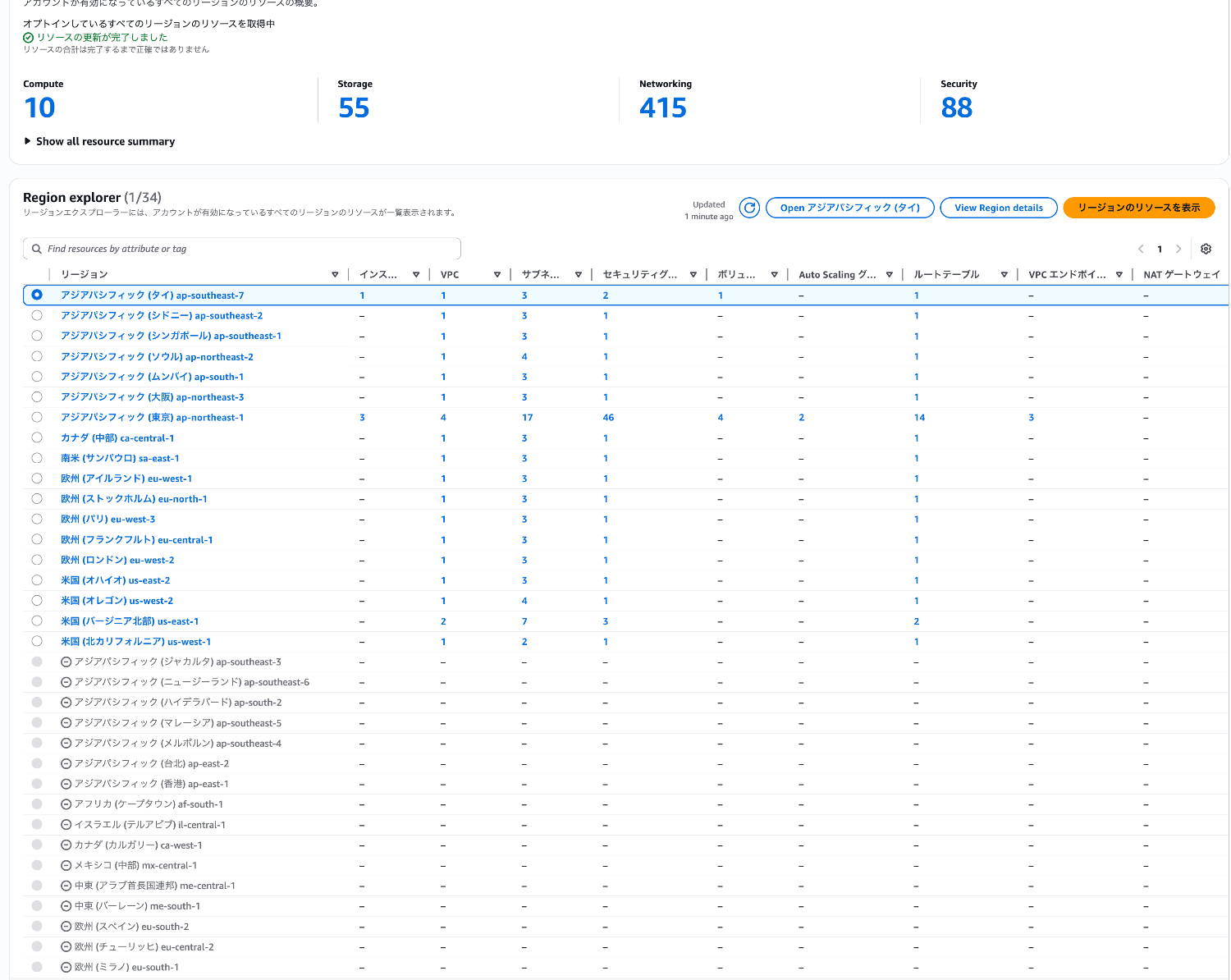
The EC2 instance resource in Asia Pacific (Thailand) ap-southeast-7 is displayed.
Disabled state
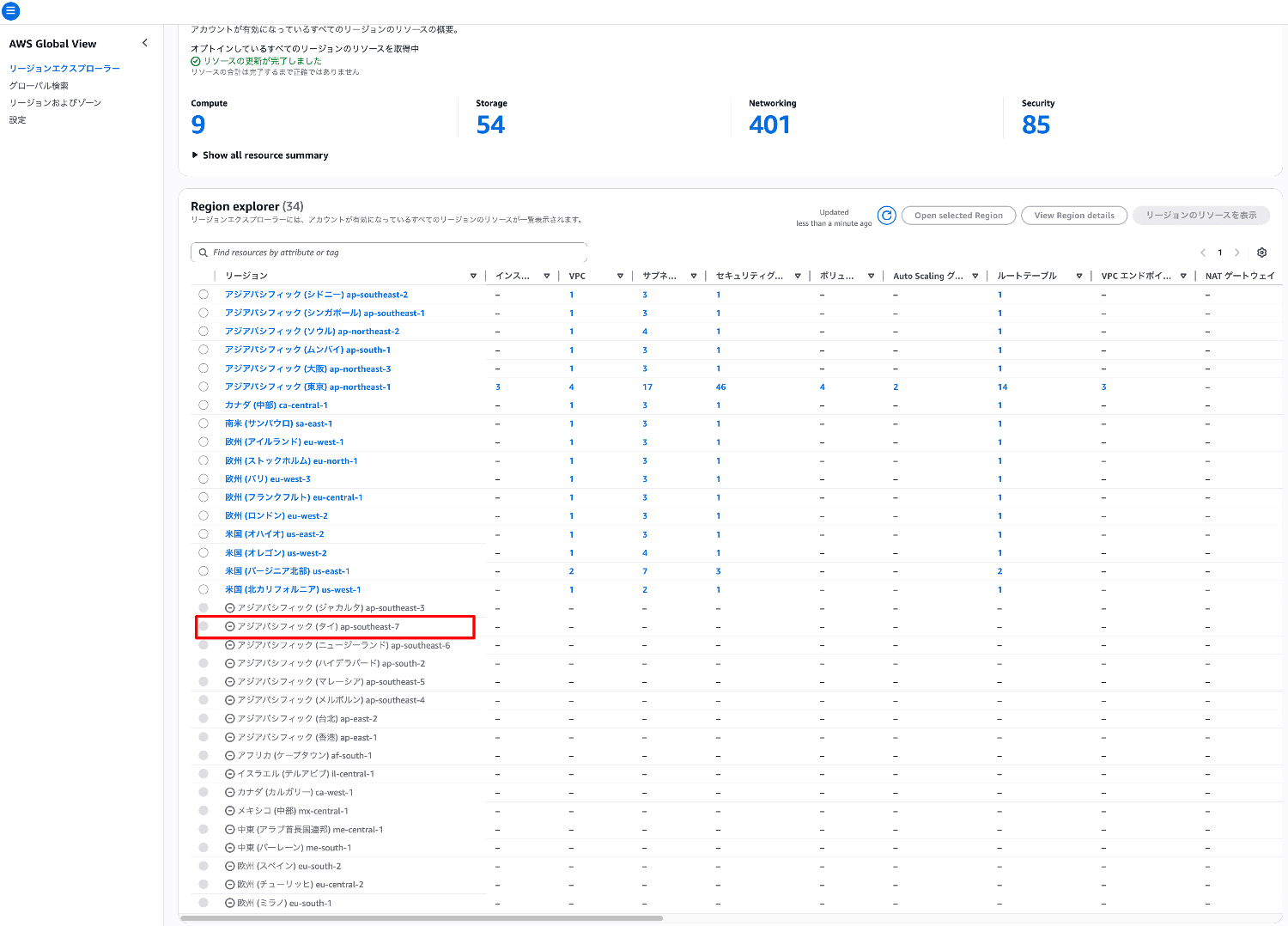
Asia Pacific (Thailand) ap-southeast-7 is grayed out, and no information is displayed at all.
Risks
Disabling a region can also be an operation that unintentionally makes resources hard to see.
As a result, you may end up in a situation where charges you don't recognize are incurred, yet you can't find the relevant resources.
There is also the risk that a malicious operator could disable a region to deliberately hide the existence of resources.
We recommend checking CloudTrail events to confirm that no unintended region disable operations have been performed.
How to Investigate Region Enable/Disable Operations
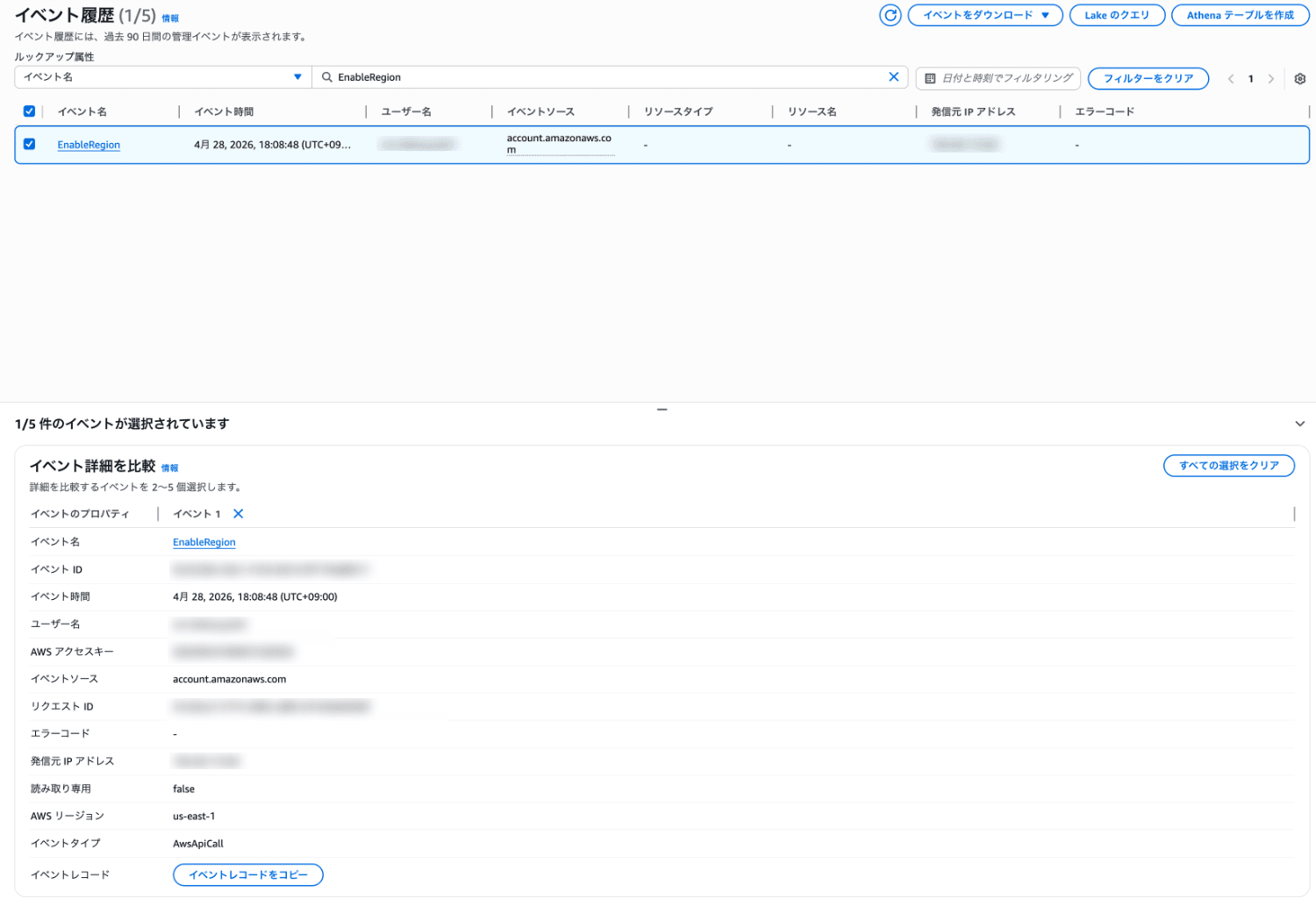
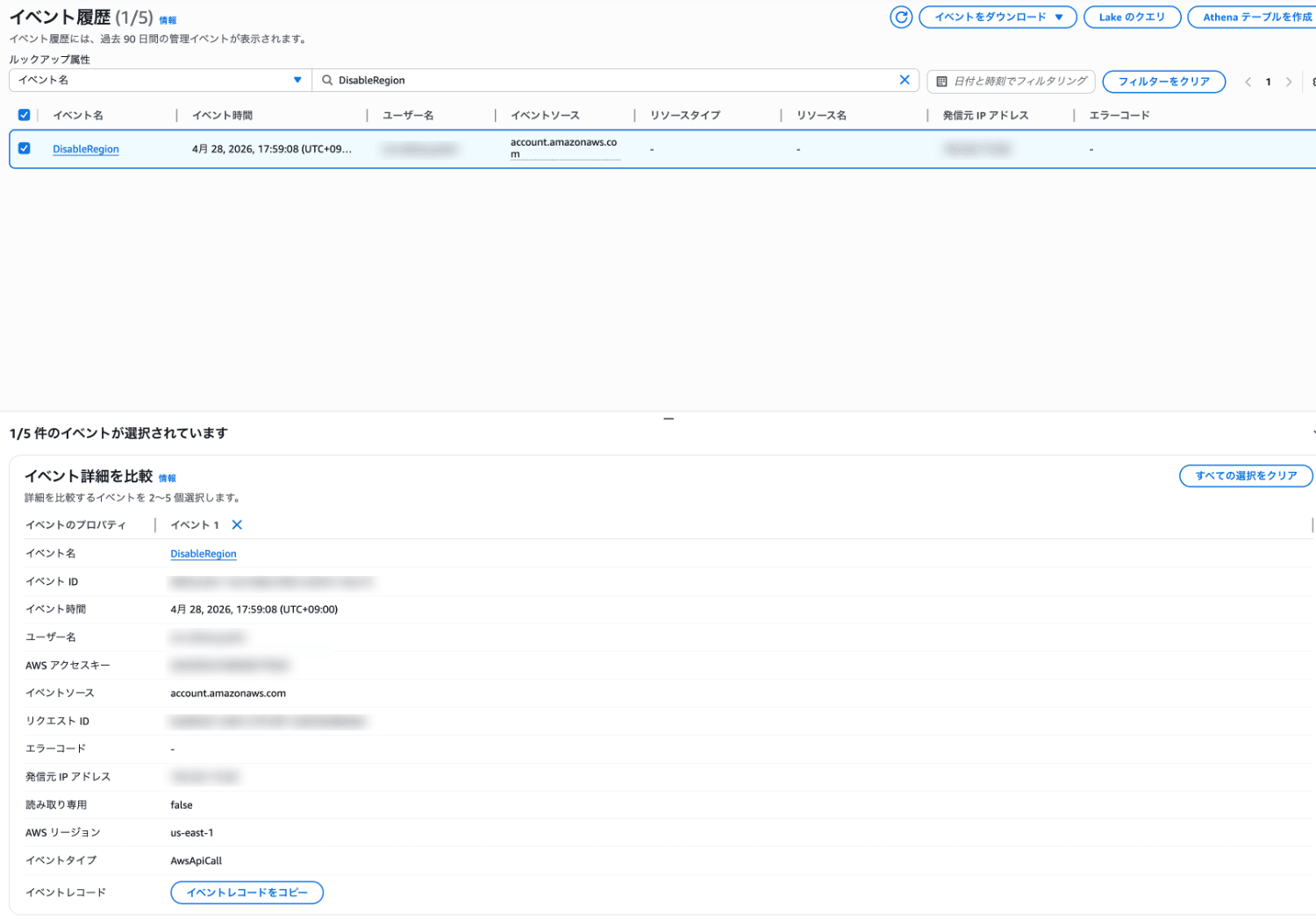
The API activities for enabling and disabling opt-in regions are recorded in the CloudTrail log events of the N. Virginia region.
You can investigate based on the recorded events.
Event names
- Enable:
EnableRegion - Disable:
DisableRegion
How to check
You can check the events from the URLs below.
IAM Policies That Allow Region Enable/Disable Operations
The typical managed policies that allow enabling and disabling regions are as follows.
AdministratorAccessAWSAccountManagementFullAccess
Disabling a region is an operation with a large impact.
When using these administrator policies, keep their use to the necessary minimum.
You can also restrict region enable/disable operations by specific users or roles by using SCPs or IAM Deny policies.
- Example IAM Deny policy
{
    "Version": "2012-10-17",
    "Statement": [
        {
            "Sid": "DenyRegionEnableDisable",
            "Effect": "Deny",
            "Action": [
                "account:EnableRegion",
                "account:DisableRegion"
            ],
            "Resource": "*"
        }
    ]
}
Summary
Note that even if you disable an opt-in region, resources are not deleted and billing continues.
Please make sure to delete resources before disabling, and also consider monitoring CloudTrail and restricting operations with IAM policies and SCPs.
I hope this article is helpful.
