
When testing AWS SAM, sam sync is useful

This page has been translated by machine translation. View original
Introduction
Hello, I'm Shota Yamamoto.
In my previous blog, I introduced how to set up an AWS SAM development environment.
I've been working in this environment for a while, but I found it tedious to go through the sam build → sam deploy steps every time I wanted to test my code.
Especially when making consecutive minor changes, deployments taking 30 to 60 seconds each can really break your workflow.
So today, I'd like to introduce sam sync.
What is sam sync
The official documentation describes it as follows:
The sam sync command synchronizes local application changes to the AWS cloud.
In other words, sam sync is a command to reflect local changes to your AWS environment.
It's useful when you want to reflect changes more quickly while developing, instead of running sam build and sam deploy every time you modify your code.
However, sam sync is not a replacement for sam deploy, but rather a command with a different purpose.
When you actually run it, you'll notice that sam deploy proceeds in a way that makes it easy to confirm changes before they're applied, while sam sync applies changes more quickly.
Therefore, I think it's clearer to use them as follows:
- Simple verification during development:
sam sync - Final deployment:
sam deploy
By the way, if you've used CDK before, you can think of it as similar to cdk watch.
Options
Using sam sync performs a one-time synchronization to your AWS environment.
However, if the stack name is not set in samconfig.toml, you need to specify the --stack-name option.
# When set in samconfig.toml
sam sync

# When not set in samconfig.toml
sam sync --stack-name <stack name>
In this case, it synchronizes the current local changes to AWS, targeting the entire application.
While sam sync without options targets the entire application, adding the --code option allows you to synchronize only code resources like Lambda functions and Layers.
sam sync --code
This is useful when you want to quickly reflect code changes, but note that template changes or configuration changes are not included.
If you want to automatically synchronize with each file change, you can continuously monitor by adding the --watch option.
sam sync --watch
Using --watch monitors your local files and automatically synchronizes differences to the AWS environment after saving.
Therefore, this is more convenient when you need to repeatedly make code modifications and verifications during development.
Verification
I've tried it in my local environment.
sam sync
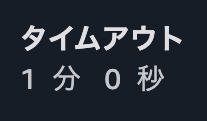
First, I changed the Lambda timeout from 30 seconds to 60 seconds and ran sam sync.

After a short time, the Lambda change was reflected. Looking at the terminal, unlike sam deploy, it applies changes directly without going through a flow to confirm changes before deployment.
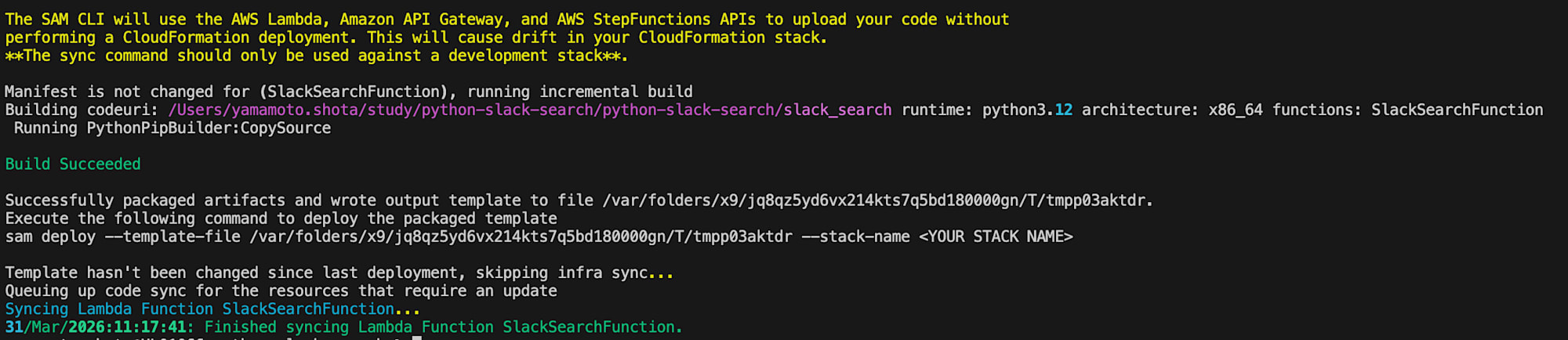
Next, I changed a comment in the code.
After running sam sync, the change was applied to Lambda much faster than before.
sam sync --code
Let's try the same verification with sam sync --code.
When I changed the Lambda timeout back from 60 seconds to 30 seconds and ran sam sync --code, the process completed immediately.
However, the Lambda timeout didn't change. This is because sam sync --code only synchronizes code resources like Lambda code, not configuration changes like timeout settings or stack structure.
On the other hand, when I only changed comments in the code, the changes were applied immediately.
sam sync --watch
Finally, let's check how sam sync --watch works.
When I ran sam sync --watch, the terminal went into a waiting state for changes.
In this state, when I changed comments in the code, the changes were reflected immediately, similar to when running sam sync --code.
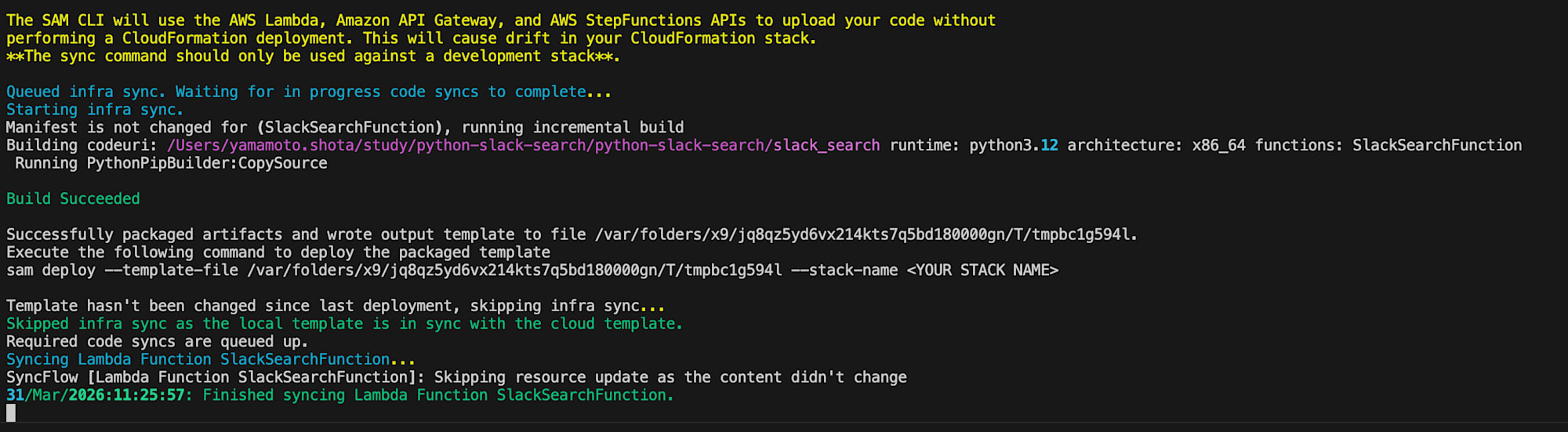
Next, when I changed the timeout setting, the terminal started working right away, and after a short wait, the changes were reflected.
Note that you can exit this waiting state with Ctrl + C.

Conclusion
That concludes the verification.
I found sam sync very useful for development verification as it can apply changes quickly. (I learned about sam sync toward the end of development, so I wish I had known about it earlier.)
On the other hand, unlike sam deploy, it's not well-suited for purposes where you need to carefully proceed while checking changes in advance.
Therefore, it seems best to use sam deploy for final deployments and sam sync for testing and verification during development.
By the way, while sam sync normally synchronizes just once, you can make sam sync behave like --watch by setting watch to true in the default.sync.parameters of your samconfig.toml file. If you use it frequently, give this a try as well.
References
About Classmethod Operations Corporation
We are the operations company of the Classmethod Group.
Our team of experts in operations, maintenance development, support, information systems, and back-office provides everything from business outsourcing to problem-solving and high-value-added services through "mechanisms" that fully utilize IT and AI.
We are recruiting members for various positions.
If you're interested in our culture, mechanisms, and ways of working that realize both "operational excellence" and "working and living like yourself," please visit the Classmethod Operations Corporation Corporate Site. *We changed our company name from Annotation Inc. in January 2026.